-
Spaceship Jumpsuit Zippers (I can't make them move)
That's just a Rigid Follow Node as the parent of zipper handle... There's no morph opening / closing the jacket, let alone it's not a dForce ready garment. In general, that zipper is useless other than a decoration.
But if you know a modeling / sculpting software, you can make some open / close morphs for the jacket, then duplicate the zipper as well the rigid follow node, move it to the right position when "close morph is dialed", etc...
Diffeomorphic: How did I get all these custom morphs into Blender?Ah... that's it. I think I might understand how that happend though I'm not 100% sure as I've never used that way....
I presume that Affect Morphs / Load Missing Morphs options search the linked morphs of the propertie dials within the Pose Presets, for instance, a joint rotation, a pJCM... even if you just gave the figure a simple pose...
But I just did a couple of tests, the imported morphs seemed not accurate and complete. Anyway it needs the confirmation from Thomas and Padone...
http://diffeomorphic.blogspot.com/2022/08/import-morph-and-scanned-morph-database.html
Celebrity Look-a-Likes for 3D figures Part 4Haruchai said:
MarcosGAB has released MGAB Summer at RenderHub - Summer Glau
I loved that Terminator series, it was really interesting Sci-Fi (and established it was an 'alternate universe' pretty much from the pilot episode).
Also, since it looks like it hasn't been pointed out yet: Jolene Blalock morph by Magnus1781
https://www.deviantart.com/magnus1781/art/J-Blalock-1034416733
And also a 'T'Pol' morph by TheFigureGuy (with outfit by RyselleChan), which is just Blalock with pointed ears ^_^
https://www.deviantart.com/thefigureguy/art/T-Pol-For-Genesis-8-Female-1005334299Diffeomorphic: How did I get all these custom morphs into Blender?Thank you guys... I've found out how these morphs came into Blender. I use DazStudio for the overall posing as I find DazStudio more convenient for the basic posing (whereas I find Blender more convenient for animation and finetuning the poses). I save the poses from Daz and use the "Import pose" button of diffeomorphic to get this pose into Blender. Actually I seem to have checked the "Affect morph" and "Load missing morphs" for one pose import in history for one time and then this character had these morphs.
The thing I still don't understand is: I didn't use these morphs for the pose. I checked this again: I loaded a daz base male in daz, did some changes to the arms and saved this pose preset. When I import the pose with the mentioned checkboxes activtated the morphs are imported - I did not use them for the pose for sure. Just to gain more control (it is not highly relevant for me by now) but how does oit come to this behavior? I checked the settings when saving the pose preset within daz as I did now change here. There are quite some nested settings / checkboxes but neither seems to be related to morphs. Additionally I wonder why just these morphs are included somehow magically although I have some more morphs. Maybe that all of these automatically added morphs are expressions may be a hint for you?!
Ripping a character from BG3if this is a custom character does it have a way to capture a front and side view?
will Face Transfer (or Facegen, Headshop) help?
Disclaimer, I have never played the game but have friends that do who use DAZ and have tried recreating their characters so know it's possible
It is also extremely difficult to make suggestions without knowing what the character looks like

pretty sure someone has made very similar clothing too and hair as nearly everything seems to copy something I am unaware of until it's pointed out!
looking at this I don't see anything impossible to roughly replicate
 Getting on the 9 train, or not
Wonderland said:
I'm finding I'm spending way too much time trying to morph G9 to look more like G3 and it's dawning on me, why don't I just use G3? I like the body proportions and faces so much better. Even the bends are better IMO. I like G8 too but I have so much content, she takes like 45 minutes to load. I was thinking of converting some G3 or G8 characters to G9, but why? The make-up system is awful and I can't tweak iris colors or lip gloss easily. After all this time, I still find no advantage to G9. At least these sales are great for scooping up older content at great prices.
Agree totally. I must admit I rarely bother differentiating between G3 & G8. Most clothing and hair is swappable (shoes less so, but that's the only biggish problem), poses can be cross applied and corrected with ease. Virtually all textures and skins can be used on both. The only exclusively G3 texture thingy I've come across is Wet & Tanned Skins for G3, and I have an idea how to spoof G8 as G3 for long enough to get it to work - have yet to try it, but the idea is there. The product was definitely the right price, and if all else fails, getting the material right on G3 & saving a temporary material setting isn't a great hardship.
Regards,
Richard
Ripping a character from BG3If you are going to rebuild the character, then you want to get the head and body morph packs for the figure you are working with. For example, if you use Genesis 9, you could get the Genesis 9 Essential Shapes Bundle or buy the individual head morphs and body morphs if you don't want the expressions or essentials expansion. They have similar products for all generations if you are not working in Genesis 9.
Whit the morphs, you would load in the character and use the sliders for various body parts to build the character's body and face based on whatever you have for reference. You would also need to look in the store for similar hair and pick that up. For the skin, if the base doesn't look right, you could find a premade character with a similar skintone and buy that, then apply the textures to your custom shape. If you do buy a character for the skin ensure that it is for the same generation as your character (unless you are working in Genesis 8, in that case you can use Genesis 3 textures in most cases). The hair can usually autofit from previous generations, so you have more leeway there.
Note the bundle linked above is currently at regular price, but was recently on sale. You may want to add it to your wishlist and keep an eye on the price since if something goes on sale during one of the big events like March Madness, it might drop price again if they do a catch-up.
Marahzen's Musings on Creating Characters (and other matters)This one, from September, I consider to be my favorite of all of my FaceGen era images. It's also one of my first ambitious efforts with a new BFF - Ultrascenery. Please overlook the various newbie issues as I struggled here with shader and dForce situations, and placing of the characters on this new-to-me USC surface.
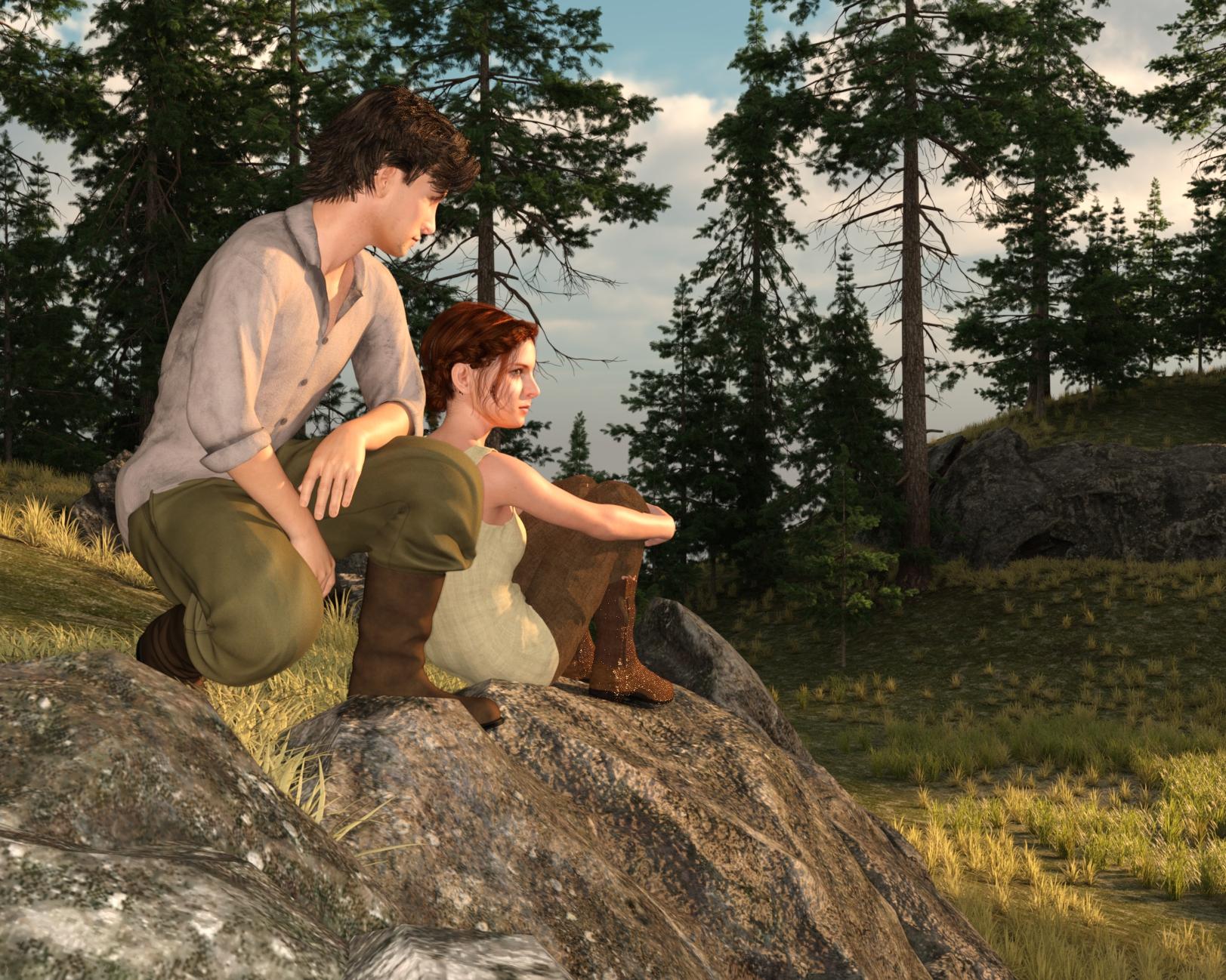
Then, in October, I switched to Face Transfer.
Mesh and Texture Stretching, a way to fix?Commonly-seen issue on auto-fitted skirt or sth. like that. If you know a sculpting software like Blender, the best way is to fix the distorted area by using Smooth / Grab brushes, then import as a Fix morph or directly update Base geometry of the skirt.
Besides, for such a dForce skirt, suggest you remove all weight maps on Thighs, then simulate it with Simulate from Memorized Pose option or with a Timeline. You'll get good result.
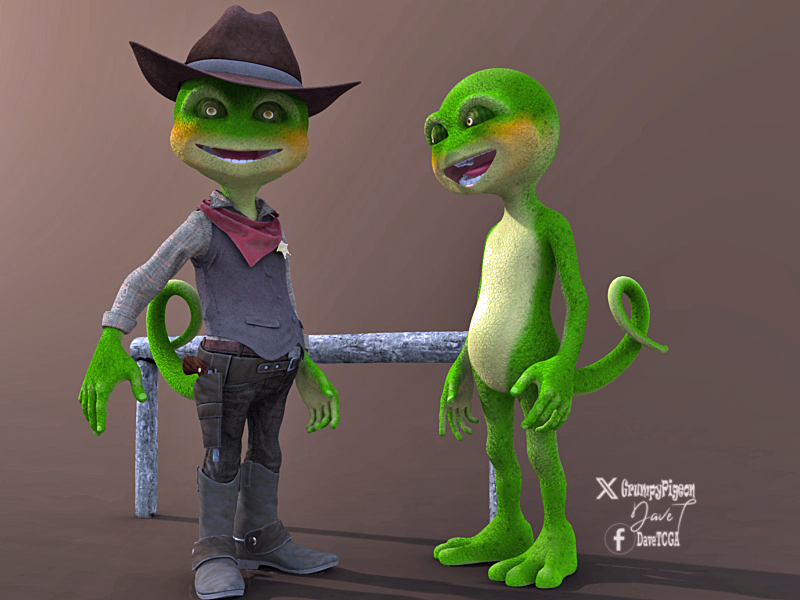
Buy Something That Doesn't Work in Carrara? Post your Questions and Workarounds here. (please)took a bit of work but managed to get Predatron's Bizzle/Cowboy into Carrara after modifications..

had to use the DS plugin to load the tail, boots and feet transfer to blended weight.. then duplicated each one and converted to object then transfer utility on each model to the corresponding object then save as scene subset.... phew..

result so far after nticking UVs
 Getting on the 9 train, or not
I'm finding I'm spending way too much time trying to morph G9 to look more like G3 and it's dawning on me, why don't I just use G3? I like the body proportions and faces so much better. Even the bends are better IMO. I like G8 too but I have so much content, she takes like 45 minutes to load. I was thinking of converting some G3 or G8 characters to G9, but why? The make-up system is awful and I can't tweak iris colors or lip gloss easily. After all this time, I still find no advantage to G9. At least these sales are great for scooping up older content at great prices.
Daz Studio BETA - version 4.23.0.4! (*UPDATED*)Installing an update doesn't change settings. You can transfer the beta version's content directory settings to the General Release using http://docs.daz3d.com/doku.php/public/software/dazstudio/4/referenceguide/scripting/api_reference/samples/file_io/save_mapped_paths/start in the beta and then running the script it creates in the General Release.
How do you fix mesh distortion when transferring clothing from one generation to another?You can try to increase smoothing iterations.
But the best solution is to export the dress to a modeller, and smooth it there and reimport in Daz Studio as a morph, potentially substitute the one which has been autogenerated with the shape.
Diffeomorphic: How did I get all these custom morphs into Blender?I just realized that one of my characters that I have imported from daz to Blender with Diffeomorphic has a very helpful large set of custom morphs - all of them are expressions. But the funny detail is: I have not a clue how these expression morphs found their way into Blender. I absolutely have no idea what I did with this character in another way as I usually do it at the moment

I checked how to import custom morphs with diffeomorphic but all I found was to go to the the location where the custom morph file is stored and choose this file but as you may see from the screenshot there are many morphs from different products and I am absolutely sure that I did not move to all these files and added them manually. Another way may be favorite morphs (?) but then I have no idea how I defined them as favorite morphs . Can somebody give me a hint?
Where did these G9 Male and Female Actor installations come from ?felis said:
To my knowledge, there is no "character" for G9M and G9F. They are both obtained by loading G9 base and then apply the male or female morph. Those can of course be saved as "characters".
I can't explain how my newer PC has the Actors for the Male and Female got installed, but anyway, but yeah, I just slid the dial for the Masculaine Shape setting to 100% for my purposes.
Where did these G9 Male and Female Actor installations come from ?To my knowledge, there is no "character" for G9M and G9F. They are both obtained by loading G9 base and then apply the male or female morph. Those can of course be saved as "characters".
FBX doesn't match in other software - HELPhugoboesch said:
Unfortunatly that doesn't fix the issue. the bicep is still not the same between daz and the exported fbx. Is it due to some morph ? thanks
I'm afraint it's the best result that you can get with the current version of DTC bridge... esp. when you use HD morphs in DS.
On the contrary, if you export these stuff + HD mesh to Blender with Diffeomorphic Daz Importer, you'll get much better result even approaching to 100% accuracy.
FBX doesn't match in other software - HELPUnfortunatly that doesn't fix the issue. the bicep is still not the same between daz and the exported fbx. Is it due to some morph ? thanks
waist bulgesLeana said:
crosswind said:
You can transfer the morph targets of Skin Folds 'n Creases from G8 to G9 with Transfer Utility, by using G8's Clone on G9. (no HD mesh...)
These are HD morphs.
Yes, I just meant no HD mesh could be transferred... unless OP uses "that dhdm add-on".... Then use Jay's "suit method" to converte rather than using TU.
Actually just transfer Base mesh to G9 first, then doing some sculpting work + that add-on will be also fine enough...
waist bulgescrosswind said:
You can transfer the morph targets of Skin Folds 'n Creases from G8 to G9 with Transfer Utility, by using G8's Clone on G9. (no HD mesh...)
These are HD morphs.
Daz 3D is part of

Connect
DAZ Productions, Inc.
7533 S Center View Ct #4664
West Jordan, UT 84084Licensing Agreement | Terms of Service | Privacy Policy | EULA
© 2026 Daz Productions Inc. All Rights Reserved.