-
Having trouble making facial hair follow custom expression dials on G3F/G3M
Okay, I think I figured out the trick. To fit facial hair from previous generations to Gen3, you have to use Transfer Utility and use None as Projection Template. That's the only way to rig it with a full skeleton including all of Gen3's new facial bones.
--MW
Having trouble making facial hair follow custom expression dials on G3F/G3M>>Might it be possible to transfer the G3 facial rig to the face fungus object?
I don't know, but I'm just cracking up that you used the term "face fungus object."

Off to experiment...
--MW
Anyone know of a good Anna (Frozen) model?Oh man I was hoping the fusion textures were in a bundle, boooooo
Edit: Quick render I did using the Elsa morph, some tweaks and a freckle layer (hard to see)
Having trouble making facial hair follow custom expression dials on G3F/G3MMight be due to the differences between G2 and G3 — while G2 and all previous figures use morphing to do expressions, G3 uses an actual face rig, with different parts of the face set up as Upper Face and Lower Face nodes. The expressions are done by moving the nodes around. Might it be possible to transfer the G3 facial rig to the face fungus object?
Having trouble making facial hair follow custom expression dials on G3F/G3MSo, a while back, I figured out this surefire way to make facial hair autofollow G2F and G2M's custom morphs and expression dials: http://www.sharecg.com/v/78351/view/3/PDF-Tutorial/Rigging-Facial-Hair-in-Daz-Studio-4.6+ Yay hooray -- everything was peachy keen.
Now that I've upgraded to G3F, facial hair is giving me problems again. I thought the process might be the same as for G2F, but I guess not. I get up to about step 12 in my pdf, where I'm supposed to transfer morphs and pose controls from G3F to the facial hair, and then I hit a wall. Some partial head morphs and expression dials, like those from the Daz base products, transfer, but none of my custom ones.
Does anyone have any advice? This is quite frustrating.
--MW
Anyone know of a good Anna (Frozen) model?Remember...Anna is a couple of years (2 maybe) younger than Elsa, so that would explain the slight 'softer' look to her features.
Looks like Girl 6 is now on the must have list (does she ever go on sale?)...the Elsa morph is impossible without her (unless you do A LOT) of custom tweaking.
My daughter will enjoy it...
Anyone know of a good Anna (Frozen) model?wow, great looking elsa morph you have there cade!! : )
Anyone know of a good Anna (Frozen) model?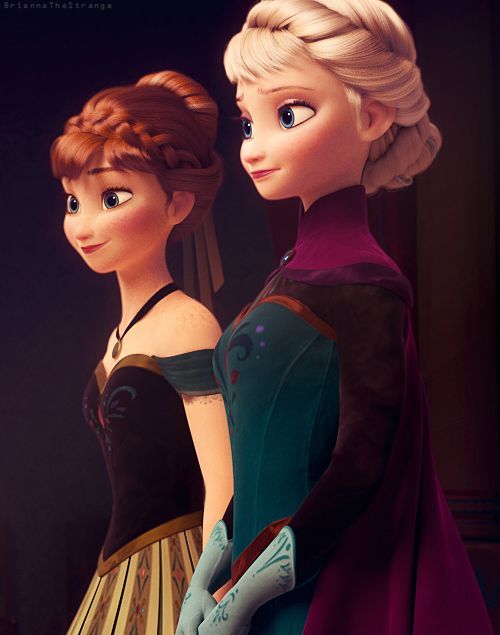
Looking at this image, where they're in the same pose with not too different expressions. Elsa might have a slightly smaller distance from the bottom of the eye to the chin, but their noses are identical as are their mouths and eyes. Elsa's eyes look slightly larger here, but thats more due to her eyes squinting a bit
Morph wise if you have the girl 6 I have this. Here's what it looks like with more anna like textures and some very slight tweaking (to make the crease on the upper eyelids less strong, honestly the morphs is too strong for elsa too, but when I made the morph, I decided I wanted stronger eyelids)
I do have girl 6 and that demo render is amazing! What texture did you use? That's a great Elsa morph, too!
Anyone know of a good Anna (Frozen) model?Looking at this image, where they're in the same pose with not too different expressions. Elsa might have a slightly smaller distance from the bottom of the eye to the chin, but their noses are identical as are their mouths and eyes. Elsa's eyes look slightly larger here, but thats more due to her eyes squinting a bit
Morph wise if you have the girl 6 I have this. Here's what it looks like with more anna like textures and some very slight tweaking (to make the crease on the upper eyelids less strong, honestly the morphs is too strong for elsa too, but when I made the morph, I decided I wanted stronger eyelids)
Figure to Triax and Clothes morphs issueI took V4, and converted her to Triax, as I wanted to test a geograft on her. It all worked fine! :)
Then I thought, maybe I can then clothe her with V4 Clothes, and let Daz convert and Fit-To them.
This worked as well, sort of, as it does not "follow" the new Triax-V4 morphs as they are applied with the Full Body Morph controls.
So, none of the "Full Body Morphs" appeared as a "Full Body Morph". For example, the Aiko4 full body morph appeared as a BUNCH of Aiko4 FBMA4... Morphs. I assume that maybe the actual FBM on V4 is just a controller that turns on all the rest, so that is why...but it leaves me with the dilemna of having to manually adjust every FBMA4... morph for every change I make? Is there either:
- A way to get the FBM dial?
- A way that the clothes will follow the morph?
- A way to adjust multiple dials at once?
(tough to summarize that discussion title!)
Flash Sale alertsThoooorne~
Thanks for this, would have missed it otherwise.
-most of the month's budget blown on all of the morph resource kitting-
Anyone know of a good Anna (Frozen) model?They're a bit different but quite close, so if you have a good Elsa morph you might be able to use it as a starting point and combine it with other morphs.
February, 2016 New User 3D Art Contest “Lighting” (WIP Thread)@dracorn Here are a couple more useful links on using d-formers and creating morphs so that you can keep the morph attached to the item and use again when you load the clothing again. There really need to be some updated videos as these are for early DS 4.x, but the basic premise is still true for 4.8. Once you get used to doing them, they are actually quite easy. You could also use the bridge and take it into Hexagon if you have it and adjust the clothing there and save that as a morph as well. It depends on how comfortable you are with the d-formers. You just have to watch the stretching because the d-formers can end up stretching the texture if you move it the wrong way. However, I find them useful and a handy skill to have in your arsenal of skills.
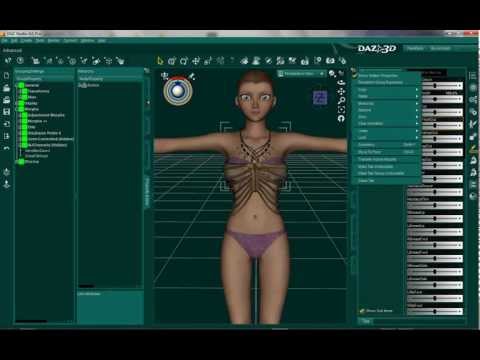
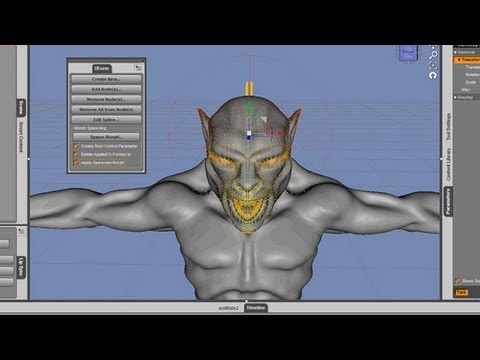 February, 2016 New User 3D Art Contest “Lighting” (WIP Thread)
The second picture shows a problem with the coat - his legs are going through it. I'm going to need to create a morph to spread the coat open on either side of his legs so it hangs free and down. I'm going to start with Sickleyield's Tunic for G2M, but I'm not sure if that will work. Since I've never created a morph for clothing before, I would appreciate any suggestions how to do it.
As Saphirewild said, there is D-Former that can help you ... and if you own Hexagon 2.5 ... you can use it too.
But are you sure that the outflit havn't some "wing" morphs, move" ?
Or ... you can also try to add the "Smooth modifier" ... tab edit-object in this case or figure and applys a smooth modifier and after in your parameter tab you have to select the "colision item" and after check with the smoothing and colision iterations.
I have an idea to try to use only emissive surfaces and no other light at all.
The first try (not complete because have to add 1 or 2 figures more) February, 2016 New User 3D Art Contest “Lighting” (WIP Thread)
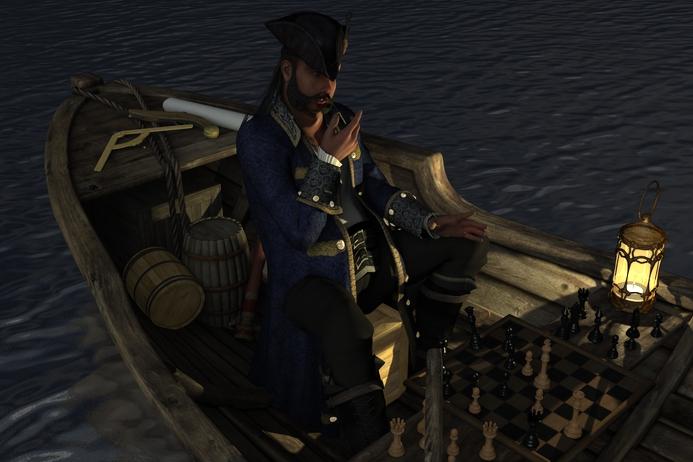
Here's the first view of the Captain without any additional lighting. I had lots of fun creating this character. He's G2M; I loaded Jason for Gianni - and removed the Gianni morph. That left his nose looking funny, which was a great place to start. I used the standard face morphs, aging morphs, face weight, a small amount of Dwarf for G2M, and Gianni face morphs. I used Jason's skin - the one with the black eye and the cut on the face.
The second picture shows a problem with the coat - his legs are going through it. I'm going to need to create a morph to spread the coat open on either side of his legs so it hangs free and down. I'm going to start with Sickleyield's Tunic for G2M, but I'm not sure if that will work. Since I've never created a morph for clothing before, I would appreciate any suggestions how to do it.
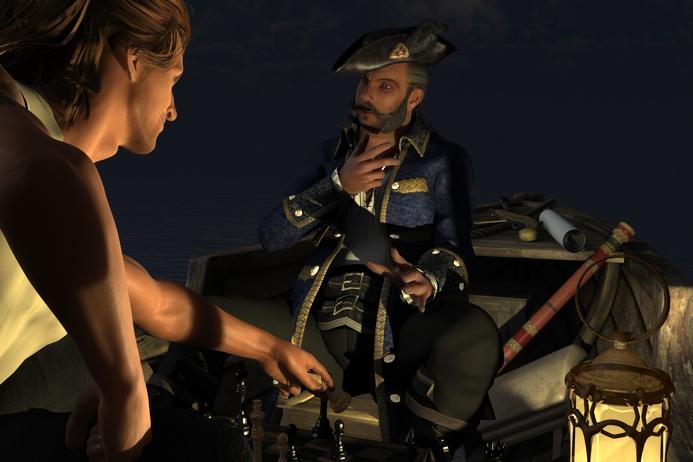
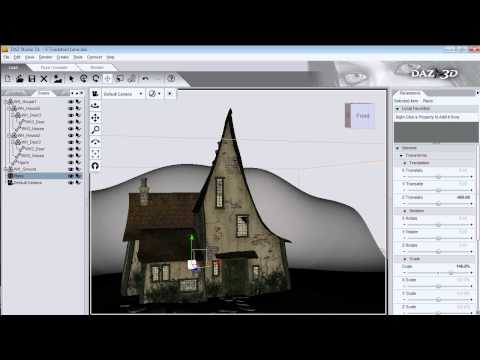
It is also showing the really big poke through in the 1st render Dracorn, have you done anything with deformers yet? I have fixed a lot of the poke throughs with deformers it saves a lot of time and you can make morphs for the clothing with them. There is a tutorial on youtube for it
 I hope this helps.February, 2016 New User 3D Art Contest “Lighting” (WIP Thread)
Here's the first view of the Captain without any additional lighting. I had lots of fun creating this character. He's G2M; I loaded Jason for Gianni - and removed the Gianni morph. That left his nose looking funny, which was a great place to start. I used the standard face morphs, aging morphs, face weight, a small amount of Dwarf for G2M, and Gianni face morphs. I used Jason's skin - the one with the black eye and the cut on the face.
The second picture shows a problem with the coat - his legs are going through it. I'm going to need to create a morph to spread the coat open on either side of his legs so it hangs free and down. I'm going to start with Sickleyield's Tunic for G2M, but I'm not sure if that will work. Since I've never created a morph for clothing before, I would appreciate any suggestions how to do it.
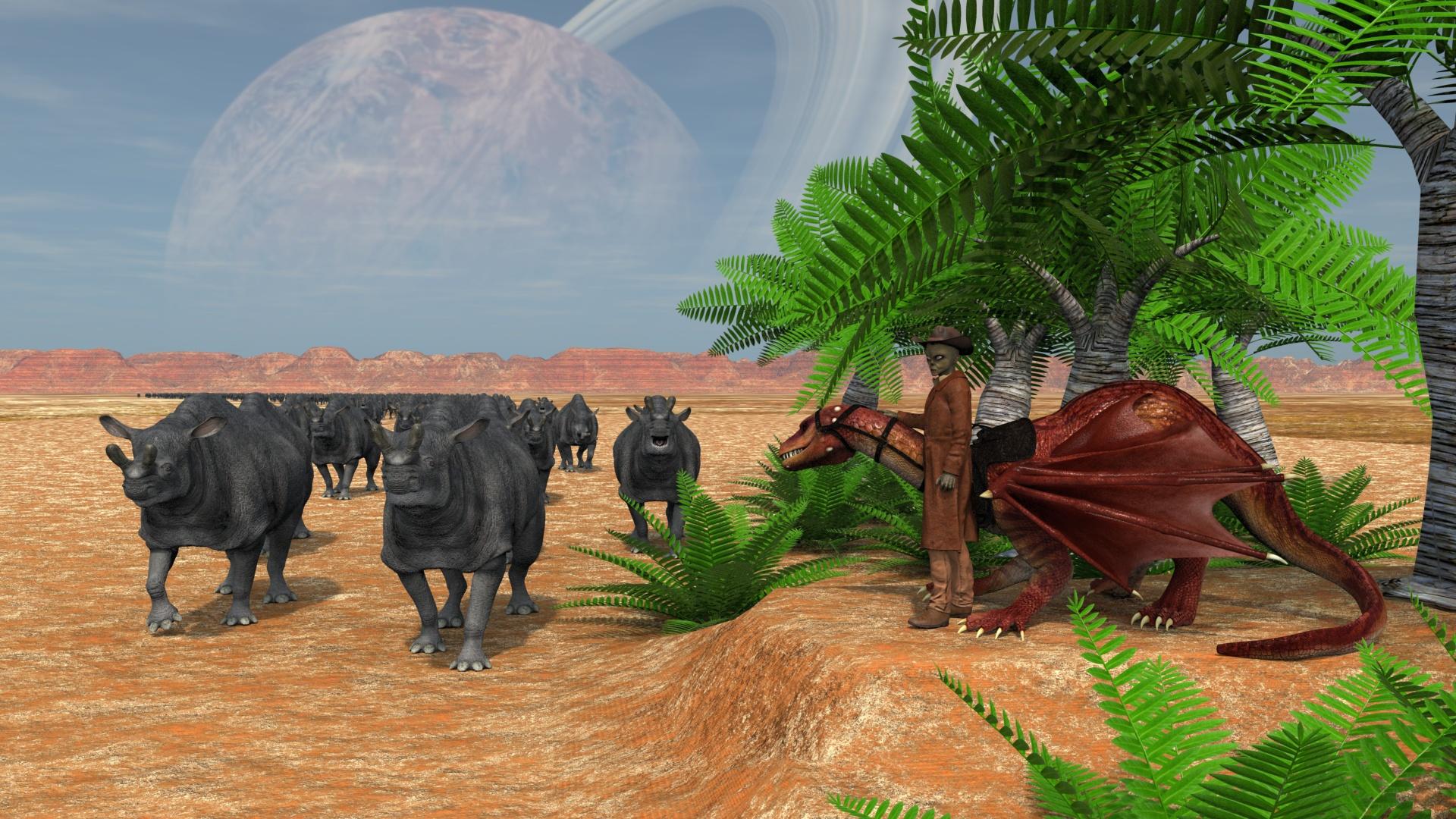
Carrara Challenge #22: “Wild, Wild West” : Winners announced :)Entry no. 7
Artist Varsel
WIP posts:
http://www.daz3d.com/forums/discussion/comment/999126/#Comment_999126
http://www.daz3d.com/forums/discussion/comment/999157/#Comment_999157
I used one Genesis 2 male, with a custom morph, and the textures from http://www.daz3d.com/creature-creator-for-genesis-2-male-s
The clothing are http://www.daz3d.com/western-outlaw-for-genesis-2-male-s
Then the http://www.daz3d.com/daz-dragon-3 with http://www.daz3d.com/strap-saddle-for-daz-dragon-3
Then there are the herd : http://www.daz3d.com/brontotherium
There are sixs "master" beasts with diferente poses, wich I then used a surface replicator to populate the track.
The trees and ground and plants are all homemade.
 Content Installation
Not duplicate file, duplicate formula. It may arise if you have the same file in two different content directories - My Library and My DAZ 3D Library - or it may happen because you have older versions of the files - though your Victroia 4 shape fiels match mine.
If you install an item with the .exe installer and then uninstall it there's a chance it may remove files that DIM is also responsible for, possibly leading to missing files. However, with the morph sets for the fourth generation figures you have no choice but to install them to the same content directory (with Genesis+ morphs that isn't true).
Daz Encrypted ContentThe following thread has a lot of tutorials on creating content for genesis and genesis 2 figures. It includes a lot of information on the transfer utility. For modeling, the thread includes information on a variety of programs (hexagon, blender,...), including Carrara.
Wellll... I'll just take my off topic talk over there! :) Seriously though... Thanks! Looks like I will be spending some time in those 3 threads also.
Daz Encrypted ContentThe following thread has a lot of tutorials on creating content for genesis and genesis 2 figures. It includes a lot of information on the transfer utility. For modeling, the thread includes information on a variety of programs (hexagon, blender,...), including Carrara.
One example of another general resource thread for creating content is here
http://www.daz3d.com/forums/viewthread/14421/
One example of a specific Blender-related tutorial is here.
http://www.daz3d.com/forums/discussion/comment/939565/#Comment_939565
One example of a hexagon-related tutorial is here
http://www.daz3d.com/forums/discussion/comment/939745/#Comment_939745
One example of a Carrara-related tutorial is here
http://www.daz3d.com/forums/discussion/comment/941921/#Comment_941921
A thread dedicated to using all of that genesis or genesis-2 related content in Carrara is here.
Daz 3D is part of

Connect
DAZ Productions, Inc.
7533 S Center View Ct #4664
West Jordan, UT 84084Licensing Agreement | Terms of Service | Privacy Policy | EULA
© 2026 Daz Productions Inc. All Rights Reserved.