-
Any reason to bother with V4 any longer?
Hello All!
I am wondering if I should bother with V4 (and Michael 4) any more. I had started with Daz Studio in December of 2018 and since then I made heavy purchases for Genesis 8 and that lead me to buy Genesis 3 as well, since many products have dual use for Genesis 3 and 8. I also bought into Genesis as well since that format is unisex. I really have not bought much into Genesis 2. Now I have "purchased" some Victoria 4 (V4) and Michael 4 items mainly due to to freebies (hence the purchased in quotes), and package deals. I have tried to use V4, but the organization of it is all over the place in Daz Studio, with most items in "Lost And Found." It seems the clothing has more problems with smoothing and pokethrough than any newer character base. It also seems that the backward compatibility of Genesis 8 goes as far back to Genesis, but doesn't include V4, so the clothing seemingly can't be used on later model characters without some serious issues.
Another reason why I don't use V4 too much is because of some unrealistic attributes. For example, a glaring issue is how high the armpits are on V4. The characters look cartoonish at best.
I guess it is still around for those that made an investment in V4 with earlier versions of Daz Studio, or for those that used Poser, but given I came into Daz Studio fairly recently and right away took to Genesis 8. So I am wondering if should even bother with V4 any more. Given that space is at a premium on my hard drive, I currently do not download anything that is V4 or M4 based any more, and I am ready to delete it to free up some space.
Any comments or opinions are appreciated.
Thank you,
Geo
Genesis 9 delayed until at least 2020. Will you be buying it?
Agreed. I don't have a lot of character packs and morph packs so migrating to G9 would be easier except I need to redo some of my custom morphs. For me I won't upgrade if G9 does not offer some improvement I'm interested in. I don't see a lot of incentive to upgrade if the improvements are quite minor.I did not have the elements I needed to work with Genesis 8 Female until Zelara 8 was released---almost 14 months after Victoria 8---along with EJ Face Morphs and Details. For the males, it took even longer. So, I think I may hold off on Genesis 9 until they start giving away G9 Pro Bundles, unless they make a Core Figure that is so stunning that I can't wait.
I can think of ...Better eye geometry
Hire DMaster to design G9 facial expression
Hire DMaster to design the bend controls and HD creases
Hire bluejaunte to design G9's skin shader, ideally implement new SSS
I wouldn't mind but I guess from the many forum posts it seems there is a market for this: if you have bluejaunte on board anyway, let bluejaunte design G9's feet
Something like this, doesn't even need to re-invent everything that G8 did well.
All of those ideas are excellent, which is why I think most of them won't happen. I would add: Fix the twisty biceps and lat gaps.
Genesis 9 delayed until at least 2020. Will you be buying it?I hope they will make G9 soon since G8 was a massive fail to me. I didn't like 90% of the pro bundles and Victoria 8 has never looked as bad.I agree with that, and i don't think theer has been enough diversaty in the clothing products, they just seem to have been re vamp hash from pevious models and clothing.
Then use morphs to make em look like what you want; transfer clothes from the generation that has what you want.
... Why? Because whenever G9 appears, what's to say you'll like it.
Looking for a Converter "Male Genesis 2, 3 and 8" Hair to M4 - so I can use it in CarraraCuffed Tail 2 looks like the style I am actually looking for ! Thank you @Dartanbeck! Question. The product says that I need to have David Basic for it? Do you know if that is a mistake or do I really need that one?
I only want the hair for my M4. And that David Basic is for M3.It's just prop hair, so it just loads into the scene no matter who you have in there. It has morphs to fit (without further tweaking) :
- Michael 4
- Freak 4
- Hiro 4, plus custom morph dials
- Hiro4
- H4-American1
- H4-American2
- H4-Realistic
- Victoria 4
- Aiko 4, plus custom morph dials
- Aiko4
- A4-American
- A4-Realistic
- A4-RealisticClassic
- The Girl 4
- Michael 3
- Hiro 3, plus custom morph dial
- A3H3-Realistic
- Victoria 3
- Aiko 3, plus custom morph dial
- A3H3-Realistic
- David 3
- Stephanie Petite 3
- Luke
- Laura
- Matt
- Maddie
- Millennium Baby 3
Looking for a Converter "Male Genesis 2, 3 and 8" Hair to M4 - so I can use it in CarraraFirst of all using clones in DAZ Studio is not a cure all for working in Carrara. There are problems with Autofitting Genesis 3 and Genesis 8 (no Auto-fit in Carrara), as well as some Genesis 2 in Carrara. The result will be potentially a lot of pulling/pushing the affected mesh in Carrara's Model room. I have used it to resize Genesis 3 hair for M4. Also mucked around trying to convert Genesis clothing For M4 but there are usually problems in doing so. Most of the time I am actualling converting M4/V4 clothing to Genesis to mix and match various clothing, as well as hairs.
There is a tutorial for making clones, but if you are already going "Eeeeeekkk" at DAZ Studio, you might end up double cursing me for the suggestion, have used the Tute to make an Aiko 3 clone for Genesis 8F.
Clones that have already been done:-
Wear Them All - Autofitting Clones and Clothing Smoothers for Genesis 3 Female(s) - https://www.daz3d.com/wear-them-all-autofitting-clones-and-clothing-smoothers-for-genesis-3-female-s
Wear Them All - Autofitting Clones and Clothing Smoothers for Genesis 3 Male(s) - https://www.daz3d.com/wear-them-all-autofitting-clones-and-clothing-smoothers-for-genesis-3-male-s
Michael 4 for Genesis 2 Male - https://www.daz3d.com/michael-4-for-genesis-2-male
Genesis 3 Clones for Genesis Bundle - https://www.daz3d.com/genesis-3-clones-for-genesis-bundle
SY Victoria 4 and Michael 4 Clones for Genesis 8 - https://www.daz3d.com/sy-victoria-4-and-michael-4-clones-for-genesis-8
SY Genesis 8 Clones for Genesis 3 - https://www.daz3d.com/sy-genesis-8-clones-for-genesis-3
https://www.daz3d.com/forums/discussion/comment/2954866/#Comment_2954866
Genesis - I think it already comes with clones for Generation 4 (M4, V4 etc), I also have clones for Generation 3 (M3, V3) but unsure if they came with Genesis or another package.
Any others that people are aware of please add them !
Genesis 9 delayed until at least 2020. Will you be buying it?I know I am done once Genesis 9 hits. I've invested a lot in Millennium to Genesis 8 and honestly, I'm quite happy with Genesis 8 and all of the tools available to use G8 models with older stuff. (...)
I've been reading something like this since the release of Victoria 4 back in 2006.
 Genesis 9 delayed until at least 2020. Will you be buying it?
I know I am done once Genesis 9 hits. I've invested a lot in Millennium to Genesis 8 and honestly, I'm quite happy with Genesis 8 and all of the tools available to use G8 models with older stuff. The minute G9 Victoria comes out, y'all will swoon over "better bends" and such...then weeks later someone will come out with a utility (Zev0 probably) to make EVEN BETTER bends...lol.
I like shiny new things just like everyone else, but you have to kick the habit at some point and for me it's Genesis 9. Since I have all of the G8 pro bundles up to this point, there's not much of a discount I could get anyway. I didn't even get the $10 off Angharad 8...lol.
Genesis 9 delayed until at least 2020. Will you be buying it?I did not have the elements I needed to work with Genesis 8 Female until Zelara 8 was released---almost 14 months after Victoria 8---along with EJ Face Morphs and Details. For the males, it took even longer. So, I think I may hold off on Genesis 9 until they start giving away G9 Pro Bundles, unless they make a Core Figure that is so stunning that I can't wait.
I can think of ...Better eye geometry
Hire DMaster to design G9 facial expression
Hire DMaster to design the bend controls and HD creases
Hire bluejaunte to design G9's skin shader, ideally implement new SSS
I wouldn't mind but I guess from the many forum posts it seems there is a market for this: if you have bluejaunte on board anyway, let bluejaunte design G9's feet
Something like this, doesn't even need to re-invent everything that G8 did well.
All of those ideas are excellent, which is why I think most of them won't happen. I would add: Fix the twisty biceps and lat gaps.
Genesis 9 delayed until at least 2020. Will you be buying it?I'll buy Genesis 9, no problem. I'll buy it day 1 without a second thought. I'm blessed to be able to do that in these trying times.
It took me at least a year after Victoria 8's launch before I actually used Genesis 8. She couldn't do what I could do with Genesis 3 at the time. Now I've switched over, but it took some time to get to that point. (I still use Genesis 2 & 3 for males, but not so much the female figures.)
It'll take time with Genesis 9, but I'm okay with that.
Bring on Victoria 9, I say.Genesis 9 delayed until at least 2020. Will you be buying it?Fast grab today is mostly G8 Pro bundles. We've had a ton of sales where G8 pro bundles have been dirt cheap the last few weeks. This new character today has an Ophelia 7 feel to her. Genesis/Victoria 8 came out around June 15, 2017.
Just saying...
You're saying what I was thinking when I saw those bundles in Fast Grab.
Genesis 9 delayed until at least 2020. Will you be buying it?Fast grab today is mostly G8 Pro bundles. We've had a ton of sales where G8 pro bundles have been dirt cheap the last few weeks. This new character today has an Ophelia 7 feel to her. Genesis/Victoria 8 came out around June 15, 2017.
Just saying...
Sakura 8Yes, I could not have done it without using: https://www.daz3d.com/legacy-uvs-for-genesis-8-victoria-4
Clarification, but with that, it was pretty easy! (load v4, load texture, save as DUF material preset...load G8F, load saved texture, apply tool above)
Poser 11 pro - Victoria 6 render problemWhat am I doing wrong? I can't get Victoria 6 rendered without suntanned face and white lips. I tried it with every Belle skin. All of them show the dark face. And with SSS skins I get the white lips. It appears to be a material problem, because rendering settings have no different result.
Do any characters come with hair?Just downloaded a bunch of characters. I saw some were notated with what they came with and other stuff in the preview photos that were not included. But none of them come with the hair they have on? So, Victoria 8, just shape and skin is what you are buying?
Novica & Forum Members Tips & Product Reviews Pt 13Maisie for Victoria 8 and the Orangery with the interior. Just to be aware when the Interior is added the lights are all on by default.
2020-06-06 14:26:08.016 Total Rendering Time: 7 hours 2 minutes 44.75 seconds
Click on image for full size.
@Fishtales beautiful render ! I am wondering about the long render time .. 7 hours? I have the same video card RTX 2060 Super and 32 Gigs Ram so just curious what products you used for such a long render .. the hair? lights? size of render?
I think it is the hair that did it and the fact I left it running as I was doing other things at the time so it kept going until it thought the image had been converged

This one only went
2020-06-05 21:38:29.357 Total Rendering Time: 1 hours 27 minutes 21.1 seconds
and no, I have no idea why other than I messed with shaders and lighting.
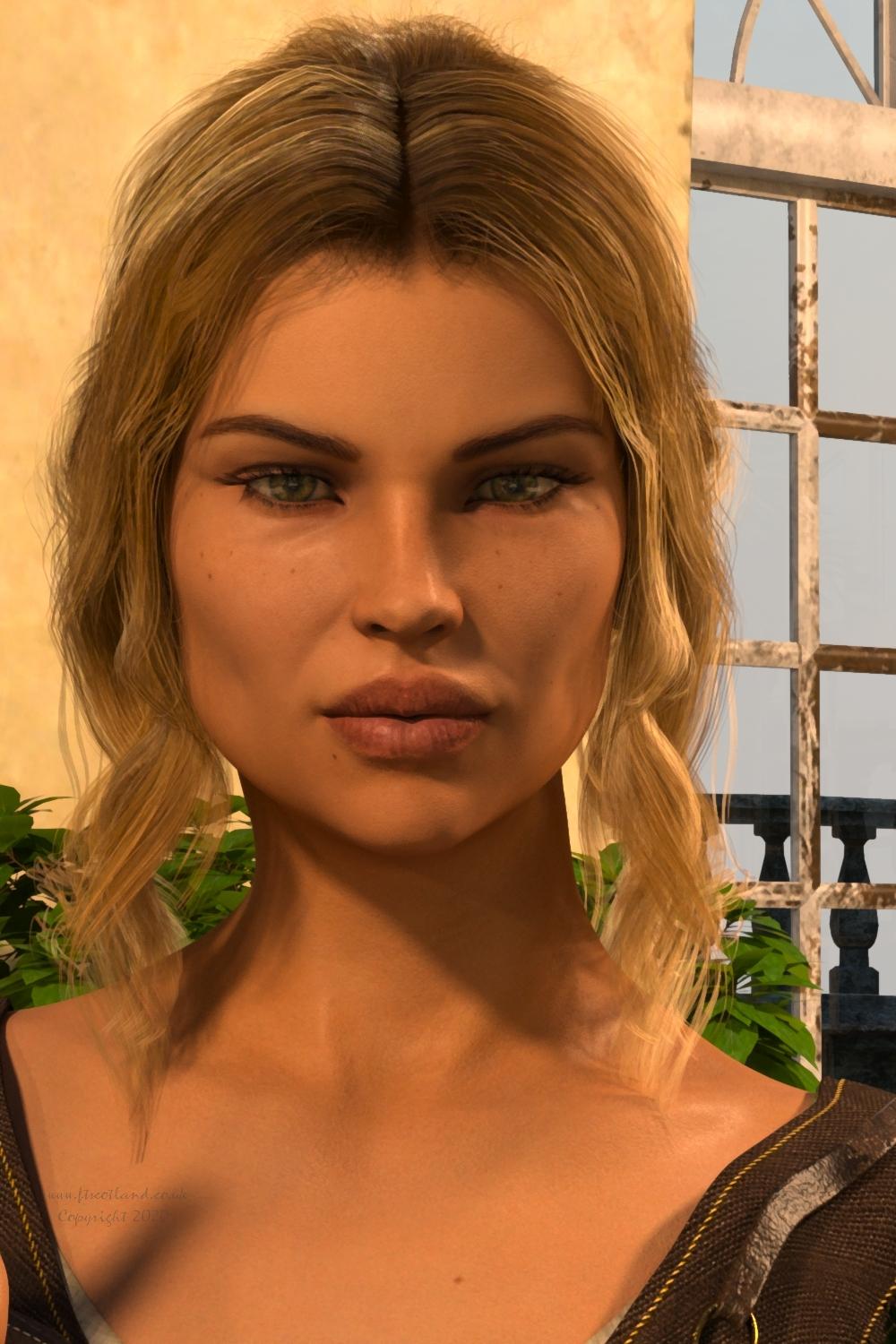
Click on image for full size.
Novica & Forum Members Tips & Product Reviews Pt 13Maisie for Victoria 8 and the Orangery with the interior. Just to be aware when the Interior is added the lights are all on by default.
2020-06-06 14:26:08.016 Total Rendering Time: 7 hours 2 minutes 44.75 seconds
Click on image for full size.
@Fishtales beautiful render ! I am wondering about the long render time .. 7 hours? I have the same video card RTX 2060 Super and 32 Gigs Ram so just curious what products you used for such a long render .. the hair? lights? size of render?
IRAY Photorealism?Okay, now that I tested some more. I know why getting photoreal images with daz is so complicated. The thing is there is a HUGE problem with the default lights, enviroment setup and the tonemapper. The characters skins are all dark. Them, I guess, what Daz team did was to cranck up the lightning all they way. So you can't have normal objects with Daz characters because the light explodes on the normal objects. Making it impossible to make photoreal scenes, unless you put everything on the same page.
So the first thing I did was to set a white ball. Yes, the ball is actually 255,255,255 white whithout any translucency. Them set the light to illuminate and not blow up. Cahnged the enviroment intensity and tonemapper settings. And this is what I got: A dark character.
So translucency makes the character too dark, or it has been setup that way because of the strong lights, making it impossible to fine tune, every change you do to the translucency on strong lights change the whole appereance of the character.
Now that you have the lights correct, you need to "light" the skin, having the white ball as a reference. I took the translucency out of the character, making it from 0.9 to 0.2. And that left the character pale. Unfortunately, you lose a lot of the saturation. But know the light will scatter and behaves correctly and is going to be predictiable and easier to get a photoreal look.
Rhis is victoria 8 whithout any changes to texture, just the translucency drop. She is pale, and whithout saturation. But look how on the pale close up you can cleary see the detail of the mouth and the pores bumps, while on the super translucent version the details are all washed out.
Well I hope thats been helpful for someone who wants to light thing like they should be.
One thing to bear in mind very few "white" things in the Real WorldTM are pure white diffuse. and by very few I mean I'm pretty sure its only theretical and literally does not exist. Pure white diffuse means 100% reflectance. no energy is being absorbed. From some minor googling it appears super white pure pigments hit in the .9-.93 range and those are pure pigments aiming to by white your average shet of paper or plain housepaint is going to be even less reflective
so to some extent its not that the skin is too dark its that frequently everything else is too light.
@Leonides02 That's also my point exactly. A pbr skin shader must work in any light condition, otherwise it's a not a skin shader but just a "trick". Then the light setup has to be realistic itself of course. That is, forget about point lights for example that don't cast reflections and have no size.
Indeed it is hilarious that most acclaimed "realistic" method here is based on point lights.
...you do realize you can add geometry to point lights right? given that the eyes in Jeffs renders are reflecting the point light I'm pretty sure thats exactly what he does (also the difference between a point light without added geometry and one with, say, geometry but its a couple milimeters diameter, which is a perfectly reasonable stand in for a cameraphone flash is real gd marginal)
New Blog with Tips and Tricks to Help Get New Members Started!I emailed Daz and they kindly sent me a link to the eligible products page! Thank you for responding to my string :)
What coupon is that, and what are you trying to purchase? Is there anything else in the cart?
It was an email from DAZ saying: 'Your Special Gift Just for you, get 5 Free Items. Use coupon code at checkout.' I put Victoria 5, Victoria 8, Underbelly Bundle, Fall wardrobe for Genesis 8 female, casual outfits for genesis 8 male.
Did it say any 5 items or was there a link for a selection of items you could choose from? Or was there maybe a mention that it excludes some types of items, like for example new items?
New Blog with Tips and Tricks to Help Get New Members Started!What coupon is that, and what are you trying to purchase? Is there anything else in the cart?
It was an email from DAZ saying: 'Your Special Gift Just for you, get 5 Free Items. Use coupon code at checkout.' I put Victoria 5, Victoria 8, Underbelly Bundle, Fall wardrobe for Genesis 8 female, casual outfits for genesis 8 male.
Did it say any 5 items or was there a link for a selection of items you could choose from? Or was there maybe a mention that it excludes some types of items, like for example new items?
Sure thing, that's what I'd expect too - a guide to eligibility. There was nothing in the small printn nor was there when I had the 'one free item per day for four days', so these offers were wasted. The rest of the text reads: Expand your library! Create incredible scenes with free characters, props and environments. Simply follow the link below and select 5 items for free.... The link took me to the front page of the store, not to a particluar folder or anything.
New Blog with Tips and Tricks to Help Get New Members Started!What coupon is that, and what are you trying to purchase? Is there anything else in the cart?
It was an email from DAZ saying: 'Your Special Gift Just for you, get 5 Free Items. Use coupon code at checkout.' I put Victoria 5, Victoria 8, Underbelly Bundle, Fall wardrobe for Genesis 8 female, casual outfits for genesis 8 male.
Did it say any 5 items or was there a link for a selection of items you could choose from? Or was there maybe a mention that it excludes some types of items, like for example new items?
Daz 3D is part of

Connect
DAZ Productions, Inc.
7533 S Center View Ct #4664
West Jordan, UT 84084Licensing Agreement | Terms of Service | Privacy Policy | EULA
© 2026 Daz Productions Inc. All Rights Reserved.