-
Free Software that Makes Life Easier
SketchUp, 3D-modeling for the masses? (Sorry if this App has been already mentioned.)
The SketchUp 3D modeling software made 3D modelling easy, err...easier for me! I am a long time user of SketchUp, which to me is the most intuitive 3D modeling program I’ve tried. Certainly not one’s first choice for building organic shapes, but for building props to use in DAZ it does the job for me (imports & exports OBJ, allows texturing and making bones).
The 3D-Warehouse has tons of free models, and the Extensions-Warehouse has enough extensions & plugins to do almost anything… including organic shapes. You can even bring in terrain w/satellite images from Google Earth into your SketchUp model.
I am using the most current Pro/paid version, but there is a free/trial version called SketchUp Make, and lots of older free versions that can be found that may have more functionality for import/export than their current free/trial version.
Here is their link: https://www.sketchup.com/
Show Us Your Bryce Renders Part 10Day and night scene - every model are sketchup. I still have to add people and maybe an animation.
The only downfall is some sketchup models can't be ungrouped, i.e. road part is only 1 texture.
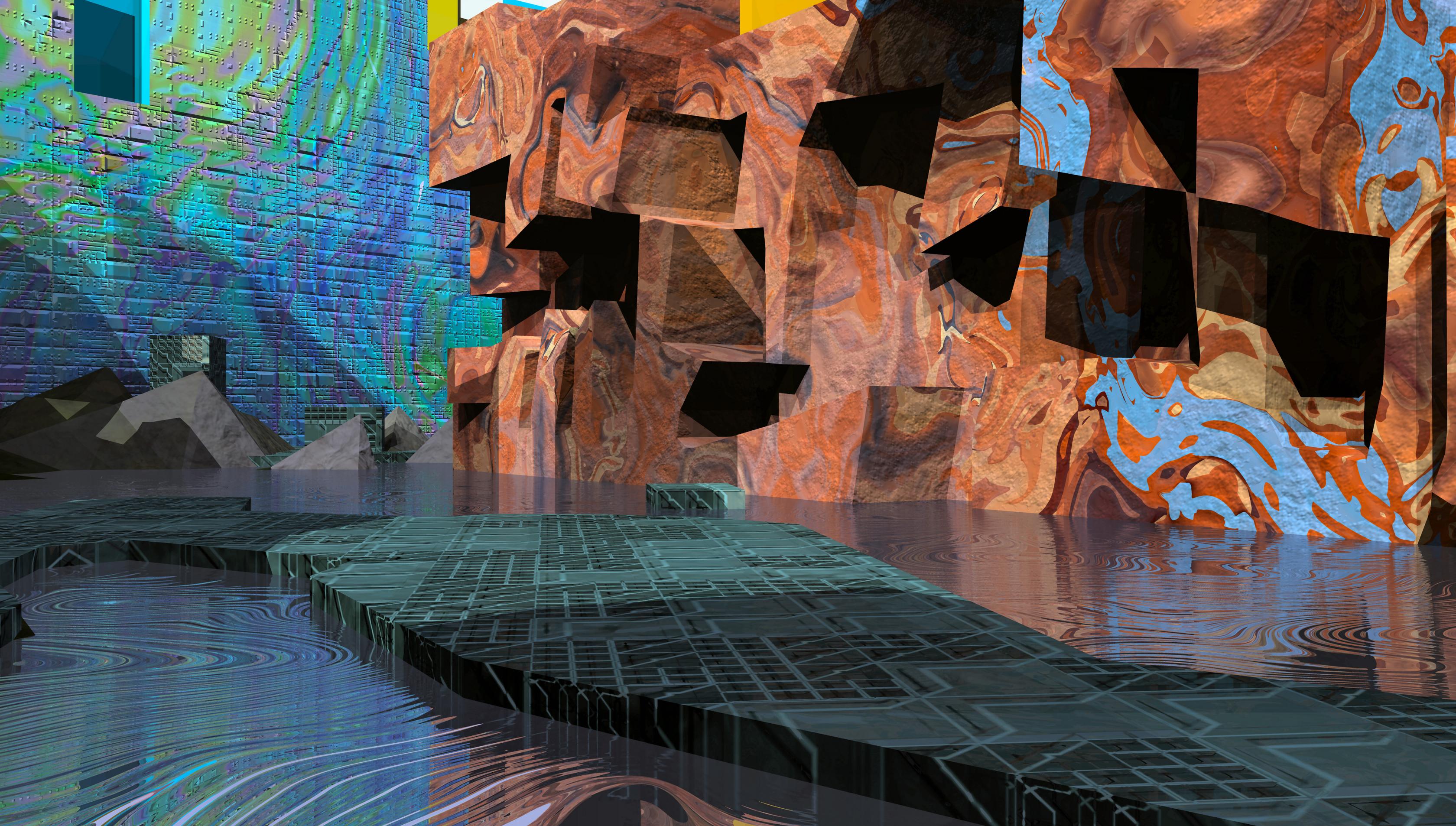
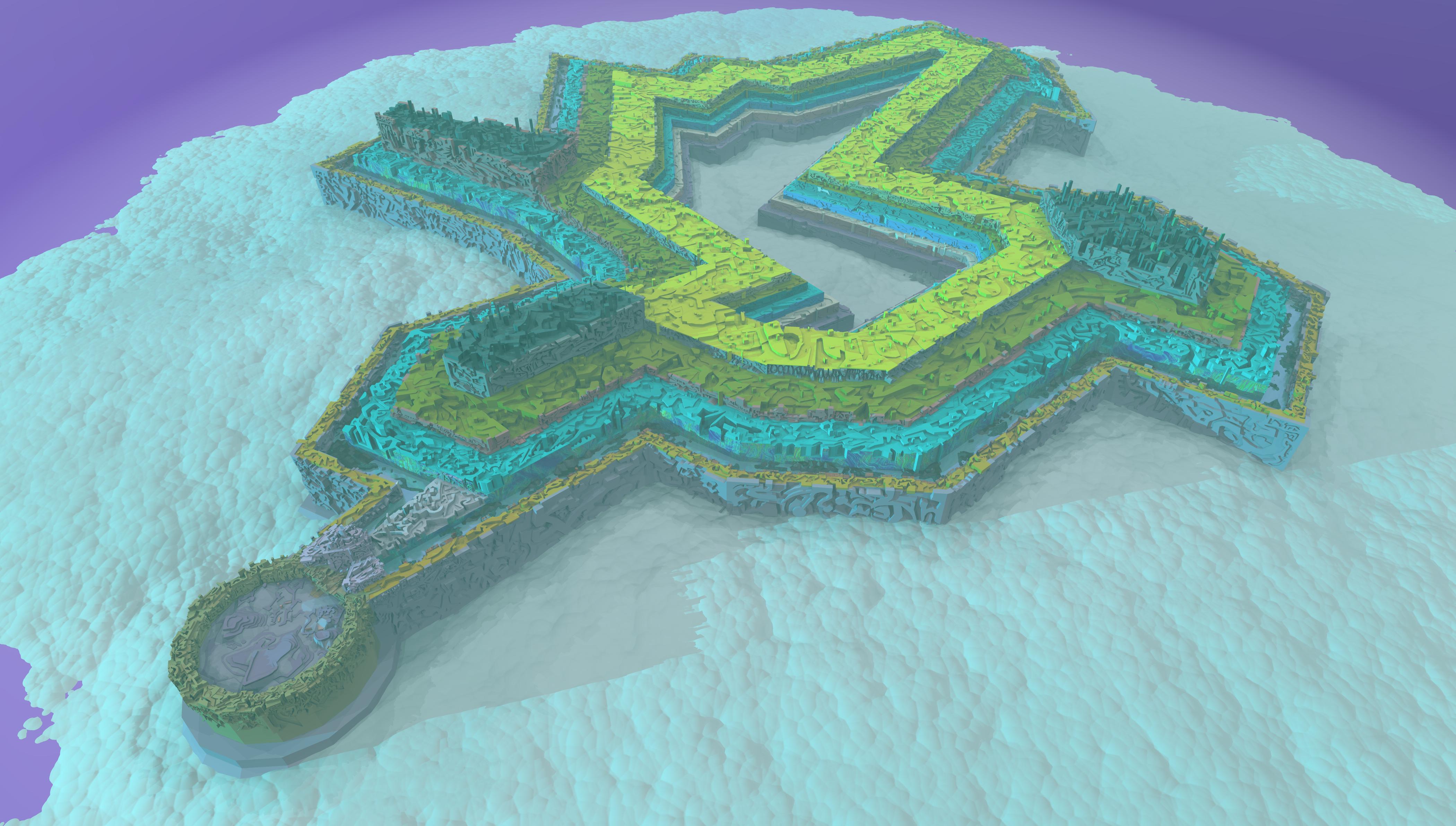
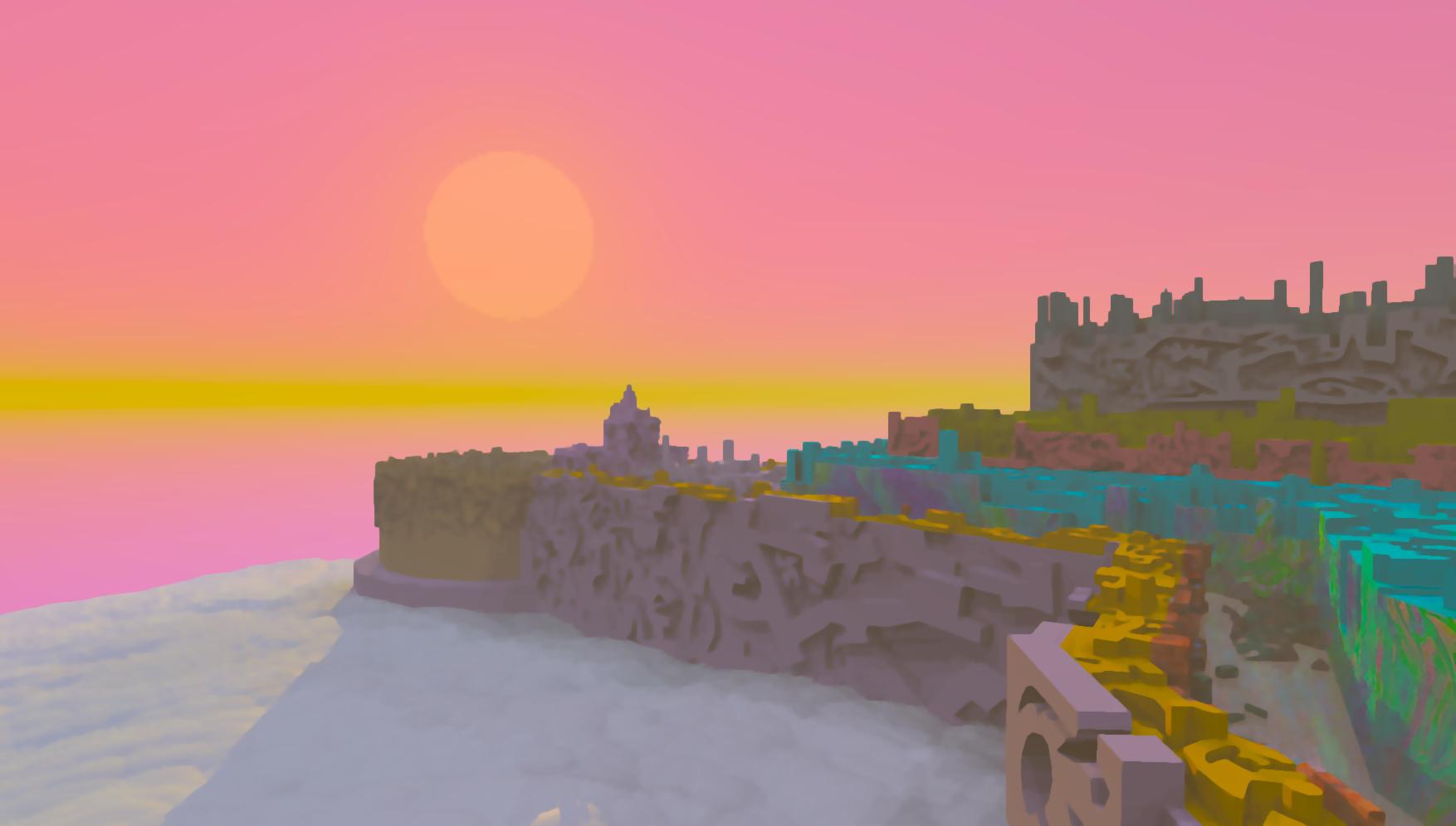
Show Us Your Bryce Renders Part 10Hey there peeps,
Welp, 3 months and thousands of push-pulls in sketchup have yeilded a nearly ready fantasy city model i want to see in bryce.
Its supposed to be a city sized university of lore in the clouds, roughly 20 by 20 miles.
I just need to finish a wall ring, put something resembling crowds, defenses, transports, signage and unique structures to make it pop, and ill be set.
but even untextured, it should look interesting.
eta- of course im going to add bryce textures!

 Show Us Your Bryce Renders Part 10
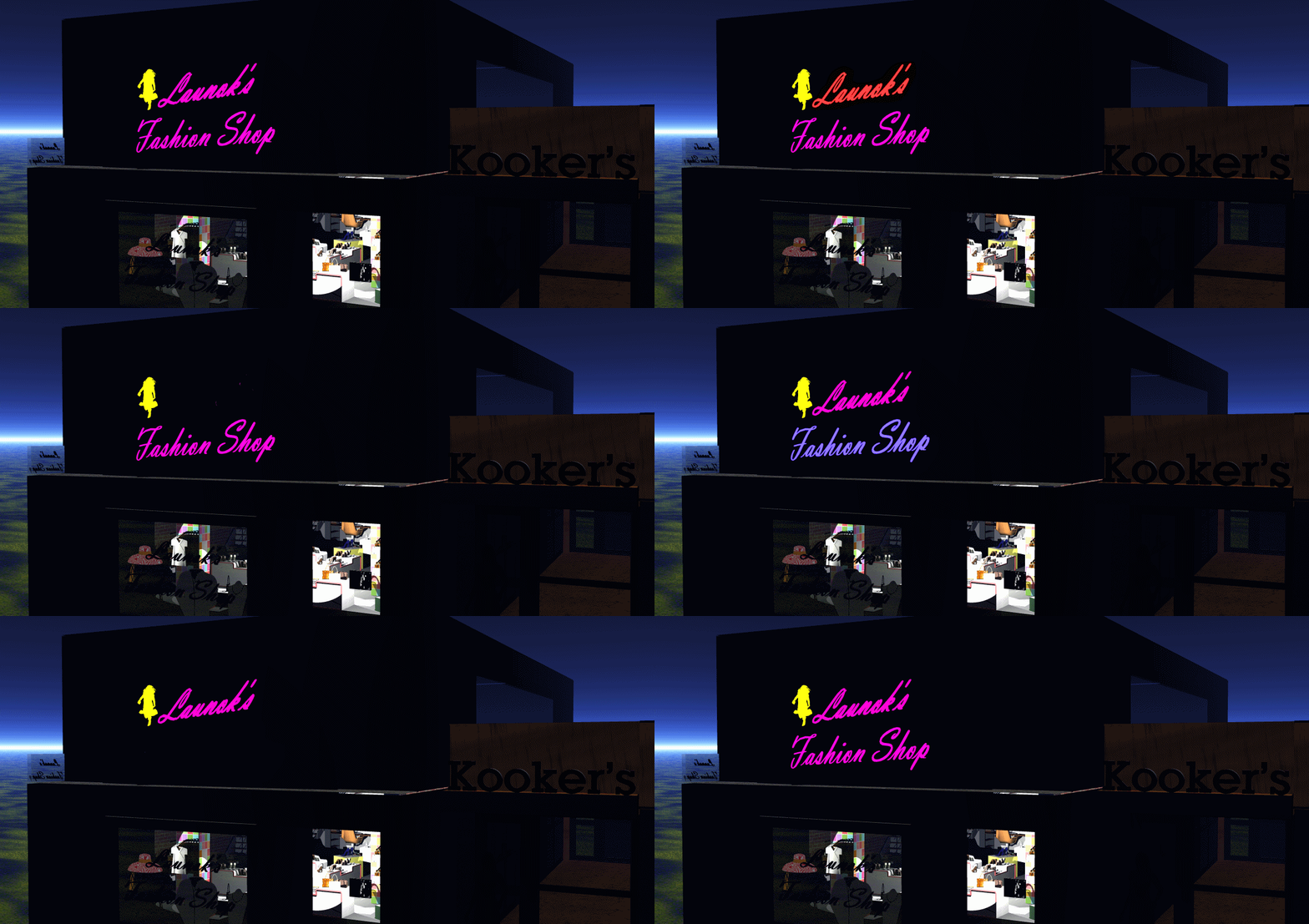
This is just a quick render with animation on my own Sketchup shop. Animation done in Animation Shop together with Paint Shop Pro to create different layers.
 Where do we draw the line when it comes to sharing work with copyright signs!?
Thank you for your input. Then I have to be very careful myself in future, especially with buildings shown these names. I have built my own shop buildng in Sketchup and want to do more. Rather use these then.
Where do we draw the line when it comes to sharing work with copyright signs!?I really need to clarify this matter before I am going to share any work in future with copyright name models, i.e. Marlboro, Coke, KFC, etc, etc. on here or anywhere else. I have shared my Bryce town render in another, non-3D community and I was told it's copyrighted because I have used a Marlboro model and Coke ad (Sketchup models) in the scene and I am heading myself into big trouble. I know there are rules but never thought that a personal made image (not for selling) will have this reaction.
This is now my point, what is acceptable and what not?
 I have lots Bryce renders done with many such logos, i.e. a KFC shop render. I really need clarification before I share anymore town renders, etc with copyrighted models.Liana's Creative Corner WIP's :)
Actually, blender has changed quite a bit since even a year ago. I upgraded from 2.76 to 2.78a. I first looked into Blender when it was like 2.55 that was a nightmare. I have done quit a bit of modeling prior just not in blender. I have quit a few meshes completed in Sketchup but trying to fix sketchup mesh nuances has proved to be fruitless. My biggest hang up was uvmapping and blender just made it way easier now.
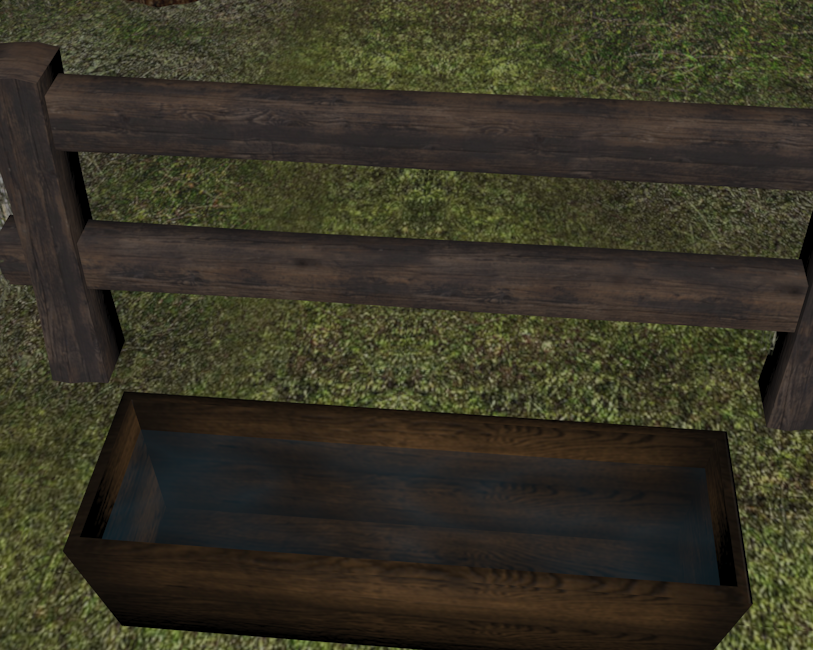
This is a better view of the trough.
 Daz Cow Share and Learn Thread
I have encountered the notion of "mesh density" once or twice. I don't understand it! It seems to be related to picking a good "working size" for a given model at the outset? People on Youtube and so on seem to do good work with polygons that are spaced quite far apart (like the little bear)... I think I would prefer to have a tighter looking mesh. And what's with the curved edges??! They often don't match what I would consider to be a reasonable contour drawing, as in at all. If (through some magic or voodoo that escapes me at the moment) all these folks are able to put detailed features on such a... PLAIN area as the little bear's face then why do we need a denser mesh, again? Again left to my own devices and imaginings I think I would want to be a "detailed mesh" person but many full-featured models seem to be extruded from wide-open, very loose mesh. Perhaps at some point you set aside the mesh and the texture or shader comes into play, or takes over?
Before getting in to any really detailed digital modelling I have been trying some "nip and tuck" operations -- just pulling or pushing a vertex or two, on a simple primitive surface -- to see how these little changes show up when shaded and rendered in DAZ Studio. Ergo if I put in such and such little surface anomaly or inconsistency, how does that play out in the long run? So far the results have been inconclusive.
Also, I don't understand extruding vs. just tacking something on. In the case of the little bear it seems to me to be a much simpler proposition to just stick on a lump of clay (as it were) to make the "ear", rather than risk messing up the base mesh... and in this screen shot here it seems to me that the ideal place for the future right eye would be smack dab on a VERTEX - that makes sense in many ways and resembles traditional contour drawing. The LEFT EYE on the other hand seems to me to want to be in the middle of a polygon, close to an edge perhaps but nowhere near a vertex. Hard for me to sort out, in my "minds" eye, heh.
Part of the reason for extruding out or in a surface is too eliminate from my experience 'seams' and and another artifact which the word is escaping me at the moment. The later causes a shimmering effect a person does not want. Now granted most of my modeling work has been done in sketchup doing furniture and architect type (doors, windows) models. Which I had to make very low poly and did a lot of texture work to make look even more 3D. This was all due to the 3D 'platform' I was making stuff for. The more things have curves and organic type shapes there is more of a need to be higher poly/denser mesh to make it look good.
I don't things have to be super high poly, which would be your tighter/dense mesh as you call it than the bear, which is obviously workable. :) The higher the poly and texture size the harder it is for your pc to 'run' it so to speak. Why the 3D game/chat I made stuff for it was really important to do low poly (some went too far to this extreme and made for ugly items). The important part is to at least find a happy medium in poly count, make a detailed mesh meaning you have all the things that make it look good ( Ears, eyes, legs, arms, nose, body, head, maybe a bow tie), and make sure your mesh has a good uvmap for texturing. The easier it is to texture an item the more detail a person can get by adding like inner ear color, better eye texture, separate nose texture, etc. In my learning here I believe that is where the shading domains (in hexagon)/surfaces (in daz) come in pretty handy for retexturing an item. I am still working that all out yet. :P This all leads to a better the product in the long run. I have always believed a person should really learn to texture so they can be better modelers of meshes.
As for nipping/tucking or pulling things up and out using the vertices, faces, or edges is what helps make the shape more refined. I was doing that with the old daz cow until I found out I could not save my changes as a morph due to her being a poser rigged figure. Even with this if you use the smoothing or the displacement tool helps keeps things not so ridged. This guy on utube explains a few things as he works in hexagon and he has loads of those videos. https://www.youtube.com/channel/UCe7aOH3JhCC47gieU1ExLzg I know I am going to go back and look at some more of his videos. I have a few things I need to sort out modeling wise. :)
I hope i did not confuse you more. I know it takes times to get all of this stuff stright in my head anyways.I am some what like you what works or is in real life is slightly different doing it in 3D. I have a hard time with that too. lol :P
Neon Signs - how can I add lights for night scenes on text or signs for neon effect?As easy and simple as that, thank you David!

 Will give the tut another try.
 Have you got any reference images for the effect your are trying to achive? Posting a couple of those might help determine which would be the best approach to take in terms of createing the glow effect.
Hi David, it was just an idea of trying something new such as neon in night scenes. I love to make street scenes with shops, etc. One of my renders have a neon sign on top of a roof but it will look great for turning it into a night scene too. Attached are just a few examples of real life neon images. I have many great fonts and dingbats which one can use in say a nice advertisement board, etc. The Marlboro neon sign is a model from Sketchup Warehouse which I have imported into Bryce. The fonts/dings I can import via Elefont tool into Bryce.
But the tricky part is to add textures with a bright, glowing effect. You guys know these tricks!
Treesketch to Daz on Windows?Have you tried ngPlant?
http://ngplant.sourceforge.net
I think it works through Blender... It sorta does the same thing and is fairly easy to use... I have a version that runs through SketchUp and it makes decent low poly trees... I think the Blender version is more detailed, but TreeSketch was very easy and great for twisty trunks.
[LINKS] Free Auto ModelsHi,
I've been trying to find a good Shelby Cobra model and I'm glad that I found this thread, but the link to the free shelby cobra is down.
Thanks :)
Here is a pair of AC Cobras, in .obj & .lwo.
http://tf3dm.com/3d-model/ac-cobra-269-83668.html
http://www.dmi-3d.net/modelscar7.html - bottom of page.Plus there are over a dozen at Sketchup Warehouse.
Neon Signs - how can I add lights for night scenes on text or signs for neon effect?While I was scrolling through Sketchup Warehouse I have downloaded some nice neon signs, some with textures and some without. This is then when the idea pops up of neon in Bryce 7.
I have a nice little text program which works very well in Bryce, Elefont by Armanisoft. I have quite a collection of dingbats too. I was now wondering how one can turn them into neon signs and how one can do this in Bryce!? Any ideas?
Raydream Import (solved)(Title edited)...
So all of you know what's going on here...
My son started with 3d modelling a couple of years ago, in high school. He's using Sketchup. By all accounts, that seems to be great software to learn the basics. But he is looking for stuff that is more advanced. So I started looking around for some of the stuff that I had built. Partly to see how they'd hold up in Sketchup, but also to give him some ideas of how to build more advanced stuff.
This film here... Disaster At Naboo
Most of the models used there were built and animated in Raydream. Composting was all After Effects.
The whole sequence where the ships collide was all done in Raydream.
I don't know who these people are that think that was low end., I had it doing to pretty wild stuff!
Modeling Question: Best Tools for Layout of a Town?I have a family member who is very technically capable but new to 3D programs. He'd like to create a 3D layout of a town- a specific, historical one that no longer looks anything like it used to (think colonial times.) He's wondering what software is the best to do that in, and I'm not sure what to tell him. I don't model anything yet, though I have a few programs and have been wanting to. Here's the advice I gave him. Maybe someone here has more insights they can share. Thanks!
There are quite a few 3D modeling programs out there, all varying in price and approach methods. Some people love Blender (free with good documentation but can be difficult to learn), others swear by Maya (very expensive.)
I own Hexagon, it's on sale regularly at DAZ3D.com (DAZ is the software I use to render 3D models.) DAZ also sells Carrara, which is powerful and does a lot. On sale, it can be had for under $30.
Google Sketchup is free, it's a lot like CAD and has many plugins. There's a free version and professional versions that are more expensive. Many people use the free one. Sculptris is a 3D modeling program that is an entryway for the company's more expensive program, Z-brush. Many of the 3D artists I buy things from use that (or Hexagon.)
There are many more too. I'm not sure which one is best to do buildings in. For landscapes, there's also Bryce (which I own) and Vue (pricey, used in many movies, but there's a free, limited version to try it out.)
Also- Pixar released their render engine, called Renderman. I think you can model in it too. I may be wrong. There's a fully free version as well as a Pro version.
I can also ask about what software is best for modeling buildings in the DAZ forums. There are many 3D artists there who use many different programs and might be able to give some good advice.
The Doctor Appreciation threadSweet! In case anybody is wondering, this is the arrangement we briefly saw in "Planet of Evil" and "Pyramids of Mars".. The "roundels" within the walls were large, having very little gap between them, deeper and the back plates were featureless, very similar to the configuration of the originl Hartnell walls. Plus, the doors leading deeper into the craft's interior formed a kind of alcove, mimicing the shape of the outer doors.
Very impressive! And thanks for sharing!
Sincerely,
Bill
Yes, this is based on the SEASON 13 Look from the "Planet of Evil"/"Pyramids of Mars" Stories (this is Version 1.0 - I have the model uploaded on 3dwarehouse.sketchup.com as well if anyone wants to try to improve it)
GENERAL FREEBIE REQUESTS Part 2Anyone know of a free chicken. Need one as a background prop so it doesn't necessarily need to be rigged
Free including obj format which can be imported ; not really great but maybe OK for background:https://www.cgtrader.com/free-3d-models/animals/bird/chicken--8
Another freebie but not very detailed; Includes obj file which can be imported: http://www.turbosquid.com/3d-models/max-chicken/1065691
Free but in sketchup format which will have to be converted to obj: http://www.turbosquid.com/3d-models/3d-chicken-sketchup/384456
Free poseable rubber chicken: http://trekkiegrrrl.dk/char4.htm
Go Carts?Hi Charlie,
I was looking on Poser World on how to join again and I couldnt find how to join again. So I wrote to them and asked about memberships and about the Go Kart.
Thank you for the Sketchup link! I will check it out too. Thanks so much for trying to help! :)
Go Carts?The one at Poserworld is under toys on their old 'members only' site
There is ales this free in sketchup format (which can be converted to obj): https://3dwarehouse.sketchup.com/model.html?id=u20021567-d59f-4642-a697-f42767273b5c
This is why I don't buy tutorials...I will not knock Ziggraphix for trying, it is the only one I ever saw and I use her resources if using 3Delight as all I really have.
but on the general topic
yes I bought tutorials on modeling etc from Rendo as a n00b that were less than helpfull before finding my Carrara forum mentors like Cripeman and 3Dage, this was actually back in 2009 when I was an iClone user using Google Sketchup to model before I found DAZ3D and Carrara.
I look back on those tutes and still think are uttter crap!
the free advice on the forum ran rings around it.
That said I do have some awesome tutes by Mike Bremmer and know Phil Wilkes does good ones but I rarely look at tutes to tell the truth I go by the seat of my pants most of the time.
How does "Weld" works in Hexagon?Doubt that is the case but I'll keep that in mind if the hair/cloth models will act in a way they shouldnt.About the bike thingy though. When it comes to scupling 3d machines I'm more of a sketchup guy since I like simplistic geometrical shapes. Had a blast taking the unaromored skeleton from Daz's Modular Mecha Kit and building gundam around it:
http://dzonatan.deviantart.com/art/Commission-25-ToxicPhantomSan-622857264
Daz 3D is part of

Connect
DAZ Productions, Inc.
7533 S Center View Ct #4664
West Jordan, UT 84084Licensing Agreement | Terms of Service | Privacy Policy | EULA
© 2026 Daz Productions Inc. All Rights Reserved.