-
[Released!] EcVh0's People - Katarina HD For Genesis 8 Female [Commercial]
Katarina mid age in Central Park NYC.
Looks very nice, but I can't help wincing a little at how that jumper 'drapes' over the chest area.
Haha yeah, they do that sometimes when you go "non-model" body shapes

And there was me thinking it was static cling from her wearing a nylon bra ...


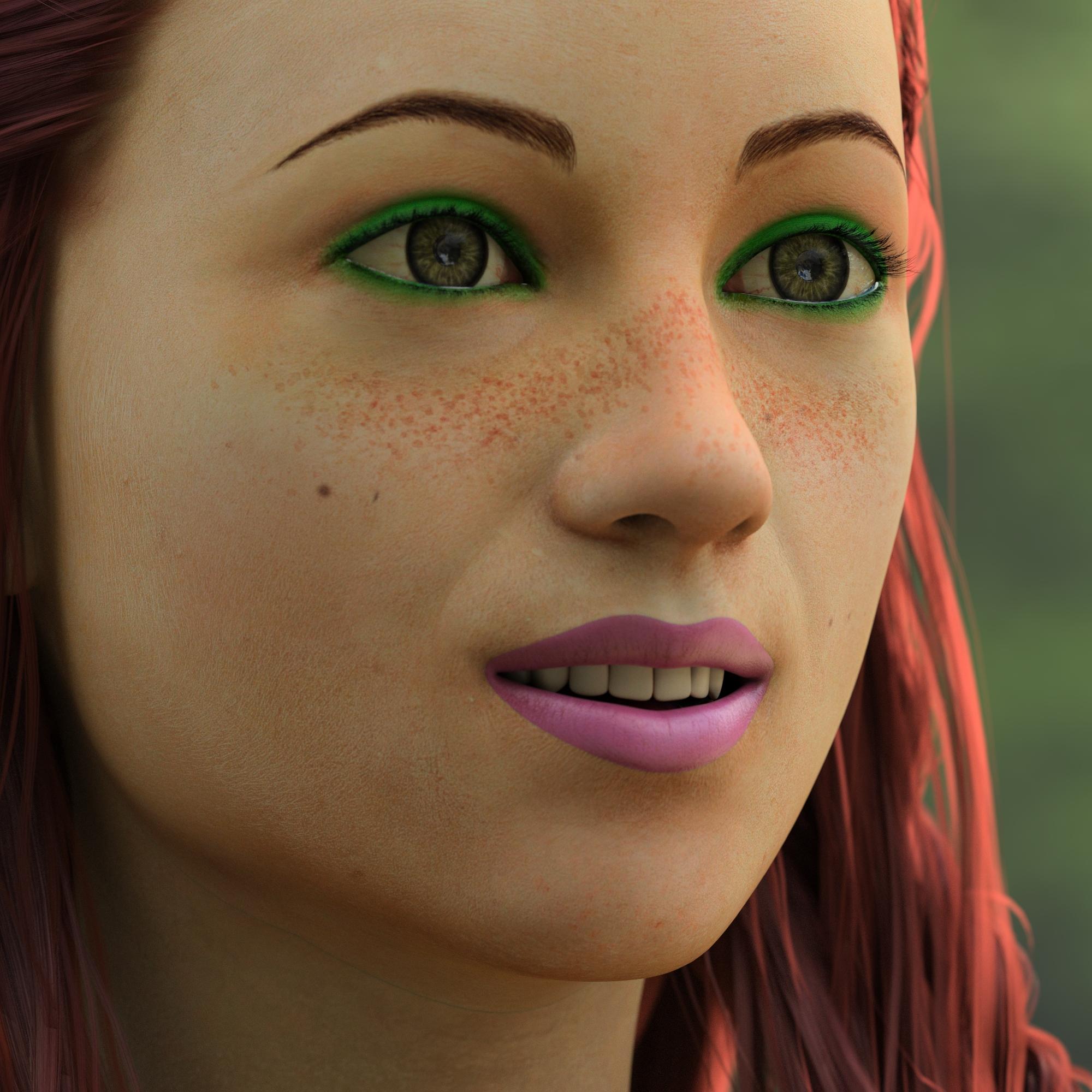
I did a close-up using @MEC4D's latest Central Prrk HDRI using one of her supllied caneras, and using Katarina, mainly teen settings dialled in:
 MEC4D
MEC4DFinally get one of these famous HDRI packs - absolutely gorgeous.
Below is Katarina - https://www.daz3d.com/katarina-hd-for-genesis-8-female
in Central Park NYC.

Really nice and natural looking!
MEC4DFinally get one of these famous HDRI packs - absolutely gorgeous.
Below is Katarina - https://www.daz3d.com/katarina-hd-for-genesis-8-female
in Central Park NYC.
[Released!] EcVh0's People - Katarina HD For Genesis 8 Female [Commercial]Katarina mid age in Central Park NYC.
Looks very nice, but I can't help wincing a little at how that jumper 'drapes' over the chest area.
Haha yeah, they do that sometimes when you go "non-model" body shapes
[Released!] EcVh0's People - Katarina HD For Genesis 8 Female [Commercial]Katarina mid age in Central Park NYC.
Looks very nice, but I can't help wincing a little at how that jumper 'drapes' over the chest area.
[Released!] EcVh0's People - Katarina HD For Genesis 8 Female [Commercial]Katarina mid age in Central Park NYC.
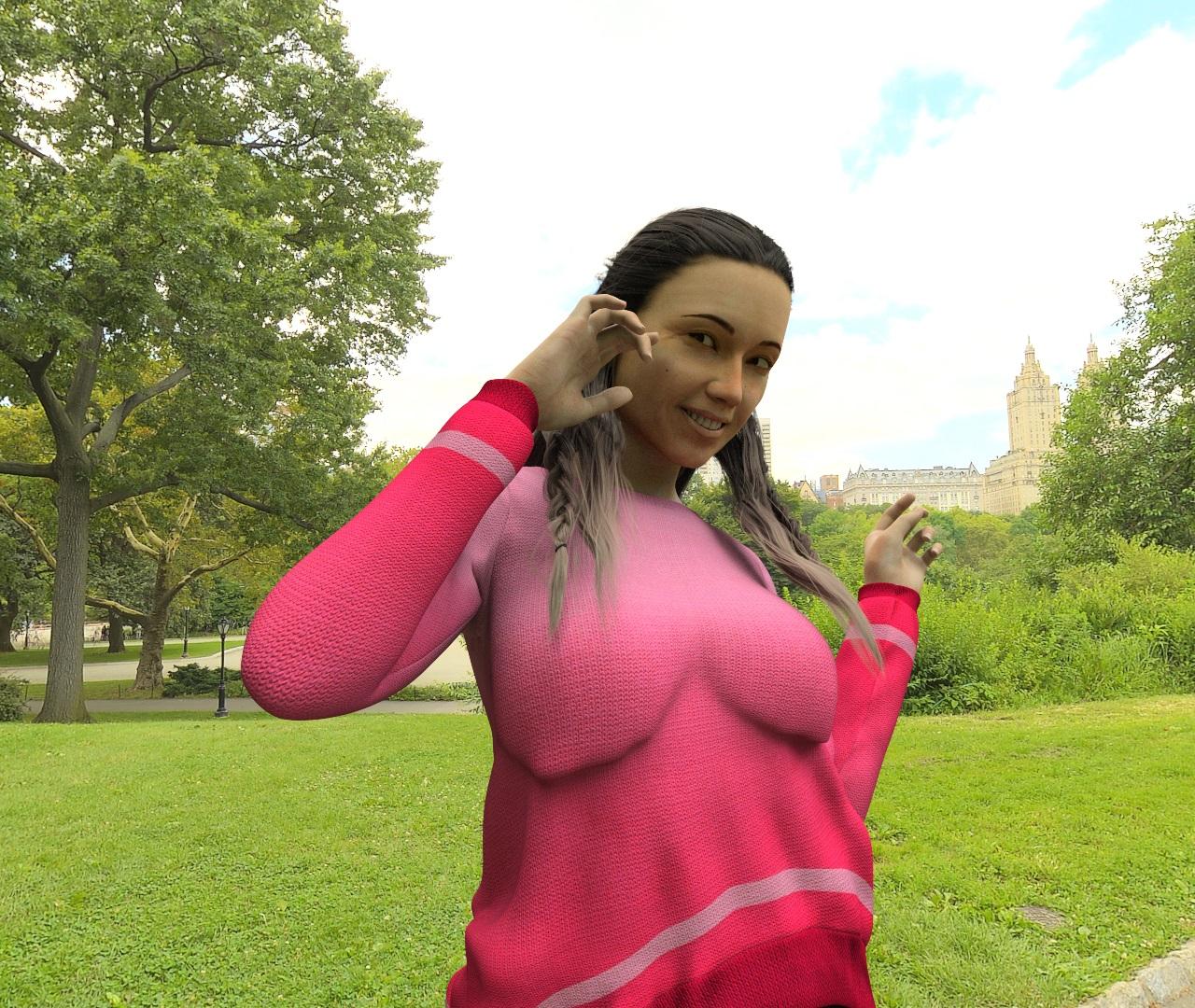
Beautiful picture! She is absolutely gorgeous!
[Released!] EcVh0's People - Katarina HD For Genesis 8 Female [Commercial]Katarina mid age in Central Park NYC.
What Character Is This? (From the MEC4D Central Park promos)Yeah, it's another one of "Those" threads - a What Character Is This. This week's puzzle comes from the "MEC4D HDRI Central Park NYC - Megapack" promos. Does anyone know what character this is:

I think she looks gorgeous and very realistic!
Check out those cute and realistic arm dimples too (I THINK it's the same character):

Does anyone know who she is?
Mobility Equipment for Genesis 2, 3 and 8 Males(s) and Female(s)Working on the artifical limbs now. Not sure what store they will be released at, though.
Let us know when they're up - wherever that may be. Ah - with the possible exception of Turbosquid.

Not likely to end up there; that place is sticker -shock central at times.
Novica & Forum Members Tips & Product Reviews Pt 9Wow, IceDragonArt, that looks great!
firewarden, for me portrait light sets don't work real well for scenes. They are usually set up with the lights close to one central figure. You could make a lot of adjustments but characters and props will cast weird shadows on one another and it is a big hassle.
I posted the render I did on your BOSS thread, Novica. Thanks for your help last night. I guess we both learned some stuff. I'm so happy it is working now.
Thanks for the info! :)
Novica & Forum Members Tips & Product Reviews Pt 9Wow, IceDragonArt, that looks great!
firewarden, for me portrait light sets don't work real well for scenes. They are usually set up with the lights close to one central figure. You could make a lot of adjustments but characters and props will cast weird shadows on one another and it is a big hassle.
I posted the render I did on your BOSS thread, Novica. Thanks for your help last night. I guess we both learned some stuff. I'm so happy it is working now.
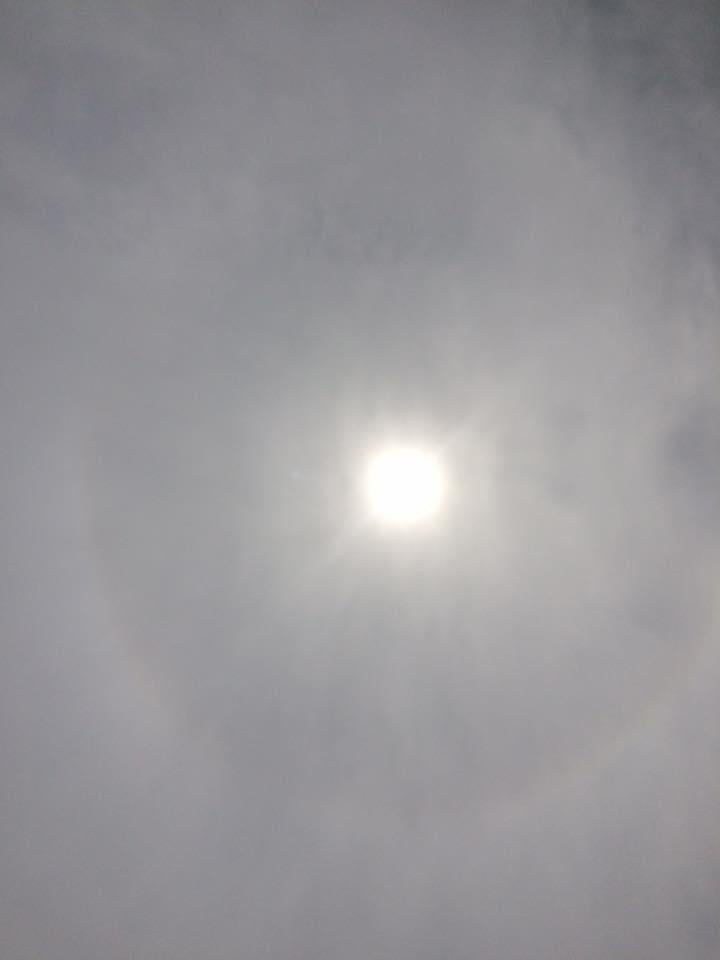
OT Eclipse on Monday Where are you? Website shows Your AreaI'm in Central Illinois. We had about 90% eclipse here. We used the glasses and got a great view of it. Also watched the NASA feeds for the total eclipse. Very cool! My first grader loved it. Glad he doesn't start school till tomorrow.
Here's the best I could get with an iPhone:
 virtual penny 4 yor carrara thoughts ?
Like, in this scene I only have shape lights except for the cone effects, which uses, of course, a spot.

Since "practical-looking" light fixtures are sparse, I just focus on getting the scene lit enough to where we can see it and get some shadows going on. With a shape light in the shape of a ring that surrounds each table, I was able to set them to where I didn't feel a need to use anything for the illuminating screen displays on top of the tables. For those and all the little glow lighting, I just allow the Aura effect to simulate the idea that they're throwing light. EDIT: But I also have low-powered, low-distance rectangle shape lights as fill lights - very subtle.
So again, I'm ONLY focussed on the room, because I already know that my characters have their own light rigs on them that will simulate the lighting on them, while also making them stand out in such a dark and gloomy scene - which works very well, because those light rigs on the characters can (and should) be tweaked to fit the look of the environment.
This one (below) has practical lights along the floor and in the ceiling. When I was just starting out, I'd find myself going about placing lights everywhere I could find an illuminating surface in the scene - you know... to be "Realistic".
Well in 3D, it's often true that "Simple" ends up a lot more realistic looking than some of the aparitions that can occur from trying to do what I just said.
So instead, the ceiling in this scene is a single shape light rectangle for each hallway segment. Two in total - we're actually standing inside one of them right now so we don't really see it. The floor lighting is simulated using a tube light along each side. Both Ceiling and Floor lights are set to a very minimum distance to allow most of the room to remain dark, and to allow the opposite lights to fill in - but only some. I want the characters to stand out, and I don't want the corridors here to be very bright/illuminated as in light being blasted on every detail. I want dark corners - even some spots that are completely dark. The darkness really disappears nicely once the volumetric (cone effect) lighting is added. Like volumetric clouds, volumetric lighting even brings out details behind it - even if the actual lighting doesn't physically touch that area.

Speaking of Volumetric Clouds, they can always be used to help illuminate an area. They will catch light and the volume will spread that light like crazy!
Magaremoto constantly demonstrates how the simple shapes of V-Clouds can actually be used as light domes (I think... I've not tried his technique entirely yet)
In this scene, I have shape light rings around the central cylinder and vertical tube lights in the bright white wall fixtures around the outside. Like the above corridor scene, the lights are set with a minimum distance. By that I mean that I don't want them to use "Realistic" distances, but only to make it across the room - if even that much. For this one I only wanted the outer wall fixtures to reach just into the central cylinder, and then give them a 100% falloff to get them to taper down. The ring lights around the cylinder will finish the gap, and are set to be just subtle fill lights - basically to help fill in gaps that would otherwise look odd if they were too dark.
A nice spot light with some gel-controlled cone effect in the ceiling by the door, simple oval shape light inside the control room in the center, and Aura for the glow channels to play with. But then I filled the room with a volumetric cloud, scaled down and tweaked and tweaked to get the right settings. I never make them (v-clouds) too small because I want to be able to give them some subtle movement during animations. Sometimes just a gradual scale change can do the trick nicely. other times I like to have it rise slowly, often with a very gentle rotation as well as some increase in scale to help simulate disipation of the fog - whatever it might be representing.
EDIT: The simulated light spots that appear around the central cylinder are a product of having a value of 0.03 in the reflection channel of the shader for the walls. So the light spots are actually just reflections of the glow channel - not shine spots from the actual lights.

Example
If it wasn't for the individual light rigs on each character in this scene, they'd all be too dark to see in the render. Seriously. The aura effect along with what's in the glow channel of shaders gives the appearance of actual light so much more than what there really is in the scene.

Movies are all just a trick on the eyes - and we're in the business of being the tricksters
-- George Lucas
MEC4Din september I have one more pack from his favorite walk paths in Central Park, the strawberry fields and above but sadly without John or strawberries and Yoko staying in her apartment shopping via internet to avoid turists lol ;) but we got raccons posing for photos and turtles and of course not to forget new rats invasion in Central park in Upper West at 72 st, turists leaving so much food around ..enough for everyone hahaha
John would say, damn you people trying to change the world ? but nobody care to change the toilet paper in the NYC public bathrooms .lol
The last big huricane and waves blow off all the heavy stones in liberty park pushing it into the land, bend metal latterns and all grass was unrotten and gone like someone shaved it to the ground , horror , but Lady Liberty was still standing proud and untouched , I was kinda emotional when I saw it, everything like after a war or something . For me all new stuff I am originally from Europe so things like that are still exotic for me sometimes and so is Florida :) .
Wow, I didn't know that! John would be proud with the work you have done! :) Trust me, I live in Florida so hurricane's are a fact of life down here. That does sound wild though! Glad you survived! :)
I'm originally from Buffalo NY (my family is from Sicily), and sadly I have never been to NY city. There is so much history there, and to see the Statue of LIberty...something my immigrant relatives first saw when the came to the US must have been something else. Of course Europe is filled with history...would love to see it all. You should come see Florida....and of course make lots of good HDRIs for your big DAZ fans! LOL
MEC4Din september I have one more pack from his favorite walk paths in Central Park, the strawberry fields and above but sadly without John or strawberries and Yoko staying in her apartment shopping via internet to avoid turists lol ;) but we got raccons posing for photos and turtles and of course not to forget new rats invasion in Central park in Upper West at 72 st, turists leaving so much food around ..enough for everyone hahaha
John would say, damn you people trying to change the world ? but nobody care to change the toilet paper in the NYC public bathrooms .lol
The last big huricane and waves blow off all the heavy stones in liberty park pushing it into the land, bend metal latterns and all grass was unrotten and gone like someone shaved it to the ground , horror , but Lady Liberty was still standing proud and untouched , I was kinda emotional when I saw it, everything like after a war or something . For me all new stuff I am originally from Europe so things like that are still exotic for me sometimes and so is Florida :) .
Wow, I didn't know that! John would be proud with the work you have done! :) Trust me, I live in Florida so hurricane's are a fact of life down here. That does sound wild though! Glad you survived! :)
Free Daz Cash - the catch for PC+ members@Charlie Judge "The $8 is taken off the total in the cart not each item. So, if you had both items in the cart only $4 would be taken off each for a total of $8 for the order."
It didn't work like that for me Charlie. The items I referenced were tired in the cart, one at a time with a new release. $4 was the total discount.
I also read the text several times trying to figure out if it was $8 each item or for the cart. Frankyl the "other than that go nuts" is a bit inconsistent with the "can only be used 5 times".
I would also swear that the Green text stating $8 off the cart total wasb't there when I looked early am in the Central US.
Sub forum for Animation in DAZ StudioI like DS's animation tools. I'm still learning, but I've found them easier to get the hang of inside DS than in other animations products I've tried out so far. I have some animation goals in mind and I think DS is perfect for my needs so I'll be sticking with it while I learn more animation skills.
I admit it is difficult to find all of the animation threads out and about in the forums. One central place would be nice.
Are we going to get muscularity morphs for G8?Just curious, xenic101, will there be a selection of right/left morphs?
That should be doable for any symmetrical morphs by excluding vertices so long as the morph influence does not reach the central axis.
So you are saying the exclusion can be applied after the morph? How would I do this?Here you go:
 Non-photorealistic Renders (NPR)
This is an illustration for a detective story; the first half of the story featured that guy studying (I posted it a few months ago), so I had to kinda match the style and colors I used then. This is for print, so the strokes might look a little thick, but this is to keep them from washing out during the print process. Last time I used a finer line, and it reproduced okay... but I wanted a strong stroke this time. Here's hoping it works this time.
Any thoughts on these variations? (And these are just the top contenders, I've made several differentt variations, but can't decide what I like).
Before you pick your favorite, please click on the full-size image (in the list of attachments below) to see how the enlarged version looks. There's a LOT of detail in this.
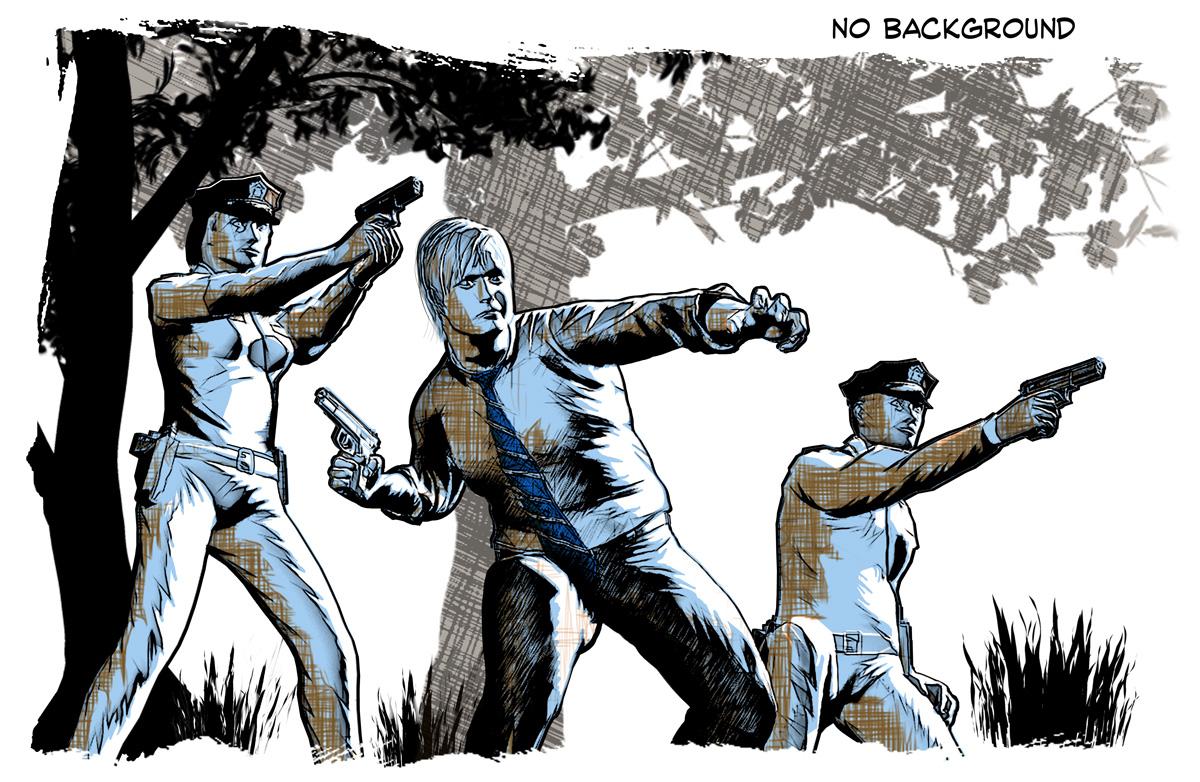

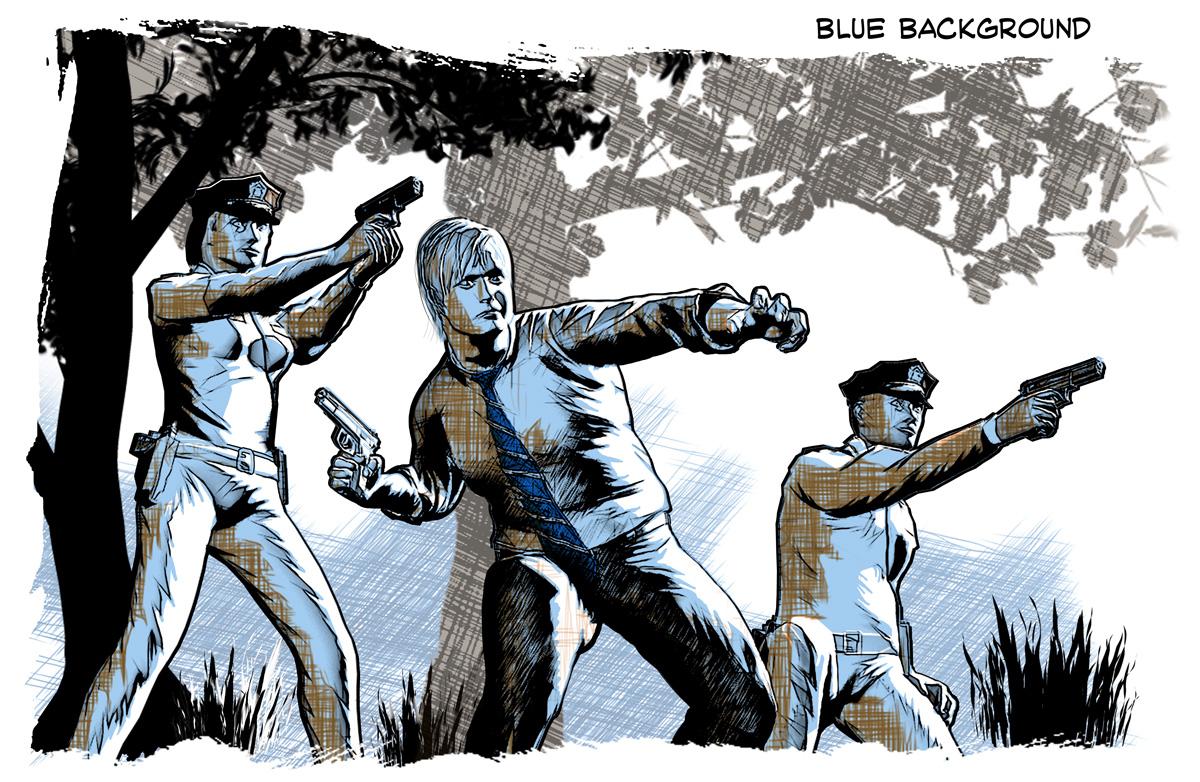
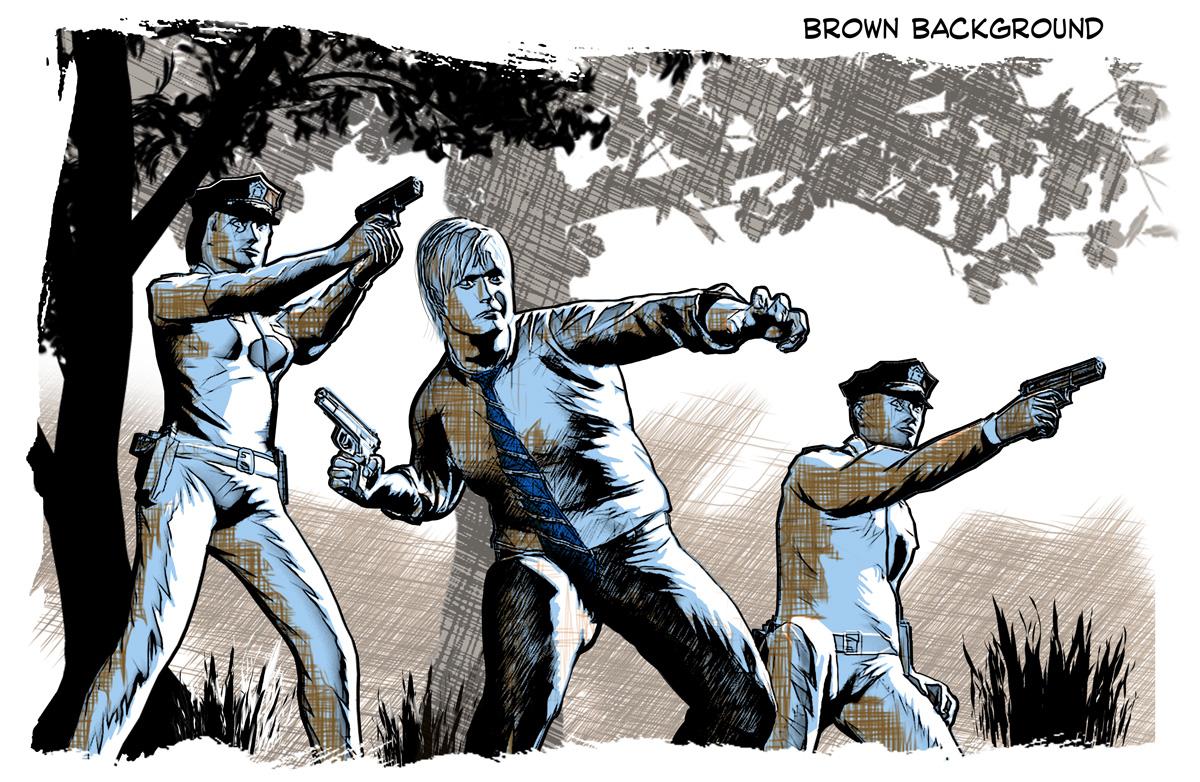
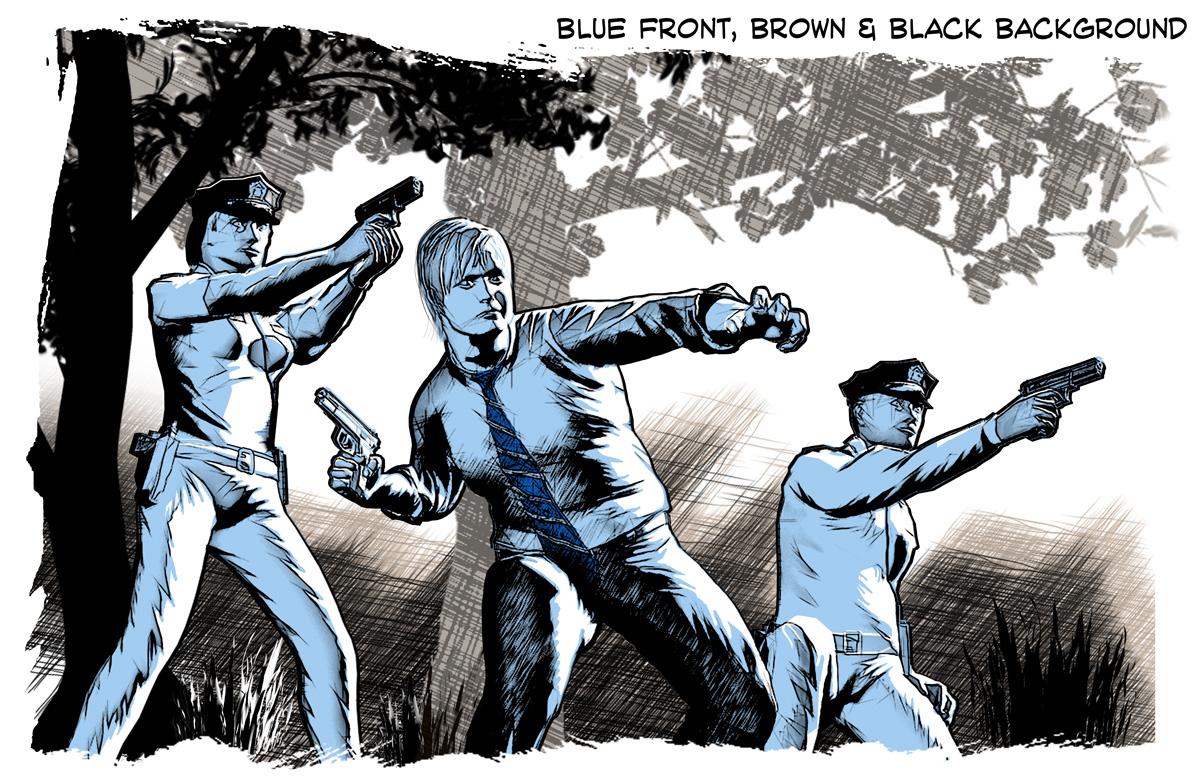
BTW: Created in Poser 11 Pro and Photoshop with Akvis Sketch. Central figure is Michael 4 (w/lots of morphs), other two figures are Predatron Lo-Rez Police.
All of them are great, but I will say the last one strikes me the most. I like the parrallels of the characters and the background.It sort of gives me a feeling that this scene is in the night time.
Are we going to get muscularity morphs for G8?Just curious, xenic101, will there be a selection of right/left morphs?
That should be doable for any symmetrical morphs by excluding vertices so long as the morph influence does not reach the central axis.
So you are saying the exclusion can be applied after the morph? How would I do this?I'm not sure I understand all this dense jargon but the G3F version of Xenic's morphs has three dials for each muscle: left, right and both.
Cheers,
Alex.
Daz 3D is part of

Connect
DAZ Productions, Inc.
7533 S Center View Ct #4664
West Jordan, UT 84084Licensing Agreement | Terms of Service | Privacy Policy | EULA
© 2026 Daz Productions Inc. All Rights Reserved.