-
3Delight Laboratory Thread: tips, questions, experiments
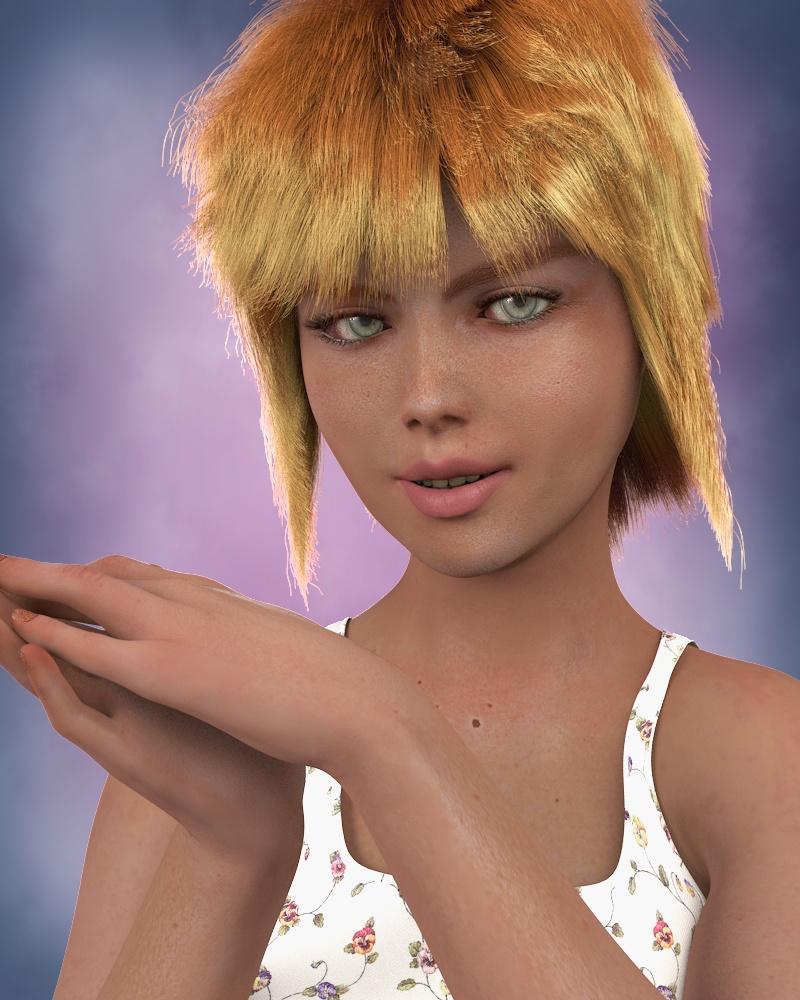
Well, I've been playing around with Kettu's shaders...to go along with the hair cap.
Custom morph, Aibell skin, Kettu's hair cap/standard LAMH shader on the hair, OmUber on the shirt, Kettu's shaders on everything else.
 Morph - Consolidation?
Yes; you can combine them, export the figure as a obj then use Morph Loader Pro to import and give it an easily identifiable name.
Morph - Consolidation?Is there any way to combine several morphs into one control dial in Daz Studio?
I know there use to be a plug-in for Daz Studio 3 I think, but I'm wondering if there is a way to do it in the latest Daz.
Thanks,
Si
3D Art Freebie Challenge ---April: “When I Grow Up I Want To Be A Woodland Fairy” (Main Thread)DAZ3D April, 2016 Freebie Challenge: "When I Grow Up I Want To Be A Woodland Fairy"
Entry #2. The Dangers Of Being A Woodland Fairy
It's not all a flight in the park.
"Hey, wait a minute!", chimes in Vicki, "Great! I've come down to this now, have I? Featuring Victoria as a pair of protruding legs?"
Rendered in DAZ Studio with 3Delight, no postwork
No Counts: DAZ Genesis 3 Female (G3F Starter Essentials), G3F Head and Body Morphs
Paid content: DAZ Victoria 7
DAZ Victoria (for the protruding legs)1. RDNA Sluggians by Traveler (Registration required)
http://www.runtimedna.com/RDNA-Sluggians.html2. Night Wings by Prae
http://freezone.thefantasiesattic.net/index.php?main_page=product_info&cPath=138_219&products_id=4633. Amy for Genesis 3 Female by Silver & Raziel
DSCreative Magazine, Issue #13, July 2015, page 73.
https://issuu.com/philatdsc/docs/ds_creative_13
(head morph and texture)4. P3D Tara by P3Design
DSCreative Magazine, Issue #18, December 2015, page 18.
https://issuu.com/philatdsc/docs/ds_creative_18
(body morph only used)5. Aditi Hair V4,A4,G4 by Propschick (Registration required)
https://www.renderosity.com/mod/freestuff/aditi-hair-v4-a4-g4/617156. Love Fairy - Outfit by Pretty3D (Registration required)
http://www.artraiders.com/download_page.php?file_id=1957. In the Forest by Corbie (Registration required)
http://www.sharecg.com/v/19470/browse/15/2D-Resources/In-the-Forest
(background)8. FallenTree by FranOnTheEdge (Registration required)
http://www.sharecg.com/v/3676/browse/5/3D-Model/FallenTree9. XfrogPlants Chestnut (Registration required)
http://xfrog.com/product/EU43.html
(for the bark texture on the fallen log)10. Tiling Texture Pack 17 by Yughues aka Nobiax (Registration required)
http://www.sharecg.com/v/55336/related/6/Texture/Tilling-Texture-Pack-17
(for the moss on the log - #91)11. Precious Mushrooms by rebelmommy (Registration required)
https://www.renderosity.com/mod/freestuff/precious-mushrooms/5928812. Mushrooms by DennisH2010 (Registration required)
http://www.blendswap.com/blends/view/6255713. Saxon3d Morphing Fae Leaf by Saxon3d (Registration required)
https://www.renderosity.com/mod/freestuff/saxon3d-morphing-fae-leaf/7152314. The Snail of the Cemeteries by gabrima (Registration required)
http://www.sharecg.com/v/20309/browse/11/Poser/The-Snail-of-the-Cemeteries15. Butterfly Figure by Age of Armour
http://www.ageofarmour.com/3d/free/butterfly.php16. Mlw-butterflyMats by Mike (Registration required)
http://www.sharecg.com/v/36437/browse/11/Poser/Mlw-butterflyMats17. Fern v2.1 (double-sided) by Yughues aka Nobiax (Registration required)
http://www.sharecg.com/v/52199/browse/5/3D-Model/Fern-v2.1-double-sided18. Faerie Wings I for ALL figures by fabiana (Registration required)
https://www.renderosity.com/mod/freestuff/faerie-wings-i-for-all-figures/59783
(For Vicki)Another great entry.
All links verified.
ENTRY ACCEPTED
Please transfer to Entry Thread.
3D Art Freebie Challenge ---April: “When I Grow Up I Want To Be A Woodland Fairy” (Main Thread)DAZ3D April, 2016 Freebie Challenge: "When I Grow Up I Want To Be A Woodland Fairy"
Entry #2. The Dangers Of Being A Woodland Fairy
It's not all a flight in the park.
"Hey, wait a minute!", chimes in Vicki, "Great! I've come down to this now, have I? Featuring Victoria as a pair of protruding legs?"
Rendered in DAZ Studio with 3Delight, no postwork
No Counts: DAZ Genesis 3 Female (G3F Starter Essentials), G3F Head and Body Morphs
Paid content: DAZ Victoria 7
DAZ Victoria (for the protruding legs)1. RDNA Sluggians by Traveler (Registration required)
http://www.runtimedna.com/RDNA-Sluggians.html2. Night Wings by Prae
http://freezone.thefantasiesattic.net/index.php?main_page=product_info&cPath=138_219&products_id=4633. Amy for Genesis 3 Female by Silver & Raziel
DSCreative Magazine, Issue #13, July 2015, page 73.
https://issuu.com/philatdsc/docs/ds_creative_13
(head morph and texture)4. P3D Tara by P3Design
DSCreative Magazine, Issue #18, December 2015, page 18.
https://issuu.com/philatdsc/docs/ds_creative_18
(body morph only used)5. Aditi Hair V4,A4,G4 by Propschick (Registration required)
https://www.renderosity.com/mod/freestuff/aditi-hair-v4-a4-g4/617156. Love Fairy - Outfit by Pretty3D (Registration required)
http://www.artraiders.com/download_page.php?file_id=1957. In the Forest by Corbie (Registration required)
http://www.sharecg.com/v/19470/browse/15/2D-Resources/In-the-Forest
(background)8. FallenTree by FranOnTheEdge (Registration required)
http://www.sharecg.com/v/3676/browse/5/3D-Model/FallenTree9. XfrogPlants Chestnut (Registration required)
http://xfrog.com/product/EU43.html
(for the bark texture on the fallen log)10. Tiling Texture Pack 17 by Yughues aka Nobiax (Registration required)
http://www.sharecg.com/v/55336/related/6/Texture/Tilling-Texture-Pack-17
(for the moss on the log - #91)11. Precious Mushrooms by rebelmommy (Registration required)
https://www.renderosity.com/mod/freestuff/precious-mushrooms/5928812. Mushrooms by DennisH2010 (Registration required)
http://www.blendswap.com/blends/view/6255713. Saxon3d Morphing Fae Leaf by Saxon3d (Registration required)
https://www.renderosity.com/mod/freestuff/saxon3d-morphing-fae-leaf/7152314. The Snail of the Cemeteries by gabrima (Registration required)
http://www.sharecg.com/v/20309/browse/11/Poser/The-Snail-of-the-Cemeteries15. Butterfly Figure by Age of Armour
http://www.ageofarmour.com/3d/free/butterfly.php16. Mlw-butterflyMats by Mike (Registration required)
http://www.sharecg.com/v/36437/browse/11/Poser/Mlw-butterflyMats17. Fern v2.1 (double-sided) by Yughues aka Nobiax (Registration required)
http://www.sharecg.com/v/52199/browse/5/3D-Model/Fern-v2.1-double-sided18. Faerie Wings I for ALL figures by fabiana (Registration required)
https://www.renderosity.com/mod/freestuff/faerie-wings-i-for-all-figures/59783
(For Vicki)Export MD (CLO3D) Clothes to DAZ3D , and posing.Hey guys. This set of questions have probably been asked before but i couldn't get a concrete one just because the previous answers and tutorials on the web were of DAZ 4.5 , and im using 4.9.
So i am basically using Clo3d (MD's version specially for clothing) to design my clothes , and pose them on an avatar in DAZ3d then render them. So my steps are below:
1. Export Clo3D's Default Avatar (A-pose) to DAZ3D as OBJ
2. Import Avatar as OBJ in DAZ3D
3. Open the Victoria avatar in DAZ3D and mimic the body proportions so they are exactly the same as CLO3D
4. Save edited Victoria as OBJ.
5. Import Vicotria OBJ in Clo3D and simulate the clothes.
6. Export Clothes only from Clo3D as OBJ and Apply them in DAZ3D to the original Victoria avatar
Is this the most accurate way of doing it ? If so i do have some issues
a) Most of the times textures of my simulated clothes dont appear in DAZ3D (I did select to save the textures in MD, i tried Unwelding the Objects, Not using Unified UV Maps) but nothing works.
b) I change my poses in DAZ3D . So I would morph the obj clothes to Victoria . However i can never seem to get this with the Asset Transfer Utility. Once i use them i always get the clothes and the model out of prorportions, as shown in the image belowc) Can i still use existing DAZ3D props such as boots / rings ? They seem to overlap with the current obj file. Like in this case, the pants would be above the boots.
I appreciate any kind help ! :)
(Image removed for nudity. Please read guidelines for nudity in the forums. http://www.daz3d.com/forums/discussion/3279/acceptable-ways-of-handling-nudity#latest ;)
So, is there a Carrara 9 coming at all?If I should list what I need and wish in carrara 9, the first 2 I can think of are morph export within fbx format (especially to houdini or 3ds max) and a good facial animation tool (unless DS is going to do the job in our place). All the rest can be easily deferred
Genesis 3 GoZ with HDOne thing you need to watch is the effect of the smoothing in ZBrush - even turning the resolution back to base before export leaves the smoothing effect in place, this badly broke the teeth and fingers on older figures at least. My suggested work-around was to load the base mesh into ZBrush, divide it, set it back to base, and then export as OBJ. Load that "do nothing but distort" shape as a new morph, set it to 1, then use Reverse Deformations when you load your real morph to cancel the ZBrush distortions.
Bot Genesis Hands come apartI suspect that that is a consequence of the Rigidity Mapping on the model, which governs how morphs are generated when the fitted item lacks a morph that is present in the base mesh. It appears that either only some parts are rigidity grouped, or all have rigidity groups but they are in diffrent groups with different references (the reference polygons are transformed to match the morph, the rest of the rigidity group takes that transform rather than directly matching the morph deformation). It may be worth opening a support ticket on this, though it wouldn't strictly be a bug.
Genesis 3 GoZ with HDYou should be able to take the mesh to 3 levels of subd in ZBrush and do your morph. Then take it back down to no subd in zbrush and export it for return to Daz Studio. Use your high poly version in ZBrush to generate normals for details. Just make sure that the version you export from DS, for the morph, is the same poly count as the one you exported from Studio originally. Don't use anything that adds geometry as that will change the vertex count.
This is a great idea in principle but unfortunately it does not work very well in practice. When I tried this approach I found that the morphs I made to g3f in Zbrush were transfered to g3f in DS, but there were also some small movements of other non-morphed verts on the body resulting in distortion particularly visible in the face/head. When I contacted DAZ3d about this issue I was told that there was a tool for correctly transfering HD morphs from Zbrush to DS but it was only available to DAZ3d PAs (as has been mentioned above). Personally I think it is very disappointing that DAZ3d place this restriction on the software, but I suppose they want all good quality morphs to be sold only through DAZ3d. The inconvenience to us amateur modellers who would like to make HD morphs but not sell them is just.... collateral damage... tough luck.
I wrote a thread on making rib morphs (search for ribs) for g3f and the conclusion was that displacement mapping was the only viable alternative for us poor relations to the PAs, though I don't know if you could get such dramatic results as the morphs you show.
Men's Outfits: What's wrong with them?For the autofollow, that's autofollow on the character or can I shut off an outfit's ability to autofollow?
Actually, wait. It occurs to me that if I show hidden parameters, clothing inherits the morphs of the root figure. Doi. I can play with that.
Yes, Show Hidden Parameters and zero. Or, before setting the morph on the figure, create a new property with the saem name (not label) as the one you want to block. Or, again before the auto-morph is generated, assign the whole mesh to a Rigidity group.
Men's Outfits: What's wrong with them?This is my opinion only - I find that many men's clothes are lacking in real world details and fit. Button up shirts - many collared shirts are lacking a collar band that separates the body of the shirt from the collar. Most also lack the yoke and center box pleat on the back. Slacks seldom look slack, they often have that shrink-wrapped look with few wrinkles, creases or break where they meet the shoe.
I have to agree with Timbales on the details. I used to do a lot of sewing when I still had kids at home, and I notice when these little things are missing.
But I'd also like to suggest those details be modeled in, not part of the texture. There are some incredible shaders available, for both 3Delight and Iray, but these shaders are all but unusable on clothing where all the details are in the texture. I've got a pair of jeans that loses the pockets, belt loops and rivets when shaders are applied, effectively turning them into leggings. I've another pair that has the back pockets modeled, but the front pockets are only in the texture. I have to hide the rivets when I use a shader. And I don't think I have any item with buttonholes that doesn't lose the stitching when shaders are applied.
I'm not a modeler, but I'm pretty sure those extra details take more work. Probably a lot more work. Especially if one were to model the threads of a buttonhole! However, the more of these details that are modeled in, and available as a separate zone in the surfaces editor, the more versatile the clothing item. And that holds true for both male and female clothing.
And while we're pointing out clothing products that meet expectations, I'd just like to mention the Daily Casuals MEGA Wardrobe for Genesis 3 Male(s) by outoftouch. Now if he (she?) would just do something similar for business suits, with a variety of jacket styles, neckties, (tied, loose and untied,) and trousers. I'd love to see a vairety of open jacket morphs, including a morph for the jacket behind the arm as the man has his hand in his pocket. (And a companion morph for the trousers, of course.) I'd buy such a product in a heartbeat!
Men's Outfits: What's wrong with them?OP:
The way things work in a technical sense right now, you can have conforming clothes, or you can have dynamic clothes that drape realistically, or you can have clothes that are a reasonable price for most people. Pick two. All of us are still hoping/waiting for some real dynamics for DS that are more flexible than the Optitex system, but until that happens, no one will probably support George and other big morphs (husky or ultramuscled, either way). I love him, but he is one morph, and larger characters are harder to morph clothes around (I've done it for my Big & Beautiful/Big Boys' clothing fit helper morphs, so I'm very familiar).
I'm very willing to go into the reasons for this in more detail via PM if any aspiring artist wants to talk about workflows. Otherwise it's just rehashing an old argument where a PA says "it's not technically and commercially viable" and a bunch of people in a thread say "it is, too." Nothing would make me - or many of us - happier than to release a huge male outfit with realistic drape and movement every month, but it can't be done.
Morphing optionsI would like to morph a figure from teen to really old with missing teeth etc. Suggestions as to how to go about this would be really appreciated.
Men's Outfits: What's wrong with them?That reminds me. Is there a way to have an outfit that's on a figure, follows poses, but doesn't autofit /attempt to morph to the figure?I don't remember where at the moment, but there should be a way to turn off autofollow. You may have to do it per morph on the figure, though.
Men's Outfits: What's wrong with them?That reminds me. Is there a way to have an outfit that's on a figure, follows poses, but doesn't autofit /attempt to morph to the figure?Men's Outfits: What's wrong with them?I almost wonder if it would be good to have, say, some kind of mannequin or morph or outfit that would pose along with the body but be configured more to morph in ways appropriate to clothing fits. Like the figure has straight, squared off shoulders and maybe some smooth abs to fit buttons along. I've often thought similarly for women (though ultra catsuit does a good job there )Something along the lines of this? https://www.renderosity.com/mod/bcs/sickle-super-clip-fixer-genesis/93993/
Year 1: What is missing for G3F now ?I'm not clear on why people want 200 head morphs - well, I guess that depends on whether we are talking morphs or shapes. The more morphs the better - then I can create my own shapes as I please. But I don't buy pre-made face shapes nor do I buy characters for their shapes (I buy them if the skin looks apppealing). A big part of my enjoyment of this hobby is creating my own characters from base shapes using the morph dials. That's why Zev0's products are such a help - being able (at least on G2F) to dial the age up or down is wonderful. I wish there were realistic skins for all ages though. Again, I use Cailin for almost every G3 female but I like to include older ladies and the options are very limited with G3F.
EDIT: oh, sticking with the theme of the OP ... what G3F also needs are realistic nipples. The present ones look like they were created using origami, not pro-level 3D modelling.
The 200 morph packages are morphs, not character presets, so it does give you even more options for shaping a face. I also have little interest in presets or poses (although I do buy expression packs, which I guess are just face poses).
I hate how it's so hard to tell which expression packs are presets and which actually add dials (interested in the latter, not so much the former.)
I am looking for this face morph.Hello I am looking for this face morph . Used in an artwork posted by user Giovanni. Any help is most appreciated .
Year 1: What is missing for G3F now ?I'm not clear on why people want 200 head morphs - well, I guess that depends on whether we are talking morphs or shapes. The more morphs the better - then I can create my own shapes as I please. But I don't buy pre-made face shapes nor do I buy characters for their shapes (I buy them if the skin looks apppealing). A big part of my enjoyment of this hobby is creating my own characters from base shapes using the morph dials. That's why Zev0's products are such a help - being able (at least on G2F) to dial the age up or down is wonderful. I wish there were realistic skins for all ages though. Again, I use Cailin for almost every G3 female but I like to include older ladies and the options are very limited with G3F.
EDIT: oh, sticking with the theme of the OP ... what G3F also needs are realistic nipples. The present ones look like they were created using origami, not pro-level 3D modelling.
The 200 morph packages are morphs, not character presets, so it does give you even more options for shaping a face. I also have little interest in presets or poses (although I do buy expression packs, which I guess are just face poses).
Daz 3D is part of

Connect
DAZ Productions, Inc.
7533 S Center View Ct #4664
West Jordan, UT 84084Licensing Agreement | Terms of Service | Privacy Policy | EULA
© 2026 Daz Productions Inc. All Rights Reserved.