-
[Released] Character Converter from Genesis 2 Male to Genesis 8 Male [Commercial]
druc said:
I found where the morphs are located, deleted the file and started again. It seems ex smith face morph is too much and the eyes distort. So, I'll keep using G2M for my Math Smith (Dr Who) character.
You deleted the clone in %UserProfile%\AppData\Roaming\DAZ 3D\Studio4\CharacterConverterMorphs? And the conversion morphs, including the EYES?
[Released] Character Converter from Genesis 2 Male to Genesis 8 Male [Commercial]I found where the morphs are located, deleted the file and started again. It seems ex smith face morph is too much and the eyes distort. So, I'll keep using G2M for my Math Smith (Dr Who) character.
Making pairs of mirrored Daz morphs using Blender [Solved]Morph loader pro can create a mirror morph from an OBJ, right in DAZ Studio. Why do you need to do it in Blender?[Released] Character Converter from Genesis 2 Male to Genesis 8 Male [Commercial]Unfortunately, I am an idiot.Well, I have done an idiotic thing. I DIDN'T READ THE MANUAL first. It looked like the other converters so I just went ahead. I tried to convert a customer character, EX Smith face/head morph for G2 but didn't keep both G2 and G8 in the origin landing point for the base characters. Now the morph dial wants to relocate G8 when the morph is dialed. How do I delete and start again please? Just overwriting doesn't fix the move character sideways problem.
Duplicate formula found Genesis 9gfdamron1 said:
I am still getting duplicate formulas found error message whenever I load a G9. This has been happening ever since I first loaded G9 base when it first became available (was that DAZ 4.20?) and before I purchased any G9 characters. I haven't purchased the morph packages that have been identified in this thread as having the duplicate forumulas- are they part of the base G9 figure?
Will installing the most recent G9 Starter Essentials updates cure the problem or are those addressing other areas?
You can look at the help log to see what is causing the duplicate formulas ( Go to the top menu of Daz Studio, go to the Help menu choice > Troubleshooting > View Log. Save the log as a text file and use Find to search for "duplicate"). Deinstall and reinstall the product named and see if that solves your problem. If it doesn't, report back here.
Duplicate formula found Genesis 9I am still getting duplicate formulas found error message whenever I load a G9. This has been happening ever since I first loaded G9 base when it first became available (was that DAZ 4.20?) and before I purchased any G9 characters. I haven't purchased the morph packages that have been identified in this thread as having the duplicate forumulas- are they part of the base G9 figure?
Will installing the most recent G9 Starter Essentials updates cure the problem or are those addressing other areas?
American Football FieldA morph wouldn't do it, a set of billboards (renders of figues on transpaency) would be needed - though fitting them around seats is tricky. I can't recall if the Now Crowd series has a suitable set.
How to separate body & headIn general you can export as OBJ, at Base resolution, add a dForm to the figuer, give it a weightmap isolating the area you want split, and use its weight map when importing your morph to attenuate it (you can use the same map to include or exclude areas to be morphed). Of coruse you will still need to set up joint adjustments and corrective morphs,.some of which may need splitting too.
For the head in particular, however Genesis 9 has a Load Head Splitter ready to go in the paarmeetrs pane under Utilities which saves on the creating a weight map step..
American Football FieldThis need a morph or something that fills the stands with people. Otjerwise it is just for practice.
Baby for G9MimicMolly said:
PFA made The Age for G9 that includes a baby morph. https://www.daz3d.com/the-age-for-genesis-9
Thanks, I thought there was another one (and I own that one too, though it is still on my waiting to try heap).
how to rig to v4I suppose the transfer utility will do, edit > figure > transfer utility, provided you get the morph to transfer. Anyway G1 gets clones for the main V4 figures. Again, instead of trying to add the genesis features to V4 you better use G1 with V4 content.
edit. The clones are in the base pack so you don't need the V4 shapes to fit V4 outfits to G1, but they're available if you want them with interesting mix features with the other G1 shapes, which will of course autofit as well.
Baby for G9PFA made The Age for G9 that includes a baby morph. https://www.daz3d.com/the-age-for-genesis-9How to separate body & headSeems like Shape Splitter doesn't support Genesis 9. Anyway to seperate G9 morph?
[SOLVED] Eyes morph - Morph Loader - Scaling is right but it moves wronglyThat sounds like a scaling mis-match between export and import, or as if there was a morph applied to the exported geometry and not reversed out of the imported morph (the reverse deformations option, assuming the morph was still applied on import).
[SOLVED] Eyes morph - Morph Loader - Scaling is right but it moves wronglyHello,
The first time I've tried to create a eyes morph fix, it worked properly but I have a bothering problem with the current morph I try to apply :
The eyes are fine when placed as object. But when I apply as morph, as scale changes from 0 to 100%, the eyes move up and back.
Any idea?
Making pairs of mirrored Daz morphs using Blender [Solved]And of course I am familiar with how to make a mesh symmetrical while preserving the vertex order for making a morph. But symmetry is not the goal. Shape-flipping is the goal. It is quite a different situation.
Making pairs of mirrored Daz morphs using Blender [Solved]For my Daz characters, I want to make mirrored pairs of morphs, such as a morph for the left breast and a mirrored one for the right breast, wherein an ERC can be made to execute them both if desired.
So in Blender I want to sculpt a morph on the left breast and use that as the morph target file for Morph Loader Pro and so on. But how in Blender do I make the mirrored version of the morph target file for the right breast?
Blender can morror an object on the X plane, in object mode, quite easily, as shown in this super short vid:
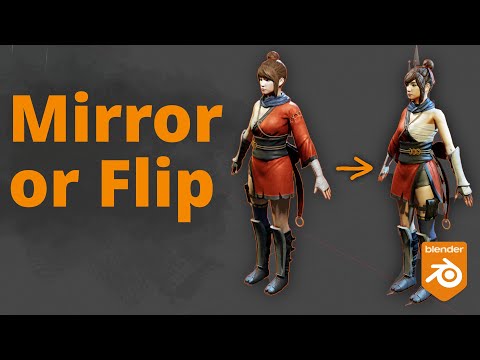
I worry that doing so will screw up the vertex order such that Morph Loader Pro will reject it. Is this so? And if it is so, then what procedure do I really need to do in Blender to make it work correctly?
Star Trek Builders Unite 8: THE REBOOTsolarisone said:
FleetAdmiral01 said:
I'd share my own conversions for free, but I don't know how to package up "My Library" Folder directories. No one ever showed me how to do that.
You used to have versions on Google Drive that were ready for import into Daz without modification. But none of the current files on the drive have been fitted to a DAZ figure yet.
True, but those were just the OBJs and textures with out the full preset set up. So they had to be set up manually morph loader pro, transfer utility and so on.
Also it should be worth noting that Renderhub had done a few of the characters from the Star Trek Fleet Command collection that I was too afraid to try. Quark and Rom for example. I saw that they had Shran up briefly. That was another one I hesitated on because the Andorian Antenae has bones. Anyone have a tutorial on how to get an attachment that has bones of it's own onto a Daz figure?
Latest version of Carrara SDK on DAZ site?RuudL said:
Well, I could upload the SDK to my webpage on SourceForge, but I'm not sure whether that is allowed, considering the LA (license Agreement)
You may not reverse engineer, de-compile, disassemble, translate, alter, adapt, transfer, assign, rent, resell or in any way distribute the Product or the Software that is supplied to you under this License. You may not use the Software to create applications that would compete with the Product or eliminate the use of the Product. You may not modify the Software.
so, no, you can't. unfortunately
but submit a ticket to DAZ, they will answer your question!
this means, if DAZ does not give us a Link to download, we are screwed unless it says somwhere in the Carrara Software or SDK License that we are granted free access somewhat to the SDK via means of DAZ or other develoers. Maybe. And then, is this the last EULA of the 8.1.1.12 version? If so we could file a ticket to DAZ.
Marahzen's Musings on Creating Characters (and other matters)For the first year or so, I had been creating characters in small numbers, but during the "new stuff testing season" of 2023, I created dozens of characters, both G8s and G9s from converted G8s, and the telltale "look" of Face Transfer characters started to nag at me more and more. Through the year, I began to tinker with shaping products - not in an attempt to create different characters but to introduce some variation to the stock cast of characters I had.
Of course I had bought morphs - lots of morphs - from the beginning of my Daz dabblings, and back in the early days, had earnestly done lots of twiddling with the various morph sets as I tried to fine-tune both my original FaceGen characters from the first few months and the first generation of Face Transfer characters that started appearing late in 2021.
But as I expanded the use of conversion to G9 and creating dials, I started trying all sorts of things to dial down the recognizeable "FT" element of my characters. I started generating shapes from the same source image in multiple transfer utilities and then experimenting with characters that were less than 100% Face Transfer, in which I'd dialed in a touch of the shapes from dFace - another transfer utility that was around for a while in 2023 - and even FaceGen itself.
By the end of the year, I was making larger use of a resource to which I really hadn't given any previous thought. From all of those pro G9 bundles I'd been buying, I also had numerous shapes. Character shapes, elder shapes, portly shapes ... all manner of shapes and "kin." I found that they were perfectly usable on my Franken characters - though they had to be used judiciously as they were optimized for a completely dissimilar figure and looked freaky if cranked up in large amounts.
These two are G9 Franken characters with 100% Face Transfer, with some shapes I took from characters:
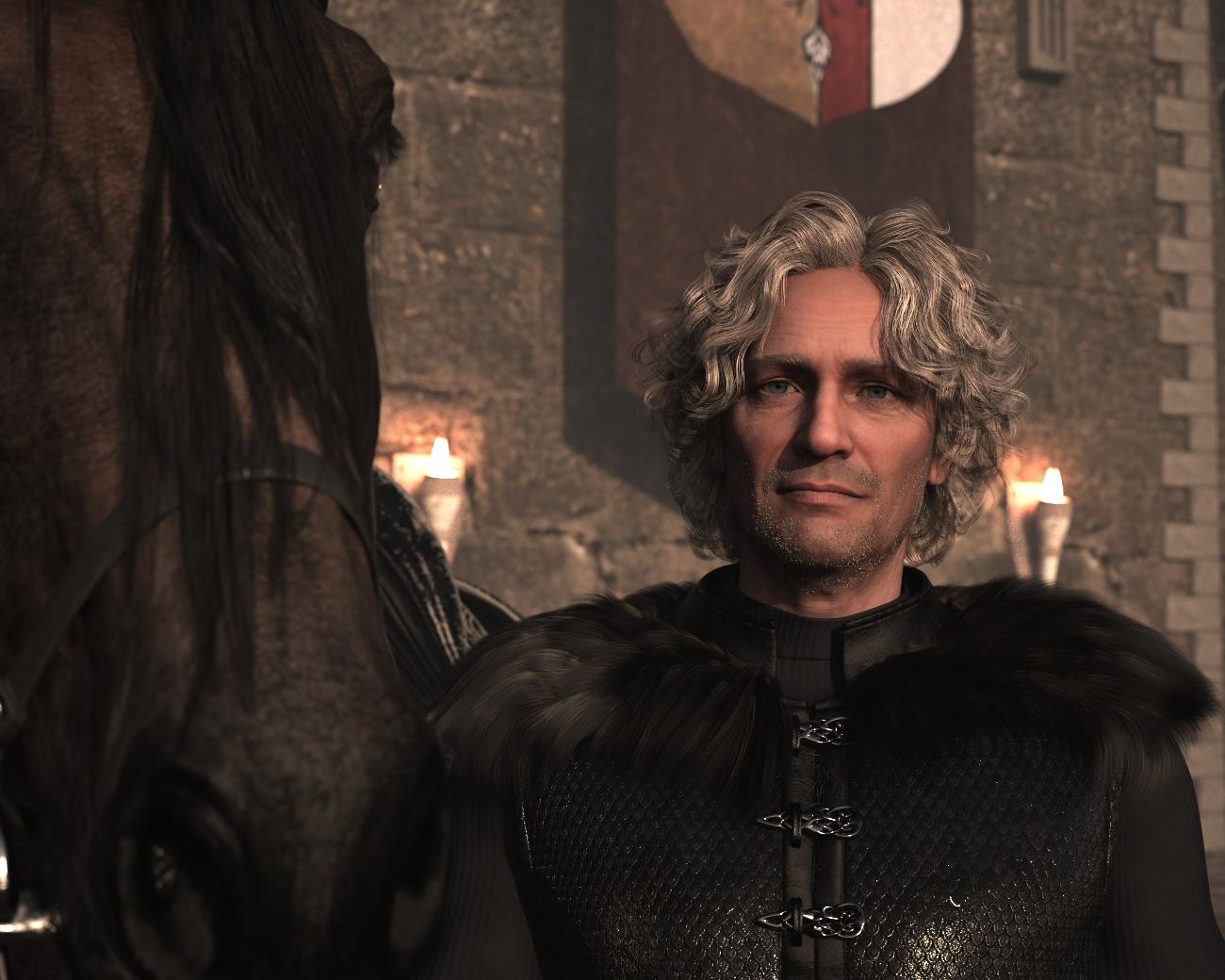
... varying, 40-60%, Zack Elder and Zack Buff shapes for the body and face.
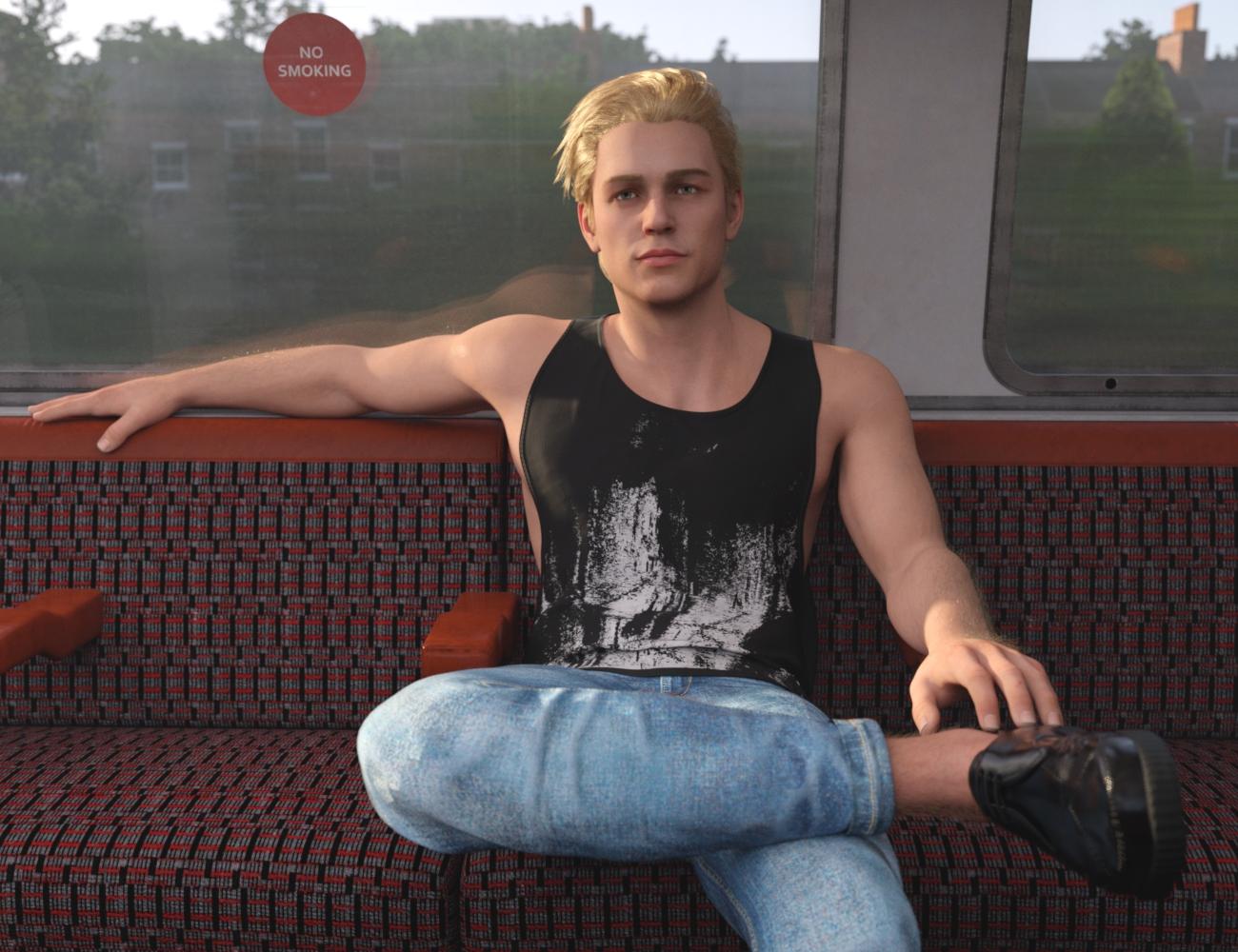
... about 20% Dain (also, some 3DU Time Machine).
Daz 3D is part of

Connect
DAZ Productions, Inc.
7533 S Center View Ct #4664
West Jordan, UT 84084Licensing Agreement | Terms of Service | Privacy Policy | EULA
© 2026 Daz Productions Inc. All Rights Reserved.