-
Released: "A Touch Of Dirt For Iray" (Commercial)
Oh, and clicking on the V3DPD Transfer Original Figure Maps tab gives me options but they do not respond when I click on them (assuming they should).
Released: "A Touch Of Dirt For Iray" (Commercial)Gosh!
1. The figure is one I have been using having changed the shape and size using the normal adjustments in parameters and actor and the like - I think I am right calling it a morph. So that was there first.
2. The close-up of the shell only shows it is a problem there (see image). I have used the 'V3DPD Apply Dirty Shell' button in the Shader Presets folder. I notice (unnoticed earlier) that the problem affects the eyebrows as well.
3. I use 4.8
4. Don't touch Connect - refuse to have anything to do with DRM
5. Not sure I understand how to do this. I have reset the ndividual bits (eg lip peak, lip upper curves, etc) but there was no difference in the area unshaded.
Sorry to cause problems, but this is a key character for me and I want this apparently very good shader method to work.
Does your character's skin surface use displacement?
Good question. MJW, at this stage of the load, you see the shell with no shader applied on the image you showed. So it is a very good indication to know it comes from the shell.
I've opened my 4.8 and tested on a special mouth morph rapidely made on Zbrush. I had no problem at all. So either there is something unknown about your specific morphs that we have to discover in order to solve your issue, or, and this is as Barbult the feeling I have, there might be a displacement map on the face and lips surfaces of your original figure. This would be easy to solve.
To check if you have displacement maps, select the figure "Face" surface of your figure and, in the surfaces / editor tab, in the "enter text to filter by" top window, hit "disp" (see image). The fact that this happens on the eyebrows is a clue for displacement. In the image I show what can happen with displacement if you don't copy it to the shell.
Released: "A Touch Of Dirt For Iray" (Commercial)Gosh!
1. The figure is one I have been using having changed the shape and size using the normal adjustments in parameters and actor and the like - I think I am right calling it a morph. So that was there first.
2. The close-up of the shell only shows it is a problem there (see image). I have used the 'V3DPD Apply Dirty Shell' button in the Shader Presets folder. I notice (unnoticed earlier) that the problem affects the eyebrows as well.
3. I use 4.8
4. Don't touch Connect - refuse to have anything to do with DRM
5. Not sure I understand how to do this. I have reset the ndividual bits (eg lip peak, lip upper curves, etc) but there was no difference in the area unshaded.
Sorry to cause problems, but this is a key character for me and I want this apparently very good shader method to work.
Does your character's skin surface use displacement?
Released: "A Touch Of Dirt For Iray" (Commercial)Gosh!
1. The figure is one I have been using having changed the shape and size using the normal adjustments in parameters and actor and the like - I think I am right calling it a morph. So that was there first.
2. The close-up of the shell only shows it is a problem there (see image). I have used the 'V3DPD Apply Dirty Shell' button in the Shader Presets folder. I notice (unnoticed earlier) that the problem affects the eyebrows as well.
3. I use 4.8
4. Don't touch Connect - refuse to have anything to do with DRM
5. Not sure I understand how to do this. I have reset the ndividual bits (eg lip peak, lip upper curves, etc) but there was no difference in the area unshaded.
Sorry to cause problems, but this is a key character for me and I want this apparently very good shader method to work.
Everything is a WIP...Kismet2012's RendersI Like the one called Magic. thos glowing willowisp things a a great effect! Is that from the particles?
I used some of Jepe's effects. They are part of this set: Jepe's PlateZ III
Those are a lot of nice effects, it says in the description only about iray textures, so no 3delight textures included? I guess I could transfer that to 3delight but that time I could invest in Gimp to make something myself...
This is his original set which was 3DL...iray wasn't around yet. Not sure how it has changed since then.
Now I am curious and have to go look.
Edited to add: I have 2 versions. One is 3DL and one is Iray...must have been snuck in with an update. I really need to pay better attention to those updates.
Thanks for the info, I guess I'll push it over to my wishlist then
 Everything is a WIP...Kismet2012's Renders
I Like the one called Magic. thos glowing willowisp things a a great effect! Is that from the particles?
I used some of Jepe's effects. They are part of this set: Jepe's PlateZ III
Those are a lot of nice effects, it says in the description only about iray textures, so no 3delight textures included? I guess I could transfer that to 3delight but that time I could invest in Gimp to make something myself...
This is his original set which was 3DL...iray wasn't around yet. Not sure how it has changed since then.
Now I am curious and have to go look.
Edited to add: I have 2 versions. One is 3DL and one is Iray...must have been snuck in with an update. I really need to pay better attention to those updates.
Everything is a WIP...Kismet2012's RendersI Like the one called Magic. thos glowing willowisp things a a great effect! Is that from the particles?
I used some of Jepe's effects. They are part of this set: Jepe's PlateZ III
Those are a lot of nice effects, it says in the description only about iray textures, so no 3delight textures included? I guess I could transfer that to 3delight but that time I could invest in Gimp to make something myself...
Released: "A Touch Of Dirt For Iray" (Commercial)Got a problem. The first time I have tried using this, on a figure morphed by me, the lips are remaining steadfastly clean. The image shows the character and a V7 but the lips are ignored in my modifiied character. I can't fathome out a reason, having tried applying the same skin to the V7 (although the colours came out very different.
First time I see this and yet, there were a lot of tests.
1. Was the shell applied after of before the morph was applied?
2. What is happening if you just "create a geometry shell" on the figure using Create/New Geometry Shell?
I try to understand if the issue comes from the geometry shell. This will give me clues to propose you a solution for this.
The impression I have is that your custom morph is not seen by the geometry shell. The idea I have is that if the morph is save as a custom morph for the figure and then reloaded, then if should be "seen" by the shell. This is the intuition I have. If it is the case, I'll report a bug to Daz, because this is a bug in the way Shells treat not saved morphs. But for this we first have to check it comes from the shell or not. But I think saving your morph using : file/save as/ support asset/morph asset, then reloading the morph on the figure, it might solve this. Not sure, just a feeling.
Edit :
- can you also tell me if you're with 4.8 or 4.9. I tried to replicate this but don't manage. I meant I create a mouth morph using ZBrush but the shell then works for me.
- can you tell me if the original figure was installed with Daz connect (I try to find the conditions which will allow me to replicate the issue).
- can you tell me if when you dial your lips morph to 0, the lips are then covered with the shell?
- Suddenly I have a doubt : can you tell me if the material you use for the figure also uses displacement maps??? If it is the case copy the maps and strength using the script dedicated for that, adjust SubD level and min max of the shell to match the one of the original figure. I think this is the first of my video tutorial here concerning the displacement (it begins at around 5 minutes and 10 second ends at around 6 minutes 42)
 A Touch of Dirt can do more than add dirt
Ok, now that I have it... it's amazing, does a lot of amazing things, but what I've been working on is different. Whew.
(I also highly advise people get this thing, it's amazing)
Wow, the time to write my last post while preparing the diner for my small children there were already plenty of messages... I thought I was not in the right thread any more when the page refreshed lol! I won't be able to answer to all or my children will sleep before the end of the diner.
Thanks a lot for the feedback Will, coming from someone who also created procedural shaders it makes me happy to see you appreciate it :) You're right we did not treat the procedural potential the same way. Yours is more general than mine, can probably do more things on some areas, but less on other areas, this is the meaning of my previous post. And both shaders can "spread" out their initial fields of application.
As you'll see in the shader mixer, a huge amount of work has gone into this network, and I remade large parts of the network several times. But take care, starring to much at this brick network can give serious headaches! (thanks go you cannot see the scripts automatising the creation, the map transfer, and giving the dirt control interface, this is even worse in term of headaches!).
I'm gonna be offline a while now, for my family.
A Touch of Dirt can do more than add dirtSince I've been working on something a lot like Touch of Dirt, I'd also point out that one of the really cool things about that approach is the ability to ignore UV mapping. Those color splotches and bumps will fill any surface fairly evenly.
Yes, It is nice to be able to apply it to a character and not have the face tiled way smaller than the body. A Touch of Dirt has the capability to copy bump, normal, displacement and opacity maps from the object to the geoshell dirt if you want to. That can be combined with the procedural effects. Of course, if you choose to copy those maps, then you are UV bound again.
Ha! forum spell checker wanted to change geoshell to seashell.
Edit: Opps, sorry for repeating info already posted. We were typing at the same time, I guess.
Yes but only the mapped part are UV linked again, all the procedural parts remain object linked and not UV linked whatever happens. Maps are here to be sure respect geometry offsets (bump, normal, displacement) and particular cases of opacity (hair, torn outfits - which is cool with dirt -). They work on perfectly independent systems which "join" at the end.
Will to answer to you the starting base for them is a "Specular/Roughness/". I prefered this one, the other one could have done the job too, this is just a personal preference.
Procedural shaders are all great. And procedural shaders must probably exist since Perlin Noise met 3D.. All of the ones I saw (3Delight or Iray) are really absolutely incredible shaders in general to add realism to scenes.
There are plenty of really cool Iray products already using procedural brick networks. I think of the great Esha's procedural gem shaders. These shaders can do a lot of wonderful things (http://www.daz3d.com/procedural-gem-shader-for-iray). Your shaders will are also good procedural shaders. I think Mec4d too has procedural shaders in some of her products, and probably many more users and PA. I started this product almost immediately with Iray, and a first "version" of it was ready late October 2015. Esha also began very early we were interacting at the beginning to be sure to respect and not overlap each other's work. When I realised that if I wanted more flexibility (not only "one dirt", but plenty of dirts), I understood that one noise for the color and one noise for the opacity would be insufficient to get a wide variety of dirt. So I recreated the whole shader with more possibilities than I ever saw in term of procedural noises opacities and colors. I added the map mixing stuff because I realised that displacement were not covered by the geometry shells, but by the shaders, and I could not seriously exclude all displaced objects from the pool of objects it would work on... Well I added everything (multinoise mixing, map allowance) specifically to this need and finally, the time to include the automatic shell creations, the automatic maps transfer and the interface making dirt management clear, it was March 2016 or something like that.
Procedural shaders are like other shaders, they all have their specificity, and can do also other things out of their initial field of application. But if I wanted to make gems, I'd probably go on Esha's product because I know it's been specifically developped for that purpose. If I wanted to add dirt everywhere, I'd go on mine. If I wanted procedural fabric, I'd go on Mec4d ones. If I needed a procedural refraction, I'd go on Will or Esha ones. Each has its intial specificity and can do a few things the other does, but each is a bit more specialised, will be more appropriate, on some fields of applications. If I want to climb a steep mountain with a car, I take a 4x4, and if I want to drive on a racetrak I take a racing car. Of course nothing prevents me to take a racing car to climb a mountain or a 4x4 to drive on a racetrack, but it would not be the most appropriate vehicule, even if it would globally work.
It's a luck we have to have already so many procedural shaders, and that we are already able to make so many usage of them.
Cheetah Girl for Genesis 3 FemaleFURRIES!!! :D
Will there be a male version? :3Yes we're working on Him. He'll be Compatible with "The Guy 7" to start, (and then other morphs) like how Cheetah Girl Cloe is Compatible for The Girl 7. We also have tons of other Anthro/Furries and ALiens in the works.
The head morph looks great, makes me curious how good expressions work on her, while the spots pattern could be improved a bit. What bothers me more is that there's no tail, or at least some fits and texture for an existing tail product.
Next time please throw in a tail and eventually some creature feet morphs with claws or even a Look At My Hair preset, which would make that an adorable product, just like a cuter version of Raws creatures - as this is truly missing for long time (since Melody that was for A3 with a more tooney look).
I still like her and will buy to encourage more products like that. Already have some ideas for using her in sci-fi renders, just might try adding/texturing some tail then myself, not sure how successful that will be though.. ;)
We have a few other heads inmind for the cats besides Cheetah, We had more realistic Spots, but it seemed "Toony" was perfered, we will be releasing the realistic spots as a freebie. As for no tail, we haven't figured out how to get Geographing down yet, So we're working on that as an addon. We're New to Aliens and Anthros with Gennesis, with our only prior works on V4 over at Content Pridise and Renderosity, and Near-Me (Thouh we do have a robot girl here too plug plug ;) http://www.daz3d.com/honey-bolt )
We do have those updates in mind based for Cloe, we've just been working on her so long as is (again we're New to Genesis ) that we wanted to finaly get her out as is, and then work in the retro updates to her and add those to our other characters going foward.Awesome, glad to hear there's more to come.
As for the texture, toony in general is fine, it's just the size and maybe pattern of the spots that I was thinking about, but then who am I to critizise as long as I did not release something such quality myself.
Personally I love this what I'd call 'semi-toon' style, not so much 'toony' like WIllDupres 'ToonyTigers', and less 'realistic' (not the best word for fantasy creatures ^^) than RawArts creatures, mixed with some subtle cuteness - you offer exactly what have been missing and what in renders works very well together with other semi-toons like The Girl 7 / The Guy 7 or 3D Universes Genesis1/2/3 characters (though yours even play nicely with more realistic characters). So you already did a great job :D
If you don't know about that one, for the geo-grafting please have a look at Hiro Protagonists tutorial in the nuts&bolts forums, I think there is no better one explaining the process step by step even to beginners: http://www.daz3d.com/forums/viewthread/24555/
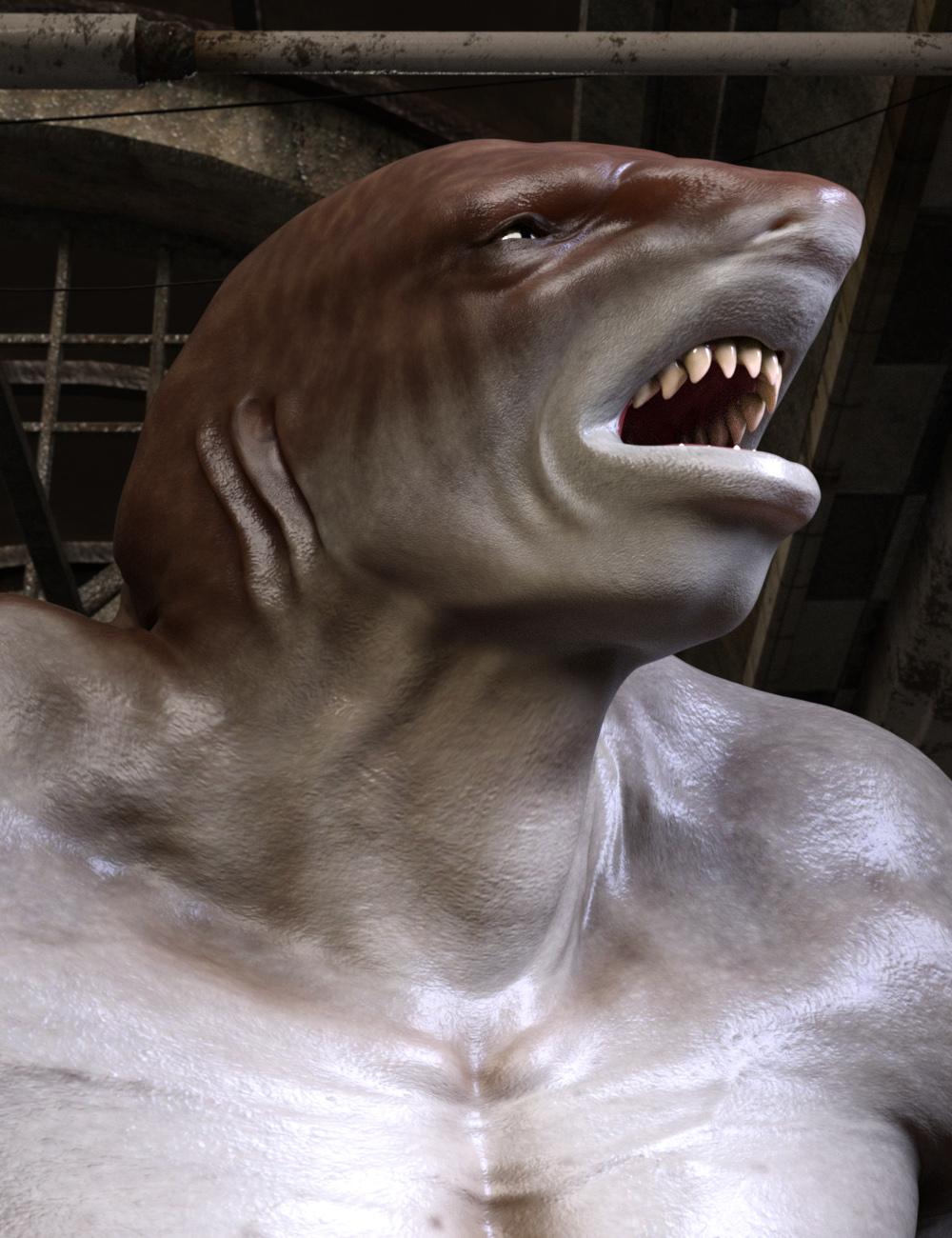
And Honey Bolt - yeah, another cutie in my runtime since the first (complete) release ;)Beware Land Sharks! [commercial]JAWZ IZ HERE!!!!!
http://www.daz3d.com/jawz-for-genesis-3-male
“When that shark bites with his teeth, dear..Scarlet billows begin to spread.”
Just when you thought it was safe to get out of the water, the Land Shark emerges to hunt the streets.
The set comes complete with custom crafted High Definition Morphs, and a highly detailed texture set, suitable for Iray and 3DL
Product Includes:
One Jawz Character Preset
One Jawz Morph Preset
Two Jawz Full Material Presets
Two Genital Material Presets
Also includes IRAY and 3DL MAT files
 The prices are getting out of hand
We're all buying the extended licence to use 3D assets as part of a finished render that can then be monetized without further fees.
This is rarer than it reads with digital art stuff (I'm looking directly and accusingly at you, Content Marketplace, you and your titchy, tiny small print).
Daz is very like digital audio workstation construction kits and VSTs in that (and in fact several other) respects.
If it's getting costly, it's time to start rendering stuff that sells. This is an esoteric hobby that can morph into a second career almost seemlessly with no residual fees to cost. With added enlightenment about the market value of digital imagery thrown in for free when you do start selling stuff. I'd say art is the hardest dollar there is to make a sustained living from; what sells this year simply does not the next. It's why we mostly sidestep into peripheral services for things that do sell year in, year out, or keep a day job.
...exactly, The only time you need a special licence to use Daz content in a commercial manner is for game development. I even see many freebies on Share CG and Rendo indicating "not for commercial use".
G3M Pants WoesThe clothing is designed to fit the base model...and well the base model is without the anatomical elements. Because the anatomical elements are geografts just 'turning it off' just means it is invisible. The geometry is still there and still trying to be 'smoothed' around. The same thing would happen if you tried to have G3M reaching into his pocket...
So it's not the clothing that is the problem, it's the collision/smoothing system not being sophisticated enough to handle the complexity of the situation.
The problem won't happen without the anatomical elements and a simple bulge morph used instead.
To be precise, what it's fitting to is the hole in the mesh where the geograft is spliced on: no geograft, no hole; no hole, no concave trousers.
G3M Pants WoesThe clothing is designed to fit the base model...and well the base model is without the anatomical elements. Because the anatomical elements are geografts just 'turning it off' just means it is invisible. The geometry is still there and still trying to be 'smoothed' around. The same thing would happen if you tried to have G3M reaching into his pocket...
So it's not the clothing that is the problem, it's the collision/smoothing system not being sophisticated enough to handle the complexity of the situation.
The problem won't happen without the anatomical elements and a simple bulge morph used instead.
Cheetah Girl for Genesis 3 FemaleFURRIES!!! :D
Will there be a male version? :3Yes we're working on Him. He'll be Compatible with "The Guy 7" to start, (and then other morphs) like how Cheetah Girl Cloe is Compatible for The Girl 7. We also have tons of other Anthro/Furries and ALiens in the works.
The head morph looks great, makes me curious how good expressions work on her, while the spots pattern could be improved a bit. What bothers me more is that there's no tail, or at least some fits and texture for an existing tail product.
Next time please throw in a tail and eventually some creature feet morphs with claws or even a Look At My Hair preset, which would make that an adorable product, just like a cuter version of Raws creatures - as this is truly missing for long time (since Melody that was for A3 with a more tooney look).
I still like her and will buy to encourage more products like that. Already have some ideas for using her in sci-fi renders, just might try adding/texturing some tail then myself, not sure how successful that will be though.. ;)
We have a few other heads inmind for the cats besides Cheetah, We had more realistic Spots, but it seemed "Toony" was perfered, we will be releasing the realistic spots as a freebie. As for no tail, we haven't figured out how to get Geographing down yet, So we're working on that as an addon. We're New to Aliens and Anthros with Gennesis, with our only prior works on V4 over at Content Pridise and Renderosity, and Near-Me (Thouh we do have a robot girl here too plug plug ;) http://www.daz3d.com/honey-bolt )
We do have those updates in mind based for Cloe, we've just been working on her so long as is (again we're New to Genesis ) that we wanted to finaly get her out as is, and then work in the retro updates to her and add those to our other characters going foward.The prices are getting out of handWhile the main source of revenue for Daz is the content marketplace, it would be interesting to understand how daz is bearing the cost of implementing DRM? Is it a homegrown solution where they own the entire IP or are they paying a royality based on sales? Of course there is the risk of losing revenue from piracy but how successful has the DRM been to curb that so far is anybody's guess. While some may correlate the price increase to RDNA merger I see a different cause if you are catching my drift.
Now some may want to justify the increased costs with the higher quality of items. This need not necessarily be true. If you look at hardware costs a $100 today goes a much longer way then it used to 10 years back. Many may attribute that to the exponential growth in consumer base, which probably hasn't worked out the same way as the 3D content marketplace, as it still remains niche. But rather than attempting to increase the customer base, Daz seems to be rowing upstream here. By forcing the buyers to use the content "only" within daz studio (thanks to DRM) it is trying to fragment the already niche user base further and monopolize that fragment. So far renderosity has been one of the key competitors but with the increasing opportunities from VR and indie game development I can already see other players trying to gain a share of the market to cater to those segments. Those players may seem less of a threat today but with the right merger and acquisitions its just a matter of time.
While Daz's efforts seem more fucussed on milking its existing customer base I am not seeing enough(or any) momentum in increasing the consumer base by tapping into the emerging opportunities which can increase sales and lessen the burden on buyers.
Pretty much all of this is based on a false impression that Daz is not growing the market. They have had a very active affiliate program since I started, so over 10 years. I see those links in the darndest places so I know it is active and works. And I see adds for them all over the internet. I know it is because they are keyed to me and my interests but it does indicate that they are spending add dollars.
As far as the game market goes. It is and remains pretty much a whole different ball of wax and in many cases opposite from what this market seeks. Lower poly count and texture size as an example. That is why they started Morph. Because the products needs for gaming are different than people who may be doing print or other large scale images.
DRM has nada to do with prices since the prices that we see now were what was in place before they ever even breathed a word about DRM.
Plushies, I want more plushiesA lot of the add-on textures for the Plushies were Poser only, and as a DS only user I wanted them! I don't know if this new version of DS can do the alpha transparency thing -- I am clueless about more advanced surface materials -- but I got around the problem by just making the files into a texture I could apply in DS.
It may be more work than some folks want to bother with, but I explained what I did here: Giving Rufus his stripes in DS
I did the same thing for a bunch of other add-on textures for the Plushies. It's been a while, but I do remember I used different layer settings on some of them.
Thank you for this tutorial. It took me a little while to make it work in paint shop pro but I finally figured it out. The plushies have forced me to learn a few new tricks with textures and I'm having fun. Also, my last post about the Pirate for rufus I found out it still is availale along with several other sets like a Hellboy for Rufus morph and set by the artist at the previously posted link on devientart.
 Shoe issue
Hey folks,
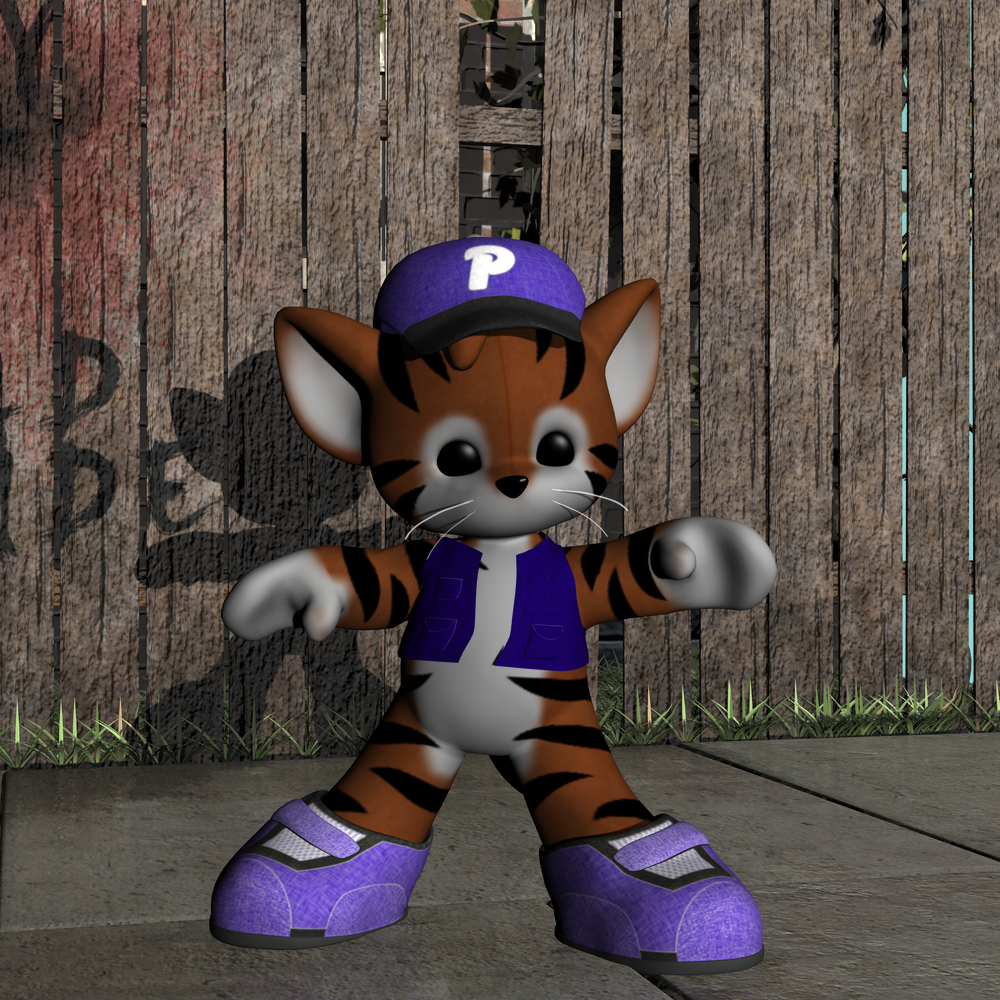
I am using Gen 3 and applied Gen 2 shoes to her. I removed the custom toe morph from the shoes but it is still causing distortion to the toe of the shoes....any ideas? The problem seems to be that the shoes have toe bones in them and I would need to delete each one of those bones...very tedious is there a way aroud this?
Thanks
Michael and Friends Appreciation Association [Lots of images, please.]I find a lot of the Gen 3 male textures look simiilar to stuff I own or have seen before. There seems to be a lot of similarly made and sourced textures in use for men which gets a bit old.
I haven't noticed personally that they all look alike because they don't. The morphs are different. The textures... Not so much.
Hi Serene Night,
You have raised a very interesting point here.
Recently I decided to look through my runtime texture files and was shocked to find 11 of my male characters all had the same merchant resource textures albeit that they were shaded a slightly different skin tone colour. I had purchased them as new characters but in reality it was only the face and body morphs that made them 'new'. (I am sure there were many more but I gave up looking).
Looking back at some of my old M4 textures I found them to be more detailed, (because I have noticed some of the 'new' recoloured textures are washed out of detail and the skin then looks like sprayed on tan) and the older textures were quite photographic showing different human male models had been used in their creation.
Looking through the few G3 male characters I have also show the same texture sets being used with a different skin shading. So basically I feel I am now buying the same texture sets over and over again. This is why I now consider purchasing head and body morph products, to make different characters, a far better cost effective option.
We certainly need more variation of real human texture resources for the new G3 male characters or, as you correctly say, they will all look the same.

I feel like textures based on photos are not so good for pbr. I have seen many realistic 3D portraits done and the textures they use are painted in X program of choice. THis means there are no baked in specular highlights or sss.
Daz 3D is part of

Connect
DAZ Productions, Inc.
7533 S Center View Ct #4664
West Jordan, UT 84084Licensing Agreement | Terms of Service | Privacy Policy | EULA
© 2026 Daz Productions Inc. All Rights Reserved.