-
Is there a product to morph G2F to G2M?
Hey guys,
I am working on a project that requires me to be able to morph G2F to G2M. I thought I remember seeing a product in the store once that could do this, but I can't seem to find it on search. Could someone help point me in the right direction here?
Many thanks,
-P
Lips, not so realNot sure if it is the texture or the morph but it looks like most of the models are trying to blow the camera a kiss when their mouth is closed. At least that is how it looks to me.
Stock expressions were used; as such it will chance the expression on Genesis 3, not the morph like in previous generally. I like the expressions myself, and obviously they haven't affected sales. ;)
I wasn't saying anything for OR against it, just making an observation, not knocking your set. If you reread what I said you will see that. I have noticed that especially with G3f/m that if you leave the face in its RBF state the lips seem plumper as if they are blowing a kiss. You really don't get a decent look at the characters lips until you add an expression.
M3D Hero 7 HD Shapes for Michael 7 - now available! [Commercial](Finally creating this now that I have a place to plug my laptop in while I'm on vacation):
M3D Hero returns and add an improved heroic-style male shape and head morphs to the Genesis 3 Male gene pool. This is an additive shape to Michael 7. All morphs are custom and only require the Michael 7 base.
The base product includes four custom asymmetrical head morphs and one body shape with an additive muscular shape, with a HD morph for the base shape to add extra details. This custom shape can be loaded as a scaled character preset or as a base shape only. Each head morph has been sculpted in Zbrush and includes correctives for eye closes. The body shapes include over 50 additional JCMs for improved bending and muscle flexes and can be mixed in with other morphs from the Genesis 3 Male gene pool.
Separate head, torso and leg vein HD morphs are included and can be dialed in at various strengths. Also a hip spandex morph has been added to help with shrinkwrap on the glutes when using bodysuits or autofitted clothing.
M3D Hero also include various HD morphs and adjustments for anatomical detail for your renders.


 Lips, not so real
Not sure if it is the texture or the morph but it looks like most of the models are trying to blow the camera a kiss when their mouth is closed. At least that is how it looks to me.
Stock expressions were used; as such it will chance the expression on Genesis 3, not the morph like in previous generally. I like the expressions myself, and obviously they haven't affected sales. ;)
 Haley
HaleyI bought the bundle, but am in the process of a return/refund as it's in opposition to genesis....Meaning the clothing/hair is incompatible with genesis 3 morphs, plus the shorts auto-hides body parts...Also, the collar morphs looks as though the X-scale morph is set at 105 which looks unnatural, I didn't think it would be this toonish and stylized from the promos, so yeah, a bad purchase on my part!
Time to cross 3DU off my list!
Semi-OT - nVidia Pascal cards debut finished, 1080GTX and 1070GTX announced!Well there is Octane for Carrara and faster than iray .. check it , the best thing is when you change the morph it is instant update no delay , with my cards it would be faster but not going to bother with Octane anymore .
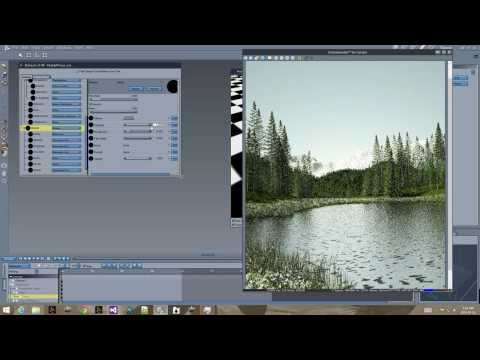
Unbiased GPU rendering take over and in couple of years with very fast and affordable GPU it will be only the way , you know how much would cost 2GB memory in 1991 ? 8 million dollar . Future GPU card will cost no more than $40 or less or just build inside MoBo and you will render on your phone or laptop with 1TB of memory . I remember when people ask me what I would do with 2MB memory , waste of money lol it was not that long time ago.
But coming back to our time , you see when you don[t have the power to render fast, everything is fine , but once you taste the speed there is no return back , you will know what I mean when you get your dream rig .
I always love Carrara from the first time we started to use it over everything Daz Studio was my last choice for rendering as it was the worse .If I own both I would merge them together for one fantastic software .
If there was iray in Carrara I will be using it only for rendering as there is nothing you can't do but it is so underrated
and as we talking about the 8 cores , I just decided to upgrade and got the i75960x Haswell-E 8 cores with 16 threads , the i75820K was good for other things but did not perform optimal with my 3 Titans X as it has only 26 lanes and I run yesterday in trouble after I added extra HD there was not enough resource , with the new processor and 40 lanes I am good even with 4 xTitans X , but not planing to do that, not worth the investment at this moment . I have 30 days return policy so not big deal returning the other one .
...I still use 3DL for certain styles of output that Iray does not support. Why go through all the trouble of setting up PBR materials for a photoreal render only to resort to a lot of powtwork to make it look like it's not a photoreal render? I don't think 3DL or Renderman is going away anytime soon. 3DL is also pretty fast these days as long as you don't use UE (I use the AOA Advanced Lights and camera effects). Yeah you have to to a lot of "faking" for things like AO & such but I have produced some pretty nice results all with minimal postwork (and then, mostly tone mapping using filters).
I also work with Carrara and even Bryce from time to time, as they handle large environments and environment generation so much better. I have almost the entire library of Howie Farke's sets which are Carrara only, that is a fairly hefty investment. Both programmes employ ray trace render engines, the only unbiased engine available is for Carrara and that is LuxRender via Luxus for Carrara, though as I understand the plugin has not been updated in a while.
So yes, I do have a need for more than 4 cores/8 threads as well as a boatload of memory.
...so wait, when was Octane made available to Carrara? Not that it matters as the price is most likely just as steep as it is for Daz.
The issue I have with unbiased/PB rendering is there are not a lot of effects you can do "in render" (like can be done with 3DL) because they are generally set up for photo real quality. I don't do a lot of detailed postwork as I don't have a steady hand for 2D painting so I need to get the most out of the actual render process when I want to do something more stylised.
Lips, not so realNot sure if it is the texture or the morph but it looks like most of the models are trying to blow the camera a kiss when their mouth is closed. At least that is how it looks to me.
Lips, not so realLet's put it this way...I wouldn't use Hero 7's lips to be the basis for a Mick Jagger morph.
Lips, not so realLet's put it this way...I wouldn't use Hero 7's lips to be the basis for a Mick Jagger morph.
TangoAlpha's Coming Soon Thread [Commercial]we need a Baldrick morph for M4......

He would need a turnip model...
as long as it doesn't cost 400,000 pounds... I don't have the pound symbol only the $ one... which could equate to an $800,000AU turnip with haggling
 M3D Hero 7 HD Shapes for Michael 7 - now available! [Commercial]
(Finally creating this now that I have a place to plug my laptop in while I'm on vacation):
M3D Hero returns and add an improved heroic-style male shape and head morphs to the Genesis 3 Male gene pool. This is an additive shape to Michael 7. All morphs are custom and only require the Michael 7 base.
The base product includes four custom asymmetrical head morphs and one body shape with an additive muscular shape, with a HD morph for the base shape to add extra details. This custom shape can be loaded as a scaled character preset or as a base shape only. Each head morph has been sculpted in Zbrush and includes correctives for eye closes. The body shapes include over 50 additional JCMs for improved bending and muscle flexes and can be mixed in with other morphs from the Genesis 3 Male gene pool.
Separate head, torso and leg vein HD morphs are included and can be dialed in at various strengths. Also a hip spandex morph has been added to help with shrinkwrap on the glutes when using bodysuits or autofitted clothing.
M3D Hero also include various HD morphs and adjustments for anatomical detail for your renders.
Smile controlsWhich Genesis figure were you used to? I'm fairly sure the first one had a variety of expression morphs in the basic figure, but for the current Genesis3 (which uses a different system for expressions), the basic figure only has a few expressions and you have to buy morph packs.
Ageing Base Characters, from Kids to Teens to ...Maybe I haven't gotten the hang of it, but I've found the aging software while it works well for male characters doesn't really do a completely thourough job when trying to de-age some of the female characters. They tend to be so "well-endowed" that past a certain age they just doesn't appear like young people, or kids anymore rather than "Little people". Some characters do well, others don't.
Instead of using the full body of a specific purchased female (like Victoria 7), try using the base Genesis 3 Female with the Victoria head morph applied. That will result in a much more natural Teen/Tween than trying to use the character specific body will, since the Growing Up morphs are based on the default Genesis 3 bases.
Oh, yeah. That makes sense. I de-aged Mei Lin 6 last summer, and she turned out pretty good. But I can see her chest might have been better if I'd used the base figure for the body. And I can see how it would be better for the boys, too, when using a figure/character with bulky muscle mass, like Gianni 6 or even Kimo 7. Thanks for the tip.
 Semi-OT - nVidia Pascal cards debut finished, 1080GTX and 1070GTX announced!
Thanks Jura, I have my system already and just upgraded to i75960x Hasweel-E and it is overprized but with my 3x Titan X SC it will be just perfect even if I decide to get 1080ti ,Titan Hydro water cooled later so just in case for the future . I have also i74820K and i75820K , on i75820K iray render genesis figure in 3 second with my 3 cards with. But there is larger delay since processor need to update the scene if morph or pose is changed to 3 cards the camera movement is super fast with no delay in real time, with 2 cards everything was faster regarding updates and delay , also Xeons tend to render slower with iray than i7 so definitely not my choice , my socket support both 2011 v3 & Xeon but I think the one you suggested use 2011 socket . I hope it make sense lol
Iray is kind of hybrid , a lot of stuff need good processor , cores don;t matter for GPU rendering as long you have 4 cores 4 cards can run smooth, but then you have another stuff that is processed by CPU like bloom filter, Tone mapping , Updating of the scene when you pose, morph or add another model so good speed core is important , I over clocked just 4 cores of 6 to test stuff out with my i75820K , the Ghz did matter a lot so between 1ghz and 2 ghz very slow , the moment it was on 3ghz it started to run smoother with 4.40 Ghz it was just perfect , I run my older LGA 1150 i74790K at 5ghz that was the best but my mother board got damaged when the card got unlocked and the PCI-e socket was pulled off the board by the card, glad it happen at night when PC was off . I was so mad it was 6 months old motherboard , my case use clips no screws for mounting cards.. well that was for me ..back to screws only as I will never trust this again . So after that I decided to get different MoBo with better processor and jump ahead . Added one more Titan SC Hydro so now 3 total and they going to rock with i7560X , also changed the memory back to 64GB [Corsair DOMINATOR Platinum Series 64GB] they are double expensive than Crucial but the best you can get for my system and they overclock and adjust itself automatic using XMP 2 profile build in so there is not need to do anything for optimal result and can go high . I always wanted but did compromisers , this time I said NO , I will get the rest of the memory when the budged allow. I want the best for me this time making myself the best B-Day gift rig ever lol My complete workstation reach almost 9K investment over 2/½ years without the parts I replaced but hey it is my business not just for rendering in Daz Studio as hobby or games and the only thing that stay me in the way to get better is my budget , not for nothing they say compromises are for losers, as each time I try to cheat with something it die or get broke so I am losing on it only and zero savings , not this time . sorry for the long reply but I am obsessed with gadgets and electronic stuff , I can't never get enough . lol
With 4 x Titan X you need no more than 4 cores processor anything more will make no difference , the only difference is the 4 cores clock as I tested today from 1ghz to 4.2 ghz on my 6 core i75820K
since iray is more of a hybrid , that use both cuda and cpu in the workflow a faster card and slower processor will not improve anything . Each time you move object in the scene you qill have to wait for the CPU to update the scene before it render .
I am closer to my perfect build rig , I am never finished as before I do something new come out and I upgrade lol
LGA 2011 v3 Intel Core i75820K Haswell-E 6 cores at 3.30Ghz Boost 4.4Ghz Haswell-E water cooled $400
CPU water cooler $88
GA-X99P-SLI Mobo $270
128 GB memory $ 428
1TB SSD $320
1+2 TB Sata HD $160
3 xTitan X 12GB Superclocked Hybrid water cooled $3.600
1300W PSU $220
Case Fans +Cables $150
Case - $160
------Total ----- $5590 + my work an time as I build it myself for the last year , but you know, you never finish with building your CPU , I started 18 years ago and still doing it until today lol
now go and buy that by a computer dealer , you will pay at last $1000 or more for that just for the 60 min of work connecting cables .
If I ever want one more Titan X I will have to switch the processor to i75930K at last , same core count but more PCI-e lanes but I guess next year faster processor will be already much cheaper for upgrade
My Mobo and CPU can run now my cards at 16x 8x 8x but I had to disable some SATA ports in the Bios to free some lanes for that
Urrrggghhh... So do I buy a 980ti for my new build, or wait and buy a 1080? All I do with it is render, right now I have a 960 4gig.
I'm lost.
Seriously, I'd wait.
Either until the 980ti drops a decent amount, or the 1080 is proved to be worth the cash for rendering; it is likely to be months though, and probably more likely next year.
A 970 might be a decent compromise, while you consider it.
...think I'll just go back to considering a pair of Titan-Xs for now. They at least work with the current release of Iray and should give me enough video memory for handling the rendering load of most (but still not all) of my scenes. Definitely gonna need that 10 core i7 and gobs of quad channel memory for rendering scenes that exceed the Titan's memory.
if you have the cash, a dual core Xeon (2 x 22 cores) would be awesome; the price is also awesome, as just the Xeons are about $4,000 each.
Although it looks like 10 series cards will be able to share memory, how soon, or if that will include rendering on the consumer versions i'm not going to speculate on.
...yeah need to win the Megabucks lotto for that, however, most Xeons tend to clock slower than i7s (the E5‑2699V4 is rated at 2.2GHz, slower than my old Nehalem i7).
For just the price of those 22 core CPUs, I could build a pretty hefty i7 beast (now up to 10 cores at a base of 3.0 GHz), 128 GB of memory, x 4 Titan Xs (Maxwell) dual 1 TB SSDs with several 4 TB HDDs for storage as well as a 2,000 W PSU to drive it all.
As to memory sharing (using DX12), that will not facilitate memory stacking for rendering purposes and from what I have gathered is more to benefit to frame rate for the latest games.
Hi Cath
If you don't play games or if you are really not to gaming,then I would suggest something like is E5 2683 V3 ES,those ES chips cost lot less than brand spanking new Xeon E5 or i7-5820/5930/5960x etc and they just works,I'm running same ES(Engineering sample) on mine X99 ASRock X99 Extreme 6,this CPU have 14 cores/28 threads and speed 2.35GHz on mine,temps under rendering in 3DS MAX I've never seen higher than 60C with fans running just at 750RPM,just downside is if you are using single threaded application then you are in bit of trouble,have played and playing games on mine and I'm happy with mine,I7 5960X is great CPU,just over priced as well sadly
Regarding using slower GPU and Titan X,I've been using Titan X with GTX780 in IRAY or Octane for few months without the issues,GTX Titan X alone is not slow card,but still with GTX 780 renders are faster,I've done few tests and in some tests GTX780 is fast as GTX Titan X(I'm running Titan X SC with EVGA AIO kit with different fan as stock fan on their kits are just loud,I'm running BeQuiet Pure Wings fan) in some renders,this depends on scene and what counts for me with Titan X is 12GB VRAM although still is way over priced
And regarding GPU rendering as whole,this depends there,I'm still fan on proper old school CPU rendering with Corona and V-RAY which I use most of the time,in work we are have RedShift and Arnold with which I play a lot and would love to have them,but they're well over my budget right now
And if GTX1080 will dethrone Titan X in rendering,I'm loking forward if its worth to get or is worth to wait on new Pascal based Ti or Titan X
Hope this helps
Thanks,Jura
How to export a moph from zbrush to daz?I spent many hours searching for how to do this, so I thought it might be helpful if I gave you my step-by-step directions:
- Load character into DAZ Studio
- Select character
- Under the Parameter tab, click on Mesh Resolution
- Under Resolution Level, change dropdown to Base
- If character is G3, under the Shaping tab, click Currently Used and dial the Mouth Realism and Navel morphs to 0%
- Click File and choose Send to ZBrush
- In the GoZ Export Options popup, leave the default boxes checked and click Accept
- ZBrush will open
- Hide the Lightbox
- Click and drag in the workspace to insert your character
- Click the Edit button in the toolbar at the top of the workspace
- Click and drag on the Zoom button on the right side of the workspace to expand the workspace
- Click on the Frame on the right side of the workspace to frame your character
- Use the Scale button on the right side of the workspace to make your character bigger/smaller
- Click on the Line Fill Polyf button to better see your character’s polys
- Make changes to your character, ensuring that you don’t add or subtract polys
- When satisfied, click on the GoZ button under the Tools pallet
- You will be sent back to DAZ Studio and the GoZ Update Options popup will appear
- Leave the default options alone, but type in a name in the box next to Morph Name
- Click Accept
- Under the Parameter tab, you will now see your named morph
- Click on it and then dial it to 100% to see your morph
- Under the Parameter tab, click on Mesh Resolution
- Under Resolution Level, change dropdown back to High Resolution
Edited to include FixmypcMike's extra step for G3.
Thank you, very much. :-) I've run into a snag or two using GoZ w/DS, and looking at your list, I see what I did wrong.
Ludovich, Balverk, promo only shows the face?Here is a couple of shots of Balverk. Also not well fitting clothing added to stay in the TOS. I used M4, though I would normally transfer the morph to G2M and use that, and I have little idea how to fit clothing properly on the older models. I have only ever used V4/M4 etc in Poser, in DS I only use Genesis. Anyway, the renders show the skin quality as requested, as you can see Balverk is pretty hairy.
How to export a moph from zbrush to daz?I spent many hours searching for how to do this, so I thought it might be helpful if I gave you my step-by-step directions:
- Load character into DAZ Studio
- Select character
- Under the Parameter tab, click on Mesh Resolution
- Under Resolution Level, change dropdown to Base
- If character is G3, under the Shaping tab, click Currently Used and dial the Mouth Realism and Navel morphs to 0%
- Click File and choose Send to ZBrush
- In the GoZ Export Options popup, leave the default boxes checked and click Accept
- ZBrush will open
- Hide the Lightbox
- Click and drag in the workspace to insert your character
- Click the Edit button in the toolbar at the top of the workspace
- Click and drag on the Zoom button on the right side of the workspace to expand the workspace
- Click on the Frame button on the right side of the workspace to frame your character
- Use the Scale button on the right side of the workspace to make your character bigger/smaller
- Click on the Line Fill Polyf button to better see your character’s polys
- Make changes to your character, ensuring that you don’t add or subtract polys
- When satisfied, click on the GoZ button under the Tools pallet
- You will be sent back to DAZ Studio and the GoZ Update Options popup will appear
- Leave the default options alone, but type in a name in the box next to Morph Name
- Click Accept
- Under the Parameter tab, you will now see your named morph
- Click on it and then dial it to 100% to see your morph
- Under the Parameter tab, click on Mesh Resolution
- Under Resolution Level, change dropdown back to High Resolution
Edited to include FixmypcMike's extra step for G3.
How to export a moph from zbrush to daz?The way to create morphs on DAZ Studio characters using ZBrush is to make sure that BEFORE you use GoZ to export the character, change the character's mesh resolution to Base - that way, when you send the character back to Studio with GoZ, you will get the drop-down menu PA referred to, and the character will still have all its textures, and etc. Your morph will appear under parameters, and after you dial it in, you can then restore the mesh to high resolution.
Thanks to all for answer! I did it! But I can't add clothes and materials to my new character in Daz
 Glute Control for Genesis 3 (Commercial)
You can use whatever you want, doesn't just have to be glutes morphs. Eg you can combine with Bend Control morphs as well or any other morph package that gives you the result you want. And yes everything else must be default, expressions, shapes, poses etc or they will be present in your morph.
Glute Control for Genesis 3 (Commercial)I do not how to do it or if it is possible, can I create such a multiple morph out of some your morphs?
You can but only for personal use. Put figure in sitting Pose, use the morphs you wish to get the result you want, reset the figure pose and export the dialled morph combo as a new sitting morph then import that again.
ah okay, that means also, that I just have to use the glute morphs for example, nothing else, right, so I also have to reset expressions and all other morphs and shapes before? Or can I choose which morphs I want to export as a combo?
Daz 3D is part of

Connect
DAZ Productions, Inc.
7533 S Center View Ct #4664
West Jordan, UT 84084Licensing Agreement | Terms of Service | Privacy Policy | EULA
© 2026 Daz Productions Inc. All Rights Reserved.