-
Hot New (Northern) Season, New Sales Thread: Report Issues Here "Reporting Only"
This one is missing the main promo:
https://www.daz3d.com/genesis-8-male-head-morph-resource-kit-2
Picking brains about a pose convertorNo, the pose converter only changes the file type, doesn't change the end result of the poses and certainly would not affect morphs.
Some free pose converters:
https://www.renderosity.com/users/richardandtracy/freestuff?sb=newest&page=6
I've been encouraging people for years to be nice to themselves.
Genesis uses V4/M4 textures. And also supports clothing conversions via the auto-fit dialog.With this product:
https://www.daz3d.com/v4-and-m4-shapes-for-genesis[n.b. also comes in a bundle and/or other legacy characters do]
which will provide working morph shapes for Genesis to resemble V4/M4.Now, there is a morph conversion "set" of products to bring their morphs forward into Genesis however trying to figure all what is needed is rather convoluted IMHO as never have I seen "all" of them on sale in any one sale, {like maybe listed on the same page dear marketing team}.
AFAIK they also would require the aforementioned shaping product.
Welcome to Daz Studio :-)
If I can piece together the products for transferring morphs over I'll come back and list ... in the meantime if somebody else knows what they all are, feel free to jump in ;-)
Here we go: https://www.daz3d.com/genesis-generation-x2
Now, that 10% off indicates that it is part of a sale basket. I'll see if I can find it, 'cause it should be a lot cheaper.
{***} ... okay, it's priced like it should have been in one of the grab bags BUT it is not showing and none of the coupons are working with it. So if interested keep checking the grab bags, hopefully it'll reappear and/or get back to those nice sale prices of being less than $6.
The [Disco Chives] Misplaced Parrot Complaint ThreadComplaint then Non-complaint: Had to go uptown today(Monday) for a blood test, for Urologist appointment on Wednesday. Everytime I go out of the house I end up spending at least $40 ($2 bus, $10 breakfast, $30 UBER to get home, plus anything I buy, and doctor charges)
 . So, I try to limit my trips. But today I realized that the 8:00AM bus that I take in the morning (the only bus from home to the city) is not a normal bus route, but is somewhat flexible. I've been using their feature of calling and arranging for pickup at my house, and drop off at specific, limited locations in the city and near the medical center, (because ancient people walk badly). But today I realized that some of the people on the bus are getting dropped of at work near the mall area(it's way on the other side of the city), which is not shown on the bus route map for the bus I take. This is good news because I've been trying to find a way to get to the mall area without having to wait an hour to transfer bus routes. So next time I get a bee-in-my-bonnet about going up to the mall, I should be able to do it. Just arrange for a pickup at home and a drop off at the mall. I'll still have to get an UBER back, but it is a lot cheaper than my previous plan of using two UBERs. One to get to the mall after being dropped off by the bus at the medical area of the city, and then having to take another UBER to get home. Yay for the old people's bus!
Yeah, yeah, I could take the bus back home, but there is only one, and it runs at 3:00 in the afternoon, so I'd have to wait several hours but I can't stand up for very long so I'd have to sit. I could sit in a restaurant, but they expect you to spend money. I'll keep trying to find a way to use the bus more, but for now, it looks like I've found a way to expand my range a bit without incurring too much extra cost. Cool.
 Morph Loader Pro - Geometry did not match, but I did not make any changes
i tryed everything but the morph scales the whole character along with the change made on blender. someone could help me with that?
but you look so stiff, my dear. You pose like a rockI'm really bad at this because I get frustrated quickly with my posing and give up too early. I found the following thread very helpful for adding extra interaction with the environment: https://www.daz3d.com/forums/discussion/208141/how-to-use-dforce-creating-a-blanket-draping-clothes-on-furniture-and-much-more-commercial/p1
There are some PDFs that are linked that actually cover a head on pillow case you mentioned and using dforce for moving a cushion into the body vs pushing the body down into the cushion. I think I need to just practice more and get used to the tools available. The new user contests also have an advanced contest with lots of Push Modifiers/Deformers examples. I found this video very helpful: https://youtu.be/TwKcEGdIXLI?si=huaLOB2hadvCpBU7
As for products, there is Mesh Grabber Bundle (Win) seems to help for modifying the environment or clothing in a scene. I haven't tried Ghost Dynamics mentioned above, but it looks kind of cool. Natural Movements Pack for Genesis 9 is also pretty neat to adding extra morphs for the body. There is a sit morph included that flattens the bottom area and legs as if your model were sitting down on a chair. I'm not sure how well it works since I've only used it once and the person was wearing clothing so I didn't notice too much of a difference.
Anyway, not sure if these are helpful, but thought I'd share and also check out other people's suggestions since I'm always trying to improve my work and this is a think I'm pretty bad at and want to improve. =)
G9 Hair to ear fit.Yes, if the hair is fitted to the figure and the figure had the morph set in that session (even if it has since been zeroed) the hair will already have the auto-projected morph, so you need tos tart clean (or unfit the hair and use the Clear Generated Morphs comand, Edit>Figure>Geometry I think).
G9 L.I.E. creation - compared to G8The straight-forward way to convert LIE texture map from G8 to G9 is to Map Transfer with this product from Cayman Studios - https://www.daz3d.com/legacy-uvs-for-genesis-9-genesis-3-8-and-81-female
If you want to freely make such texture maps (like tattoos for being used with LIE or geoshell..), esp. across the seams, the best way is always to paint textures / stencils directly on Genesis figure rather than using 2D image editors, like this free way with Blender that I recommended in this thread - https://www.daz3d.com/forums/discussion/comment/8617406/#Comment_8617406
Failed to Save MorphRichard Haseltine said:
What are the options you are setting when saving?
I'm ERC freezing upon loading the morph in successfully. Then adjusting rigging to shape. Then File/save as/support asset/morph asset/morphs/morph loader/gen9/then the name of my morph. I don't see any other options and this use to work flawlessly before the error starting popping up.
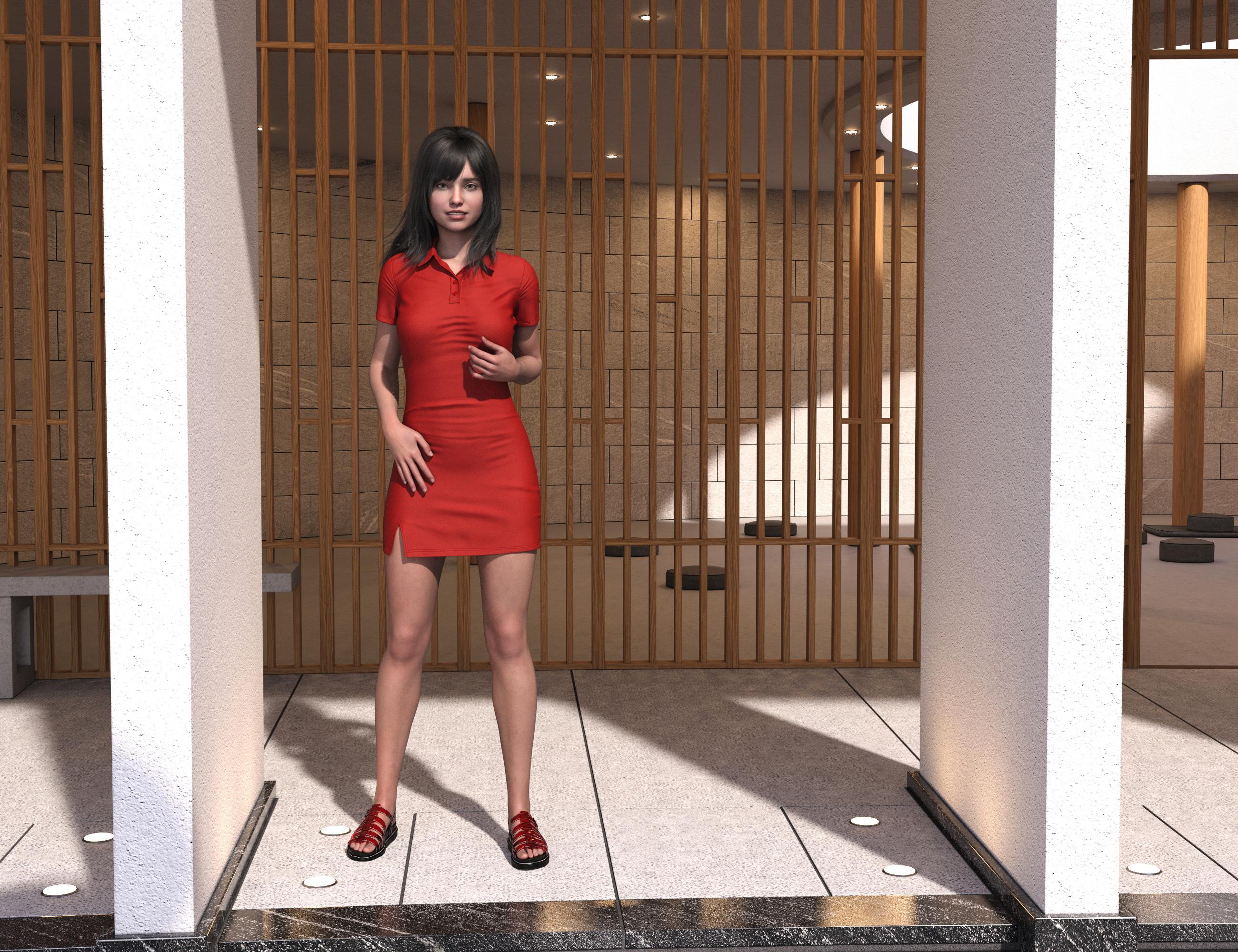
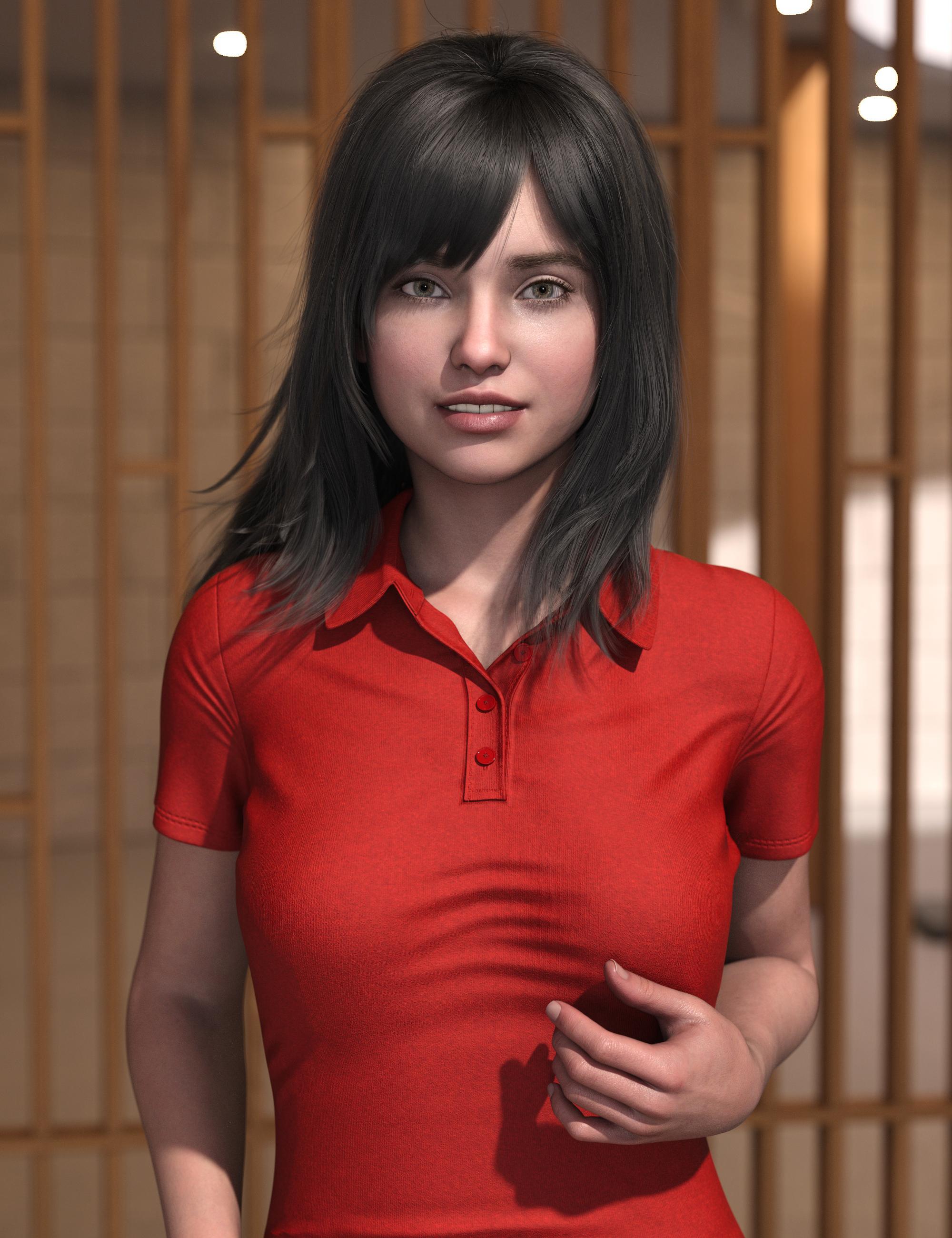
Sue Yee Appreciation PostThis is the new dForce SU Shirt Dress for Genesis 9, 8.1, and 8 Female and the older SU Medium Length Hair for Genesis 8 and 8.1 Females
I used the "longer" morph on the dress. It's still pretty short.
 Skin Effects Adventure not working if my model uses additional geo shells?
barbult said:
Oh, I wasn't aware of that, since I don't own the Golden Palace either. So it has both a geograft and a geoshell?
I don't own Golden Palace for G9, but I do for G8. (To be honest, the main reason I got it for G8 was to allow me to de-Barbie figures that didn't have anatomy maps for the Daz anatomy, but I now know enough about UV mapping and transfer to solve that problem myself).
At least as it was on G8, the geograft used the torso textures of the figure and a geoshell over the top of this was opacity mapped to overlay detail that probably wasn't in the base textures.
However, in this case, it's very likely the geograft portion of that which is the problem, as the Skin Effect geoshell almost certainly does not have surface parameters telling it what to apply over the geograft surfaces, so it defaults to the 50% opacity white 3DL shader that geoshells load with by default (which remains a bug, as way back in about DS 4.14 or 4.15 or so, the change notes proudly declared that created objects would now use the correct base shader for the selected renderer, but no, geoshells still always default to 3DL). The geoshells could be conflicting because of equal offsets, but ultimately I think the "this geoshell preset doesn't know what to do when it finds this geograft" is the problem.
Using geoshells with geografts is always a hassle, particularly as geoshells have often added a custom UV to the figure that the geografts will not have access to, and therefore simply transferring parameters between the surfaces on the geoshell will not match up seams.
[Released] RSSY Hair Converter from Genesis 3 to Genesis 9 [Commercial]Submitted update
- Fixed bug where incorrect default content type (Follower/Wardrobe/Unknown) instead of Follower/Hair/Unknown was used for adding hair
- Fixed bug where dForce Hair cannot sim after conversion
- Fixed 2 major bugs in using Transfer Utility for dForce part of hair, where adding a smoothing modifier will just crash DS with lots of errors and setting “Reverse Source Shape From Target” to true for dForce part of hair breaks simulation
- Updated Conformers
[Released] RSSY Hair Converter from Genesis 8 to Genesis 9 [Commercial]Submitted update
- Fixed bug where incorrect default content type (Follower/Wardrobe/Unknown) instead of Follower/Hair/Unknown was used for adding hair
- Fixed bug where dForce Hair cannot sim after conversion
- Fixed 2 major bugs in using Transfer Utility for dForce part of hair, where adding a smoothing modifier will just crash DS with lots of errors and setting “Reverse Source Shape From Target” to true for dForce part of hair breaks simulation
- Updated Conformers
G9 Hair to ear fit.Hello Richard,
I started with the figure in the scene and could not get the hair item to ignore the ear shape no matter how I set things up.
What I ended up having to do was start with an empty scene and put the hair in by itself. Then follow the process you initially gave to create the dummy morph.
Once that was done, I brought the figure in and fitted the hair to the figure. That brought success.
As you said, I still had to make some tweaks and even hide small items of mesh but seems good now.
Thanks for the assist.
DJ
This looks great Zev0 and DMasterFaeryl Womyn said:
Oh ya I keep forgetting I use clothes from all generations on all generations...thank you Morph Loader Pro lol ... I actually got an old AlphaSeed, formerly known as Aery Soul, outfit for V3 to fit G3. I don't bother with the plugins and extra bits, just take whatever version model with the outfit in question into Blender (use to use Hexagon) make the outfit adjustments, save out obj and import to daz as morph, then I can keep the original rigging and morphs. Just save as morph asset to use again.
I do plan on trying to make clones to help with the progress for better fits.
I should learn to do that. Sounds great! From what I've tried, the clones work like magic! Mostly, I've been dressing some of my G8 people in V4 clothes.
This looks great Zev0 and DMasterTorquinox said:
Faeryl Womyn said:
I've dabbled with G9 but rarely, I'm more of a G8 and G2 person, I still have all models all the way back to Generation 3 installed. The older models are great for background characters since they're lower poly.
Cool! I also still use the older figures. I'm getting more range out of their outfits with clones. It would not be trivial to start really using G9. To me, it would mean (at minimum) having https://www.daz3d.com/genesis-9-essential-shapes-bundle and https://www.daz3d.com/natural-movements-pack-for-genesis-9 - maybe also https://www.daz3d.com/ultimate-natural-bend-morphs-for-genesis-9-female-base. That does not include visiting the Naughty Store for enhancements that I already have for earlier generations. Then I have to actually use all that, and I've already got thousands of items.
I like the look of some G9 outfits, but using those on older figures would require https://www.daz3d.com/mmx-genesis-9-clones-for-all or rolling my own g9 clones. I suppose I'll have to at least buy/find/put together few clones to take advantage of the few G9 things I've already acquired. I got the entertaining (if impractical) https://www.daz3d.com/skinny-jeans-ourfit-for-genesis-9 to for my Pot of Gold. I'm just wondering how someone like https://www.daz3d.com/dragonsbane-barbarian-character-hd-for-genesis-3-male would look in that. It would be different!

Apologies for thread-jacking. Happy St Patty's Day!
Oh ya I keep forgetting I use clothes from all generations on all generations...thank you Morph Loader Pro lol ... I actually got an old AlphaSeed, formerly known as Aery Soul, outfit for V3 to fit G3. I don't bother with the plugins and extra bits, just take whatever version model with the outfit in question into Blender (use to use Hexagon) make the outfit adjustments, save out obj and import to daz as morph, then I can keep the original rigging and morphs. Just save as morph asset to use again.
I do plan on trying to make clones to help with the progress for better fits.
My Genesis 9 figures look deformed.Please remember to put the Viewport into a non-textued mode if you need to show nude figures.
The first machine has a character installed (or saved as a morph asset by you) with a non-zero default value, the second machine doesn't. Load a plain Genesis 9 Dev Load figure and I think you will find it has an unwanted extra shape too - assuming that is true, Edit>Figure>Zero>Zero Figure Shape. If that restores the proper shape then go to File>Save As>Support Assets>Save Modified Assets and make a note of what it says will be saved, then cancel (to make sure you don't overwrite something like the joint correctives, which should be non-zero). One of the things listed will be the problem character.
G9 Hair to ear fit.You can stop the hair responding to the ear morph at all by creating a dummy morph with the same name before fiitting or before applying the morph to the base figure, then you can use other tools (dForms, Push Modifiers etc.) to deal with any fitting issues.
to get the name (not label) of the actual morph (if the ears come ftrom a character morph it may actuall be the head morph that you need) click the gear icon on the slider and go to Parameter Settings.
to create a dummy morph, select the hair. Right-click in the Parameters pane and check Edit Mode (if it isn't already checked). Right-click in a group (such as Hidden) that you don't mind cluttering>Create New Property. Give the new property the name of the morph with the ears, and set it to Hidden - it isn't actually going to do anything so the rest of the settings don't matter. That should do the job.
HEAT Animation Plugin License ClarificationSirRonmit said:
SimonJM said:
Has anyone actually managed to get this to work? I have installed it via DIM and all the bits seem to be there, but I just get a HEAT Bridge is not connected message witha suggestion to download it - which I have.
Yes, you run the HEAT program separately (from your Program Files) and have it minimized on the right corner. While that is running, the screen you showed will say HEAT BRIDGE IS CONNECTED in tiny green font above the DOWNLOAD HEAT BRIDGE button. From there, select your G8/G8.1/G9 figure (I found out HEAT ONLY works with those so I've been trying to convert all my v4 items to g8/g9), switch to the HEAT BRIDGE and select whatever you want to export (actually says IMPORT). One note, make sure you have DAZ selected on the lower left as it is set to BLENDER by default.
What I DO NOT LIKE and haven't figured out yet to change is that all heat animations are set to 0.0.0 workspace. Even if your character is off to one side (say, 1000.0.0), the animation moves your character to the 0.0.0 position. VERY frustrating. I only have aniMate Lite so I'm not sure if aniMATE2 allows editing. I moved my character back to 1000.0.0 but as soon as the HEAT render starts, it moves the character back to 0.0.0 for the rest of the animation. If that is so, then paying the Pro price is worthless/pointless because I'd have to edit each animation to match my scene.
Anyone else able to tell me if I'm doing something incorrectly? Or do I need to purchase aniMATe 2 ?
Try to bake the keyframes to the timeline and then go into the keyframes and delete the translation and rotation keyframes on the character to see if it still moves after you place them where you want them. If it still moves, it's probably baked into the hip. Then I think, and I'm not sure but Dartanbeck would know this for sure if he sees this, if you have 3D Universe's animation tools, there's a body to hip setting that should transfer the hip movement to the body.
Young Adult and Elder versions of Sophia 9I think a better idea is to scrap the alternate shapes and just give us something else. All these alternate shapes and ages can be morphed individually. Between the two, I'll definitely say the age ones are better as they actually have key differences. And with all that's out there-if you have one age/body morph you can apply it to them all. If they want to do an alternate shape, do something like Tara, where it's, you know, actually something unique and has a theme. Snow Queen was okay with the blue skin but the different ages look very strange to me; like old Genesis 8 models that weren't finished.
Odd eyes question (G9)I've noticed eye problems from the beginning, for one thing, no matter what character morph you use, the eyeballs seem either turned in like cross eyed or turned out.
Daz 3D is part of

Connect
DAZ Productions, Inc.
7533 S Center View Ct #4664
West Jordan, UT 84084Licensing Agreement | Terms of Service | Privacy Policy | EULA
© 2026 Daz Productions Inc. All Rights Reserved.