-
Tiny Petite G3Fs?
Thanks everyone, it souns like it's more a morph solution from what I am seeing in the replies as opposed to buying an adult character that happens to be 5'4". I can't seem to find any until a Stephy 7 equivalent comes out i guess. I will chek out LY Fallon as well...
Technically, all the characters are just morphs...some sculpted, some dial spun, some scaling...and most a combination of all the above. The solutions here are how to 'roll your own', in absence of a ready-made one.
A character, usually is a morph + texture set sold together.
Tiny Petite G3Fs?Thanks everyone, it souns like it's more a morph solution from what I am seeing in the replies as opposed to buying an adult character that happens to be 5'4". I can't seem to find any until a Stephy 7 equivalent comes out i guess. I will chek out LY Fallon as well...
Material preset did not apply texture appropriately -- now what?Here's one of those situations that Unified Brain has been mentioning in which we Daz users, who are new to Carrara, come across something that has us going, "HUH?" because it's recognizable, but also different enough to appear baffling. My overarching question is about the texture room, as well as shaders and textures in general.
In my slow progress toward actually doing something in Carrara, I have saved a G2F base as a native car file and ported my character morphs down. Fired up Carrara, loaded car native G2F, applied character morph and pose, then applied material preset. As expected, it did not apply correctly. My question is -- how do I fix that? I have been looking at Diomede's basic scene setup tutorial, but that does not really help me. My character's materials are not standard out-of-the-box ones from any Daz character base, and he certainly didn't come with any Carrara shaders, which was very inconsiderate of him.
I know what shading domains are [=materials], but how do global shaders and top shaders play into this? Furthermore, I can see that some materials have correctly been identified as "AoA Subsurface." How does that affect global shaders and top shaders? How do I make sure that the right maps are in the right place? Can I save the materials as a preset? If so, how?
In more general questions, is it possible to dock tabs in other places besides their defaults? I'm used to a three column layout with content [=browser] on the left, scene in the middle, and parameters over to the right. Thus I would love to dock the browser/sequencer where all the little arrows are and move the little arrows either up to the horizontal menu bar at the top or over to the right. Is that possible?
Also I would like to make subfolders under My Objects, but I can't figure out where My Objects lives on my hard drive. It's not on the C drive where I installed the base program. It's not on the D drive where I have my content runtimes. Maybe I'm missing something?
--MW
Teen Princess Leila for G3F (commercial)@xyer0 I posted this in my thread last week (with the vendor's permission. I was showcasing her as a little girl, as seen a few posts back in this thread.)
Her skin is really easy to light and render, and it's very, very pretty. What you'll like about her is she isn't a "botox babe," she has a unique look, versatile.
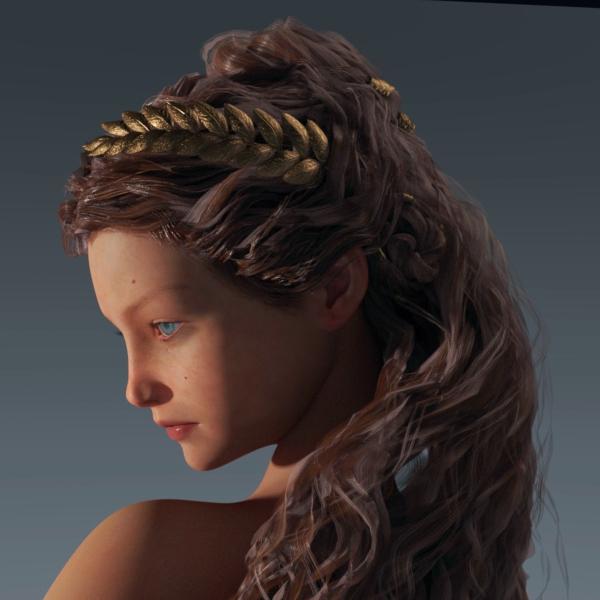
Thank you, Novica. That's helpful information. I am more interested in the skin than the morph since I always change the morphs anyway.
Fresh Daz Install QuestionsI’m going to be building a new computer and will be installing a fresh copy of Daz v4.9 (x64) but would like to retain my settings, viewport layout etc. I know you can save a profile so you can revert to your favourite layout if it ever resets or changes, but where are these files located? Is it simply a matter of copying them over into the new install?
Also, my current version was done as a 4.7 install, updated to 4.8 then updated to v4.9. It works fine, kept all my configuration settings etc. However, on my workstation at work, my fresh v4.9 install constantly gets the Stopped Working (see attached) message when I exit the program. Every… single… time… My upgraded version at home never gets this. Would it be advisable to install v4.7, then run the upgrade to v4.8 then the v4.9 installer (I have all three of these downloaded)?
Are there any other items I should remember to do when I transfer to my new system? I hate the Out-Of-Box layout with v4.9 and definitely want my current layout, so those configurations are pretty important to me to retain.
Suggestions appreciated.
Genesis (3) morphs made in hexagon distorting in studioHowdy folks,
I followed a nice tutorial on making Genesis morphs in Hexagon. WInterbros- Morphing Genesis with DAZ Studio and Hexagon
(I'd link, but looks like it's not in the store anymore. Maybe not a good sign.)
Then spent a few hours gettnig all the vertices just where I wanted them. Then I brought the morph back into Studio and whaaaa! The nearly perfect lines I made for a skull-surgery morph were al out of alignment.
Oddly enough, the morph looks fine in Studio until I let go of the slider, then something happens to it- perhaps weights or poly creasing calculated? Are the angles I used to disappear the top of the skull too sharp? Something new with Genesis 3?
The morph looks nothing like it did in Hexagon.
Wahhh! What a baby...
Can anyone tell me what I'm missing?
-John
Displacement Map WoesAlas no. I ramped up the UV Map Border to 16 before exporting the Displacement maps (actually before doing a simple test morph following the previous procedure). However when I render the image in DS with the Displacement Maps applied, the ridges at the UV edges are still there.
It's strange that something as simple as exporting Dispacement maps should be so difficult.
It also makes me wonder if the fix for this is part of the secret HD technology that DAZ3d won't share with anyone except PA's who sign a non-disclosure agreement. (I wish they would sell a Licence for non-commercial use.... perhaps via a plugin).
Blacksmith3d Pro 6 can export Displacement maps, does anyone know if the same problem exists when its Displacement maps are applied to G3f in DS?
Show Us Your Iray Renders. Part VI considered doing a version with fur, but that's a lot trickier. I'd have to do it with the Genesis figure, and I'm not sure I have a HD bat morph for that. Or maybe use a bear skin? Hrm
What is Miki 1020 ?I've been looking through the Runtime DNA store before it closes, picking up some good stuff for the older characters. I've got Miki 1, 2 and 3 but there are some things there that are for Miki 1020. What is Miki 1020? Is she another name for Miki 1 or 2? Is she a different version, and if so is she compatible morph wise and clothes wise with the other versions?
Another Miki question to add to this. Does anyone know if the Miki Ultimate head and body morphs at Runtime DNA are the same as the Ultimate morphs that were sold at Content Paradise?
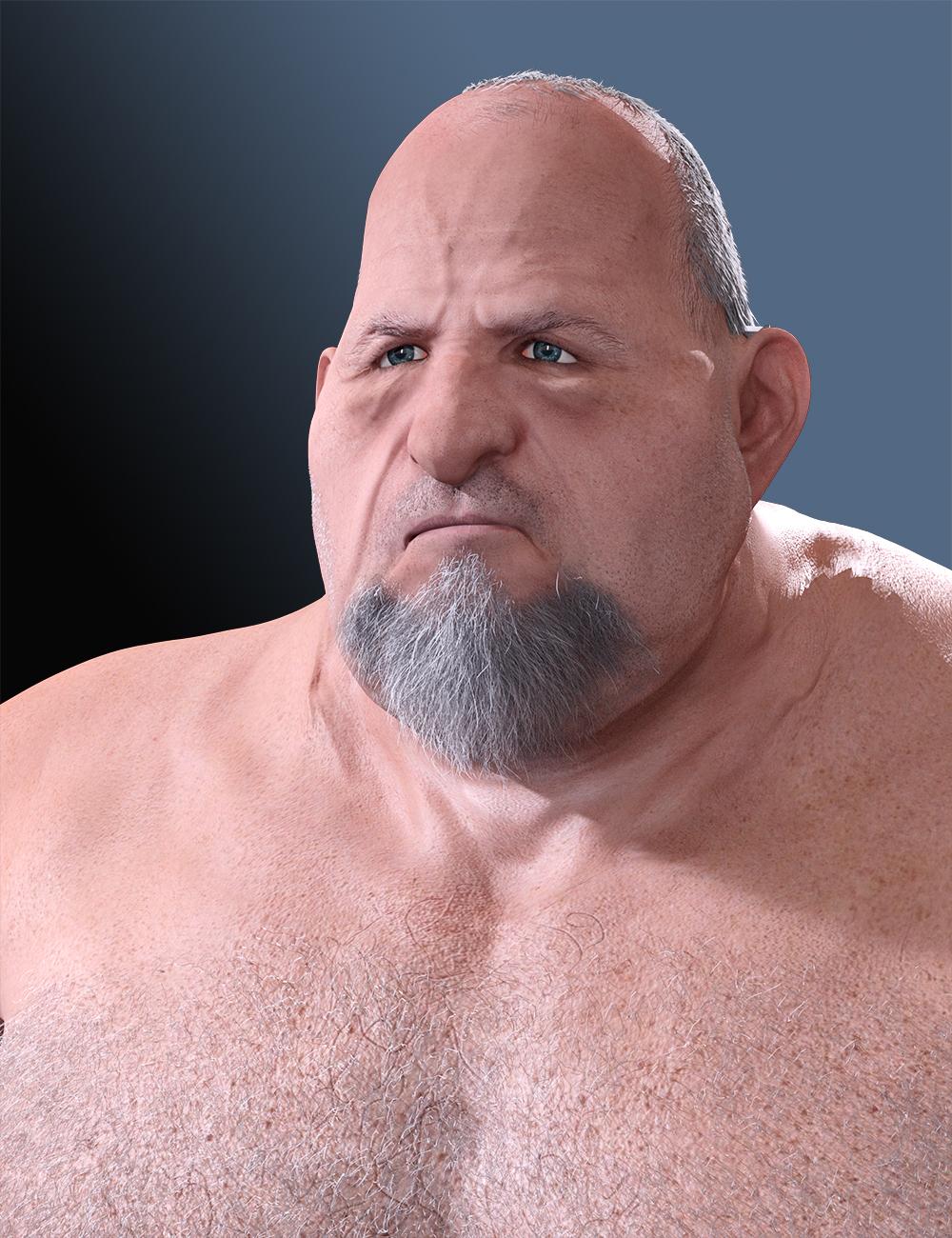
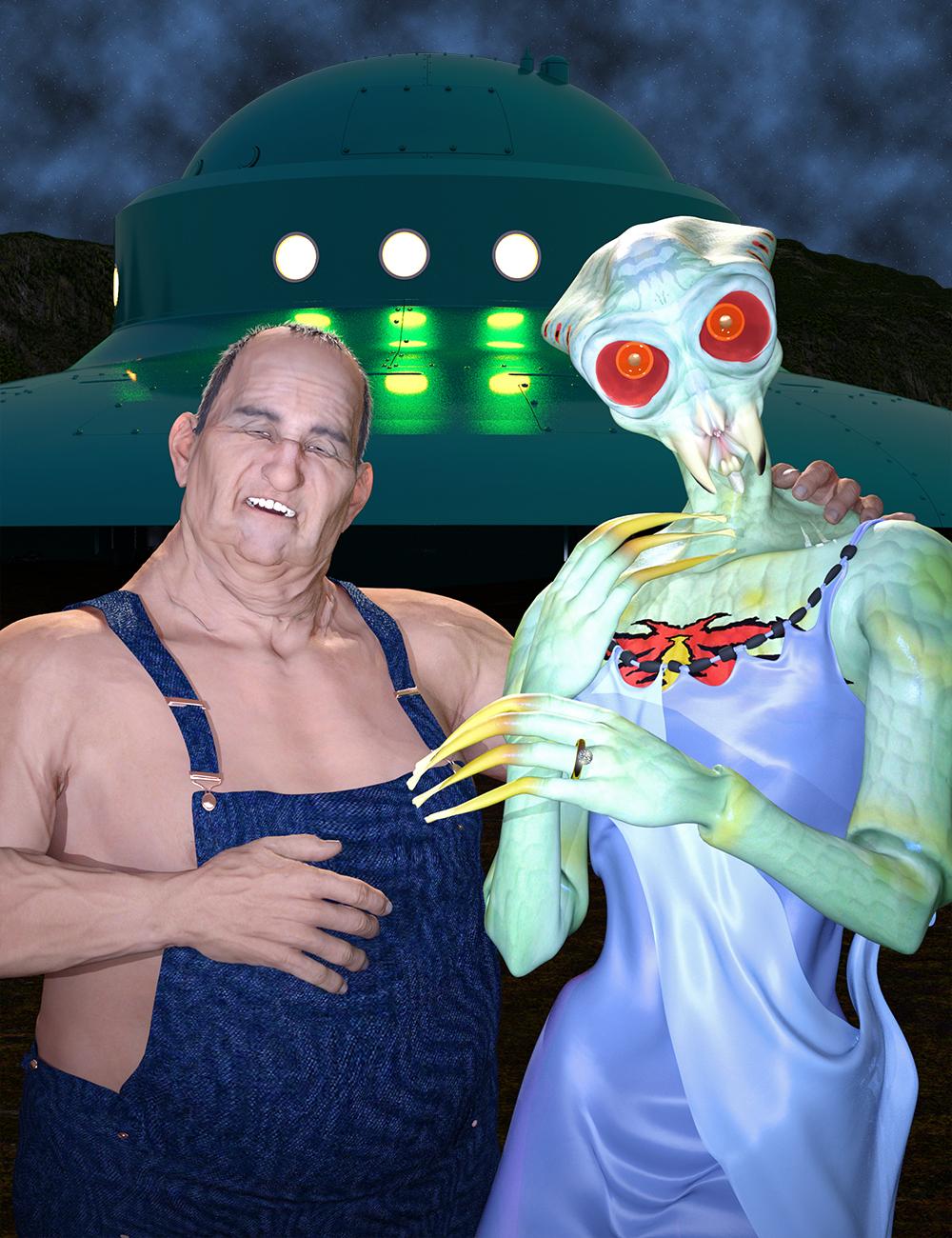
George HD SuccessNow that Zev0's Aging Morph contest is over, here are two characters I created for it that are based on George.
 Displacement Map Woes
Hi all. Thanks for your responses.
Nicstt, GoZ exports the G3f figure in Base Resolution unless you explicitly tell it to do otherwise. If the figure is not sent to Zbrush in Base Resolution then any morph you make cannot be applied back on to G3f. So export resolution from DS is not the issue, I always accept the default which is Base.
Jimbow and mjc1016, I don't recognise any option to create padding in the Displacement Map export options. I have attached an image of the Displacement Map menu. Am I missing something?
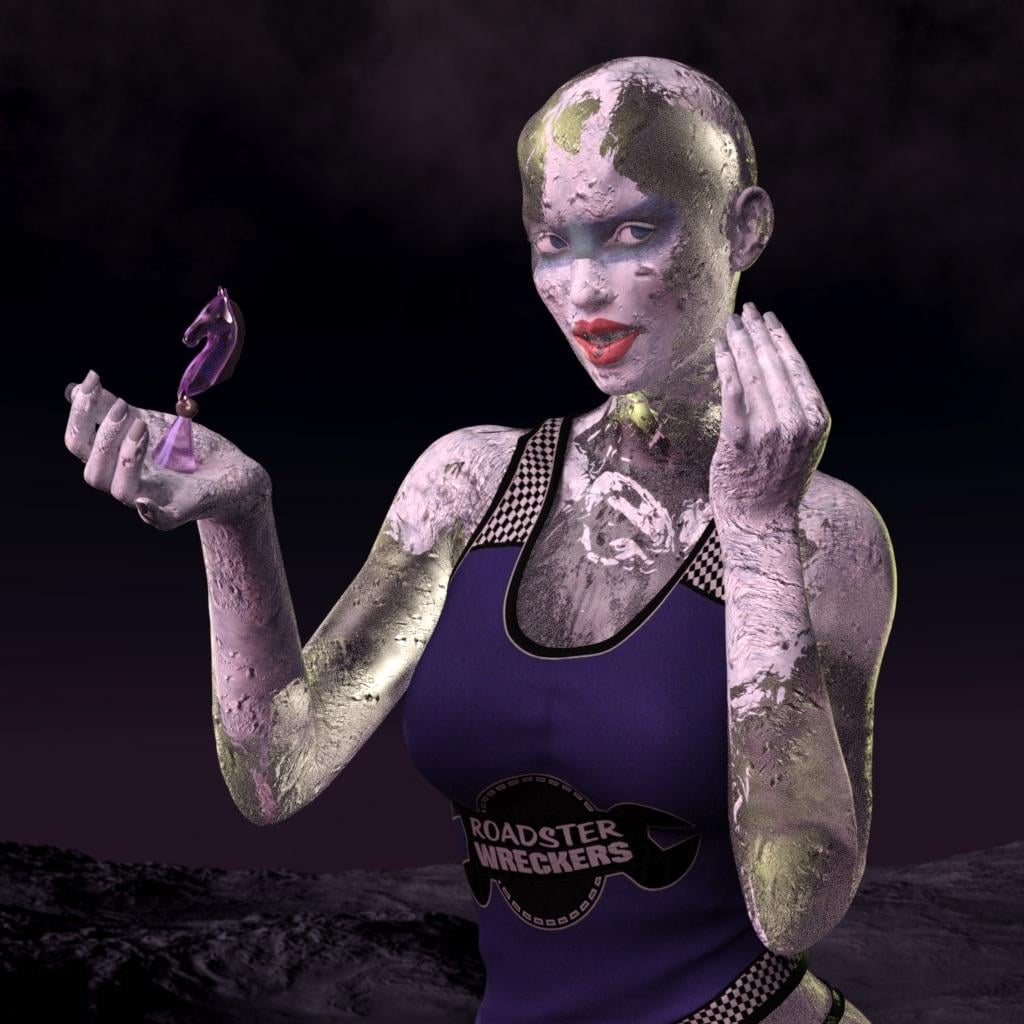
Iray Frozen Sisters (UPDATED 10/27) [Commercial]One more render. http://www.daz3d.com/fwsa-taia-hd-for-victoria-7 with http://www.daz3d.com/undead-creature-creator-hd-morph-pack-for-genesis-3-female
 Required Products?
It can sometimes be difficult to tell whether you need all of the required items, or just one of them. Here are some guidelines:
1 - if the required items are different figures, you only need one. For example, if a hair lists both Victoria 4 and Michael 4, you don't need both
2 - if a clothing item lists a figure and various morph packs, that usually means the morphs are supported, but the clothing will work with just the base figure
3 - if a character lists a figure and various morphs, then you do need the morphs to get the character to look exactly as shown; however, the figure shape may be pretty close even if you're missing some of the morphs
Tiny Petite G3Fs?Daz body morphs has a figure height adjustment morph. And if you want to adjust that further Shapeshift has individual body section height options. So these will just compress/shorten the amount of curve you already have on the figure.
StrangeFate's stuff: Wild Kelpie Battle Outfit!Thanks everybody!
Moving this weekend so that's a bit distracting atm (on top of everything else that is)... but finished the shoulder pads and some other things... still missing the fluffy fur and some displacement effects are not applied.
There's only the chest piece left to do (I think I'll have to do a morph for the G3F torso breasts) and a cape.
QUESTION: I was thinking of doing the hair too which would be a simple ponytail. On the other hand, given all the new things to learn this figure introduces for me (and thinking of all the back and forth I had with the weapons to get them released) I was thinking that it was maybe better to not add even more things to this project. So the question would be... What's more common, to have to find a suitable hairstyle for gear just purchased, or can one expect a hairstyle to be included when you have something like a facemask or helmet that doesn't work with all hairstyles ?

I think that the norm is to buy hair separate, but I have bought sets that I really enjoy that did include hair. Luthbel's Long Time Dead and Mec4D's The Great Wizards come to mind immediately. In the case of the wizard, having the hair come with the set really helps because it works with the hat straight out of the box. Your set may fall into the same category with the helmet, though from what I can see so far, it doesn't look like it'll be much of an issue.
Really looking forward to this set Mario.
- Greg
Tiny Petite G3Fs?Remember with the youth morph you can neutralize any face changes if you just want a shorter more petite woman, not one that looks younger.
How to script modifying a body shape?Thanks for the reply. Its finaly working. The only problem is that I have to write manually shapes names I want to use. I can share the script if someone's interrested.
// array of shapes names to use. In this example, actors face shapes
var shapes = ["FHMAshleyHead","FHMGretaHead","FHMBambi","FHMGiselle","FHMIridessa"...]

// number of shapes to use. n is randomly chozen between n_min and n_max
n_min = 4; n_max = 10;

// shape strength. default is 1
impact = 1;

// choosing number of shapes tu use
n_morphs = Math.round(Math.random()*(n_max-n_min)+n_min);

// getting selected object in the scene
oNode = Scene.getPrimarySelection().getSkeleton();
oObject = oNode.getObject();

// resetting all usable shapes
for ( n = 0 ; n < shapes.length ; n++ ) {
	oModifier = oObject.findModifier(shapes[n]);
	if (oModifier!=null) {oModifier.getValueChannel().setValue(0);}
	else {print(shapes[n]);}}

// choosing shapes to use, and their value.
morph = [];total = 0;
for (i=0; i<n_morphs; i++){
	m = Math.random()*(shapes.length-1);
	v = Math.random(); total+=v;
	morph.push([shapes[Math.round(m)],v]);}

// applying chosen morphs.
for (i=0; i<morph.length; i++){
    oModifier = oObject.findModifier(morph[i][0]);
	if (oModifier!=null) {oModifier.getValueChannel().setValue(morph[i][1]/total*impact);}}
If Someone knows a way to get shapes names by scripting, I would be interested. Thanks aagain.
StrangeFate's stuff: Wild Kelpie Battle Outfit!Thanks everybody!
Moving this weekend so that's a bit distracting atm (on top of everything else that is)... but finished the shoulder pads and some other things... still missing the fluffy fur and some displacement effects are not applied.
There's only the chest piece left to do (I think I'll have to do a morph for the G3F torso breasts) and a cape.
QUESTION: I was thinking of doing the hair too which would be a simple ponytail. On the other hand, given all the new things to learn this figure introduces for me (and thinking of all the back and forth I had with the weapons to get them released) I was thinking that it was maybe better to not add even more things to this project. So the question would be... What's more common, to have to find a suitable hairstyle for gear just purchased, or can one expect a hairstyle to be included when you have something like a facemask or helmet that doesn't work with all hairstyles ?
Tiny Petite G3Fs?Also try and dial in a bit of the thin morph from daz or if you have shapeshift, try the figure width morph as well.
Tiny Petite G3Fs?Growing Up, by zev0 can be mixed with just about anything. A touch of the youth morph will shorten/make more petite just about any G3F character.
yup, up to about 10% is good
Daz 3D is part of

Connect
DAZ Productions, Inc.
7533 S Center View Ct #4664
West Jordan, UT 84084Licensing Agreement | Terms of Service | Privacy Policy | EULA
© 2026 Daz Productions Inc. All Rights Reserved.