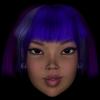
-
Why do I want Carrera
Someone said you can paint textures directly in Carrarra. Does that mean I can import G3 as an obj, fix any seams on a texture I create, then use that texture on G3 in DS? Also can you morph faces? Morph a G3 character from an obj then create a slider from the new obj to use on G3 in DS? Also, and most importantly, is there a MANUAL???
Infinite Insanity - There's ALWAYS Another Sale! (Daily Sale Talk)Using GenX I made a K4 morph for G3F and then a K4 autofit clone following a tut by 3DOutlaw on making a V4 clone for Dawn.
Here are a few very quick examples with G3F morphed with Growing up :
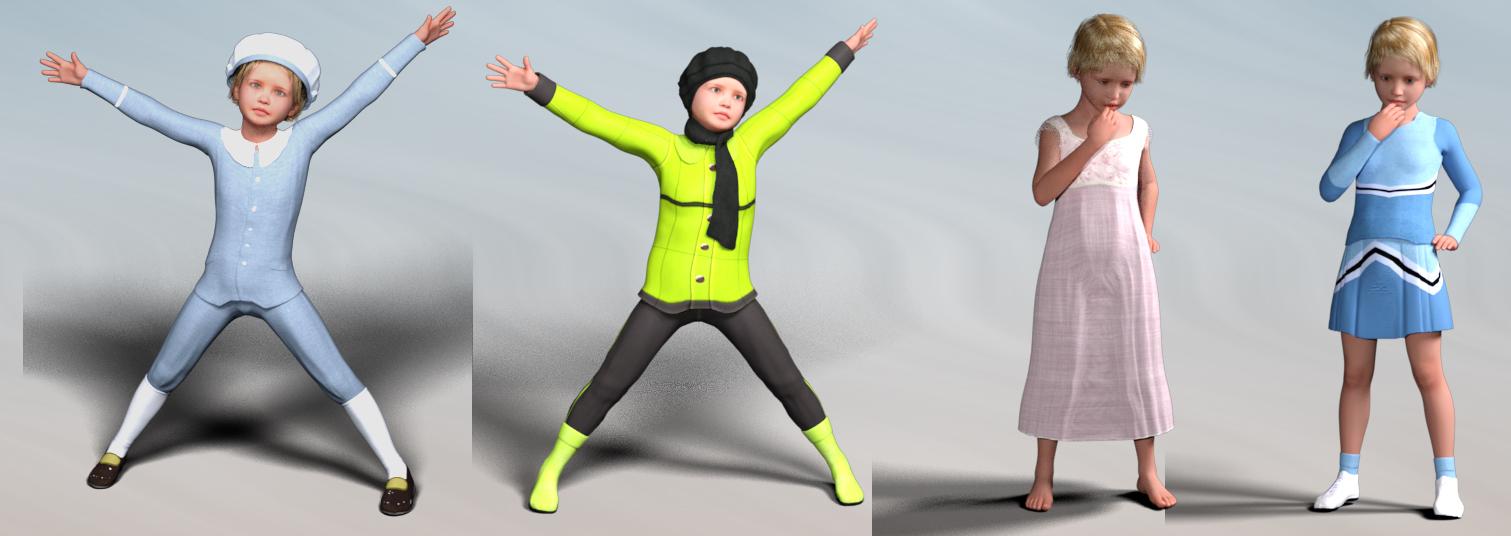
Awww Adorable! :D One of the rare occassions I've seen kid morphs that look like kids. lol
Why do I want Carrera...and you might also like to know that Carrara users also have another forum dedicated to animators and their projects within Carrara, which also includes a really nice Carrara movie theater for just kicking back to relax:

A community Project webspace for Carrara Animators!!!My <<< Carrara Information Manual >>> got a little messed up in the transfer to the newer forum, so to make things a little easier, I've started working on
Learning Carrara and need some help?
which has links to things like
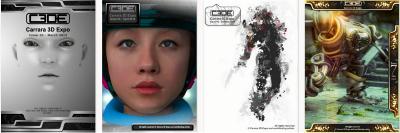
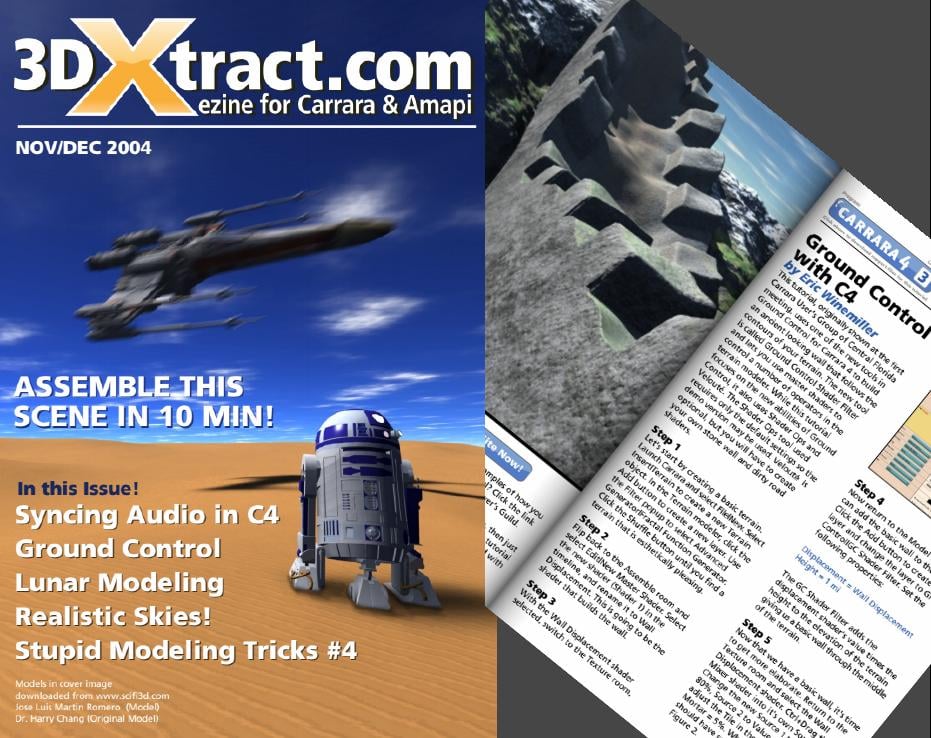
This image has been resized to fit in the page. Click to enlarge.
Carrara Cafe CARRARA 3D EXPO Magazine 3D Xtract Magazine
Amongst a LOT of other cool info and links ;)
Body By SublimeOnly BBS3 comes with custom morphs and therefore dials. The three other BBS-products (I, II, IV) are only shapes which make use of existing morphs/figures. Those can be found in you library under people / g3f / shapes /...
To adjust those shapes I recommend activating them by clicking on the shape you want. Then select G3F in you scene and with parameters click on "currently used". That way you see all dials used by the shape and can fine tune. Think it might be even possible to make a custom morph from the setting to allow you to dial in the shape later on as well.
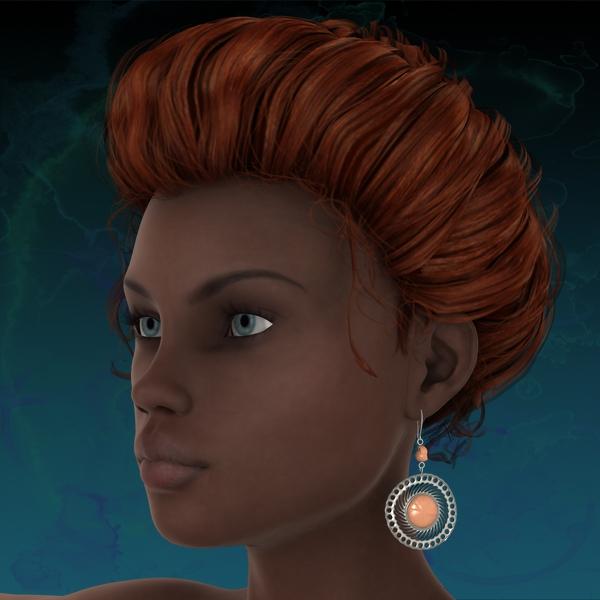
Pinwheel Earrings for Genesis 2 FemaleMorphs: The triangular shaped morph worked great, but I didn't see any change when I used Change Shape Oval or Scale Drop. Is that because I am using Genesis 3?
Did you get the morphs to work? Anyone else's morphs not working?
Laurie
Can't Find Materials???Rich, did you use DIM to install this?
If so, go to the Installed tab, find the product, right-click > "Show Installed Files"
In here, look for two things in particular:
1 - Textures folder name - we'll need to dig in that folder in the texture room in Carrara to apply tatoos, spec maps, bump, etc.,
2 - Pose folder name - this should look like /runtime/libraries/pose/<get this name> - this is where you look in your Content tab to find the Morph INJ
Hope this helps!
\Oh... and if you din't use DIM, just look in the downloaded zip file for the above info ;)
Converting Textures Between Genesis 2 and Genesis 3Could you give us a video tutorial about the way you use it? Can it transfer from G3M to G2&1M too?
I've only tested it with the morphs posted above. These morphs work for converting between Genesis 2 and Genesis 3.
To use it with other generations, you need to find a morph that morphs both characters into the same shape. I haven't searched extensively for other generation morphs, but surely they must exist.
There are no video tutorials at the moment, but the web tutorial posted above is very simple and straight-forward to follow.
Infinite Insanity - There's ALWAYS Another Sale! (Daily Sale Talk)Using GenX I made a K4 morph for G3F and then a K4 autofit clone following a tut by 3DOutlaw on making a V4 clone for Dawn.
Here are a few very quick examples with G3F morphed with Growing up :
Infinite Insanity - There's ALWAYS Another Sale! (Daily Sale Talk)Kids 4 Pro bundle for free when you buy something for as low as $3. I've been wanting that for a while, but the price was never right. Now it's time to get it... :)
Ehhhh, I'll admit I'm sort of tempted (on the rare occasion I'd ever do anything involving kids), but the fact there's no way -that I know of- to transfer clothing/items made for K4 to Genesis/G2/G3 (to use on characters made with Zev0's Growing Up morphs) makes me take pause.
That said, I think this is probably the fourth or fifth time I've seen Bethany 7 at practically Fire Sale levels. Did she really underperform that poorly?
There is an K4 autofit clone included for Genesis. You can use the genesis fits in Gen 2 according to this thread: http://www.daz3d.com/forums/discussion/61610/kids-4-what-s-happening And this product enables morph transfer: http://www.daz3d.com/genx2-addon-for-genesis-2 you need Gen X2 as well.
Infinite Insanity - There's ALWAYS Another Sale! (Daily Sale Talk)Kids 4 Pro bundle for free when you buy something for as low as $3. I've been wanting that for a while, but the price was never right. Now it's time to get it... :)
Ehhhh, I'll admit I'm sort of tempted (on the rare occasion I'd ever do anything involving kids), but the fact there's no way -that I know of- to transfer clothing/items made for K4 to Genesis/G2/G3 (to use on characters made with Zev0's Growing Up morphs) makes me take pause. I'd still buy Esha's Patchwork shoes (Based Esha for giving us multiple heel options that are interchangeable) regardless, so I guess the K4 bundle wouldn't hurt to tack on there.
That said, I think this is probably the fourth or fifth time I've seen Bethany 7 at practically Fire Sale levels. Did she really underperform that poorly?
Warrior Monk Outfit for Genesis 3 Male(s). Coming soon.The Cape and the Belt can be hidden by using the surface tab and reducing the Cutout Opacity to 0, but it was not designed that way so there may be some some work on the texture where shadows are especially the Belt. The creases are lightly in the mesh and they are enhanced by a Normal map and the Painted Map. (Image added)
The bottom half of the robe can be posed separate to the figure using the Bones. (Sitting image added) There are no sitting or kneeling morphs as I feel that the don"t work well unless they are designed for a particular pose and the they work best as hierarchical poses. This would need to be a separate product due to the mount off of time involved.
There is a morph to narrow the sleeves when they are down by the side plus a number of general morphs to help with movement.
Star 2.0 for G3F!!! whoot!!Love this character.
That is terrifyingly realistic.
But fantastically cool. If you don't mind sharing, which characters did you combine?
The body is 100% Star 2.0
The head is a combination of Teen Josie and Toon Josie Slim (both 36%), Aiko 16%, Anime Head 100%, and scaled the head up and neck down a bit.
I used the skin from the Vanessa character.
Anime Head for Genesis 3 is a freebie morph (with a dial) that you can find on ShareCG.
Vanessa is this one: http://www.daz3d.com/fwsa-vanessa-hd-for-victoria-7-and-her-jewelry
Eric
Excellent, thanks! I didn't know there was a Toon Josie...was that a typo or is there a morph for the Teen Josie character that creates a toon version?
Sorry! I meant to type teen josie. I don't think there is a toon josie, that was just a typo.
Yep, no worries, I kinda thought as much, though I wasn't clear on how you could combine regular Teen Josie head with slim version of her head. Do you mean you started with her regular head at 36% and then added 36% slimming or is there a separate Teen Josie head slimming morph? Regardless, you have a great eye for creating multi-character mixes. I hope you share more!
I seem to remember there being seperate slimming morphs, for the character's body and head.
Star 2.0 for G3F!!! whoot!!Love this character.
That is terrifyingly realistic.
But fantastically cool. If you don't mind sharing, which characters did you combine?
The body is 100% Star 2.0
The head is a combination of Teen Josie and Toon Josie Slim (both 36%), Aiko 16%, Anime Head 100%, and scaled the head up and neck down a bit.
I used the skin from the Vanessa character.
Anime Head for Genesis 3 is a freebie morph (with a dial) that you can find on ShareCG.
Vanessa is this one: http://www.daz3d.com/fwsa-vanessa-hd-for-victoria-7-and-her-jewelry
Eric
Excellent, thanks! I didn't know there was a Toon Josie...was that a typo or is there a morph for the Teen Josie character that creates a toon version?
Sorry! I meant to type teen josie. I don't think there is a toon josie, that was just a typo.
Yep, no worries, I kinda thought as much, though I wasn't clear on how you could combine regular Teen Josie head with slim version of her head. Do you mean you started with her regular head at 36% and then added 36% slimming or is there a separate Teen Josie head slimming morph? Regardless, you have a great eye for creating multi-character mixes. I hope you share more!
G3F Skins render Chocolate....First: Thank you for the time it took for your response.
I am using DS 4.9.
ONE of the skins that is giving me choclate is: http://www.daz3d.com/fwsa-eliya-hd-for-victoria-7
Admittedly it is a skin that is a little tanned. Here is my render (it does not use the character morph included with the skin)
Are you using the default HDRI for light? As noonesuch already said, the light can make a huge difference. The skin of the model looks okay (not too dark), and according to the Readme, she was designed for 4.9.
Here are some examples. Characters are the same in all 4 renders - Michael 7 and Kimo 7 with default skin. As you can see, depending on the light type you throw at them, the skin colour looks quite different.
Default HDRI

Sunlight

Set 13 of OOT Male Lights

Set 11 of OOT Male Lights
 G3M hands all weird after pose applied
The figure's rigging is off, which is strange, since I believe GenX usually fixes that automatically. Regardless, you should be able to fix it.
First of all, you need to make sure that no shaping or posing is applied to the figure--that the figure is in its default state.
Then, apply the new shape that you transfered.
Next, in the Scene tab, make sure your figure is selected, then go to Edit>Figure>Rigging>Adjust Rigging to Shape...
You should be able to leave all the settings at their default for the next popup in this instance. Click Accept.
After that, in the Parameters tab, right click anywhere and selecet Edit Mode.
With Edit Mode on, right click on your new shape's parameter and click on ERC Freeze. Click accept.
At this point, test your figure to see if you're having the same problem. If you're not, then you need to save the morph. Zero the figure again at this point so that there are no poses or shapes applied.
Go to File>Save As>Support Asset>Save Modified Assets. You'll get a popup asking you if you're sure. Hopefully, the only thing showing up in the popup as modified is your new morph. It may also say the base G3M duf. Assuming you zeroed the figure first, it should be fine to click accept.
If you have more than that showing up as modified when you go to Save Modified Assets, then you'll need to save the morph individually which is more complicated. We'll cross that bridge if we come to it.
Converting Textures Between Genesis 2 and Genesis 3Could you give us a video tutorial about the way you use it? Can it transfer from G3M to G2&1M too?
Converting Textures Between Genesis 2 and Genesis 3I thought this would be useful for Daz Studio users who use Unwrap3D.
Here's a new method to convert textures between Genesis 2 and Genesis 3:
http://unwrap3d.com/u3d/tutorial_repaint_mesh.aspxIt uses the morphs found here:
Male:
http://www.sharecg.com/v/83139/gallery/21/DAZ-Studio/Texture-Conversion-Helper-morphs-G3MFemale:
http://www.sharecg.com/v/81631/gallery/21/DAZ-Studio/Texture-Conversion-Helper-morphsIt's similar to Blender's baking technique, but much easier to use, in my opinion. As long as you can morph two characters into the same shape, you can transfer textures between any generation of Genesis.
I've tested it as much as I can, but if anybody wants to provide feedback, please let me know.
Star 2.0 for G3F!!! whoot!!Another test of sorts - I tend to heavily blend elements of various characters and morph packages together, so I tried it here, including Star 2.0, Tween Julie 7, Girl 7, and Teen Josie 7, and others (full details on DA). Interestingly, adding the SSS options from another character on Star 2.0's skin worked beautifully, which surprised me.
Pinwheel Earrings for Genesis 2 FemaleThank you! These are lovely earrings, which I will definately be making use of.
I work in 3Delight, so I can't show a render in Iray. However, I can should what they look like converted to 3Delight materials with Ubersurface Base.
By the way, they autofitted to G3F easily for me by choosing G2F in the autofit box.
Morphs: The triangular shaped morph worked great, but I didn't see any change when I used Change Shape Oval or Scale Drop. Is that because I am using Genesis 3?
 Can't Find Materials???
Howdy Everyone,
I just purchased (for the first time in a while) a V4 character, to use in Carrara 8.5 Pro, and am having a strange issue. I can find the morph injections, but I cannot find any of the textures or materials (comes with custom skin tattoos, makeup, etc...). I normally just use the Content tab (not Smart Content), but I spent two hours searchign for all fo the missing materials, and came up dry. I then went and tried to load up the character usign DAZ Studio, and low-and-behold there is a "materials" folder listed in the Poser content, but it is not listed in Carrara? Is this opition hidden somewhere else? Any ideas would be greatly appreciated. Thanks!
BTW, the Character in quesiton is: http://www.daz3d.com/hailee-v4
Rich S.
Daz 3D is part of

Connect
DAZ Productions, Inc.
7533 S Center View Ct #4664
West Jordan, UT 84084Licensing Agreement | Terms of Service | Privacy Policy | EULA
© 2026 Daz Productions Inc. All Rights Reserved.