-
Runtime DNA Merges With Daz 3D
Is it possible to transfer morphs from A3 to v4? I know we can do transfers from v4 to genesis and on up, but I'm not sure about the A3/V3 generation. Would it be possible with some utilities to transfer from A3 to V4?
I bought them all, with plans (hopes) of going from A3/H3 to Genesis 1. The destination has to be a Genesis figure.
- Greg
I've got some of them and I'm getting the base figures that are in the sale today with a couple of the morphs so I'll be doing some experimenting and seeing what I can come up with, too. Yeah, getting them all up to Genesis 1 would be a nice bonus. :)
Runtime DNA Merges With Daz 3DIs it possible to transfer morphs from A3 to v4? I know we can do transfers from v4 to genesis and on up, but I'm not sure about the A3/V3 generation. Would it be possible with some utilities to transfer from A3 to V4?
This product might do it?
Babes on a BudgetThat shadow is awesome in the first render! You know I like the beasties. Question about the character - are the ears a morph, or geograft? If a morph, I would love to get that morph transferred into the Genesis gene pool.
- Greg
The ears are part of the Narkissa Vampire Head morph. Unfortunately, there is no way to dial the ears seperate from the complete vampire head morph that I am aware of. But as diva certainly demonstrated, you could definetely mix up some face morphs to un-vamp the character.
Thanks, AUN. I wrote some rough geometry manipulation scripts a while ago that'll do partial morphs based on a soft selection. Maybe I'll dig those up and try transferring the whole morph to G1, and then creating a partial for those ears.
- Greg
Runtime DNA Merges With Daz 3DIs it possible to transfer morphs from A3 to v4? I know we can do transfers from v4 to genesis and on up, but I'm not sure about the A3/V3 generation. Would it be possible with some utilities to transfer from A3 to V4?
I bought them all, with plans (hopes) of going from A3/H3 to Genesis 1. The destination has to be a Genesis figure.
- Greg
Cartoon shaded imagesI must be doing something wrong. I get an interesting image in the workspace with it doesn't transfer to the finished render - it comes out as simply a normal 3Delight render.
Runtime DNA Merges With Daz 3DIs it possible to transfer morphs from A3 to v4? I know we can do transfers from v4 to genesis and on up, but I'm not sure about the A3/V3 generation. Would it be possible with some utilities to transfer from A3 to V4?
Runtime DNA Merges With Daz 3DThese furries say they're for Melody (the A3 version). Is there another set for Melody 2.0? (V4 version?) Or does this set also work with 2.0, or is the 2.0 version just out of luck?
Sadly, it's the latter. The only add-ons for Melody 2 were the texture sets (already migrated and in the store), but no morph collections to create wolves, bears, squirrels, etc. were ever released.
Oh, and alas, no, the Melody 1 material is not compatible with Melody 2.
Sincerely,
Bill
Babes on a BudgetThat shadow is awesome in the first render! You know I like the beasties. Question about the character - are the ears a morph, or geograft? If a morph, I would love to get that morph transferred into the Genesis gene pool.
- Greg
The ears are part of the Narkissa Vampire Head morph. Unfortunately, there is no way to dial the ears seperate from the complete vampire head morph that I am aware of. But as diva certainly demonstrated, you could definetely mix up some face morphs to un-vamp the character.
I love your 'cutie toon'. :) Those glasses really sell her look and I'm happy to see you did that in all of her pictures. As for you cat ears, did you do those yourself or is that a product somewhere? Those are awesome ears!
http://www.daz3d.com/fwsa-narkissa-hd-for-genesis-3-female-s ;
Thanks. I should have gotten the reference to start with, but I wasn't quite awake yet. I'm awake now! I don't know how I missed this character, but she's on the wishlist now. :)
Babes on a BudgetThat shadow is awesome in the first render! You know I like the beasties. Question about the character - are the ears a morph, or geograft? If a morph, I would love to get that morph transferred into the Genesis gene pool.
- Greg
The ears are part of the Narkissa Vampire Head morph. Unfortunately, there is no way to dial the ears seperate from the complete vampire head morph that I am aware of. But as diva certainly demonstrated, you could definetely mix up some face morphs to un-vamp the character.
I love your 'cutie toon'. :) Those glasses really sell her look and I'm happy to see you did that in all of her pictures. As for you cat ears, did you do those yourself or is that a product somewhere? Those are awesome ears!
http://www.daz3d.com/fwsa-narkissa-hd-for-genesis-3-female-s . :)
My Renders, Now I can go to bedhah
Had this lightng for a while, but never noticed the extra That came with it, there was this Mono thing, had to try it, but had to dial a new G3F to do it.
went for a younger G3F
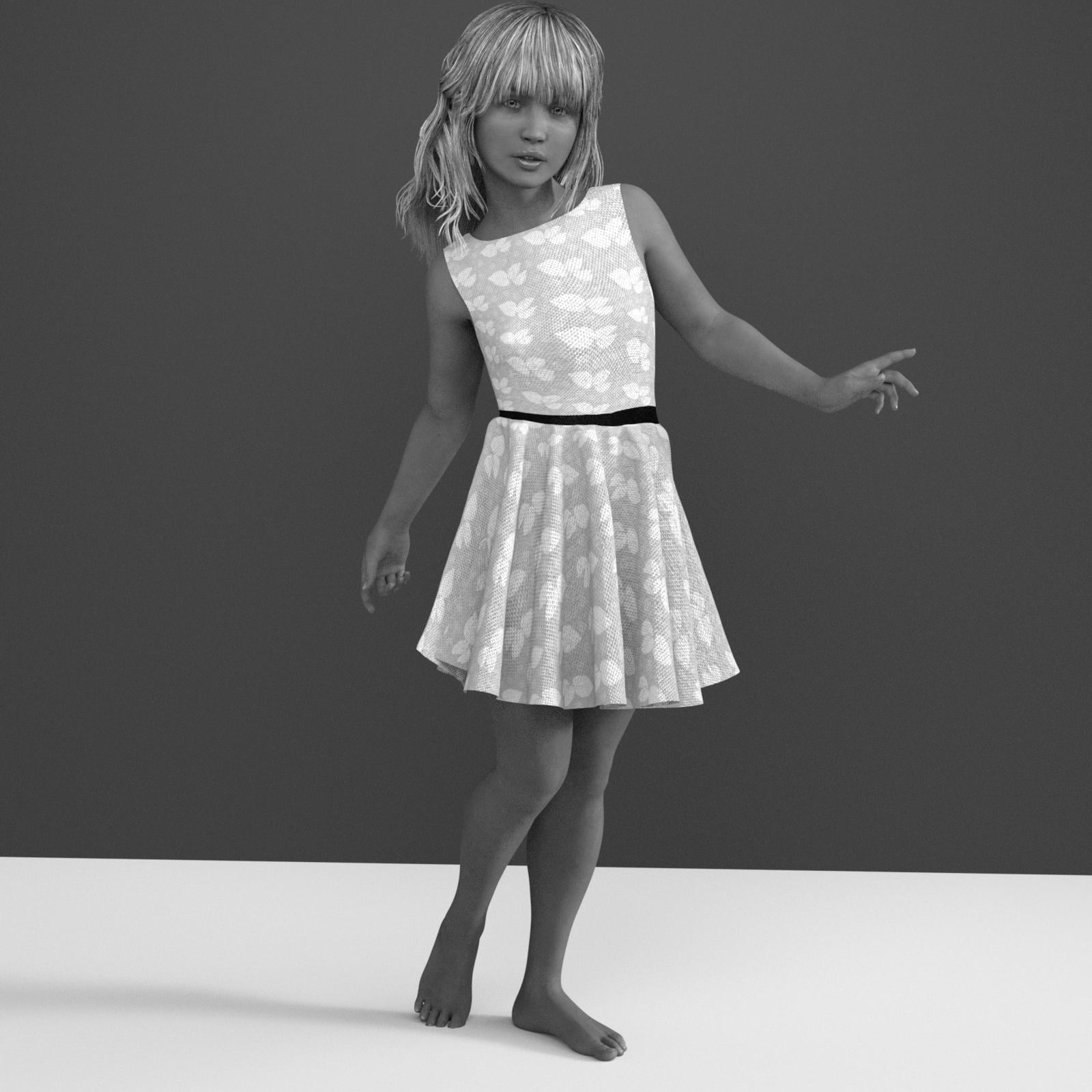
strange thing, was when I dial her back to adult and then back to young for this render, her arms stayed the adult length, and had to dial the arms shorter, well some things just didn't change. So needless to say I wouildn't save it after that, took me a while to get some areas right, to work for young and Older G3F S, with just using the morph dial. and since it was already saved, no lose
Babes on a BudgetI'm really loving the new character Narkissa! She's really cool. I've not had a character before that is kind of a creature type character, but I've been wanting a cat girl character for quite a while. So when I saw her I was like - 'OHHHH SWEET! She might make a good cat girl!'. And sure enough, with a few morphs, a few tweaks, and a tail, she makes a cute cat girl, imo. LOL Leave it to me to see a creepy bat-creature type character and think "Oh oh! Let's make her a pin-up cat girl!". lol
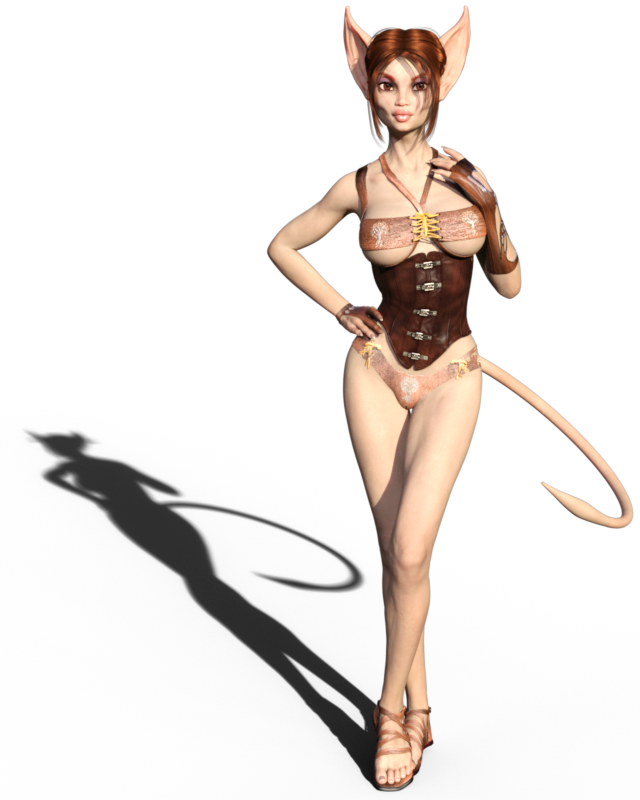
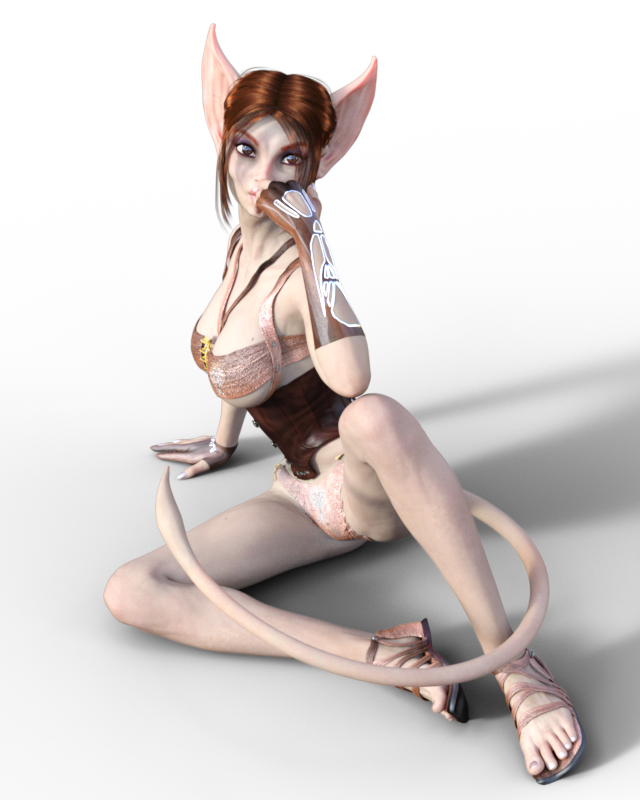
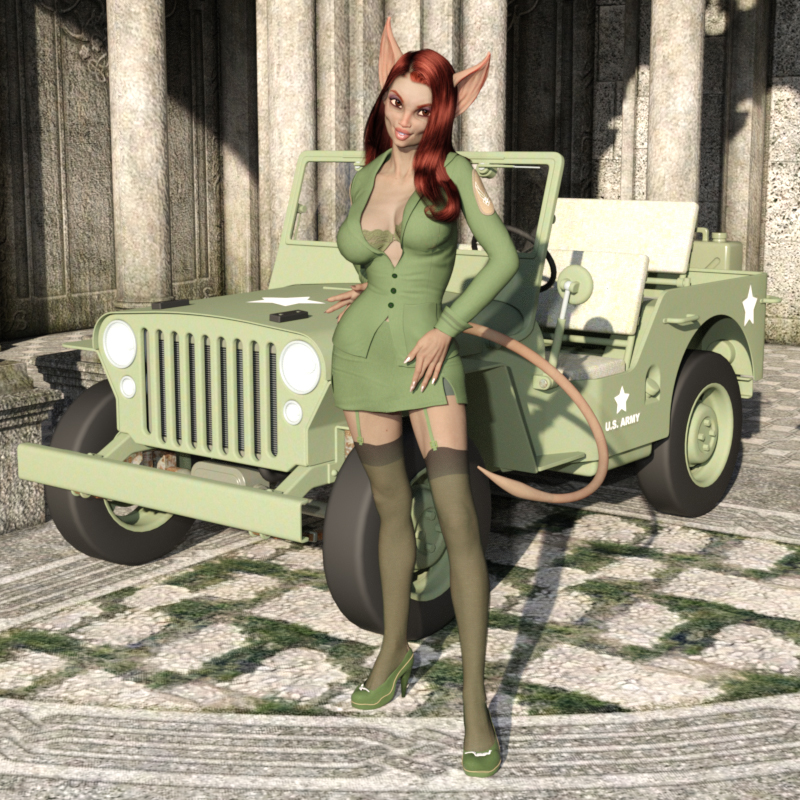
That shadow is awesome in the first render! You know I like the beasties. Question about the character - are the ears a morph, or geograft? If a morph, I would love to get that morph transferred into the Genesis gene pool.
- Greg
Whip out your WIPsWorking on the materials for the Imp morph for the Lolo Hai figure. Got different ones to move the texture mapped eyes around.
I think I know who that's based off! You've managed to capture the spirit of the character perfectly without ripping it off - and that's awesome. It really does look like such a fun little figure - if you release it as a freebie, I really do intend on pouncing on it! <3
The Lolo Hai chibi figure is available here.
https://www.sharecg.com/v/84173/view/21/DAZ-Studio/Chibi-Figure-Lolo-Hai
There's lots of other freebees for it on my ShareCG page.
https://www.sharecg.com/pf/full_uploads.php?pf_user_name=ghastly
Whip out your WIPsWorking on the materials for the Imp morph for the Lolo Hai figure. Got different ones to move the texture mapped eyes around.
I think I know who that's based off! You've managed to capture the spirit of the character perfectly without ripping it off - and that's awesome. It really does look like such a fun little figure - if you release it as a freebie, I really do intend on pouncing on it! <3
Whip out your WIPsWorking on the materials for the Imp morph for the Lolo Hai figure. Got different ones to move the texture mapped eyes around.
Runtime DNA Merges With Daz 3DYay! And the candy buckets made it in too.
The dog and equine faces are just presets for Furries. The equine set has a cow nose morph injection, but I believe that is included with the Cow set too. If you don't want the dog and equine options, they are not needed for anything else to work.
Click-command to open content foldersNo I can not find the way , and it is definetly useful,. I often think same thing, why I can not find content directory, from scene tab,, directly. though it tell me file path of dsf.
and at same time, I understand difficulity,, we can load same contents in scene,,
from different subset or preset, (eg user save it as subset2,, or wealable preset,, , or it is original duf of product etc,,) then to remain those and record,, may cause problem.
but ,,I may only need to know original product directory of the item.. (which offered from vendor) if script vendor sell it,, I must buy.
and I often hope to direct open folda, and select morph.dsf ,, from parameter setting pane. I often forget,, where I save the parameter. then serch
many sub directory with name. if script vendor add it I must buy again..
Selbsthilfegruppe DAZ Studio - Beispiele, Fragen, Diskussion und sonstiges GequatscheEin Morph Tool gibt es nicht in DS. Es gibt die Alternative zu den Poser Magneten - in DS heißen sie D-former.
how to apply a morph to only part of the bodyOf course.
but I recommend, it may better not only this topic, but add same restriction for all topics which have arelady offered same way as answer.
or make top topic, of all fforum about those restictions. it make more easy to notice us.
I actually annoying often I see those restriction, when just tell the way to how to use daz tool. which already presented and announced as daz improvement.
makiing morph for daz character cuase same problem. adjust texture of daz product should cause same restriction. but I seldom see, someone add caution not sell it.
how to apply a morph to only part of the bodyabout morph loader pro new options ,this you tube tutoriall seems best (or I have not found other good tutoriall about detail still)

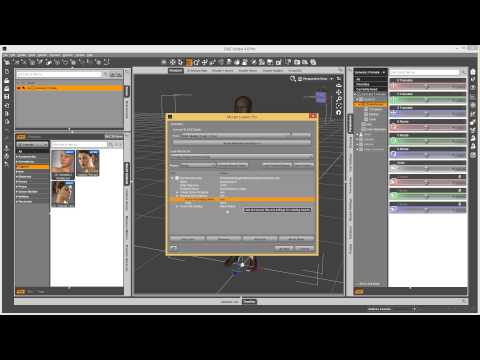 how to apply a morph to only part of the body
Three way.
1. use another modeling tool, which can separate morph with your selection. eg blender with shape key,
but I know we like to make it with daz studio only, then there is 2 way.
2-A it is easy, but you can not adjust smooth transition between morphed part, and not morphed part. then not recommend much,
but for rough work may work well
2-B you need to set D-former first, then need to set D-former weight influence map. then export moprh, then use morph loader option.
I simple write the 2-A way, if you have try D-former, or D-former weight, and well know about morph loader,, I try to discribe it, (when I find time)
step1
select G3,, then open geometry editor (in tool setting tab), then go to vertex mode. after that select vertex with marque selection (rasso selection or drug selection) only about vertex which you need to remove morph influence. of course you can use selection group too. after select vertex,, may better you set them as new selection set to re-use them.
step2
go to parameter tab, then go to edit mode, (by option menu), then click the morph paramete which you need to separate influence. now it highlight . r-click on the parameter,
then set it as favorite. in 3d scene, r-click anywhere without geometry . morph editing>clear selected deltas from favorite.
now, the morph only work about vertex, which you extrude from selection,.
caution. you may hope to it save as morph, but it easy overwrite default morph, then may better just save actor as scene subset, it may keep current modified morph I think.
(but I change name, and change path, then remove ERC,, and save it as new moprh, but it only recommend you actually know what you save clear. and you need to remove problem
when you find some duplicate formula erroer etc, then I recommend just save it as new subset,, (of course you can not use original morph as same as before, you modified it about the subset G3.
Daz 3D is part of

Connect
DAZ Productions, Inc.
7533 S Center View Ct #4664
West Jordan, UT 84084Licensing Agreement | Terms of Service | Privacy Policy | EULA
© 2026 Daz Productions Inc. All Rights Reserved.