-
How to show parameters from child nodes of figure on parent level?
Hi,, I have no intention,, to against your rigging way
 , (If I have used ds3, or poser, I may rig as same as you, then may feel there is no difference,,when I load them)I say just for my convinience as DS only user. and thinking,, which style rigging scene I hope for daz studio as easy to use.
but I am now reding again your reply,, then somehow be surprised at,, when you offer for beta-test, no DAZ man seems adivise you, to change rigs type,,,,,
if DAZ really feel customer convinience (and mainly bought item for daz studio), must offer merit and demerit,, when use each rigging I believe.
after all DAZ do not care much real usability for user.
then I do not know,, why DS can load it without cr2 (original) detail,, maybe ds keep geometry and riggiing in data>atuo-adapted,,, ,with some unique name I suspect,, then load it ,,. but with keep poser tyepe rigging , not ds triax or general weight rigging..
when check scene tab, the room figure may show you rigging type icon,, with figure name,,
I usually check the icon to know,, this figure is rigged as DS way, or poser way..
or check scene tab, under column,," node" section,,you may find " class" then it may show me,, the rig type,,
if it is poser type rigging, "class DzLegacyFigure",, I think.
As for me,, there is reason why I do not recommend it,, (or I do not choose it,, without special reason,, ),,from simple customer positon,,
1 the saved data way is different from daz general weight figure. which saved as "figure/prop assets"
of course it is located different directory, from original poser figures. (they are keep in runtime,,) too.
2. I can not tweak rig and change weight when I need it,, eg If ijust hope to add one rig in scene prop,, DAZ wegiht map brush tool just open erroer message.
3 I can not make morph easy and keep it ,as same as other dsf prop, or figure. I hope my data keep clear same rure,, if I can.
, and not hope to use poser exporter, of course,, not hope to save it with cr2 ..
If I still need to get those cr2 rigging scene,,, or need to save them as Scene Assets etc,, or need to change weight map by my self ,,, when I get (usually buy new item,,) for daz studio,, I feel,, it is different (opositte) direction, from what I have seen,,, DS have changed from poser clear,,,, ,then push Dsf Duf, daz originall,. and have pushed daz weight map. But If I just play for myself,, or challenge and learn poser rigs (I sometimes play it too,, ) I do same things,there is no problem,, actually there is way, in ds still. and keep compatiblity is good things I know.
Forum and now site unsubscribed??!!I did unsubscribe from that as it was nothing I ever subscribed to nor am I interested in. The only newsletters I have ever subscribed to here, are the sales emails and the monthly PA newsletter when I was a PA. If unsubscribing from this morph 3D email removed me from everything ... that is really screwed up.
Forum and now site unsubscribed??!!Did you by chance click to unsubscribe from the Morph 3D email newsletter?
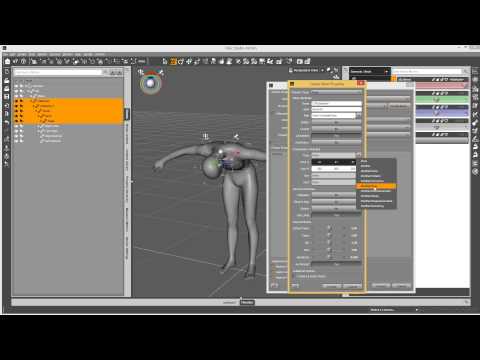
Animation Club for Carrara Users - Inspiration ThreadI also really like these Content Creation videos for Daz Studio, so I saved that playlist as well.
I applaud Daz3d for incorporating all of these tools in such a classy, easy to use way - it really is a dream to work with and easy to get down with practice, and Josh Darling does a wonderful job of demonstrating how easy it can be to make our creations come to life - we just need to know what to click, and when ;)
As a sample, check out how we can create our own "Easy Pose" morph dials!
 Headshop weirdness
Sorry, I missed your earlier reply. I need to sub this thread for FaceGen & Headshop / One-Click tips.
Well I'm buying the new one-click to try out because I like the auto-placement with one-click feature. I am still happy with FaceGen but I have trouble selecting the points on the photos and as noted about it can make a big difference in the morph. Also, noted above the FaceGen morph obj is a better likeness than the DAZ Morph and that's because the FaceGen program must do a sort of automated retopology so that the FaceGen morph obj model topology matched the DAZ Genesis / Genesis 2 / Genesis face topology.
If you were after the best likeness possible you'd take the FaceGen obj into Blender or Maya and attach to an existing model or model by adding to the FaceGen obj.
Thanks for the suggestion. I'm not really good with Blender yet. But, I might still give this a try. The "exact likeness" isn't so much of an issue as is predictable results - meaning, I'd like to know how the face will look on the G2/G3 before I export to Daz. This isn't a deal breaker at all. But, it would be nice to be able to adjust things beforehand in order to avoid quite so much post work in Daz.
I just did a search on "One Click" and found that thread. So, HS is developing a similar to Facegen type of software that you don't have to pick points. That is very interesting. After reading that thread, it doesn't sound like One Click will help much over Facegen except for the auto texture placement and dropping the point placement step. I am very curious to see the results. I might give it a try if there is a really good price break for current HS users. I like HS when it works. It's just such a buggy program. It's funny that Abalone mentions "you can't screw up." I realize that there is a lot of user error in HS. But, that doesn't excuse the fact that the program itself is very crash prone and can be hard to navigate. If the new One Click is stable, that will certainly be an upgrade. But, I think they will have a problem by not offering the auto and hi res textures capability of FG. Those ready made whole body textures are a huge time saver even without auto placement.
I do think that Facegen could do a better job with tutorials. It's very easy to use. But, I would like some more advanced tutorials and tips and tricks from the manufacturer to explain "best placement" of the face points to get the most accurate mesh. I've noticed that slight changes of the points can produce very different results. What I would really like is a combination of Auto Point Placement like OneClick is advertising and Point Tweaking similar to what is currently available in HS10.2, in order to be able to fix texture errors (like nostrils being slightly off) and shaping. The shaping morphs do a really good job as is. But, it would be nice to be able to do the point tweaks.
Headshop weirdnessAbout children or youths, I believe I read that FG isn't really intended for them. It will always assume the face is an adult. But if you have a Growing Up morph for the Genesis figure you used, you can try adding it to the resulting morph you get from FG. I know you wanted to avoid commercial morphs, though, so perhaps there are some free youth morphs out there. Another issue with it I think is that for people with really clear and perfect skin, which is common for children, makes it harder for FG to pick up any details for a morph target.
LOL, I have used a method like you described for selecting textures. I keep my FG folder in the main Daz folder, which is pinned and that lets me find it quickly. And then I pick the files like you did so that the folder will pop up when you browse. I also sometimes rename textures to make them stand out more, like words in all caps, Leila_FACE_1 for example.
It would be nice if FG added a couple of features to address these. An option for youths, custom naming textures, and it really should create a duf to apply those textures as a preset. Still, it works very well for what it does, and I am happy over all with it.
I see we're on the same page. I actually wrote a note to the Facegen guys to suggest those exact upgrades - auto texture naming, auto materials preset.
I have actually created some really good youth faces in FG. They just don't translate to G2 very well. As Nonesuch00 noted the retopology must adapt the mesh to make it fit G2, which is obviously a very mature looking face by comparison. I suppose I could try importing some of the Facegen meshes as separate obj's just to compare the difference in shape to that one attached to G2.
Commercial morphs aren't a problem for me. I just meant that I would rather use something I can redistribute as a merchant resource if I so desire. If I can get free use morphs, that's even better. I absolutely love Sickleyield's rework of DieTrying's 182 Morphs for G2F. I use them more than any other morphs I have available. I just hope that she feels like redoing them for G3 at some point. As to commercial merchant resources, I have Thorne's, and also Zev0's Growing Up for G3. Still, that doesn't completely fix the export import bone/joint issues. I'll have to work on that some more.
SC Rain for Genesis 3 Femaletried to make use of it so with Alice I gave her Rain's horror character texture and the scared one that is Rain's body head morph with Alice's texture
SC Rain for Genesis 3 FemaleDo you use Connect? Maybe something has been corrupted if so; and if you don't, something still could have got messed up.
Revert to an earlier version of Beta; I did that yesterday as thought might have been an issue. And maybe there was, but will test when time.
Just remember, it's a beta release - there will be issues.
dim first then connect have few things connect only and not everything fully installs via dim also few times I used up my monthly internet reduced to dialup speed and stuff would not download install via dim but could via connect. I let dim and connect install to default locations. This is a new computer I bought with the 1080 cards so wanna make use of them why I'm happy the beta lets me use them and the other copy of daz on my computer is the current full version which can't use the new cards in a way it's a pity that warped effect isn't an actual morph be pretty cool if it was would be good with the Rain horror character skin and if she also had an unhinged jaw morph so you could have one of those really big mouths you see in a lot of ghost movies now
Mix and match outfitsSay for example you have a clothing set that has a pair of baggy pants with a little bulge where the fabric is tucked into a short pair of boots around the ankles. They fit together because they were designed to fit together, no problems. Now, try to use that same pair of pants with thigh-high boots. the pants go down to the ankles, the boots go up to the thigh, and the bulge of fabric where the pants tuck into the boots will be sticking out of the ankle part of the thigh-high boots, maybe elsewhere as well. Quickly just try mixing a few random clothing items together to see the types of issues you might encounter.
So, you will need to adjust something to hide the fact that the clothing items don't fit together. Whomever designed the clothing may have planned for adjustments, so in the parameters pane you might find morph parameters that allow you to adjust one or the other of the clothing items, like theoretically some sort of tuck morph that shrinks that bulge of fabric smaller until it no longer pokes through the boots, or maybe raises or lowers height of the pants, or makes the boots wider or something.
Dformers are another option if you use DAZ Studio (search forums or google for it), basically you can change the shape of the clothing item by applying a dformer to it, adjusting which part of it is affected, then scaling/moving it. In the above example you would probably just want to shrink the size of the pants at the trouble spot.
Another option would be to simply hide the part of the clothing that is sticking out. In DAZ Studio It might be as simple as clicking the eyeball icon in the scene pane for a node that should be completely hidden (lower part of leg in the above example), but that might not always work so you might need to create a new surface to hide just part of a node.
How to show parameters from child nodes of figure on parent level?Do not mind and not take it serious,,
(though it is actually serious for me,, but I know many user do not care if it offered as cr2 pp2,, with daz studio)Usually I request samething If someone make room or prop as figure (with rigs) and props.for daz studio..
then I do not request about this product any more,, but I sitll think,, if it is not what I expected,, have you already package them?
if so,, when you save it,, you save it as support asset > scene assets? if so the duf usually load figure as cr2 rigged scene and props (if some props was paretend with rigged root)
hough I can call it from duf,, but it still cr2,, then if I hope to modify it in daz studio, may not work with weigth map tools,, and I can not make morph for the product,, without
rechard menitoned way,, (but do yours who know difference cr2 rigging and daz rigging,, really recommend cr2 still,,, and hope user to use them about current daz studio,,?,
I believe , without clear tell those usability from ds user,, it just vendor confuse,,
who plan to offer scene and figures,, for current daz studio,, Or no one need to change scene as dsf and duf,,, with daz weight map,,)
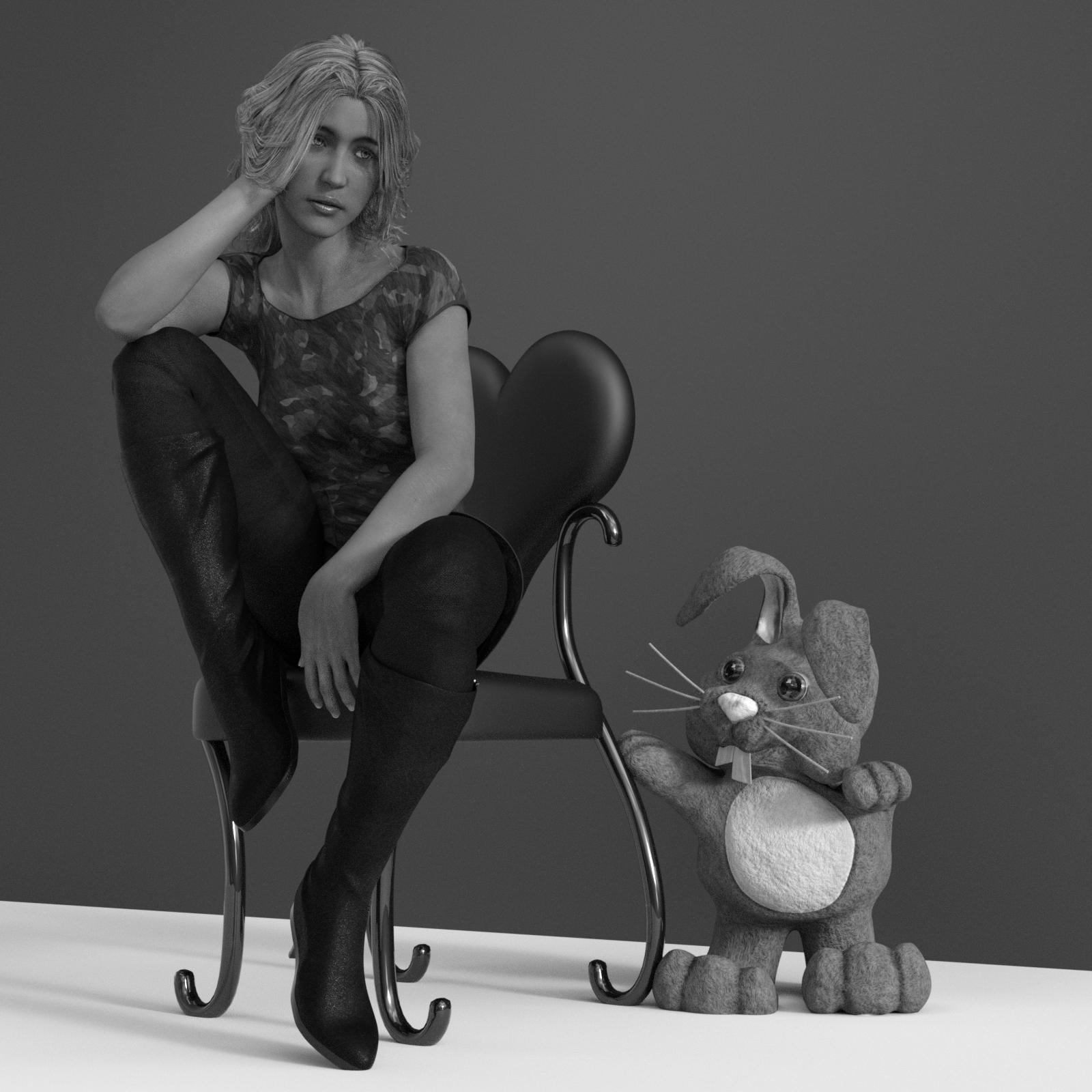
My Renders, Now I can go to bedthought I would post this render here as well, since, it is the older version of the G3F in the above post (G3F S), without the Youth dialed in. I did have to increase breast size for this one, for some reason they didn't grow when the youth morph was dialed out, that's a first (for me), oh and yeah a different hair
 Runtime DNA Merges With Daz 3D
Is it possible to transfer morphs from A3 to v4? I know we can do transfers from v4 to genesis and on up, but I'm not sure about the A3/V3 generation. Would it be possible with some utilities to transfer from A3 to V4?
This product might do it?
No, that just lets you use the 3rd Generation figures as a source to transfer from, and in any event since these aren't morphs but have replaced meshes for the head and hip, they won't transfer.
Morph3DYeah, there is no way DAZ 3D is ignoring Unity even if some that use DAZ 3D are. Fine, the overwhelming majority of unity users ignore DAZ 3D. Others can give all the opinions they like but Morph3D and the proliferation of Game Development licenses you can buy in the DAZ 3D Store it telling you point blank DAZ 3D is not ignoring Unity and Morph 3D and DAZ 3D are not seperate and Morph 3D is not some independent start up.
And these 'game developer' dreamers that aren't 3D artists, or programmers or what-not - so what, let them dream and make their games. It's not like Apple, Google, Microsoft, Unity, Amazon, DAZ 3D, Morph 3D, Autodesk, Adobe, and a long list of other businesses haven't been pedaling that dream to them. I happen to know as a programmer myself Unity is very, very close to having a game editor that makes it easier to get a decent game created than it is to make a decent render in DAZ Studio for what that should tell you. I don't regret or dismiss the 'competition' from those game maker dreamers even if I am not interested in the horror and violence of games anymore than I am in the DAZ 3D Store. Fine, I don't buy those things though or I don't use them when they come in bundles. What I don't like is the total crock that GooglePlay and various search and ranking engines have become but that is hardly the fault of those hapless dreamers that Google and these other businesses are using the way those businesses have designed their search engines in order to pry advertising dollars from them. Those search engines can't be honestly called search engines anymore.
Hunt or be Hunted Bundle... Wow!In reply to ToeJam (even though his problem turned out not to be a problem), have you tried converting the props to figures? I do this a lot as a matter of course, because I hate digging into hierarchies for stuff. 1. Use convert prop to figure (I forget where this command is located, I put it into my scripts menu). 2. Either fit the prop to the intended figure, and let auto-fit run (if the prop is designed for the target figure, you can let auto-fit run as "unsupported"), or use the Transfer Utility.Runtime DNA Merges With Daz 3DIs it possible to transfer morphs from A3 to v4? I know we can do transfers from v4 to genesis and on up, but I'm not sure about the A3/V3 generation. Would it be possible with some utilities to transfer from A3 to V4?
I'll not say anything for sure, as I've been out of the morphing loop for a while, but I doubt they can be transferred. These are not strictly A3. Littlefox made an entirely new head (so it is not mesh compatible with A3) and modified the hip mesh to add the tail.
Well, that doesn't sound promising, but I'll know for sure when I start playing around with them. Thanks for the heads up about those modifications, though, as the info will probably help. :)
Headshop weirdnessSorry, I missed your earlier reply. I need to sub this thread for FaceGen & Headshop / One-Click tips.
Well I'm buying the new one-click to try out because I like the auto-placement with one-click feature. I am still happy with FaceGen but I have trouble selecting the points on the photos and as noted about it can make a big difference in the morph. Also, noted above the FaceGen morph obj is a better likeness than the DAZ Morph and that's because the FaceGen program must do a sort of automated retopology so that the FaceGen morph obj model topology matched the DAZ Genesis / Genesis 2 / Genesis face topology.
If you were after the best likeness possible you'd take the FaceGen obj into Blender or Maya and attach to an existing model or model by adding to the FaceGen obj.
Headshop weirdnessAbout children or youths, I believe I read that FG isn't really intended for them. It will always assume the face is an adult. But if you have a Growing Up morph for the Genesis figure you used, you can try adding it to the resulting morph you get from FG. I know you wanted to avoid commercial morphs, though, so perhaps there are some free youth morphs out there. Another issue with it I think is that for people with really clear and perfect skin, which is common for children, makes it harder for FG to pick up any details for a morph target.
LOL, I have used a method like you described for selecting textures. I keep my FG folder in the main Daz folder, which is pinned and that lets me find it quickly. And then I pick the files like you did so that the folder will pop up when you browse. I also sometimes rename textures to make them stand out more, like words in all caps, Leila_FACE_1 for example.
It would be nice if FG added a couple of features to address these. An option for youths, custom naming textures, and it really should create a duf to apply those textures as a preset. Still, it works very well for what it does, and I am happy over all with it.
Headshop weirdnessI bought Facegen Artist Home and love it enough that I'm going to upgrade to pro next paycheck. :) I second the loving that FG gives you good working textures based on the face color. This helps immensely when trying out new characters. Any character that I decide to complete, gets a rework of the textures with merchant resources to patch up skin problems or make a low res photo texture into a high res version. It can take many hours to edit a texture, but when you are finished, you have a new original texture that has the characteristics of the original face but turning it into your own work. That initial color approximation for the FG textures is very helpful in starting a new skin.
Another great aspect of FG is the license, good for any number of machines for 1 user. This is very important to me as I work at home and also while traveling. Also, FG states very clearly that any:
Texture images, morph targets and FaceGen '.fg' files created with Artist are yours to distribute.
That is awesome...and sensible on the part of the publisher. Because there's really no way to track a derivative morph once it's been exported and reimported as a new morph target...at least, not that I know of. I try to use all MR or otherwise free use morphs on all my characters. It's just much simpler than doing morphs on top of other commercial morphs. And, I don't have to worry about who's work I might be including. I plan to start adding variatons based on the G2 and G3 morph bundles, just so I can add that for a Daz feature. I believe they like products that have other purchase requirements.
I personally really like merchant resources as bases for skin textures. I can go through and add little color variations, skin tone, etc. to get a new character skin. Most characters don't need really unique skins. Except for distinguishing marks, I couldn't really tell the difference on many characters. The real character changers are things like eyebrows, lips, makeup, and eye color. So, a few base skins along with these distinguishers is all that I need for a whole bunch of different characters. While I'm on this topic, I really want to plug Hinkypunk's Build-a-Babe Photoshop template and texture. I use it for both G3 and G2 characters. It took me a while to build up a G2 set based off the Living Doll merchant resource that I got off Renderosity. But, it was worth the effort. Because, I can now use bits for both G3 and G2 depending on how much editing I want to do.
To edit an FG texture, I just have to drag it into Photoshop, resize it to 4096, and copy and paste it into the Build-a-Babe as a new layer. Then, it can be edited just like any other merchant resource.
Downside to FG - the face shapes often don't look the same once imported into Daz. I don't really know why this is. But, I can have something that I think, "Wow, that's a perfect likeness!" in FG, only to have it look much less like the original in Daz. This isn't all bad. It's just more work to get the shape right. I've also noticed that whether or not a profile photo is helpful is variable. I mean, sometimes the profile pic really helps the shape output. Other times, it's seems to confuse the program and output something that really doesn't look like the original at all. I don't know why. Also, noses tend to be the same triangular shape on initial output. I almost always have to use the shaping morphs to change the nose.
I often export an FG face, view it in Daz, then go back and redo it in FG, trying to alter dot placement to get an output that looks better in Daz. It's time consuming...but still a lot less trouble than learning how to model in Blender. As long as I get the basic characteristics of the model photo that I was going for, I don't mind if it's not an exact match. After all, I'm trying to create new characters, not duplicates. I often get a result that is better than what I was trying for, even if it doesn't resemble the original model.
I have noticed that young faces are the most problematic. This is either because of how FG exports or how Daz imports and adjusts to fit G2. Even if I were to put a toddler's face onto a G2 figure, it would still look like the figure were in its 20's. So, there's a lot of morphing to do after the import. I believe this is because Daz is trying to adapt a fairly extreme morph to a very standard figure.
Also (nothing to do with Facegen), I have not yet figured out how to do characters of varying heights without screwing up the joint geometry. I can scale after the fact. But, unless my figure meshes are exported at normal G2 height, it comes back a complete nightmare morph. It will import and look okay until you try to pose...Then, the results are crazy. I guess I need a tutorial on doing new bone structures or something so my 5' Asian figures can be loaded as such instead of doing post scaling.
Anyway, that's my mini review of Facegen. It essentially has very similar function as Headshop. I wish it integrated some of what Headshop does into itself, as I like being able to use shape dots to correct texture and shape. FG is more automatic. You place the initial 11 points, then FG generates its best approximation. You can't really correct texture once that's in place. You either got it right first go, or you have to redo the whole thing. Fortunately, redoing the whole thing isn't that hard. FG is by far less buggy than HS. It doesn't crash all the time or have mysterious menu selections that don't seem to function. I can make 4 reasonable FG morphs in the time it takes me to do 1 in HS. If HS was less crash prone and had more predictable results when using the various tools, I would not have bothered with Facegen. However, I'm very glad that I made the decision to go ahead and get Facegen as well. It is far less frustrating to use. One other thing I didn't mention before is that FG is very good at dealing with photos that are not perfect face forward, hair back shots. By placing the point in proper relation to where they should be on a face, you can still get a decent morph and texture. It is definitely not as good as the best case face forward shot. But, it will work.
I hope this helps others looking into both software packages. I wasn't able to find much 3rd party info about either one in my online searching, other than on this forum.
Hunt or be Hunted Bundle... Wow!The products have been updated.
Here is a summary of what's new:
Gwenbleiz:
-Remove the IRC links for the eyes, scars and HD morph.
-Put the correct tint for the hair in the character with hair presets
-ADD the glowing eyes effect used on one of my render in my gallery ( it should works with all genesis 3 character I guess they have the same UV for the eyes)
Hunter Gear:
-Corrected the duplicate issue on the belt when load a saved scene
-ADD an unparented scabbard if you to autofit or export the files
Runtime DNA Merges With Daz 3DIs it possible to transfer morphs from A3 to v4? I know we can do transfers from v4 to genesis and on up, but I'm not sure about the A3/V3 generation. Would it be possible with some utilities to transfer from A3 to V4?
I'll not say anything for sure, as I've been out of the morphing loop for a while, but I doubt they can be transferred. These are not strictly A3. Littlefox made an entirely new head (so it is not mesh compatible with A3) and modified the hip mesh to add the tail.
Daz 3D is part of

Connect
DAZ Productions, Inc.
7533 S Center View Ct #4664
West Jordan, UT 84084Licensing Agreement | Terms of Service | Privacy Policy | EULA
© 2026 Daz Productions Inc. All Rights Reserved.