-
Why are there no Creature Creator Morphs for G3M and G3F?
The split into different categories is a little jarring... Still, at that introductory price, it's definitely affordable. Guessing there'll be alien and other selections very soon.
Not sure if this one will allow us to recreate the excellent skeletal vampire morph the G2 version had, but I'm hoping it shall. I loved that one.
On the other hand, this makes me wonder if they might finally be deciding to sell a pack of nothing but different skin types, once all of them have ultimately been released.
Why are there no Creature Creator Morphs for G3M and G3F?This has gone from a Day 1 purchase to a "maybe I can manage with some dial-spinning and a few Rawart's characters".
this resume all. Rawart (may) save this morph.
But when saw the item this morning, the only word that came to my mind was "usurpation". This is not a creature creator that we were having for 3 generations of characters. Only one kind of look (undead, hense the poduct title) , no skin, 34 morphs. period. that's it. The name should be "Undead creator morph" and absolutely not creature creator because NO skin and because NO creature. Still NO CREATURE CREATOR.
Why are there no Creature Creator Morphs for G3M and G3F?Sooo, after a long wait, it seems we finally have the Creature Creator for Genesis 3. Keyword being "seems".
At the same price as the Creature Creator HD for G2F, the shiny new Undead CC HD for G3F includes such features as:
- Splitting the morphs so that you only get the undead ones! No Aliens, Mutants nor Mutant Aliens for you!
- A brand new no texture system, so that you can use your own already owned (or better yet: still to buy) materials!
- 34 morphs instead of the 59 included in the G2F pack! And that is without even counting the G2F Creature Creator standard edition included in the HD one! These prices are CRAAAaaaazy!
- Did we mention the sheer lack of variety in a pack that's supposed to let us be creative with our own creations? No? We didn't? Think again: we just did!
In all seriousness, and I know this is far more caustic than I usually would be comfortable with, the pack has its few good points (the skin morphs look amazing) but this is ridiculously overpriced when compared to previous iterations of the product, and I hope (really, really, hope) it is not any indication about how the whole Creature Creator line will be handled in the future. This has gone from a Day 1 purchase to a "maybe I can manage with some dial-spinning and a few Rawart's characters".
George HD SuccessGeorge - Morph 7 and Lee 7 texture. Also Xtreme Forehead Wrinkles, Project EYEray eyes.
 Translation not working when rigging figure.
I've fixed the problem by making a morph to move the object and just using the bone to rotate it. But here's the what it looks like when I move it with the translation using the universal tool. It looks like it's going to work until I let go of the mouse button and only the bone remains in place.
One half of beard not lining upI'm attempting to fit the Millennium Beard to M3, but for some reason one half of it is messed up. The right side is shifted very far down. Ideas of either what's wrong or how I can fix it?
At first I thought it was because the beard simply could not change to match the expression. (which is another question, can it be made to do that? I thought there was some way to transfer morphs from the figure to the hair or clothing, but cannot locate the menu option to do that). However, it doesn't appear that the expression morphs should be affecting that part of the face to that degree.
I am able to load the beard to a base character just fine in a test empty scene, just not in this scenario.
 Gen X2 and Victoria 4.2 dial in Shaping Tab?
Thanks for the quick response, here and on YouTube! I really dig the way the DAZ 3D user community is so patient with Noobs like myself. :)
Even without the legacy shapes, I was able to follow your instructions close enough to get a V4 character and her mats, hair and clothes to work on Gen 1 Female. G2F seems to be a different story. So, I see it as glass-half-full... the video actually aged very well that it got me as far along as it did. :)
I'm a little bummed that it requires additional DAZ content to REALLY get the morph transfer to work "correctly". How does that apply to other legacy characters like K4? I see they work for transferring morphs, but applying a K4 morph after the transfer, things didn't quite line up. I'm just playing around with Gen X2 trying to figure out what it is capable of and how to achieve it... but the documentation is a little opaque and I'm having a bit of a challenge finding video tutorials that are very current. It seems like there are all kinds of areas where I might want to use it... I always find myself going between G1, G2 and G3 and wishing that the morph dials from a different generation were available on the generation I am currently working with. But I haven't completely figured out how that works in practical application. :)
V4 and M4 shapes for genesis has been added to my wishlist! Thanks again for the quick response, Morgan.
FSL Bashable Backdrop - Morphing Unusable?It wasn't designed for Iray, but FSL Bashable Backdrop has been my go-to set for simplistic studio-style renders. You can just load up whichever shader you want, apply it, then morph the set into whichever shape is most relevant. One of the singularly most useful products on the store!
So, imagine my surprise to find that the included morphing slider dials no longer have any visible effect.

Is anybody else with this product encountering the same issue?
Gen X2 and Victoria 4.2 dial in Shaping Tab?I'm trying to get a better handle on how Gen X2 works to transfer morphs and characters, and I'm using tutorials here:
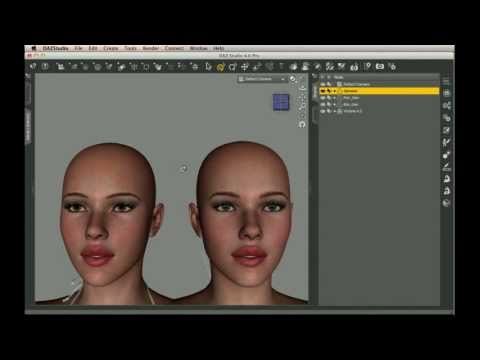
And here:
Both tutorials, after they have created and transferred the morphs - describe loading a new Genesis character, then going into the Shaping tab, and under Female turning the Victoria 4.2 slider up to 1.
I have a Victoria 5 and a Victoria 5 Super Model dial in the shaping tab - but no Victoria 4.2 shaping tab.
I do have Victoria 4.2, all injection morphs, characters... as a stand alone character. Just no "clone shape" dial/slider in the shaping tab.
Am I supposed to, or is there something else I need to buy that these videos assume I have, but I do not?Victoria 7 promo image with white hair and cheek dimple...what character is this?Hello :)
like Rafmer said, there is a dimple morph. At this image i used the Cheek dimple Crease HD at 95% :) You can find it under "Pose Control" - "Cheeks and Jaw".
Thank you and have a great day :)
- Shozai
I guess I might have eventually stumbled upon that after a bit.

Thanks for the heads up.Loading G2F, Genesis, V4, etc. in Carrara -- questions of speedIt sounds like you have Poser. In the Carrara content browser, there is an icon in the upper right that brings down a menu to add addtional runtime folders. Just add your Poser runtime and any custom runtimes that you created and you are good to go. Load V4 Poser content directly in Carrara from those runtimes. That is what I did before I switched to G2F and G2M characters.
You can also make a full body morph in Poser and then save and then load that character from its Poser Runtime directly in Carrara. It works really well because you can use Poser's Wardrobe Wizard to create a matching full body morph for your clothing content and Carrara will load it directly. Furthermore, Wardrobe Wizard also works on custom objs that you model to the base V4 yourself and will create a full body morph to fit your character. Alternatively, there is a dynamic cloth utility that can be used with any figure if you get the Carrara plugin.
Here is a suggestion that might work for the face, depending on your characters. Load your female character in Carrara. Load default V4 and zero. Follow the standard procedures for making a head morph for V4 for Poser in terms of exportng the body parts. Then load just the V4 head in its standard position. Move the original character so that the face lines up with the V4 loaded face. Select the V4 head. Click the wrench in the upper left to vertex model in the Assemble room. Move the vertexes to match your character. Then follow the standard procedures for saving the head as a morph for V4 as if it was going to be used in Poser.
Victoria 7 promo image with white hair and cheek dimple...what character is this?Hello :)
like Rafmer said, there is a dimple morph. At this image i used the Cheek dimple Crease HD at 95% :) You can find it under "Pose Control" - "Cheeks and Jaw".
Thank you and have a great day :)
- Shozai
Loading G2F, Genesis, V4, etc. in Carrara -- questions of speedRE: moving to M4 and V4. Such a move brings a lot of very good and some fairly bad. On the good side, yes, you will observe faster usage speeds in general, with a few exceptions. Another very good is the ability to use the vertex modeler in animation mode easily. A third very good is that content for V4 and M4 is plentiful and relatively cheap when on sale.
On the bad side, you lose autofit. That means for morphed V4 and M4 bodies, the clothing item has to have matching morphs. It is easy to address in Carrara, or one can buy morph transfer utilities. A second bad is that with most figure generations come improvements in joint bends and that sort of thing. Again, easy to fix in Carrara (see morph in animation mode comment above) or can buy available morph bend products for M4/V4.
Yup, I know all about the limitations of moving back 3-4 [!] generations of figure. Loss of autofit is not a problem, as I've been converting clothes to morphed V4s [and V3s!] with CrossDresser, Wardrobe Wizard, and other tools since way before autofit. Loss of improved articulation is also a sacrifice I'm willing to make.
Now I just have to figure out how to get my characters back down to V4...
--MW
Loading G2F, Genesis, V4, etc. in Carrara -- questions of speedRE: moving to M4 and V4. Such a move brings a lot of very good and some fairly bad. On the good side, yes, you will observe faster usage speeds in general, with a few exceptions. Another very good is the ability to use the vertex modeler in animation mode easily. A third very good is that content for V4 and M4 is plentiful and relatively cheap when on sale.
On the bad side, you lose autofit. That means for morphed V4 and M4 bodies, the clothing item has to have matching morphs. It is easy to address in Carrara, or one can buy morph transfer utilities. A second bad is that with most figure generations come improvements in joint bends and that sort of thing. Again, easy to fix in Carrara (see morph in animation mode comment above) or can buy available morph bend products for M4/V4.
Eyelids not closing properlyAs start point,, most of DAZ character of genesis (1,2,3) have individual hidden eye close morph (MCM) which auto appy when user use eye close.
then If you mix those base character morphs as you like, and make new character, each hidden corrective Morphs still work with keep mix ratio,, and not cause big problem. But if you make character,, which do not have corrective morph for eye close,, You may need to adjust it,, or use other eye morphs (change limit, or mix)
to reduce problem, BeeMIKay way (change limit and add more) is good way, I recommend to mix another eye shape morphs to adjust close shape. (though it cause problem, when you open eye)
and check hidden properties, and try to tweak these MCM value too. those may help often, But can not hope perfect smooth close.
as principal, we need to make individual MCM about eyeclose pose. (not only aout eyeclose,, samething happen often about other expression morphs), for each character.
you may need to try make MCM by yourself in other modeling aprications which can import mesh, and produce morph target obj . (may need some knowledge about daz morph and ERC)
this document may tell you all you need (though version change, and some tool may change too, but you know what and why you need)
Some More Content Creating QuestionsThis kinda looks like it needs Rigidity.... although I guess the best solution would be to create a corrective morph.
Belts in bending areas are always a problem.
One thing you might try is to have the belt not be welded to the clothes or as a seperate object. Then adjust its weight maps to resist bending and stretching like that.
Rigidity is for auto-follow morphs - it isn't used for bending, where you make things rigid by giving them a uniform weight across the item (which probably wouldn't work here). The problem is that in reality the belt would push the fless (and other clothes) out of the way, but that won't happen here (without adding custom morphs to everything)
Eyelids not closing properlyClick on the little gear in the slider for eyes close. In the dialogue that opens, uncheck "Use limits". You can then close it beyond the 1.0 value. But be warned that the result might not always what you expect. It's possible that you will have to create a custom morph for this.
Victoria 7 promo image with white hair and cheek dimple...what character is this?Ya' know a dimple morph wouldn't be such a bad thing. Sort of like freckles, they can add a lot of individuality to an otherwise easily recognizable figure.
HD Finley is looking pretty good.There is already a cheek dimple crease morph in pose controls; used it here.
http://www.daz3d.com/gallery/#images/231911
Some More Content Creating QuestionsThis kinda looks like it needs Rigidity.... although I guess the best solution would be to create a corrective morph.
Belts in bending areas are always a problem.
One thing you might try is to have the belt not be welded to the clothes or as a seperate object. Then adjust its weight maps to resist bending and stretching like that.
Translation not working when rigging figure.I'm just rigging things the way I always do. It was a choker. Ran the transfer utility then rigged the gemstone which I wanted to be able to move seperately. Painted the X, Y, and Z weights. Everything rotated okay. Moved the translation, the bone moved to where I wanted it but the geometry stayed put. It never used to do that. Used to be the bone moved the geometry moved with it. Did they change something with the latest version?
Transfer Utility. hm?
Try this - Select the node you want in the scene to move. Go to the Parameter's tab and find the X, Y, Z translations and check if they have limits set to ON. Usually the DAZ Figure has a limit of 0 on the translation values. Perhaps transfer utility copied that. If you disable the limit, you should be able to translate the bone.
Tell me if this works. If not, we'll try something else that might be causing this.
EDIT: Made a small error, ignore that advice.
Daz 3D is part of

Connect
DAZ Productions, Inc.
7533 S Center View Ct #4664
West Jordan, UT 84084Licensing Agreement | Terms of Service | Privacy Policy | EULA
© 2026 Daz Productions Inc. All Rights Reserved.