-
IM Being Myself Poses for Genesis 8 Female Clothing?
The main promo is the Summer Outfit for Victoria 8 at Renderosity. Not sure about the halter/jeans outfit in the smaller images.
Victoria Iven HairI'm trying to find a hair like Victoria Iven demo model has one:
https://www.daz3d.com/victoria-iven-for-genesis-3-femalesDoes anyone have seen it before in the Daz3D shop? Thanks.
Problem with LY Kumiko? Seems to be looking for Victoria 8 content?I'm not sure if Victoria 8 is a prerequisite or what, but it's not listed as such on the product page...
Yet I get these errors when trying to create a Kumiko actor:
 Looking for the most beautiful female characters there are, help pls.
Asari said:
There is an ongoing forum joke that this is the most beautiful female character of the store, albeit it is G3F and not G8F: https://www.daz3d.com/lydia-hd-for-victoria-7
The figure looks good, nice to have 2 body morphs. The renders are very stylized. Face reminds me of Daisy Ridley - Not a perfect likeness, but enough resemblance to trigger the thought. I'm obviously missing the joke.
Looking for the most beautiful female characters there are, help pls.Asari said:
There is an ongoing forum joke that this is the most beautiful female character of the store, albeit it is G3F and not G8F: https://www.daz3d.com/lydia-hd-for-victoria-7
Another case of the eye of the beholder, I guess...
 Looking for the most beautiful female characters there are, help pls.There is an ongoing forum joke that this is the most beautiful female character of the store, albeit it is G3F and not G8F: https://www.daz3d.com/lydia-hd-for-victoria-7Novica & Forum Members Tips & Product Reviews Pt 13
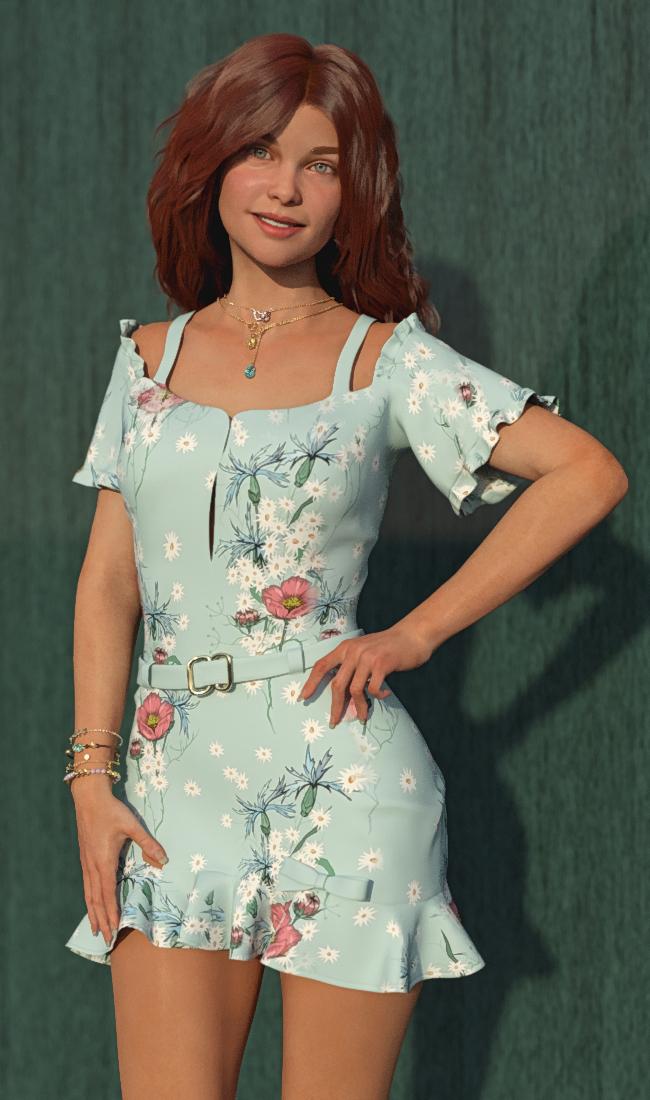
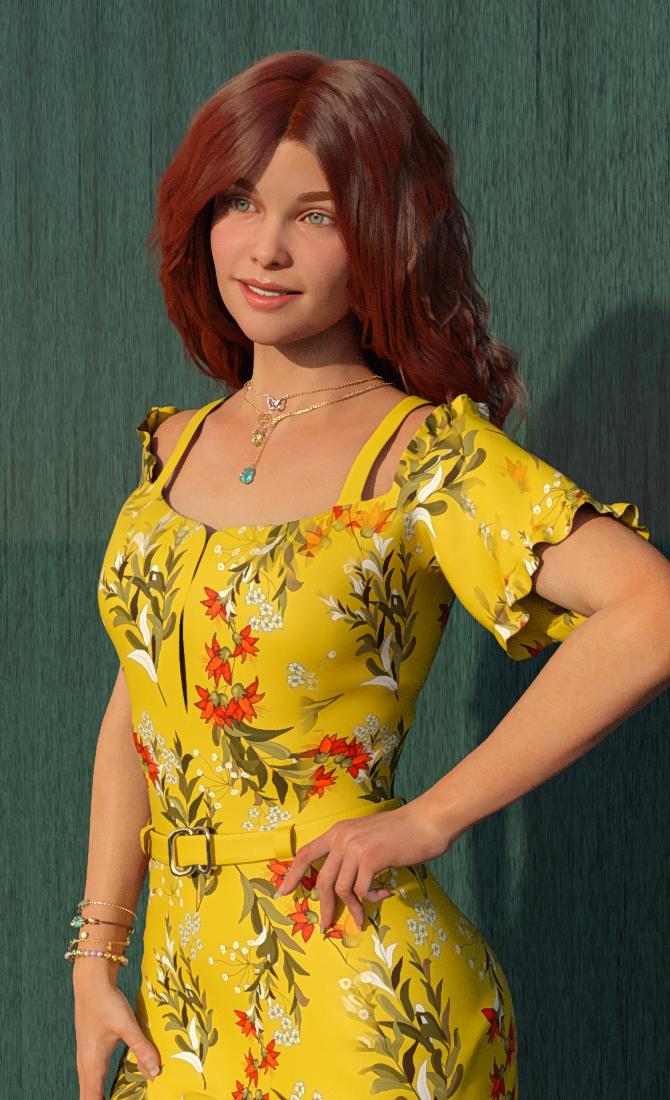
VW Margot (V8) dForce Ezra Hair (G8) dForce Alivia Candy Dress (G8F)
For the clothes sale, (10 or less items yesterday) I went strictly with the Arryn / Onnel vendors. SUCH classy dresses. You get a lot of material options, instead of constantly being charged for additional sets. (Again, over at Rendo, there's usually more texture sets by different vendors. Edit- I checked and there are two different sets offered.)
Be sure and note the cute jewelry :)

 Support for Gen4 in DS 4.14?
PDSmith said:
"I'm not seeing this in 4.14.0.10, using either the hip or the figure node to translate a posed Victoria 4."
@Richard, I'm not sure what the issue is then, due to I'm seeing this on 4.14 (current beta ) and 4.14 (public release) on one computer, and on a different computer; 4.12 beta does it, BUT, when I use 4.9 public release on the same laptop (this prior to the IK Chain rework per the change log). I don't have the problem any more. In fact both the 4.12 and 4.9 versions share the same folder structure, add to that, both computer systems use the same layout. if I delete the IK Chains (from the scene tab) not one version of Studio appears to show this problem, not even a hint of a twitch/jitter while moving the figure.
Well, it may be that I am misunderstanding the issue - I loaded Victoria 4, aplied a pose, and used the Universal tool on the Viewport gizmo to translate her with the figure selected and then with the hip selected - the pose seemed to remain stable.
Which is why I believed DAZ stopped advertising legacy based products with anything version 4.14 or close to. Legacy prodocuts don't sell like they used to, so why support them? Microsoft has a cut off date for each version, most software companies do the same, I figured DAZ was doing the same as well but hey I'll gladly admit I'm wrong.
Lastly, the DAZ trouble log email says DAZ is about 4 week out from getting to this problem, so, I can wait, if it's one thing about this year and hobby, we've learned it's patience in the face of adversity or challenges.
R/
PDSmith
I think that was an estimate as to how long it will be ebfore the ticket is handled, it says nothing of what will happen then.
Support for Gen4 in DS 4.14?"I'm not seeing this in 4.14.0.10, using either the hip or the figure node to translate a posed Victoria 4."
@Richard, I'm not sure what the issue is then, due to I'm seeing this on 4.14 (current beta ) and 4.14 (public release) on one computer, and on a different computer; 4.12 beta does it, BUT, when I use 4.9 public release on the same laptop (this prior to the IK Chain rework per the change log). I don't have the problem any more. In fact both the 4.12 and 4.9 versions share the same folder structure, add to that, both computer systems use the same layout. if I delete the IK Chains (from the scene tab) not one version of Studio appears to show this problem, not even a hint of a twitch/jitter while moving the figure.
Which is why I believed DAZ stopped advertising legacy based products with anything version 4.14 or close to. Legacy prodocuts don't sell like they used to, so why support them? Microsoft has a cut off date for each version, most software companies do the same, I figured DAZ was doing the same as well but hey I'll gladly admit I'm wrong.
Lastly, the DAZ trouble log email says DAZ is about 4 week out from getting to this problem, so, I can wait, if it's one thing about this year and hobby, we've learned it's patience in the face of adversity or challenges.
R/
PDSmith
Support for Gen4 in DS 4.14?PDSmith said:
This addresses why I think DAZ has chosen to stop support of the legacy figures. This is only an opinion, not fact, not even an educated guess, just my opinion.
DAZ in a simple term (and no moderator this is not an accusational comment,) DAZ inadvertantly/indirectly broke V4 and never truly went back to fix it. The problem is quite simple, sometime from version 4.9 to 4.12 of Studio the IK Chains were rewritten and that 'broke' v4, it also 'broke' m4 and all IK chains of the legacy animals.
The problem is simple to repeat and see. Using the translate tool and/or sliders has shown V4/M4 and nearly all legacy animals all suffer a minor to severe twitch while being moved around the scene. Given that some poses when applied much like Genesis to Genesis 8 they reset their position to 0,0,0 and have to be moved back to where you were working. Welcome to the broken pose; a foot twitch, arms moved, back bent or wings turned, tail twisted out of an intricate pose. The pose is broken and while moving back to the location the figure twitches… even 3d Universes toon ape does the twitch. (FYI Richard if you read your PM you would see I asked you about this in a private PM last week and then moved it to a trouble log entry given the no response.)
However I have a horrible and down and dirty work around. If you use IK Chains for the legacy figures then you're out of luck, sorry. Turning off IK Chains doesn’t work, deleting the IK chains is a temp fix but upon save and later loading your scene, you now have double the IK Chains.) so…
1) make a small cube.
2)scale the cube down to 1% and make sure under the PARAMETERS tab to mark it under DISPLAY that this cube is not seen in simulation, and in the SHADER tab to make it transparent. and lastly parent/child the thing to the figure.
3)last step, all 4 IK chains that appear with V4/M4 or all chains under the legacy animals and assign (under the PARAMETERS tab) the CHAIN ROOT and CHAIN END to the cube.
I hope this works for others. Good Luck.
I'm not seeing this in 4.14.0.10, using either the hip or the figure node to translate a posed Victoria 4.
Support for Gen4 in DS 4.14?Thanks Richard, but in case of Victoria 4 - she was designed to be DS-compatible and has always been marked (and marketed) as such. So is this a new store thing or did something change on the DS side recently?
For me the real question is - does upgrading to DS 4.14 mean losing support for V4?
Support for Gen4 in DS 4.14?I've noticed that some of the older characters including Victoria 4.2 are now shown in the store as only compatible with Poser and not with DS 4.14 - as a result they don't appear in search if filtering by "software". Is this another store glitch or was support for Gen4 indeed dropped in the latest DS version?
I was away from Daz-related stuff for a while and trying to get my bearings...
DAZ Gen(eration) 4: running the DzCreateExPFiles-###.bat files - figures in multiple Poser runtimes.3dcheapskate said:
Something strikes me about the "Make sure you don't have two \Runtime\Libraries\!DAZ\Victoria 4 folders" - doesn't that imply that the DzCreateExpFiles.exe reads a Poser configuration file - otherwise why would it matter whether or not, and how many, mapped runtimes you have that contain the aforementioned folder ?
So what if you have more than one version of Poser installed, with possibly different mapped runtimes ?
What if you a DAZ Studio user who doesn't use Poser ?
But you run the batch file from Windows Explorer, from \Runtime\Libraries\!DAZ - so why should it even care ? Surely it should do whatever it does just to the \Victoria 4 subfolder of the location it's run from ?
Poser can soemtimes be stubborn about where it looks for files, with multiple (different) connected Runtimes with the back-end folder it may load the wrong version of soem files, potentially breaking the process. I'm pretty sure that isn't just hypothetical, that there actually have been people with issues that turned out to be multiple active /Runtime/Libraries/!DAZ/Victoria 4/ folders
DAZ Gen(eration) 4: running the DzCreateExPFiles-###.bat files - figures in multiple Poser runtimes.Something strikes me about the "Make sure you don't have two \Runtime\Libraries\!DAZ\Victoria 4 folders" - doesn't that imply that the DzCreateExpFiles.exe reads a Poser configuration file - otherwise why would it matter whether or not, and how many, mapped runtimes you have that contain the aforementioned folder ?
So what if you have more than one version of Poser installed, with possibly different mapped runtimes ?
What if you a DAZ Studio user who doesn't use Poser ?
But you run the batch file from Windows Explorer, from \Runtime\Libraries\!DAZ - so why should it even care ? Surely it should do whatever it does just to the \Victoria 4 subfolder of the location it's run from ?
Texture (UV) and morph compatibility: DAZ Gen(eration) 1 to 4; Gen(esis) 1, 2, 3, 8 and (beyond ?)3dcheapskate said:
Gen(eration) 3: Victoria 3 (V3), Michael 3 (M3), Aiko 3 (A3), Hiro 3 (H3), Stephanie Petite (SP or SP3), The FREAK, The Girl*
This generation saw the introduction of the Unimesh.Unimesh was Generation 4.
Also, Millennium Girls and Boys were Gen 1/2, Millennium Kids YT/PS were Gen 3 too.
Texture (UV) and morph compatibility: DAZ Gen(eration) 1 to 4; Gen(esis) 1, 2, 3, 8 and (beyond ?)vwrangler said:
Genesis 4-5-6-7 do not and never did exist. Daz jumped from 3 to 8 to avoid having Michael/Victoria 4 for Generation 4, and Michael/Victoria 8 for Genesis 4, which would have been massively confusing. It just made sense to make the character and generation numbers agree.
: FACEPALM : !
I knew that ! My brain just forgot to remind me...I even recall posting to a thread about it a few years back suggesting (retrospectively) that DAZ should have called the character 'Regenesis' to avoid the confusion about Gens*.

Of course I knew that {InsertArbitraryNameHere} 5 is for Genesis, 6 is for Genesis 2, 7 is for Genesis 3, and 8 is for the current version of Genesis.
*And that's before anyone starts thinking about toast !
Texture (UV) and morph compatibility: DAZ Gen(eration) 1 to 4; Gen(esis) 1, 2, 3, 8 and (beyond ?)Genesis 4-5-6-7 do not and never did exist. Daz jumped from 3 to 8 to avoid having Michael/Victoria 4 for Generation 4, and Michael/Victoria 8 for Genesis 4, which would have been massively confusing. It just made sense to make the character and generation numbers agree.
Texture (UV) and morph compatibility: DAZ Gen(eration) 1 to 4; Gen(esis) 1, 2, 3, 8 and (beyond ?)Reinstalling Generation 1-4 for use in Poser 11
(This post is mainly to remind myself of what I'm doing)Start off with generation 1/2 because I've got very little of that.
1) Download the manual installation zip files afresh from my product library. Since I only have a small amount of gen 1 content I'll put it all in a single runtime.
2) Unzip them all to a new external '/DAZ/Gen 1,2/' runtime
- Delete all 'Weblinks' folders
- Delete all 'DS_Store' files
- Convert all RSRs to PNGs using Dizzi's converter 1.0.0.2 from Renderosity freestuff
- Delete all RSRs
3) Make some minor edits to the CR2s (I don't like figures loading with Hip selected and the figure name just Figure)
- Chage defaultPick to BODY if it exists (leave the :1 or whatever suffix as it is). It's usually set to Hip, which I find annoying. If defaultPick doesn't exist then the figure won't be selected after loading, so I want to add it. defaultPick goes in the figure section after any addChild and/or inkyChain but before any weld, immediately before the displayOn
- Change internal name to same as CR2 - 2 places
- in second 'actor BODY' statement, 'name' - this is what will appear on the Body Part drop-downs above the preview and parameter panes when Body is selected. The default 'GetStringRes(1024,1)' gives the annoying 'Figure 1'
- in 'figure' statement, 'name' - this is what will appear on the Figure drop-down above the preview window.
- Note: for step 3 I use Notepad++, search for 'name' to get the name in the BODY actor, then search for 'defaultPick', and finally search backwards for 'figure'.
- The generation 2 figures (Michael/Victoria 2, their reduced resolution counterparts, and the P4-compatible counterparts of those 4) are already set up as I want
4) Reorganize the subfolders.
The pose library usually ends up containing a mixture of skin texture poses, morph poses, and physical poses (stances) for each base figure, plus clothing-specific and hair-specific material and adjustment poses. There's also quite often some utility (e.g. hide/show) poses.
Texture (UV) and morph compatibility: DAZ Gen(eration) 1 to 4; Gen(esis) 1, 2, 3, 8 and (beyond ?)Generation 4:
Victoria 4 and Michael 4 were the two base figures (there was also the Kids 4). All the other characters, Aiko 4, Hiro 4, etc were morphs of these base figures.
The official DAZ Compatibility Matrix includes all the generation 4 characters (I think), but the layout's currently a bit messed up
Using male generation 4 textures on female generation 4 figures and vice versa (this may be Poser specific)
I can't recall where they originally came from, but I've had several 'M4withV4UVs.cr2' type files since as far back as I can remember.
For example, to use V4 UVs on M4 I use a version of the 'blMilMan_m4b.obj' but with V4 UVs (mine is '!blMilMan_m4b+V4UV.obj'). You then simply need to change the two 'figureResFile' lines in the CR2 to use this alternate OBJ (and save it as a new file with a different name of course!).
I may have just replaced the UVs from a standard M4 CR2 with those from a standard V4 CR2
Using M4 and V4 morphs on the Kids 4
I used araneldon's ShareCG freebie Mix K4M4V4 morphs , which is basically a very small CR2 file as follows. It's the 'M4/V4channels.pz2' that's the important/clever/tedious stuff.number 6
}
readScript ":Runtime:Libraries:Character:DAZ People:The Kids 4.cr2"
readScript ":Runtime:Libraries:Morphs:araneldon:M4channels.pz2"
readScript ":Runtime:Libraries:Morphs:araneldon:V4channels.pz2"
}I also used the same approach to create M4 CR2s with V4 morphs and vice versa. I'm not sure if you can just inject V4 morphs into M4 and vice versa, because of that DzCreateExpFiles thingy you need to run after installing a generation 4 addon figure for M4, V4 or K4.
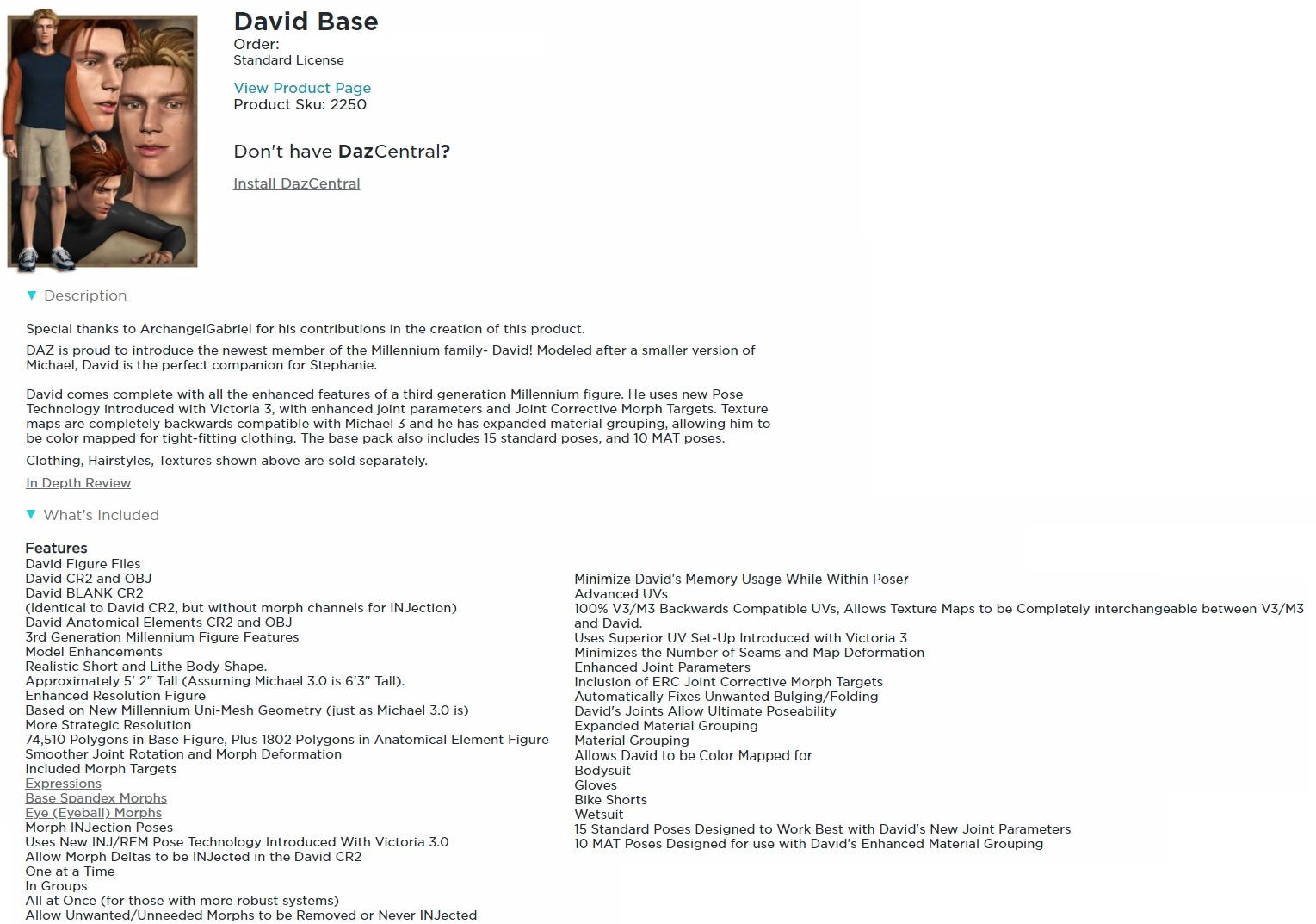
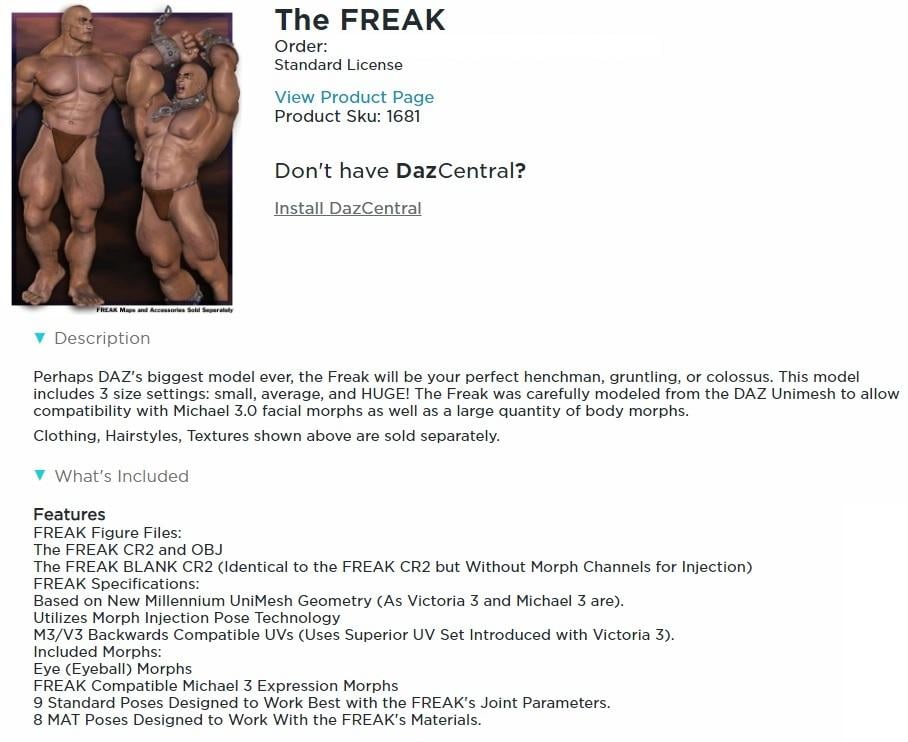
Texture (UV) and morph compatibility: DAZ Gen(eration) 1 to 4; Gen(esis) 1, 2, 3, 8 and (beyond ?)Generation 3: Victoria 3 (V3), Michael 3 (M3), Aiko 3 (A3), Hiro 3 (H3), Stephanie Petite (SP or SP3), David, The FREAK, The Girl*, Millennium Kids Preschoolers Matt + Madison), Millennium Kids Young Teens (Luke + Laura), Millennium Baby 3.0
This generation saw the introduction of the Unimesh (according to the product library/store pages for several generation 3 figures)I got the impression that this meant that all the generation 3 figures used exactly the same base mesh, just sculpted differently.
Did they all have the same UV mapping? Looking at the details for the base figures in my product library pages the phrase "Compatible with unimesh based DAZ figures" appears on some. On others it's more specific.
*I think that The Girl was generation 3, but her default UV mapping was different, although she also had a V3 compatible UV set.
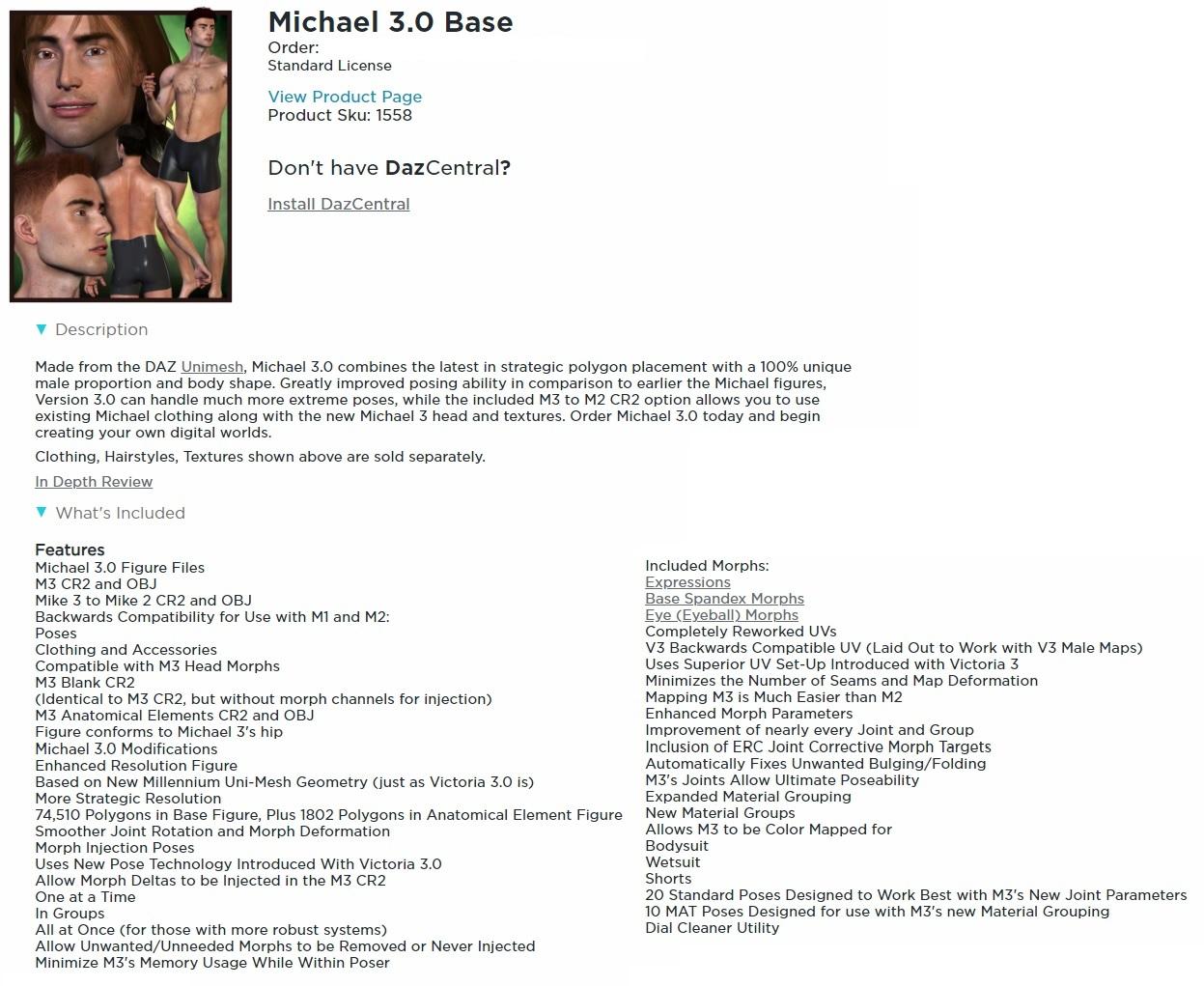
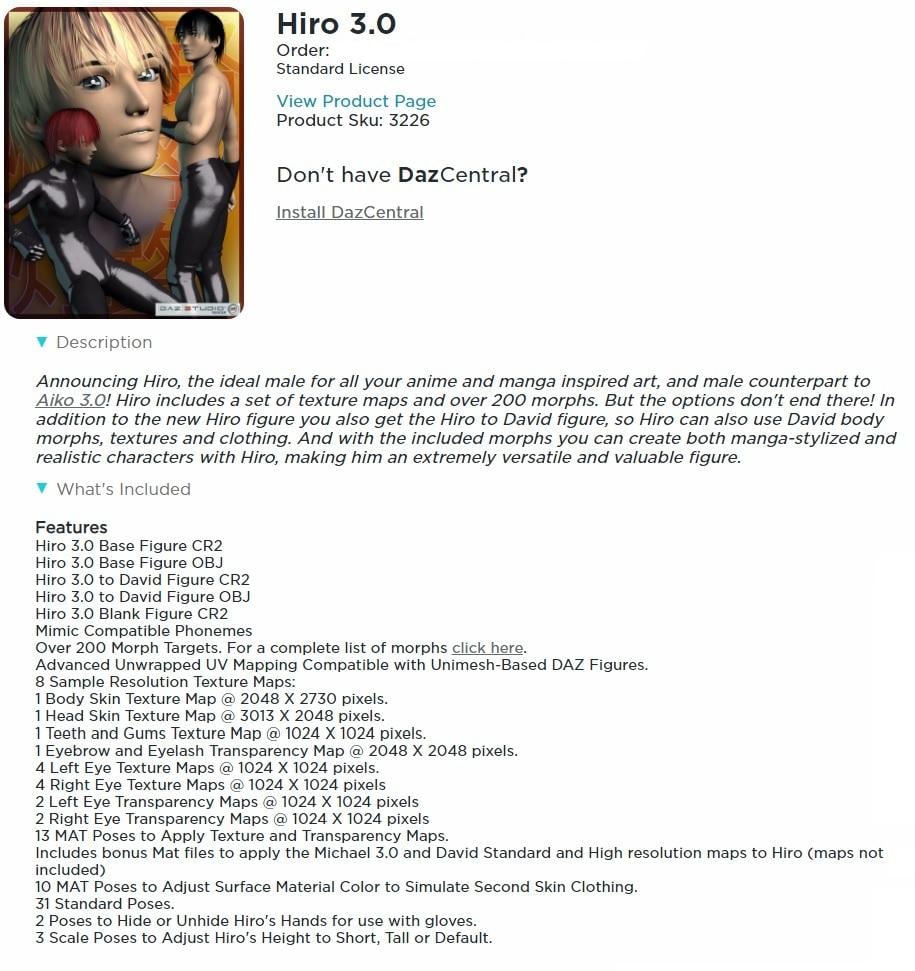
Here's what my product library pages say about the generation 3 lads: Michael 3, Hiro 3, David, and The Freak
Daz 3D is part of

Connect
DAZ Productions, Inc.
7533 S Center View Ct #4664
West Jordan, UT 84084Licensing Agreement | Terms of Service | Privacy Policy | EULA
© 2026 Daz Productions Inc. All Rights Reserved.