-
Vincent Media Action Star Poses
No I don't think so, that outfit looks as though it doesn't have a T shirt outside morph.
This one seems closer, although not exact. http://www.daz3d.com/chilled-out-outfit-for-genesis-3-male-s
Lucian!Yeah, very similar to Michael with a slightly more chiselled facial structure. Looks more interesting with the Ivan hybridisation, however.
Nothing wrong with that, of course, but weren't we informed this character was going to surprise us in some way? Not at all sure what the description about vampirism alludes to. Perhaps a coming character morph?
saving morphs and sliders?1. Import your morph. Use the bridge (Hexagon or Zbrush) or Morph Loader Pro (obj from some other application).
2. Find the morph...it will be under Morphs in Parameters and depending on how you imported, probably a subfolder, in the name of the import method.
3. Then, select your morph and make sure it works the way you expect it to. You can also click the little gear on the slider and make some changes to the settings (Parameter Settings in the drop down menu). Things you should probably change...setting a limit (especially lower limit), location of where the morph will show up (Path parameter...click the arrow and you can then go through the lists)., You can even set the slider color. Finally, make sure you zero the morph.
4. Once you have things the way you want them (if you moved it from the original location, you'll need to find it again...), go to File > Save As > Support Asset > Morph Asset. Then, in the dialog box, fill in the info, especially your name. After that information is entered, there will be a list, labeled Properties, bellow those boxes. There should be nothing checked. Open the main figure (click the little arrow) and drill down to find your morph. Click the box to put a tick in it...and ONLY your morph. Hit accept.
5. Clear the scene/restart (not absolutely necessary, but sometimes things can work a lot smoother when testing with a fresh start). Load G3F and look in the location you assigned the morph to...
A couple of things to remember...give each morph a unique name, otherwise you chance overwriting an existing morph. Always remember to zero out the moprh before saving...otherwise you can create a situation where it will load as 'On' for ANY character for that figure.
saving morphs and sliders?the quick way is, when you import morph target, by hexagon bridge, it usually auto set , morph group as" morph/morphloader" . and set morph name as "morph"
then the new morph only be shown in parameter tab.
but you can change it , by click and set group. if you set group as Actor region group sub category,, it may shown in shape tab too.And when you make morph by hexagon bridge,, the property tyep should be auto set as "modifier/shape" then it can be shown in "shape tab" without any additional setting.
I usually just keep default, then import morph to ds ,and test it,, , after that go to parameter tab,, and tweak group (path) setting,.by clicking the small top right "gear" icon
(if you change parameter tab as "edit mode", you can drug and drop the property to the group which already made too)
after all, to save morph paramanently (to use morph for other scene, or new loaded character,) you need to save it as "morph assets",from top menu file>save as >support assets> morph assets .
saving morphs and sliders?hi all, frst I want to just say how much fun I am having with Daz Studio 4.9. Now on to the the question...
I have been trying everything and researcing this alot lately. I use Hexagon 2.5 for creating morphs for my genesis 3 figures. The problem I am having is that I want a permanent slider connected to genesis 3 figures, over under the shaping tab that just loads up with the figure. Only thing I am able to do is start a scene, send the figure to hexagon, create morph, send back to Daz, then create my scene and hope I get everythign made just right in one shot. Because once the scene is closed the morph and target are gone forever. I came across a few posts earlier that said to create perameters and other ones saying about saving as morph assets. But none of these work. they only work for that one time use in a scene.
I really need to figure out just how I can save morph targets for genesis 3 figures that will always be grouped with my other morph sliders. I am sure I am just missing somethign here, so hopefully someone else has gone through this same problem and figured it out.
Thanks in advance for any good ideas guys.
--Brian
Product Updates: DIM Zips starting July 2013Updated November 14, 2016
Al-Khimia DS 7/30/2013 add .duf, displacement, metadata Al-Khimia Ps 7/30/2013 add displacement Faery Wings Deluxe 1/20/2014 Genesis/G2F versions, update metadata Toys of Yesteryear DS 3/10/2014 add .duf version Neo Station 4/29/2014 Add Legacy and .duf files, add preload,remove DS materials from Poser files,Update Metadata Drakkar 6/20/2014 add .duf version Jormungandr 6/25/2014 add .duf version Captain Tempest 7/2/2014 paths fixed Colors for Piratess Hair 7/21/2014 metadata update Neo Station 9/8/2014 update paths The Vintage Sleigh 10/16/2014 add .duf version Dashing Through the Snow 10/16/2014 add .duf version Faery Wings Deluxe DS 10/19/2014 add wearable presets Olivia DS 10/26/2014 add .duf version Queens Court 2 10/27/2014 add .duf version Queens Court 3 10/27/2014 add .duf version Woodland Princess 10/27/2014 add .duf version Woodland Princess DS 10/30/2014 replace incorrect textures, metadata update Sampan DS 11/1/2014 added .duf version Huang Ze DS 11/1/2014 added .duf version Palace of Leaves 11/2/2014 add .duf version Imperial Retreat 11/2/2014 add .duf version A Thousand and Two Nights DS 11/2/2014 added .duf version Palace of Leaves DS 11/6/2014 metadata update Spanish Rose Los Azahares 11/7/2014 add .duf version Spanish Rose Los Azahares Jardin 11/7/2014 add .duf version Grandeur Dinner Service 12/9/2014 unknown Outpost 94 12/29/2014 updated to .duf, updated metadata The Vintage Sleigh 1/15/2015 metadata update Drakkar BryceCF 1/16/2015 fixed Bryce installer, added tips .pdf to online readme Jared for Michael 7 12/22/2015 Update Full Body Morph with bone adjustments Karen 7 2/1/2016 update Iray presets for DS4.9, add legacy (DS4.8) Iray preset FWSA Frida HD for Karen 7 2/11/2016 Update torso maps to correct nipple position Vyria for Arabella 7 2/17/2016 unknown FWSA Edgar HD for Michael 7 4/19/2016 fixed genital texture and 3delight base mat Battle Blades DS 4/28/2016 add Iray presets Jared for Michael 7 5/11/2016 Attach morph icons to dials Valoria for Arabella 7 5/24/2016 unknown Arcane Summoner Outfit for Genesis 3 Male(s) 7/21/2016 metadata update Badlands Plants 8/21/2016 no change Neo Station 8/31/2016 Update metadata, remove legacy installer Toys of Yesteryear DS 8/31/2016 update metadata, remove legacy installer Indigites Dii DS 9/6/2016 added .duf, removed legacy files FWSA Edgar HD for Michael 7 9/6/2016 no change Smoking Room Poses 10/14/2016 no change (but needed for DS, not just Poser) Smoking Room Poses StudioCF 10/14/2016 add metadata (DS4+) Space Shuttle 10/20/2016 no change The Heart of Space DS 10/20/2016 update center sky panel mats Medieval Hall and Garden DS 10/20/2016 no change Wow Brow 10/20/2016 updated to work with another product Poseable Trees with Ivy 10/27/2016 update 3delight materials Gwenbleiz HD and Beard for Michael 7 10/27/2016 assorted fixes Hunter Gear for Genesis 3 Male(s) 10/27/2016 fix dupe formula error, add unparented scabbard Amazon Queen Poses for Olympia 7 11/3/2016 unknown Leandros Hair and Beard 11/3/2016 add style morph presets, update metadata Hunter Gear for Genesis 3 Male(s) 11/3/2016 add metadata for unparented scabbard Victorian Santa for Genesis 3 Males 11/8/2016 replace missing smart content thumbnail Christmas Toys of Yesteryear DS 11/8/2016 metadata update Kringle Tales 11/8/2016 replace missing smart content thumbnail Faery Wings Deluxe DS 11/12/2016 no change Faery Wings Deluxe Generation 3N4 Ps 11/12/2016 no change Faery Wings Deluxe PoserCF 11/12/2016 add mat poses Palace of Leaves DS 11/12/2016 metadata update Victorian Santa for Genesis 3 Males 11/12/2016 metadata update Genesis 3 a workaroundwhat you need
- GenX by Dimension3D http://www.daz3d.com/dimension3d
- A clone shape product, I used the Genesis 2 male one for genesis 3 male http://www.daz3d.com/genesis-3-male-for-genesis-2-male-s but one that suits figure you are going to convert to will do
what you are doing
converting the mesh to a Carrara compatible figure but keeping mesh and shaping morphs
you need GenX as the pose morphs will not work so you add the morphs for another compatible figure
the workflow
- use GenX to inject the desired facial pose morphs, expressions, visemes, blinks etc it can be from Victoria 4 even as long as morphs not controls,
- load the figure and your desired target, I used genesis 3 male and genesis 2 male
- fit to
- choose full body
- save as support asset actor
thats it
easy
OK it will work in Carrara and use poses in my case for Genesis 2 and with tweaking earlier poses
it can use facial expressions under genX so a mimic dmc for the figure you sourced them from will need those and prob moved to the head in edit mode mover, not tried yet only dialed some in so far.
some textures/materials load most do not depends how the PA saved them, 3DU little ones and Jolab's Torak worked for me most others got an error, resaving in D|S may work I still need to find the best way.
Otherwise load maps manually.
I will add updates to this thread and videos as I play with it

as you see from video some morph presets will load but can tell you now most will crash Carrara to the desktop
dialing the best action
and it can only use those you have when you saved the figure
if you buy more you need to resave it as a support asset

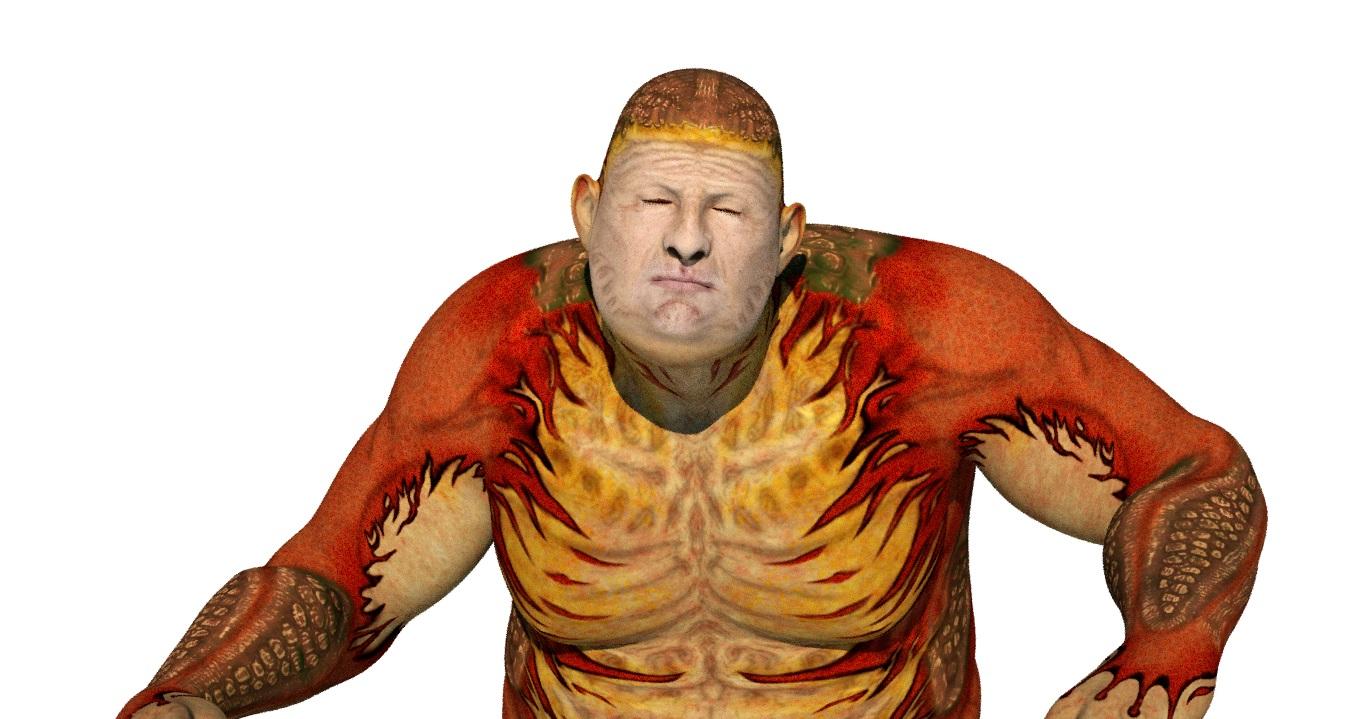
oh it can wear most clothes for your target figure out the box too.
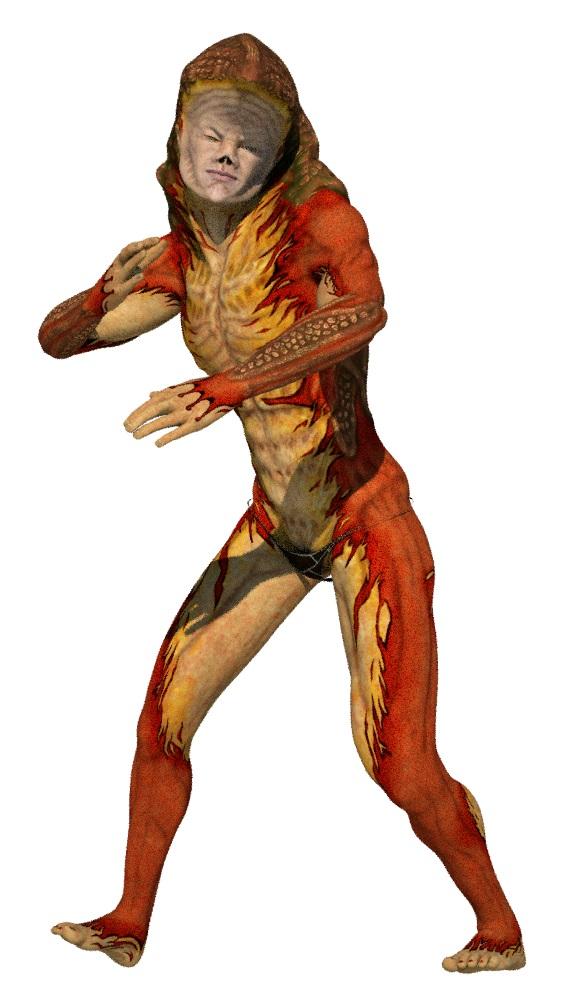 Teen Princess Leila
..so anyone who has her, have you tried using morphs like Breasts Smaller, Breasts Gone, or using special morphs like Dogz Natural Breast Shapes or Zev0's Growing Up?
Breasts Small seems to work decently over its full range; Breasts Gone and the Youth Morph cause problems past about 50-60%.
That said, it was not difficult to take her into Hexagon and create a corrective morph for Breasts Gone. (Liberal application of the Soften tool, and a light touch with the Displacement tool.)
An extra benefit of this is that if you dial up the corrective morph without using Breasts Gone, it gives her a chest shape similar enough to base G3F that you can use many breast morphs that work on the base figure.
GENERAL FREEBIE REQUESTS Part 2I was wondering if there was such a thing as any freebie Vamp Morphs for G1 like the teeth and make-up etc....????
Free fang morph for Genesis: http://www.sharecg.com/v/63076/gallery/21/DAZ-Studio/Fang-morph-for-Genesis
Free fangs for V4: https://www.renderosity.com/mod/freestuff/fangs-for-victoria-4-genesis-reposted/69928
Free vampire morph and texture for V4: https://www.renderosity.com/mod/freestuff/?item_id=65999
Free vampire body and head morph for V4: http://www.sharecg.com/v/69161/browse/11/Poser/Vampire-Girl-for-V4.2
Free Vampire nail https://www.renderosity.com/mod/freestuff/?item_id=59360
Vampire character for V4 and Genesis but not free: http://www.daz3d.com/scarlett-black
Thank ou so much for these links Charlie!!!!
I went and d/l all them giggles.
Bryce freezes when left mouse button held down for more than a second or two.Hi I've just started playing with Bryce 7.1 following along with David Brinnen's tutorial videos on You Tube I've also purchased the Bryce Mentoring DVD (although most topics are a bit too advanced for me as a beginner; which I thought it was for... oh well) and I have a question I can't find an answer to. I have bryce installed on a PC with Win 7 OS and when I hold down the left mouse button for more than a few seconds, Bryce freezes and there appears a thick black outline on the left and top edges of the viewing window. As soon as I release the mouse button Bryce becomes response again but the last move by the cursor is undone or overdone (translated further than intended, for example). This even happens if I just hold down the left mouse button but don't actually do anything; I just keep the cursor stationary. Is this a bug or is there something I can do about it? I did have Bryce installed on an external drive and thought this issue was due to the slightly slower data transfer from an external drive; so I uninstalled Bryce and installed it in the Program Files x86 folder - but the issue remains and I don t really want to keep Bryce on the C drive as content will clutter the drive and slow performance and I have yet to work out how to set up just the content folders on an external drive it appears that Bryce needs content to be installed in the same location as the program itself . Any help would be greatly appreciated. Cheers, Erwin
Teen Princess Leila..so anyone who has her, have you tried using morphs like Breasts Smaller, Breasts Gone, or using special morphs like Dogz Natural Breast Shapes or Zev0's Growing Up?
Breasts Small seems to work decently over its full range; Breasts Gone and the Youth Morph cause problems past about 50-60%.
Certain morphs not working in Genesis 2 figuresAdmittedly, I am still in the infancy of migrating from V4 to Genesis 2. When I apply a morph (such as awesome eyes) to a Genesis 2 figure (Giselle for Genesis 2), The entire eye turns solid black. Whether I have Giselle highlighted and double click, or drag the morph from the tray to the character, or to the head in the right hand list - same result. Does the same when I try to apply some skins = solid black.
Any ideas?
Thanks
Jayits the DAZ 3Delight or iray shaders in duf format not working in Carrara, depending on how the PA saved them, they can do that.
Poser format works if you can find an accompanying DSON companion file in your runtime poses folder, some Genesis stuff has them, not every Genesis 2 does as they started abandoning Poser in droves by then in which case applying DZdefault in DAZ studio and saving the figure as a scene subset might be better and opening that in Carrara. Also save at base resolution for easy loading you can up the rendering subdivision after.
Invest in the Carrara shaders by http://www.daz3d.com/ringomonfort for less hastle, wishlist as often on sale, can just drag to the coloured ball at the top of shader tree for the model as long as correct UV applied, that you must do by loading the character.
Certain morphs not working in Genesis 2 figuresAdmittedly, I am still in the infancy of migrating from V4 to Genesis 2. When I apply a morph (such as awesome eyes) to a Genesis 2 figure (Giselle for Genesis 2), The entire eye turns solid black. Whether I have Giselle highlighted and double click, or drag the morph from the tray to the character, or to the head in the right hand list - same result. Does the same when I try to apply some skins = solid black.
Any ideas?
Thanks
JaySaving morphs made in Hexigon G3Saving the morph should be enough, no need to save modified asset. Without making any modifications to the morph, it's theorectically possible that saving it as a modified asset, in a zeroed state is actually going to 'undo' it.
Also, can you post a screen shot of the save dialog with the fields filled in how you would when you are saving a morph?
Saving morphs made in Hexigon G3I send g3 to hexagon make some minor changes in shape only and send back to Daz.
There the window open to make morph, I have been changeing name from Morph to , whatever, and accept.
It does appear in Morphs on the right panel like it should, Then I go to save as / support asset /morph asset and fill in the window and save.
From there I go to save as/ support asset / save modified support assets.
Some times it works out most times it does not. Most times when i open a new G3 the morphs do not show up.
I am missing a step , or something. I just do not have a good grasp on the proceedure. It is getting rather frustrating.
G3F iris problemNope. It wasn't the size of the eyes either. No amount of morph fiddling fixed this, so eventually I decided to edit the iris diffuse map to bleed the brown to the edge of the iris (God knows why the PA didn't do this!)
Admittedly, there is now a slight black ring there for some reason, but it's certainly preferable to white!
A broken neck texture... (poser pro 2014)Under the Figure Menu, at the top, change the "Figure Skinning" and see if you get a different result.
If this is a "traditionally grouped" figure, and I don't really know, since I haven't used G2, then Poser will sort of "anchor" the vertices of bounded groups to prevent seam-splitting between groups. (It sort of dupes verts to do that in fully welded, yet grouped, objects.)
What can happen when certain sort of morphs are applied is that, depending on the Skinning Method, you can end up with an extra set of verts during some morphs. It all depends on the morphs, really. Try different skinning methods and, if this doesn't correct the issue, use the Morph Tool to bring that geometry back down to where it should be. (It's probably using the base "Diffuse Color" for those faces and not the padding area or background color of the actual texture.) If you find it is using the background color of the base texture, then you need to add some padding area around the texture region, itself. (ie: Using Photoshop or Gimp, clone-brush around the edges of the face texture to extend them a bit to cover faces that they are not covering.)
You may have better results if you apply a ready-made texture pose for that texture instead of cut/paste. (It may help compensate, but I don't know that it will.) Also be sure that both the U and V scale are set to 1 in the Image Map box for the texture in the Material Room.
PS - And, another thing :) - Check to be sure that the seams between the neck and head group in G2 aren't truly split in the original model. I can't check because I don't have it. Just load the base original figure from your library and apply the "Smooth" brush action with the Morph tool to that region at a high setting. If a split seam developes, then the geometry was likely split to begin with and it might be causing issues. Rigging deformers/joint settings could be contributing to the issue because of this.
How to? Custom Star Wars morphs for M4 and V4Update!
(Sorry, I've been out of town for awhile. May have to go out of town next week, so working a bit on the project this week, as I have time.)
OK, imported morphs to check for any unsightly deformations during Expression Poses for the mouth, just to check to see if I had any major issues. And, as you can see, I did not!
1) Default M4
(Just checking the topology of the basic mouth/lips before moving with the other major areas. I'd hate to do it and then figure out I had to redo major steps.)
2) M4 Expression Smile=1
Was planning on bulking up cheeks, anyway, so it'll be smoother in that area.
3) M4 Expression Open Smile=1, Mouth Open=1
Nice, basically smooth combo expression. Sorry, he's had his teeth and gums pulled, for the moment. He'll have 'em back once he's proved he's not dangerous... ;)
4) Now it's time for the tough stuffs... How will he fair with the dreaded Lip Pucker=1 combined with Lip Pucker Wide=1????
Booyah! Some slight crowding on the centerline, which I'll fix, and the rest looks as good as a weird alien with ducklips is gonna get. :D
IOW - It appears that most expressions for M4's mouth and lower face will work fairly well, considering the new topology. The finished morph will have a bit more work done on the mouth to get the "crocodile corners/cheeks" impression correct, but there's no significant geometry crowding/ripping/weirdness going on with what I have so far. So, this is truly "doable" with decent results for existing M4 morphs. That means you can load expressions and get the basic mouth expressions, which are going to be Gunganguy's most emotive bits, to work pretty well. Head and neck rotations look very good, too, so there won't be much weirdness there, either. As before, everything on the z-axis past the nose is going to change, with eyestalks and floppy bunny ears being conforming items. (Haven't decided on if I'll use M4's eyes, but it's also a possibility, since loaded expressions should work fine and it'd be nice to use the eye expressions some of them come with. I'll see how it goes.
PS - Gungan mouths sometimes, due to the animators, pull back towards the skull more during some expressions. I'll inlcude a few "fix" morphs to give more gungan-like movement of that area towards the rear. Gungans have a huge, much larger, range of facial structural range than... any realistic species should have.. In reality, for primates, there's a reason for this - If primate facial structrues varied so widely in "real-life" primates, we'd have difficulty in determining an individual's facial expressions, which is critical social input for us. I guess gungans might use their ears or something a bit more to communicate emotions... Or Lucas was droping acid when he approved the character designs. :)
Lastly - Thanks for the project idea! It's tough, abdnormal, crazy-morphing, but that's why I signed on, so it's all good!
Poser Library into daz studio???I have been a long tim e user of poser pro 2012 but want to switch over to daz studio. Is there a way i can transfer my poser pro library/models into daz? Would be a shame if i was not able to use my models
G3F iris problemThanks. That's helpful. Maybe I had increased the size of the eyes (I need to check that).
But it would surely help to avoid this problem altogether if the iris map went right to the edge of the iris disc! I am not sure why there needs to be a bit of white space around the edge. It's just asking for trouble! ("I know, let's introduce a problem that we then need to add a correction morph to fix"
Daz 3D is part of

Connect
DAZ Productions, Inc.
7533 S Center View Ct #4664
West Jordan, UT 84084Licensing Agreement | Terms of Service | Privacy Policy | EULA
© 2026 Daz Productions Inc. All Rights Reserved.