-
HD Expression Morphs, Please
That being said, the bones of the upper face rig are accessible in the Scene tab under Head>Upper Face Rig. From there you can manipulate different parts of the face to create and save expressions. To get a more extreme expression, a morph will have to be created.
I can't find that.
Morphing Crash VehicleThere is one in this bundle: http://www.daz3d.com/live-architectures-bundle
Yea but I would want a super car like an aston martin or ferrari to be able to have these morph options
ZDG random Daz Studio discoveries and questions.Ah, thank you very much for the links Kettu. I was sipping coffee trying to wake up, and sitting on a PM because I was looking for a link that may be a tad more acceptable then a unsorted joke-pot of random photos. In any case, looks like the tiny icon-sized card posted before did possibly have more to it, and larger images. In any case, this appears to be the best I can locate (years after I first found the former posted card of faces), especial given that it dose not look like FaceResearch has that stuff on there site that I can locate.
http://fstoppers.com/portraits/average-faces-women-around-world-2944
I'm still a bit tired, I had some odd dreams about a Diictodon stalking me (What the?
 ). I have some housekeeping I need to do (Got a battery at 3.35v that I hope is just a loose wire, otherwise it's a very big lead acid mess back there
  ), then I want to try to make a more petite shorter morph.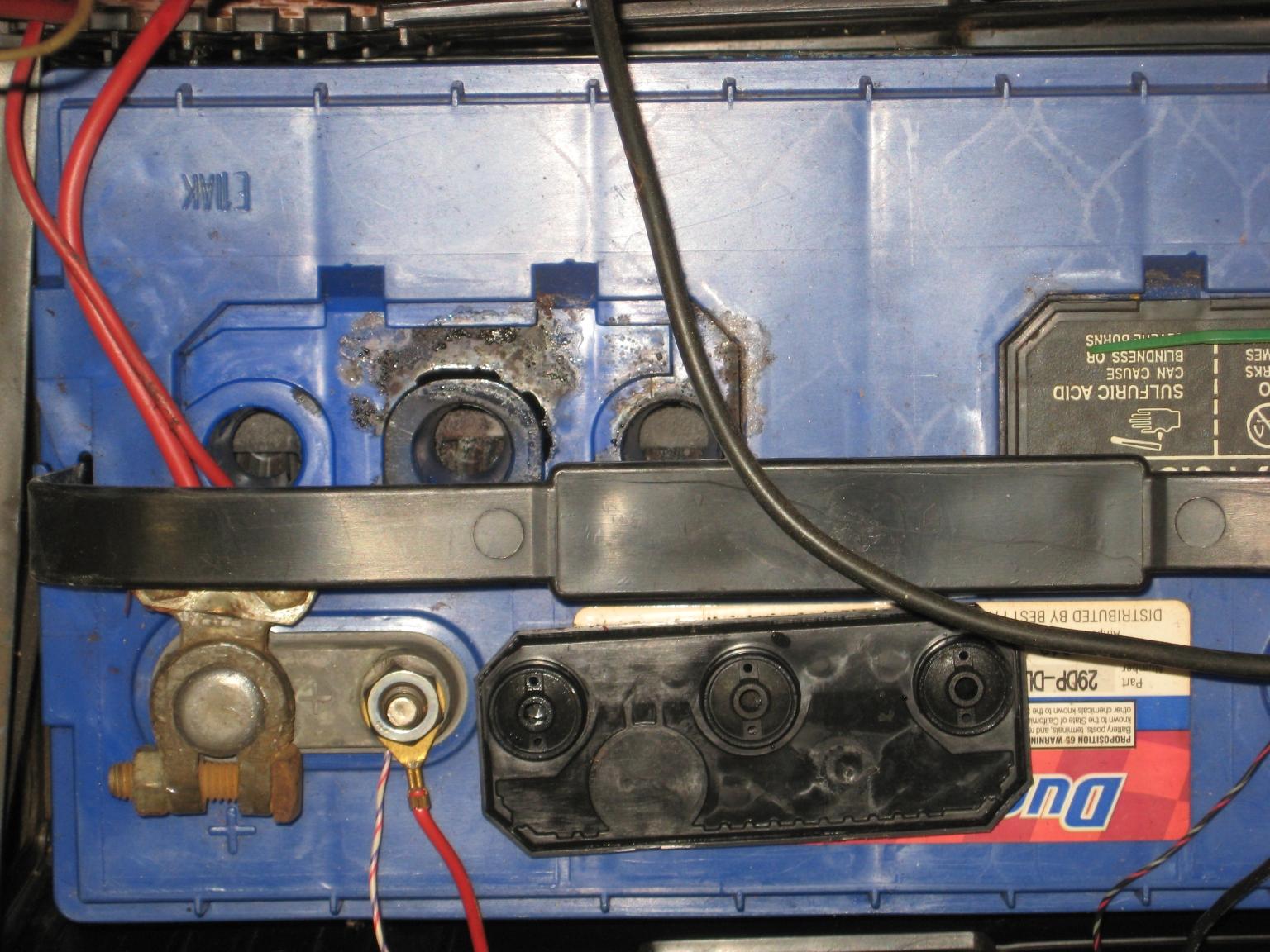
I'm not the only one digging out dead stuff. I'm OK here, it's a clean kill. Pulled that off the line and will exchange it at daylight. The other fifteen look ok, probably just age. Now about that petite shorter morph, and a mystery symmetry thing in hex for selecting quads (ah, that's how).
http://www.youtube.com/watch?v=tyOtUkfQMOs
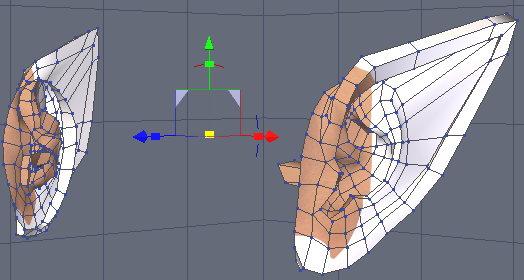
You were right kettu, making elf ears is sort of relaxing... Until you try to turn them into a dial, lol. That will be a mess after SubD gets a hold of them, so not worth it. The Symmetry thing in hex dose work very nicely tho.
HD Expression Morphs, PleasePAs are given a facial rig overlay that correspond with the bones in the face, but as far as I'm aware, a lot of us don't use them, and to be honest it's not that great of a system and I always end up going with custom expressions that are created specifically for my characters. That being said, the bones of the upper face rig are accessible in the Scene tab under Head>Upper Face Rig. From there you can manipulate different parts of the face to create and save expressions. To get a more extreme expression, a morph will have to be created. Most of my expression morphs are not created in HD, because I find it easier to manipulate a low res mesh rather than a higher one. I believe Daz considers subdivision 2 and above to be "HD".
Hair Won't Go On The headThis is a custom morph? The first thing I'd check is in the Parameter Settings for the morph, whether "Auto Follow" is on. If not, the hair will load where it would be on the unmorphed figure.
CONTENT wishes for 2017A morph brush. Yeah, I know the "other" program has this, but it's there for a reason. It's extremely handy and useful. Fit morphs would be a thing of the past...I could fix clothing between breasts and glutes myself. Hmmph.
+1 I'd LOVE this!
Clothing (dresses especially) with better morph control. If it's one thing that's seemed to go backwards in recent years, it's movement morphs for things like skirts and dresses.
Yes, Please! So important! More movement morphs for hair too. Some hair creators add good hair movement morphs, but seems like many don't - or don't provide evough.
CONTENT wishes for 2017A true "invisible to camera" that still shows up in reflections, but not directly in the shot...would be fantastic for mesh lights. I could have one right in direct view of the camera but not showing up and blowing out the image, yet still casting light. There seems to be a command in DS that does this, but it doesn't do what I think it should OR I've never gotten it to work correctly.
A morph brush. Yeah, I know the "other" program has this, but it's there for a reason. It's extremely handy and useful. Fit morphs would be a thing of the past...I could fix clothing between breasts and glutes myself. Hmmph.
Clothing (dresses especially) with better morph control. If it's one thing that's seemed to go backwards in recent years, it's movement morphs for things like skirts and dresses.
The ability to turn off cast shadows.
A written manual. I will PAY. Please, please...somebody write one.
I'm sure I'll think of more ;)
Laurie
poor wedgiest wedgies ever promosSickleYield, I started with DS in March and there are soooo many things I still have no clue how to use.... Do you have any tutorials on the following or plan to make them?
Joint Editor, Geometry Editor, Node Weight Map Brush, ActivePose, New Group, New Node Instance, New Nodes Instances (plural), New Geometry Shell, New D-Former, New Push Modifier Weight Node, New Iray Decal Node, New Iray Section Plane, Transfer Utility, Transfer Active Morphs, Morph Loader Advanced, Morph Loader Pro, Scene Identification, Set Default Compatibility Bases, Element data, everything under the sub-menus for Geometry, Rigging, Instances, Assets, Bake to transforms, and more.... Why are all these capabilities being hidden from us because of lack of documentation??? It would be really great if someone, if not Daz for some reason, could explain all this...
Thanks :)
virtual penny 4 yor carrara thoughts ?asteroidlady was saying, g3 has geografts covering it's seams.
wouldn't it be a kicker if it was the geografts crashing carrara after all?
No. What makes Genesis 3 incompatible with Carrara is a very known issue. It (G3) doesn't work in Poser either. Here's the thing:
Daz3d, from the very beginning, has always pushed the boundaries of excellence in creating the most realistically modeled - as well as reallistically rigged human figure for this realm of Pose Artists content.
In this everpushing forward, they've utilized the very latest technologies coming down the pipeline from professional visual effects studios to come up with something very magical - Daz Studio 4.0/Genesis uni-mesh platform. This, of course requires special considerations within the software to make it work.
They've (Daz3d) contacted Smith Micro, right from the start, to help them bring these special features into Poser as well - SM agreed, but then backed out. Daz3d then took it upon themselves, due to customer demand, to develop the whole DSON for Poser system.
This is all really substantial stuff, and Daz3d deserves a LOT of respect for their persistance in keeping with all of the latest and greatest technology available.
DSF files were absolutely not playing nicely with Carrara. So, during the development of Carrara 8.5, the DUF format was designed which actually made the whole system a lot more compatibe across the board.
It was amazing that we could model things for this basic little male human figure, and the auto-fit/auto-follow technology would allow this content to fit and follow an amazing range of shapes before actually breaking down and poking through. So there are also tools in place which allow us to add more automated shape changes to anything by reading a specific morph dial being activated - and can also be configured to work at different levels of the morph dial. For example, we could have a shape-change automation that changes the shape if Behemoth is cranked up. Oh, but it's not quite right if we only use 33% of Behemoth - so we can make another automation file for the Behemoth dial at 33
And these tools are made to be incredibly easy to use and enormously sophisticated and powerful. The geekier we get with the tools, the better results we can garner.
Still, it was becoming apparent that clothing creators, especially for female shapes, could benefit immensely if, instead of having one Unimesh figure, we had a Base female and Base male figures separately - and so Genesis 2 was born.
Of course, Genesis 2 was not just a release of the separation of Male and Female, but yet another HUGE advancement in pushing for a better human figure - both in mesh and rigging, skinning, and everything that goes along with that, like joint relationships and such. The difference is uncanny.
Genesis 3 figures are a whole new setup using whole new technology which is the current top-end trend in Hollywood CG characters.
In order to actually take advantage of these treats, we need the technology. The mesh is just a bunch of shape data without the technology to drive it.
The latest word on the Carrara development was that they have the Quaternion Skinning working in Carrara-under-development, but not yet there for everything that Genesis 3 needs to survive - and that report is from over a year ago.
I (as always - and often feel alone in this) am ever so optimistic that the day will come, when we get a new release of Carrara with Genesis 3 support. Who knows... perhaps they (Daz3d) are on the cusp of another technological advancement for the future, and are endeavoring to include that into Carrara at the same time?
But until we get this technology, the best that we can expect to do with Genesis 3 in Carrara are as such:
Import obj from DS - set up the way we want it - and render
Get the Genesis 3 to Genesis 2 clones to use Genesis 3 clothing on our Genesis 2 figures
Pretty much any other situation is not actually using Genesis 3 at all.
Wendy has some cool ideas on how to use Genesis 3 as a skin (or as clothing) onto a supported figure. Misty has been doing some interesting tests as well, but do understand that none of these options ca come close to taking advantage of what Genesis 3 actually is.
The best (and currently Only) way to take advantage of Genesis 3 is to use Daz Studio.
So we can use Carrara to create our massive scenes with beautiful atmospheres and clouds, etc., - even interior scenes - and render them out to be used as an environment in Daz Studio, where we can take full advantage of Genesis 3 figures.
Alternatively, we also still have the immensely awesome Genesis 2 figures and their ever-growing selection of support products. Genesis 2 is still an amazing pair of figures!
I'm really sorry, Misty.
Morphing Freak 4 character into a Toon character and high school senior.I transferred Freak 5 morph over with Gen X. This is the base Toon Generations 2 male loaded and then the freak morph added at 100%. He looks pretty good I think.
CONTENT wishes for 2017Japanese Anime/Manga Style Characters. Not toonish ones. I've had enough of toons and their big noses and thick lips.
In addition, Anime/Manga Style Skins and...
Most Importantly: Hairs!
Also Eyes Round Morph for G3. Conversion with GenX2 from Aiko 3/Hiro 3 to G3 is an option but seriously a single morph would be so much appreciated.
More 3Delight Support. Believe it or not I'm still fasinated by this engine, and people are still using it for some renders that don't even need photorealism.
Lower Texture Resolution Option. I load a character with a bunch of clothes, then there, the program just eats another 3G or more memory. Decimator helps only a bit and it seems most of the memory is used by high-res textures
More Utility Morphs On...Well, Almost Everything. Sometimes a piece of clothing is really eye-catching but the lack of supporting morphs makes it applicable for only a few limited conditions.
Less Skimps, More Practicals, Better Desgin.
Like More Realistic Creases/Folds on Realistic Items.
This is a rather personal wish: More Well Designed Fantasy/Sci-Fi Armour/Suits Please. There are a lot of armors and sci-fi suits on Daz this year and I'm pretty happy about it. Got most of them, too. The only complain I have is that the overall design still seems to be somewhat...limited. The basics are good but compared to what the Anime/Manga/CG/Game world has to offer, the artistic side is lagging a bit behind.
Another rather personal one: Uniforms. Being It Realistic or Sci-Fi or Fantasy (especially for men). Many decent and contemporary ones in my libraries are not even from Daz. There are a few good ones but the supply is short and slow.
Thank Goodness A Dress Blue is coming but it's equally sad that no one knows when and support for 3Delight seems to limited (or even none).
What's the latest, practical Police Uniform for G3M?
CONTENT wishes for 2017There are many things listed that I don't see a need or use for because I either don't ever use them, don't see paying for a product when I have a product already that gets the job done or can do it myself. I do feel bad as there are a few "attempts" at products that I really want, but the current offerings didn't appeal to me so I didn't buy which probably translates into that type of product didn't sell well and that would probably limit the chance of another try at it from the same or another PA
I agree with most of what Cybersox posted. New/improved dynamic/collision/physics features to the core software are high on my list also. Also easier transfer/rigging options for content imported into DS.
Ability to import .FBX rigged models into DS and have it retain the rigging!!!!!!!
I also agree with Melissa on the Native American clothing and props
Here are my wishes for 2017
A quality and versatile old style western outfit, with various parts to make him/her a gunfighter, a ranch hand, or a business/gambling man meaning various clothing and props that can be mixed and matched. There are a few in the MP, but the quality, versatility and style just are not there.
More environment options (that don't kill system resources either). I get a lot of use out of Fern Lake and Thru the woods,but need bigger environments. Dry Mud flats is a brilliant product and would love more like that. Terradome 3 is a great product, but way too resource intensive when you ad an actual scene into it and I had to return it. More space and planet options also. I also want a great IRAY water environment, both top and under
Always looking for more REALISTIC military clothing and gear options
I am all for new dog and cat models, but they need to be bundled (breeds) at a reasonable price to justify me buying based on how little I would use them.
And lastly NO GENESIS 4 FIGURES RELEASED!!
Genesis 2 Male conforming figureAll that i've ever used the Transfer Utility for is take an OBJ and have it be adapted to a morph that is dialed on a specific figure, as in creating a clone for a different figure so that clothing will fit. I am clueless as to how to use it in order to transfer in order to make a figure.
Genesis 2 Male conforming figureAs I have stated over and over and over again. I used the Figure Setup Tool to set the bones in place. I then in the Hiearchy pane, moved the bones to their parent bones and the top bone is the head. After all is in place and the XYZ rotation set and the bones parented to their parent, I hit the "apply" button (or whatever it's called). And in the scene I have a figure to play with. Why must I use the Transfer Utility? What the heck does it do other than moves the mesh to fit whatever morph has been dialed in the base figure? As of now, I've managed to get the custom bones back into place. What I need now (I found out thru googling for item definitions) is to be able to add the weight maps to the custom bones. I "wish" that I could import the weight maps from the antennae figure that already works correctly and not have to do it all by hand.
I don't mean to sound harsh, but I've been dealing with an earache/ear infection for the past 4 days (since last Thursday). So please excuse if I come off a bit agitated.
HD Expression Morphs, Pleasemjc1016 wrote: "Most of what's done in the video is poses, not morphs". That's a good point. So in fact the question should be; why isn't there a controller interface for posing the Genesis 3 face?
If the facial rig is available, why is it hidden? Why do we have to rely on morph dials only? It seems like we have been given a Formula 1 race car with a speed limiter built in.
Is this a question of something being held back or is it to do with an incomplete system? I could understand that DAZ3d might have designed the face rig but not had enough time/money/resourses to finish the job of making a controller interface in time for the release of Genesis3. However Genesis 3 is not new, it has been around for a while, so if the face rig really is available and useable why haven't DAZ3d released a controller interface, themselves or via a third party plugin? This all seems somewhat strange.
Post Your Toon Generations 2 rendersFirst one I've had time to complete its a mix, the toon morph is at about 30% I think
 Genesis 2 Male conforming figure
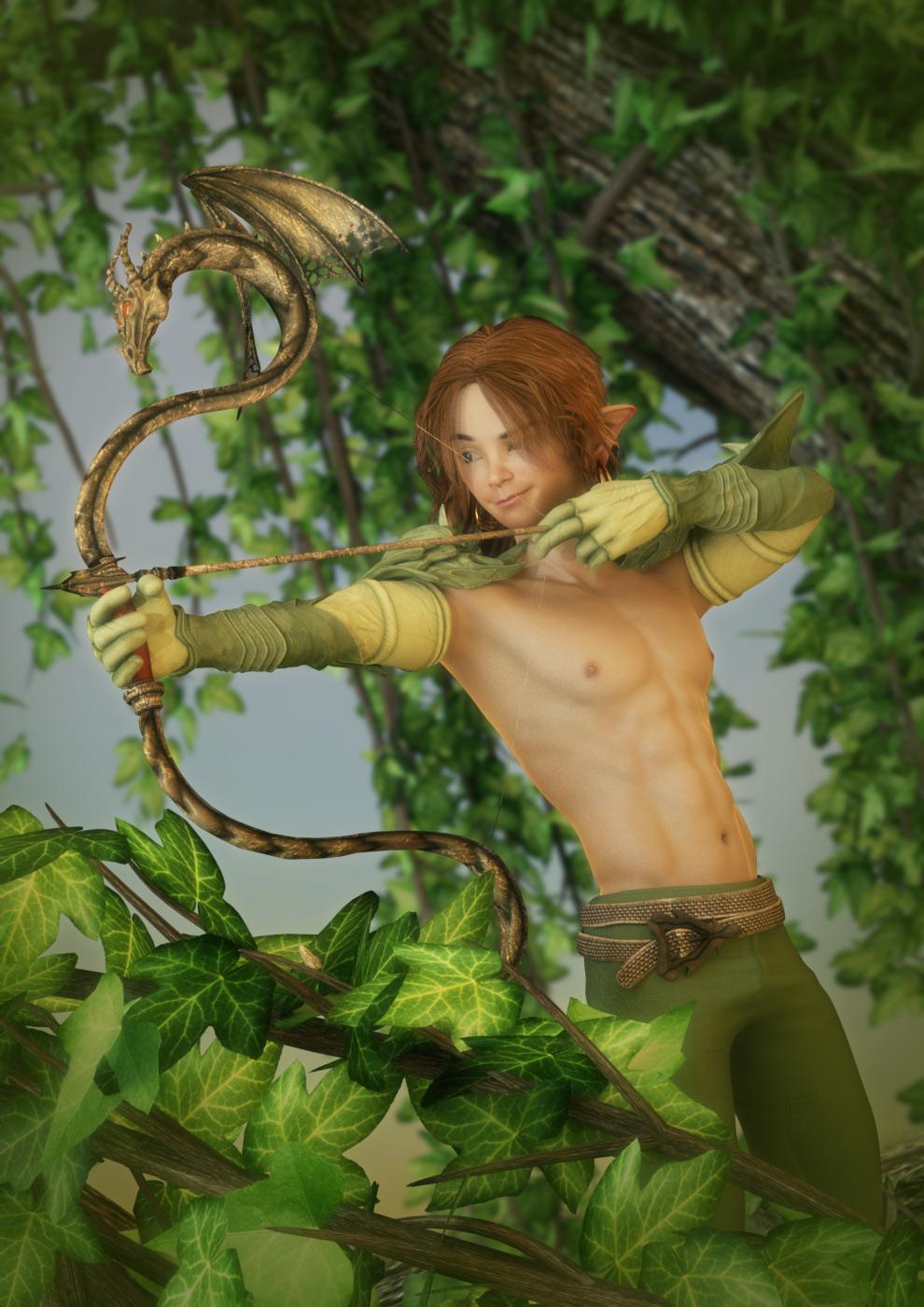
I've tried it where the bones exist for the antennae figure from the Hip all the way to the Head and then my special custom bones are parented to the head. All works well until I autofit to Genesis "2" Male. After I do that, my custom bones disappear. I can go back and add them back in via the "joint editor" but when I test them out (bend, twist, side-side), the custom bones dont move anything. If I move any of Genesis 2 Male (bend head, etc), my custom figure moves with him with no issues. What do I have to do to make the custom bones work? My custom bones DESCEND from the head bone. The custom bones are also named the same as my groups in my antennae mesh.
How did you do this? It won't work if you set up a skeelton with the right bones manually - you need to erive from the figure that is going to wear the item, usually via the Transfer Utility.
CONTENT wishes for 2017I agree with @Llynara with the call for a Genesis 3 baby, new realistic animals, and realistic Iray food.
1) I'd also like to see a step forward in clothing realism. Often times the clothes are a dead give away on an otherwise realistic looking render. Even a lot of the new clothes falls short of the level that a lot of the characters are at when it comes to realism right now. I'd love to see the clothing being released in the new year as a step up/step forward in realism.
2) I'd also like a product that adds realistic folds and creases to clothing. Particularly around the arm bends (elbow bend and armpit bend) and light creases around the waist area. As well as for pants around the knees and light creases around the legs.
3) I agree with @boisselazon with the need for a product that can transfer characters from V4, G1, and G2 to G3 - with a lot more ease and accuracy. To do it right now via GenX you need THREE different products and it loses some face shape accuracy as well as any HD parts.
CONTENT wishes for 2017Time for wishes. Lets jump in this wagon. And I hope release in early 2017? May this thread also gives some ideas to Daz3D staf and PAs
So, let’s play this game with Daz3D CONTENT (no studio 5 feature wishes, no genesis 4 etc…) just content for our runtime.
I’ll engage:
- Freak 7 pro bundle. there is a huge room left here in G2 and more important G3. Those chars can be used in many ways (fantasy, sci-fi, super heroes etc...), they can have what we call in France une GUEULE (a strong face), some scary and/or strong skins and there are many good (selling) argument for them. The same goes to their outfit, wich should be kinda extrem. If daz3D is doubting about a Freak7 sale, just watch the huge success of Georges!
- G3 transfer: an EASY TO USE and “one click transfer” TOOL to convert v4&co, G1 or G2 to G3 (actually, you need several products for the morphs and several products yet several transfers to go from V4 to G3 with not so close results to the original character)
- DAZ Monstrosities for G3: Undead Fiend, for example was my fav. It’d be great to see him & his friends in the G3 family (with iray skin, etc…)
- G3 creature creator: more of them, more skins.
Lmao Studio 5 and Gen 4 arent happening this year anyway so I dont know why people keep saying it will, Daz is very slow when it comes to doing anything, plus they havent said anything so it might not even exhist
poor wedgiest wedgies ever promosIf those are factors, I believe that once you fit the shirt to the bodysuit it inherits active morphs. You can then refit it to the figure and use those morphs, delete bodysuit.
i think.
That is correct. It'll be the ones that are currently dialed in only (active, like you said) and I'm not 100% on whether it will reload after a save. At the time it was better than no custom morph bridging solution for outfits without dedicated breast morphs.
Daz 3D is part of

Connect
DAZ Productions, Inc.
7533 S Center View Ct #4664
West Jordan, UT 84084Licensing Agreement | Terms of Service | Privacy Policy | EULA
© 2026 Daz Productions Inc. All Rights Reserved.