-
Meet the Muses
That's a bunch of interesting and cool muses :)
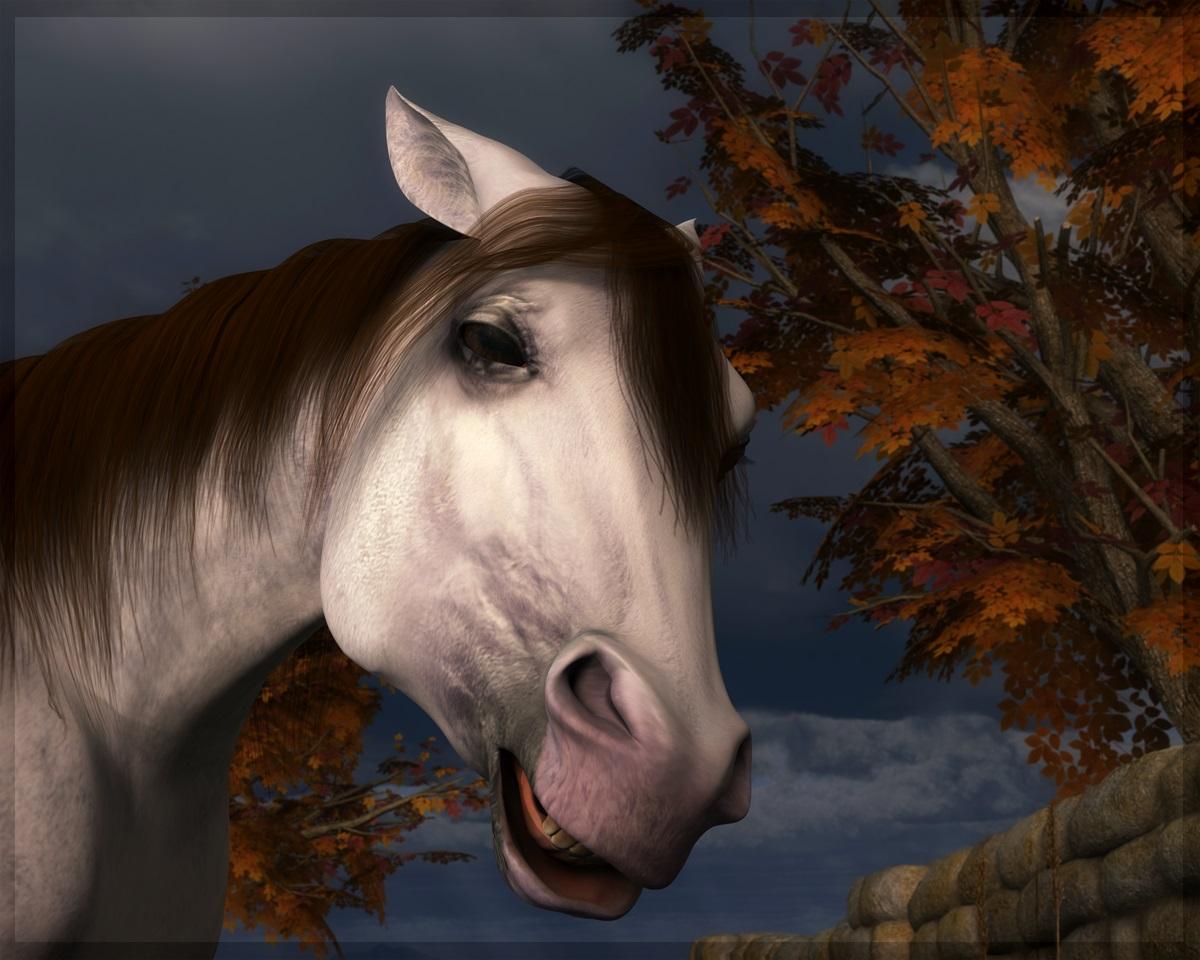
I always go around yelling my muse is a pony. A real mare at that. She can't be made to cooperate, she has to be persuaded. So although I didn't use this morph and.. unusual colour combination in a lot of renders Teh (yes, teh) Pony deserves a spot here:
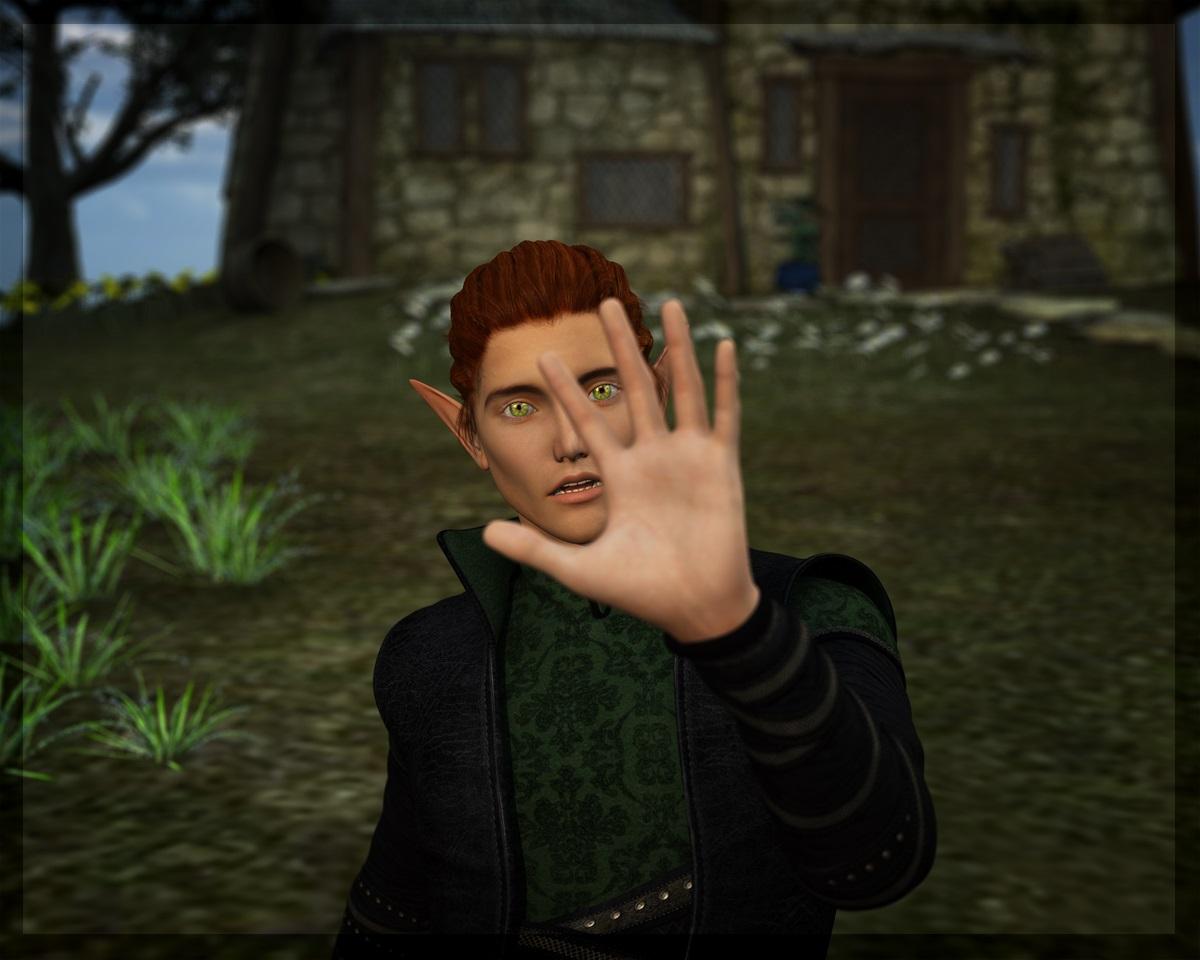
Then there's a few who often demand my attention and are happy to pose for pretty much everything. One of them is Calion, an elf and bard/rockstar who appears in both fantasy settings and more modern scenes, because of the story I am co-writing with my friend. Dialled with various morphs, using Darc's skin, I believe:
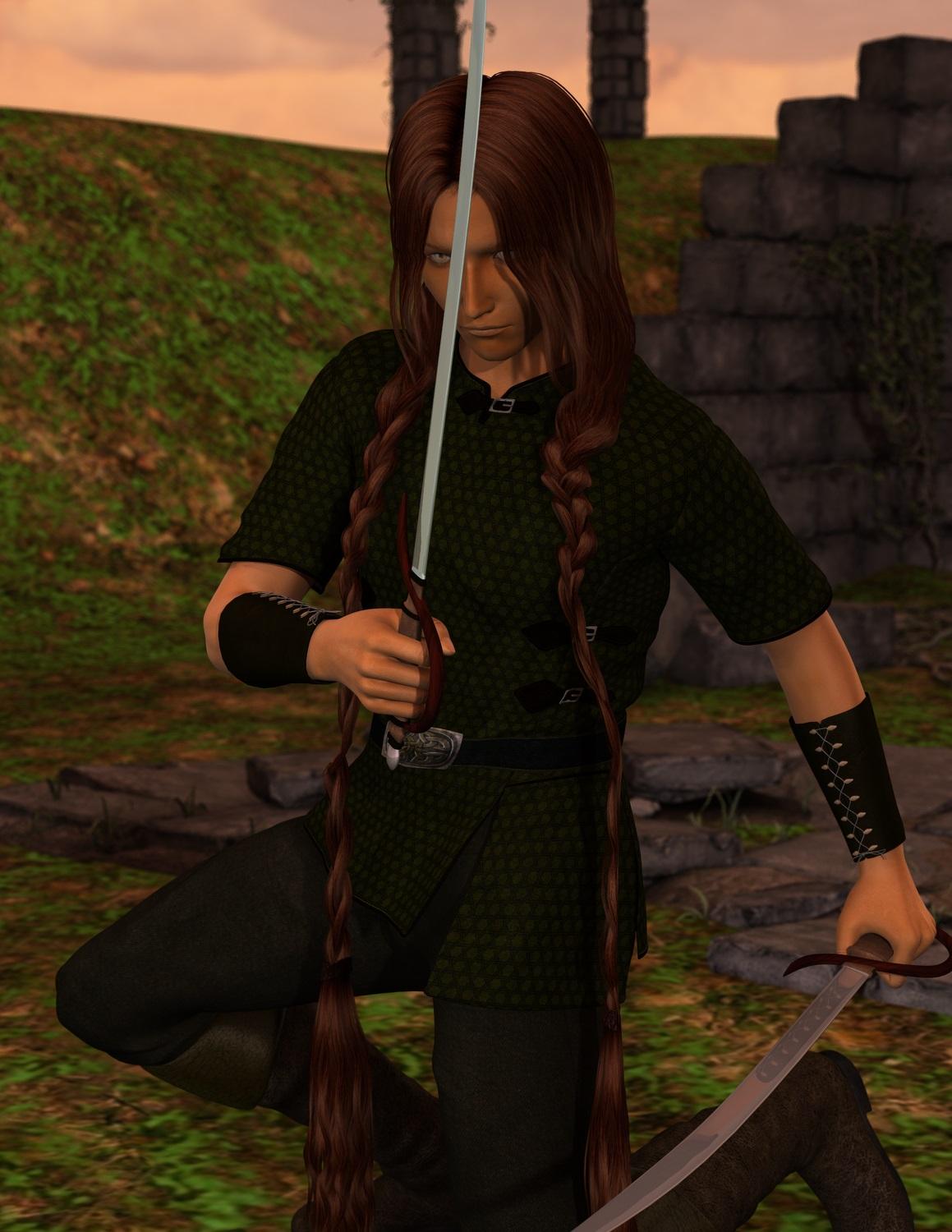
It would probably make most sense to add the other character that insists on having his picture taken whenever I open Daz to test something (the rogue named Dimi), but I won't because my beloved Moody Ranger, Jerutha, deserves a spot here. True, most pictures with him end up as exercizes in brows and greens, but that's because he's a stealthy one. He has a special place, both story-wise and as a 3D character. My first heavily adapted skin (and I had hardly any idea what I was doing - it shows), custom made eyes and an eternal struggle to find a hair model that suits his original description. I should updat him to G2M (or G3M, but my ancient computer needs an upgrade before I upgrade DS beyond 4.6), but.. I just can't. Even though there's a lot wrong with his model, I do love him (even in this very old rather rough render):
 What is the best overall in depth Daz Manual?
it's mostly the same basic info over and over again, the more advanced stuff info is poor or as good as not available.
another problem is that not all the tools are available for the community, some tools are only available for PA's (like HD morph) i guess that's happening with some more advanced software info about the program too.
it can't be all try'll and error testing... wich is lots of creativity time wasted...
my 2 cents: buy you a lite version of Modo, learn Blender, Zbrush core and MarvelousDesigner...
There is a little change after years, finally a few good tutorials show up in the store here. May be more soon....about the studio program;
http://www.daz3d.com/daz-studio-beginner-to-advanced
http://www.daz3d.com/the-comprehensive-guide-to-rigging-tools-in-daz-studio
http://www.daz3d.com/creating-content-for-daz-studio
http://www.daz3d.com/creating-content-for-daz-studio-part-two
Some good one's you really need to check and search for;
- http://www.daz3d.com/modeling-with-littlefox
- search on google for "Darkseal" tutorials, still not available for studio but really good one's; "Zbrush to Poser Intermediate Clothing Tutorial"
- "Darkseal"; Poser to GoZ ZbrushStill a poser version a total redo about one for the GENESIS figures (Zbrush, character creation) would be great to see appear...;
http://www.daz3d.com/figure-creationfor Iray;
http://www.daz3d.com/dreamlightAlien makeup (WIP)Ok, at the moment, I'm having the tough issue of creating morph injections and taking them to work in Poser
 Unless someone here knows how to use Blacksmith3D for exporting morph injections.Thank you DAZ for not correcting the duplicate formulas issue....
This is not a DS bug, this is a bug in a particular piece of content (probably not from Daz either, most problem morphs are freebies, unless you are using very old copies of the Genesis morph packs in which case you should get updates from your account/Daz Install Manager) - reinstalling DS, or morphs that aren't the source of the issue, will do nothing. The on for all figures issue is that you saved a morph with a non-zero default value.
To fix the always on morph, load the base Genesis and look in the Currently Used group in the Parameters pane - there will probably be only one morph listed there, I don't think base Genesis loads with anything on normally, but in any event it should be fairly clear which shape is the culprit (if you set it to 0 the shape will go away). Once you know which morph (or morphs) are at fault, click the gear icon on the slider and open Parameter Settings, then set the default and current values to 0. Finally use File>Save as>Support Assets>Morph Asset to save the morphs in question.
Thanks a lot for your answer. Definetely it is a bug and is from DAZ. All my content is updated and installed by DIM. It's a new computer I have since last november, so I don't have any old version of anything. The thing is that on previous versions of DAZ I could "save as character" without a problem and with 4.9 it's not possible, because "assets were not saved". And with this new bug, caused because DAZ never corrected properly (the only thing they did is the process you kindly said, instead of doing by default in the new versions) the duplicate formulas in the morphs they designed, I entered this new Save support asset which lead to all this problem. The morphs that provoked this, are the genesis evolution body and head and genesis ethnicity, ALL DEVELOPED BY DAZ, the ones that were included in the pro bundle. I found the specific morphs (jaw size and round face) that were not in zero, saved assests again, and these morphs are fixed now and not preloaded. But, new problems started. I did the "save assests" with a victoria 5 and basic female, because that were the ones including those default morphs, and the result is that all the male figures now have victoria 5 and basic female by default, and what is awful is that the victoria 5 and basic female still had michale 5 morphed by default. Then I tried putting ALL MORPHS TO ZERO, and save assets again, (it said default genesis was saved) and nothing changed. Now every single genesis character, created in a new scene and loaded from an old file has victoria 5, michel 5 and basic female as default morphs. I attach a pic with the "abominations" that now are always loaded. Thanks for your help!
Greater ZBrush compatibility for DAZ Studio 5!What does a HD morph do that a standard morph can't do? Technically speaking, please. I understand HD means high definition, but please try to explain the technical difference.
The amount of vertices being imported, so you're limited to a base resolution model on import. HD means unlimited polygons can be imported although most PAs stick to about 3 subdivions which would be roughly 1 million polys on a G3F. Base is roughly 17,000 polys on a G3F. A level 4 HD G3F would be roughly 4.2 million polys.
Young Face Morph G3FIf it's the same "Face Young" morph that I have for G3M, it was part of Daz's Genesis 3 Male Head Morphs, and a G3F equivalent can be found in the Genesis 3 Female Head Morphs.
I think the Youth Face Morph is in Growing Up for Genesis 3 Male and Female
Alien Ridge on GenesisThank you! This is not the first time that particular morph has gotten "stuck" and this is far easier than uninstalling and installing. And if it shows up again I will hit the Data file.
Gathering Files For A SceneI have created a DAZ Studio 4.9 project with a G3 figure, some OBJ imported clothing that has been conformed (Transfer Utility) to the G3 figure and a number of OBJ imported props some including morphs.
I have not saved any of the clothing or props as DAZ files.
Since I want to be able to distribute the project to other users, I need to wrap up all the contents in some managable way so that they can be passed to other people.
I tried saving my work as a Scene which seems to have created a DUF file and DUF PNG file (in the Scenes folder of My Library). However, I don't seem to have found any other files that saving the scene might have generated. From a quick search on the internet, users seemed to have indicated that a scene file just contains pointers to where the content is stored...althoug they were speaking regarding files ending in "daz" while my save seems to have generated a "duf" file.
Assuming that the scene file only points to the location of the various content in the scene, since mos of the imported content was in the form of OBJ files (as opposed to DAZ files) does this mean that the scene file is pointing to the OBJ files as the content source?
What is the best way to save a project of contents, morphs and animation, in DAZ Studio, for redistribution?
Legal Questions that have probably been asked before...Since I don't know anything about shaders, that means I basically cannot create a character for any DAZ model that uses Iray, then?
I'm sorry, I'm confusing you.... you can and should, if you like, make characters for Daz models which people have done since the earliest Poser days. You can use every shader (note that I said said shader such as ubershader, iray shader, things like thin-wall glass, etc...) that come with Daz Studio, morphs for every character etc... You can make new skins from merchant resources, model new hair, make L.I.E. presets, make poses etc... which you can see the range of by looking at every product in store where DAZ3d isn't the author. What you can't do is take someone's prexisting skin, pose, prop, or morph that isn't a merchant resource, alter it and resell it. Think of it like writing a book, you can write about whatever you want generally but you can't write your own Harry Potter books or reorganize published books without being visited by a lot of lawyers; magician teenagers are fine but J. K. Rowling's characters are hers.
Alien Ridge on GenesisTurn on edit mode in the parameters panel and find the morph in that same panel (edit mode is under the 4 lines with the arrow icon), then right click over the morph and delete. Turn off edit mode. Be careful with it....you can't get it back unless you uninstall and reinstall your genesis figure morphs.
Laurie
Alien Ridge on Genesislook inside your Data file>DAZ 3d>Genesis>Base>Morphs for the offending morph.
Alien Ridge on GenesisI will have to give that a try. I have no idea how to delete a morph. I would be fine with deleting it as I never use it.
Alien Ridge on GenesisCan you resave the figures without it or ditch the morph?
Tuxedo for Genesis 3 MaleHmm...looks good to me but you are right the collars look too thin. Collars cause me trouble in auto-fit too especially if I have a very large toon body morph applied.
The bigger the neck and the buffer the guy the worse the collars look. But many of the Genesis 3 native shirt collars look bad so it isn't just a conversion problem or a size issue. A lot look More like medieval style collars than modern clothing kinda oddly flat. I can only surmise it is a tough section to model I guess or that modellers don't understand my liking of a nice crisp looking collar with the ability to unbutton it.
How do you make squarer jaws?Just experimented, and yeah. Assuming you have GenX2 or can manage the transfer without it, those free morphs offer a lot of cool options that help in this (and other) cases.
Working on a render where it's exaggerated, but totally can do what's being requested.
CONTENT wishes for 2017I don't do G3M, though I suppose I should wishlist it for a big sale and can transfer the morphs... hmm
Tuxedo for Genesis 3 MaleHmm...looks good to me but you are right the collars look too thin. Collars cause me trouble in auto-fit too especially if I have a very large toon body morph applied.
Somewhat New to Carrara QuestionsThank you! All of them are loading with the cranial ridge morph dial at 100%. And its also happening in Studio so I believe the problem is originating in Studio. I have a question out. I know how where to go to fix it in Studio but its not sticking. Its happening every time I load a genesis figure. I also think its something to do with the update as everything worked as it should until I upgraded the new Iray stuff in 4.9
In that case, I would suggest using DIM to uninstall Genesis Starter Essentials (Installed Tab), then go back to the Download tab and reinstall it.
If it's not Genesis 1 you're talking about, do the same thing with whichever version is having the issues. Starter Essentials contains the actual base figure(s)
Somewhat New to Carrara QuestionsThank you! All of them are loading with the cranial ridge morph dial at 100%. And its also happening in Studio so I believe the problem is originating in Studio. I have a question out. I know how where to go to fix it in Studio but its not sticking. Its happening every time I load a genesis figure. I also think its something to do with the update as everything worked as it should until I upgraded the new Iray stuff in 4.9
Somewhat New to Carrara Questions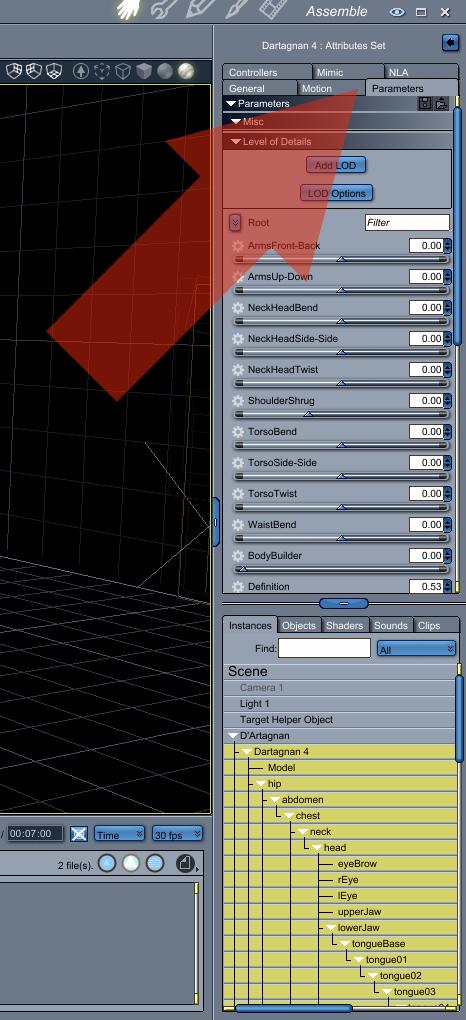 Okay. Genesis is loading into Carrara with a weird ridge down the middle of his head. I don't know where morphs are in Carrara. He looks like an alien any thought?
Parameters Tab holds the morph dials for figures. I say it like that because on prop objects with morphs, the morph dials are still in the General tab.
For Genesis, select Actor for shaping morphs and Genesis (or Genesis 2) for the posing morphs
Out of curiosity, which Genesis did you load?
Sorry for recycling images. This one is using a Generation 4 (M4) figure. But at least it allowed me to show a screen grab of the Parameters Tab ;)
Daz 3D is part of

Connect
DAZ Productions, Inc.
7533 S Center View Ct #4664
West Jordan, UT 84084Licensing Agreement | Terms of Service | Privacy Policy | EULA
© 2026 Daz Productions Inc. All Rights Reserved.