-
Morphing Freak 4 character into a Toon character and high school senior.
Someone (in fact possibly more than one someone) also has various morph packages which adjust Genesis 1 to the basic shape of all of the gen4 characters. Freak included. In addition, Genesis 1 can use all of the skins from gen4 natively. You just have to choose which UV you want from the pop=up in the surfaces tab.
Legacy UVs for Genesis 3 [Commercial]Adeirjr, Lilith 6 has her own independent UVs which are different from the Genesis 2 Base Female UVs or the Victoria 6 UVs. This means that the texture cannot be applied using either the G2F or V6 Legacy UV products. However you can convert the Lilith 6 texture to either the G2F Base or V6 UVs by using DAZ Studio's own Map Transfer facility, and from there you can use the Legacy product to apply the skin onto Genesis 3. RobotHeadArt has produced a very useful tutorial (http://www.daz3d.com/forums/discussion/95701/tutorial-converting-custom-genesis-2-uvs-to-genesis-3) for just that purpose.
Greater ZBrush compatibility for DAZ Studio 5!Also, to become a PA is not all that difficult, just create a character, prop, environment... whatever you're best at, and submit it here: http://daz3d.com/community/community-publishing
And trust me, HD is not the only option you have.
I created this character with base resolution morphing and scaling and normal maps: Removed Off-Site Commercial link
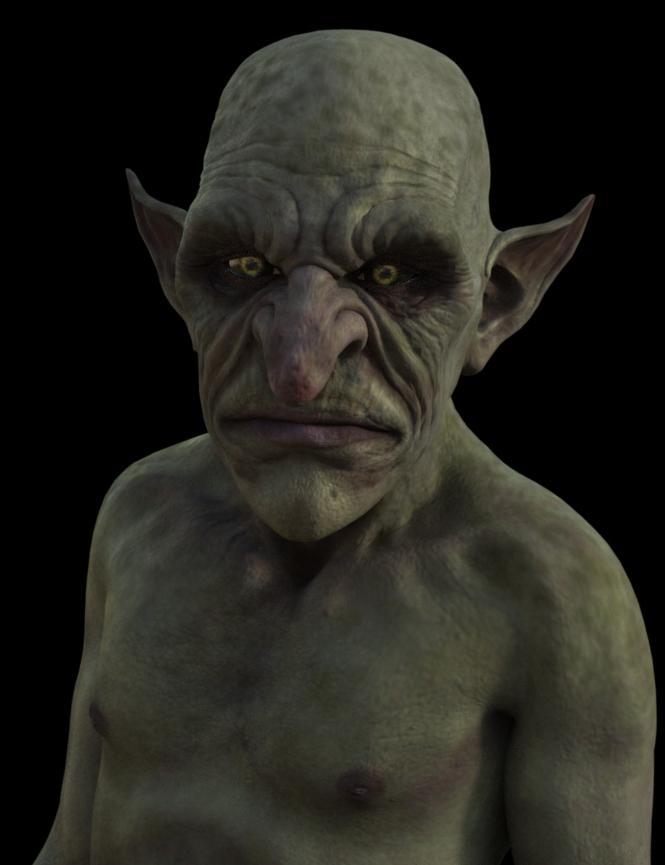
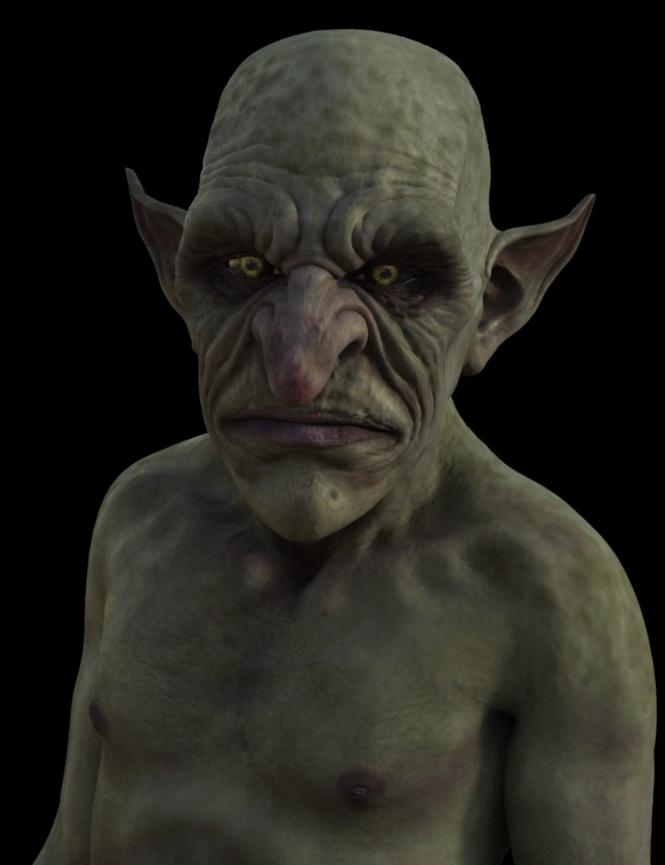
To further prove my point, here are some shots of my latest HD Goblin character
The first one is normal map only, and the one on the right is a level 3 HD morph only
The difference is very subtle
I would encourage you to grow your skills as an artist, and prove that you can do a low poly model with normal maps first, submit it to DAZ and become a PA yourself :)
 Squeezing 20 G3F figures into 4GB of VRAM using Caymen Studio's latest product
Thanks for posting. So, you used George on G3F?
Yes, I used Gen X to transfer the George morph (and all the other male morphs I used). He does not bend as well as on G3M, but from a distance a G3F George does not look too bad.
Greater ZBrush compatibility for DAZ Studio 5!Normal maps are actually perfect for veins and pores. In fact, you'll get a lot more detail using a normal map or a bump map for that kind of detail than you would out of an HD morph, since most users can only render at most a level 3 HD morph, and most don't even utilize HD to it's full capacity. Even on my HD characters, I use a normal map to get the finer details in place like skin pores, veins, wrinkles, etc...
Somewhat New to Carrara QuestionsNo I totally understand what you are saying. Unfortunately, I remember this particular issue as it has happened once before when I updated studio. I went back through my original notes on the subject and it was as I thought, reinstalling did not fix the problem. And the issue was never resolved, no one could figure out how to fix it. the only thing that worked was removing the morph entirely. And interestingly enough, the morph does not show in Carrara so there was no way to dial it out.
Morphing Freak 4 character into a Toon character and high school senior.Seems rather simple to me. The only real option is Genesis 1. Neither Genesis 2 nor Genesis 3 are appropriate, because they have separated too many things. The whole idea with original Genesis is that a single figure could give you all genders and all level of creatures while all wearing the same skins and clothes.
That said, all you need is a convincing teen morph for Genesis 1, which is extremely easy to come by and if need be you can pull a morph from another figure using GenX. This is one area where Genesis 1 exceeds far beyond any of the later Genesis offerings. Best of luck.
Genesis 1.
Young Face Morph G3FIf it's the same "Face Young" morph that I have for G3M, it was part of Daz's Genesis 3 Male Head Morphs, and a G3F equivalent can be found in the Genesis 3 Female Head Morphs.
I think the Youth Face Morph is in Growing Up for Genesis 3 Male and Female
Are you sure? I can't check because I've a rernder running but they are groups into matting colors in the tabs depending on what product they are a part of.
GenX2 Update / Genesis 3 Add-On [Commercial]If a morph injection loads into the existing injection channels, it should work in DS and in GenX. However, binary morph injections (those with a PMD file) are not supported by DS, nor by GenX. In that case, you have to inject them in Poser and save as a new CR2.
Any high-res "Working Man" skin textures out there?For those that aren't aware...there's a "knobby fingers" morph in HFS Fantasy Shapes for Genesis 3
Laurie
I did NOT know that. Thanks for the tip. Adding that could help (thanks for the link to the image, Will). I've added it to my wishlist so I can pick it up in the future.
Somewhat New to Carrara QuestionsOkay. Genesis is loading into Carrara with a weird ridge down the middle of his head. I don't know where morphs are in Carrara. He looks like an alien any thought?
Just updated 4.9 last night... had me worried so I checked a bunch of G1 m/f and some G2 m/f and don't see a problem in Carrara... see pic.
Background is a DCG Enhance C: Organic 2/Cellular shader on a color gradient plane.
I ended up deleting the morph from the data folder. Its working fine now.
Did you try reinstalling it?
I have a feeling that the base mesh got saved somehow with that dial wide open. That's all. Uninstalling/installing with DIM is super fast and easy - and brings everything back to default ;)
I considered it, but I have everything in custom categories (no files moved, kind of like in the Carrara browser, where you can make your own files as well). If I uninstall and re install it doesn't always put them back into the categories I created, then I have to track them down and re add them. Which, since they got rid of the lovely blue, new content bars, takes forever to find and I don't want to waste half a day tracking stuff down again. I don't ever use that morph and its not the first time its happened, always with the same morph so I am perfectly okay with it being gone lol.
Meet the MusesVery nice renders here, it's always interesting to see what inspires people. :)
My muse would have to be the first character I ever made up as a kid, and he's the reason I got into 3d modeling, since I wasn't happy with my attempts at drawing him by hand. I give you the most current and one I am most happy with of my OC Laurent St. Windsor. He started out M4, then evolved to G2M, and when I finally got G3M and Michael 7 he became the person I always imagined.
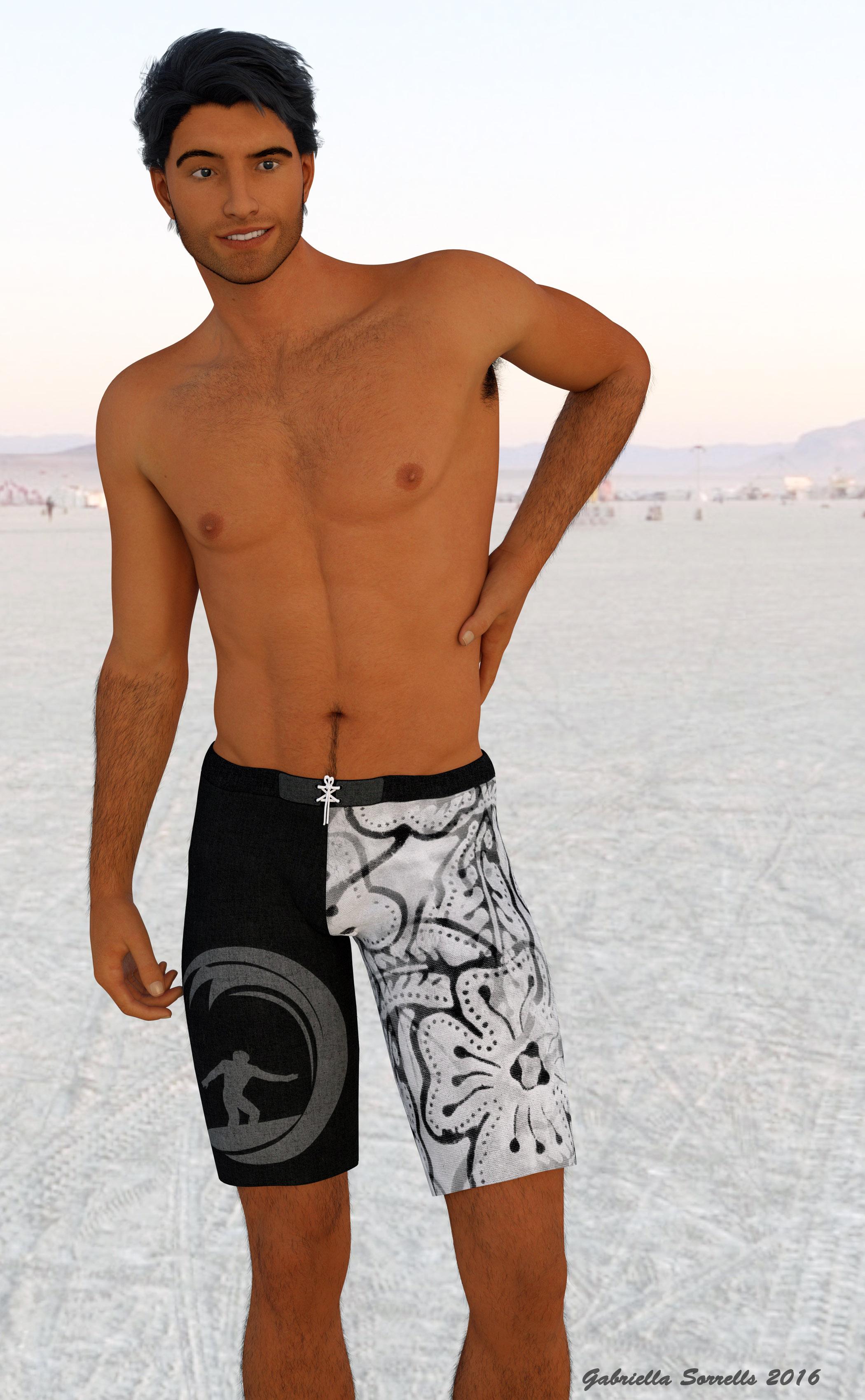
I've recently started working with Leo7 and I honestly adore him as well, he's just so darned interesting looking. And his skin is just gorgeous
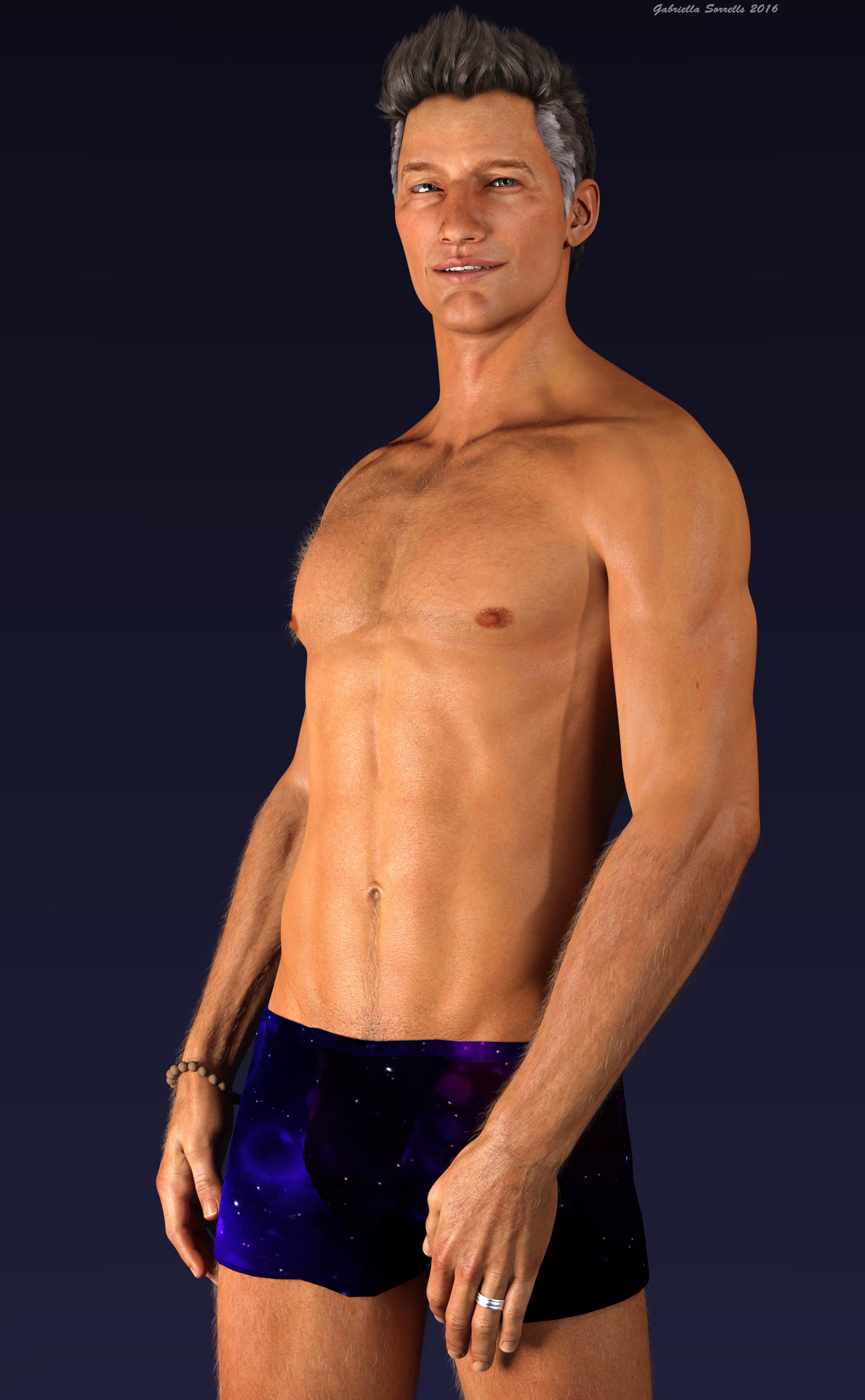
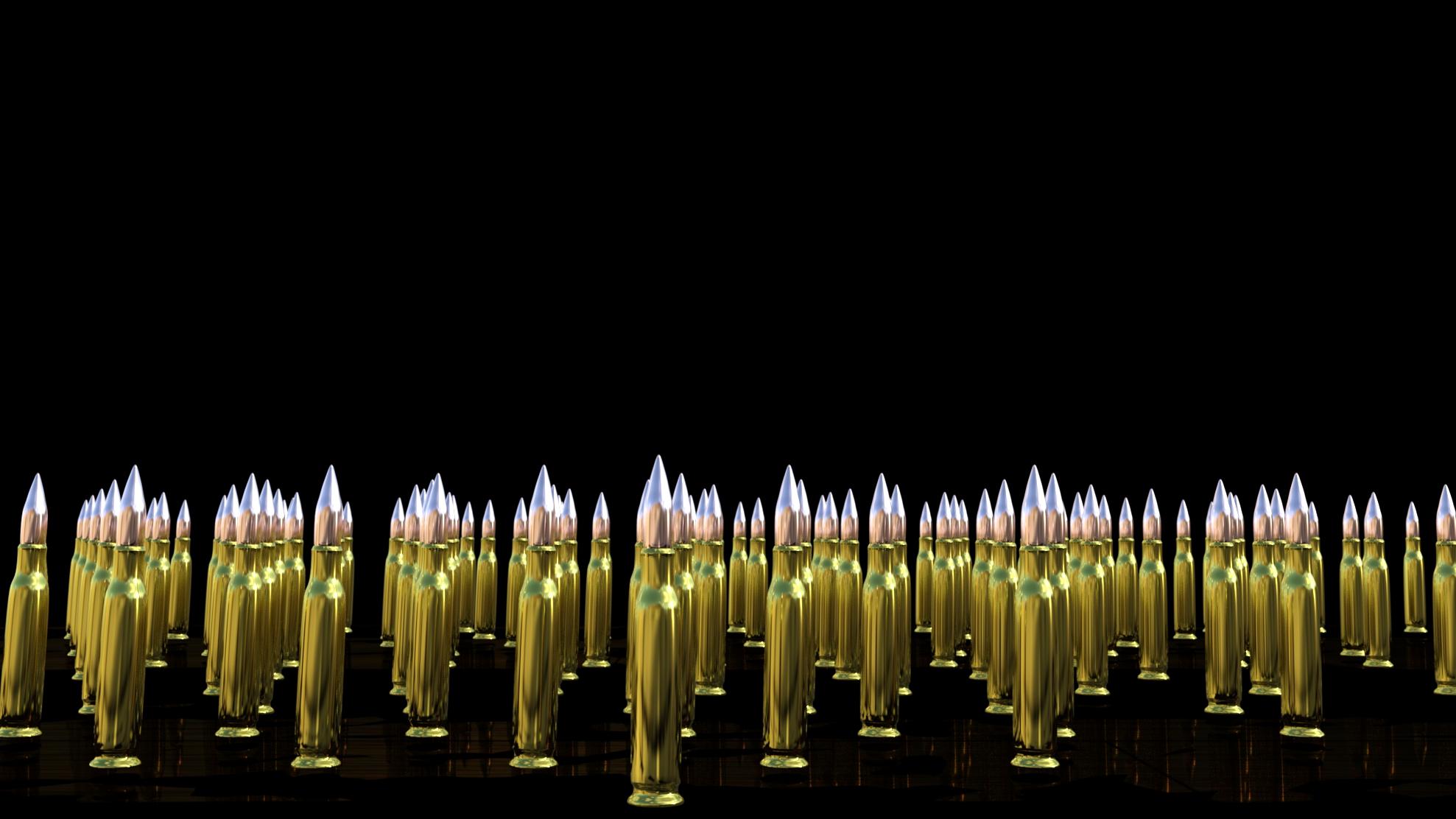
Bu as much as I like playing with morph sliders and trying out different looks on human figures, I know my stongest area is environments, props, or architectual scenes. So, this is one of the very first things I ever made in Blender, a 50 cal bullet, instanced in DAZ and rendered in Iray.
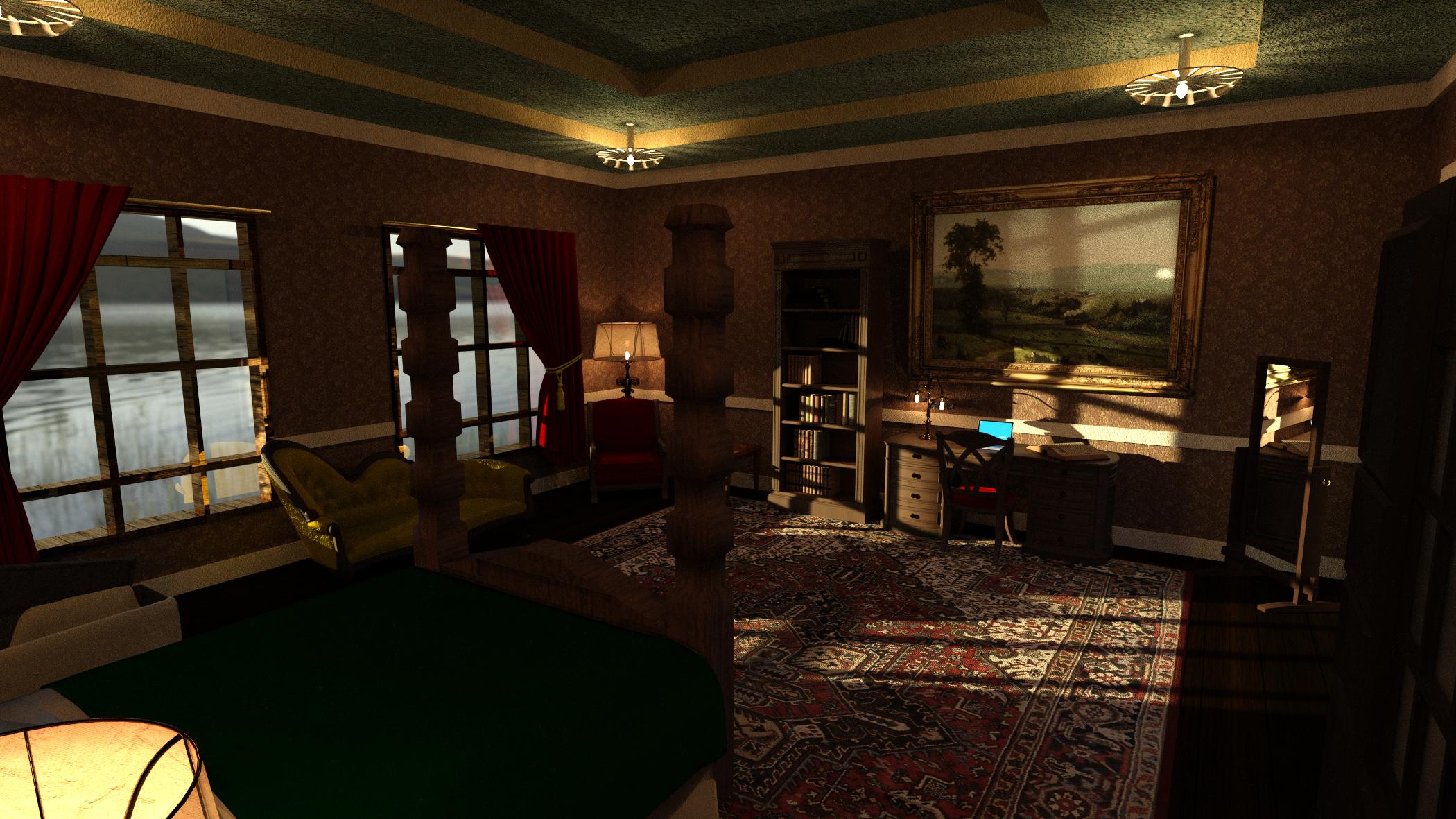
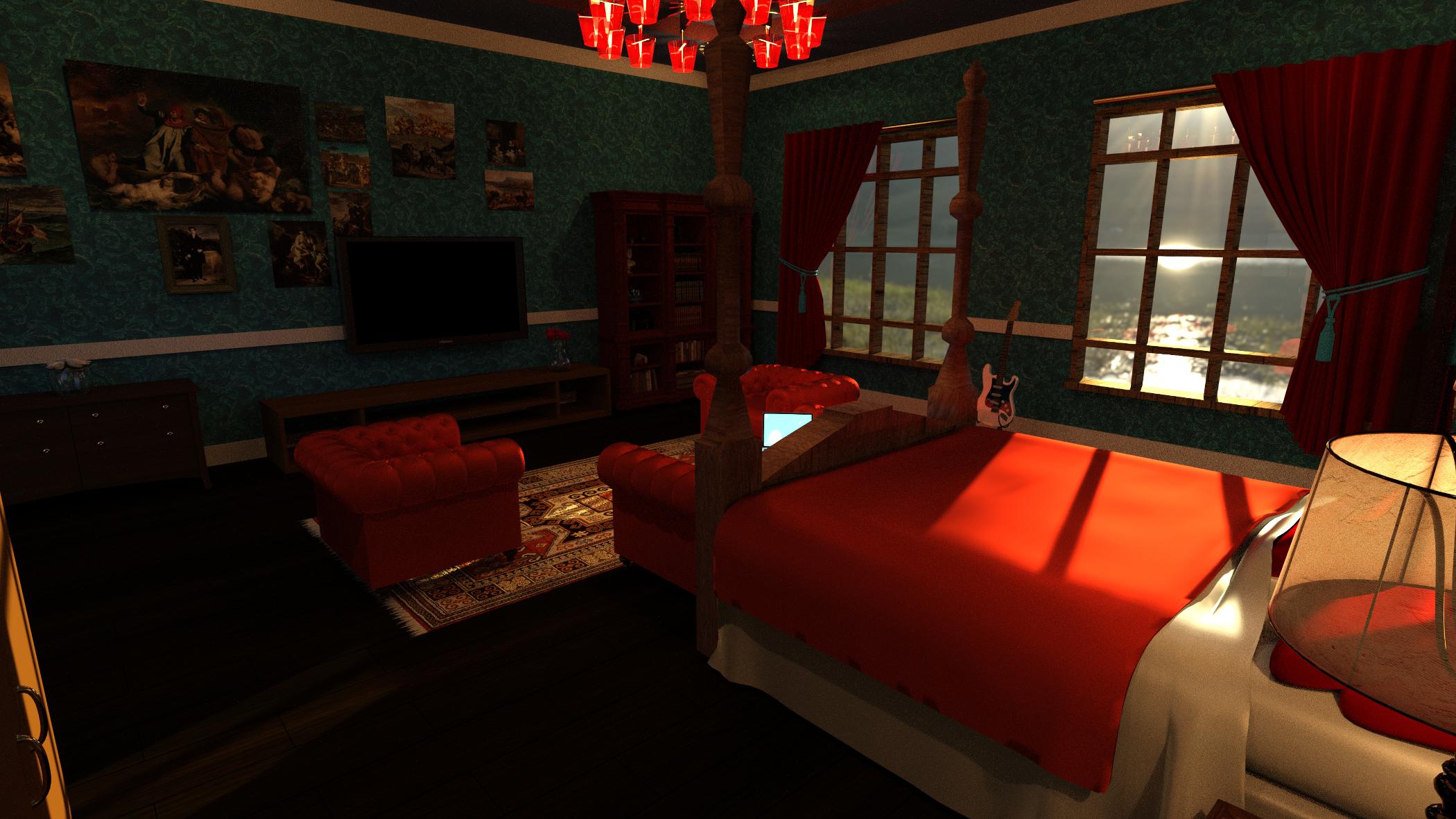
And a bit of fanart, sort of. I really enjoyed the Vampire Chronicles series by Anne Rice, so I decided to take a stab at making Louis' and Lestat's bedrooms, or at least my versions of them. The rooms, beds and ceiling lights I made in Blender and then accesorized with various other props in my DAZ collection.
 Converting G3 Poses to G2! IT WORKS!
Thanks for those replies.
@ Wargis : Not sure I'm understanding everything you told, but :
- The script doesn't modify the whole figure rotations (and translations neither) It could easily be done, I will if you want to. For me, I just don't like when I placed a character in a scene, to apply a pose which resets x/z translations to 0/0, and that's the same for rotations.
- You spoke about "exact number rotation differences between G2 and G3". If that's what I think, I'll be glad if you linked me that, I could then apply an auto-correction. I wanted to do that, but had not the time to manually find differences for each bone (I'm working on a morph converter, which is far more important for me)
- There still is a mistake I've done in the conversion map, on toes. If you want to correct that, just remove "lSmallToe4_2", "lSmallToe3_2", "lSmallToe2_2", "lSmallToe1_2", "lBigToe_2" from the line two of the script, and same for right toes.
@ Scavenger :
Thanks for that comment. My algo is more than simplistic, I'm just doing a correspondence between both skeletons, without even applying any corrections. If you have a pose set G2 G3 compatible,you effectively can compare bones difference to get a 'corrections map'. I didn't thought to that, and I think that's pretty smart. Feel free to modify my script if you want to, but the python code is a bit dirty and absolutely uncommented... I could do it later if you want, but I'll wait a little for Wargis who may have found an already done correction map.
Somewhat New to Carrara QuestionsOkay. Genesis is loading into Carrara with a weird ridge down the middle of his head. I don't know where morphs are in Carrara. He looks like an alien any thought?
Just updated 4.9 last night... had me worried so I checked a bunch of G1 m/f and some G2 m/f and don't see a problem in Carrara... see pic.
Background is a DCG Enhance C: Organic 2/Cellular shader on a color gradient plane.
I ended up deleting the morph from the data folder. Its working fine now.
Did you try reinstalling it?
I have a feeling that the base mesh got saved somehow with that dial wide open. That's all. Uninstalling/installing with DIM is super fast and easy - and brings everything back to default ;)
Somewhat New to Carrara QuestionsOkay. Genesis is loading into Carrara with a weird ridge down the middle of his head. I don't know where morphs are in Carrara. He looks like an alien any thought?
Just updated 4.9 last night... had me worried so I checked a bunch of G1 m/f and some G2 m/f and don't see a problem in Carrara... see pic.
Background is a DCG Enhance C: Organic 2/Cellular shader on a color gradient plane.
I ended up deleting the morph from the data folder. Its working fine now.
Meet the MusesThat's a bunch of interesting and cool muses :)
I always go around yelling my muse is a pony. A real mare at that. She can't be made to cooperate, she has to be persuaded. So although I didn't use this morph and.. unusual colour combination in a lot of renders Teh (yes, teh) Pony deserves a spot here:
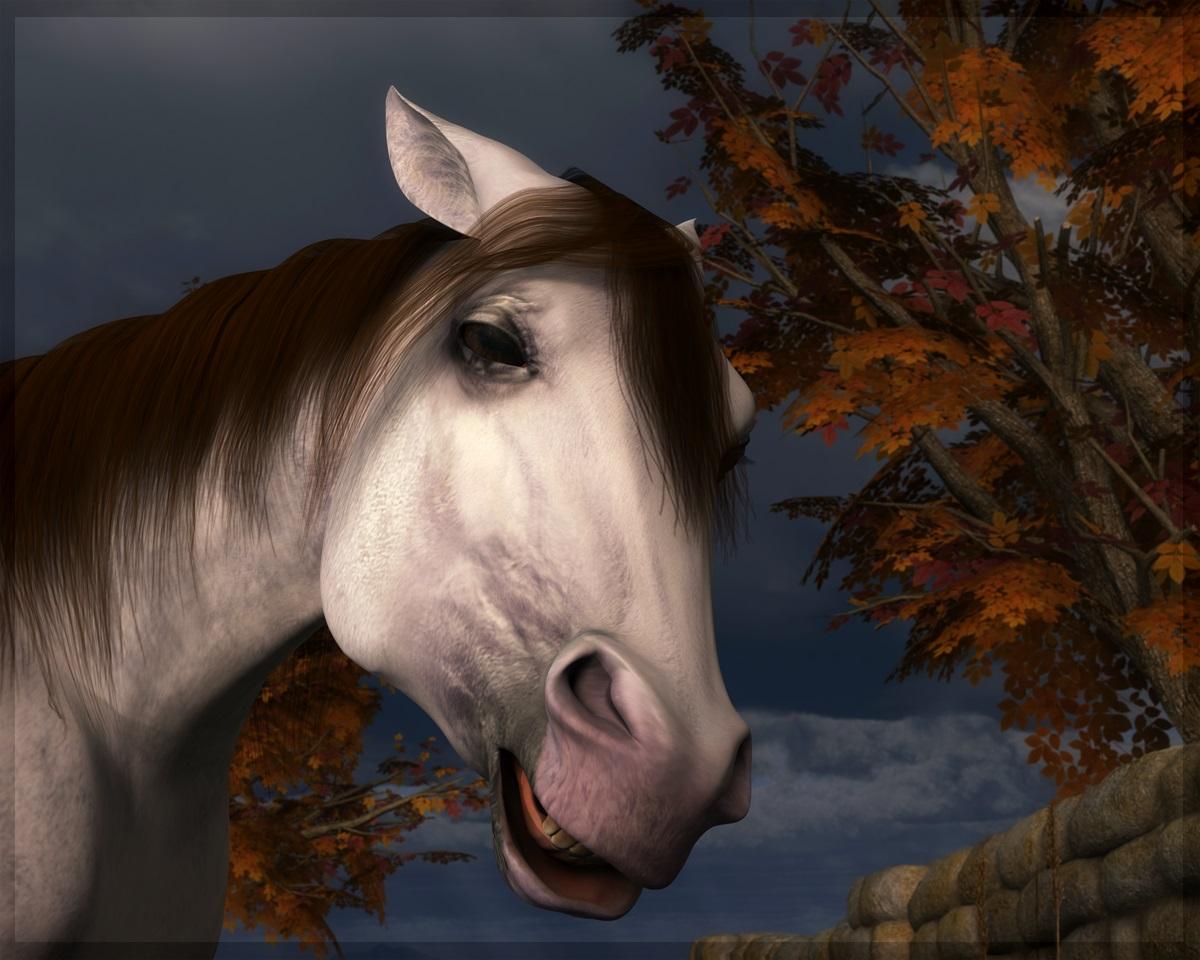
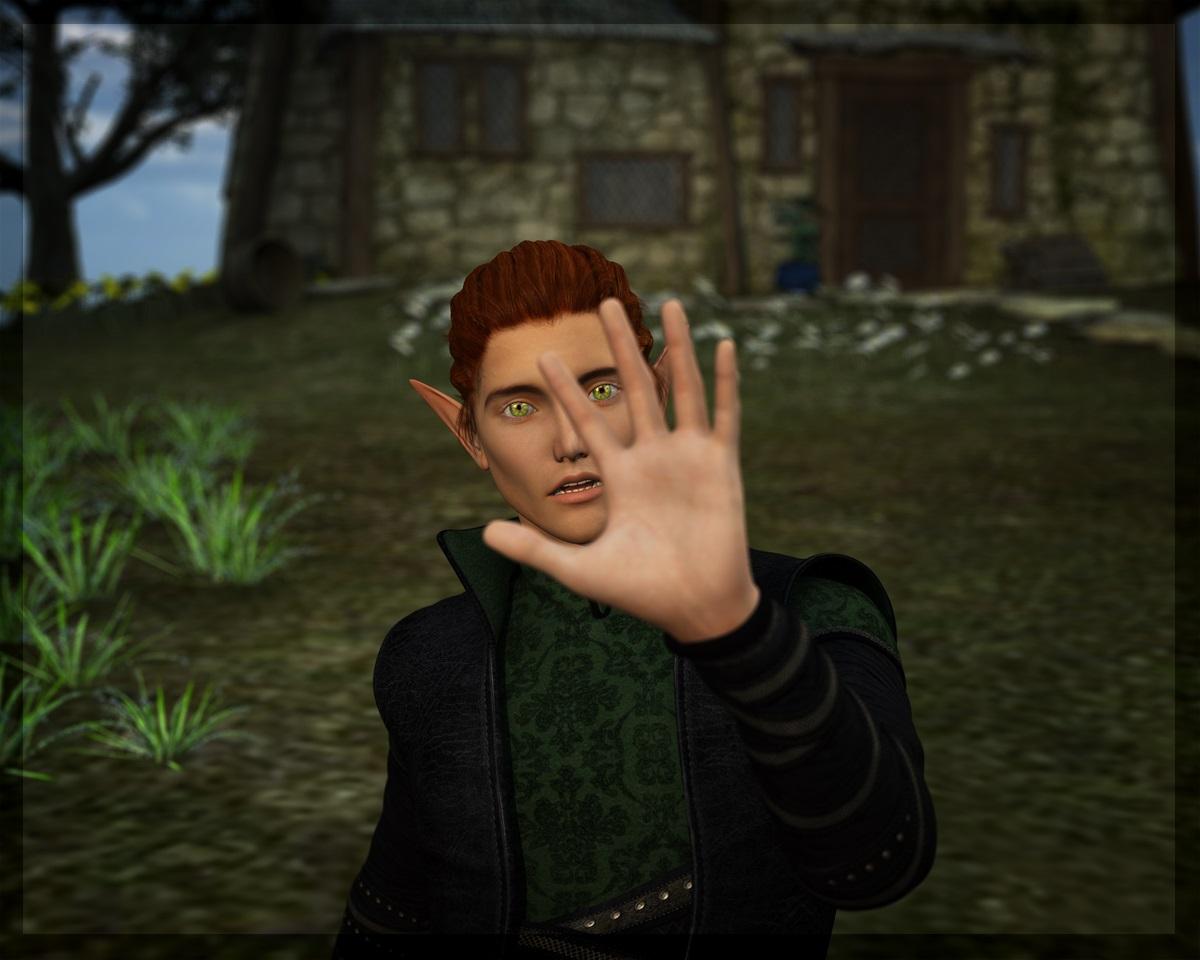
Then there's a few who often demand my attention and are happy to pose for pretty much everything. One of them is Calion, an elf and bard/rockstar who appears in both fantasy settings and more modern scenes, because of the story I am co-writing with my friend. Dialled with various morphs, using Darc's skin, I believe:
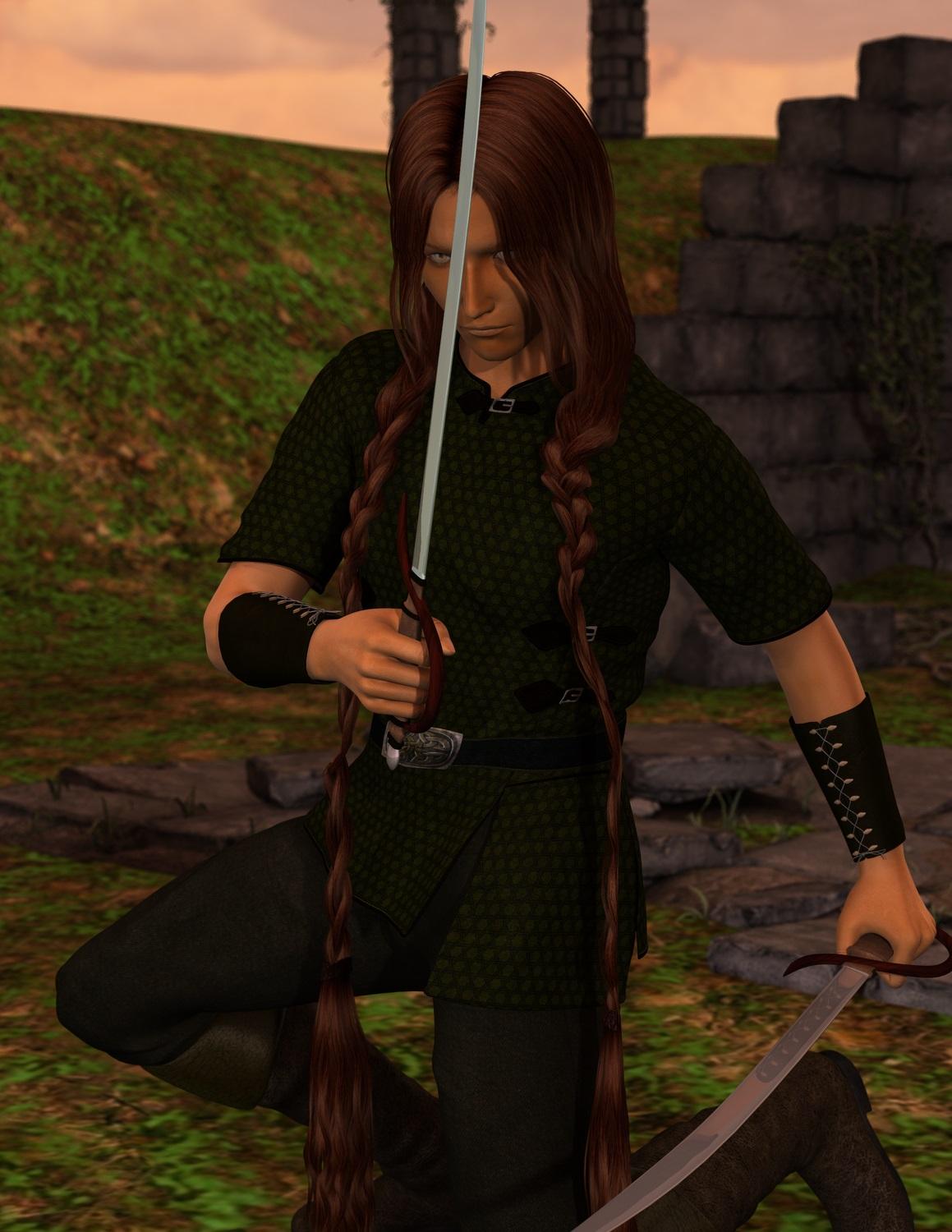
It would probably make most sense to add the other character that insists on having his picture taken whenever I open Daz to test something (the rogue named Dimi), but I won't because my beloved Moody Ranger, Jerutha, deserves a spot here. True, most pictures with him end up as exercizes in brows and greens, but that's because he's a stealthy one. He has a special place, both story-wise and as a 3D character. My first heavily adapted skin (and I had hardly any idea what I was doing - it shows), custom made eyes and an eternal struggle to find a hair model that suits his original description. I should updat him to G2M (or G3M, but my ancient computer needs an upgrade before I upgrade DS beyond 4.6), but.. I just can't. Even though there's a lot wrong with his model, I do love him (even in this very old rather rough render):
Love the pony! GREAT expression on her face (his?). And some characters are perfect because of their imperfections.
Its so fun to see everyone's favorites
Greater ZBrush compatibility for DAZ Studio 5!Let me repeat this again, because after a few years I don't think anyone has gotten the point on HD morphs. If you think all you have to do is make a high poly mesh of something and import it into DAZ Studio and it automatically works, your assumption is completely wrong. Absolutely none of the clothing content will work with that sculpt. There are several things that you need to do to get it working, and basically that means you have at least THREE different versions of your figure that things to done with. THREE, which includes the low poly sculpt that you should have finished first. In that time, you could have had the low poly morph and the normal map from your high poly details finished and loaded and have none of the end user issues that you have if you don't do the HD process correctly.
This process is complicated and that is why it is not available to end users.
Greater ZBrush compatibility for DAZ Studio 5!Well Male-M3dia, Josh and daywalker, you have missed my point. That must mean I didn't make myself very clear :)
Normal maps and weight maps are wonderful (there! satisfied?). They can be used to modify the surface of a figure in high definition (happy now?). You can not use normal maps for every job (they do not make tea, for example!). Consider shortening a limb; how would you do that with a normal map? Let me see a normal map that significantly modifies the shape of the figure. Normal maps take time to make and usually many repititions to perfect, where as modifying a mesh is fast and you see the final results instantly.
As Josh points out the difference between a base resolution Gf3 (available for everyone to morph) and a 4HD Gf3 (available only to PAs for morphing) is millions of extra polygons. It does not take a rocket scientist to understand that given more polygons to morph, the posibilities to make morphs both gross and subtle are greater.
A good morphing strategy could involve both high resolution mesh morphing combined with normal maps for the finest skin details such as veins, pimples, pores etc.
Unfortunately most of us have access to only one side of that story. HD mesh morphing is denyed to all except DAZ3s PAs.
And the point is HD is NOT going to help you one bit if you don't know how to do lower poly sculpts. You simply do not sculpt with a million polys at first. You work from a smaller amount then go higher to add details. Your lower poly figure has to be done BEFORE you start HD. There are also several things that you also must do to make HD work correctly which is why the technology is not available to the public. One of those steps is very tedious and most end users are not able to do it. The HD process is not "sculpt and you're done".. you can do normal maps must faster.
Normal maps are your best bet for the hobbyist, especially one that does not have a tool like zbrush and modo handy.
Greater ZBrush compatibility for DAZ Studio 5!Well Male-M3dia, Josh and daywalker, you have missed my point. That must mean I didn't make myself very clear :)
Normal maps and weight maps are wonderful (there! satisfied?). They can be used to modify the surface of a figure in high definition (happy now?). You can not use normal maps for every job (they do not make tea, for example!). Consider shortening a limb; how would you do that with a normal map? Let me see a normal map that significantly modifies the shape of the figure. Normal maps take time to make and usually many repititions to perfect, where as modifying a mesh is fast and you see the final results instantly.
As Josh points out the difference between a base resolution Gf3 (available for everyone to morph) and a 4HD Gf3 (available only to PAs for morphing) is millions of extra polygons. It does not take a rocket scientist to understand that given more polygons to morph, the posibilities to make morphs both gross and subtle are greater.
A good morphing strategy could involve both high resolution mesh morphing combined with normal maps for the finest skin details such as veins, pimples, pores etc.
Unfortunately most of us have access to only one side of that story. HD mesh morphing is denyed to all except DAZ3s PAs.
Thank you DAZ for not correcting the duplicate formulas issue....If you use Save Modified Assets that is likely to cause issues. Use File>Save as>Support Assetrs>Morph Asset to save only the oens that need it.
Yes, the Genesis Evolution Morphs did have the duplicate foprmulas issue - but it was fixed when it became an issue, many DS updates ago (pre 4.5) - if you are getting this with a clean install of a freshly downloaded copy of the morphs then please make a bug report http://www.daz3d.com/help/help-contact-us
Daz 3D is part of

Connect
DAZ Productions, Inc.
7533 S Center View Ct #4664
West Jordan, UT 84084Licensing Agreement | Terms of Service | Privacy Policy | EULA
© 2026 Daz Productions Inc. All Rights Reserved.