-
Daz Studio 4.9.3 Pro, General Release!
Ok found out what was going on , I did not noticed that the selected export folder for morphs (ASSET FOLDER ) was My Content Library , in place of My Library where I have my G3 , after I switched the folder in the export window and saved ,the morph loaded as well so everything is working fine !
so please dismiss my last post , no bug found :)
Daz Studio 4.9.3 Pro, General Release!I was just working with and manual export/import and Goz working just fine also, so the exported files are correct at 2.7 MB ,however you can't save the morphs , after exporting/saving the morphs and loading Genesis 3 there was no folders or morphs :( definitelly a bug
I noticed that previously saved Shapes are not working since I updated.
Genesis 3 will export at a higher mesh resolution than the usual 2498KB. Now its 2722KB even after restarting DS and PC.
And morph loader either stopped working or I'm doing something wrong because it doesnt save imported morphs. What is this Attenuate by feature?
I was able to save the test shape I loaded above as a morph asset, and it reloaded, so the issue may be path or figure specific or depend on soem other option.
Daz Studio 4.9.3 Pro, General Release!I noticed that previously saved Shapes are not working since I updated.
Genesis 3 will export at a higher mesh resolution than the usual 2498KB. Now its 2722KB even after restarting DS and PC.
And morph loader either stopped working or I'm doing something wrong because it doesnt save imported morphs. What is this Attenuate by feature?
Attenuate by allows you to be selective about which part of a morph is loaded - there are numerous options if expand it and click the current setting, including using weight maps. As a result you can use, shape permitting, a single file for head and body moprhs or to create separate left and right morphs (the Morph Mirroring option can also help here).
I didn't have a G3F sahpe to test, but I had no trouble loading a G2F shape as a morph.
Daz Studio 4.9.3 Pro, General Release!I was just working with and manual export/import and Goz working just fine also, so the exported files are correct at 2.7 MB ,however you can't save the morphs , after exporting/saving the morphs and loading Genesis 3 there was no folders or morphs :( definitelly a bug
I noticed that previously saved Shapes are not working since I updated.
Genesis 3 will export at a higher mesh resolution than the usual 2498KB. Now its 2722KB even after restarting DS and PC.
And morph loader either stopped working or I'm doing something wrong because it doesnt save imported morphs. What is this Attenuate by feature?
Help me get figure's jaw back into his head.Never mind, I came across a thread that explained it's caused by a GenX morph, and how to fix it.
Greater ZBrush compatibility for DAZ Studio 5!As I mentioned, the process to do this correctly is complicated. Just like some people will make a freebie morph that ends up overriding the base genesis, messing up the steps to making the HD can make clothing not fit for your whole library. This process isn't streamlined for end users and incorpates several DAZ technologies, that's why it is not out in the wild where it would become a support nightmare.
The They Stuck Gears on my Convoy Whinging Complaint Threadps1borg said:
MistyMist said:
whuz a good thigh bend sideways max limit for aiko7? kimits didnt transfer, having to type em. the default dont look good
I use max 10 - 15 degrees
ty

the y/z swap tizz confuzing
i finished the right leg, halfway thru the left leg.
like 30 out of a 173 , lotta roration limits
Daz Studio 4.9.3 Pro, General Release!Okay I deleted this update and reinstalled the older version. Now everything is working and the mesh is back to 2498KB and morph loader pro can finally save.
There are a lot of bugs with this update but Iray is better and faster than in previous versions. But sadly that doesnt help me with my work :/
I wonder if other content creators have the same issues I did.
The OMG It is 2017 This thread's end is Nigh Complaint Thread.whuz a good thigh bend sideways max limit for aiko7? kimits didnt transfer, having to type em. the default dont look good
I use max 10 - 15 degrees
ty
facial capture as morphHi Leonardo
If you mean as a "pose" file (which you can use over and over on other similar characters), yes.. but only under certain circumstances.. for example, I've only been able to save poses from fbx files (which I'm assuming you will be using) when they are done on the bone facial rigging of daz genesis 3 characters.. morph facial animation from fbx won't save as a pose file.
Daz Studio 4.9.3 Pro, General Release!I noticed that previously saved Shapes are not working since I updated.
Genesis 3 will export at a higher mesh resolution than the usual 2498KB. Now its 2722KB even after restarting DS and PC.
And morph loader either stopped working or I'm doing something wrong because it doesnt save imported morphs. What is this Attenuate by feature?
facial capture as morphHI,
Does someone know if it is possible to capture an entire session of facial mocap and convert/record it as a single morph in DAZ?
Many thanks
Regards,
Linwelly's GroveThank you Sonja, With your username you should be the one knowing best about ice...

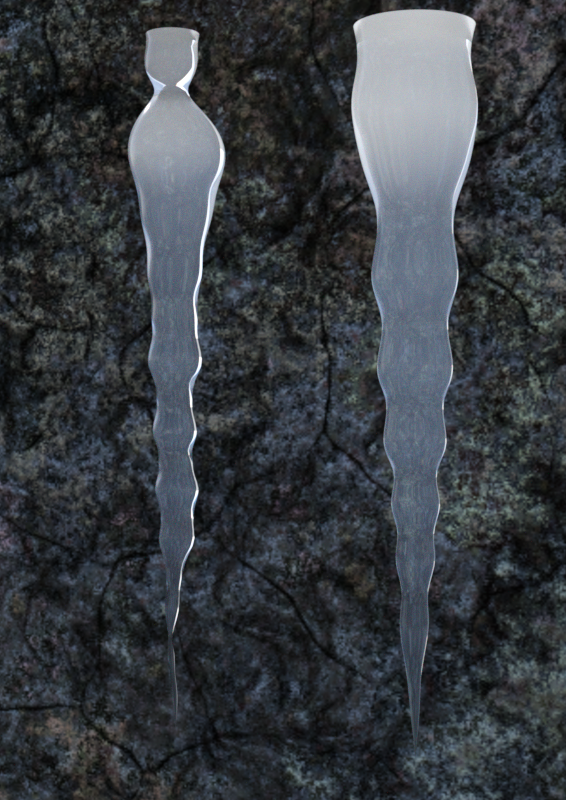
I added a second morph to my icicle so it can get more ribbed.
Here is a test render with some variations possible now:
 The OMG It is 2017 This thread's end is Nigh Complaint Thread.
whuz a good thigh bend sideways max limit for aiko7? kimits didnt transfer, having to type em. the default dont look good
I use max 10 - 15 degrees
Structure of Content LibraryThank you, that's very flattering. :) Data files are generated by Daz Studio when you save a figure, morph or prop to the library using file-save as-support assets-figure/prop asset or file-save as-support assets-morph asset. The .duf and .dsf files store the geometry or rigging or both - unlike with Poser's .cr2 system there is no external .obj file once saved (except for saving your original one as a backup, which is always a good idea).Legacy UVs for Genesis 3 [Commercial]Apologies do not not wish to "hijack" thread, but this product brought up the subject.
Is there any way to adapt the actual head morph for the v3 character to fit genesis 3.
If purchasing something else would do it...no problem.
Thank you
I did as Caymen Studios describes above, ie I used Gen X2 and the relevant add on packs to move Shahara's morph to G3F. She is not identical to the V3 version, but looks similar, and naturally bends far better on G3F than on V3.
Would converting the V3 morph for Genesis 1 give better results than converting from V3? https://www.daz3d.com/gen-3-iconic-shapes-for-genesis. I had converted the original She-Freak (a V3 character) to Genesis, then later converted from there to G2F and G3F as those figures were released. They (and the Generation 4 She-Freak 4) look good to my eyes.
I did not try using the V3 clone from genesis, but I would have thought a direct transfer from the original V3 shape would be no worse. Needless to say what small differences there were in the transfer I did, were not an issue for me.
ZDG random Daz Studio discoveries and questions.With extreme hesitation, because of many things I don't know that I shouldn't know in complete contradiction to the ways of "The Order", lol. I don't know. I haven't even looked yet at what else I have laying around.
Well at least at first glance the skirt looks OK, I haven't tried many poses yet.
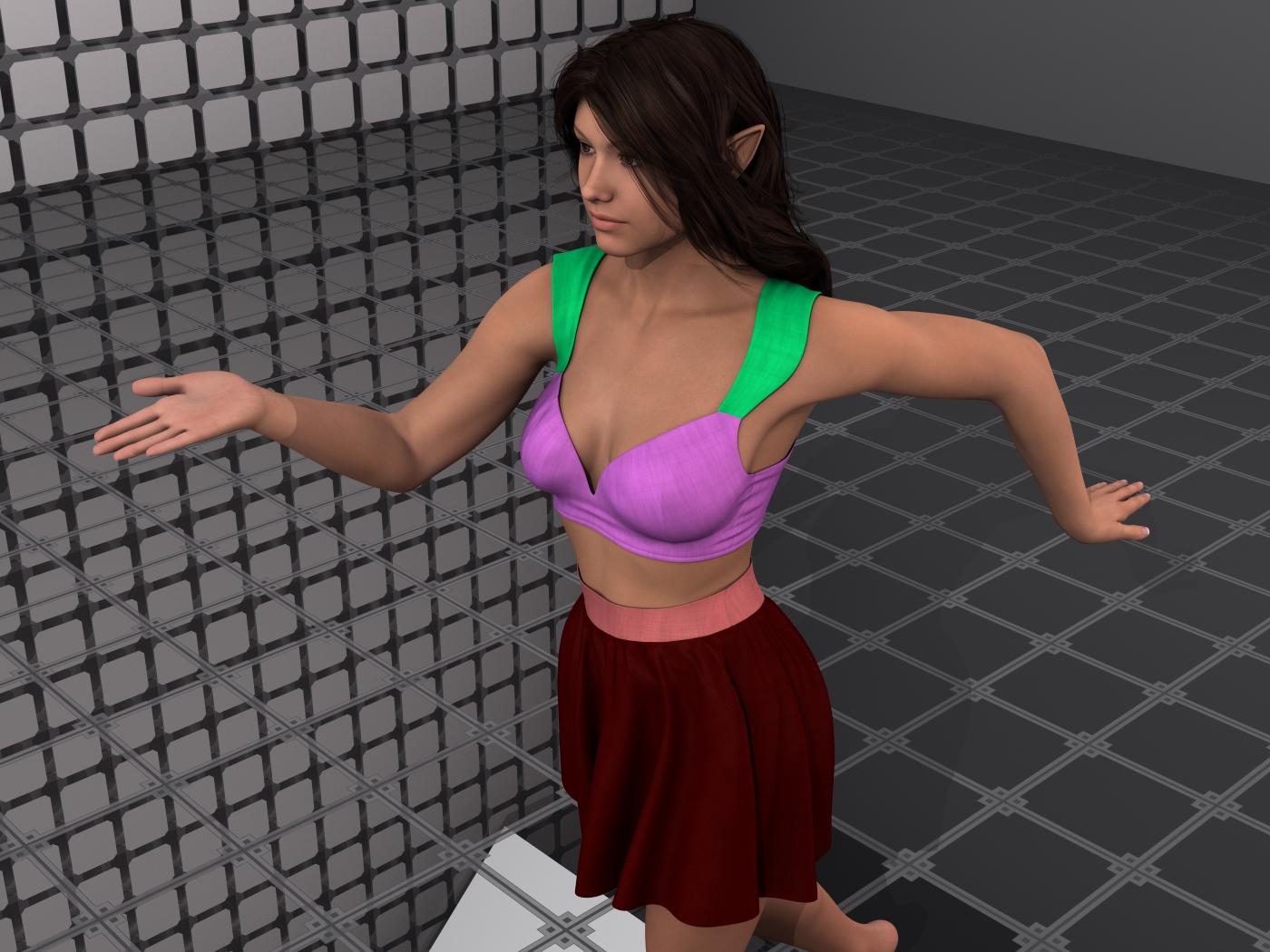
I am quite tempted to put a d-former on the left strap to pull that back in, I wasn't able to find a dial for that, and it may only be the one pose that dose that. I will say, lots of surface zones to work with (including a zipper on the back of the top), that is very nice.
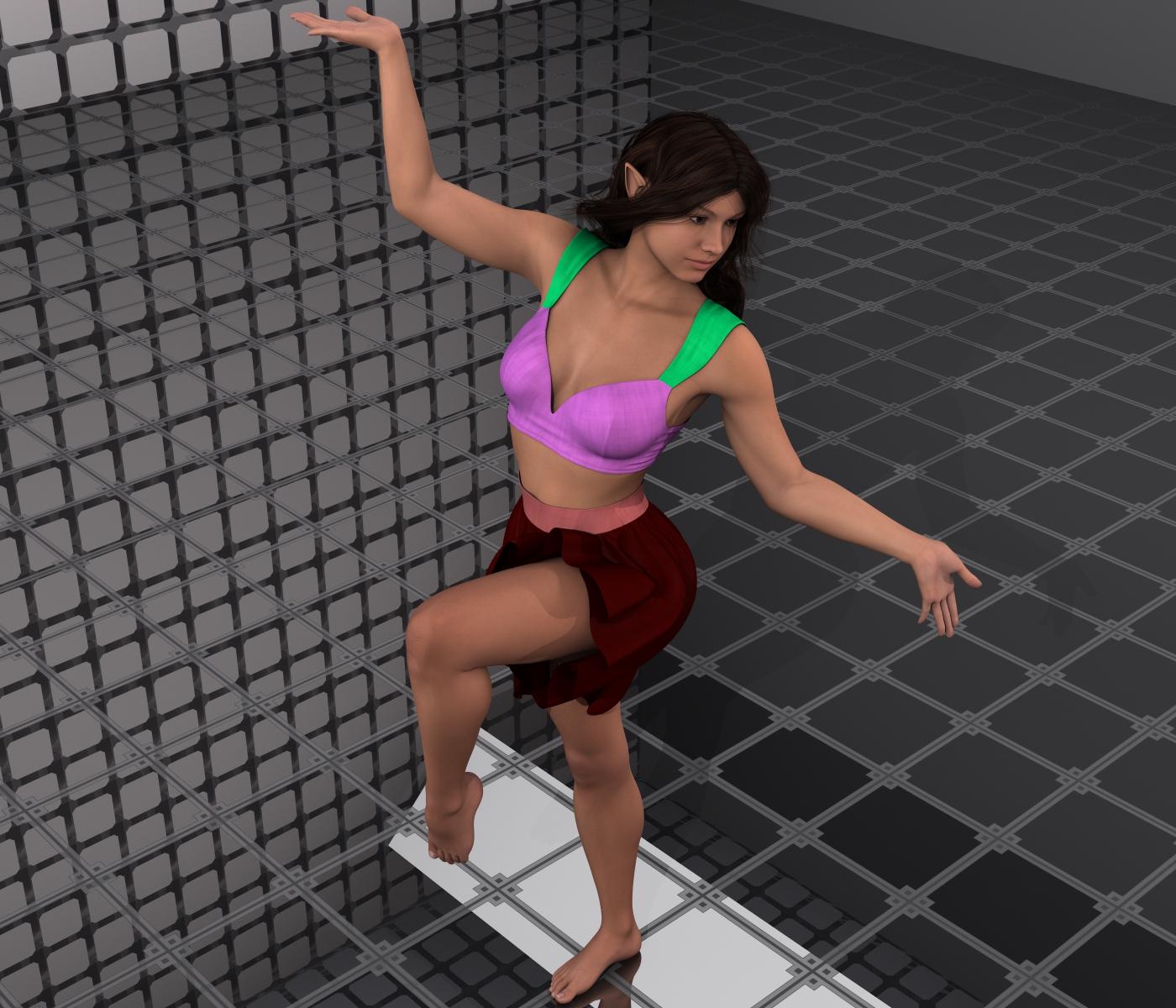
(some time later) Now, in honesty, I'm not seeing much in the way for movement adjustments in the skirt, and it dose suffer sit-pose skirt-flower syndrome. It is usable for a few things that are mostly standing upright and walking poses. Perhaps in another program with mesh flow collision dynamics stuff (like Maya or Marionette) it will be much friendlier to work with. It dose look nice in 3delight, and fits figures with much less grief then some other stuff I've been tormented with.
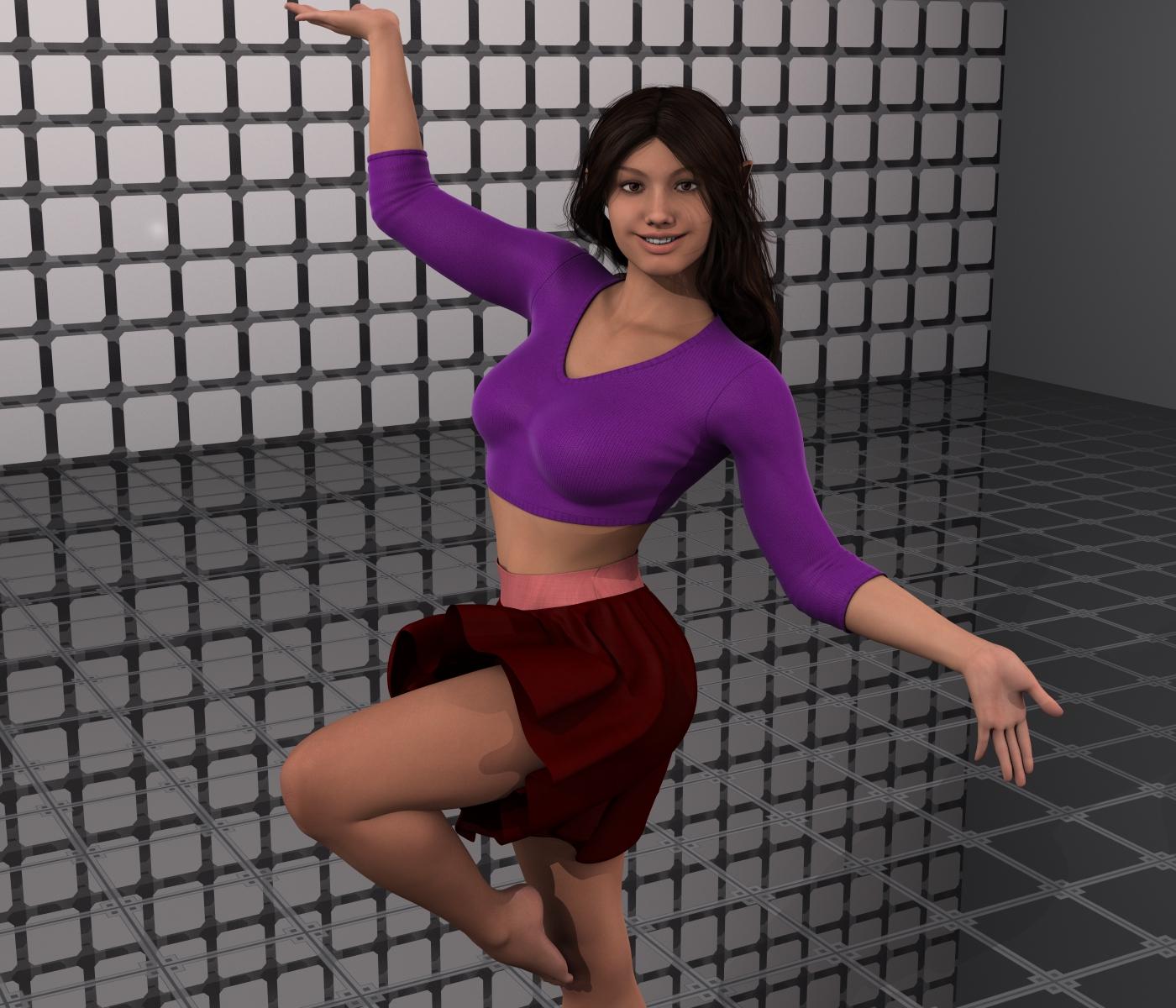
Perhaps with some JCM adjustments it can be better, tho the skirt style may be a bit difficult to work with JCM voodoo.
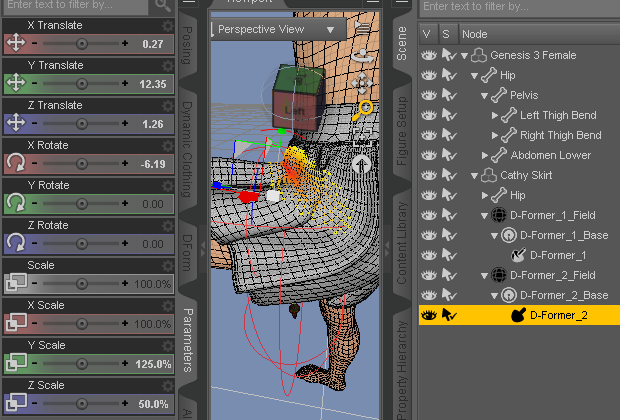
I may be able to make a morph to smooth over that kink, possibly, just not today. BTW, thanks Fisty for the shirt conversion. And happy new year in kind EJ.
Dynamic Nightwear for V4 autofitI'll tell him about Morph 3D. Did you have a chance to test the night robe on Genesis 3 female?
Genesis 3 GoZ with HDNormal maps, despite the explanation, are perfectly acceptable, otherwise that would not be an accepted industry standard. That's an important thing to remember.
As far as killing the HD market, you probably should take a look at Josh and my posts on Normal maps, and 1000 feet process for HD morphs. It's not to protect a market, the process to make HD is complicated and if not done correctly and put out in the wild, it would creata a cascading problem of end user issues. The process is not create a high poly sculpt and you're done; it is far easier for an end user to create the normal map and plug it into their characters.
Good info, thanks a lot, I was actually hoping you would shed some light on this! As a non-PA I'm at the default of my own speculation.
Let me repeat this again, because after a few years I don't think anyone has gotten the point on HD morphs. If you think all you have to do is make a high poly mesh of something and import it into DAZ Studio and it automatically works, your assumption is completely wrong. Absolutely none of the clothing content will work with that sculpt. There are several things that you need to do to get it working, and basically that means you have at least THREE different versions of your figure that things to done with. THREE, which includes the low poly sculpt that you should have finished first. In that time, you could have had the low poly morph and the normal map from your high poly details finished and loaded and have none of the end user issues that you have if you don't do the HD process correctly.
This process is complicated and that is why it is not available to end users.
Great info, Bookmarked that thread!
Dynamic Nightwear for V4 autofitIt's dynamic, you can't autofit it. Good thing is, as dynamic, it doesn't matter what figure it's for since you can get it to work on most any figure.
Shaping preset, yes, he would need to own (purchase) all the morph addons you have for that preset. The shaping preset can go anywhere you can access it thru the content library. I keep mine in presets
Not sure on the exporting question as that is not the purpose of DS. If he is a beginner, would be best to start learning DS since the DAZ figures are designed to work in DS..
Daz 3D is part of

Connect
DAZ Productions, Inc.
7533 S Center View Ct #4664
West Jordan, UT 84084Licensing Agreement | Terms of Service | Privacy Policy | EULA
© 2026 Daz Productions Inc. All Rights Reserved.