-
Armor is not carefully considered by artists
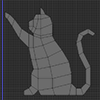
One thing to bear in mind is that, for the women, real armour would flatten their breasts. That could be done with a GeoGraft, but I'm pretty sure it would be massively unpopular and it wasn't practical at all in the past so we end up with visible breast shaping that compromises the design as practical armour.
Boob armor is not very realistic at all, not to mention providing for a place for a weapon to catch and perform a mastectomy on the battlefield. It was especially rediculous when I had a nipple shape in supposedly rigid steel.
I was thinking of creating a breast armor shape morph and then applying the armor over that... is that feasible?
Genevieve 7When I said I was really happy about the slimline body, that doesn't mean "skinny people rule!" It means that it's a different shape (and I do actually mean different shape, not thinner shape, because we have shapes like Arabella too) from other figures. I've praised Bethany's shape too.
The whole point of buying these figures is to have a range of shapes that are different from one another, Genevieve fits that brief really well in a direction that happens to be the slender one.
She loses points for the notch-nose - that not being a separate morph really spoiled Arabella too. It's not a common enough feature to not stand out jarringly anytime the shape's face is used.
Should I upgrade to 4.9 if I use Poser?Yes I understand about the metadata but that doesn't explain why things are always disappearing and reappearing in Smart Content without my having changed any settings. The same is true to a lesser degree with the regular library, I don't move anything but it stops showing up for a while. It's unsettling. I want things to just stay put.
If you mean the script by Dimension3D, it is for importing things that don't have Poser companion files so they can't be imported with just the DSON importer. The jaw thing is solved though, I found a thread about it, there's a GenX morph that causes it.
Making separate regional morph presets from boxed characters.Hello all,
is it possible to make shaping/morph presets from different regions of a boxed character? for example, i want to make a preset of gianni's (6) mouth and lips to use on another character. i tried shaping preset only ticking the involed regions but nada. thanks
Show us your 3Delight rendersYup, G3M definitely needs an adam's apple morph. M4"s Morphs++ didn't come with one, either, but Morphus did, which is what I used in the above image of M4. There was also a free morph for that floating around the Renderosity forums at one time, but I don't know if it's still available.
I didn't want to use any of the G3M base shapes, though. I wanted to use just dials.The texture I used on the G3M was an xmas freebie. It's very smooth. Not sure if the iray materials change that at all, as I can't be arsed to wait over an hour for a test render.
Also noted that a few ibl lights I used to test the altered texture changed the hair color of Colin Hair on M4. One it was white, another time a brilliant green. :/
Edited to add that I checked again and nope, no individual adam's apple morph in either the DAZ Head/Body morphs for G3M or the 200+ Head morphs set. Which is too bad. Michael 7 has a nice one, but not having the ability to dial one up without using a full body/head from another character is a bit of a disappointment.
Daz3d Sculptris New Morph doesnt work.Unless it has been changed, symmetry adds polys to the mesh which breaks the morph.
Daz3d Sculptris New Morph doesnt work.So here's what I did:
1) Loaded Genesis
2) Set Resolution Level to Base
3) Exported as OBJ
4) Imported into Sculptris
5) Made the morph
6) Saved it as a new OBj
7) Back to Daz3D
8) Used Figure >Morph Loader Pro
9) Picked the new OBJ file with morph and created the morph
10) When using the slider I get this instead of proper morph which you can see on the right
What do?
Infinite Insanity - There's ALWAYS Another Sale! (Daily Sale Talk)Seems like it is working correctly then. I do have a banner for the HD morphs (10% as an owner of one version 7 HD morph and two version 6 HD morphs). I was confused above and thought there might be a hidden offer relating to Genevieve which I was missing. Sadly it looks like she'll need to hang around in the store for me until a better sale comes along.
Yeah, that adds up - just counted and I only have 3 with a 30% discount. Hm, I thought I had more than that, considering I'm up to 18 figures.
Infinite Insanity - There's ALWAYS Another Sale! (Daily Sale Talk)Seems like it is working correctly then. I do have a banner for the HD morphs (10% as an owner of one version 7 HD morph and two version 6 HD morphs). I was confused above and thought there might be a hidden offer relating to Genevieve which I was missing. Sadly it looks like she'll need to hang around in the store for me until a better sale comes along.
Saving/Copying Characters - Help...Don't save a new figure, that will break things in the future. The best way to save a character (shape and materials) is using a Character Preset. If you've created a custom morph (by amnipulating the emsh directly with DForms or in a modelling application) then File>Save As>Support Assets>Morph Asset for just that, but the suport assets should not be used unless creating new content.
Structure of Content LibraryNothing in /data is superfluous. Here vendor names ARE needed because sometimes products have identical item names ("shirt"). The program even gives the .dsf a unique number just in case ("shirt_3837"). A second vendor name folder in the morphs structure is there to indicate the same vendor made the morphs (they're not from an add-on). This is why data/DAz 3D/Genesis 3/Female/Morphs contains many vendor name folders: each is a morph set made by a different vendor. No one gives you a picture of the file structure because that request appears nonsensical. What is it you want to see that isn't just identical on any DIM-installed system?Show us your 3Delight rendershttp://www.daz3d.com/ivan-7 his adams apple got punched in when he was in the ring. The insurance company never paid up for reconstructive surgery as is always the way for insurance companies.http://www.daz3d.com/henryk-for-michael-7 now there is a beautiful adams apple. It might have been you need to buy this one to get the morph.
Show us your 3Delight renders
Geeze definitly needs an adams apple!Oh, and does the G3M have an adam's apple morph somewhere? I looked but didn't find one, unless I overlooked it.
Show us your 3Delight rendersOh, and does the G3M have an adam's apple morph somewhere? I looked but didn't find one, unless I overlooked it.
HeadShop OneClick Submitted to DAZ - Best in Class! (Commercial)My experiences with this program have been disappointing.
I have followed the tutorials, the manual, the guides, and forum advice, and I find the program unstable, time consuming and poor results.
The profile section is the worst, it puts the start and end dots at strange locations on the image and then it crashes.
The texture it applies looks horrible ,around the edges, and if you use the morph alone, it only vaguely resembles the target.
You would be better served dialing in the morphs and using a photo editing application to create or modify the face texture using the photo references.
The program is not worth the money.
Eyebrow morphs and coloringI also use Oh My Brows but the problem with them is is you morph the brow ridge enough from one of the standard characters - autofit or none of the morphs are good enough to lay the brows flat back on the brow ridge again.
Anyone want to see Gia 6 HD?Being a G2 character, I highly doubt you'll get an HD morph as a DAZ-O. One of the PAs might, but doubt that as well.
The They Stuck Gears on my Convoy Whinging Complaint Threadps1borg said:
MistyMist said:
whuz a good thigh bend sideways max limit for aiko7? kimits didnt transfer, having to type em. the default dont look good
I use max 10 - 15 degrees
ty

the y/z swap tizz confuzing
i finished the right leg, halfway thru the left leg.
like 30 out of a 173 , lotta roration limits
can you turn on limits globally and load a pose with limits set?
constraints = full
5 point cut!
got so sidetracked have to recatchup on the video editsing
virtual penny 4 yor carrara thoughts ?tiny boxes, min max
there a strange list on right click, actor projection.
so basically, there mebbe unnecessary steps here, prolly be a better way yet,
anyhoo
in ds, i loaded g3f base, i'm in the last ds4.9 build, not the new one from last week,
set mesh res to base, sudivision to 0
prolly unnecessary but i zeroed her realistic mouth morph and naval, 1 less headache.
i unhid a bunch of her morphs, got tired, didnt do them all,
then did, edit, figure, rigging, convert triax/general to blended
saved her as a scene subset for a future use, i called her 'g3f blended base'so then,
select the g3f blended base figure,
file, saveas, figureprop,
1st dialog is where to save the .duf,
i created a '4 ca' folder in my ds mylibrary, saved the duf there - named mine 'g3f b'
next dialog creates her dsf in the ds data folder,
in the vendor box i called it DAZ 3DB (b for blended)
there were tick boxes for what to write, morphs, uv, parameters, ticked on by default
untick the compress box
let her rip.
**she's going to be your source for the transfer utility.with the g3f blended base still selected,
file saveas, figureprop,
1st dialog saves the duf to ds library, i named her duf file 'g3f ca'
next dialog is for the dsf,
this time i named the vendor 'DAZ 3DCA'
tick on the 3 writes, untick compress,
let her rip
**she's going to be your target for transfer utilityat this point, delete g3f blend base from scene
next,
in dson editor or a notepad,
open the g3f ca.duf,
and in data folder, sub folder 'daz 3dca', female, open the .dsf
inside the files look for the node section.
leave the 1st node entry untouched, which will be the fifure info
the 2nd node is the hip, from the hip down to the last node, will be 172 all together,
delete it all from both files.
save bothnext,
loaded both the g3fb and the g3fca,
used the transfer utility, with g3fb as source and g3fca as targetfrom there i was in a quandary to create another vendor folder or save her back to the daz 3dca folder.
did both
saved figureprop to g3fca xfer
** this is your ca non crashing g3f
well, load 'g3fca xfer' ca into carraraany g3f clothes you want to use, convert it to blended.
i've been saving the converted clothes to my daz 3db folder, with the idea that,
if ca9 comes out and makes the workarounds obsolete, is an easy cleanup to delete the 1 folder The They Stuck Gears on my Convoy Whinging Complaint Thread
ps1borg said:
MistyMist said:
whuz a good thigh bend sideways max limit for aiko7? kimits didnt transfer, having to type em. the default dont look good
I use max 10 - 15 degrees
ty
the y/z swap tizz confuzing
i finished the right leg, halfway thru the left leg.
like 30 out of a 173 , lotta roration limits
can you turn on limits globally and load a pose with limits set?
Daz 3D is part of

Connect
DAZ Productions, Inc.
7533 S Center View Ct #4664
West Jordan, UT 84084Licensing Agreement | Terms of Service | Privacy Policy | EULA
© 2026 Daz Productions Inc. All Rights Reserved.