-
Please make better jeans/pants for men
Cowboy Outfit for Genesis 3 Male(s)
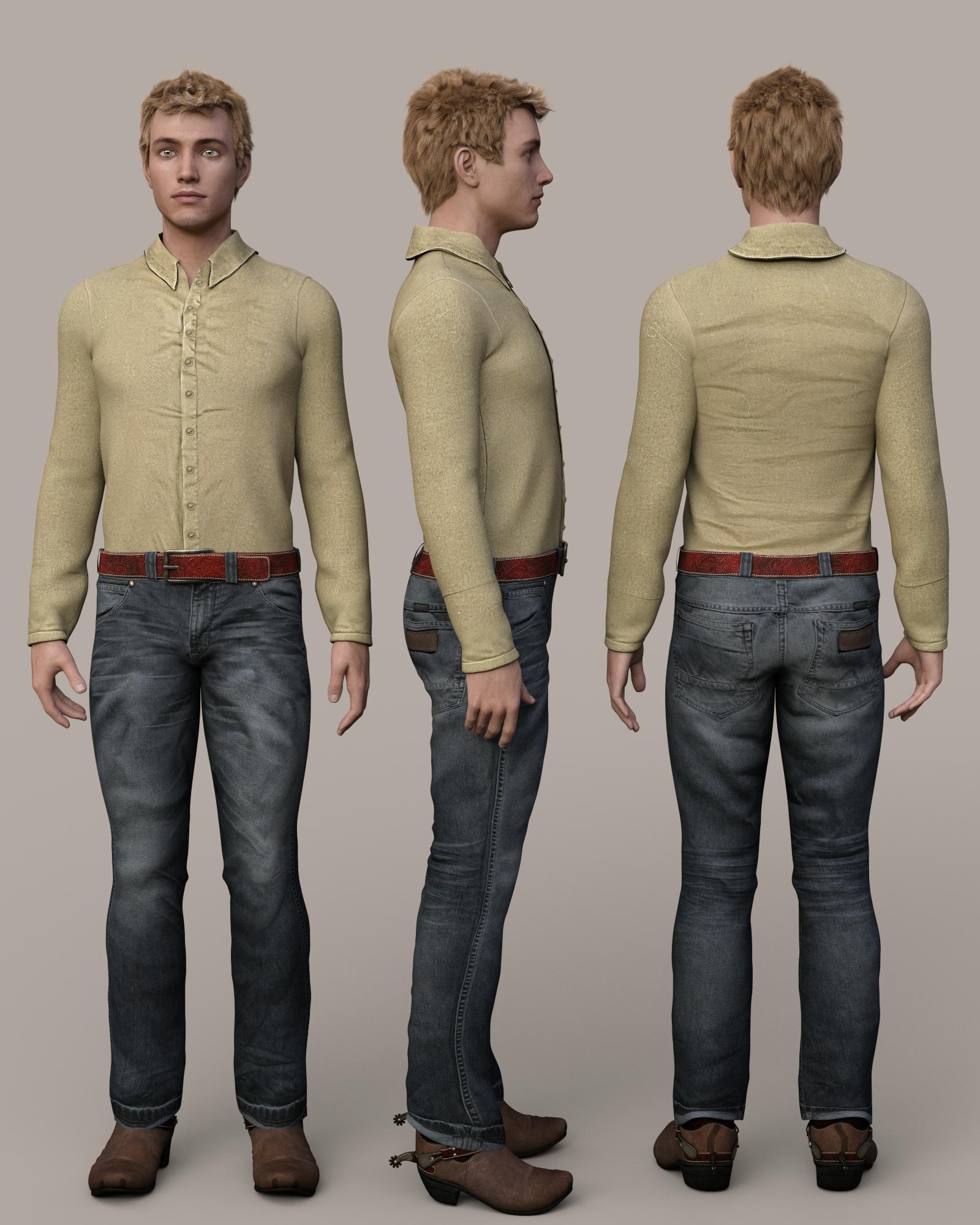
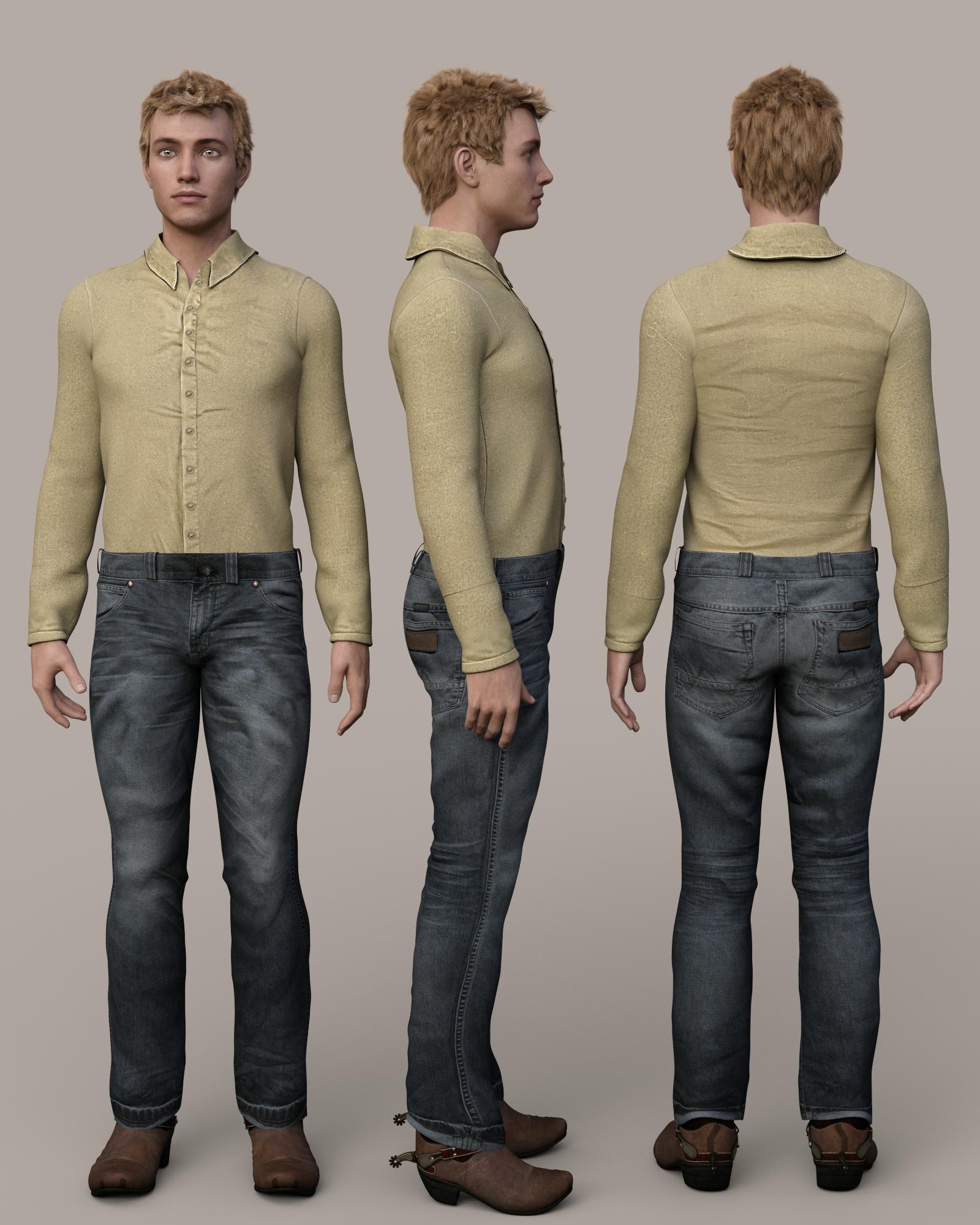
The pants have an interesting turned up cuff, which is something unusual. The wrinkles in the shirt look bad, but it is meant to be covered with the vest in the outfit. The belt loads with the pants. It can be removed by setting the belt and buckle surfaces cutout opacity to 0 and using a provided morph to adjust the waist to eliminate pokethrough of the shirt. However, the waistband doesn't have an opening at the fly area, so I don't know how he ever got these pants on. My mistake! There is an opening; it is just very subtle and hard to see unless you squint at a full size image.
 Property Editor
Type is in Parameters Settings - after importing the morph go to the Parameters pane and click the gear icon at the right-hand end of the slider.
Creating morphs - avoiding to corrupt the basic meshA morph cannot chnage anything but the locationbs of the existing vertices, so what you want cannot lterally be done. However, if you are using Daz Studio another option would be to make your new mose as a GeoGraft -that can effectively replace the existing mesh with new mesh.
Creating morphs - avoiding to corrupt the basic meshFor example, in Genesis 2, I realized that when I try to create a morph, and for example, I cut the nose away and I paste a new nose with the same number of vertices, when I import the new morph and try to use it, the basic model becomes spiky. How can I avoid this? I can edit morph only if I adjust the original model (when I only adjust the original model I don't have those issues), but in some cases it would take a lot of time. There is a way?
Property EditorThanks,
I want the genesis2 clothing, hair, etc to auto fit to genesis. is there a tut for this. SY has a tut for G1G2G3 morph transfers. I made an obj to use in morph loader pro but it may not be correct. I unchecked all the wavefront conversions in the dialog box as per a tut by 3doutlaw DawnV4 clone. Is the "type" morph/clone assigned in morph/morph loader line in the MLP dialog box? I'm confused
Please make better jeans/pants for menOkay, so picked up the outfit at Rendo. I will give it a whirl for that price, it looks great. Far better than the 14.00 price point that DAZ has set for new male releases lately.
Plus I love that it includes poses and undress morphs. Mayb I will be lucky and gen 3 male will fit into those pants. Sweat pants are sort of universal. We'll test it out and see.
So did I. I was already aware of the vendor and have been meaning to buy the jeans he/she has too, so Peter can rest easy that he's not driving customers away. Anyhow, I thought that the spirit of US capitalism was all about competition? Anyhow, have not had a chance to try-on the clothes yet but I am wondering if all those poses are only good for a standard size/shape G3F. I like to use characters that are fatter, taller, shorter and other odd shapes so I hope the very specific pose morphs will work across the range.
Maybe DAZ should entice that vendor over here although I doubt whether they would keep his/her prices so low.
EDIT: Just tried on a non-standard G3F character and it does work. There is some poke through and some adjustments required but it can be used. Haven't tried it on an extreme morph yet though, this one was short and stocky.
Daz Cow Share and Learn ThreadI like your santa Roman. It's really cute. :)
Yesterday I spent the day looking for other utube videos in Hexagon and read some more in the user manual. :) I found a guy that has quit a few hexagon videos and I was just looked at four of them. He uses quit a few tools, short cuts, etc as he is modeling and he explains what he is doing as he goes. I need to take some notes for it to sink in. I thought they were good and worth looking through his other videos. https://www.youtube.com/user/TheEZhexagon/videos.
Now uvmaps are a pain in the butt in my opinion. Trying to figure out the proper place for seams and then fixing the uvmap in it's viewer so it looks good and can be painted is whole other ball game. I have to still figure out material zones yet. lol
You would be surprised how many times I sent that cow through hexagon as I was learning how to do things. I was determined to exhaust all possibilities. A person can make the 'morph' changes on her and get them into Daz and it works but the saving part is where Daz wants you to have the triax figure to save morphs, etc.This is what violates the EULA and copyright stuff, because then it changes the whole cow mesh and then she not a 'character' anymore of the old cow. She is her own new mesh totally not contected to the Daz cow if that makes sense. I mean it's ok. I have learned many things in this process, so it is not a bad thing for me. :)
The two worst things about this cow for me is her head shape. The forehead on a cow skull is more flat not curved. A person could say that is true of most grazing type and/or cloven hooved critters in general. Her uvmap is something to be desired for painting purposes, why the eyes bite to work with.
Edit: I should add that I used the hexagon bridge to bring in the morphed daz cow into daz and the morph showed up it just can not be saved.
Saving morph for selling characterHey!
I made a nice character I'd like to sell, but I'm still learning how to pack it up.
Been trying to follow this tutorial, but when I right click parameters I have other options, the Create New Property one doesn't appear.
How can I save a character morph when I used Body and Head Morphs for G3F?
Does anybody have a more updated tutorial? I believe this tutorial was made for a previous version of DS.
Thank you in advance!
New Nybras textureWould need to be converted to DS format. Dug him out of my library earlier. Would be cool to actually do an HD morph add on for him with an additional set of new textures. There were some nice sets up at Rendo at one time.
I would certainly snap up a Genesis (1, 2 or 3) version in a heartbeat. He's been one of my favourite characters since he came out and it would be awesome to be able to use different clothes on him.
-- Walt Sterdan
Reptilian 6, Minotaur 6 and GenXHello,
Owning GenX and the proper add ons for Geneseis 2 and Genesis 3, I've tried to transfer the Reptilian and Minotaur base morphs to genesis 3 male. Unfortunately, no success so far.
Could you tell me how exactly I should try this ?
Thanks in adavance.
Property Editorhello all,
Where is the property editor for Daz 4.9 pro? is it called something else. I'm cloning a genesis character for G2 to auto-fit using the morph loader pro and following a tut by 3doutlaw. V4 to Dawn for the process. if there an updated tut for this process where can I find it? I have made the morph but I have to assign it.
Thanks
to be more direct: how to create a full figure clone of any base for auto-fitting in daz 4.9 pro
Genesis 4 wishlist!1. I'd like to be able to create clothing for a particular figure and have the option to apply the reverse of the existing morphs on the figure to bring it back to G3F base (or G4F in this case).2. Similar to #1, I'd like to be able to create clothing on a figure with non-zero pose and have the option to apply the reverse of that pose to the clothing.
Higher bend limit on the feet would be nice too. Reason being that the rigging is impossible to deal with beyond the current limit. Some bones acutally end up going backwards on certain footwear.
1. Reverse Source Shape from Target in Transfer Utility
2. Bake rotations, rig the clothing from the baked posed figure, apply the inverse pose to the newly rigged item, Bake Rotations.
How does a person make an inverse pose?
Just reverse the signs
So we have to look though every bone and change all the bend, twist, side to side settings? That sounds like a job for a script.
Generally there shouldn't be that many - arms down would be two or four bones (for an A pose), high-heels on would be four bones (feet and toes on each leg).
Please make better jeans/pants for menHe has???? Where are they all???? LOL.
Had no idea he'd ever done clothes before - I feel like starting up a petition to get him to make MORE!
These are still the best looking jeans I've seen:
http://www.daz3d.com/streetwear-jeans-for-genesis
I autofit them all the time to G3 simply because they LOOK like jeans and they render fantastically. And considering they were made by someone who is known for doing environments/props only, (at least in the hobby daz world), he blew just about every other outfit outta the water in terms of quality and looks. And this was back in the good ol' Genesis days.
Stonemason/Streetwear said at the time he has been making clothes for years - these, the male shoes and now the T-shirt are the first things I Transfer to each new generation. Wish he would make more male clothes :-)
Please make better jeans/pants for menThese are still the best looking jeans I've seen:
http://www.daz3d.com/streetwear-jeans-for-genesis
I autofit them all the time to G3 simply because they LOOK like jeans and they render fantastically. And considering they were made by someone who is known for doing environments/props only, (at least in the hobby daz world), he blew just about every other outfit outta the water in terms of quality and looks. And this was back in the good ol' Genesis days.
Stonemason/Streetwear said at the time he has been making clothes for years - these, the male shoes and now the T-shirt are the first things I Transfer to each new generation. Wish he would make more male clothes :-)
New Nybras textureWould need to be converted to DS format. Dug him out of my library earlier. Would be cool to actually do an HD morph add on for him with an additional set of new textures. There were some nice sets up at Rendo at one time.
Modeling Objects in Carrara - Q&A - Come One and AllI tried playing around with Displacement map and 3D paint in Carrara and it wasn't as hard as I had feared. Opened up morphed version of figure, painted in the Color channel with black and white, and, once saved, blurred the result and used it in Displacement in Daz, and it came out pretty decent (considering I had painted for maybe only 15 mins, tops.)
First image is the also quickie morph I made (most of the time was learning how to make the MF$(%&@ing morph loader work right), without the displacement, then the second has the displacement added.
The They Stuck Gears on my Convoy Whinging Complaint Threadwasting my life away trying to see how to save a morph expresions preset in ds
not under poses, noy character
ohh mebbe shaping preset
Will's WIP threadAnd my first ever morph!
Just a silly quick thing, but had to work through the process of applying morphs (which is filled with lots of potential mistakes that are uninformative)
I've not been able to figure it out. lol It's a mystery to me. I've tried to do morphs for G3 but for some reasons it always ends up messing up the teeth, even if they morph isn't ANYWHERE NEAR the face. I can do a morph on the waste and for some reason it messes up G3 teeth when I try to apply it.
Will's WIP threadAnd my first ever morph!
Just a silly quick thing, but had to work through the process of applying morphs (which is filled with lots of potential mistakes that are uninformative)
Genesis 4 wishlist!1. I'd like to be able to create clothing for a particular figure and have the option to apply the reverse of the existing morphs on the figure to bring it back to G3F base (or G4F in this case).2. Similar to #1, I'd like to be able to create clothing on a figure with non-zero pose and have the option to apply the reverse of that pose to the clothing.
Higher bend limit on the feet would be nice too. Reason being that the rigging is impossible to deal with beyond the current limit. Some bones acutally end up going backwards on certain footwear.
1. Reverse Source Shape from Target in Transfer Utility
2. Bake rotations, rig the clothing from the baked posed figure, apply the inverse pose to the newly rigged item, Bake Rotations.
How does a person make an inverse pose?
Just reverse the signs
So we have to look though every bone and change all the bend, twist, side to side settings? That sounds like a job for a script.
Daz 3D is part of

Connect
DAZ Productions, Inc.
7533 S Center View Ct #4664
West Jordan, UT 84084Licensing Agreement | Terms of Service | Privacy Policy | EULA
© 2026 Daz Productions Inc. All Rights Reserved.