-
Will's WIP thread
I am! The hard thing about the morph import was that there's not much indication of what you did wrong. But finally figured out most of the weirdness.
For those 'at home':
Make sure the figure you modify was exported in Base Resolution. Make sure it STAYS in base resolution (IE: don't save it again with smoothing (In Carrara) and definitely don't tesselate/subdivide).
Make sure the figure you load the morph into is in Base Resolution.
(Those two are 80% of what I kept messing up)
Finally, when using Morph Loader Pro, change 'create control property' and 'reverse deformations' to Yes.
And that SHOULD do it.
Still not sure how to fix the eyes, though. Morph I made shifted the joint center of the eyes. Or, rather, failed to update the center. Not entirely sure how to fix that as a morph, though I could fix it on a single figure, which is probably what I'll do rather than saving the morph for use from every figure.
GenX2 Update / Genesis 3 Add-On [Commercial]Thanks for the information about the actor specific morphs. I've been a Poser user since version 4 and have a huge amount of content for V4 and M4 in my library (morphs and textures). After Poser Pro 2014, I switched to Daz Studio because of Genesis 3, as I use it in Cinema 4D and it is by far the best figure to use it there. So your tool is a lifesaver, as I can bring all my V4/M4 content to Cinema 4D via Genesis 3.
I still have to optimize my workflow, as I want to transfer all of my legacy assets and put them into a new library. I only have Daz Studio 4.8 with Genesis 3 installed and my V4/M4 libraries. After reading all this stuff here, I hope it will work easily, as I'm quite new to Daz Studio and hopefully find all the menu entries I need.

Thanks for providing this tool!
The Doctor Appreciation threadOoh love that Tom Baker! Did you model that Bill?If you mean the morph, alas, no. A person with the user-name Werts started to offer a series of celebrity based morphsat ShareCG for Michael and Victoria 4. Tom Bajer's likeness was one of those offered. Sadly, one day, the offerings "vanished", by that point, several pages worth, along with Werts' account. When asked about his or her whereabouts, nobody has a clue. And when publicly asked if a morph can be shared, D*Z is quick to step in and note that unless the "read-me" file explicitly permits redistribution, they can't. Frustratingly, the "read me" file only provides the installation instructions, nothing about sharing.
Sincerely,
Bill
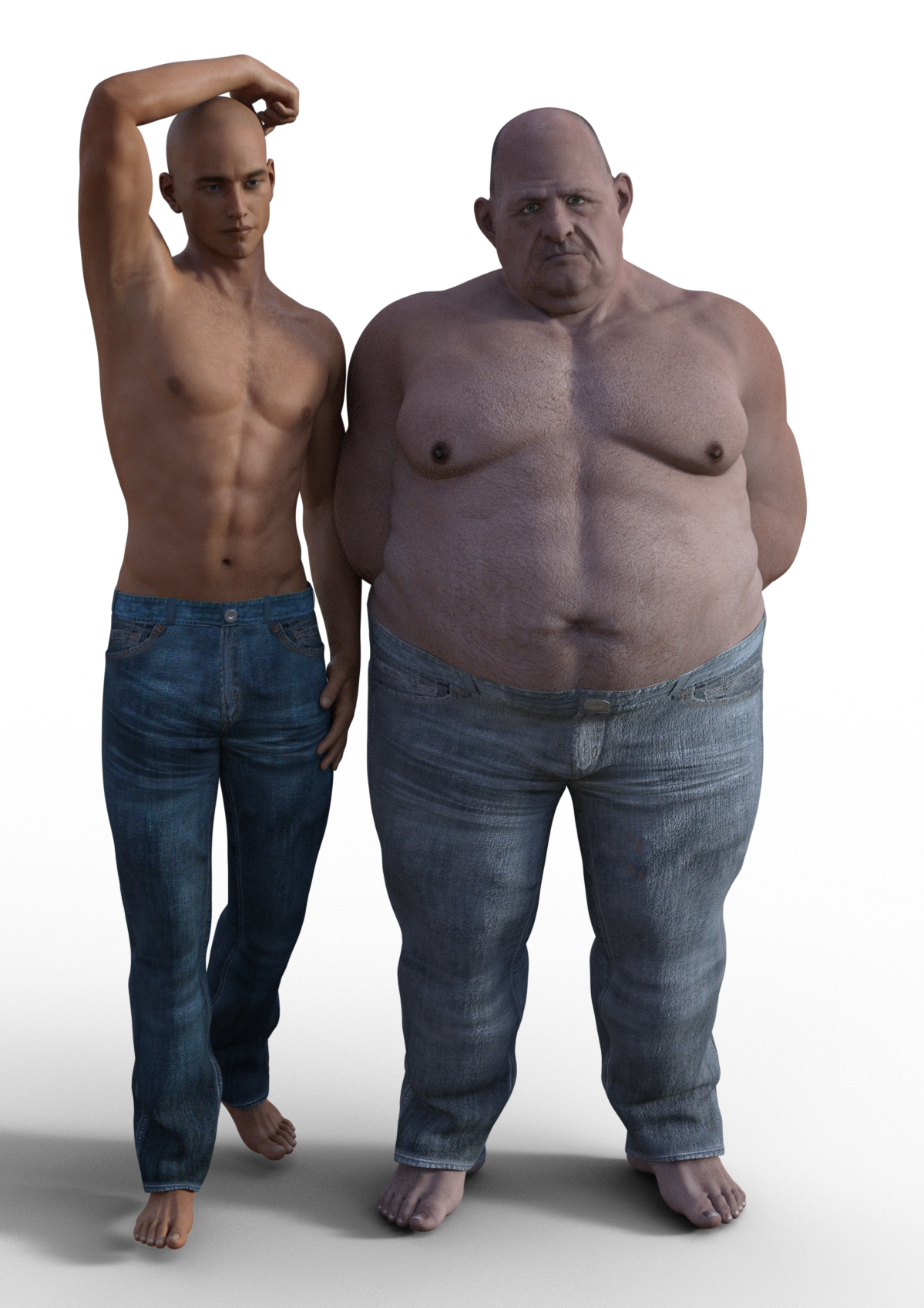
Please make better jeans/pants for menI don't have that many pair of jeans, so can't do any comparisons, but I think these are pretty good and easily my best pair of jeans: http://www.daz3d.com/chilled-out-outfit-for-genesis-3-male-s. Jeans don't have any open/movement morphs, but decent amount of fitting morphs to get them to fit for different characters. There's little strecthing in mesh and textures in extreme cases, but I don't blame the artist in this case
 Jeans have 2 different materials for both 3Delight and Iray.
Models are Michael 7 and George. Both have genital bulge morph dialed to 50-100%, nothing else.
 Daz Cow Share and Learn Thread
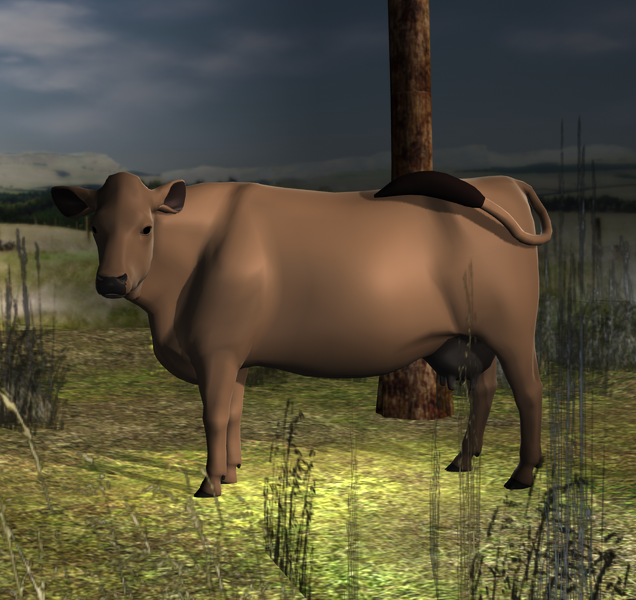
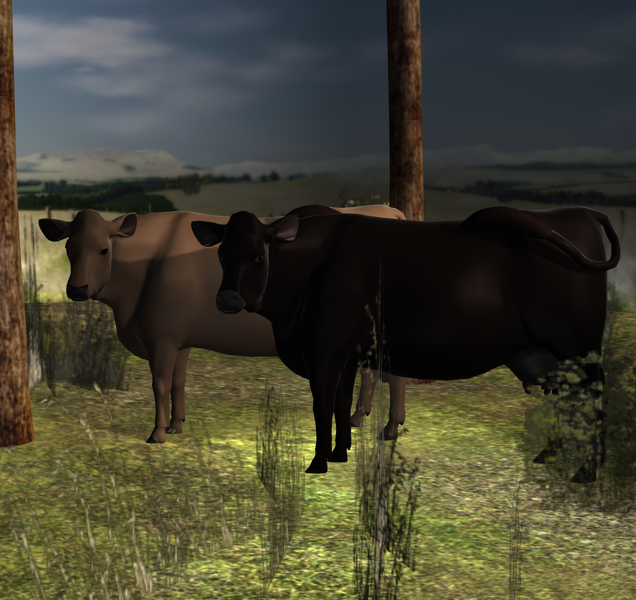
Ok, so I have been just working out all the possibilities or not with the original Daz cow. Of course, nothing that can be passed around and shared except the info. :(
I reassigned the shading domains in hexagon. That was an intersting endevor. I learned some more there. If I try to transfer the changes to daz it tries to make them into a morph which can not be saved yada, yada same story as above. I did go into daz and reassigned the polys using the geometry editor tool. That worked out ok, but can not be saved so it seems except as a scene only which is cool. :) The nose looks a bit funky because of how the polys are made so it is a bit jagged in areas. I did get the dew claws connected with the hooves and I made the pupil bigger by reassigning polys from the eyeball or I think it is called the iris on the cow. I have some pictures of my fun. I am thinking about making them some hair by creating a displacement map. It won't be fancy because of the uvmap, but at least the brown cow will not look too 'bald' as Fey called her. lol
 Will's WIP thread
Cool stuff in here Will! I've been trying to figure out how to do morphs in Blender for about 6 months. There was always some setting I was messing up when exporting and importing and exporting again to import back into DS. I always got that dreaded message about meshes not matching! I finally figured out all of the right settings and made my first 'weird' little morph myself just last week. I was so proud of myself! It wasn't easy getting there.
I have not tried modeling in Carrara yet. Still just trying to get a feel for the program, but I'd like to get to that point one day soon. I like the robot guy. Very cool. That quadruped humanoid looks interesting. Looks like you're having fun. :)
Will's WIP threadIn addition to the critter also working on learning how to do character morphs.
I've long wanted to improve 'quadruped humanoids'; normally when you bend the neck enough, you have to distort the mesh so much it looks terrible.
Well, I have the beginnings of an 'otterfolk' morph that tilts the head back, flattens the skull, and evens out the resulting distortion. It messes up eye joints, but I can live with that (it's not hard to adjust, it just wouldn't make for a salable product, if I cared)
First is the base morph, second is after a lot of extra morphs from other stuff plus Rawart's excellent CatWorld Panther skin.
Please make better jeans/pants for menAHA! Well that explains the problems I've had with one of the textures for aery soul's fantasy bikini outfit.
Looking in the texture folder: there are two normal maps. One has the details of the pockets etc, but no wrinkles/folds.(the other one is for the shirt, I believe) There are bump maps, but no displacement (am I wrong in thinking that displacement doesn't work correctly with iray?? where did i read that?).
The textures themselves of the jeans DO have the wrinkles/folds painted on. They are not straight denim textures. (I don't think I am allowed to show a screenshot of the texture.jpg itself to show you?)
edit: there is a "folds" morph but to be honest, I can't see much difference when it's on or off. It MAY be the darker texture where I used it tho.
All the wrinkles look flat and painted on. Are there any displacement settings, normal maps, or wrinkle morphs included?
Displacement is very inefficient in Iray. It works differently than in 3Delight. The mesh has to be very high poly to get any detail of the displacement to show. This usually means you have to crank subD way up, which uses a lot of memory.
Please make better jeans/pants for menI have the Russian pants too and really like them but they stop at the knee as they are designed to go with the included boots. You can't really use them on their own unless you want jodhpurs :D
The tactical pants do seem to be a bit wider in teh waist, which is why I turn the "loose waist" morph down a bit.
Tactical pants have a lot of detail but I tend to find they make the hips look a bit femininely wide especially with the belt. I usually have to dial the models hip size down when my character wears them for some odd reason. They look designed a bit for female characters
I do really like the Russian pants though.
Please make better jeans/pants for menLooking in the texture folder: there are two normal maps. One has the details of the pockets etc, but no wrinkles/folds.(the other one is for the shirt, I believe) There are bump maps, but no displacement (am I wrong in thinking that displacement doesn't work correctly with iray?? where did i read that?).
The textures themselves of the jeans DO have the wrinkles/folds painted on. They are not straight denim textures. (I don't think I am allowed to show a screenshot of the texture.jpg itself to show you?)
edit: there is a "folds" morph but to be honest, I can't see much difference when it's on or off. It MAY be the darker texture where I used it tho.
All the wrinkles look flat and painted on. Are there any displacement settings, normal maps, or wrinkle morphs included?
Displacement is very inefficient in Iray. It works differently than in 3Delight. The mesh has to be very high poly to get any detail of the displacement to show. This usually means you have to crank subD way up, which uses a lot of memory.
Please make better jeans/pants for menLooking in the texture folder: there are two normal maps. One has the details of the pockets etc, but no wrinkles/folds.(the other one is for the shirt, I believe) There are bump maps, but no displacement (am I wrong in thinking that displacement doesn't work correctly with iray?? where did i read that?).
The textures themselves of the jeans DO have the wrinkles/folds painted on. They are not straight denim textures. (I don't think I am allowed to show a screenshot of the texture.jpg itself to show you?)
edit: there is a "folds" morph but to be honest, I can't see much difference when it's on or off. It MAY be the darker texture where I used it tho.
All the wrinkles look flat and painted on. Are there any displacement settings, normal maps, or wrinkle morphs included?
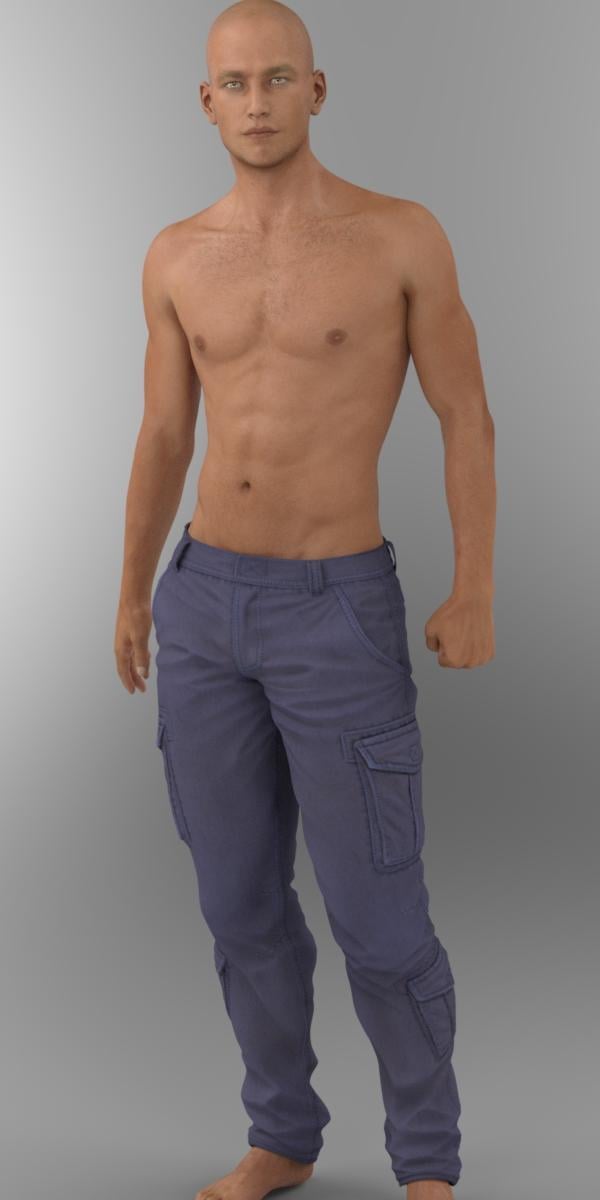
Please make better jeans/pants for menAnother REALLY good pair of pants (not necessarily jeans) are Smay's Tactical Pants for G3M. http://www.daz3d.com/tactical-pants-for-genesis-3-male-s
I think these are quite excellent and they fit to G3F really well too. You can have the pockets on or off, and they have morphs to tuck into Smay's tactical boots, or an "under boots universal" which will work with other boots. There is a morph to fit the Tactical gun holster on his thigh too. The only morph I used here, was the "loose waist" one that I went negative with as I felt the waist was a little too wide. I had it at -0.16 so not much at all. The textures are good too - there are 9 colours. The fly button/clip would be behind that flap on his waist - an interesting design!
Again, no postwork so you can really get a good idea of hte pants.
 Please make better jeans/pants for men
Ok, these are OOT's superjeans: http://www.daz3d.com/daily-casuals-mega-wardrobe-for-genesis-3-male-s
They do have quite a few good morphs INCLUDING a bulge morph. Open the waistband etc, loose fit, tapered fit etc. Plus you can make them into 4 different lengths. I do like these jeans, although I'm not particularly keen on the textures. But for the included morphs and different styles, and the fact that are pretty decent jeans, they are worth the price.
No postwork other than text, on default Michael 7.
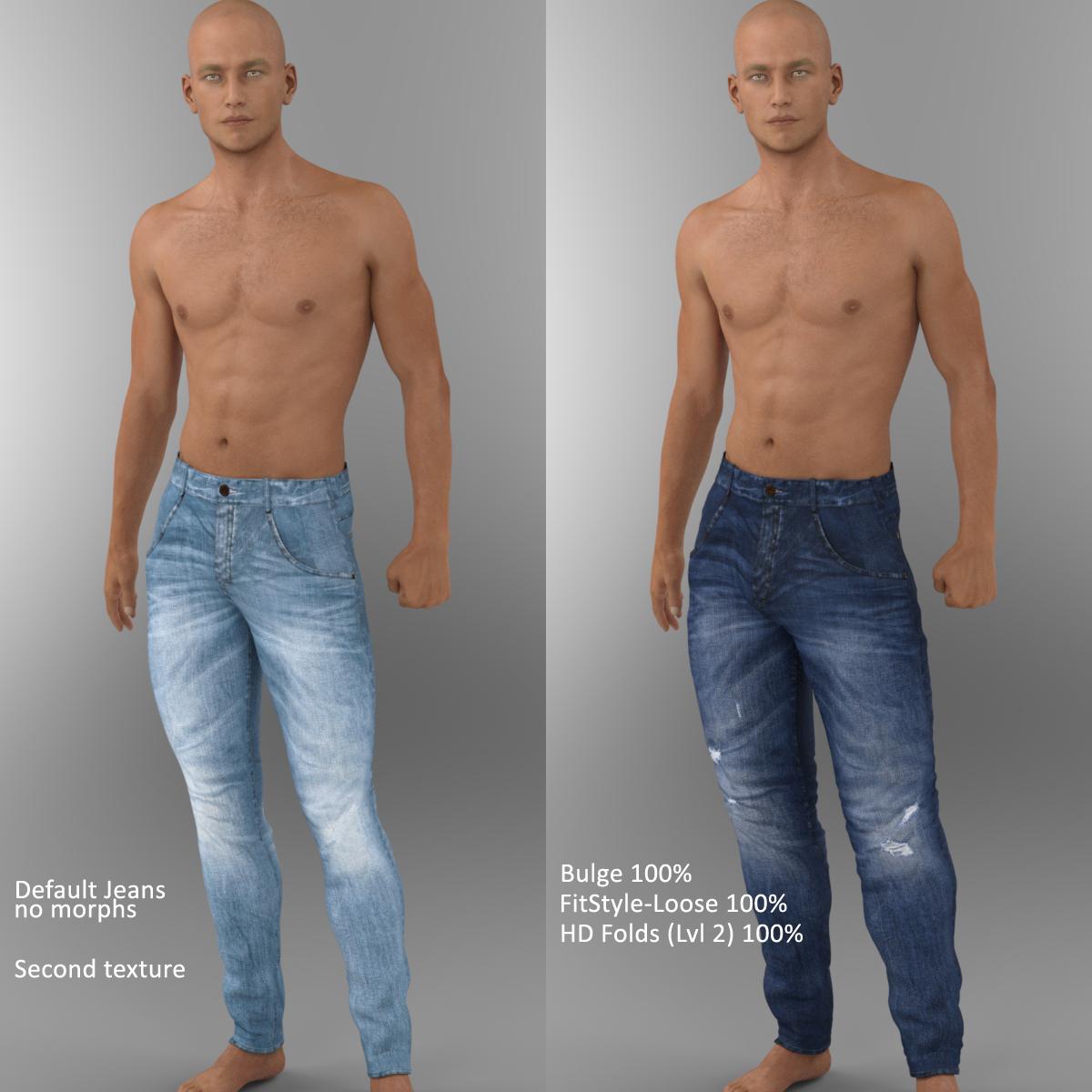
All the wrinkles look flat and painted on. Are there any displacement settings, normal maps, or wrinkle morphs included?
Please make better jeans/pants for menOk, these are OOT's superjeans: http://www.daz3d.com/daily-casuals-mega-wardrobe-for-genesis-3-male-s
They do have quite a few good morphs INCLUDING a bulge morph. Open the waistband etc, loose fit, tapered fit etc. Plus you can make them into 4 different lengths. I do like these jeans, although I'm not particularly keen on the textures. But for the included morphs and different styles, and the fact that are pretty decent jeans, they are worth the price.
No postwork other than text, on default Michael 7.
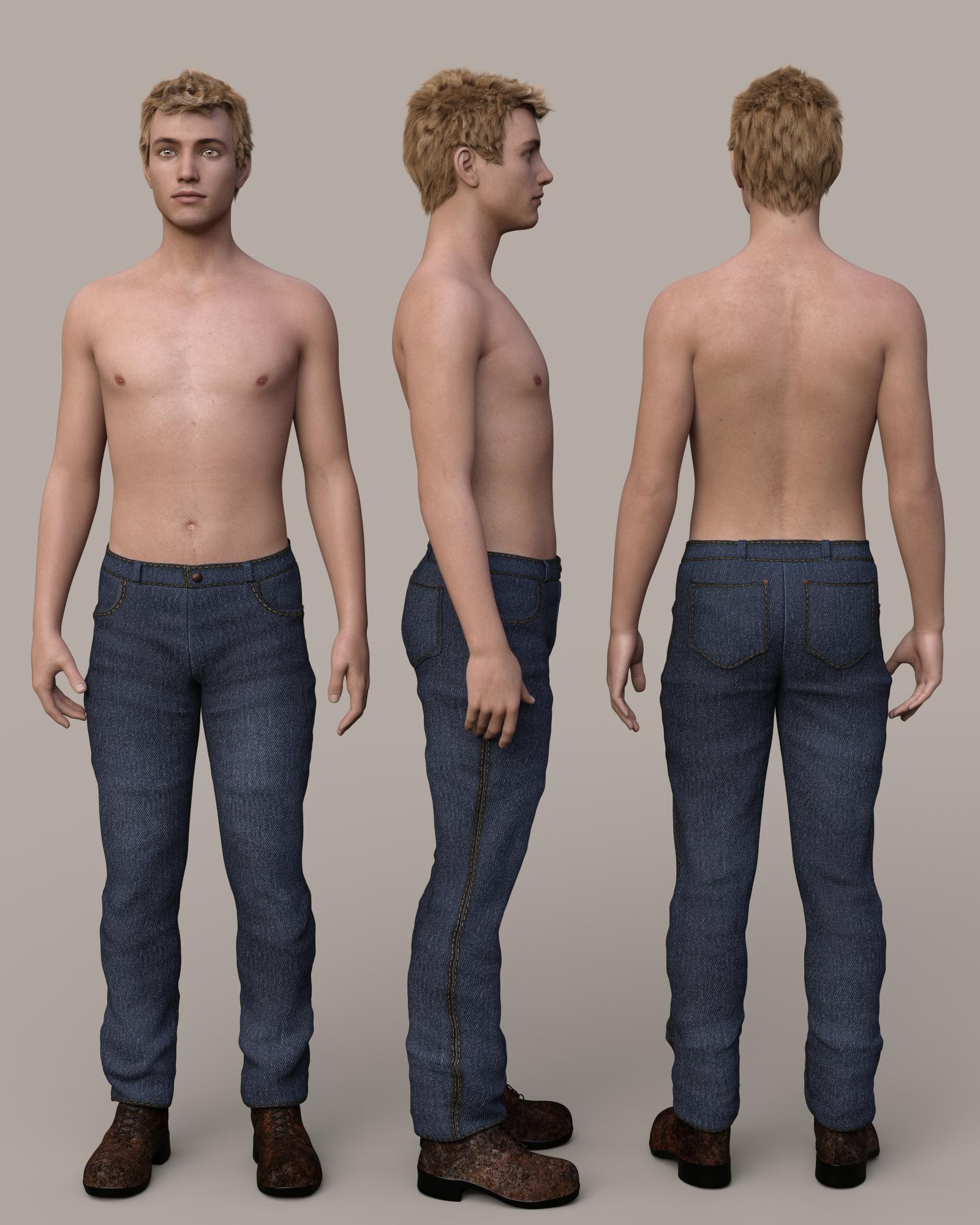
Please make better jeans/pants for menTraveler for Genesis 3 Male(s)
This is from the newes PC+ product that many of us have had issues with. There doesn't seem to be a fly in these pants. There is a center seam and a button on the waistband, but no apparent opening for puting them on/off. The pants have a WrinklesHD morph, but when I used it, there was pokethrough in the pelvis area. I had to use Wear Them All bulge fixers in a negative direction to fix that poke through. It's pretty disappointing when the product's own morphs cause problems like that.
 Is there any artist working on a real anime figure?
The main issues with the DAZ figures is that they don’t really push the mesh too far because it’ll mess up supported products.
That is not true.
Genesis products can be pushed into very extreme shapes and still have supporting products work.
As for a "Real" anime figure.....I would bet if you asked 100 people you would find 100 different ideas as to what "real" anime is.
So those who have made anime figures have done it to whatever style they were looking for.You might be able to combine morphs and such to come up with close to the look you are looking for. That is one of the good things about the genesis figures.
If ANYONE here knows about the wonders and versatility of extreme morph creation for G2-3 it is this man!
Somewhat New to Carrara QuestionsGood start.
Phil's tip also works in reverse. You can start with everything in one mesh, then copy and paste parts to a new vertex object for a perfect fit. For example, if you save your initial grid, you can use it as the basis for starting doors that perfectly fit your doorways. To open the doors, use rotate instead of a morph. This technique is not so important for a building with doors and doorways because the dimensions are simple. It is more useful if you are modeling a complex machine with interlocking parts that need to fit together.
That's something I may try when I am a bit further along lol. But I will add it to my notes for sure.
Somewhat New to Carrara QuestionsGood start.
Phil's tip also works in reverse. You can start with everything in one mesh, then copy and paste parts to a new vertex object for a perfect fit. For example, if you save your initial grid, you can use it as the basis for starting doors that perfectly fit your doorways. To open the doors, use rotate instead of a morph. This technique is not so important for a building with doors and doorways because the dimensions are simple. It is more useful if you are modeling a complex machine with interlocking parts that need to fit together.
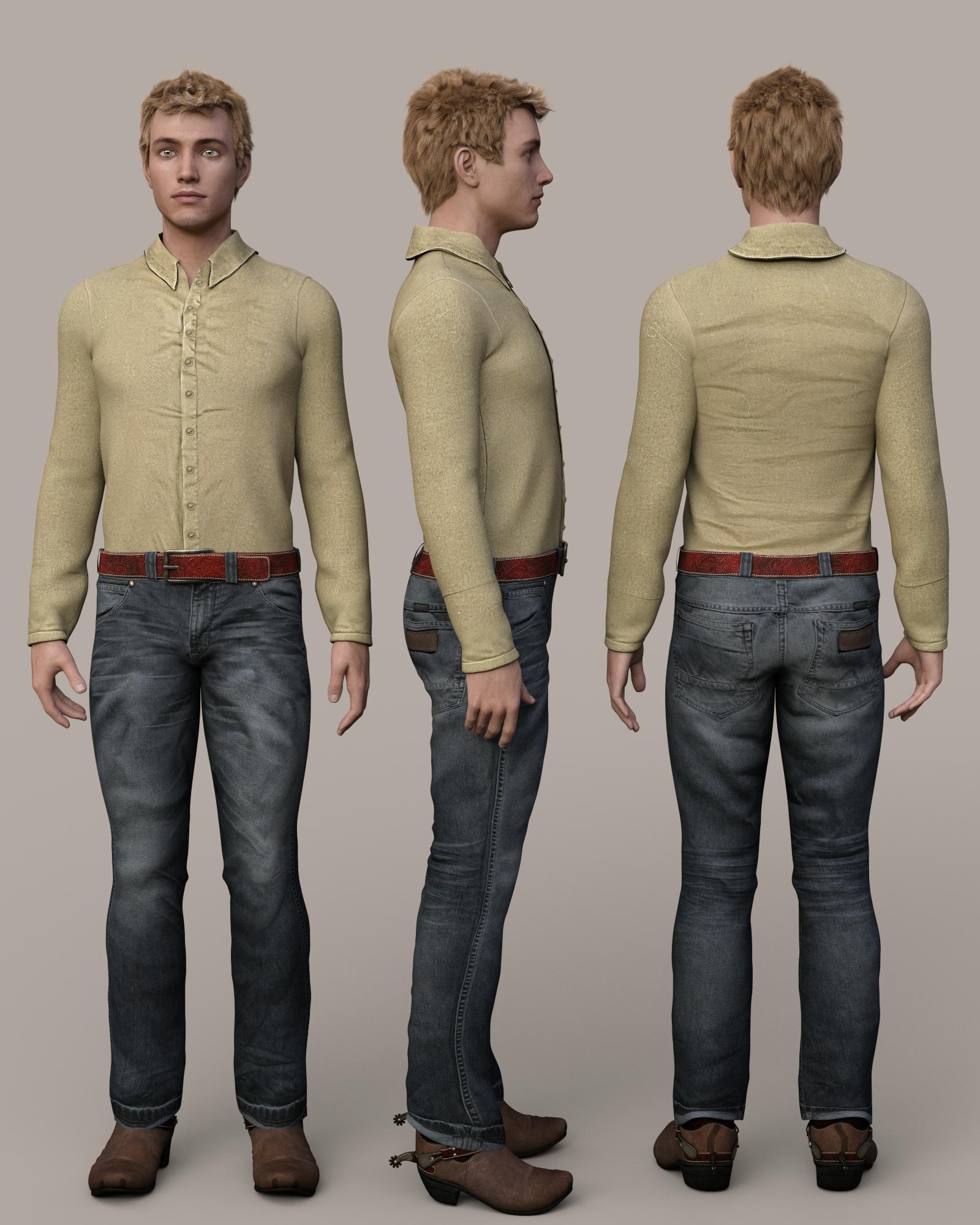
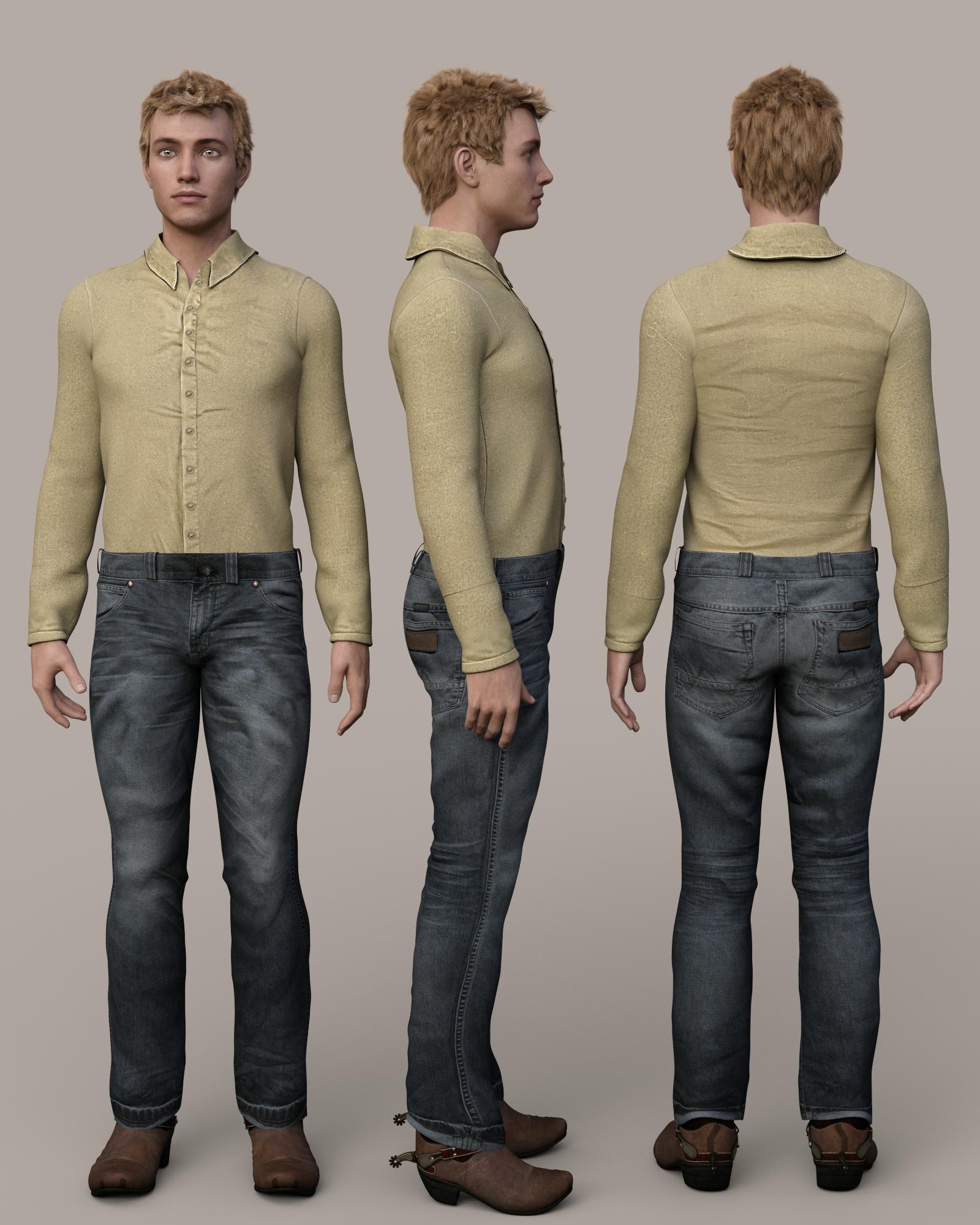
Please make better jeans/pants for menCowboy Outfit for Genesis 3 Male(s)
The pants have an interesting turned up cuff, which is something unusual. The wrinkles in the shirt look bad, but it is meant to be covered with the vest in the outfit. The belt loads with the pants. It can be removed by setting the belt and buckle surfaces cutout opacity to 0 and using a provided morph to adjust the waist to eliminate pokethrough of the shirt. However, the waistband doesn't have an opening at the fly area, so I don't know how he ever got these pants on. My mistake! There is an opening; it is just very subtle and hard to see unless you squint at a full size image.
 Property Editor
Type is in Parameters Settings - after importing the morph go to the Parameters pane and click the gear icon at the right-hand end of the slider.
Daz 3D is part of

Connect
DAZ Productions, Inc.
7533 S Center View Ct #4664
West Jordan, UT 84084Licensing Agreement | Terms of Service | Privacy Policy | EULA
© 2026 Daz Productions Inc. All Rights Reserved.