-
Solution Share: Import MMD motion into Daz Studio with body, facial and camera motion[Need Blender]
I have another maybe solvable issue. ATM I'm just planning to live with exporting naked, and reimporting naked. But the only "successful" import back into daz that I've done results in an animation where when the girl tries to wave her arms in the air... she brakes both her shoulders dislocating her arms to spin them at an impossible angle.
I figured okay well that makes sense the video had me unlock rotation of all bones. So, I redid the import without unlocking the bones, and it didn't help the issue at all, if anything it only made it worse. Anyone got any clue as to what I screwed up?
This is the moment the shoulders start to become broken/deformed:
This is the VMD I used: https://www.youtube.com/watch?v=5_4TKRgEr9U
I guess maybe I should find a VMD with less arm motion to test, but well, I just wanted to grab one randomly as a test of the process.
As to why I want to import back into daz, well, I can't get the hair or clothing to work in blender, I don't know how to set up lighting in blender, but I do already know how to do all those things in daz, so by reimporting the pose/animation back into daz, I don't actually have to "learn blender".
I just have to follow the 8minute video tutorial instead, unfortunately, yeah, broken shoulders. As you can see below.

I don't know if anyone has encountered anything like this using the steps in the video tutorial, and happens to know which step I did wrong? It's a long shot but doesn't hurt me to ask. It's strange though that the animation manages to follow the dance so perfectly EXCEPT for the issue of the shoulders. I'd imagine if the process was done totally incorrectly the limbs would all flail about randomly, not result in an almost perfect copy of the dance except for one set of joints getting it wrong.beginner's problems287ego - if you export and then import an OBJ file, you usually do not have to smooth it. If you export then import as 3DS file, you might need to smooth it. The problem you describe I have never experienced (exported from Hexagon, Wings3D, Daz Studio, MeshLab, ...) so I cannot help here.
As NGartplay mentioned, you can re-download Bryce and the additional assets from your account. Have a look at the PDF you find on my website here: Bryce & 3D CG Documents > Mine > Diverse > Bryce Content FAQ that tells you where stuff belongs. I recommend that you copy all libraries to a save place, because if you add new assets (purchased, free or self made) they will be lost when you install Bryce anew. If you have a backup of those libraries, you can copy them back.
Note that Bryce can be installed anywhere on your computer, even on a network drive or an USB stick. Never use DIM or Daz Central for anything Bryce.
If you have questions about Bryce, ask, we are all here to help you.
When enough is enough?FSMCDesigns said:
While I can appreciate the comments here and I am in similar situations with limited purchases as of late, to answer the OPs question, it's never enough. DAZ is a business afterall and it's main goal is to make money off of 3D content (unless they have a side gig and are just doing this for the fun of it or a hobby which I highly doubt) I wonder how many here would be upset if DAZ just vanished like my fav coffee shop that went out of business due to poor sales. Imagine being left with DS version 4.21 with no chance of ever getting an upgrade or it not working due to newer windows or drivers and no support or being stuck with undeveloped G9 and no new content for any figure, or no forum or gallery for those that use it. So spend what you can, or better yet, try to others involved in this 3D spending madness, LOL
The software should still function for a long time. Most content is created by 3rd parties, so many of those people could easily sell from somewhere else. Genesis is pretty modular, so with the exception of HD morphs new content can still be created. You could even design your own stand alone custom figure, like numerous PAs have already done. So a group could get together and build their own successor to Genesis...maybe one that includes HD mesh import from the start, LOL.
Daz would probably still be valuable enough so that somebody will want to buy it. Just look at Poser. While it may be staggering around like a zombie, the fact remains that Poser is not dead yet. There are some diehard people who refuse to let Poser die, and continue to support it even if it means getting fewer sales than they can selling products for Daz. I can very easily see the same thing happening with Daz Studio if it suddenly went bankrupt. A group of people or website will fight to keep it alive, no matter how zombified it starts to become.
Even if they somehow killed Daz Studio so that software stopped functioning, the assets can be loaded in other applications. Somebody would almost certainly try to create a Daz like software to take its place. And somebody might find a way to hack the old software into working.
Anything could happen, but never underestimate what dedicated people can do when they put their mind to it. There are a lot places that use Daz assets in one way or another, I feel confident somebody would find a way to keep going.
Solution Share: Import MMD motion into Daz Studio with body, facial and camera motion[Need Blender]left1000 said:
crosswind said:
Just need to merge rigs for the clothing, ref: https://diffeomorphic.blogspot.com/2021/07/changing-outfits.html. Or you use Diffeomorphic Daz Importer - Easy Mode to import char from DAZ~
Easy import made my head spin, I couldn't follow what all the options did. Any chance there's an easy answer? As in easy instructions in which easy import option to press and which not to?
You may have some in-depth understanding of DDI on its blog, e.g. http://diffeomorphic.blogspot.com/2021/03/easy-import.html or on Bitbucket: https://bitbucket.org/Diffeomorphic/import_daz/issues/396/easy-mode
Solution Share: Import MMD motion into Daz Studio with body, facial and camera motion[Need Blender]crosswind said:
Just need to merge rigs for the clothing, ref: https://diffeomorphic.blogspot.com/2021/07/changing-outfits.html. Or you use Diffeomorphic Daz Importer - Easy Mode to import char from DAZ~
Easy import made my head spin, I couldn't follow what all the options did. Any chance there's an easy answer? As in easy instructions in which easy import option to press and which not to?
Solution Share: Import MMD motion into Daz Studio with body, facial and camera motion[Need Blender]Just need to merge rigs for the clothing, ref: https://diffeomorphic.blogspot.com/2021/07/changing-outfits.html. Or you use Diffeomorphic Daz Importer - Easy Mode to import char from DAZ~
Solution Share: Import MMD motion into Daz Studio with body, facial and camera motion[Need Blender]butaixianran said:
marble said:
Looks interesting but a couple of questions spring to mind. Why export back to DAZ Studio? Why not render in Blender using Eevee or even Cycles which is still probably a lot faster than IRay. I hate to imagine how long it would take to render 3000 frames (that was a number mentioned in the video) in IRay. Even at only a minute per frame that's over 2 days. Then there's the version with the dress which needs cloth simulation. Perhaps it isn't possible to do that in Blender with clothing exported from DAZ Studio? So that would require DAZ Studio and dForce over those 3000 frames. OK for someone with a spare PC which happens to have a 3090 installed. Or maybe a professional studio.
1. Some Daz and MMD user may not familiar blender. But they can handle just import and export a model.
2. In most cases, after converting motion onto Daz character, you gonna still want to try other clothes, hairs and stages to find the best choices for your song and animation. In mmd, people may try a dance motion on 30+ characters with different hairs and clothes before rendering.
3. People may not want to ajust material again. But if you don't adjust material for cycles, your rendering result won't be as good as in Daz with iray. The converted material is just an ok level, and not very easy to adjust.
Hi there, I'm hoping to be a " Some Daz and MMD user may not familiar blender. But they can handle just import and export a model. "
But I am struggling to follow the video, because it starts with the daz character perfectly imported. However my daz character... when I follow the video, as soon as she gets her vmd animation she leaves her clothing behind. Could you or someone else in this thread maybe write a detailed guide on the steps to choose in importing to blender? In order to best prepare for a VMD like in the video? This is the page I am following https://diffeomorphic.blogspot.com/p/import-into-blender-version-16.html but there are a great many choices to make.
I could import her to blender naked, but the video and the instructions on the blog I am following say to import her wearing clothes. So the fact the clothes don't gain the animation vmd must be something I've done wrong prior to second 0 in the video. Maybe I'll try naked another time.
edit: Anyone know if genesis8.1 works with the import tool? because when blender crashed I was using genesis8.1 although I just retried to bake a 500 frame animation instead of a 7000 frame animation and didn't crash.
edit2: Okay, I got the animation working (I went with 400 frames to test it). But she is naked and without any morphs, I guess because I'm supposed to add those in daz3d myself? But if that's true? Why did I bother exporting her with clothing and morphs on? In the future do I just export the base genesis8 figure? VMD her a dance? Then back in daz load the dance animation, then design her clothing and morphs?
edit3: autocamera does work, I just had to reselect camera to export.
edit4: TLDR; why don't I just export a base gen8 figure to blender, then save that .blend file, then do all my VMD addon onto that? What's the point in exporting the specifically morphed figure with the specifically set up materials from daz to blender for the vmd? If when I export the dance back I just get a pose that could be applied to any figure? Will this pose look best and fit best if I re-apply it to the identical figure it came off of? The girl in the video is too generic for me to tell/notice.Updating CMSThe Help of the icon says that there is no Metadata for this Package.
I installed with the Download Manager in the Opening Site.
My DS Categories have some duplicates. How can I fix that?I know what you mean. The LOCAL USER references are nothing if not persistent. When I make a new package (usually converting older Poser, or Legacy DAZ) the newly created assets initially go into LOCAL USER. I create the new Product, add the metadata from DB Editor, and package it for DIM. The Product is in the Content Libary Product list, with the references to the original location of the created assets (in a test library isolated from the main library). The references in LOCAL USER are also present, because they are still valid. If I simply delete the content from the test folder, the references become orphaned. If I install the new package, the database sees the new asset and the references are restored in LOCAL USER. If I make a Custom Category from the newly installed package, I will get two references for each asset, one from the installed location, and one from the reference in LOCAL USER.
What I do is uninstall the package, then go delete the newly orphaned refrences from LOCAL USER (or the Custom Category), and re-install. Or, pre-emptively, when I delete the original working copy in the test library (after packaging it), go to the Product folder, which now has a bunch of orphaned references, delete them, and then delete the Product (it only removes it from the database, not the disk). When you install, it should be clean, no LOCAL USER.
Not sure if that will clear it from the USER DATA export, but if an asset is not in LOCAL USER, there should no longer be any references to it from there. I do know that mixing VENDOR DATA (in the metadata.dsx file) with Custom Categories (which is USER DATA) will mark those categories as Read-Only, a PITA to undo. If you are using default categories, they are already Read-only, so no harm there.
Not sure if that answers your question...
My DS Categories have some duplicates. How can I fix that?I am terribly frustrated by this whole reset/reimport situation. Older Daz products don't have metadata in DIM. Years ago I added metadata for many of them. That became "user data", I guess. After my DB reset/reimport, many of those products do not show any files in the product and they have no metadata, even though I imported both product and user data. Now, I have attempted to fix some of those by following the NorthOf45 suggestions above. That seems to be working to create a new DIM package for the product which contains all the metadata and the updated manifest lists all three metadata files (dsa,dsx,jpg). However, those product files and metadata do not get removed from the LOCAL_USER product or the reexported USER_DATA. I have reinstalled some of those products numerous times now. How can I get that stuff out of LOCAL_USER product and USER_DATA metadata file?
how to rig armor with transfer utilityRelevant JCMs have to be fixed. Don't fit a wearable to a 'posed figure'...
1. Load a base figure, keep its T-Pose without giving any pose to it
2. Import your armor obj, use Transfer Utility to fit the armor to the figure
3. Bend figure's right shoulder and right forearm as per the screenshot you attached, but one by one, i.e. first bend Right Shoulder (select right shoulder, use Bend dial in Parameters pane, dial it to 40 degrees)
4. Select the figure, in Parameters pane, turn on Show Hidden Properties..., there should be a Jcm dial automatically triggered: pJCMShldrDown_40_R
5. Use GoZ to export the figure and armor to ZB to fix the distroation on the armor (smooth, move, whatever...). Import the armor back to Daz via Goz, paste pJCMShldrDown_40_R to the field of Morph Name in the popup dialogue. Dial the morph..
6. Fix the JCM of each pose one by one~ in general, all JCMs have to be fixed if there's any distortion but tiny ones might be ignored. Just give it a Smoothing Modifier...It's the standard procedure when a PA makes a wardrobe like this, just the modeling / sculpturing software may be different ~ You may search 'DAZ JCM' on youtube to find the tutorials...
Using Bryce to make HDRI filesMage 13xX13 - thanks for your kind words. In 2006, IBL/HDRI was introduced in Bryce 6.0 creating the light with the Monte-Carlo algorithm that created specular or diffuse convolved HDRIs (like Studio 3DL uses). Bryce 6.1 changed that to the median-cut algorithm that creates point lights. Bryce 7 greately improved IBL/HDRI and it can create area lights instead of point lights (if true ambience optimization is enabled and the scene rendered with TA - much like the lights in the light Lab), and the loaded HDRI can be specular convolved and the Phong exponent can be set between 1 and 100. The HDRI can be tone-mapped (using the global Reinhard algorithm). Tone-mapping can be used only for the backdrop and optionally also for the lights generated. Studio Iray is still very far away from such options, tone-mapping is done with gamma ...
Now to your question: how to import an HDRI into Bryce. In the IBL tab of the Sky Lab, above the controls, enable Use HDRI Image. This enables the Open... button. Click on it, this opens the Open dialogue of your operating system and you can select the HDRI you want to load. The file must have the .hdr filetype (myfile.hdr) and in the spherical projection. It must be a true Radiance RGBE RLE-2 compressed file (difficult to find another one, without compression or with RLE-1).
Using Bryce to make HDRI filesHello, I am a long time user of Bryce 7.1 Pro, having used it since 2010. A pity that the application never got anymore updates, as it would have been nice to have the use of all the tools that were put into it that at this time are still of no use, like the Displacement part of the Deep Texture Editor. It would have been nice to have a 64 bit version that could handle more robust image compositions and renders. My question is as follows:
Can Bryce 7.1 Pro import true HDRIs? I now know for sure that they can, but I do not know how to import one.
I must say that it was you, Horo, and David Brinnen that provided such awesome tutorials that taught me the ins and outs of Bryce. I took what I learned from you and ran with it. I am now able to figure out ways to improve certain aspects of the application to do images that are contest winners. Last year I won two art contests at The Fantasies Attic with images that I did in Bryce! I'd say that is excellent for an application that has not been upgraded in almost a decade and a half!
Anyway, I hope you can direct me to some information that will instruct me on how to import an HDRI into Bryce.
Thanks in advance for anything you can provide!
I have created my own objects library of models that I made either in Wings3D, in Bryce, or both. I have also made some textures for the Materials library, and skies for the Skies Library. I have not mastered making Bryce HDRIs, but I have made a couple. I've not tried to export my HDRI's, but from what I read here, it is possible to do so. Whether or not I can import them into an application like DAZ Studio or not at this time seems to be unknown, and due to what was said in your comment above, I wonder how well it would work, if I can. I mean 48 bit is just half of the required 96 bit.
No one asked me - Diomede screenshots on whatever - Warning AI Discussion OKLandscape Fun, Post 4
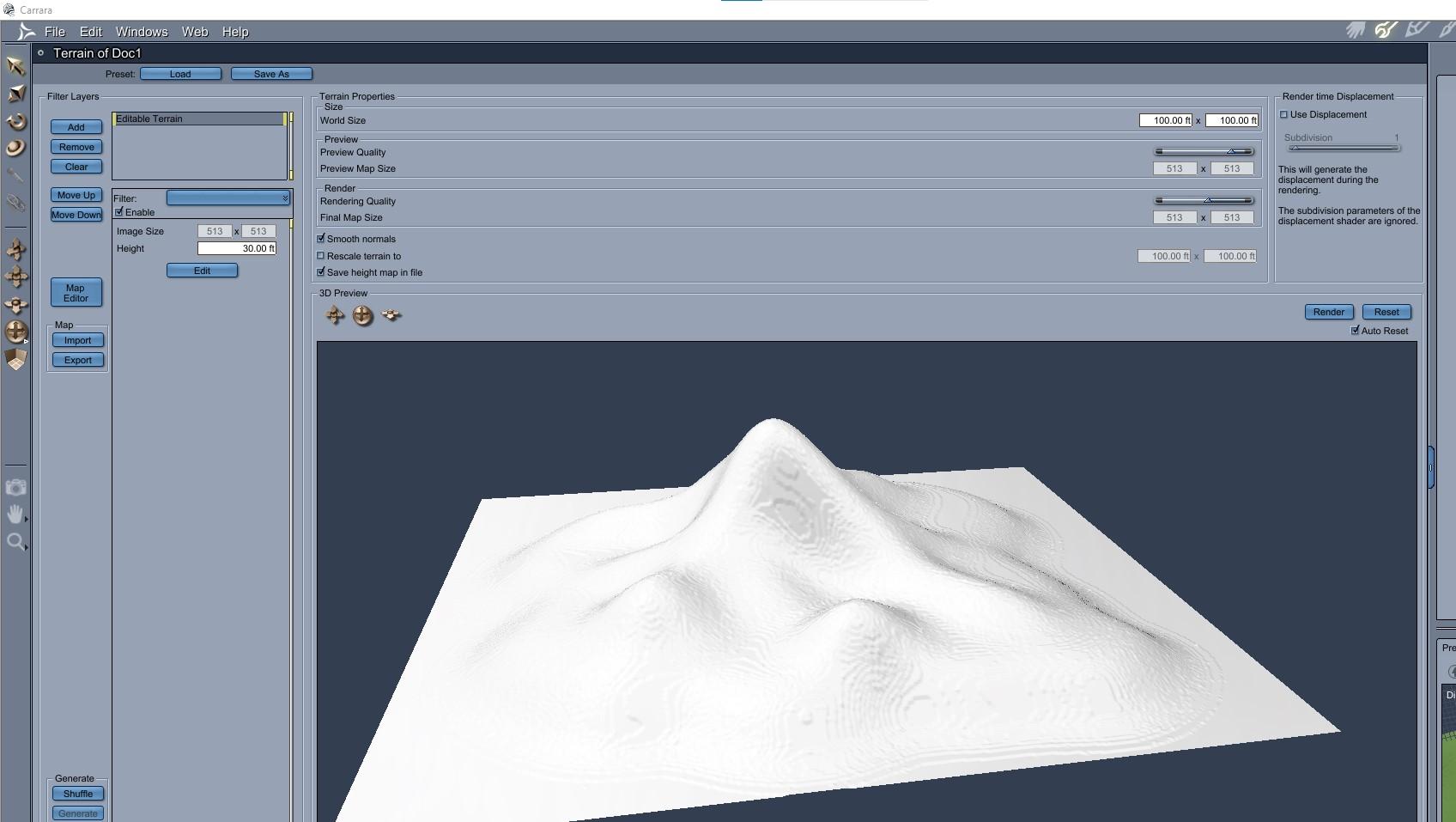
Here is an example of applying the maps in the previous posts. Remember that multiple heightmaps and multiple filters can be stacked in the landscape modeler. Here is the hill and wrapped stream valley imported to the landscape modeler.
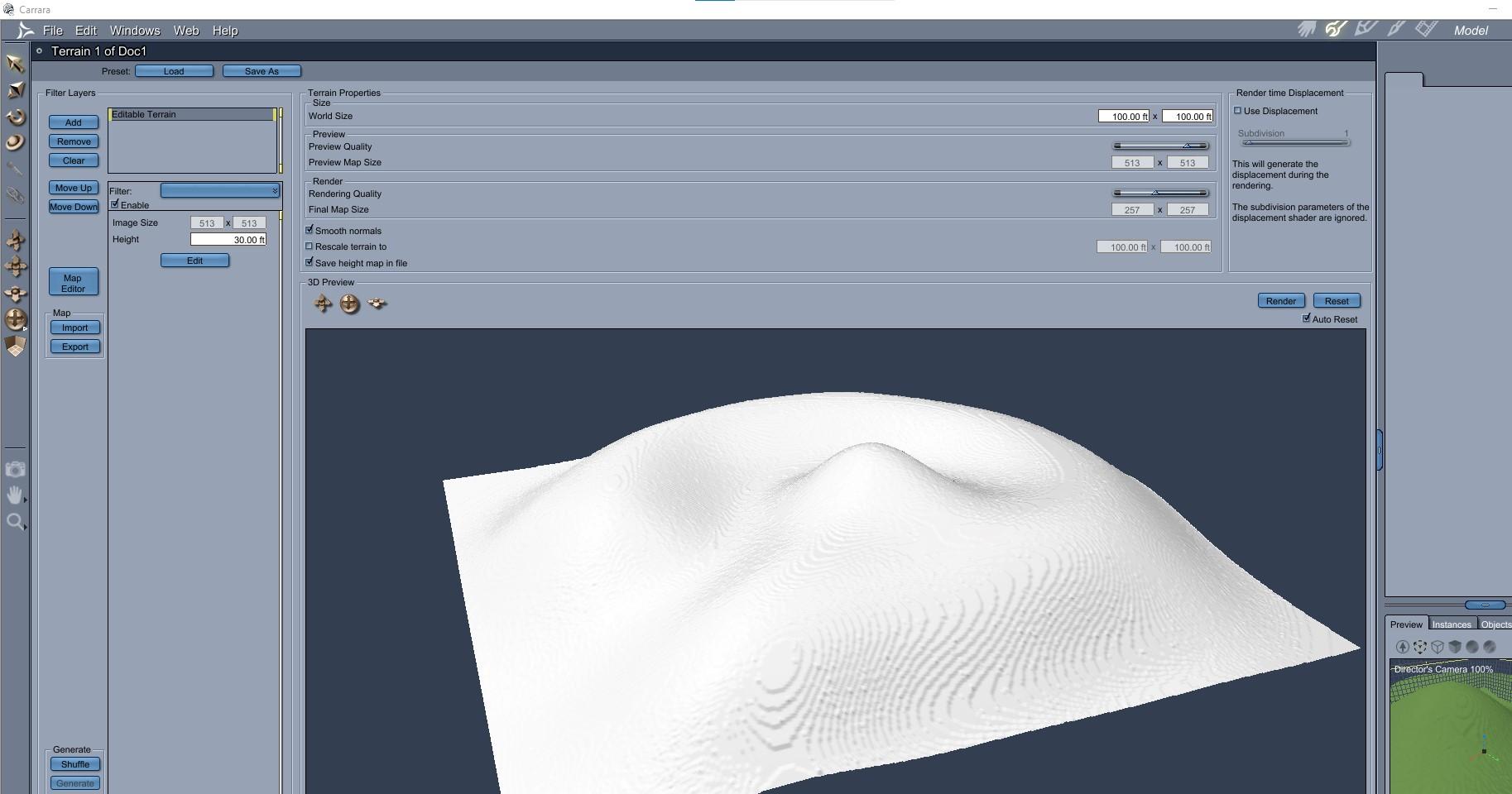
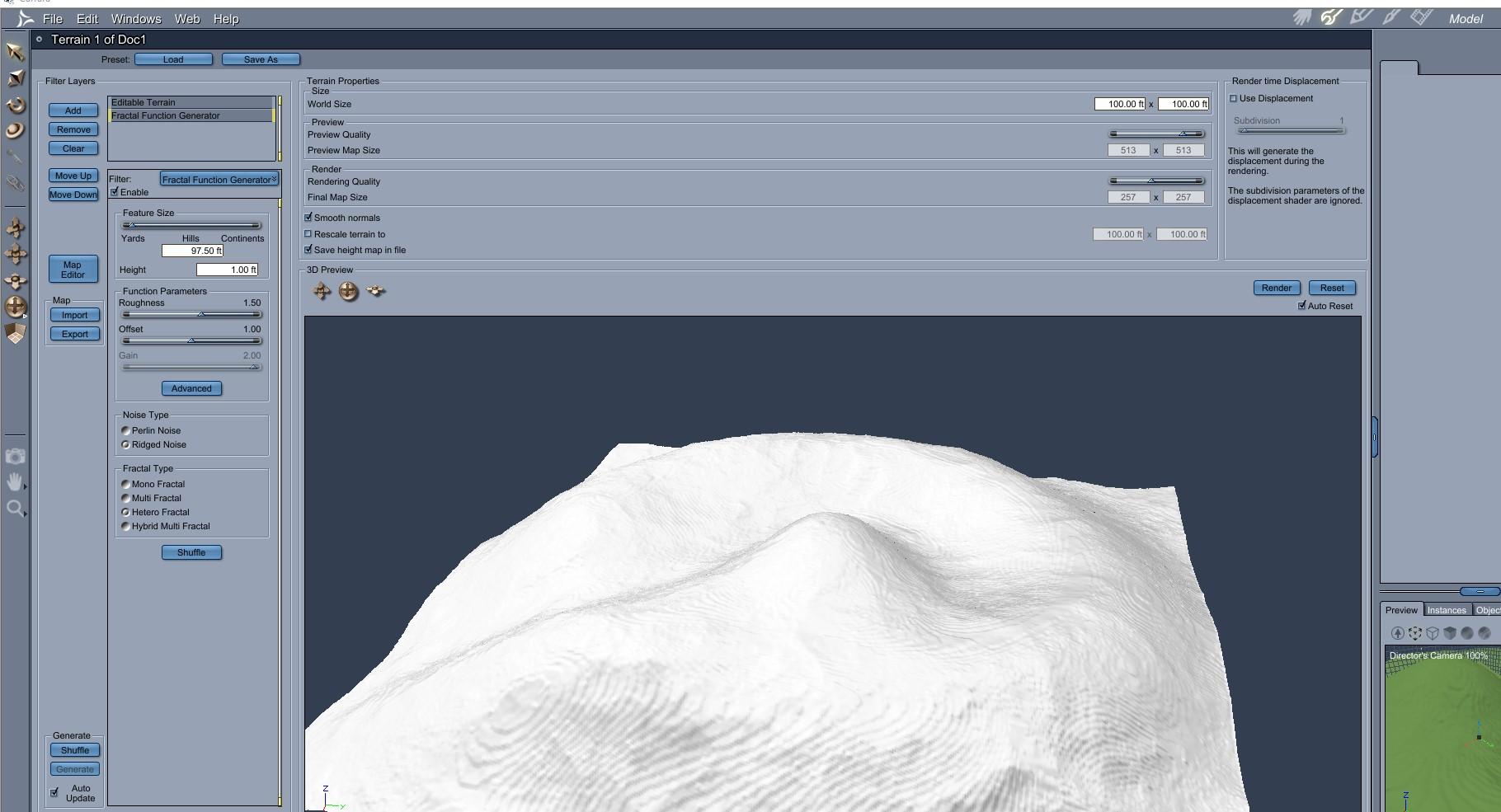
Here is applying a fractal to get some random detail.
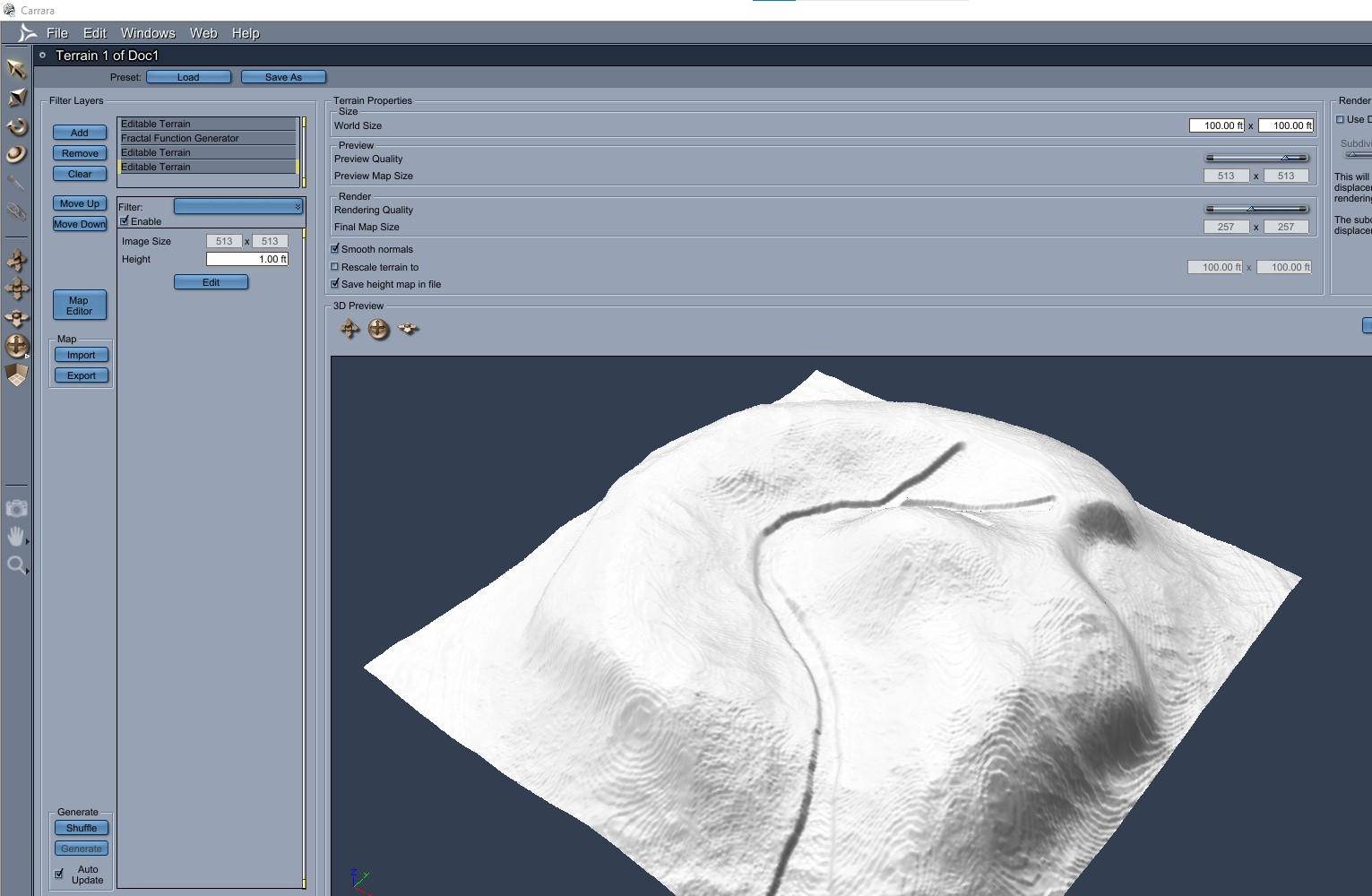
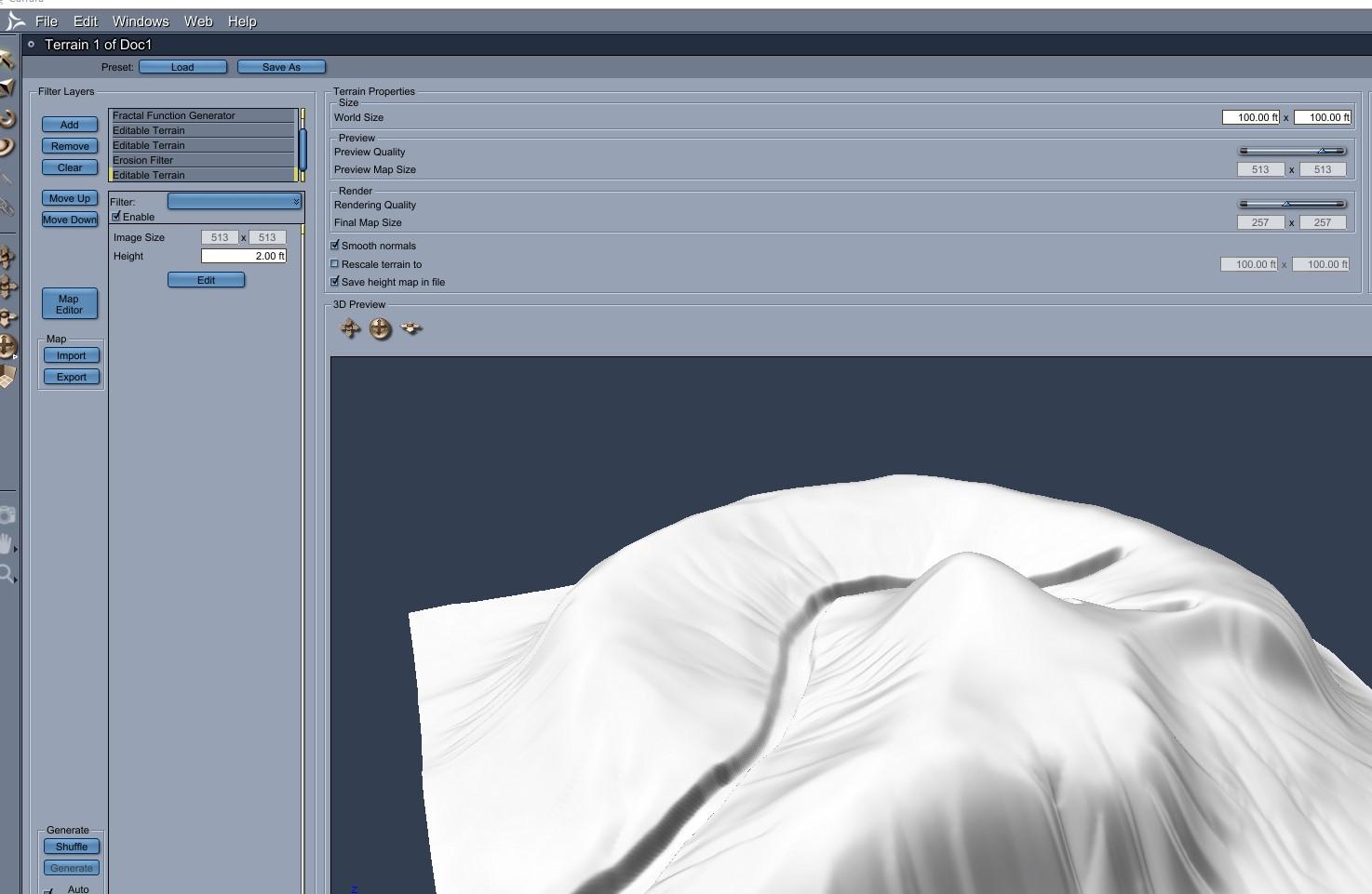
Here is importing the stream path.
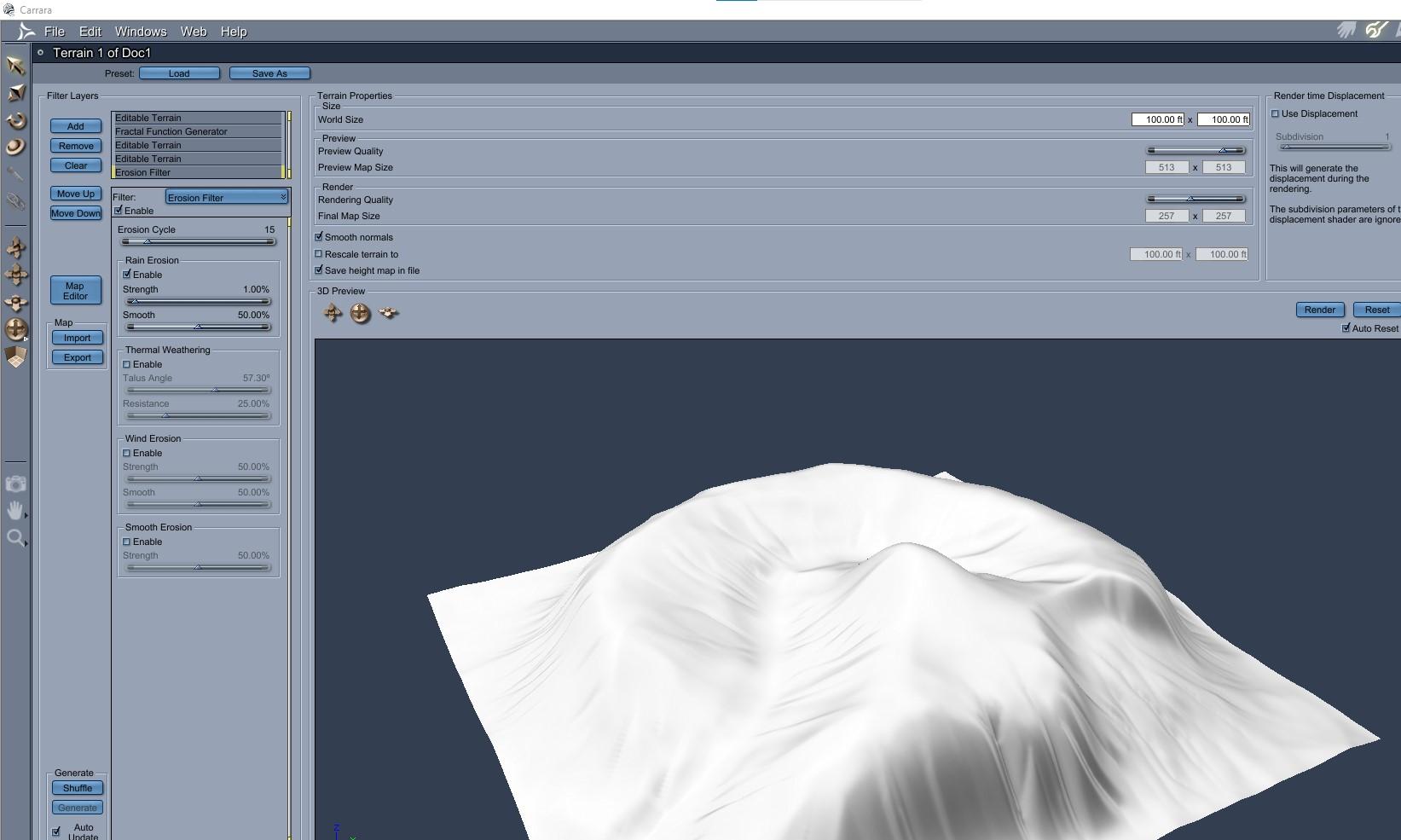
Here is applying an erosion rain filter. OK, so now there is a pretty clear valley through which water would flow downhill.
Here is import the stream map a second time. Yup, a second time. Notice that it basically goes through where the erosion said it should.
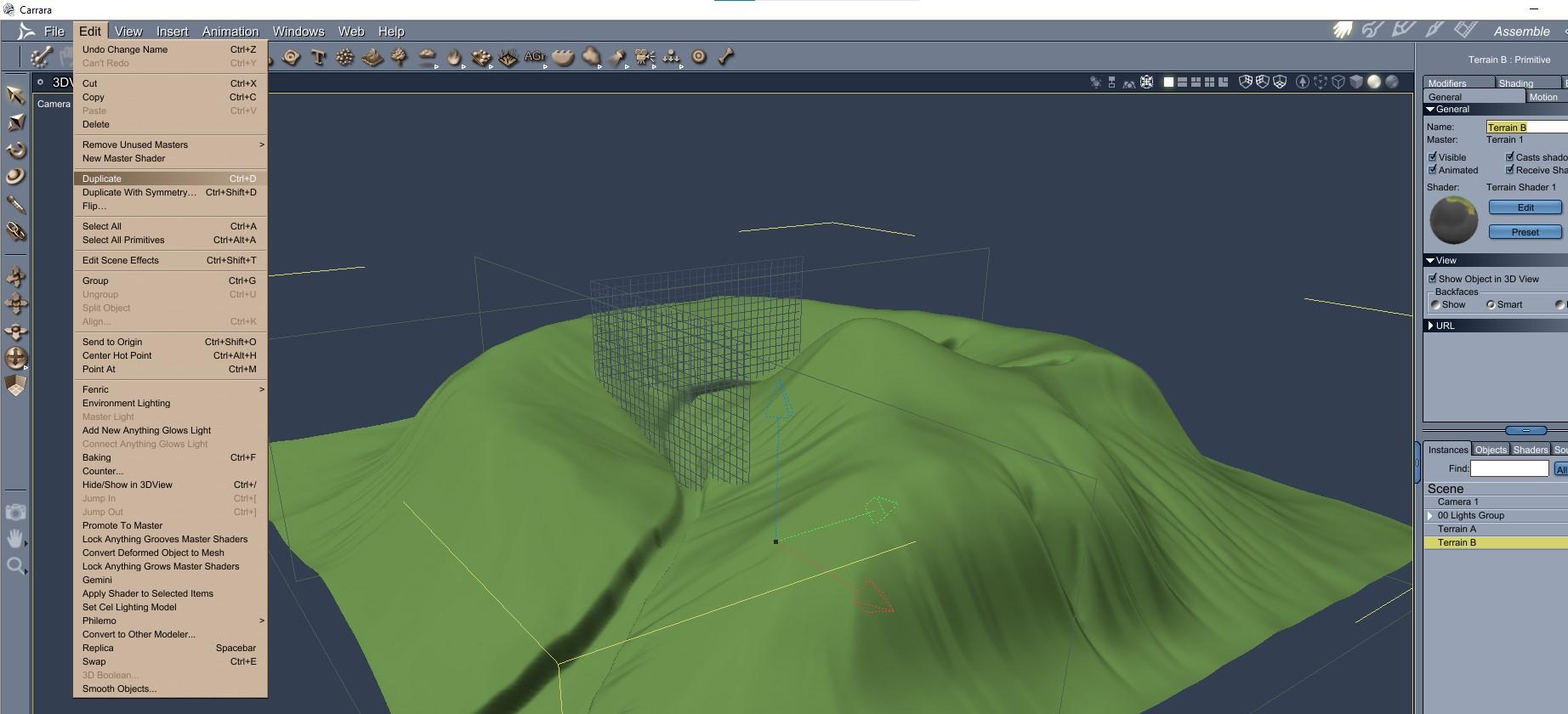
Here I duplicate the landscape.
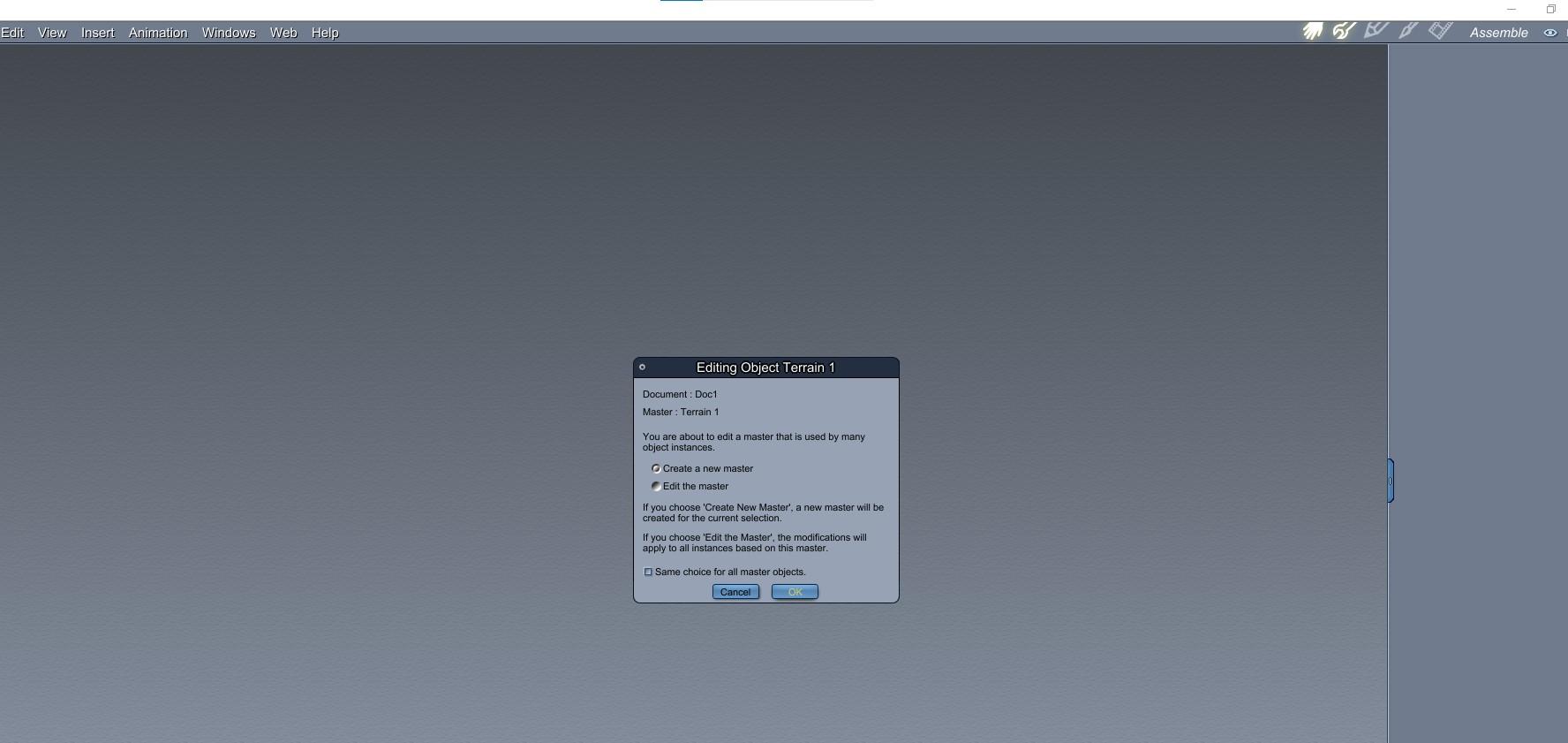
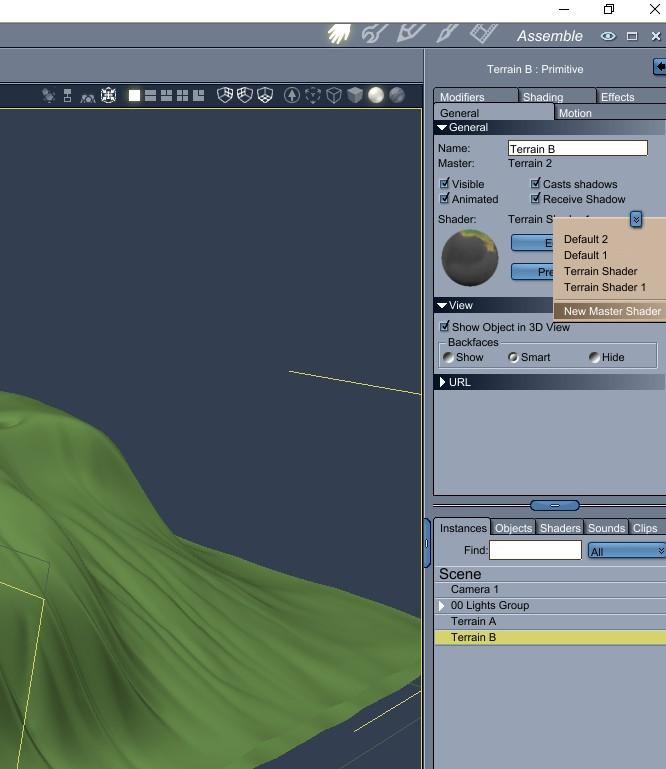
Here I create a new master going into the landscape modeler for the duplicate.
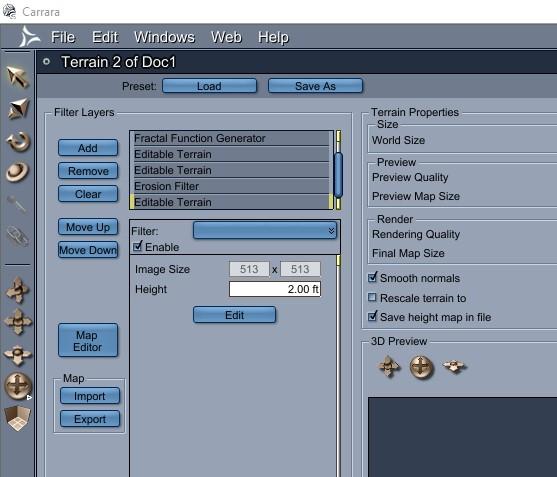
Here I remove / delete the most recent imported filter. Of course, I wasted some steps because I wanted you to see the path first. You could duplicate BEFORE bringing the stream map in the second time instead of bringing it in again then deleting.
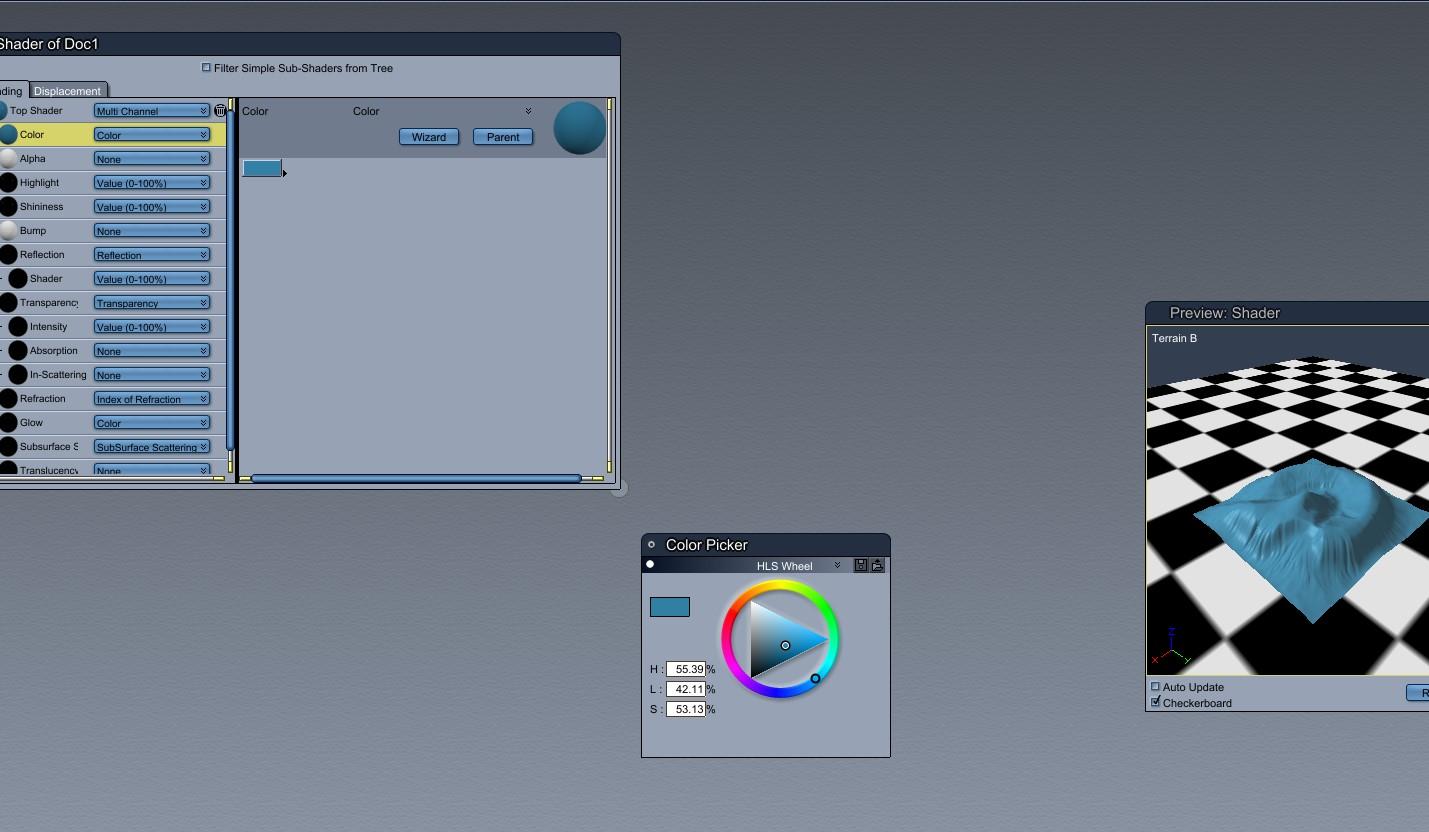
Here I change the shader of the duplicate to blue, but in practice it would be a water shader.
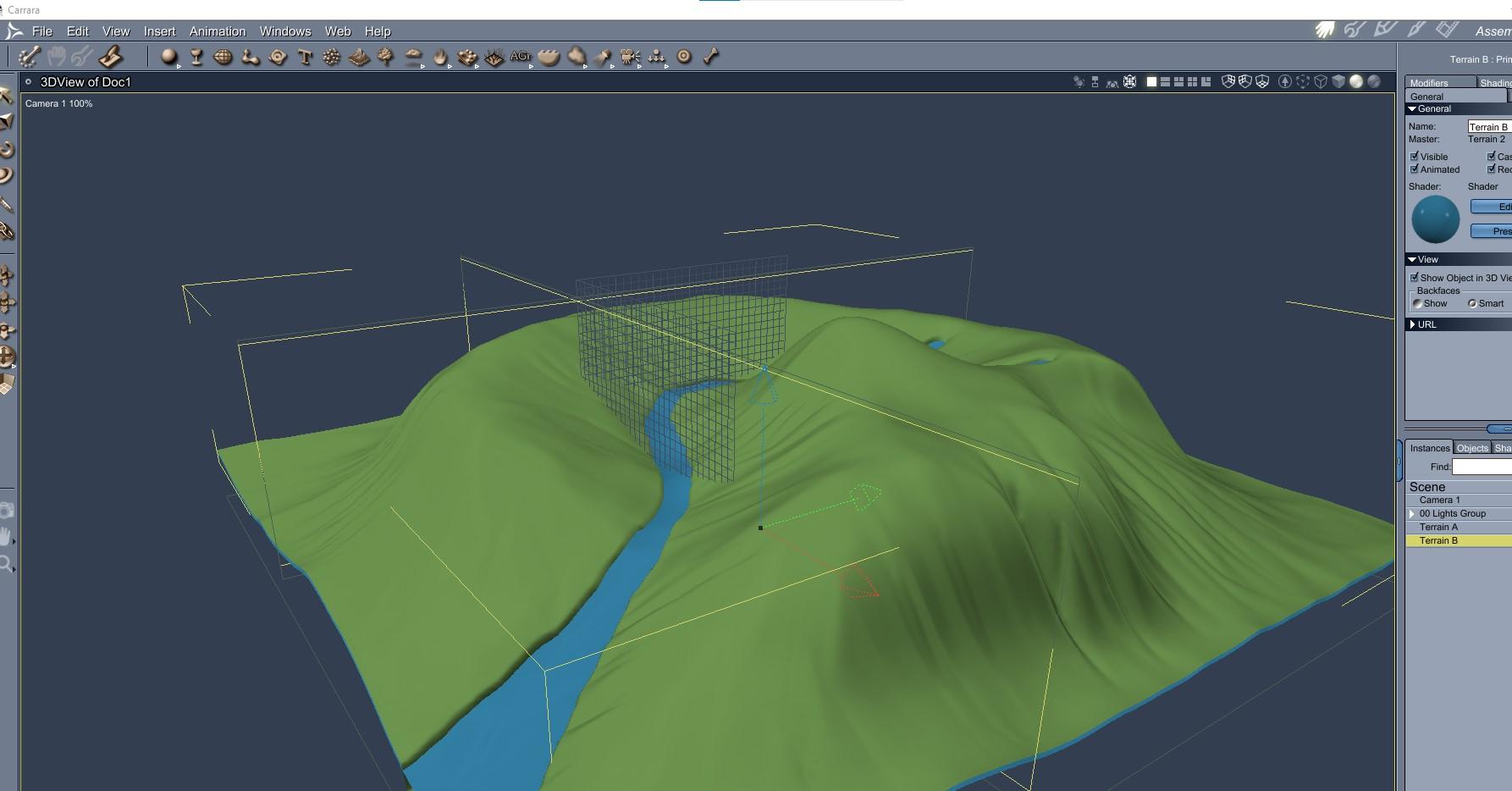
Here I translate the blue duplicate in the Z axis and the stream appears in the stream bed.
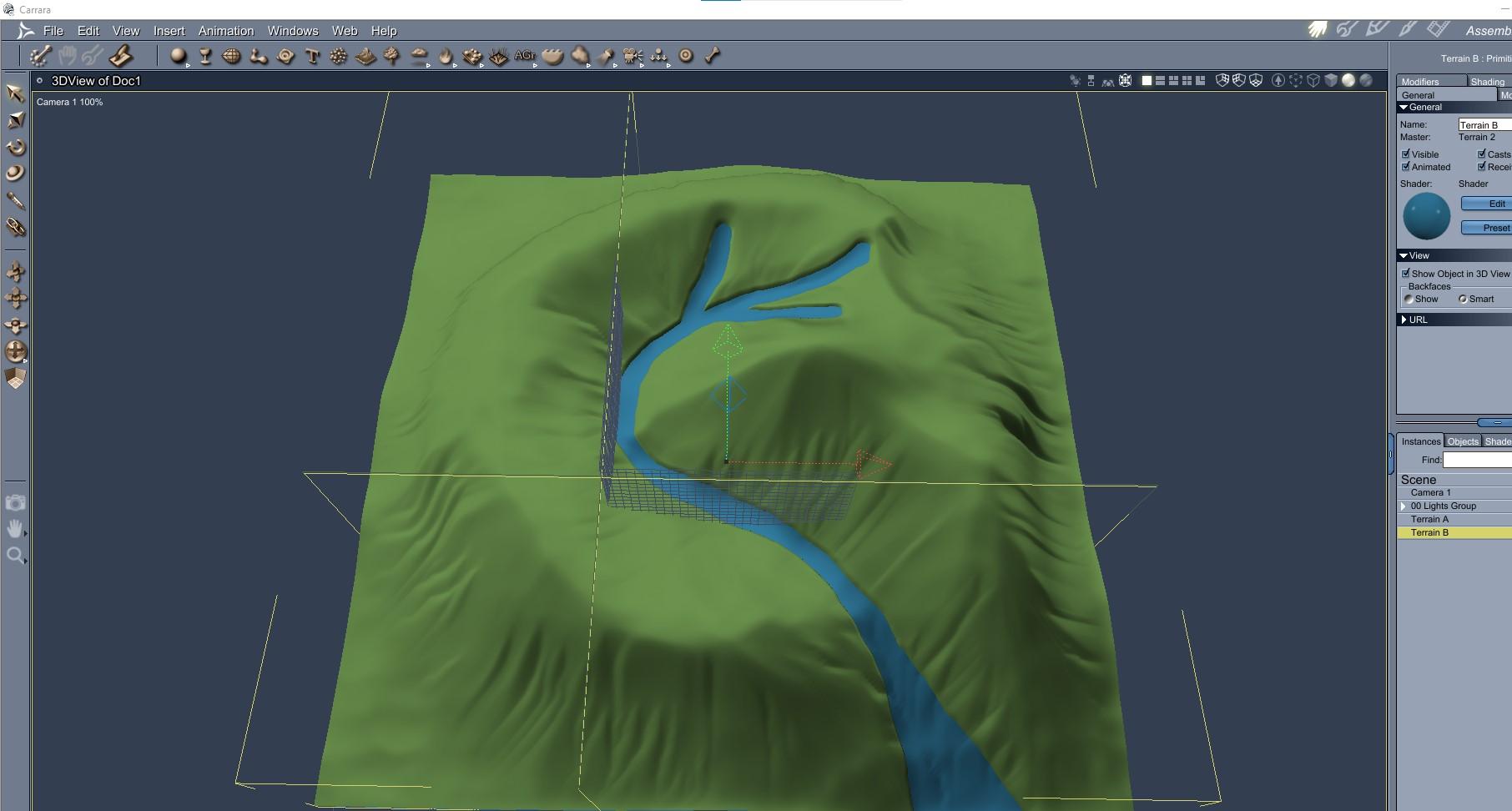 No one asked me - Diomede screenshots on whatever - Warning AI Discussion OK
Landscape Fun, Post 2
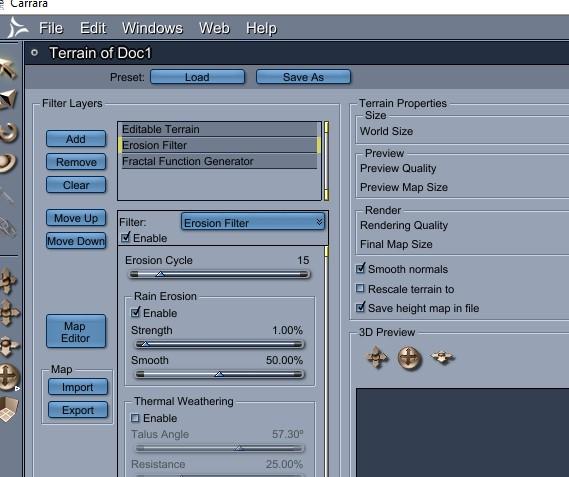
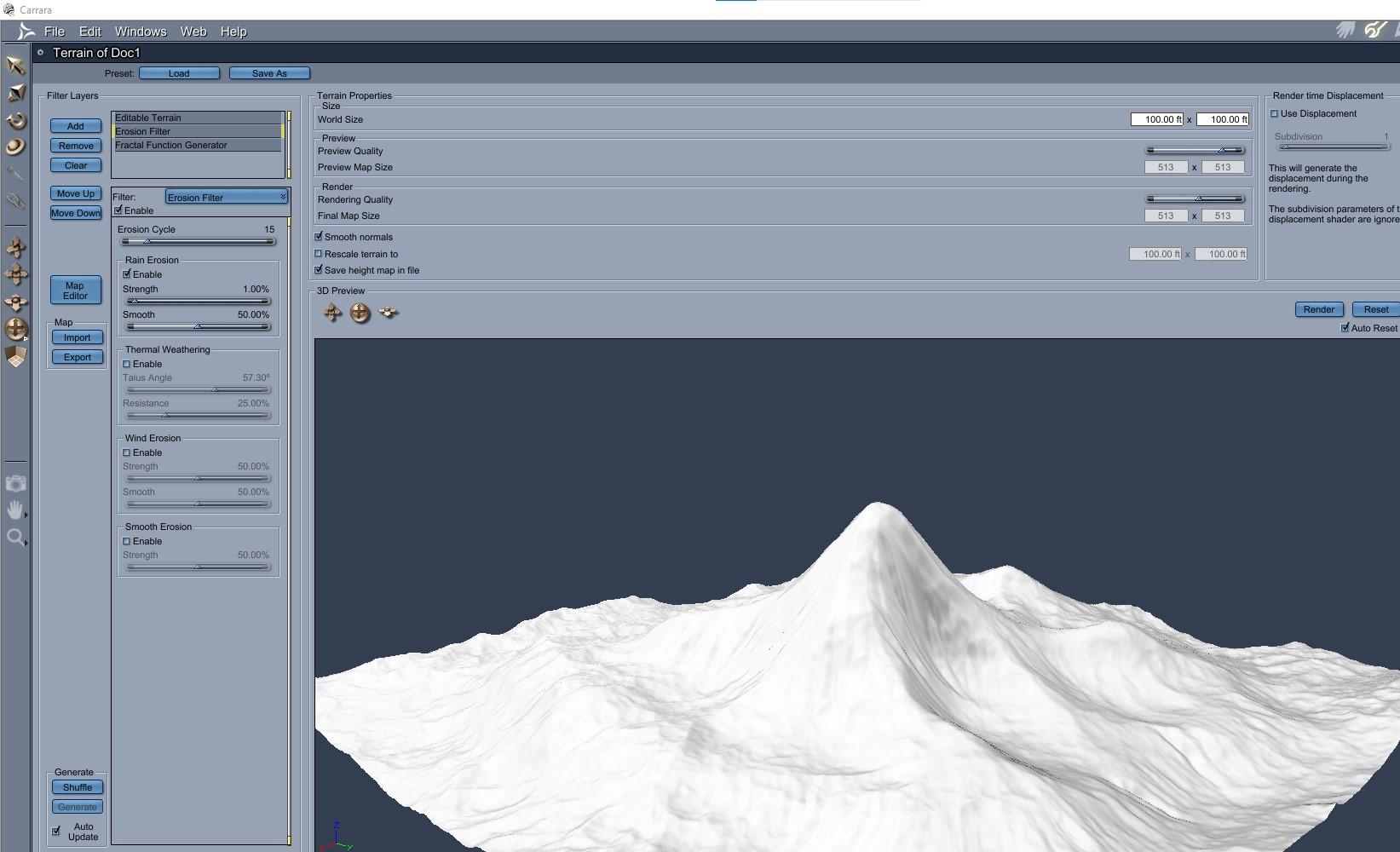
Still doodling for distant mountains. Here is one way to add a little interest to the dull mountain in step 1. You can stack filters and generators in the landscape modeler. You can even import multiple heightmaps, which will do later. The order of stacking matters for some filters. In this example, am going to add some random surface detail with a fractal, and some erosion from rain, and show how order matters.
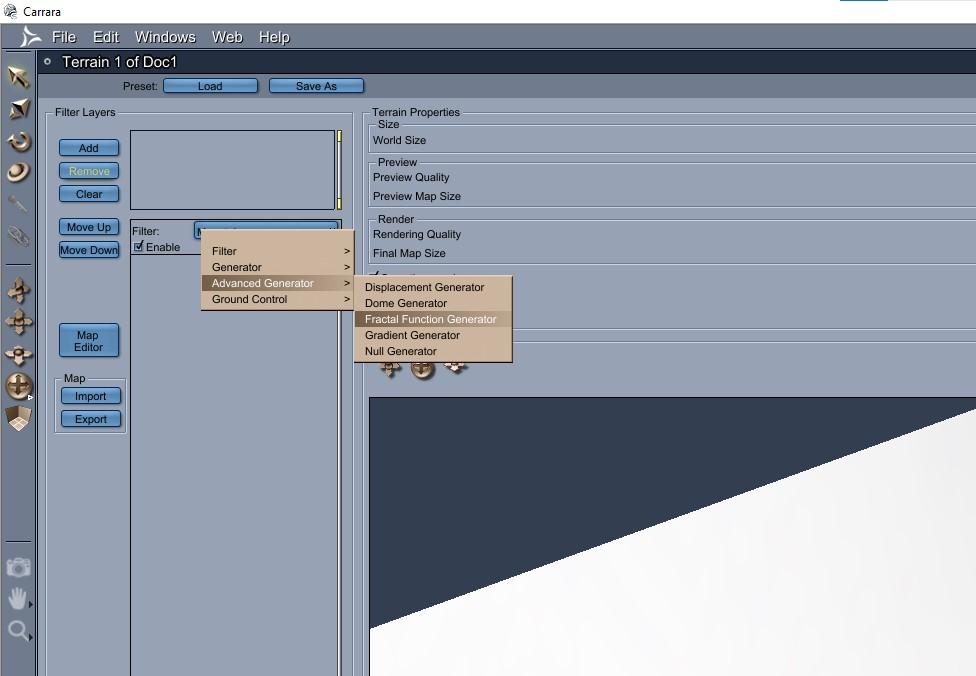
The fractals for Carrara's landscape generator are found in the upper left under the tab for 'Advanced generator.'
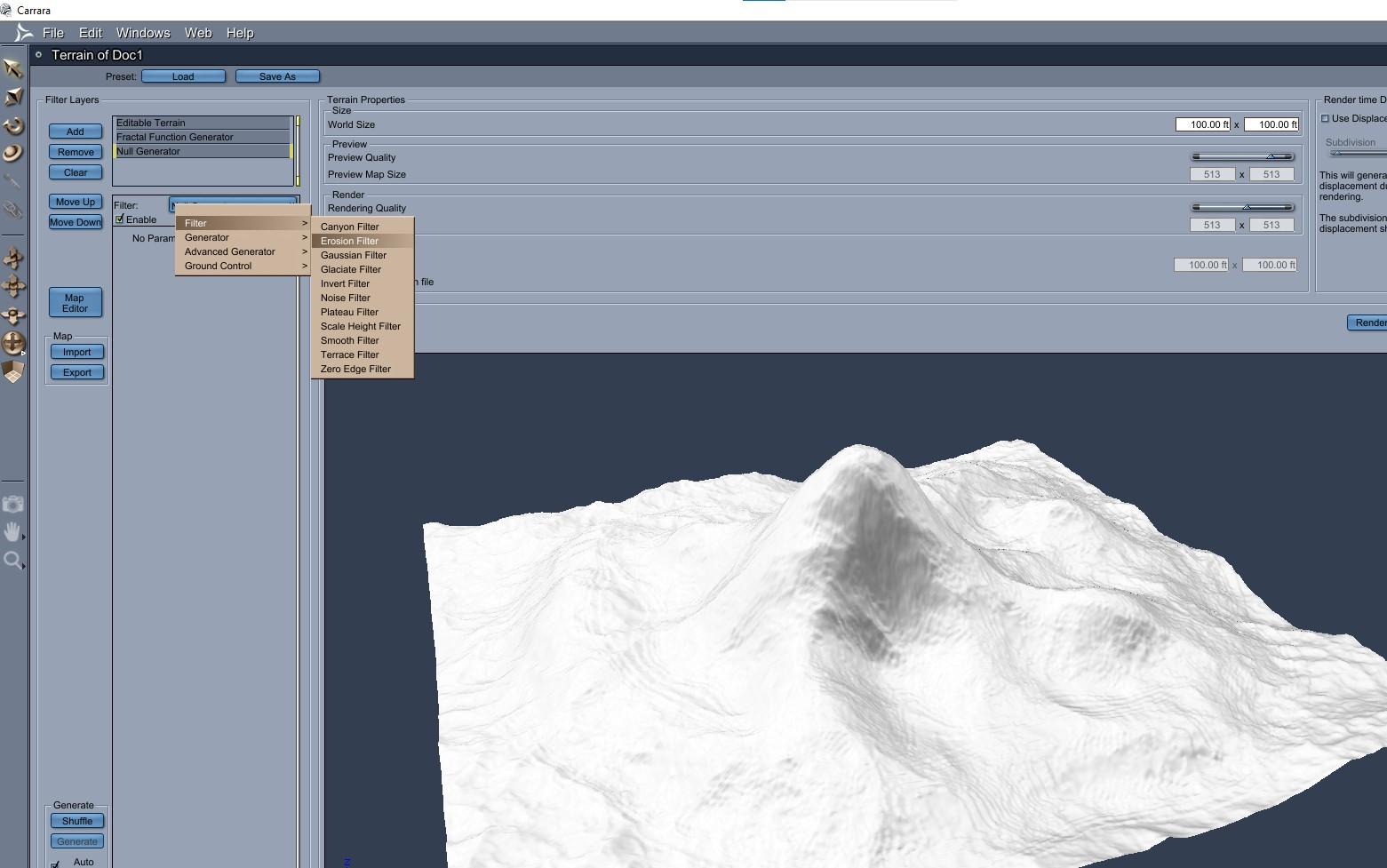
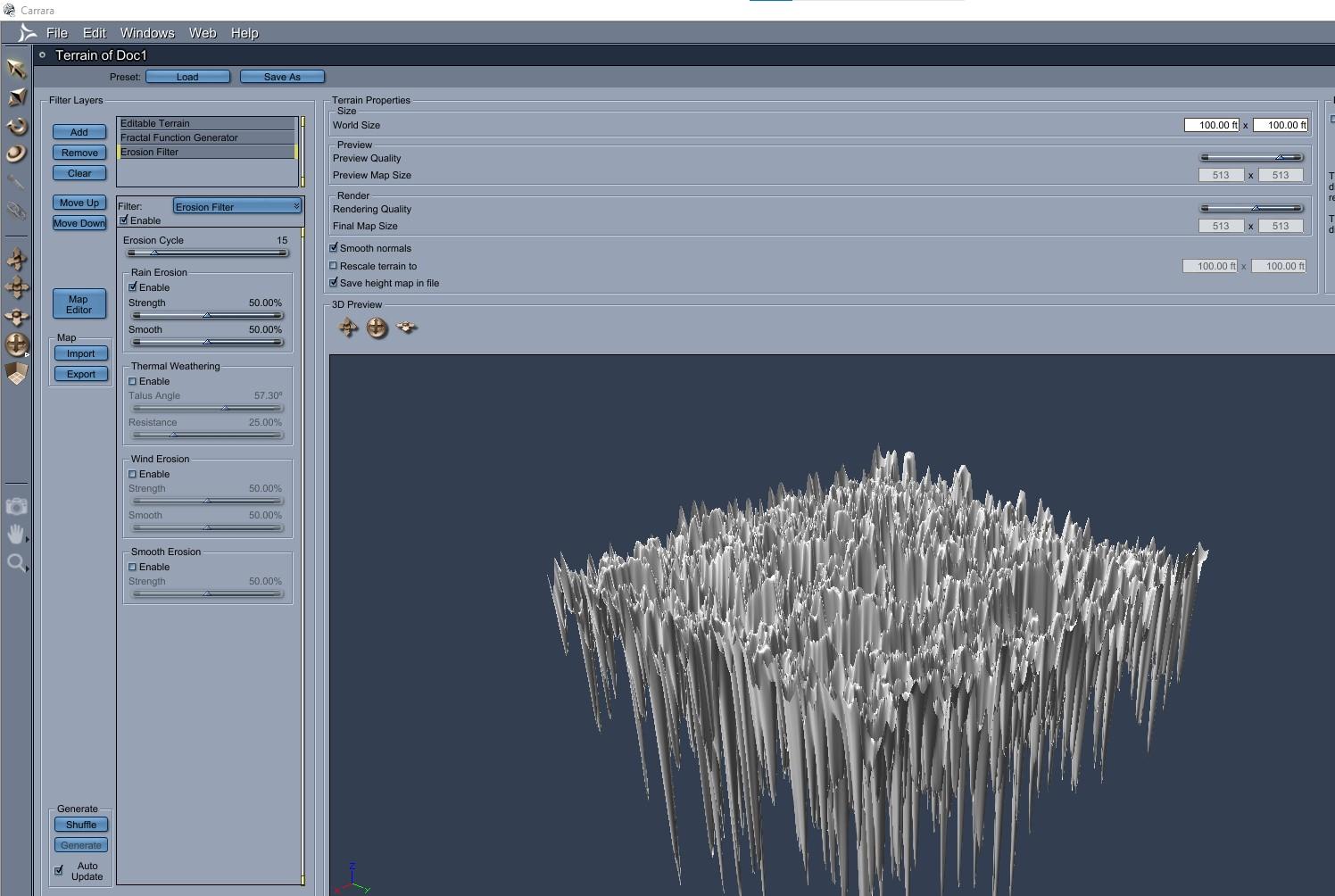
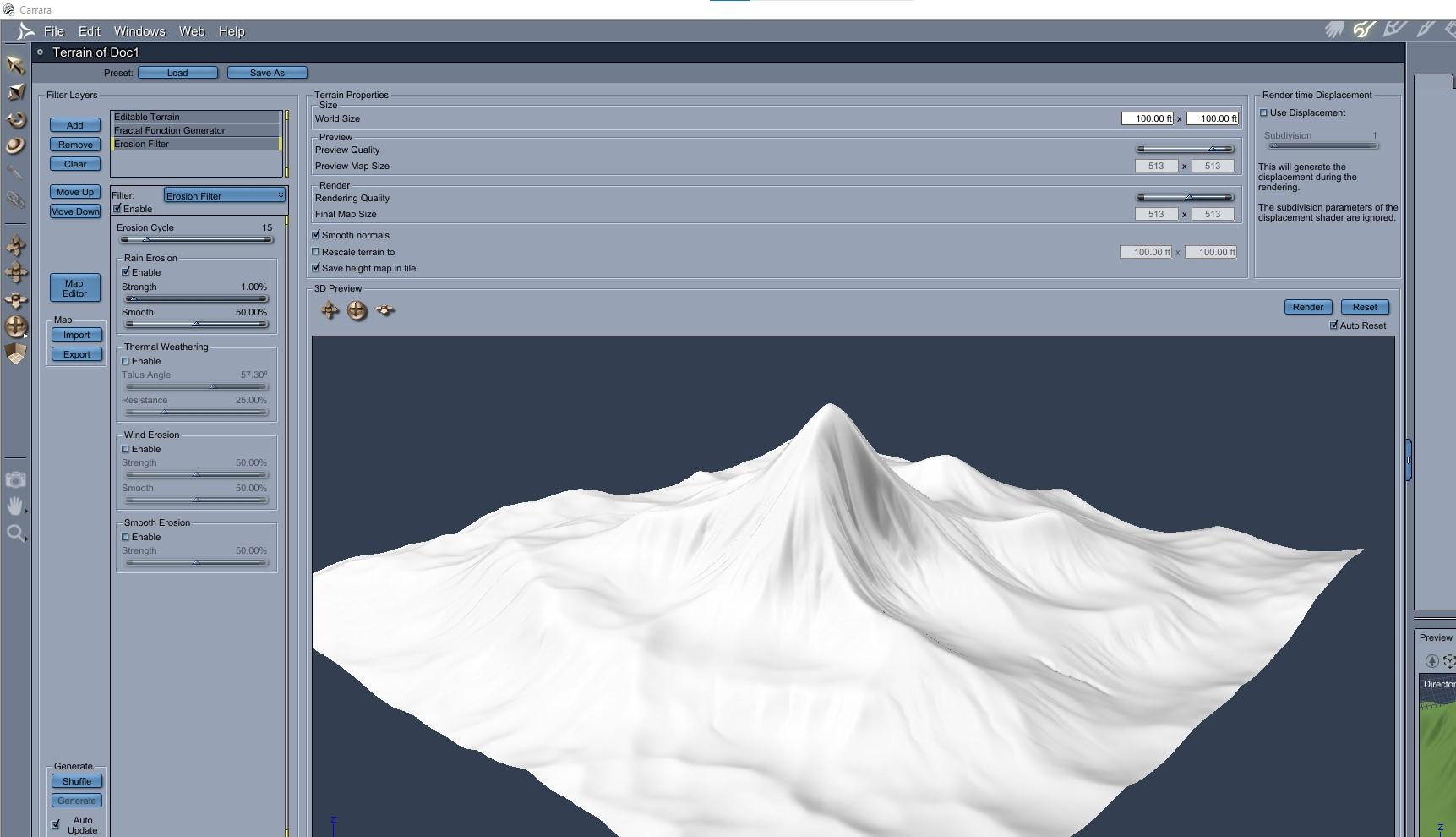
The rain is found under the filter for erosion. Check the box to enable. The default erosion for rain is way too extreme for use in medium scenes. It has strength of 25%. Reduce the rain strength to 1% and it will look more reasonable.
.
Currently, the rain is being applied after the fractal. There is a tab to move the filters up and down. Higher filters are applied first. Move the erosion/rain above the fractal to see some detail restored.
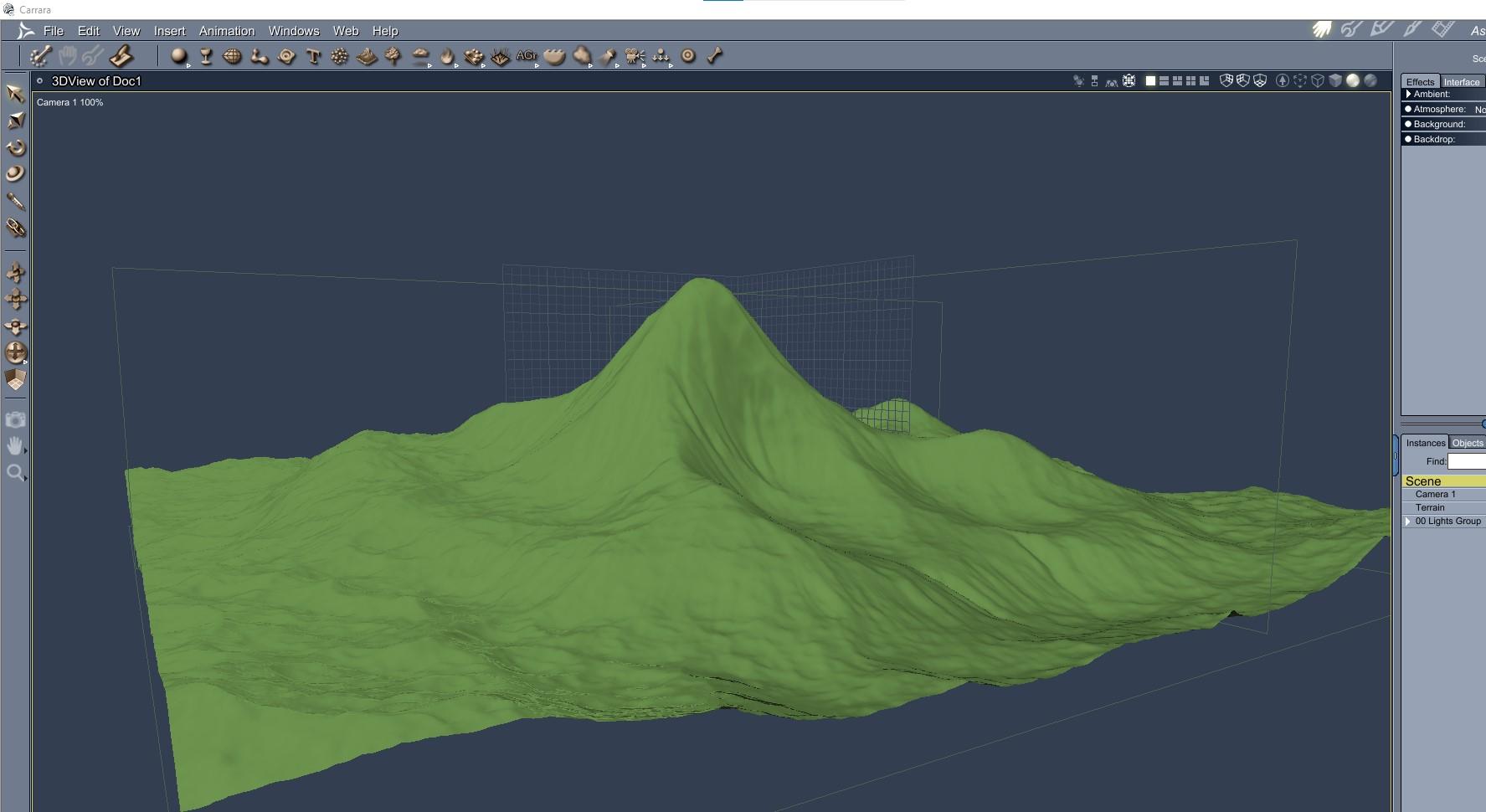
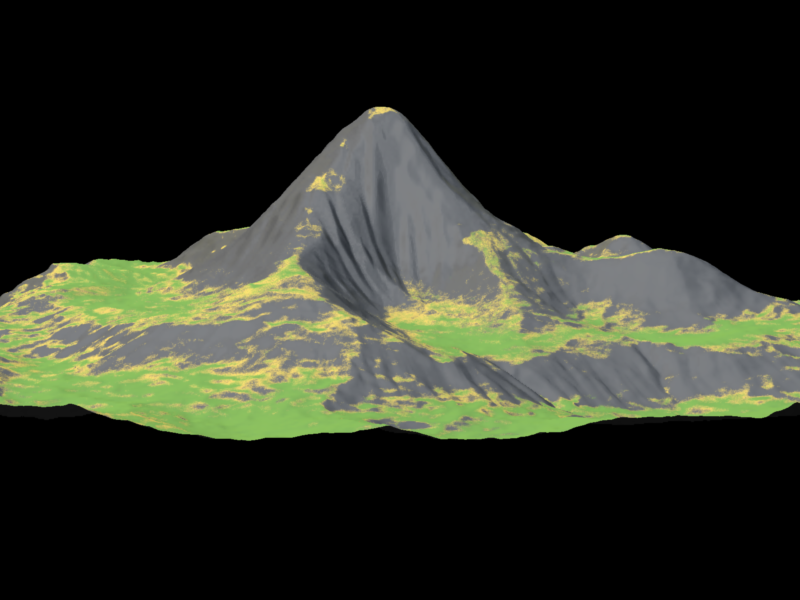
Here is the landscape back in the Assemble Room and a test render.
 No one asked me - Diomede screenshots on whatever - Warning AI Discussion OK
Landscape Fun, post 1
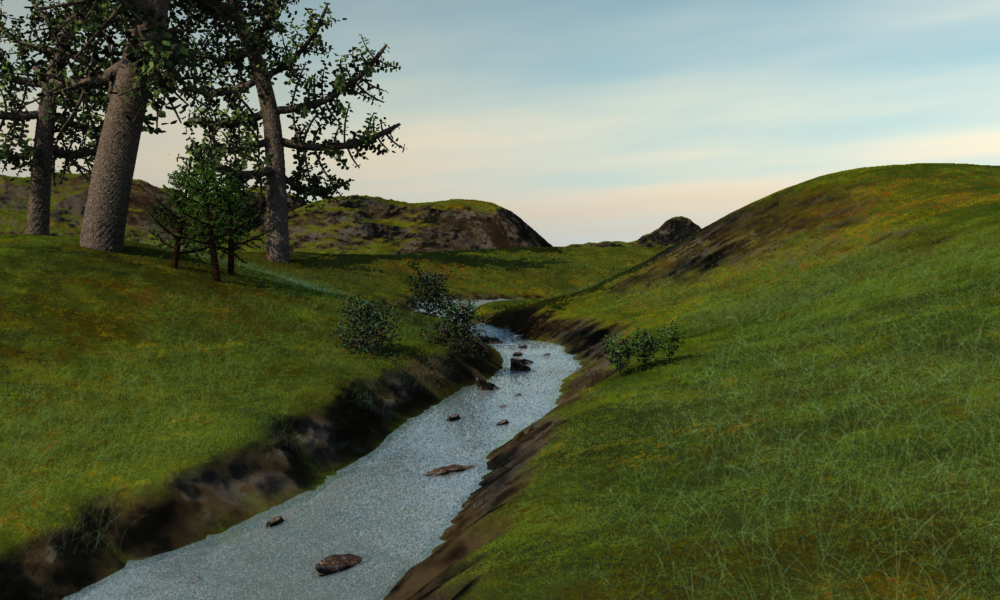
Some ways I use an image editor and Carrara to make a landscape with a stream. I believe there is a plugin that makes roads and streams in landscapes. Instead, I am using a method to combine two landscape models, one with the stream and the other without it. The one with the stream elevates all the land but the stream a few feet creating the channel for the stream. The second landscape without the stream is the water. Optionally, a third landscape without the stream can be the bed of the stream.
This is the WIP for which these maps contributed.
Heightmaps of distant mountains.
I use an image editor to make rough heightmaps for the landscape. For generic landscapes, I don't worry if it is too exact because I am going to blur it anyway. I also use Carrara's landscape filters to add some detail like erosion or roughness or a plateau or a small fractal generator. For this image, I wanted a few distant mountains. In an image editor, I started with a square tile and drew in some elevation lines for hills and mountains. I saved both the base and the blurred version to import into Carrara's terrain modeler even though in this case I only used the blur for the distant mountains.
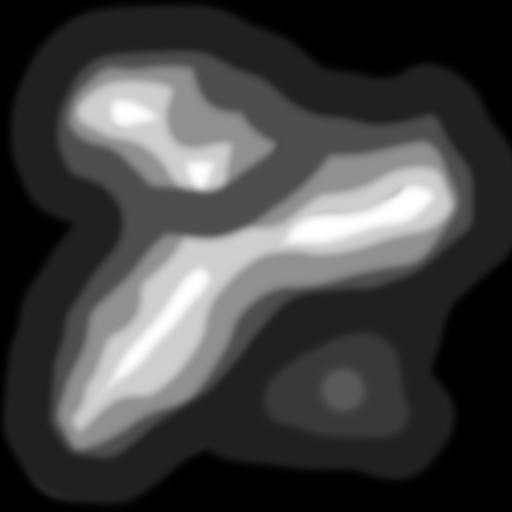

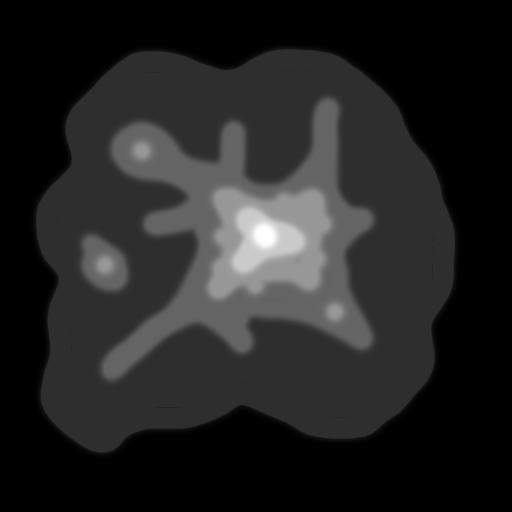
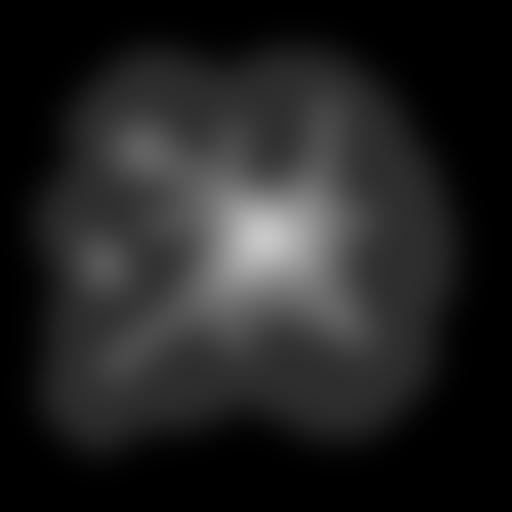
Here is a landscape modeler view of importing one of the blurred image maps into Carrara's landscape modeler after deleting the default mountain. Pretty dull.
 Use Iray, only for selected models
environment tab background
import image
or assemble png layers in a photo editor
Genesis 9 and the morph loader proWas the figure at base resolution with nothing else in the scene (or using export selected in the options dialogue) before you sent it to Blender? Using the Dev Load version of the figure can avoid pitfalls. And did you make sure that you used only tools that change the shape in Blender, nothing that adds or removes geometry, and that you had the option to preserve vertex order active on import and export?
Buying more G9 or G8/8.1 Daz products these days?PixelSploiting said:
I think it's going to be a while before there's anything like UNB for G9.
On one hand mesh structure like this makes sculpting far easier, on the other hand older generations have specific geometry loop placement for areas like limb joints and midriff. So G9 is much easier to work with for PAs, but G8 works better out of the box with less modifications for the end user.
This is what I was thinking of, but never had the right terminology; but yes, it will be somewhat difficult with making my loops for the joints and the like before I even think of morphing in any anatomical elements such as the knees/elbows and loins, that is why I have so much respect for modellers and sculptors, I was hoping to import UNBM morphs over and re-ERC them myself, but it looks like I'll not only have to re-build the specific G8.1 geometry loops but match them exactly to G8.1 I'll wager...
So, it will be better to build my own, despite being a novice with geometry loop placement. :P But I will remain patient as we're looking at a year or so before the UNBMs arrive!
I can see one problem with G9 that may or may not affect interactive license sales and that is how it decimates for things like animation or games. Because G9 doesn't have specific limb joint loops and relies more on the mesh density in this regard, decimating it might end with having to rebuild joint topology because now it has too few loops and the arm bends like a plastic straw.
'Ole noodle knees 9 should have spent more time in the oven so to speak, imagine the guesswork involved with having to build geo-loops with the resulting decimated character with only a smattering of polygons to work with, so the alternative for the interactive license carrier will be forced to buy a 3rd-party solution on top of the Daz original license I'll wager.
There also has to be parity between Daz's first-party characters as simply creating UNBMs for a single character such as Victoria is easy enough, but to have those morphs uniformly transfer between G9 and V9 is going to be another challenge *unless the Daz originals provide parity between themselves, otherwise, they would have to sculpt for two different character types as they did for G 8.1 and V 8.1 as the last UNBMs had parity between the two!
*I don't have V9 so I don't know.
The good thing is that most 3rd-party characters are usually based on either G9 or V9 so that is covered along with having the male included, I imagine only slight adjustments between the two genders as the geo-loops themselves will remain consistent between the two, at least that's my theory!
"V3D HDR Master Bundle" (Commercial)I just put the bundle in my cart .
I use DAZStudio for many years but never really investigate HDR and how to use it in DAZStudio correctly links for some basic tips would be apppreciate
Do you have an user manual with the jpeg images you put in attachement?
I am interested to using it because i can now draw panorama with Ndvidia Canvas (free app) and saving it in exr format
i have posted a message about it in the common forum
Daz 3D is part of

Connect
DAZ Productions, Inc.
7533 S Center View Ct #4664
West Jordan, UT 84084Licensing Agreement | Terms of Service | Privacy Policy | EULA
© 2026 Daz Productions Inc. All Rights Reserved.