-
Genesis 8.1 / Victoria 8.1
deepred6502 said:
If it hasn't been mentioned already, the promos in Z's ASL Alphabet and V8.1 Bundle include an off-shoulder & bra clothing item that appears to be not yet released:
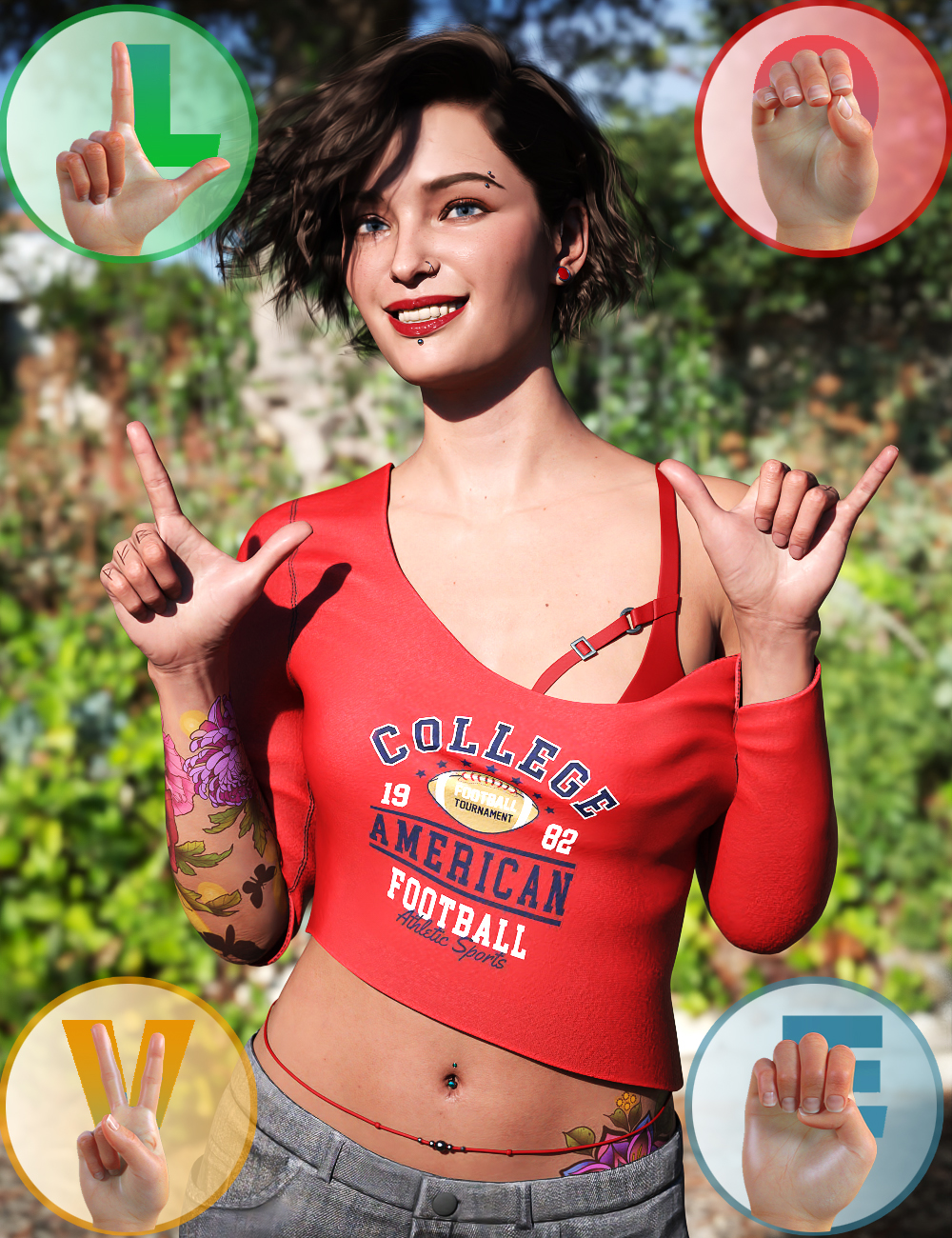
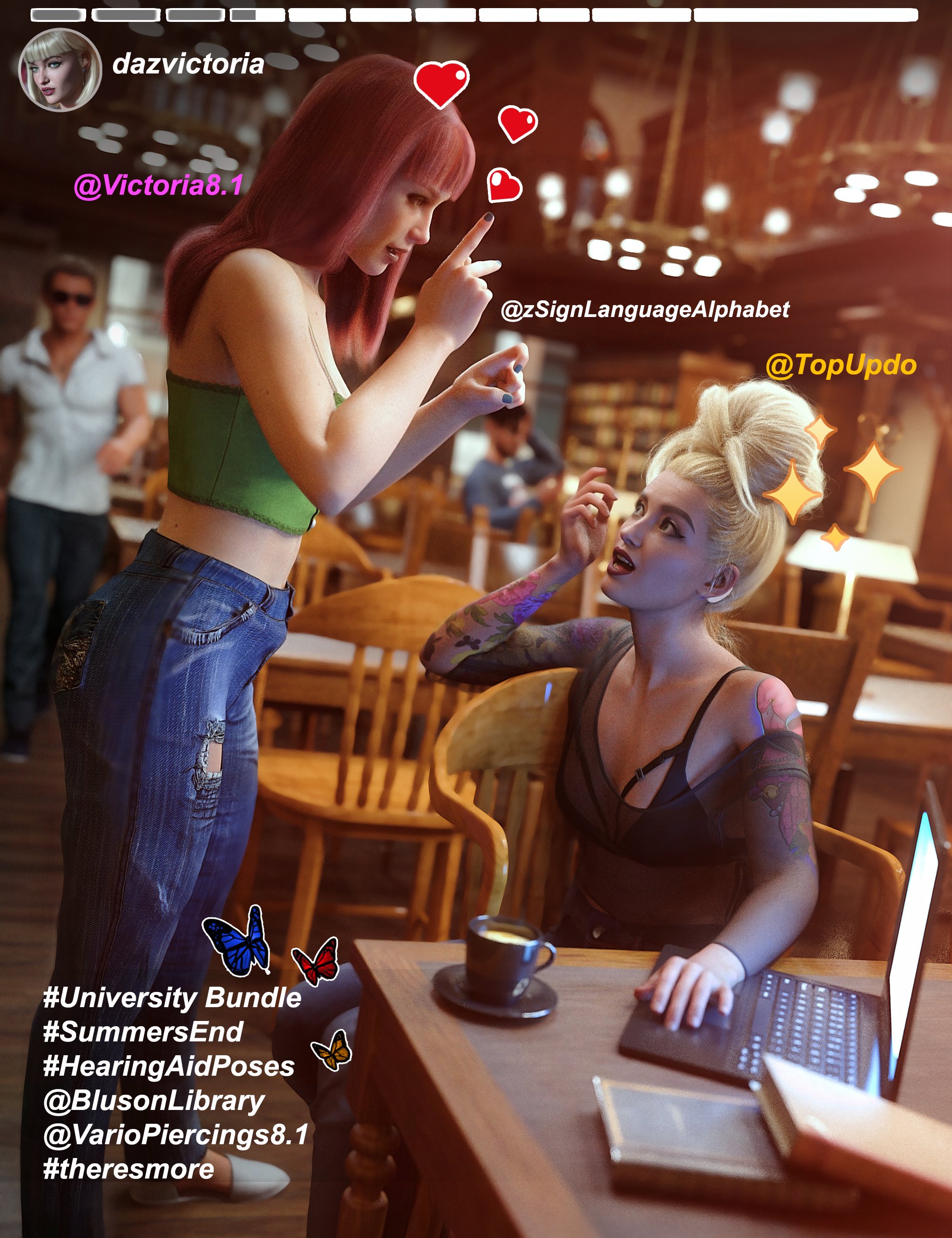
Its out now :)
https://www.daz3d.com/dforce-phenom-lingerie-for-genesis-8-femalesGenesis 8.1 / Victoria 8.1fred9803 said:
kent Kent said:
Hi all
I've played with the new Victoria 8.1 and did a test render which I'm attaching here. I cannot figure out how to 'activate' the face and body hairs (vellus hairs). Could someone please advise me on that?
Thank you!
I don't have V8.1 but I assume the vellus hairs would be a conforming prop in the anatomy folder with the eyelashes etc.
Hi Fred
Thank you for taking the time to look at my question (and answer me) :)
Victoria 8.1 comes with these only, as far as I can figure out:
Genesis 8.1 / Victoria 8.1kent Kent said:
Hi all
I've played with the new Victoria 8.1 and did a test render which I'm attaching here. I cannot figure out how to 'activate' the face and body hairs (vellus hairs). Could someone please advise me on that?
Thank you!
I don't have V8.1 but I assume the vellus hairs would be a conforming prop in the anatomy folder with the eyelashes etc.
Victoria 8.1 HD VS. Victoria 8 HD - Comparison Screenshots (UPDATED)3Diva said:
MoonCraft3D said:
3Diva said:
That's not what they look like. It looks like you have another character morph that's corrupting your base G8F (a character morph that autoloads with any G8F characters).
This is what they actually look like:
AGAIN, it says in -2- spots on the article that there seem to be hidden morphs on my models causing issues. I'm trying to resolve this. It was only later after I made this that the issue was discovered.
I was only responding to the OP (not the offsite article), which doesn't mention that the morphs aren't accurate only that it's "Side by side comparison renders of default Victoria 8.1 HD versus Victoria 8 HD" and an image posted that isn't accurate to what either character looks like. Perhaps an edit to the OP would help so that it's not misleading on what the new Victoria 8.1 figure actually looks like. :)
Thank goodness you clarified that! I was concerned that she looked so drastic. I think the whole original image should be removed or replaced with a corrected image. It is, as you say, NOT the default character.
Genesis 8.1 / Victoria 8.1Hi all
I've played with the new Victoria 8.1 and did a test render which I'm attaching here. I cannot figure out how to 'activate' the face and body hairs (vellus hairs). Could someone please advise me on that?
Thank you!
Genesis 8.1 / Victoria 8.1If it hasn't been mentioned already, the promos in Z's ASL Alphabet and V8.1 Bundle include an off-shoulder & bra clothing item that appears to be not yet released:
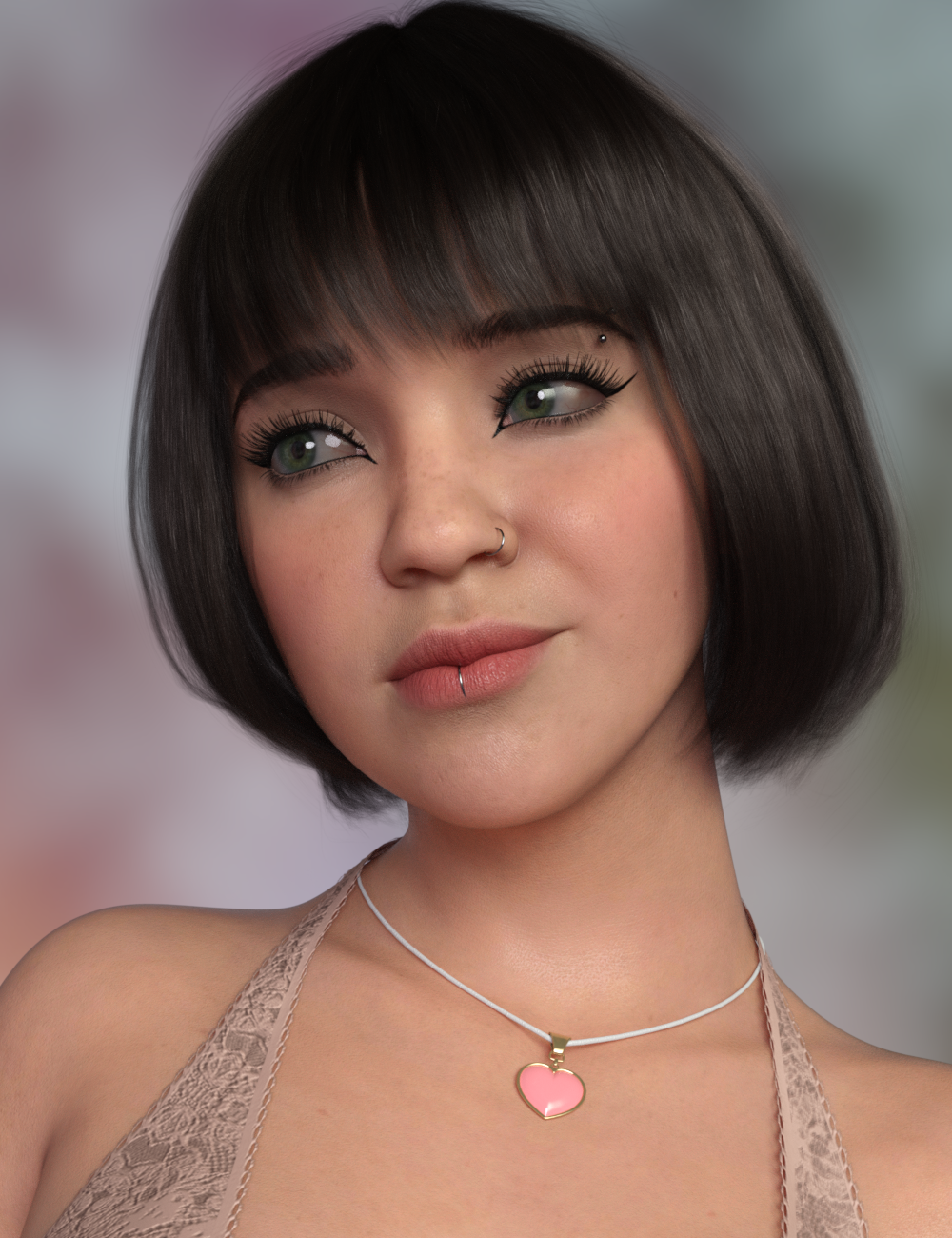
Genesis 8.1 / Victoria 8.1Played with the PBR Skin shader and love it.
I used Genesis Female 8.1 and used a skin texture, I think Amira with makeup and all the rest of it.
Then applied the PBR Skin shader and Victoria 8.1 eyes.
I LOVE it, it makes the skin look so much better.
Some options in the surface tab needed to be switched on and I changed the base colour and the translucency colour.
Having so much fun.:)
 Genesis 8.1 / Victoria 8.1
Serene Night said:
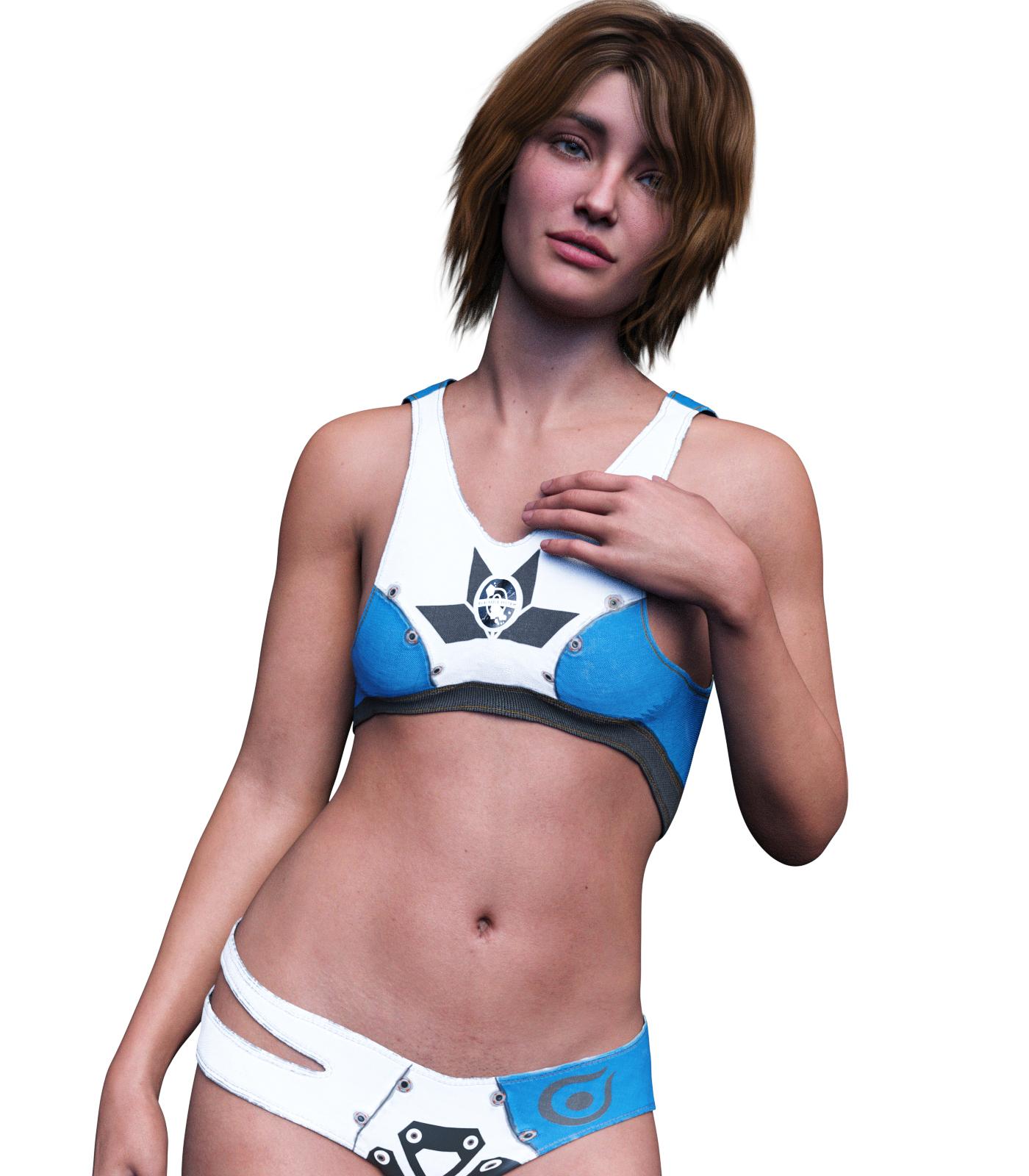
She looks pretty good to me. Like Victoria's younger kid sister. Definitely different figure shape, and love the face and texture.

Great photo! Obviously she shaves where it counts.
Victoria 8.1 HD VS. Victoria 8 HD - Comparison Screenshots (UPDATED)3Diva said:
Perhaps an edit to the OP would help so that it's not misleading on what the new Victoria 8.1 figure actually looks like. :)+1
Genesis 8.1 / Victoria 8.1She looks pretty good to me. Like Victoria's younger kid sister. Definitely different figure shape, and love the face and texture.
SereneNight’s Sci-Fi Fun Thread 3Okay, so V8.1 Looks a ton different than the standard V8. first, I think her skin and face is much more realistic, as is her figure. She doesn't appear to be super buxom which is a strange thing for a v8. I'm going with this really not looking a lot like traditional Vicky. She's pretty, and I like her, but no, not Victoria. Is this V8 college girl? Or V8's kid sister? That I can believe. Nevertheless, I like her. She looks great to me. Can't wait for the guy version.
 Genesis 8.1 / Victoria 8.1
Gogger said:
Initial tests of Victoria 8.1 - I like her!
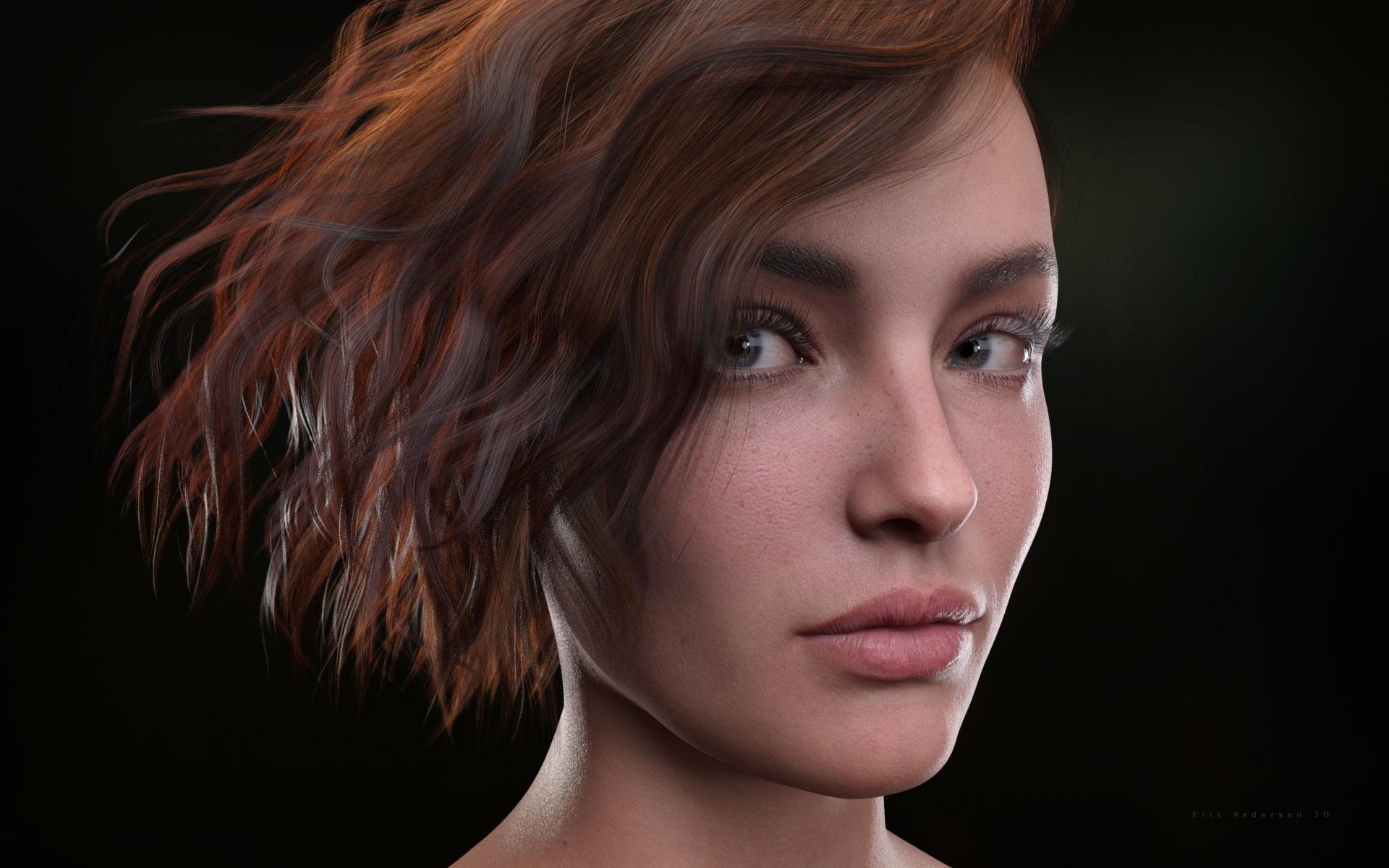
That's really nice.
Victoria 8.1 HD VS. Victoria 8 HD - Comparison Screenshots (UPDATED)MoonCraft3D said:
3Diva said:
That's not what they look like. It looks like you have another character morph that's corrupting your base G8F (a character morph that autoloads with any G8F characters).
This is what they actually look like:
AGAIN, it says in -2- spots on the article that there seem to be hidden morphs on my models causing issues. I'm trying to resolve this. It was only later after I made this that the issue was discovered.
I was only responding to the OP (not the offsite article), which doesn't mention that the morphs aren't accurate only that it's "Side by side comparison renders of default Victoria 8.1 HD versus Victoria 8 HD" and an image posted that isn't accurate to what either character looks like. Perhaps an edit to the OP would help so that it's not misleading on what the new Victoria 8.1 figure actually looks like. :)
Genesis 8.1 / Victoria 8.1Initial tests of Victoria 8.1 - I like her!
Victoria 8.1 HD VS. Victoria 8 HD - Comparison Screenshots (UPDATED)Looks like you might have "The Zilpha Morph Issue" - there have been work arounds posted and the quickest way to see what is polluting your G8F base is to select Victoria 8.1 in the Scene Tab, then in the Shaping Tab click on "Currently Used" and you will see what is active besides Vickie 8.1. Simply zero those sliders out and you should have your intended character once again. It is a pain, but Zilpha is not the only character that can do this. Just zero out and you can get back to it.
Genesis 8.1 / Victoria 8.1Matt_Castle said:
Kharma said:
thank you, I was confused because I clearly saw the PBRSkin Shader in my Iray shaders, but now the issue is when I apply that skin shader to G8.1 and then apply a texture from a G8 figure it seems to wipeout the skin shader. How do I get both that shader and a G8 texture on G8.1 ?
As far as how I've been doing it, copy and pasting parameters only affects parameter settings (and only those with matching names), not the underlying shader. As the PBRSkin shader shares a lot of its parameters with Iray Uber, you can mostly copy and paste from Iray Uber over to PBRSkin.
Note that PBRSkin has a lot of its functions disabled initially (things like Dual Lobe Specular, Translucency, SSS, Transmission, Top Coat, etc), so you'll need to find and turn on these settings, and obviously Iray Uber settings may not exactly be perfect for PBRSkin.
The other niggles are that PBRSkin does not support the standard gloss options Uber offers (you may need to manually copy specular maps into the Dual Lobe Specular options), and that for some reason, some of the colour parameters use integer RGB values, rather than the decimal values that Iray has otherwise normally used, so these won't paste directly and will need to be copied manually.
(I won't be surprised if one of the early products is an automated copy of Iray Uber parameters to PBRSkin...)
Do you know where to find the shader to apply it? So far I've only been able to copy it from Victoria 8.1, but I'd love to just go to the shader itself and apply it to play around with it rather than copy/pasting from Vicky 8.1. Kinda like when you apply the Uber shader.
Genesis 8.1 / Victoria 8.1AlmightyQUEST said:
Wicked Whomp said:
I'm confused. I've been debating whether I should buy the Victoria 8.1 bundle today, and went ahead and figured I'd try the new features using the base model first. I noticed that there isn't a Genesis 8.1 Male at all, yet the Genesis 8.1 feature page clearly lists improvements to the male model as well. What gives?
Just means the Genesis 8.1 Male is coming out later... tomorrow... next week.... next month...
Regardless, I don't know the last time, if ever, they have released the new Female and Male figures at the same time. The Genesis 8.1 update page is ready when they are both released.
I'm not asking about if and when Michael 8.1 is coming out though, I'm asking about the base 8.1 figure that has an entire page to itself separate from V8.1, which mentions males, hence my confusion
Genesis 8.1 / Victoria 8.1Wicked Whomp said:
I'm confused. I've been debating whether I should buy the Victoria 8.1 bundle today, and went ahead and figured I'd try the new features using the base model first. I noticed that there isn't a Genesis 8.1 Male at all, yet the Genesis 8.1 feature page clearly lists improvements to the male model as well. What gives?
Just means the Genesis 8.1 Male is coming out later... tomorrow... next week.... next month...
Regardless, I don't know the last time, if ever, they have released the new Female and Male figures at the same time. The Genesis 8.1 update page is ready when they are both released.
Genesis 8.1 / Victoria 8.1Matt_Castle said:
skboa said:
You can use it on genesis 8.1, but you have to own Victoria 8.1 to get it.
The new PBRSkin shader is in the updated Default Resources pack.
Owning Victoria 8.1 is not a prerequisite.
Oh, my bad then, I didn't notice it before I bought Vick 8.1, sorry for the misinformation.
Victoria 8.1 HD VS. Victoria 8 HD - Comparison Screenshots (UPDATED)Why does Victoria 8.1 look so much darker in these side by side shots? Is it something to do with the lighting?
Daz 3D is part of

Connect
DAZ Productions, Inc.
7533 S Center View Ct #4664
West Jordan, UT 84084Licensing Agreement | Terms of Service | Privacy Policy | EULA
© 2026 Daz Productions Inc. All Rights Reserved.