-
Novica & Forum Members Tips & Product Reviews Pt 8
I haven't forgotten the Mixamo info I was going to post. However, I had to finish a small art project (done, yay!) and have to fix a website problem before I can stop and double-check one step. I will get to it hopefully within the next few days. Just have to get a stupid website working (I had to buy a new incarnation of the professional theme I use and now I have to fix stuff where the custom CSS stuff didn't transfer, and the new theme is quite a bit different. Google for the win, I guess... Excuse me while I bang my head on the wall. Sigh...)
Novica & Forum Members Tips & Product Reviews Pt 8But seriously... appropriate clothes and hair for mature characters seems to be just about as difficult to find as appropriate clothes and hair for younger models.
And getting the clothes to fit the sagging boobs of characters like Tha Hag or Opal is another challenge.
To fix sagging boobs or make appearance of wearing a bra under clothes (like most of us women do
 ) I turn off limits on breast undercurve or heavy breast (can't remember the exact names) and dial the opposite way for some lift. It helps with some clothes; makes others lumpy. Someone should make some bra morphs, but then maybe they wouldn't sell too many.
A fun contest, barbult. I spent a long time looking for her. I never saw it in my search and the muture morphs were not in the main promo window so I would have missed them. I think I will buy this one as I like mature characters and don't always feel like fiddling with the aging morph dials.
Novica & Forum Members Tips & Product Reviews Pt 8By the way, that morph set in Barbult's competition (https://www.daz3d.com/ultragenesis-faces-of-g) is really cheap today if you are buying a couple of new releases....
Skin Builder 3 Merchant Resource for Genesis 3 Female (Commercial)You can actually convert the UV's to a different one via daz's map transfer tool, EG V7 UV to Base UV, but you might get slight seam issues on certain areas, nothing major.
Novica & Forum Members Tips & Product Reviews Pt 8Yes, that drives me crazy too! I have one of that PA's characters and refuse to buy any more. Not because the product is bad. It's because I cannot tell the difference between the models in the promos and refuse to buy the same model over and over again. If they are different, that PA needs to change the promo pics. If you go to his/her store and look at them side by side, they look like clones.Although that is excessive by that one particular vendor, there are several other vendors who keep using the same materials and slightly tweak them, or slightly tweak the morphs. You know, when you can look at a figure and know immediately who the vendor is because it's a new release, and you think, "Don't I already HAVE that one?" With morph sliders, if I can create a similar look with one I already have, I only buy the character if I get it for $3.50 or so, because I showcase them.
Let's chat a minute. Genesis 4 may be due out this summer. I'm chocked full of Genesis 3 and Genesis 2, so I'm going to try to hold firm on not buying into Genesis 4. I can't justify buying more just to showcase it, I've got more to show you than I have time to render. I thought it would be fun to see what generation you own the most of. If you want to figure percents (in case it's a close call, and if you're curious) here's how to do that:
CHECK HIDE WHAT I OWN. Go to the main store page and under "figure" select everything that's applicable (Example, from Victoria 4 down, grab Michael 4, Aiko 4, etc. Be sure you scroll down the dropdown menu.) That shows a number- of what you do NOT own. (B)
Subtract what you don't own from the total. A-B=C, what you own. I"ve provided the (A) totals for each generation, below.Want a percent? C (what you own) divided by A (yes, divide the smaller number by the larger) =D, the percent of that generation that you own.
Here's the TOTAL number for each generation- make sure this is showing for you- (and double check me.)
Generation 4: 5106 Genesis 1773 Genesis 2 3328 Genesis 3 3492Wow, Genesis got the shaft. Some neat materials there- and the characters were not clone after clone.
So using my example: let's do Generation 4. Making something up.
Just use this:
Total (A) is 5106 (Total products) (B) is what is left (check Hide What I Own) so pretend it's 4976
So 5106-4976= (C) 130 products owned of Generation 4.
So then (C) 130 divided by (A) 5106 is 0.02 which means they would own 2% of all those products.Give it a try. Then you'll know which generation you need to concentrate on GenXing. Use what you own!
I can eyeball mine and see the glaring results. While I won't give total percents, I'll be back with the differences in percents from one generation to the next. I'm interested in what generation you've favored.
Just Released: The Exile Alien HD for Genesis 3 Male [Commercial]I tried, it didn't make much of a difference. I think the big problem is the node weight maps. I could also try transferring the Morph G3-> G2, THEN G2-> Genesis...
I just haven't cared enough to do that.
TUTORIAL- Transferring Clothing between DAZ and ZBrush - BEWARE THE SOCKMAN!TUTORIAL- Converting Joe Quick's Quick Suit for G2M to G3M - BEWARE THE SOCKMAN!
The aim of this tutorial is to assist those who do not know how to get started making clothing convert one of the most useful free assets out there (Joe Quick's Quick Suits) from Genesis 2 to Genesis 3. This tutorial was made first by trial and error. I did not know what I was doing before it started and would love input on anything that anyone with the appropriate knowledge has to add. If you see something wrong, please let me know but if this Tutorial is followed, you should have a very valuable tool to assist you in creating clothing content for Genesis 3 Male and Genesis 3 Female.
For this tutorial, I used DAZ Studio and ZBrush but you can use any modeller that can support an >OBJ file providing you get the scale correct. Luckily, it is pretty easy if you use ZBrush or Hexagon with the helpful bridges they have.
Firstly. a Link to JoeQuick's Quick Suits and some other wonderful content he created for free.
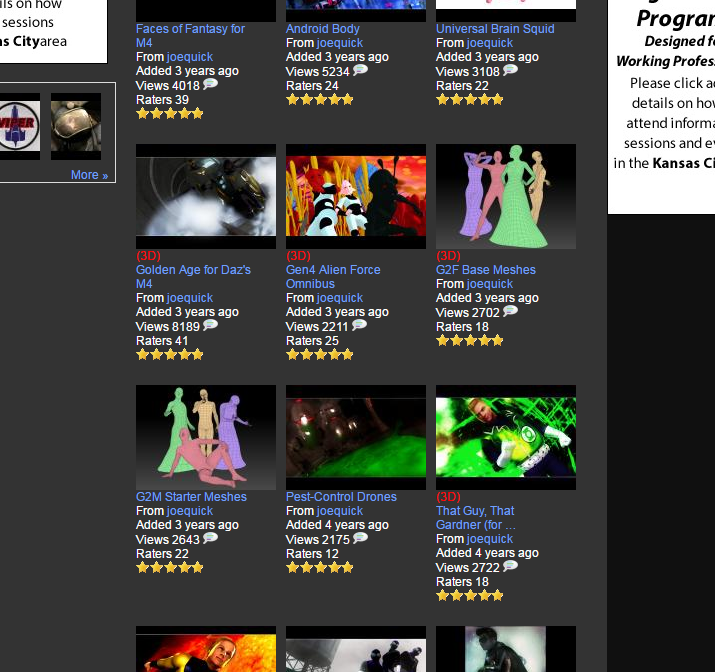
What you want is the G2F Starter Meshes and the G2M Starter Meshes but also Quick's Quick Resource Meshes. (Make sure to check out his other free wonderful content to as well as the content he has here that pays his bills.)
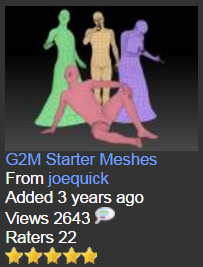
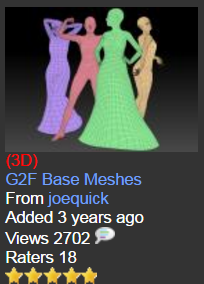
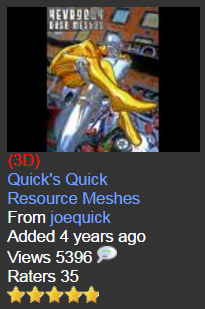
Although this Tutorial can be used to convert any of these quicksuit meshes to Genesis 3 figures, I decided to convert the G2M mesh titled "G2MsuitEvenFlow" to G3M but you could just as easily convert any of these meshes to anything that G3F and G3M has a clone for (Genesis, G2M, M4, etc).
OVERVIEW
Firstly, we need to get the G2MsuitEvenFlow.obj file into DAZ Studio. We are going to trick the system a bit by converting it into a piece of Conforming Clothing for Genesis 2, saving it, loading Genesis 3, Conforming the piece to fit, Exporting the .OBJ file, then we can even reimport to show you how it is done once you have made any modifications.
Step 1: Loading the file and making it a conforming piece of clothing prop
Load the G2M figure into Daz Studio and Import the G2MsuitEvenFlow.obj into DAZ. No parameters need to be changed on the import at all.
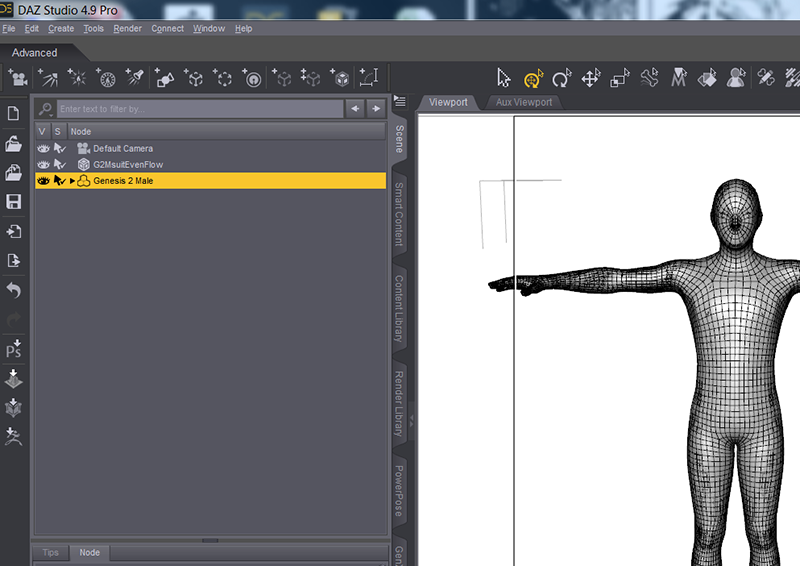
With the G2MsuitEvenFlow object selected in the Scene Tab... go to the Options Menu in the Scene Tab -> Edit -> Convert to SubD. This only takes a short moment.
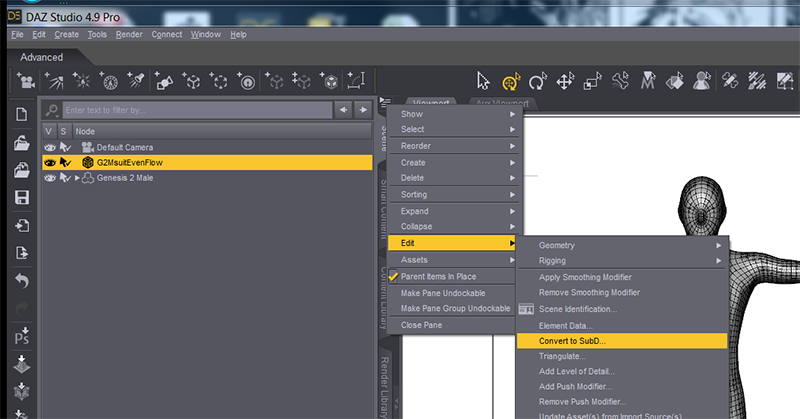
Then, with the G2MsuitEvenFlow object still selected in the Scene Tab, Go to Options Menu in the Scene Tab -> Assets... > Transfer Utility.
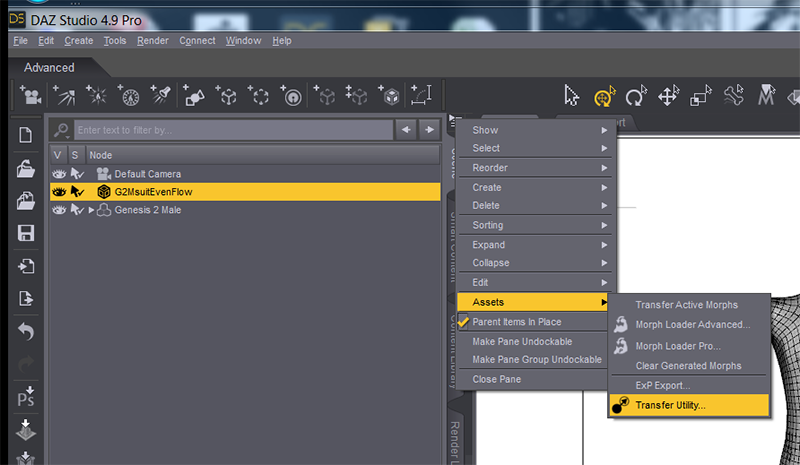
Use the following parameters (although I later found Morph Targets do not need to be checked at all)
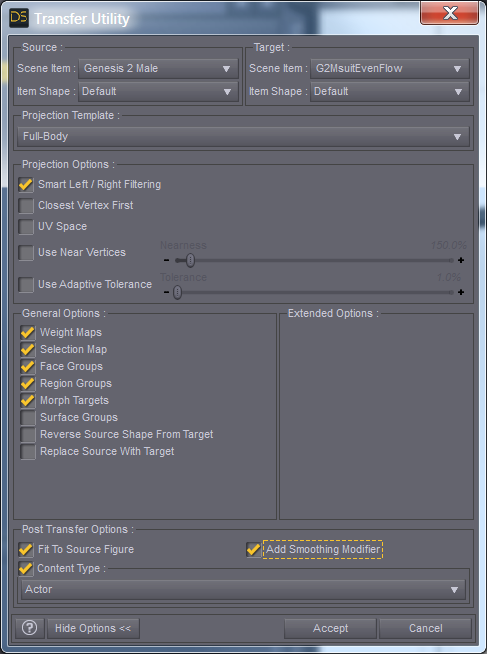
It will take a short while...

Once this is done with the G2MsuitEvenFlow still selected, Go to File -> Save As... -> Support Asset...-> Figure/Prop Assets.
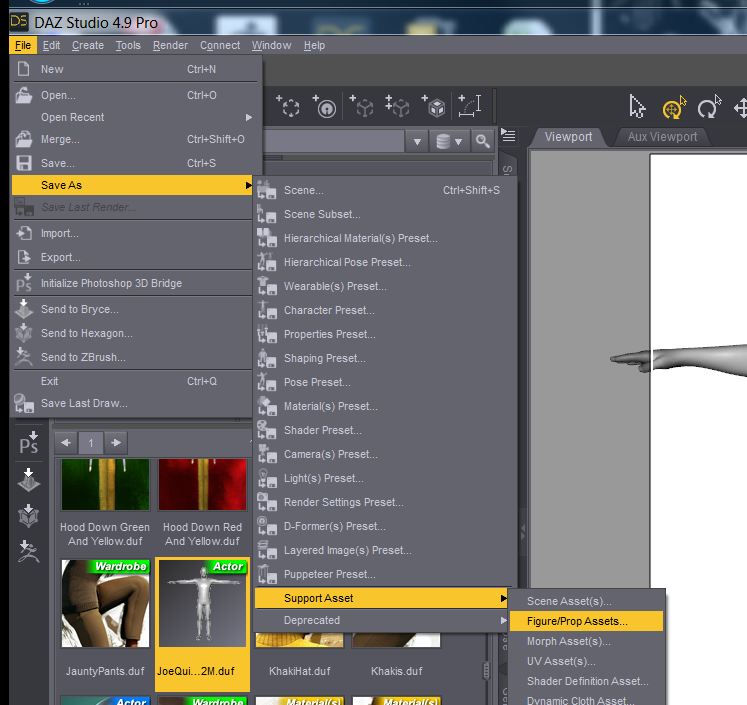
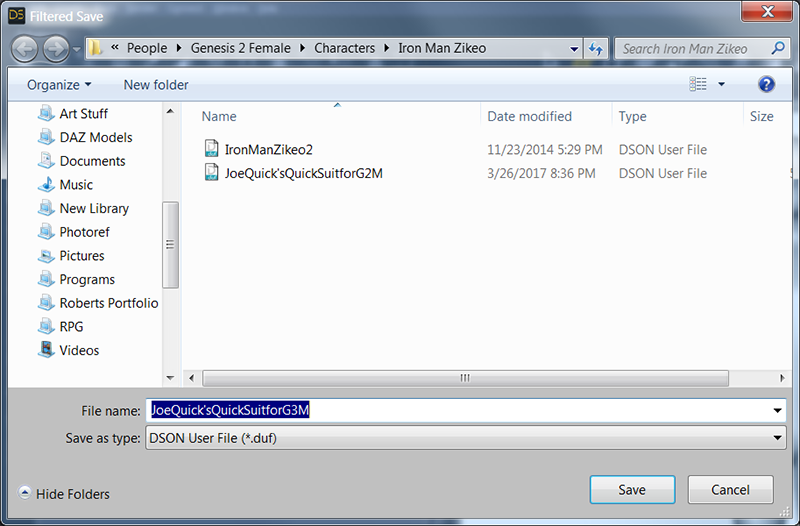
Name the file according to your wishes.
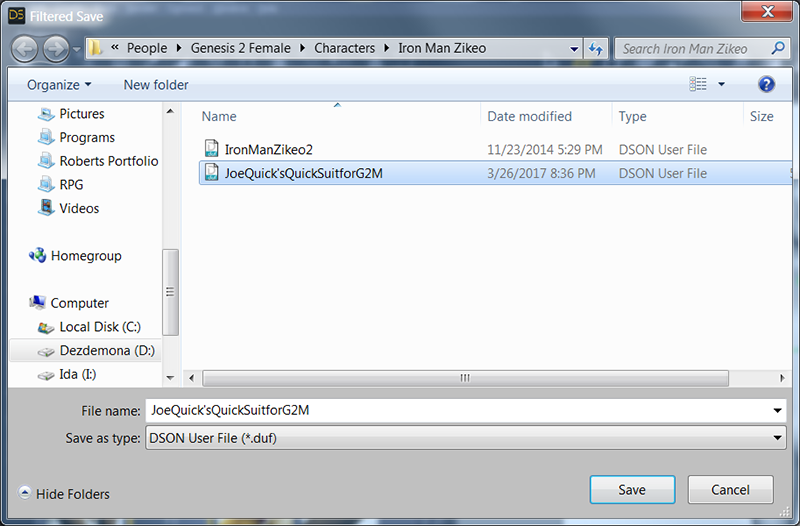
Now we need to change the form of the suit into something that fits Genesis 3 Male.
Step 2: Conforming the clothing you just made to Genesis 3
Now, start a new scene and add a Genesis 3 Male back into your scene...
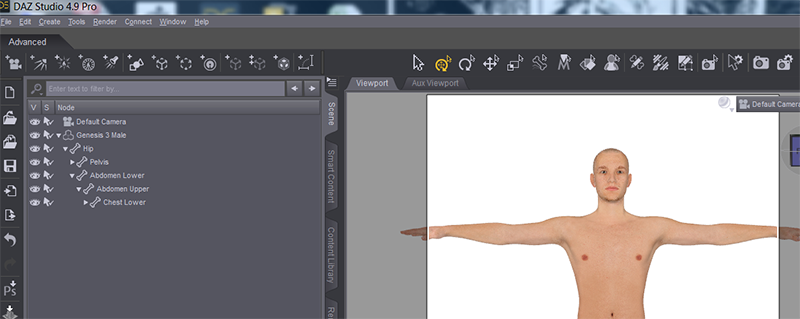
I used the filter in the Content Library to find my saved suit.
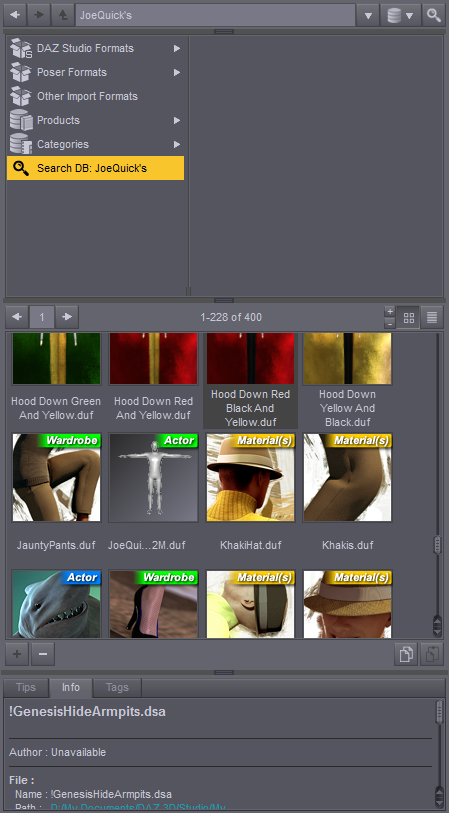
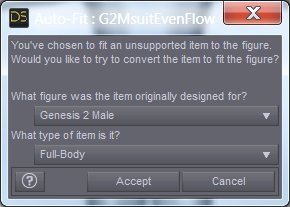
I dragged the icon over to the Genesis 3 Male figure until it became highlighted and the prompt appeared...

For "What figure was the item originally designed for?" I chose "Genesis 2 Male". For "What type of item is it?", I chose "Full-Body".
BEHOLD! THE COMING OF THE SOCK MAN!
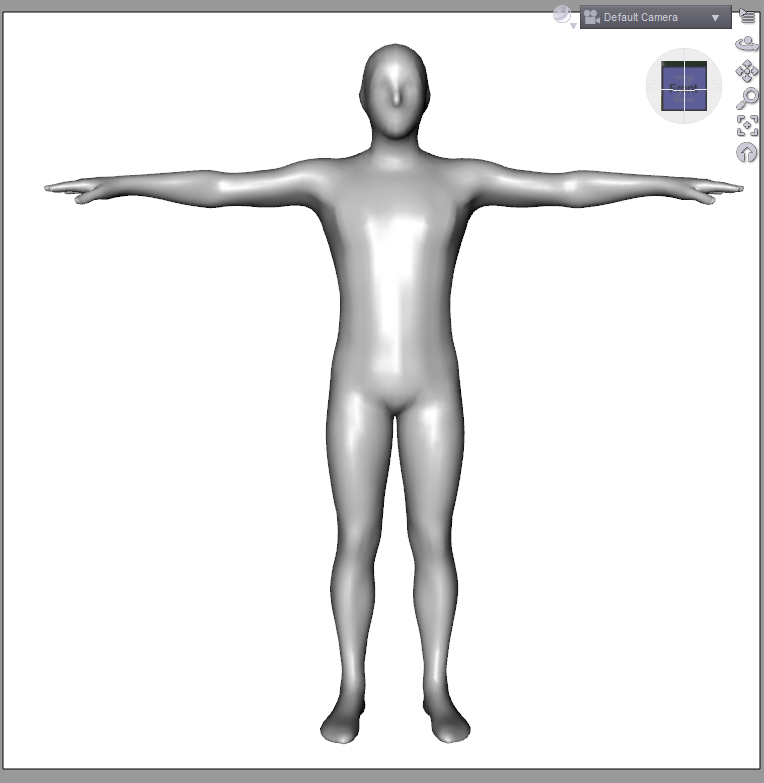
It converted perfectly with no poke-through. :)
Step 3: Converting the conformed peice of clothing into an .OBJ file
Now that we have the right G3M shape for the suit, we need to convert it to an .OBJ file in this shape.
Select the G2MsuitEvenFlow in the Scene Tab...
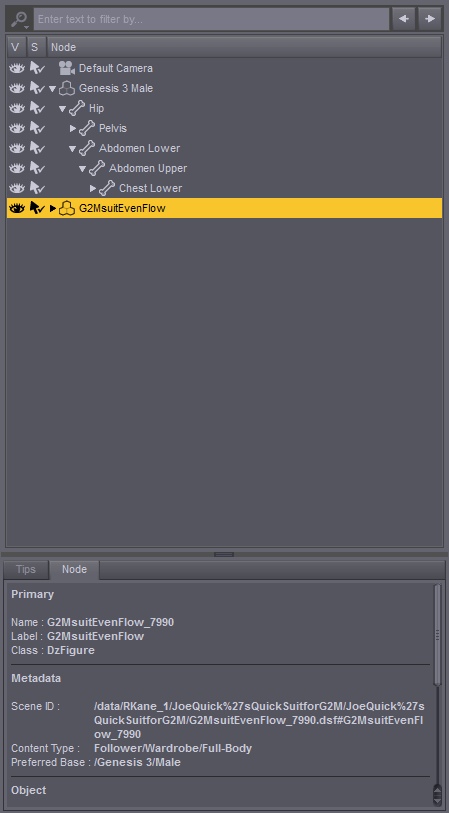
Go to File -> Send to ZBrush
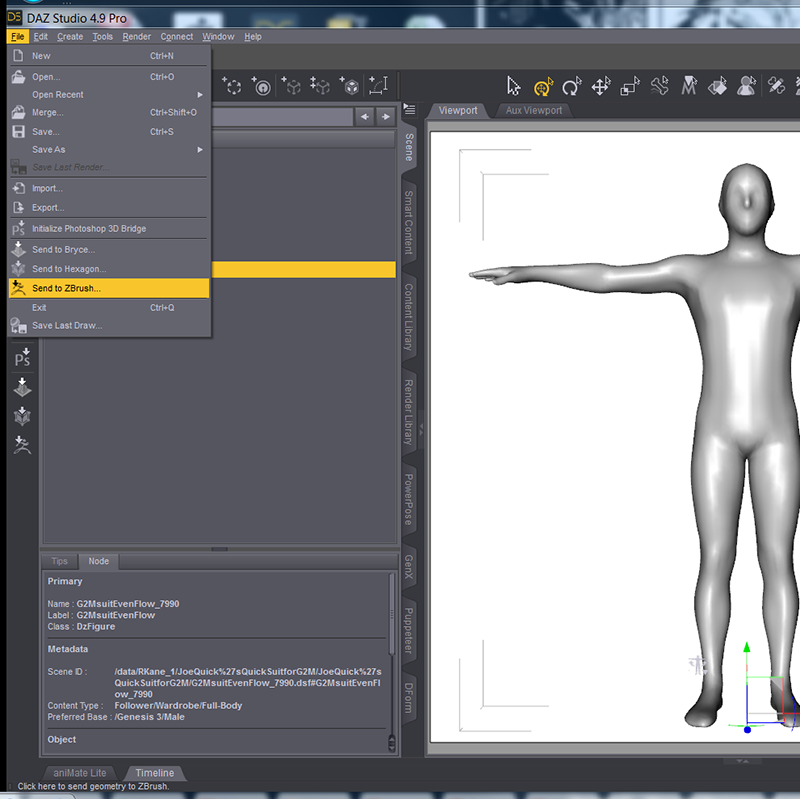
Now again, I am using ZBrush for this but you can use any modeller providing it can handle an .OBJ file.
For ZBrush GoZ, make sure to Export WITH Deformations

In ZBrush, we come back to the familiar yet alien terrain.
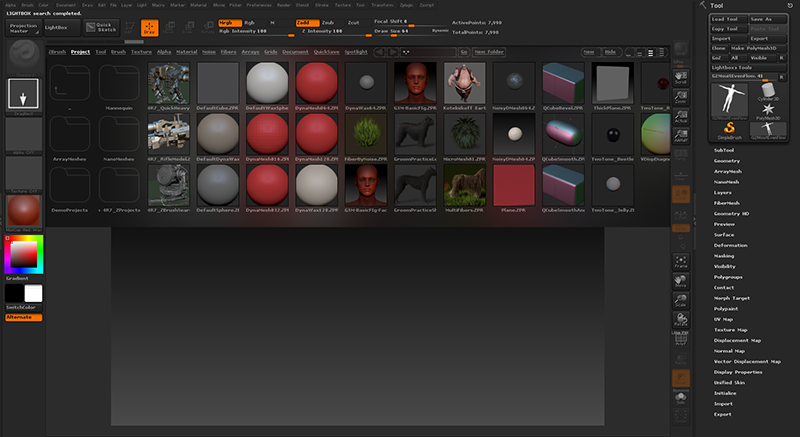
Since we are in Draw mode, drag out the tool (the G2MsuitEvenFlow.OBJ file) on the canvas which should already be loaded up
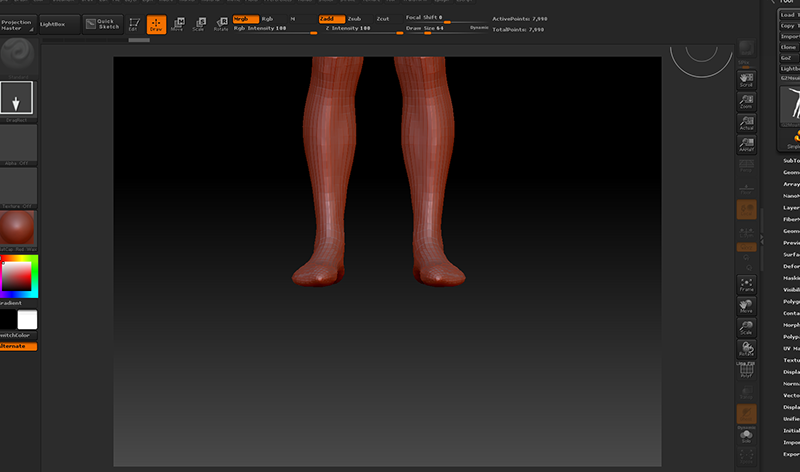
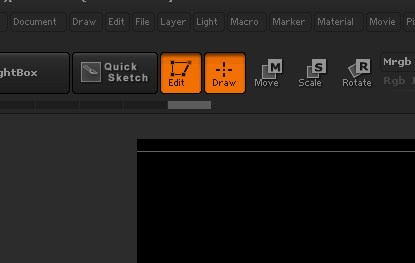
Click "T" or just the Edit Button to enter Edit mode.
It is then helpful to Frame the model in the screen by either clicking SHIFT+F or clicking on the Frame button on the lower right.
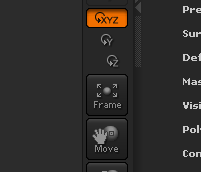
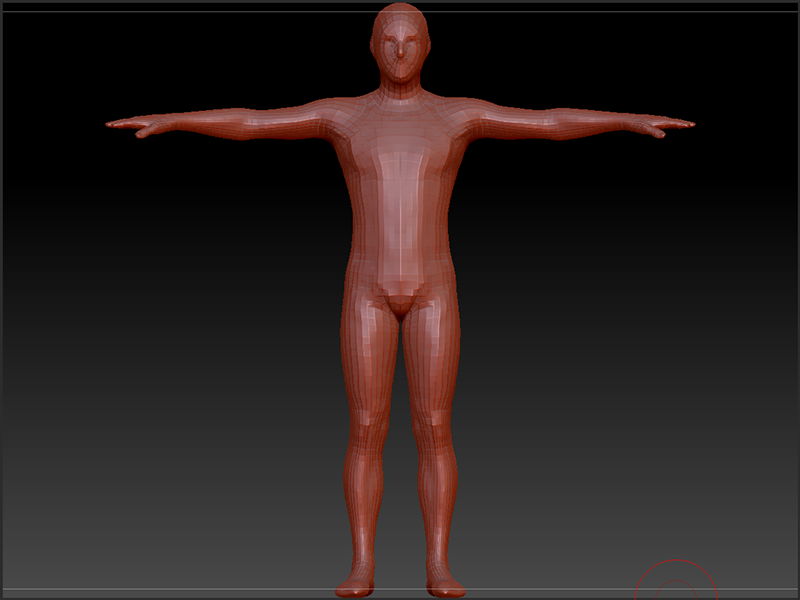
Now, you must Save the Tool so that you can bring it up again in the future to work on and create new clothing creations out of.
On the right upper section of the screen in the Tool palette, click on "Save As"
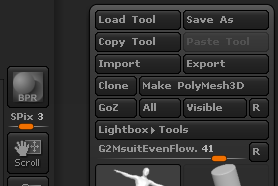
Create an appropriate name...
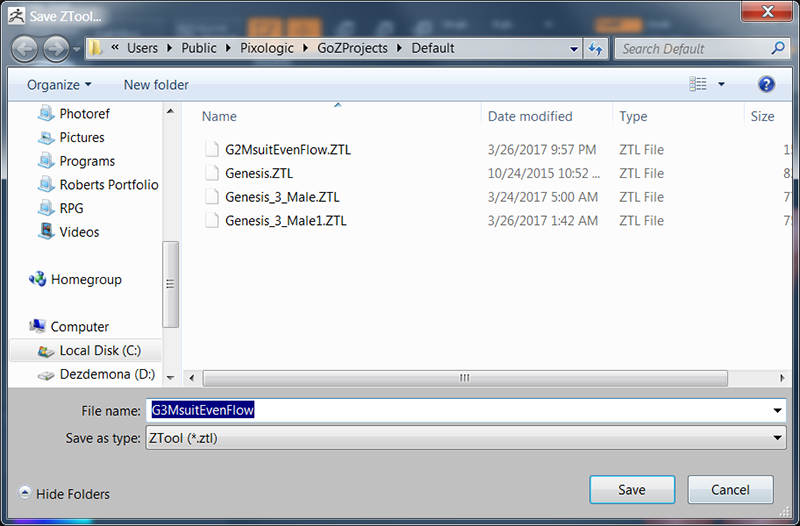
Now you can frankly stop here, if you wish and model away in the knowledge that you have a shell that comfortably and snugly fits around your Genesis 3 Male figure AND you know the beginnings of how to adapt that model into conforming clothing as well.
Step 4: Bringing the new clothing back into DAZ and saving it as a Conforming piece of Clothing
To take your creation BACK into DAZ Studio, click on the GoZ button in the top right of the screen in the Tool palette. If DAZ is open, it should go there providing no other programs are open that ZBrush has a Bridge to (such as Photoshop, Maya, 3D Studio Max, etc)
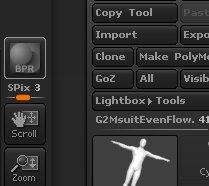
Now with the GoZ Bridge, it will automatically convert it into a SubD Surface for you so you will not need to do that if the bridge is used but you WILL need to do it on a straight import. The item will be named the name of the tool you saved in ZBrush as well.
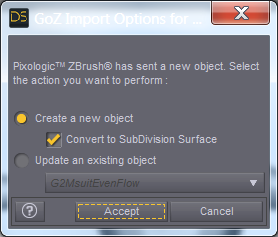
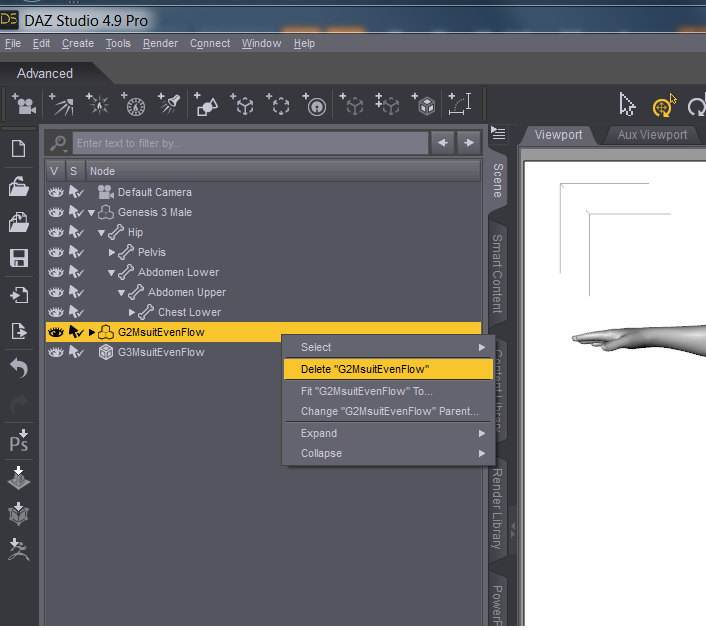
Back in DAZ, delete your G2MsuitEvenFlow (NOT THE NEW ONE, THE OLD ONE) as you no longer need it and can bring it back whenever you want.
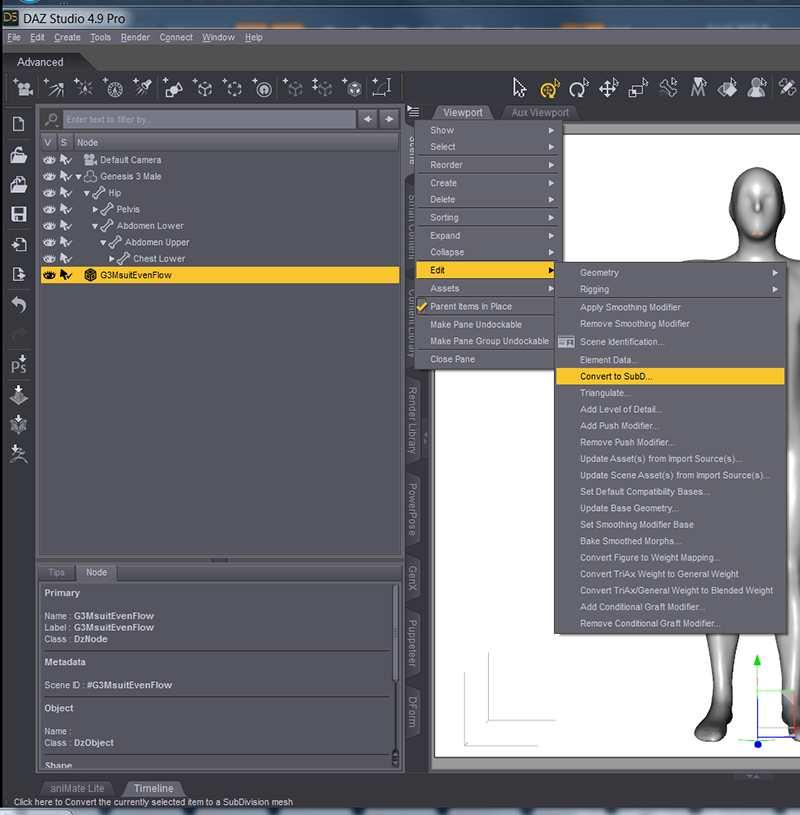
If you imported your .OBJ file and didn't bring it back through the Bridge, remember Convert to SubD is in the Options Menu in the Scene Tab -> Edit - > Convert to SubD
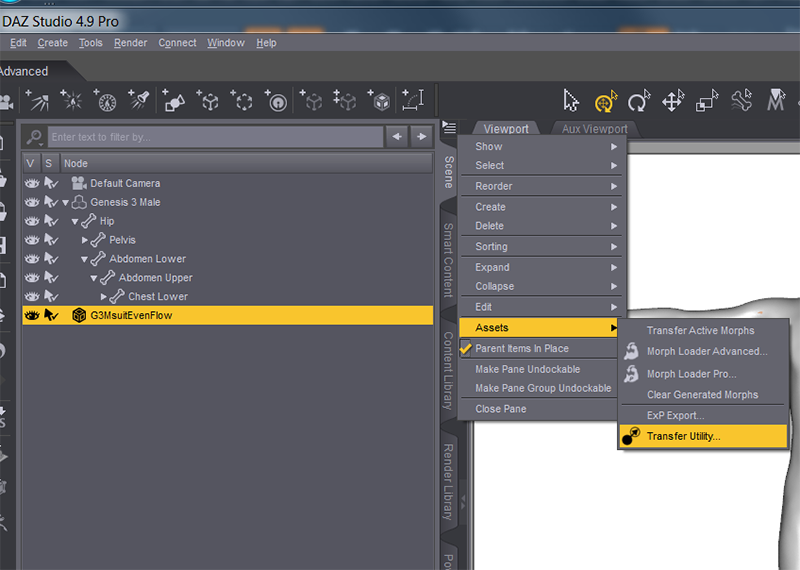
With the new G3MsuitEvenFlow selected, go to Options Menu in the Scene Tab -> Assets... -> Transfer Utility
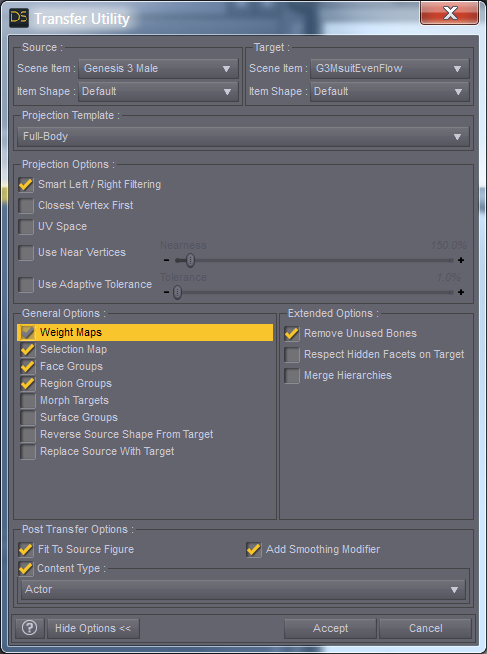
Use the following Parameters (If anyone feels differently on this, please let me know and why)
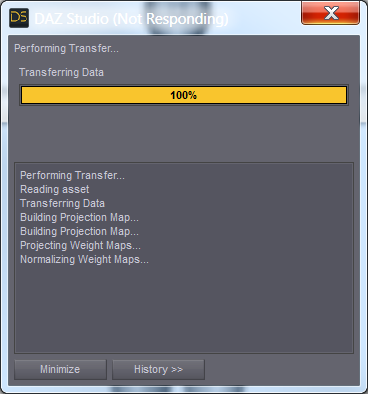
It will take a quick minute...
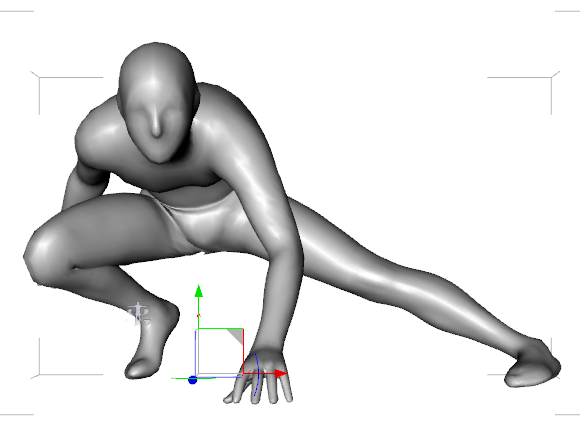
Once it is done, pick a nice pose for you figure... Here we have SOCKMAN! ON THE PROWL!
Zero the figure again before saving (not required, just a good rule of thumb) ...
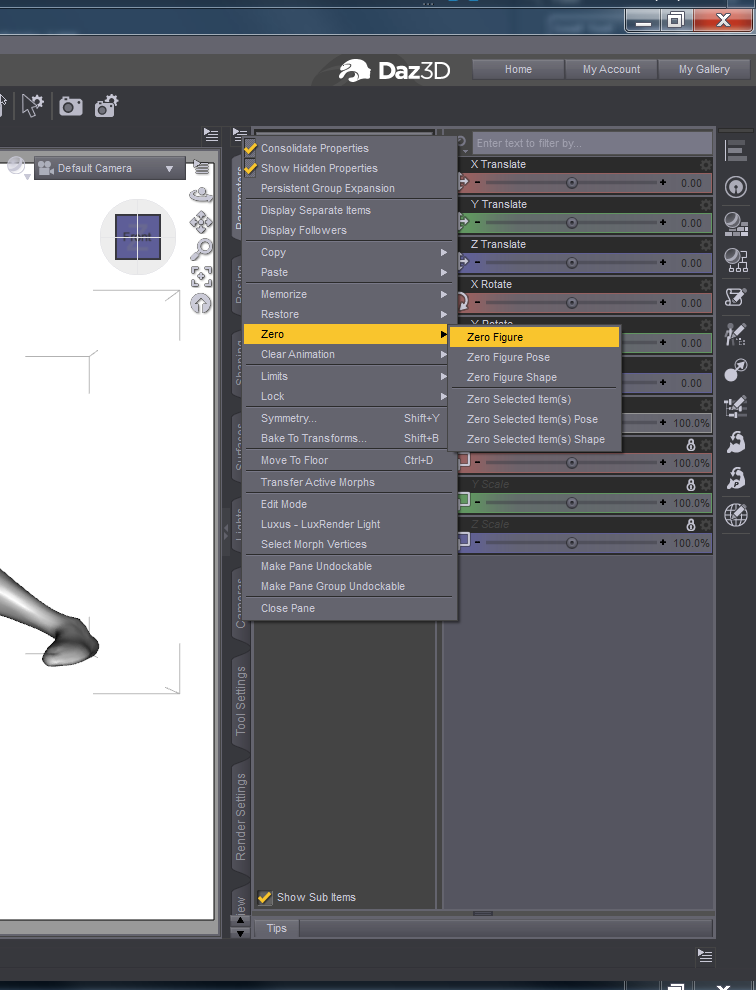
Ensure your new item which I named G3MsuitEvenFlow is selected.
Go to File -> Save As... -> Support Asset...-> Figure/Prop Assets.
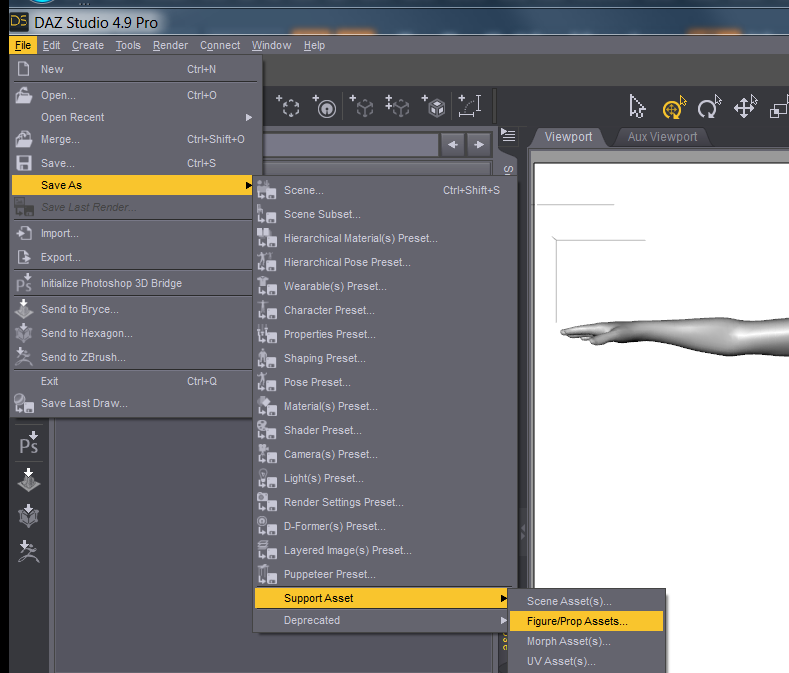
Save as an appropriate name...
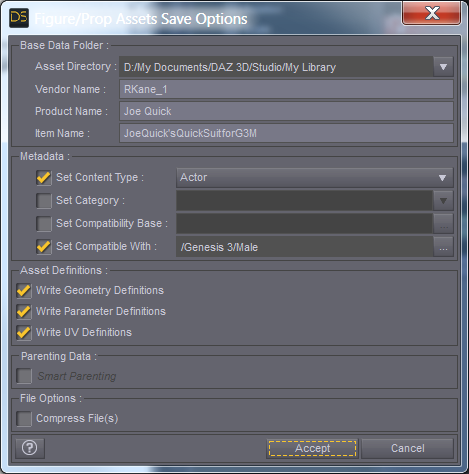
Use the Following Parameters (If you know different, please let me know.)
And SOCKMAN MAY YET BATTLE EVIL ANOTHER DAY!
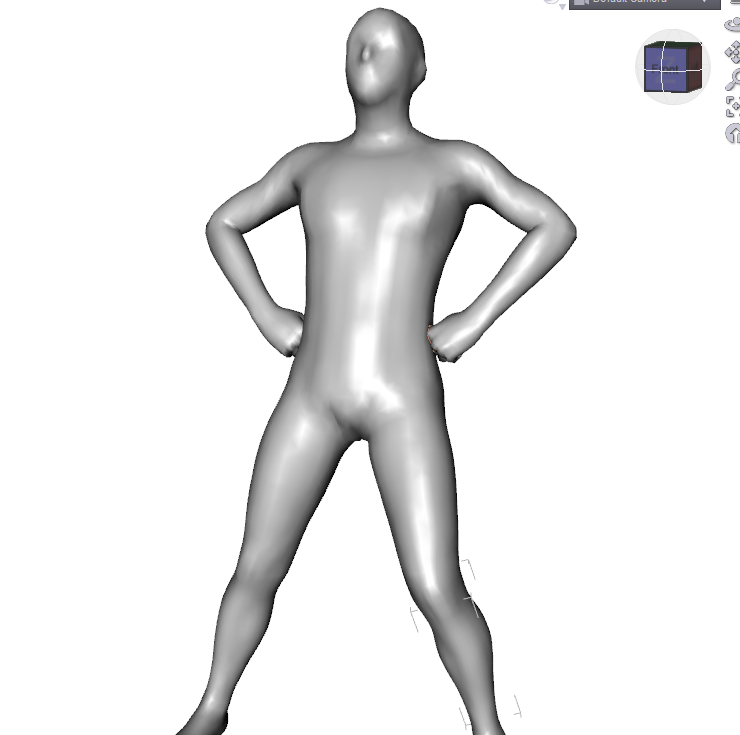
I hope this was helpful. I learn by teaching and I learn the most when I am trying to teach the things I know little about. If there is anything you would do differently, PLEASE don't hesitate to let me know.
Keep Calm : There's always another Sale (Daily Sale Talk)No because morphs are part of a specific figure ("Sadie" being a whole figure, "Genesis" being another.) Sadie for Genesis is a morph of Genesis. Clothing can work because the proportions of the figure are all basically the same, but morphs and skin need the exact model, not just something shaped like it.
Or a utility like Gen2X and a supported plug-in for the character you want to transfer to/from in the case of Morphs, or a Material Surface UV for the target figure you want to fit the skin to, in the case of skinmaps. It is all very confusing until you start to get it... then it starts to make more sense.
Keep Calm : There's always another Sale (Daily Sale Talk)Good day,
Does anyone know if the morphs and skin UVs for Sadie also work on the Sadie for Genesis? [I saw in old forum posts that the clothes should work]. I have not done much with toons, but I am looking at the possibility of some childrenś material and these might fit the bill.
Thank you,
Pi Man 3141592654
No because morphs are part of a specific figure ("Sadie" being a whole figure, "Genesis" being another.) Sadie for Genesis is a morph of Genesis. Clothing can work because the proportions of the figure are all basically the same, but morphs and skin need the exact model, not just something shaped like it.
Novica & Forum Members Tips & Product Reviews Pt 8@Barbult single handedly gave everyone on the thread a renewed interest in the Ultragenesis morph packages they probably got for free around Christmas time.
This is Gumdrop Granny for K7 and E7 on GF3, with a touch of Bethany and some custom dialed morphs on the body, transferred via GenX2 to G2F, wearing V4:Horizon skin with V4 UVs.
The clothes and jewelry are a combination of V4, G2F and G3F.

That sounds like quite a struggle, but it came out well.
Novica & Forum Members Tips & Product Reviews Pt 8Edith looks a little strange in the gray image above, but I really like her morph with skin, This skin is Brigitte for Genesis 3 Female.
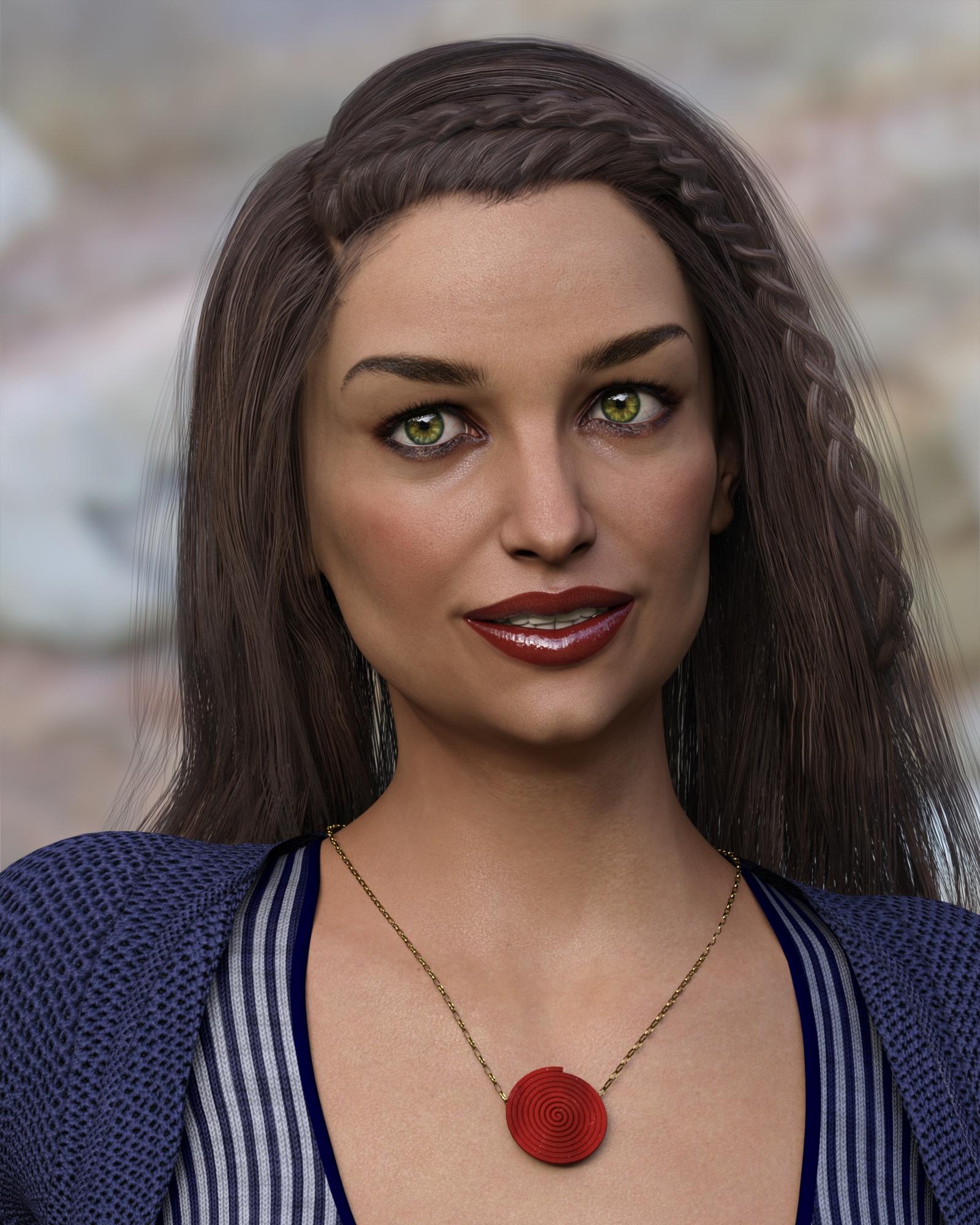
This one looks like it could be used as a less "toon" version of Mother Gothel from Tangled...
Maybe so, with some bushier hair, she just might do.
Novica & Forum Members Tips & Product Reviews Pt 8@Barbult single handedly gave everyone on the thread a renewed interest in the Ultragenesis morph packages they probably got for free around Christmas time.
This is Gumdrop Granny for K7 and E7 on GF3, with a touch of Bethany and some custom dialed morphs on the body, transferred via GenX2 to G2F, wearing V4:Horizon skin with V4 UVs.
The clothes and jewelry are a combination of V4, G2F and G3F.
Novica & Forum Members Tips & Product Reviews Pt 8Edith looks a little strange in the gray image above, but I really like her morph with skin, This skin is Brigitte for Genesis 3 Female.
This one looks like it could be used as a less "toon" version of Mother Gothel from Tangled...
Novica & Forum Members Tips & Product Reviews Pt 8ha ha I've had that Ultragenesis product since it was first released at RDNA, and I've used it quite a few times, but not once have I noticed it has a 'mature' morphs! holy cow, the things you learn! *laughs*
I think almost all of them look more like real people than most characters in the store. I am enjoying them. The more extreme ones are nicer (to me) when dialed to less than 100%. You can find the dials in the Parameters pane under Actors. They have SR in front of their name for some reason. Like SREdith. So, you can click the preset thumbnail to load the shape 100% or dial the morph to the value you want.
Just Released: The Exile Alien HD for Genesis 3 Male [Commercial]Obviously the rigging didn't transfer gracefully to Genesis, but still, it looks neat, I think. ;)
Morph 3D Artist tools in CarraraThis is a new Product based on DAZ characters and currently works with unity e.g. and allows gamers to create their own custom players inside game. It has built in support for LOD etc. I am not sure if artists can create/modify and sell Morph 3D character via DAZ Studio or DAZ store. Morph 3D Characters have their own Morph 3D store and license etc.
Yes, we can use Carrara to create support figures, props, etc., for Morph3D characters and then use Daz Studio to set them up into the Morph3D system, I'm just not entirely sure of the specific procedures at this point. But it certainly is an exciting prospect.
No, we wouldn't be selling our Morph3D assets via Daz3d store, but through Morph3D store.
I was looking into this a short while ago. It's really pretty cool. Game-resolution figures for gaming engines. So Morph3D clients may actually access their Morph3D content directly within Unity (possibly other engines as well) where we can script them to work with all animations, set up where they can or cannot go, and the triggers that cause them to perform such animations.
So for those whom already know how to work with game content, this is quite seemless and easy to work with.
But even more vast is how they're now partnering with other realms to make it possible for Morph3D clients to build their own Avatars for interacting with the digital world. This is really cool and is still very young.

Here is the playlist of tutorials for setting up your Morph3D content in Unity: MCS 101
Here is the Morph3D Ready Room
 Novica & Forum Members Tips & Product Reviews Pt 8
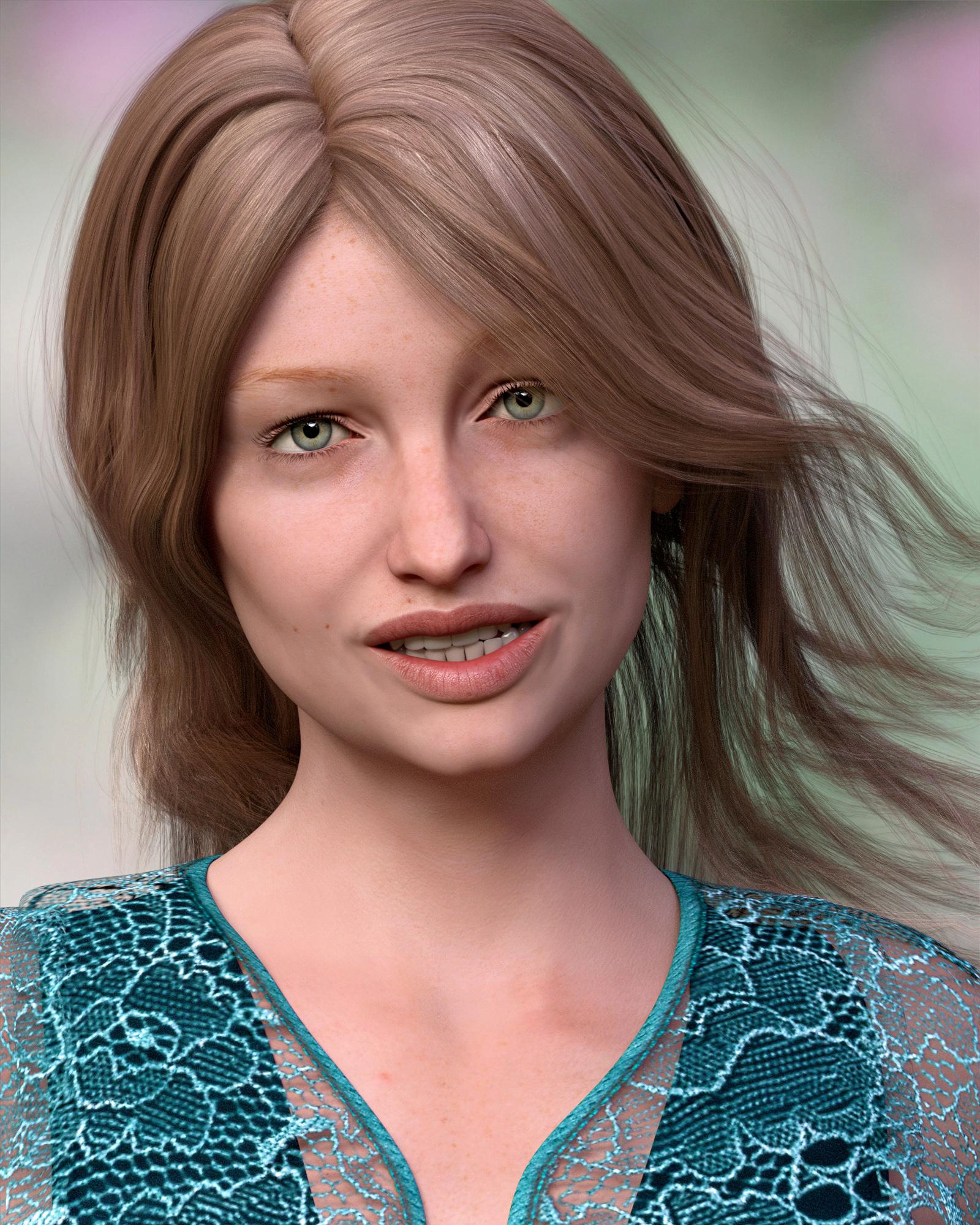
Edith looks a little strange in the gray image above, but I really like her morph with skin, This skin is Brigitte for Genesis 3 Female.
This is Edith dialed to 80% with Cailin skin and hair.
 Expresions and poses for Toon cow.
You are right Nonesuch90! I founded the expresions in the morph tab. Only would like to found poses. But I think I will do the rigging in 3DS Max. THanks!
Novica & Forum Members Tips & Product Reviews Pt 8Ahh this one : ULTRAGENESIS : Faces of G ?
YES!!!
We have a winner!@Ferretmania I will PM you the GC code immediately. Please let me know if you have any problems with it.
The product is UltraGenesis Faces of G.I used the Gumdrop Granny preset. A double click on that preset automatically dials a bunch of morphs. That is how shaping presets usually work. That is why you see so many products requiring the Daz Genesis 3 Female Head Mophs and Body Morphs. This product dials Eva 7, Karen 7, and/or Victoria 7 morphs as well. But, as I said, I started with the basic G3F, not one of those characters. All the morph dialing was done automatically when I clicked the preset.
I got this product back in December. I think it was free at the time (or free with some purchase maybe??) I bet a lot of you have it, too.
Congratulations @Ferretmania! :)
One of the reasons I haven't bought this product and others--or guessed it in this contest--is the confusion (at least for me) between "compatible figures" and "required products." It says it's compatible with G3F, but V7, Eva 7 and Karen 7 are required. Just like I wouldn't buy an add-on unless I had the main product it extends because it would be useless, I don't own Eva 7 or Karen 7, so in my thinking it won't function without them.
If you look at the "Whats included and features" section, it only says it includes 12 face shapes for Eva and 12 face shapes for Karen. It says nothing about facial shapes for the G3F base, yet another reason I wouldn't think to buy it without Eva 7 and Karen 7.
I wish Daz would come up with a better way to describe exactly what you need to have in order to use it.
A lot of character and morph products work really well on the base even if they are listed for a specific character. They won't look exactly like the promo if you don't use the required product but you can get some really nice results that way. The best way to find out if something actually needs the required products or not is to ask in the Commons or even here in Novica's thread. Lots of people who have the product are more than happy to share shots of what a particular morph product will look like on the base figure without the required product so you can see what it would look like before you buy. Even some vendors are more than happy to show off what their morphs look like on the base figure. All you have to do is ask. There are plenty of people to help you out.
Or, they can just be clear in the product description. Something like "Although Eva 7, V7 and Karen 7 are required, this product will work great with G3F." That would nail it.
You are right that forums and vendors are super helpful. I do search the forums to learn about products before I buy them. Threads describing issues like "the product says it contains Iray materials but they aren't there" or "this product has a visible seam through the center of the figure" etc. have saved me from buying faulty products.
This is one of those RDNA products brought over from the other store. It was a pretty bare bones transfer for these products. They don't have readme files. They don't have metadata for Smart Content. The product page is minimal. The product promo images are not very good...
But some of the content has been pretty useful.
GenX2 Update / Genesis 3 Add-On [Commercial]I decided to tiptoe into this a bit and converted one V4 character to G3F. It also created a V4 clone, which doesn't look much like V4. The Victoria 4 shape that's in G2F is much better. But that was purchased content and there doesn't appear to be a V4 Clone for sale.
I transferred the one from G2F to G3F and she's much better than the clone that was created. The other interesting thing I discovered, was that apparently the character I saved has V4 aready "dialed in". When I turned off the Vicky 4 clone in G3F, the character looks much closer to the original. I saved her as a Single Morph. Is that how it's supposed to work?
Daz 3D is part of

Connect
DAZ Productions, Inc.
7533 S Center View Ct #4664
West Jordan, UT 84084Licensing Agreement | Terms of Service | Privacy Policy | EULA
© 2026 Daz Productions Inc. All Rights Reserved.