-
More Non-photorealisitic Renders (NPR II)
Redid warlord.
This process was a LITTLE more involved, but I like the results much better:
PWToon with and without outlines
Outline scripted 3delight, colorID and Normal outputs (depth isn't useful for this imo)
Layered the four items, with colorID and Normal flattened onto white and set Multiply, then erase anything that doesn't work for me on each layer.
It's a bit of work, but it's not... terrible.
I also adjusted the tone of the PWToon, which I could probably have avoided by tweaking initial lighting.
 PWToon and Geoshell problem?
I actually like that behavior in PWToon because sometimes when I change back & forth between iRay & 3DL the creator of the product preset will have forgotten to change one of their product's presets for a particular surface.
PWToon and Geoshell problem?When I use PWToon, something seems to get very confused between geoshell surfaces and underlying surfaces.
And ONLY with PWToon, not any of the other 3dl shaders.
Anyone have a clue what's going on and why?
More Non-photorealisitic Renders (NPR II)I'm finding scripted outlines produce a more consistent, pleasing line than pwtoon. Hmm. Still like the color control of pwtoon, though.
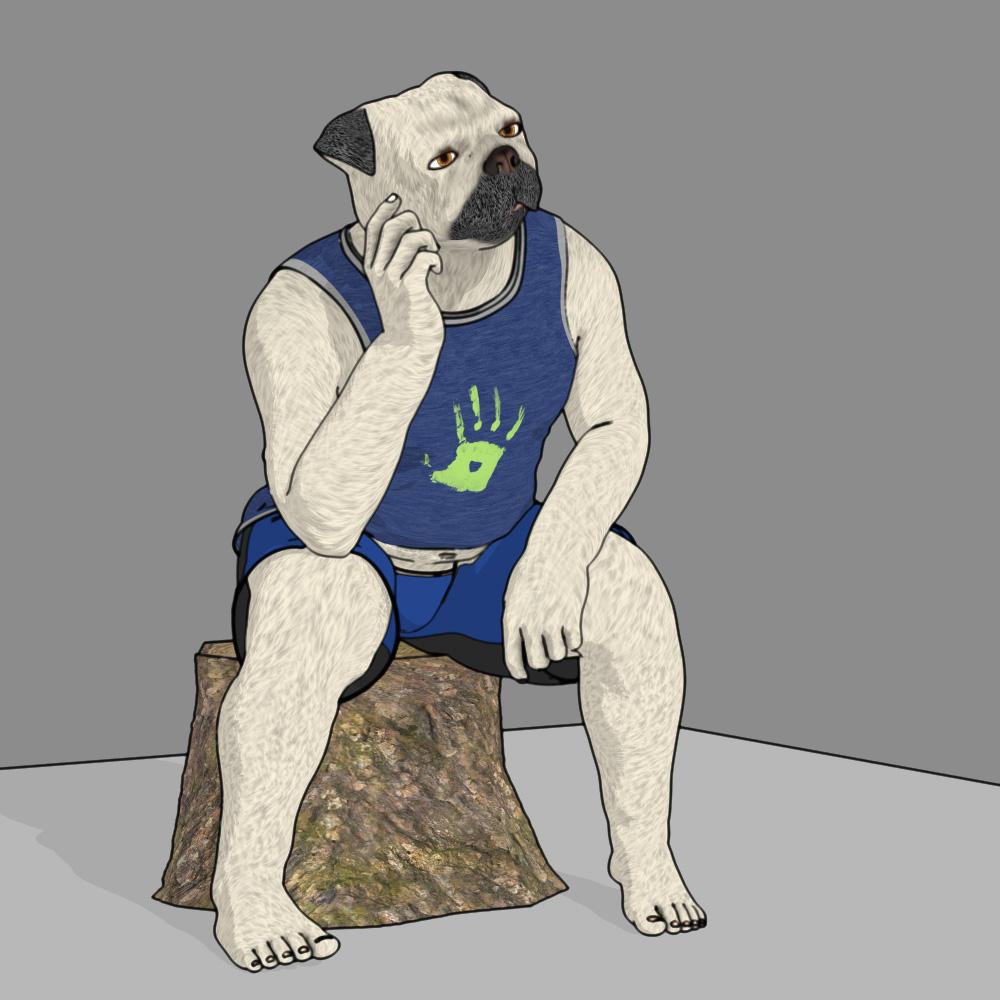
I agree, those are pretty good outlines. What script are you using?
This illustration is pretty good, and it also shows why I prefer to use the Comic Book Preview in Poser 11: The ability to define different line thicknesses (as well as color) based on the material. For instance, in this case I would make the toenails a much finer line and make the clothing a thicker line.
But, I have to admit, this is the first time I've seen scripted lines that really look like they would work for me.
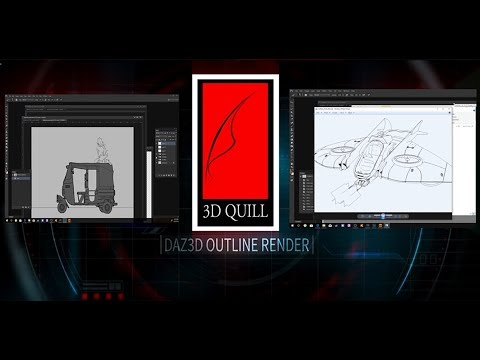 and
and 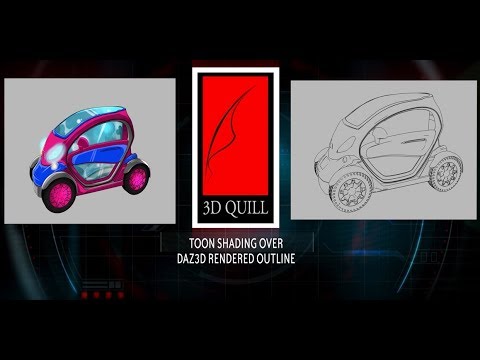
Thanks for the links to the videos. This reminded me that I had played around with this feature many years ago, but left it because I wasn't really impressed with the results. Oso3D is one of the few I've seen get really good results from this.
More Non-photorealisitic Renders (NPR II)I'm finding scripted outlines produce a more consistent, pleasing line than pwtoon. Hmm. Still like the color control of pwtoon, though.
I agree, those are pretty good outlines. What script are you using?
This illustration is pretty good, and it also shows why I prefer to use the Comic Book Preview in Poser 11: The ability to define different line thicknesses (as well as color) based on the material. For instance, in this case I would make the toenails a much finer line and make the clothing a thicker line.
But, I have to admit, this is the first time I've seen scripted lines that really look like they would work for me.
and More Non-photorealisitic Renders (NPR II)I'm finding scripted outlines produce a more consistent, pleasing line than pwtoon. Hmm. Still like the color control of pwtoon, though.
I agree, those are pretty good outlines. What script are you using?
This illustration is pretty good, and it also shows why I prefer to use the Comic Book Preview in Poser 11: The ability to define different line thicknesses (as well as color) based on the material. For instance, in this case I would make the toenails a much finer line and make the clothing a thicker line.
But, I have to admit, this is the first time I've seen scripted lines that really look like they would work for me.
More Non-photorealisitic Renders (NPR II)I'm finding scripted outlines produce a more consistent, pleasing line than pwtoon. Hmm. Still like the color control of pwtoon, though.
Male Armor Woes...Orleans armor would crash about half the time even when I put the pwToon shader on it with no maps. I have no idea what on Earth could be causing it. I realize now I must have never opened a ticket on it though.Something not in 4.7 obviously
whatever it is is now absent in my resaved file, at least for me, others would have to test it (the duf I posted) to see if it's unique to my save on my machine
Male Armor Woes...Orleans armor would crash about half the time even when I put the pwToon shader on it with no maps. I have no idea what on Earth could be causing it. I realize now I must have never opened a ticket on it though.More Non-photorealisitic Renders (NPR II)TKDRobert: I know PWToon casts shadows, I was referring to Daz Toon shader (I forget the exact name of it), which does more N color stuff.
It's a different effect, but that might work better for backdrops. Except, as mentioned, it doesn't work with shadows.
Oh, I misunderstood.
More Non-photorealisitic Renders (NPR II)TKDRobert: I know PWToon casts shadows, I was referring to Daz Toon shader (I forget the exact name of it), which does more N color stuff.
It's a different effect, but that might work better for backdrops. Except, as mentioned, it doesn't work with shadows.
More Non-photorealisitic Renders (NPR II)Someone suggested using daz cartoon shader and I remembered why I don’t; objects with cartoon shader don’t cast shadows. (Or maybe they just don’t with aoa lights? Not sure)
Anyone know a similar shader that, well, does?
(I should double check to see if pwtoon has an option I missed)
PWtoon casts shadows, but you have to make sure the lights you are using are set to cast shadows. I usually have my lights set to Raytracing.
More Non-photorealisitic Renders (NPR II)Someone suggested using daz cartoon shader and I remembered why I don’t; objects with cartoon shader don’t cast shadows. (Or maybe they just don’t with aoa lights? Not sure)
Anyone know a similar shader that, well, does?
(I should double check to see if pwtoon has an option I missed)
Is Daz3D going to phase out 3Delight?3dl is way faster... assuming you are willing to go with very limited/basic lighting. IMO, it's somewhat harder to bring IRay down to the simplest 3dl options than to bring 3dl up to most of what Iray can do.
That said, you can trim Iray a lot and I've mostly moved to it.
Except for using PWToon. I still LURVE it for fast, reasonably solid toon style stuff. (Oso Toon and LineRender9000 are better in a number of ways, but at the cost of speed, so it depends on what your sweet spot is.)
More Non-photorealisitic Renders (NPR II)Converted the Virgin hair to PWToon in the style I've gotten very happy with. Worked fine! (Originally I was using opacity to shorten the hair more, but I forgot how much 3dl just grinds to a halt with opacity maps overlapped. Seriously, like it was taking 20x as long or worse. So I ended up going 'nuts to this' and using the regular hair mostly as is with Shorten morph maxed.)
To make the hair more toony, I reduced the hairs per guide hair by about 1/5, and changed line width. The baby hairs, linewidth 1. The other hairs, linewidth 5.
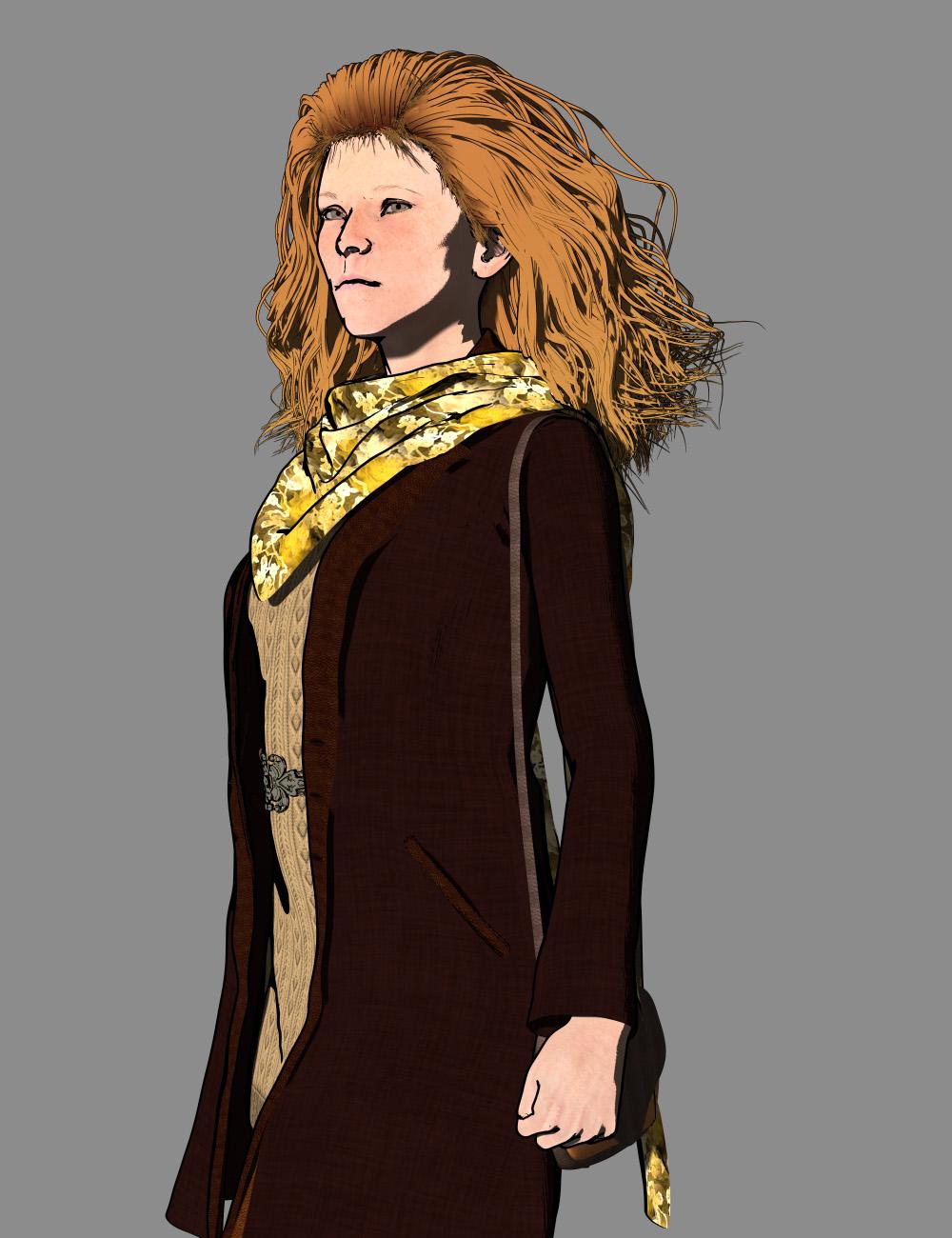
Your attention to detail on the hair paid off. It looks hand drawn. And as someone who messes around with a lot of hair models, I'm VERY impressed with your results. The rest of the outfit looks good, too. Although my preference is to use slightly lighter tones so that the arms don't blend in the way they do here. Or perhaps just a brighter tan for the purse? The color story is pleasing, though, and perfect for the transition to Fall weather (which, for us in Texas, is still probably two months away). Well done.
LineRender9000 [Commercial]So, I am wondernig, how do I get clear black Fresnel outlines in the hair, clothes and body? The outline surrounding the figure does work no problem, but I am hoping to allow for clear Fresnel outlines within the figure. Every time I applied the Fresnel outlines, the renders came out horrible.
I read just now, in another post in this thread ,something about Line Output, and I am wondering how to make the Fresnel and lines clear enough to look appealing?
I feel as if pwToon, while it is good, may be nothing compared to LineRender9000. I have to find out how to use the line output function.
Ain't Misbehaving: learning animating through repetition (nonesuch00)Hi my advice is to use the open GL render engine while learning to animate characters instead of waiting for hours
for a hardware, intensive brute force path tracer to find out where you made mistakes.
It is called "previsualization"Also,if you are determined to keyframe everything from scratch and not use anibloks etc , you are wise to start with the 4.12 beta to get used to a proper IK /foot contact based workflow.
also ( assuming it still works with 4.12)
get the key frame culling script from Mcasual's site
to parse down the number of framesof any baked aniblocks or imported BVH to an editable state.
Thanks.
Everytime I have tried that basic openGL renderer in DAZ Studio to render, DAZ Studio has locked up or crashed or simply not rendered for me. I think I have to replace the iRay materials with 3DL materials to use the openGL renderer maybe? Was that my mistake? I couldn't find documentation on that.
OK, I changed all shaders to 3DL and found that openGL Intermediate locks up DAZ (or maybe it's much more intense than I though but a window never pops up with what is being rendered) so I changed to 'Basic OpenGL' and it's very fast, thanks. I can already see the animation I've done so far is too sudden and robotic but now I can using virtualDub & Basic OpenGL render series keep refining and repeating until I get a grip on how many blank frames I'll need between key frames to get better motion. Somethings like Daffy's expressions aren't going to be doable but I expected that.
Instead, I was planning on switching to a animation cel shader style that was derived by Crescent from the DAZ 3D pwToon product. i also have Visual Style shaders, a sort of toony-digital look and several others, all 3DL based and quite quite to render even on my computer. I have the pwToon shadow catcher, pwGhost and the whole pw Suite but I don't plan on making a complex rendering style in 3DL but a simple digital toon style that is flatter and clearer than say a Toy Story 1. I'll have to try those and see which I like. I will go for pwToon/Cresent Cel Animation Style to start though and maybe something more complex later.
+++++
Anyway, my question for you is here is a short outline of my planned workflow for posing/animating:
1) I am currently FK animating in the DS 4.12+ timeline. I have not yet added any IK chains. I am frame by frame advancing the original source material and then matching posing as best as I can in DAZ Studio and then I 'create keyframe' when the pose changes in a frame (not all frames in the original animation video change either). Sometimes I embellish a little bit but not too much.
2) When that is completed I will collate into an AVI at 30 FPS and if i judge if it's as good as the original in movement I do nothing. If the foot contact with the floor and their hand handling of props fails that I will IK chain in entirety both characters, the props, and adjust the animations to make them look good.
My question for you is 2) possible after I do 1)? That is, can I do FK animation and then add the IK chains too it later to refine those FL animations? When I add the IK chains to the characters & props how do I transfer the FK animation(s) to the IK chain so that I can make those adjustments?
I'm think IK will greatly reduce the look of 'robot movement' that posing for FK is giving (even though in the original animation most of the time most of the body is unnaturally still too.
+++++
Well while I'm only in 110 frames into about a 3100 frame animation I've making, I am going to backtrack and at the IK chains and do this the IK way. I hope at sometime in the future I'll learn if it's possible to transfer a FK animation to an IK control chain but it's not essential right away.
More Non-photorealisitic Renders (NPR II)Converted the Virgin hair to PWToon in the style I've gotten very happy with. Worked fine! (Originally I was using opacity to shorten the hair more, but I forgot how much 3dl just grinds to a halt with opacity maps overlapped. Seriously, like it was taking 20x as long or worse. So I ended up going 'nuts to this' and using the regular hair mostly as is with Shorten morph maxed.)
To make the hair more toony, I reduced the hairs per guide hair by about 1/5, and changed line width. The baby hairs, linewidth 1. The other hairs, linewidth 5.
Nice hair, the linework is really impressive.
More Non-photorealisitic Renders (NPR II)Just found tutorial for Blender about NPR
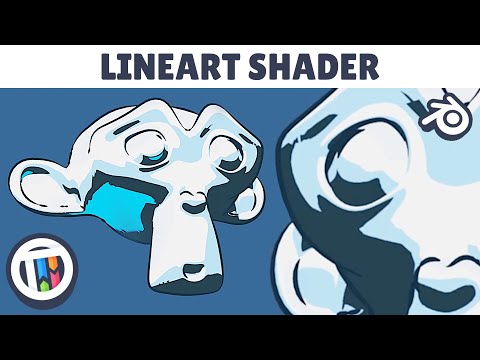
Cool tutorials . Last time I`d tried realtime outline with DAZ figure not worked OK . But for simple or low res mesh that work flawlessly
And about Poser , actually we (read: our small graphic studio) bought it several months ago just for realtime line preview render feature.
But I still have no idea how to synchronize camera between DAZ and Poser, so I can keep get Toon Shade from PwToon (because in my opinion that's the easiest toon shader I've ever used and render so fast even in low-spec machines) and use line art from Poser render. For quick preview especially for making BG and building look like toon render , Poser seems right soultion.I posted this question over at Renderosity and some kind person is working to see if her export script can be modified to move cameras from Daz Studio into Poser. She seems to think it can be done and is working on it.
I am going to ask around here to see if we can find a way to move cameras in the opposite direction, from Poser into Daz Studio.
I will keep you posted!
Thanks . Yeah For Quick outline especially for Building or BG which PwToon had problems , Poser Comic Book Preview seems most simple solutions.
Like we`ve already knew synchronize Camera only the culprit to get best of DAZ/POSER NPR workflow . Hope someone have workaround to solve it.
And another... I've been poking around with how to do backdrops/larger scenes with my approach to PWToon. The big issue is that a lot of the outlining falls apart with the types of thing in the backdrop (like landscapes, buildings, etc).
So I need a somewhat different approach to figures than to most of the other elements. Then you have things like trees, where I like outlines for the trunk but the leaves often do better without (but then I run into issues like 3dl hating opacity maps and just chugging horribly with many trees)
Unless we need detail outline , Cartoon Mode render with default DAZ shader sometimes works wonder . Meanwhile if we need much more controls , Poser Comic Book Preview or Blender`s Freestyle , maybe the best solution
More Non-photorealisitic Renders (NPR II)And another... I've been poking around with how to do backdrops/larger scenes with my approach to PWToon. The big issue is that a lot of the outlining falls apart with the types of thing in the backdrop (like landscapes, buildings, etc).
So I need a somewhat different approach to figures than to most of the other elements. Then you have things like trees, where I like outlines for the trunk but the leaves often do better without (but then I run into issues like 3dl hating opacity maps and just chugging horribly with many trees)
Daz 3D is part of

Connect
DAZ Productions, Inc.
7533 S Center View Ct #4664
West Jordan, UT 84084Licensing Agreement | Terms of Service | Privacy Policy | EULA
© 2026 Daz Productions Inc. All Rights Reserved.