-
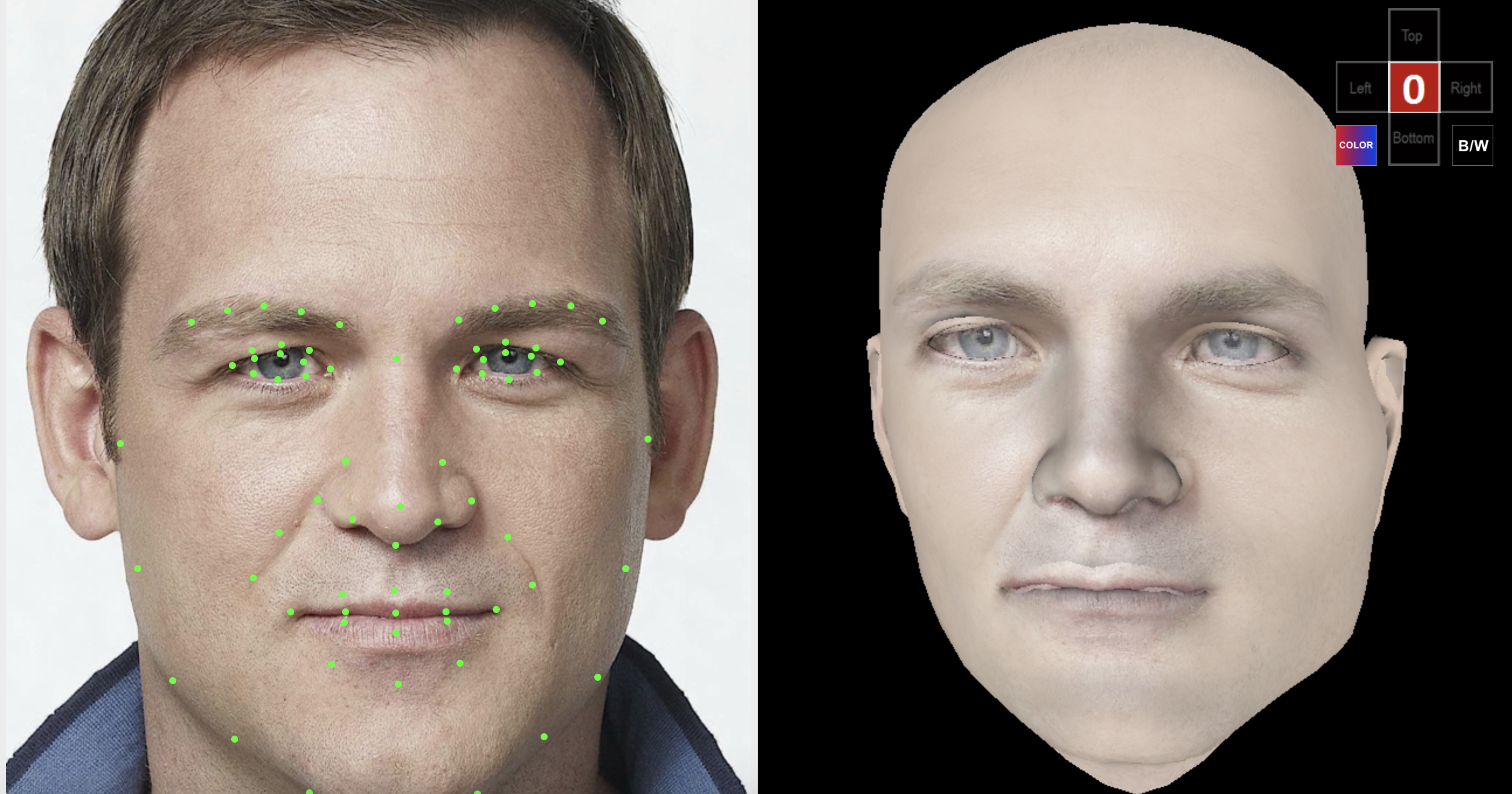
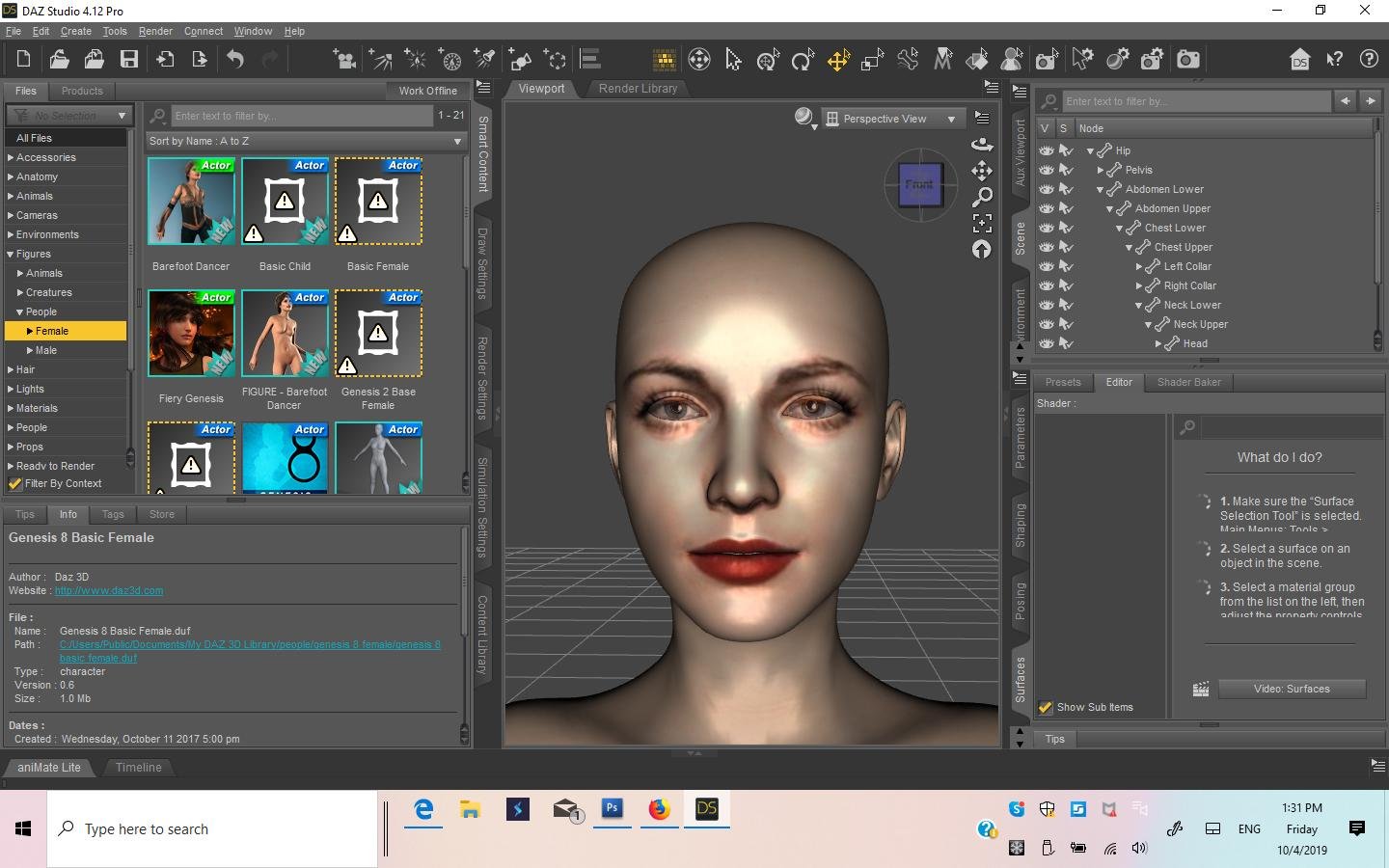
DAZ Studio 4.12 ... Face creation abilities????
So tried out the free version, was more than pleased with it compared to FaceGen or Headshop, so buckled under and bought the Unlimited version.....Face Transfer on left, Face Gen on right....because it is integrated right into Genesis 8 Character, you can use morphs to msake necessary adjustments, and and use expressions......Im quite pleased with it!
HeadShop 11 (MAC) Genesis 3 and 8 Wonky Face FixIf you're getting this wonky head glitch using HeadShop 11(MAC):
The fix is to go to HeadShop in your Applications, right click it, and click "Show Package Contents." Then Navigate to Contents > Resources > Models > Model > Genesis 2. If you're having a problem with the male model, click on the "Male" folder. If you're having a problem with the female model, click on the "Female" model. Copy the file "headRotater_vectors.txt" and then navigate back to the Gen 3 or Gen 8 folder (whichever you're using). Go into the same gender folder there, find the file within titled "headRotater_vectors.txt" and rename it something, then paste in the "headRotater_vectors.txt" that you copied earlier. Now it should work fine!
Celebrity Look-a-Likes for 3D figures Part 2Barbra Pavin looks like she's 13 in that picture. The OneClick HeadShop results looks like an adult, so that's good.
Matt Damon's HeadShop OneClick result looks like the Team America (F'YEAH!) version. But that's also quite appropriate.
Does anyone know of a Vivien Leigh/Scarlett O'Hara celebrity look-a-like for G8F? I know people took a stab at ones for earlier figures (and I did so myself, back in the day, though not for sale), but I'm having a devil of a time making one that resembles her myself this time around.
I know it's a long-shot but this seems to be the place to ask. If anyone knows of one, please let me know!
Stephen, I made a Gen 8 Vivian Leigh figure for you (see enclosed). If you like, I can send you the "Scene" file, too.
 Celebrity Look-a-Likes for 3D figures Part 2
Barbra Pavin looks like she's 13 in that picture. The OneClick HeadShop results looks like an adult, so that's good.
Matt Damon's HeadShop OneClick result looks like the Team America (F'YEAH!) version. But that's also quite appropriate.
Does anyone know of a Vivien Leigh/Scarlett O'Hara celebrity look-a-like for G8F? I know people took a stab at ones for earlier figures (and I did so myself, back in the day, though not for sale), but I'm having a devil of a time making one that resembles her myself this time around.
I know it's a long-shot but this seems to be the place to ask. If anyone knows of one, please let me know!
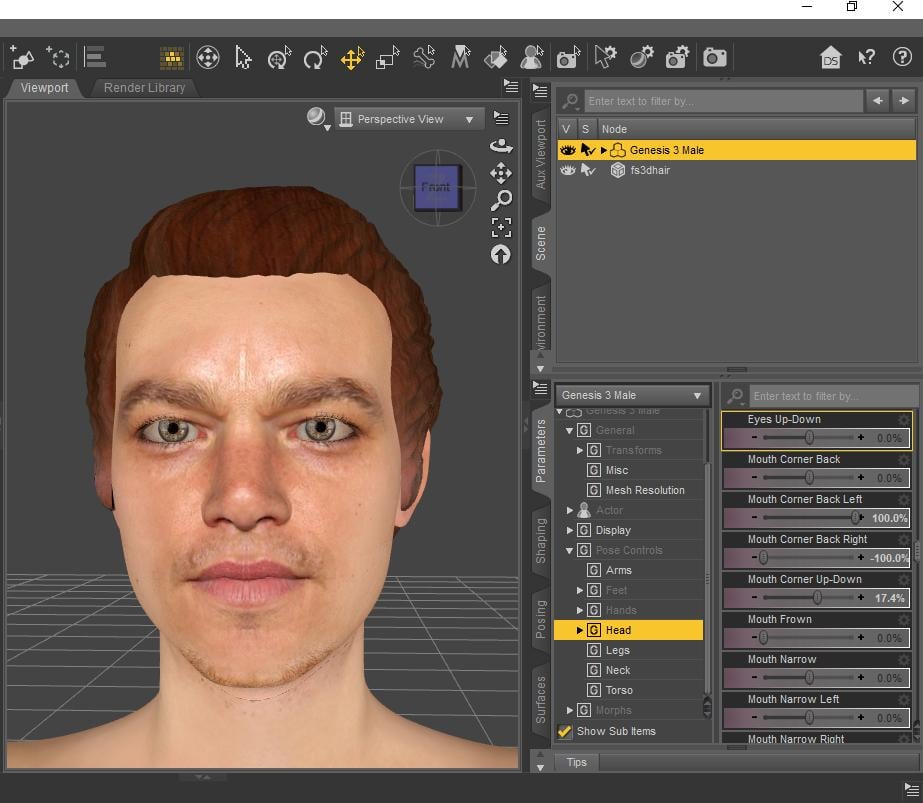
Here's Matt in Studio (via HeadShop 11). Pls. PM me a picture of yourself, maybe I can help.
 Celebrity Look-a-Likes for 3D figures Part 2
Barbra Pavin looks like she's 13 in that picture. The OneClick HeadShop results looks like an adult, so that's good.
Matt Damon's HeadShop OneClick result looks like the Team America (F'YEAH!) version. But that's also quite appropriate.
Does anyone know of a Vivien Leigh/Scarlett O'Hara celebrity look-a-like for G8F? I know people took a stab at ones for earlier figures (and I did so myself, back in the day, though not for sale), but I'm having a devil of a time making one that resembles her myself this time around.
I know it's a long-shot but this seems to be the place to ask. If anyone knows of one, please let me know!
is there a Face Transfer threadYes, I have HeadShop 11, but I do not know, how it could help with Face Transfer created characters.
What I have asked, is to make corrective morphs for the lips and the other parts of the created characters,
that will improve Face Transfer or HeadShop conversions.
Artini, I don't think you can change the morphs that Face Transfer creates. On the other hand, if you are asking how to improve morphs that HeadShop 11 creates, we have a feature called Autodots. It directly interacts with the shape (mesh), either one dot at the time or group of dots. Watch the video posted below at 6:40 it talks about how to modify mouth shape.
https://www.youtube.com/watch?v=X-8Gho1YUIc
 Celebrity Look-a-Likes for 3D figures Part 2
Here are some celebrities done with HeadShop OneClick2: Matt Damon and Barbara Palvin. OneClick is the inexpensive little brother to HeadShop 11, but it generates the exact same shape and texture as HeadShop. It is called OneClick, because all the images are created AUTOMATICALLY, no dots to pick, no adjustment of any kind. And as a bonus, it works with Genesis 2, Gensis 3 AND Gensis 8.
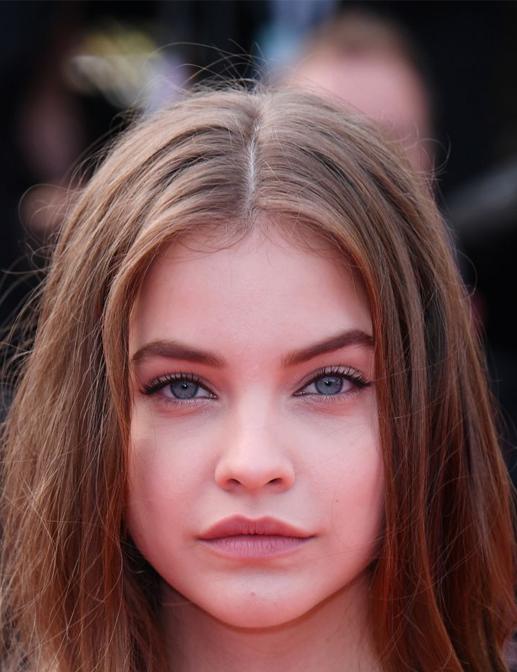
 is there a Face Transfer thread
Yes, I have HeadShop 11, but I do not know, how it could help with Face Transfer created characters.
What I have asked, is to make corrective morphs for the lips and the other parts of the created characters,
that will improve Face Transfer or HeadShop conversions.
is there a Face Transfer threadin my opinion, for those who are wondering
i like this better than faceshop/headshop..there are no dots to try and match to features
you just open the picture and hit generate, and you get a whole figure with a custom face
now the problem....how do you fix the lips? ...every time i use it, my character have pale lips ..and changing it in the surface tab just makes it look clownish
That is a good question and a great opportunity for the brave published artist to fix this all for us, casual users.
It has been fixed long ago. HeadShop 11 and OneClick AUTOMATICALLY find dots and create your head. Hence the name OneClick (only click to export).
See video here:
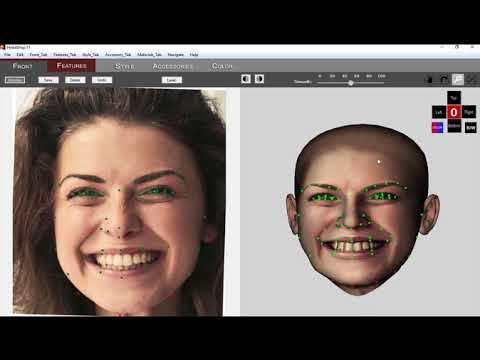 DAZ Studio 4.12 ... Face creation abilities????
Is this face generator related to Headshop 11 in the Daz store? https://www.daz3d.com/catalogsearch/result/?q=headshop 11
It is a stand alone and / or plugin for DS. There is an interesting video on its use on a Macintosh. Have any Mac users tried it out?
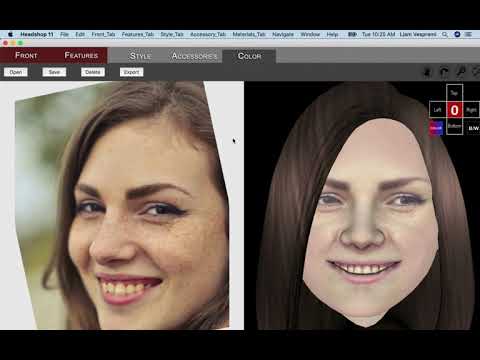 is there a Face Transfer thread
in my opinion, for those who are wondering
i like this better than faceshop/headshop..there are no dots to try and match to features
you just open the picture and hit generate, and you get a whole figure with a custom face
now the problem....how do you fix the lips? ...every time i use it, my character have pale lips ..and changing it in the surface tab just makes it look clownish
That is a good question and a great opportunity for the brave published artist to fix this all for us, casual users.
is there a Face Transfer threadin my opinion, for those who are wondering
i like this better than faceshop/headshop..there are no dots to try and match to features
you just open the picture and hit generate, and you get a whole figure with a custom face
now the problem....how do you fix the lips? ...every time i use it, my character have pale lips ..and changing it in the surface tab just makes it look clownish
What steps are needed to Print 3D Model ???Ive been looking everywhere to try and figure out how to fix the hair for printing when I found this. I tried your method on the hair, but it literally looks like I wrapped plastic wrap around the hair so that there is a fill going across the face of the model from the tip of the left bangs to the tip of the right. I kept adding subdivisions but it still comes out extrmely blocky as well.
HeadShop 11 comes with a library of printable hairs that are sculpted for the pupose. https://www.daz3d.com/headshop-11-win
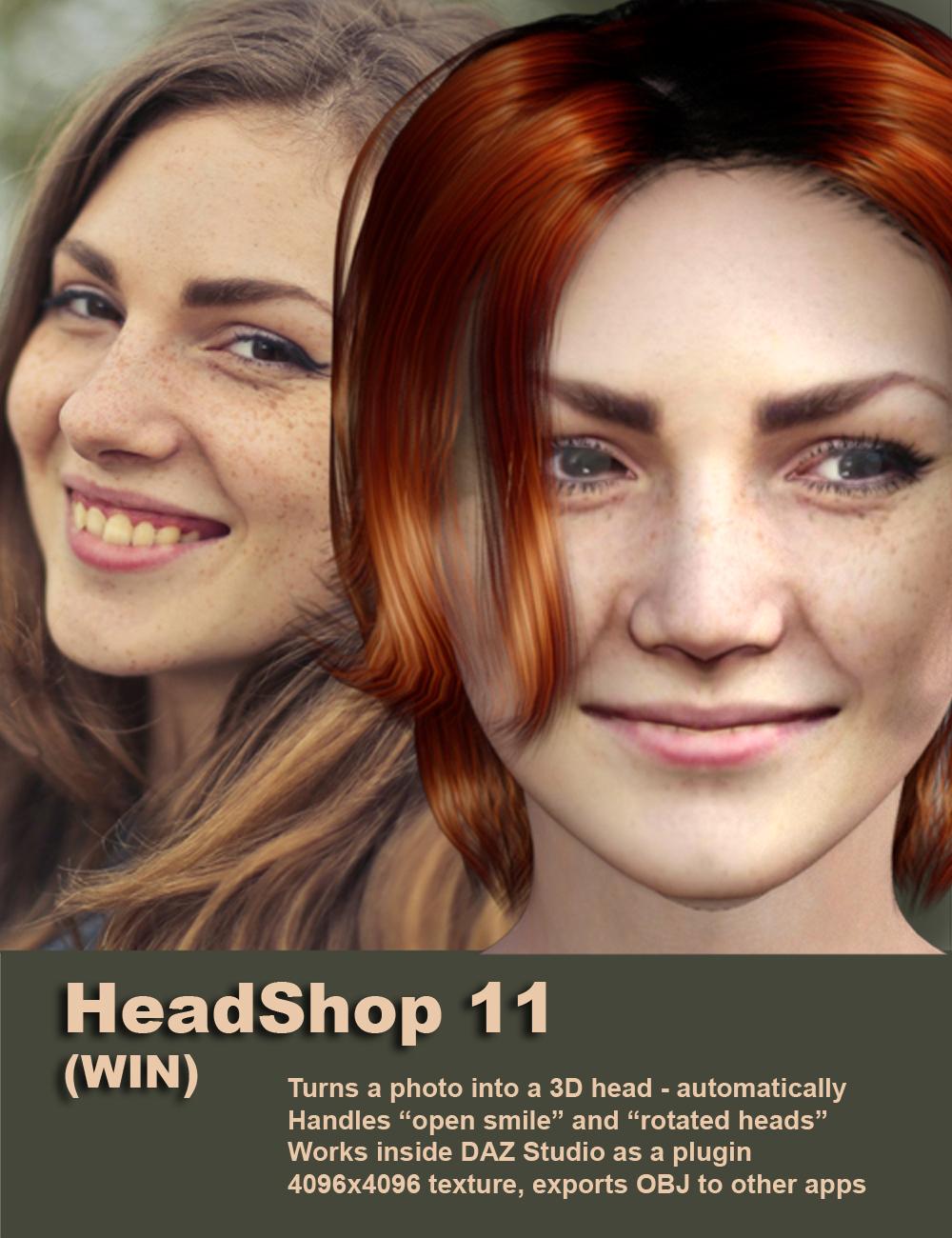 DAZ Studio 4.12 ... Face creation abilities????There's no point in getting into a legal discussion that ends up locking this thread. I'd use Headship but its got too many problems that haven't been resolved. Like how it is not capable of shaping eyelashes with Genesis 8, the morph doesn't effect them at all. The morph does effect teeth and other parts of the body in ways it should not. The texture doesn't even attempt to blend. Its buggy. Using some of the dials inside Headshop's app causes the head to bug out and cannot be fixed without closing the app and starting over. Stuff like that, which has been brought up multiple times without response. Yet he came to post about how the app can handle a smile. That doesn't sit well with me. You need to fix the foundation first. Though to be fair, the people behind Facegen have never posted even once in Daz's forum. But I have communicated to them at their Google site and email. But their foundation has always been sound.DAZ Studio 4.12 ... Face creation abilities????
This seems to be a cheaper, possibly more affordable version of HeadShop:
https://www.daz3d.com/headshop-oneclick2
Like the fact that it can use data from rotated and smiling faces, but does anyone know what it means by it not including "libraries of hair, accessories or color palette"?
It simply means that you will use your own hair, hats and sunglasses that you purchase from DAZ.
The original product includes hair and glasses?

Which "colour palettes" is it referring to? Is it unable to create skin for the facial emulation?
DAZ Studio 4.12 ... Face creation abilities????This seems to be a cheaper, possibly more affordable version of HeadShop:
https://www.daz3d.com/headshop-oneclick2
Like the fact that it can use data from rotated and smiling faces, but does anyone know what it means by it not including "libraries of hair, accessories or color palette"?
It simply means that you will use your own hair, hats and sunglasses that you purchase from DAZ.
DAZ Studio 4.12 ... Face creation abilities????This seems to be a cheaper, possibly more affordable version of HeadShop:
https://www.daz3d.com/headshop-oneclick2
Like the fact that it can use data from rotated and smiling faces, but does anyone know what it means by it not including "libraries of hair, accessories or color palette"?
DAZ Studio 4.12 ... Face creation abilities????
How many polygons does it use? I really doubt its that much. And its not like Daz is lacking for polygons in the face, its the most detailed part of the model. If it was lacking here then the wrap programs would not work. They do. That is the difference. If they are going to use an external software it needs to be able to wrap the Genesis mesh properly, and that is where the problems for both FG and Face Transfer lie. They are face generators, but they do not have the proper wrapping mechanism for export to Daz. For the holes, the mouth is closed for most pics anyway. I think the issue is how the Daz app lines up the lips. It has to be a bug. Neither Facegen nor Headshop have this issue.Yes but they export the highpoly Facegen head and use it to generate normal maps for their lowpoly game mesh heads.
DAZ Studio 4.12 ... Face creation abilities????Both FaceGen and HeadShop are simply way out of many peoples' budgets, including my own. Look at how much they are, at present, even with the discounts applied.
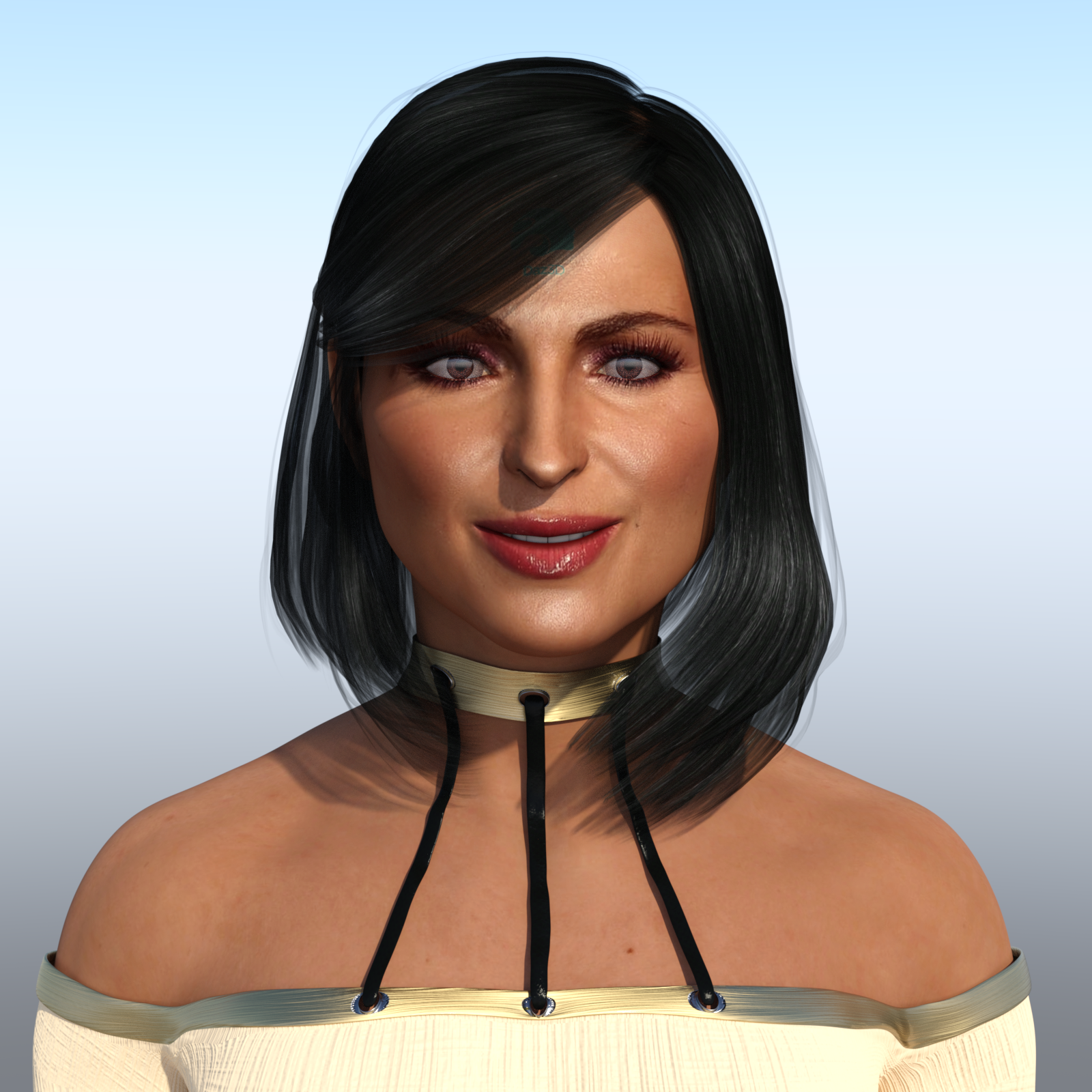
DAZ Studio 4.12 ... Face creation abilities????Here is my contribution using FaceTransfer. The beautiful, fabulous and stunning "Queen" of OUAT (Once Upon A Time), Ms Lana Parrilla!
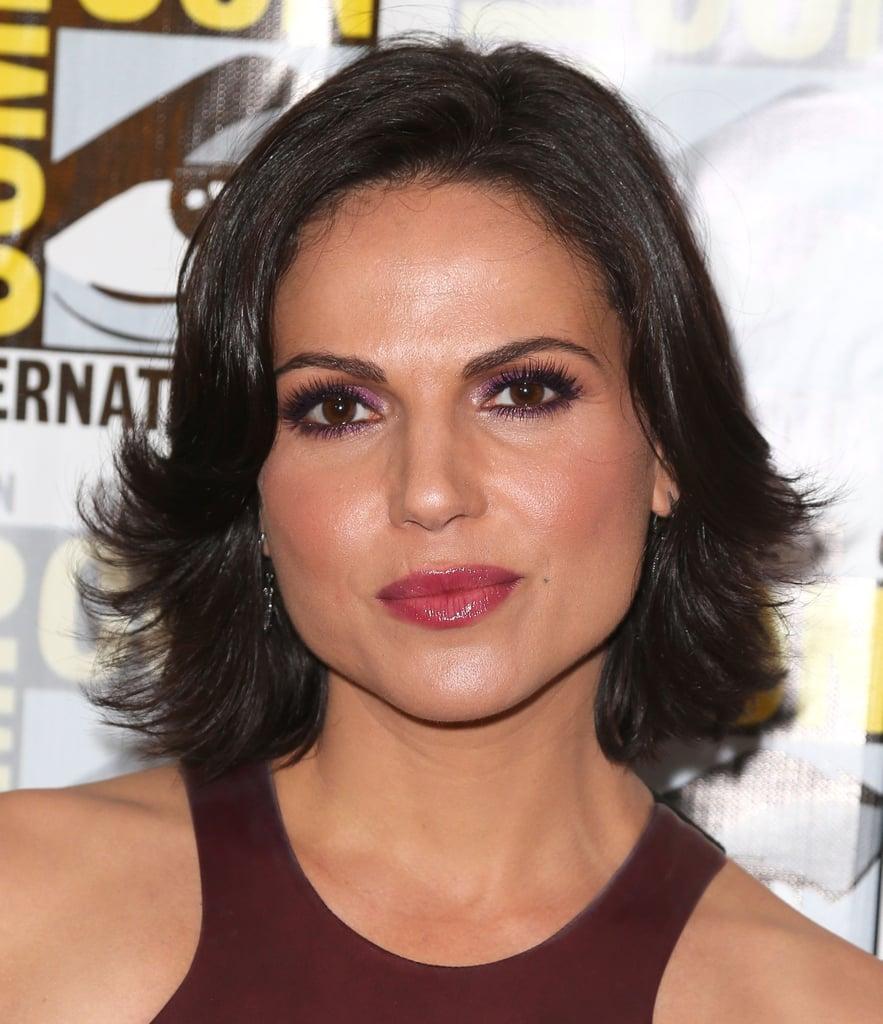
And this is the picture I used of her:
I am SURPRISED! I actually like the way she came out right out of the box with almost no 'hoop jumping' I have to admit that I had to alter her mouth since it came out too thin which is everyone's complaint so far. Also the nose wasn't right. The eyes looked pretty good overall, and the biggest area I had to adjust were the eyebrows and I did some work in the chin/jaw area. But overall about 10 to 15 minutes worth of work (not including render time). Given that it is $50 for the unlimited version, and $25 on sale, I believe it is worth it. I think I am going to get this, but I do want to try some more out. But again, I want to test more renders before I make a final judgement call.
I will say that I had to use two pictures of Lana before one took. I guess the resolution wasn't that good on the first one. So then I got the one above from a high resolution picture.
A bit of a downside in the final render was that Lana's face is a bit shiny, but then again it is shiny in the photo too. Lana is definitely in the #1 slot for a permanent face transfer for me. I just have to find a front facial shot of her that isn't so shiny. You can see I did hide a bit of the watermark using the Sassy Bob hair style. I think for a first shot out of the box, she looks really good. Definitetely better than my attempts with Headshop.
There is another caveat that was pointed out before. You can't close the eyes otherwise the eyelashes stretch out over them. I am hoping Daz fixes that issue soon. Naturally there are other imperfections as well, but you can still see who it is.
Other than that, I like what I am seeing.
Good render.
One thing to do , to cut down the shininess. is choose all the surfaces. And cut Glossiness to zero. Then you can control what you want to have the glossieness.
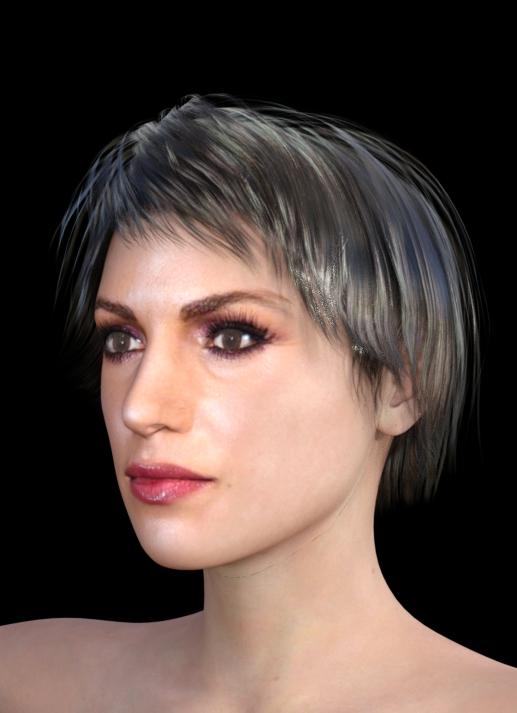
I did the same picture using HeadShop 11. No tweakinmg, no dial spinning, no Photoshop. Just one click and export.
Daz 3D is part of

Connect
DAZ Productions, Inc.
7533 S Center View Ct #4664
West Jordan, UT 84084Licensing Agreement | Terms of Service | Privacy Policy | EULA
© 2026 Daz Productions Inc. All Rights Reserved.