-
Darwins' Schtuff
Thank you! Must get skin for him, since he's going to actually look much different, but the morph I like. Now it's Oliver's turn to state whether or not I half-way succeeded in my attempt. lol
Thank you, Serene! Quite a compliment coming from one of my favorite Sci-Fi artists. :) Much appreciated.
Daz to Blender bridge.Some kind of script for Daz that prepares a model(s) for transfer over to Blender, would be fantastic.
Hi
Do you mean for rendering in blender or modeling operations to send the geometry back to DS, like the Zbrush bridge??
Both, actually. I'd love to see the same kind of bridge that Zbrush has, but for Blender. And I'd love to be able to carry over my Daz characters to landscapes and environments I create in Blender. For instance, I just completed a kitchen model, and I'd really like place a Daz character in it to give it human context.
Wouldn't it be easier to just bring the kitchen prop model into DS instead? It's what I do when I create something in Max, much easier than dealing with rigging issues not to mention clothing and other DS only options.
Sure, either direction is fine by me. But right now, the way things are, getting MTL files over to Daz is frustrating, my models are often mirror images, so I have to flip them (blender is z up and flipped), and so many other things a good bridge could address.
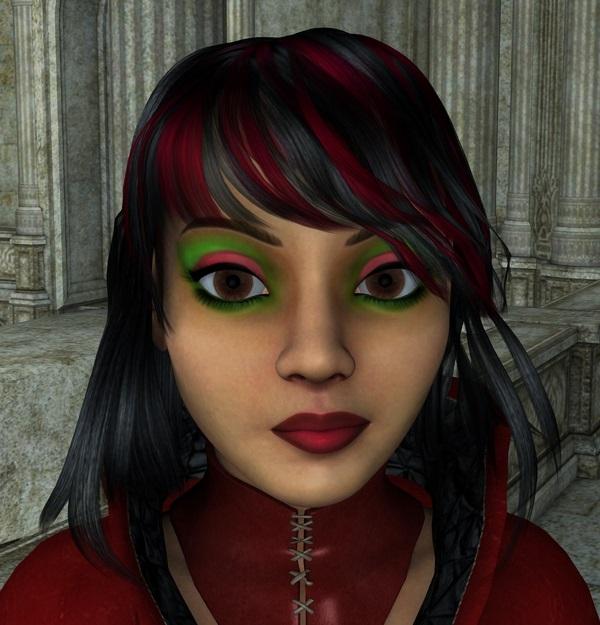
MimicMolly's Renders & WIPsYesterday, I ended up doing more makeup for the texture I'm working on. I saw this random makeup somewhere and decided to copy it. Unlike the other two textures this one is just me painting with the textured brushes I'm accustomed to, so it's not as detailed as it should be.
For these test renders, I used the skin (diffuse only) with my custom/dial-spun character named Carly, who I also lament making a full body preset. She is mostly based on Aiko 5. Her outfit is the Magus outfit included in DS, and so is her hair, Aldora, which I prefer in this morph because it looks nice to me. The background is Alchemy Chasm.
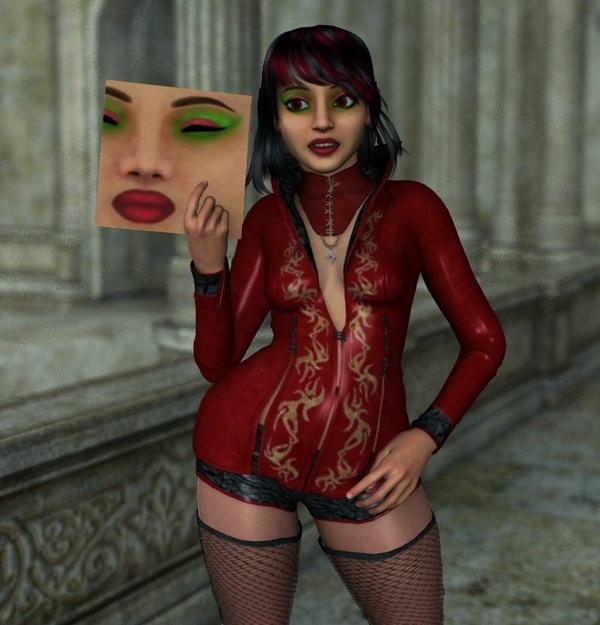
Not sure if the texture is clearly visible, I tried to do this where I cropped it and put it on a plane primitive, to be used as a prop so it wouldn't look like I'm redistributing it or whatever. The other is a zoomed up portion of her face, I may work on it a bit later. I'm sure once I get this one down, I can do other makeups I have in mind. :3
 shape morphs not working with decimator
I have a piece of clothing for genesis 2 that has a shape morph for the sleeves, if i apply the shape then go into the decimator the shape reverts back, then if i apply the decimation the sliders are still showing 100% i can lower them and reraise them and in the viewport the shape changes as expected but as soon as i let go of the slider the morph in the display goes back again even though the slider remains at 100%. The end goal is to export the decimated figure with the the sleeve morph at 100% and baked in. Any idears?
Daz to Blender bridge.Some kind of script for Daz that prepares a model(s) for transfer over to Blender, would be fantastic.
Hi
Do you mean for rendering in blender or modeling operations to send the geometry back to DS, like the Zbrush bridge??
Both, actually. I'd love to see the same kind of bridge that Zbrush has, but for Blender. And I'd love to be able to carry over my Daz characters to landscapes and environments I create in Blender. For instance, I just completed a kitchen model, and I'd really like place a Daz character in it to give it human context.
Wouldn't it be easier to just bring the kitchen prop model into DS instead? It's what I do when I create something in Max, much easier than dealing with rigging issues not to mention clothing and other DS only options.
Applying Hercules shape/materials to g3female?There should definitely be a separate head and body morph for Hercules (at least, there is for me).
Edit: Just for the heck of it, I transfered the body morph to G3F with GenX. As you can see, without the HD aspects of the morph, the results aren't as good as they are for the original.
G3 Version of LY Emilyyeah. Jolie is pretty.
don't know how well she'd update... but I can play with her tooJust remember... they'll have NEW names!
Thanks, Lyoness, much appreciated. I am totally gonna support your products and store, just bought your new lights today! Any idea what the new name for LY Emily will be? I will keep an eye out for it.
While you are waiting you can use the V4 skins on G3 with the Cayman UV transfer product and GenX for the morphs and you will have your wish.
Computer can't find filesSee picture of what I'm seeing.
I've been using Daz since 2007. I've always used the Daz installers, and more recently DIM. But this has gone through maybe 4 or 5 computers, where I just did a complete transfer of everything from one computer to the next. So essentially, the file structure on the new computer is 10 years old with all the bumps and bruises that entails. The file scene I showed you is just V4 with a few clothing props. Very simple, no lights or anything. The only thing Daz can find as you see is the hair.
I understand My files structure isnt up to modern standards. What I cant figure out is why Daz won't even ask "Do you want to try and locate this file?" It does do that sometimes. These files are on my laptop. I know that for a fact. If it would let me help it. There would be a chance to rescue some of what might be lost. Which involves dozens of original characters and storylines.
Dale
Computer can't find filesHi,
My main desktop computer is having problems. I'm trying to decide if I should get it fixed or buy a new one. Theres one problem. I'm worried I'll loose a lot of in progress work, and characters I re-use. If I transfer the files to a new computer. Daz has become rather finicky about file placement in recent years. And I know my old computer has files that are slightly screwed up.
Ok that was the overview. Now on to the question. I have a laptop. Thats newer than my desktop. And I did a clean install of Daz and all the associated files using Daz3DIM. So I decided to do a test. I moved a Daz scene file over to the laptop. And I get a warning that Daz can't find some files and a block figure appears. See attached picture. Now Daz will sometimes ask you to search and find files that it cant locate. My question(s) are
1. Is there a way to fix this?
2. Why won't it always allow me to search for missing files?
3. Is there a way to force Daz to look for missing files?
IF I get a new computer. I've thought of ways that might get things working, Create a partition in the new computer, and transfer all the data intact from the old computer. This might allow me to keep working with old files. But I'm just guessing. Its going to be trial and error, If I can't get daz to locate the files the way its supposed to. It may lead to the loss of all older files, and anything I've worked on recently, but hadn't finished.
Thanks in advance for any ideas.
Oh, to have a morph brush!And I third it. And fourth it.
I've been a huge Blender fan forever pretty much, and do most of my stuff there. So I have no problem whatsoever jumping over to Blender to throw together an object or tweak something and bringing it back to Studio. And any textures/materials/etc which need tweaking are a simple jump to Photoshop to change transparency/"cut out", or re-color textures, or jump to Crazy Bump for normals or whatever.
However, when it comes to minor tweaks on a rigged figure or clothing or whatever, the one thing I'd really love is something like a morph brush. No need for a complete modelling tool, just a tweaker.
Although I'm totally thrilled at the new (well, at least to me...) Mesh Resolution/Mesh Smoothing features that will do iterations of collision detection to make sure your clothing doesn't have poke thru. Just enable it for whatever clothing you have, crank up the iterations, and instantly the poke thru ain't poking thru anymore. I just kinda stumbled on that one, but wow is it incredible.
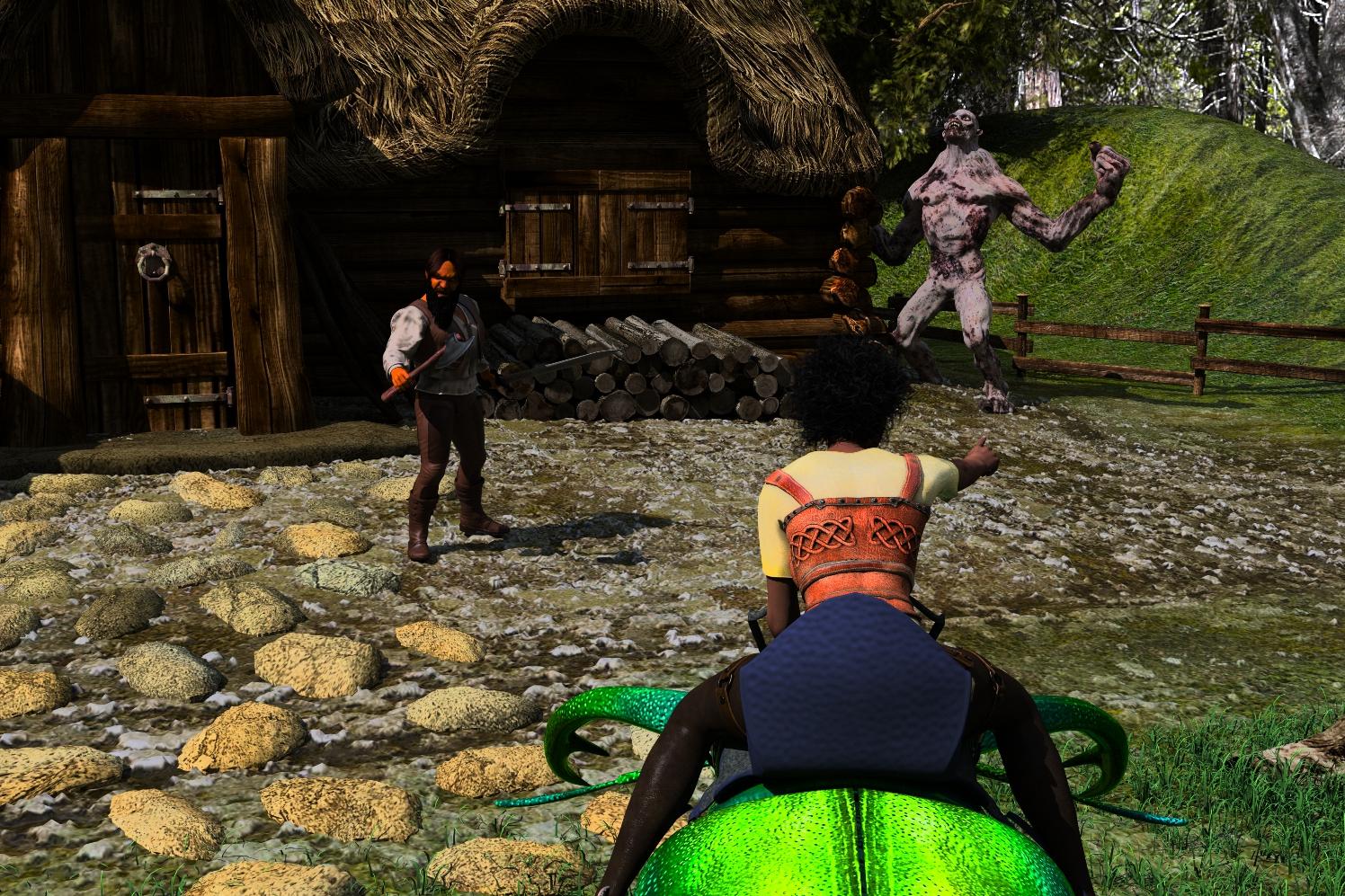
My WIPS, renders and animations :)Started with the Lumberjack House added a Yosemite HDRI to the Environment Map. The defender is Genesis 2 Male with a bit of Tyrion Morph by Deviant Vertex and some face morphs added. Stag Beetle with Monique 6 Kendra and Undead Fiend.
Don't Kill the Messenger
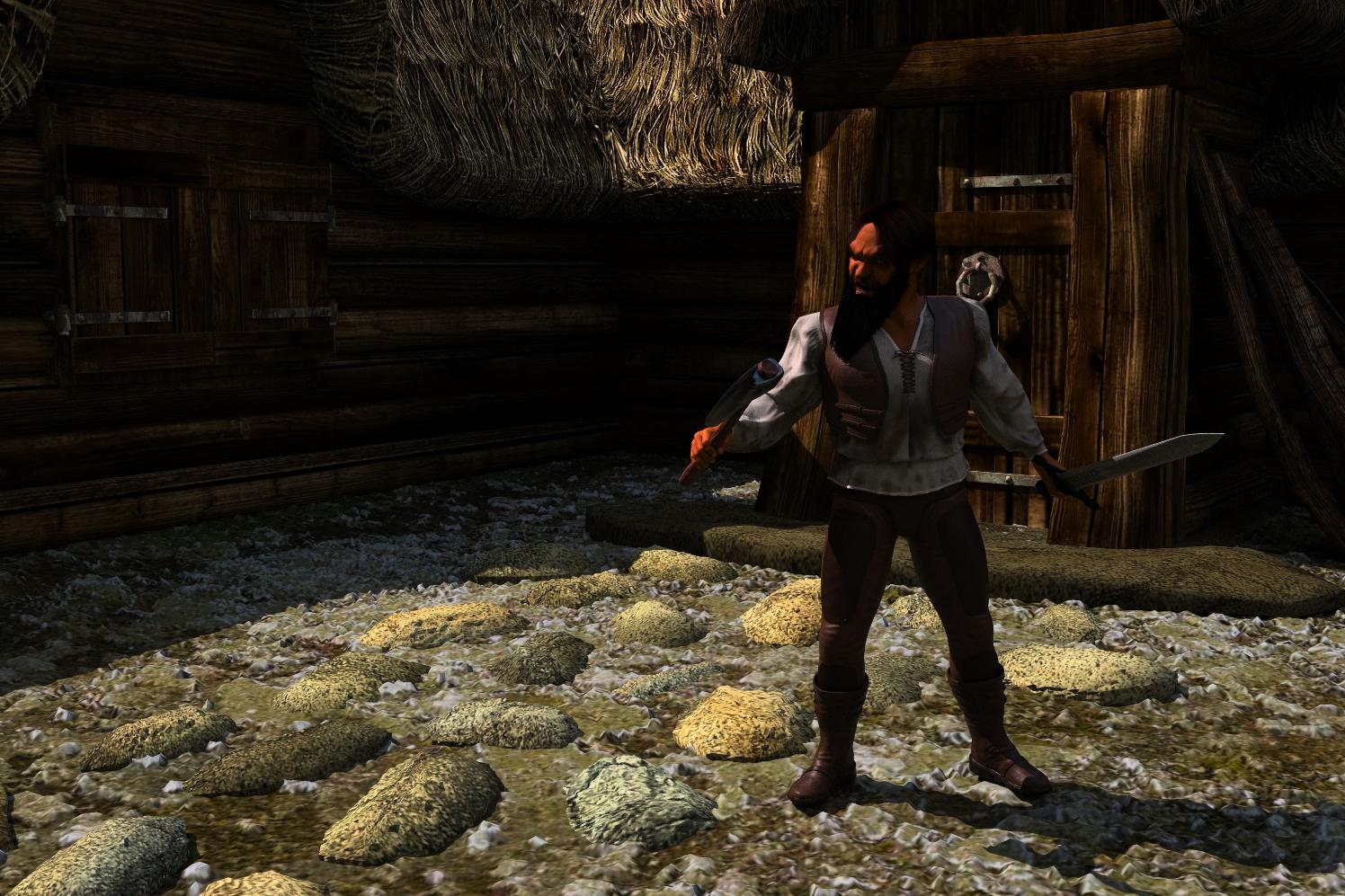
Click on image for full size.
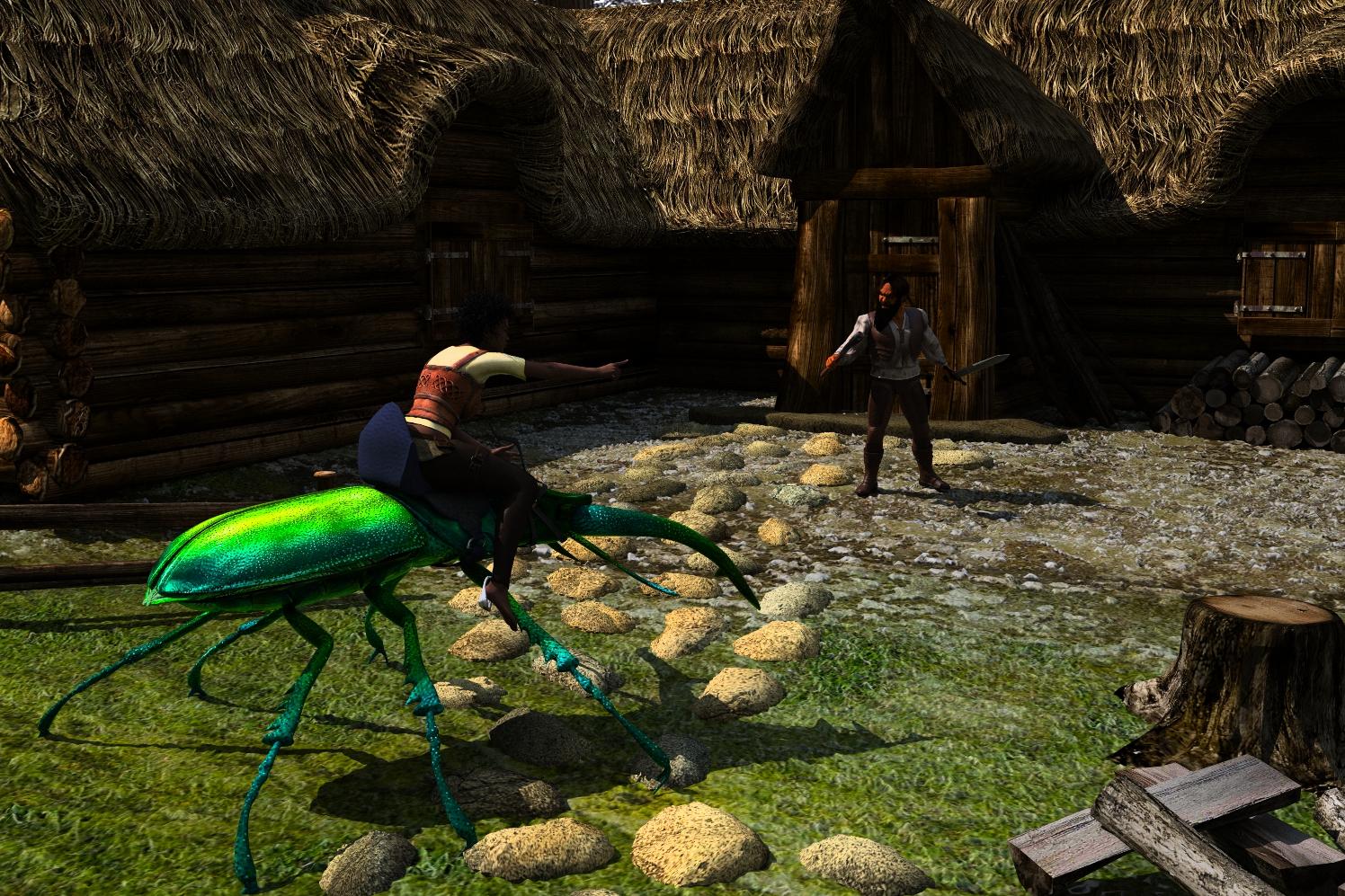
Click on image for full size.
 Click on image for full size.Pose and animation conversion for multiple generations of DAZ figures
I'm trying to convert iclone 6 produced imotion using BVH exporter on G3F. I cannot adjust a profile in BVH importer options - show details to make the conversion work properly - arms will not drop and feet slide in space. I would like to try using the zaz777 script which I understand will let me convert an iclone to BVH produced conversion for G2F and then use it to transfer the conversion to G3F?
The problem is I cannot find the script as the original attachment in this discussion seems to have been moved or deleted. Where can I find the script, please?
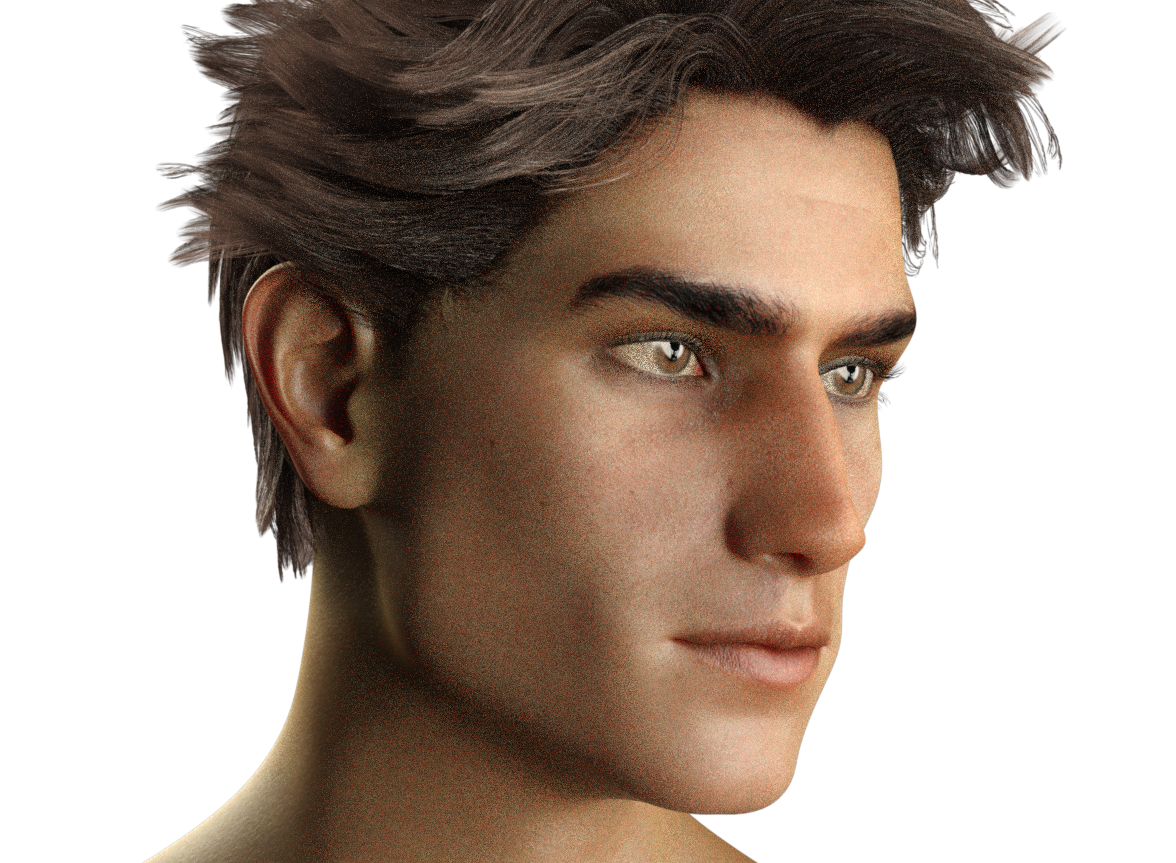
Darwins' SchtuffSneak peak at the challenge morph I started for Oliver- Lennox. He's wearing Evan's skin atm. I do believe I've captured a realtively close likeness. XD
This one is before some minute tweaking:
and after the minor tweaks, but to me it made a world of difference:
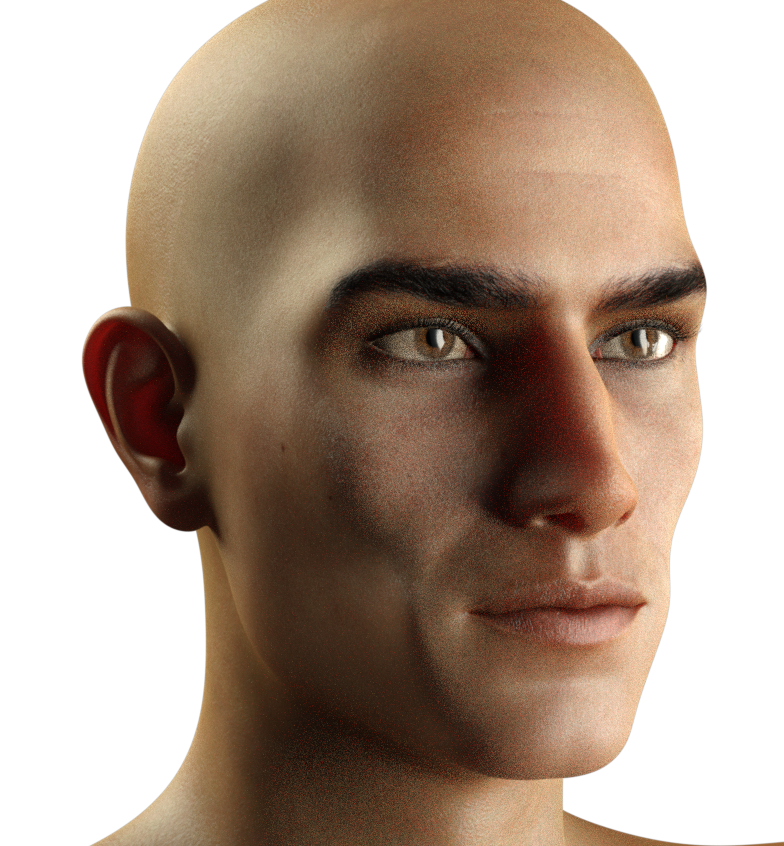
The renders are grainy- I apologize for that, but I was impatient and only let them render for about 5 minutes.
Clone shape questionOoops...I guess I never looked at ALL the options in the drop down under autofit. Freak is included amongst others I've never used.
I would be surprised if you were seeing a Freak 4 clone, as that is not a base shape, he is a morph for M4, so you only need a M4 clone to fit F4 clothing to Genesis 1-3. The Freak clone that is needed is the one for F3.
Hercules Issues-SolvedWhy would a barbarian even get gynecomastia? It just looks like an over the hill juicehead who's endocrine sytem is wrecked. Guaranteed barbarians did not have that problem on a hunter gatherer organic diet and no roids.
I think that it is a combination of the effect of pectoral growth causing the nipples to point down and maybe a little steriod effect: http://www.pwnfitness.com/wp-content/uploads/2013/04/gyno-and-steroids.jpg
Yeah, I know, that was my point. I know plenty of juiceheads that have that. It doesn't make sense to put that morph on a barbarian.
Carrara in Daz Pantheon - Studio Bryce HexagonYay. What Vyusur said.

Phil, look forward to your comparisons. Interesting about the slightly different defaults. But, are you sure there is only one real world?

I joke about calling Studio the dark side, but I don't really feel that way.
My four remaining obstacles in using Studio are
(1) dynamic hair - so I have to learn LAMH but I am told that it does not play well with Iray so makes it hard to invest the time to learn it,
(2) continued modeling in the moment - by which I mean the bridge to Hexagon. Having the modeler as an editor in the same program as the renderer is awesome. If I go to Blender to learn to morph and edit geometries, why not go to Blender to render? Why come back to Studio? With the bridge to Hexagon, Studio = cool. Without the bridge to Hexagon, Studio = not cool.
(3) continued customized environments - by which I mean the bridge to Bryce. See #2 and insert Bryce for Hexagon.
(4) inertia - by which I mean that I am confortable solving problems in Carrara and it can be difficult to learn a new way to accomplish the same tasks.
I have already committed to overcoming inertia (#4). For the moment, I am trying to learn the interface to Studio, but I am very concerned about Hexagon and Bryce. Frankly, I think my ultimate destination will be Blender, and without Studio. In the meantime, I will still use Carrara for the things I feel comfortable with.
I've said this above, and in other posts. I have a thread for learning Daz Studio in the Art Studio forum. If anyone has constructive criticism, or just wants to visit to be friendly, please stop by.
.
.
Alien fauna bundleKaotkbliss: I was debating that and the centurion. How well does it pose/work in Daz?
I haven't used it yet (nearly forgot I had it) so I just loaded it up and messed with a few joints. Works pretty well except that the antenae are a single bone each so can't curve without a d-former or morph. The eyes won't close without creating a morph but the pinchers are 2 bones each. The limbs are 3 bones each and the body is 5 bones, then the neck (1 bone) and the head (1 bone)
Photoline - anyone here using it? If so, thoughts?Hey!
I'm a very proficient Adobe Photoshop user, even though I haven't updated since PS7. I'm not a huge fan of Adobe's current subscription model though.
I've tried using Gimp, but it annoys me due to how you interact with it. Sure, they can't copy Photoshop's methodology too closely, but I've grown quite used to Photoshop's methodology for interaction, and in fact like it a lot. Blender annoys me for the same reason BTW (non-intuitive interface, for me anyways).
I used Aldus/Macromedia freehand on the Mac back in the day, along with Pagemaker (up until about 2003), and still miss those programs. I still have the Mac in question, but moved over to the PC world long ago, and would have to 're-learn' how to use the 'older' Mac again, assuming that it could still fire up, then figure out how to transfer stuff over to the PC side. Adobe eventually acquired Macromedia after a 10 year waiting period imposed by the FTC, and promptly stopped supporting Freehand.
There are still a number of diehard Freehand users out there. Those that have used the Freehand program can attest to how easy it was to use (back in the day) and the diehards aren't Illustrator fans for various reasons. They still have a support group of sorts here:
Anyways, a few of the members there have been talking about Photoline, which is similar to Photoshop and in addition incorporates a nice Vector Graphics capability. They claim that Photoline is pretty much on par with Photoshop as far as photo/image editing goes, and that the vector graphics component is a worthy successor to Freehand. Anyone that has ever designed a logo, etc. using vector graphics will understand why VG is a great way to do this.
I once designed an Origami 3D Mk V Ogre using Freehand... I.E. print out the 2D template, then cut/fold/paste and voila! 3D model. But I digress...
So, a program that does both well? Hmmm... Its a Euro thing though, so I'd need to research how my CC company handles that (i.e converting USD to Euro). Anyways, anyone here have experience with Photoline? It's up to version 20 now. I'm curious as to your experience, and how it compares to other software out there that you may have used. There is a free trial apparently, but I'm looking to hear about real world experience from anyone here that has uses/has used Photoline...
Daz is all about Adobe Photoshop, sure, but it's nice to know some things about the alternatives that are out there.
lux 1.6 and reality 4.3I'm running into a couple of strange issues and i'm party sure i'm doing something stupid.
I'm using Reality 4.3 and Lux 1.6 with open CL.
The character is Gen3 and a genital morph for Gen3 as you can see the skin map does not quite match up and i'm not sure why i've setup the materials, opacity, volumes and modifiers to match the torso for the model but its still lightly off and i'm not sure why.

Another thing i'm running into is when i try to use the gpu's to render with reality lux will crash i'm not sure where the log is for that so i can see why.
This is what i get from windows log.
Log Name: Application
Source: Application Error
Date: 5/21/2017 2:16:03 PM
Description:
Faulting application name: luxrender.exe, version: 0.0.0.0, time stamp: 0x57333caa
Faulting module name: MSVCR120.dll, version: 12.0.21005.1, time stamp: 0x524f83ff
Exception code: 0xc0000409
Fault offset: 0x0000000000074a30
Faulting process id: 0x50bc
Faulting application start time: 0x01d2d26ef8f35ac2
Faulting application path: C:\Program Files\Reality_DS\lux\luxrender.exe
Faulting module path: C:\Program Files\Reality_DS\lux\MSVCR120.dll
<Provider Name="Application Error" />
<EventID Qualifiers="0">1000</EventID>
<Level>2</Level>
<Task>100</Task>
<TimeCreated SystemTime="2017-05-21T20:16:03.338719700Z" />
<EventRecordID>3797</EventRecordID>
<Channel>Application</Channel>
<Data>luxrender.exe</Data>
<Data>C:\Program Files\Reality_DS\lux\luxrender.exe</Data>
<Data>C:\Program Files\Reality_DS\lux\MSVCR120.dll</Data>
This is what I get out of the driver file.
Log Name: System
Source: nvlddmkm
Date: 5/21/2017 2:16:02 PM
Event ID: 13
Task Category: None
Level: Error
Keywords: Classic
User: N/A
Description:
The description for Event ID 13 from source nvlddmkm cannot be found. Either the component that raises this event is not installed on your local computer or the installation is corrupted. You can install or repair the component on the local computer.If the event originated on another computer, the display information had to be saved with the event.
The following information was included with the event:
\Device\UVMLiteProcess6
Graphics Exception: ESR 0x50ce48=0xe000e 0x50ce50=0x0 0x50ce44=0xd3eff2 0x50ce4c=0x7fthe message resource is present but the message is not found in the string/message table
Event Xml:
<Event xmlns="http://schemas.microsoft.com/win/2004/08/events/event">;
<System>
<Provider Name="nvlddmkm" />
<EventID Qualifiers="49322">13</EventID>
<Level>2</Level>
<Task>0</Task>
<Keywords>0x80000000000000</Keywords>
<TimeCreated SystemTime="2017-05-21T20:16:02.870769700Z" />
<EventRecordID>3935</EventRecordID>
<Channel>System</Channel>
<Security />
</System>
<EventData>
<Data>\Device\UVMLiteProcess6</Data>
<Data>Graphics Exception: ESR 0x50ce48=0xe000e 0x50ce50=0x0 0x50ce44=0xd3eff2 0x50ce4c=0x7f</Data>
<Binary>0000000002003000000000000D00AAC0000000000000000000000000000000000000000000000000</Binary>
</EventData>
</Event>If I use CPU works fine, and if I use SLI it appears to work but is blank sometimes if I just let it sit it will start to render. I have 2 nvidia 960's.
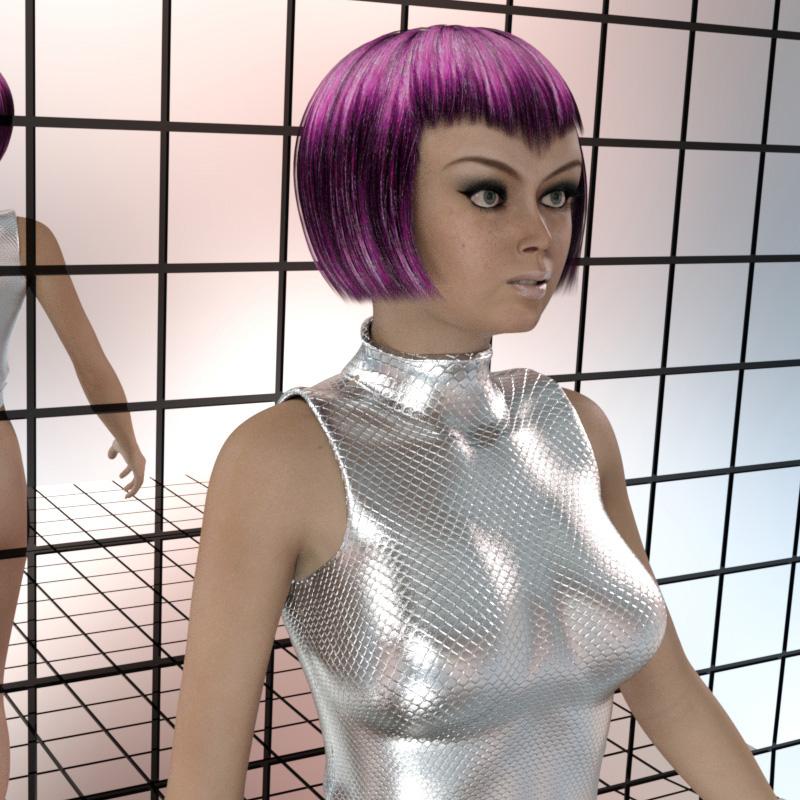
S.H.A.D.O.ws from the past - [WIP]OK, as promised, for those interested, here is a simple render of Genesis 3 Female as Lt. Ellis converted from Gary Sayer's original V4 morph using GenX2 with the G2F and G3F plugins. As mentioned, there were a few tweaks necessary following conversion, and I am not certain whether that was due to some oversight on my part during the conversion, or a limitation of GenX2. Either way, they were relatively quick and easy fixes.
Daz 3D is part of

Connect
DAZ Productions, Inc.
7533 S Center View Ct #4664
West Jordan, UT 84084Licensing Agreement | Terms of Service | Privacy Policy | EULA
© 2026 Daz Productions Inc. All Rights Reserved.