-
Victoria 8.1
dragoneyes002 said:
rhye_7b205b2b74 said:
data/daz 3d/built-in content/daz iray pbrskin/pbrskin.dsf
data/daz 3d/genesis 8/female 8_1/genesis8_1female.dsf
data/daz 3d/genesis 8/female 8_1/morphs/daz 3d/mouth realism/phmmouthrealism8_1_hd_div4.dsf
data/daz 3d/genesis 8/female 8_1/uv sets/daz 3d/base/base 8.1 female.dsf
runtime/textures/daz/characters/genesis8_1/femalebase/g8_1eyeirisdepthnormal_1007.tif
runtime/textures/daz/characters/genesis8_1/femalebase/g8_1mouth_nm_1006.tifthese files are missing from the zip too so it will not load properly!
these files are in fact MISSING what solved it was using DAZ central and selecting to use Victoria 8.1 in the scene central will show the two missing items and ask if you want to download them
these files are in fact MISSING what solved it was using DAZ central and selecting to use Victoria 8.1 in the scene central will show the two missing items and ask if you want to download them. do so.
manual download and DIM do not include the files with the character (kind of a LARGE oversite for a flagship product launch)
They are not missing, since they are not part of Victoria 8.1.
Some of those files belong to "Genesis 8 Female Starter Essentials" and some are part of "Default Resources for DAZ Studio 4.51", you need to update those to have the "missing" files.
What hair victoria 8.1videoninja719 said:
Hi i would like to know what blonde bob hair is victoria 8.1 is wearing in main/big promo pic. thanks
I think it is this with some dials applied: https://www.daz3d.com/matilda-hair-for-genesis-8-females ;
It is a great product. It is also included in this bundle, making it a very likely culprit: https://www.daz3d.com/victoria-8-1-university-bundle
Victoria 8.1rhye_7b205b2b74 said:
data/daz 3d/built-in content/daz iray pbrskin/pbrskin.dsf
data/daz 3d/genesis 8/female 8_1/genesis8_1female.dsf
data/daz 3d/genesis 8/female 8_1/morphs/daz 3d/mouth realism/phmmouthrealism8_1_hd_div4.dsf
data/daz 3d/genesis 8/female 8_1/uv sets/daz 3d/base/base 8.1 female.dsf
runtime/textures/daz/characters/genesis8_1/femalebase/g8_1eyeirisdepthnormal_1007.tif
runtime/textures/daz/characters/genesis8_1/femalebase/g8_1mouth_nm_1006.tifthese files are missing from the zip too so it will not load properly!
these files are in fact MISSING what solved it was using DAZ central and selecting to use Victoria 8.1 in the scene central will show the two missing items and ask if you want to download them
these files are in fact MISSING what solved it was using DAZ central and selecting to use Victoria 8.1 in the scene central will show the two missing items and ask if you want to download them. do so.
manual download and DIM do not include the files with the character (kind of a LARGE oversite for a flagship product launch)
Genesis 8.1 / Victoria 8.1It's a bit off topic, but I just wanted to thank DAZ and all the PA's invovled for the hearing aid and sign language products in the Victoria 8.1 University Bundle. It's nice to see some inclusivity. I have hearing impaired friends, and they thought this was awesome when I told them about it.
https://www.daz3d.com/hearing-aid-poses-and-expressions-for-genesis-8-and-81
https://www.daz3d.com/z-sign-language-alphabet-for-genesis-81-female-and-victoria-81
Genesis 8.1 / Victoria 8.1Oso3D said:
I'm just... adoring how much better the eyes look.
And being able to use all the aging/youthing/etc shapes; those are usually my biggest obstacle to wanting to move generations.
(victoria 8.1 skin with a few minor tweaks)
Wow, that's stunning! I love what you did with the skin and it's nice to see that it's pretty flexible.
I had fun transferring one of my figures over, but actually ended up completely redoing her with Victoria 8.1 as a base because it fixed a bunch of stuff that was bugging me about her old shape. She's using RY Alison's skin plus the PBR shader, and I can already tell I'm going to enjoy trying to make it do unrealistic things for postwork setup purposes, muahahaha.
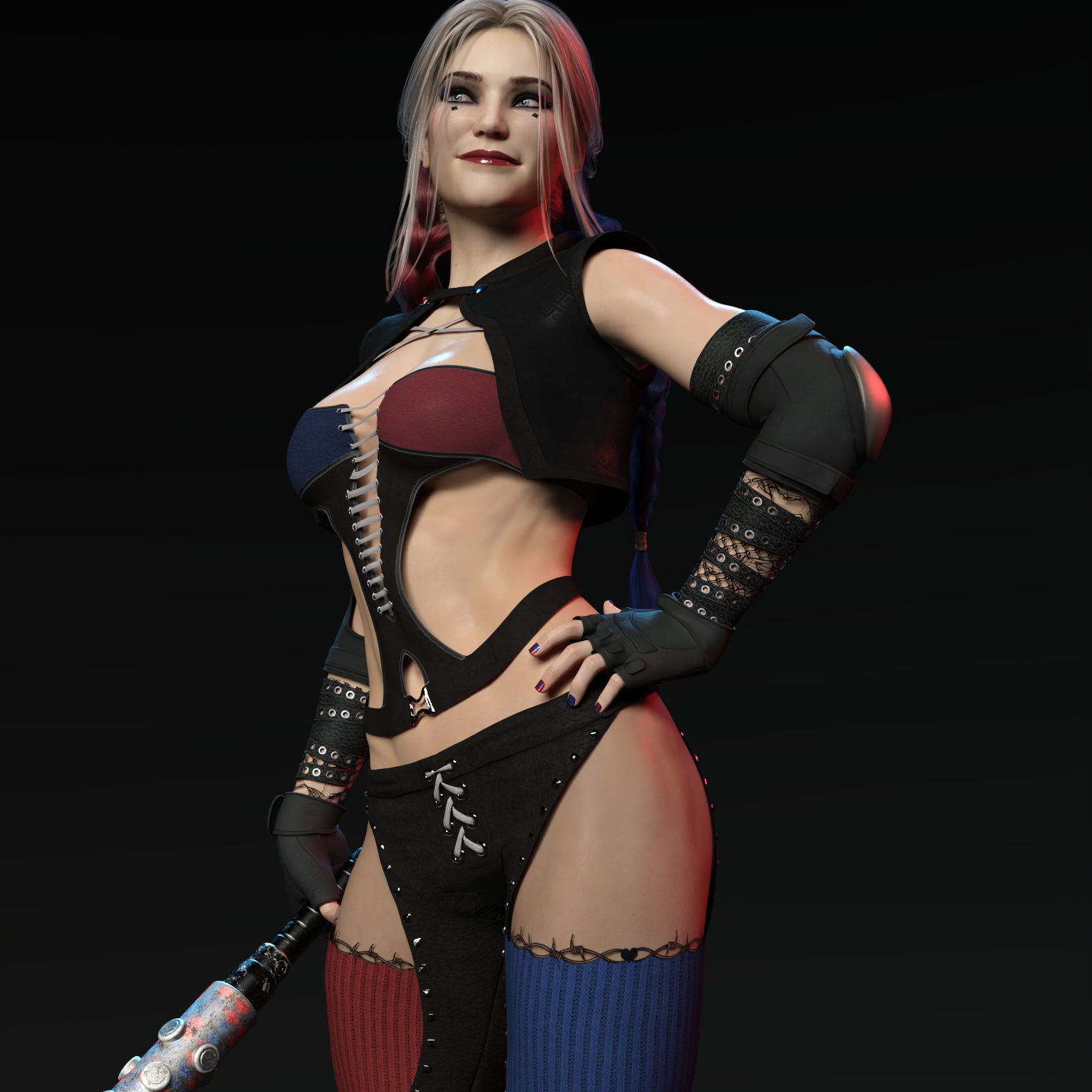 "There's Always Another Sale™" Sales thread: Report Issues Here
Ellessarr said:
Sevrin said:
Under the Sun is showin' swirlies in three different browsers

yeah i was apoint to point that, this sales page is not working when you try to click on "buy the bundle" you get redirected to victoria 8,1 page, the main theme page seens to be not working.
This was a misfire that has beeen corrected.
Genesis 8.1 / Victoria 8.1Oso3D said:
I'm just... adoring how much better the eyes look.
And being able to use all the aging/youthing/etc shapes; those are usually my biggest obstacle to wanting to move generations.
(victoria 8.1 skin with a few minor tweaks)

real nice. Does this use V8.1 HD as well?
Genesis 8.1 / Victoria 8.1Charlie Judge said:
davidtriune said:
the only benefits of g8.1 seem to be:
-better teeth (can extract to g8)
-eye tear line (can be fitted to g8), and
-FACS (can buy for g8).
g8 already has thick eyelids (with eye rim refine HD morph) and eye sockets (with morphs) the SSS doesnt seem to have changed, just dialed down in amount. The micro tiling doesn't seem that big of a deal since you can get similar results with a single 8k texture.
good work towards realism but they can push further. what I'd like to see in a big genesis update are photogrammatry-based 8k HDR textures, and more realistic expressions (like the ones in Auto Face Enhancer) and body JCMs
How are you exracting the teeth to G8 and fitting the eye tearline to G8?
There is no extracting the teeth. The better teeth Daz talk about are for Victoria 8.1, just like the vellus hair they touted, and this was done with better textures and sculpting, not new teeth. The geometry of Genesis 8 and 8.1 is exactly the same.
The new tear attachment can simply be autofitted to any Genesis 8 character, or any Genesis for that matter. I imagine a G8.1 clone for autofit might help, but since they have the same geometry as 8 it probably isn't an issue. I have already fit the tear to several G8 models. It worked for me. Just keep it at none and none for the two options in the autofit menu.
I know you didn't ask, but autofitting the new lashes is bit more finnicky, and might be just slightly off on a character. Maybe fitting them to the default G8 first would help. I didn't dig into that.
Genesis 8.1 / Victoria 8.1I'm just... adoring how much better the eyes look.
And being able to use all the aging/youthing/etc shapes; those are usually my biggest obstacle to wanting to move generations.
(victoria 8.1 skin with a few minor tweaks)
Genesis 8.1 / Victoria 8.1Wonderland said:
Sorry, there’s too much to read through to see if this was asked. Will I need V8.1 for PAs future models? I’m really not into the look of V8.1 but I’m sure there will be PA models I’ll want in the future, will they all require V8.1?
This will depend on the PA, so there's no definitive answer. I would suspect you'd need her for 8.1 characters as much as you'd need Victoria 8 for the 8 characters.
Genesis 8.1 / Victoria 8.1XpiderMan said:
My apologies to everyone. I had assumed she was Victoria 8, with just a minor upgrade since her descriptions starts with "She's the same Victoria you know and love...". It is just that the name "Victoria 8.1" was used, but it could had easily been named Karen or Eva 8.1. In software, decimals usually refers to an upgrade to an existing software, not a new one.
But based on your comments, besides her enhanced features (new facial expressions, eyes, hair, etc.), I'm assuming she is a new sculpture thus making her a brand new figure.
Thank you to everyone for answering my naive questions. My bad, and sorry for the confusion and inconvenience.
It *is* a little confusing, and I suspect there was a lot of debate about what to call her. Victoria has always been the headliner and I suspect that with the new shader and expression system they wanted to keep her as a headliner to ring in the new stuff. She is indeed a brand new sculpt and texture set with some amazing detail on her. I personally bought her bundle and several of the addons.
"There's Always Another Sale™" Sales thread: Report Issues HereSevrin said:
Under the Sun is showin' swirlies in three different browsers
yeah i was apoint to point that, this sales page is not working when you try to click on "buy the bundle" you get redirected to victoria 8,1 page, the main theme page seens to be not working.
Genesis 8.1 / Victoria 8.1XpiderMan said:
Richard Haseltine said:
vrba79 said:
Now they're charging for incremental, slight upgrades? Nah, I'm good with Genesis 1 and 2.
The updates to Genesis 8.1 are free, additional content (such as Victoria 8.1 and the Velus hair) is new content, not tweaked old content.
I'm afraid I'll pass as well. Paying full price for a figure I already have just because it has some tweaks doesn't make sense. If this was pre-COVID-19, I would had fallen for it, but lately I've been more careful with my expenses. Sorry Daz. :(
Much as I am disappointed with some elements of this character (and very happy with others), Victoria 8.1 is NOT an update of Victoria 8. She is a new character, just as if she were Genesis 9 or any other character in the 8 line like CJ, Freja, etc. The only difference is that she's based on Genesis 8.1 rather than Genesis 8. She's a totally different sculpt, different skin, different skin shader. All DO characters from now on will be based on 8.1. Like any other release, Vicky is the first female and Mike is the first male (I'm assuming about Mike and Daz's naming conventions thereof).
Skin Detail Resource 1 What does this do?NylonGirl said:
This product, like so many others, would probably get more sales if it was more clearly explained.
I noticed the Victoria 8.1 character has lots of appeaing skin detail that I can actually see, even in the IRAY preview. I don't know if I've seen anything like that before. Maybe I just don't have the right subdivision setting or something. But anyway, I'd like to know if this Skin Detail Resource product has something that I can use to make older characters have the same detail. If I apply the material settings from a Genesis 8 character, or even Genesis 3 character, to the 8.1 character and then click on some preset from this Skin Detail Resource, would the character magically have a more impressive amount of detail than the G8 version ever did? Or would I have to be some kind of DAZ Studio wizard to know what to do with these files?
And does this product enhance the original skin with more details (normal or bump or whatever they call it) or does it replace the original skin completely (limiting me to just the skins included, which don't seem to include any dark skin)?
if you were familiar with the Iray PBRSkin shader settings - which i think most users will become in the short term future - i think it's pretty obvious how it works from the description on the product page.
made to help you work with the Genesis 8.1 "Detail Normal Map" and "Detail Specular Roughness Mult" channels.
The 'details' channels are separate to the full body texture maps for bump, normal, etc. I assume these 'details' channels are multiplied in addition to the normal map and specular maps, and can be tiled independently. Therefore you can use a texture map for full body and also the tiling texture details together, as they seem to be additive.
That was one of the slated benefits of the new shader listed on the 8.1 page - i.e., able to use the texturing xyz tiling textures.
Genesis 8.1 / Victoria 8.1My apologies to everyone. I had assumed she was Victoria 8, with just a minor upgrade since her descriptions starts with "She's the same Victoria you know and love...". It is just that the name "Victoria 8.1" was used, but it could had easily been named Karen or Eva 8.1. In software, decimals usually refers to an upgrade to an existing software, not a new one.
But based on your comments, besides her enhanced features (new facial expressions, eyes, hair, etc.), I'm assuming she is a new sculpture thus making her a brand new figure.
Thank you to everyone for answering my naive questions. My bad, and sorry for the confusion and inconvenience.
The completely gratuitous complaint threadLeatherGryphon said:
Sevrin said:
LeatherGryphon said:
Venetian = of or fom Venice, Italy
Viennan = of or from Vienna, Austria
Venusian = of or from Venus, Planet
Vesuvian = of or from Vesuvius, volcano
Vulcanian = type of volcano characterized by explosive eruptions
Valarian = herb used as a sleeping drug
Valedictorian = highest ranked student in a class
Victorian = of or from the culture of the time of Queen Victoria
Viennese is the adjective for things and people pertaining to Vienna. Or as they say, Wiener.
I knew that.
 I was just testing if everybody was awake.
  Actually, when I wrote it I had the queasy feeling something wasn't right but I knew that an "ian" ending wasn't correct. But notice that all the others start with a "V" and end with an "ian". I tried for perfection but failed.
 So, I had to keep adding more examples to try to hide my failing bush amongst the trees.
There's always the Vietnamanians.
Genesis 8.1 / Victoria 8.1Thyranq said:
Thyranq said:
I can't seem to get this new shader working.
I've updated DS to 4.15 (twice now). I've downloaded, uninstalled, reinstalled, uninstalled, reinstalled the starter essentials and the default resources, as well as the male starter essentials just for kicks.
Everything seems to be there (8.1 Figure, new anatomical elements, FACS), but when I load Genesis 8.1 all I get is the regular old Iray Uber shader that Genesis 8 uses. Rendering 8 and 8.1 side-by-side has absolutely no difference in appearance, though 8.1 is using the new maps, but not shader.
I've tried running online and offline mode, restarting - I can't seem to get it to work. Any ideas? Would love to try this out, but all I really have right now is Genesis 8 with new eyelashes lol
Ok, so I have access to the PBRSkin shader if I go into the Shader Presets>Iray>PBRSkin, but I would assume that Genesis 8.1 should be loading with that applied by default. I tried applying it, and it works, but I have to apply it by ctrl+clicking with the surfaces selected, but using it like that without manually adjusting everything just makes it look like clay, not skin. I can't see DAZ releasing a new shader and figure upgrade without like a preset that works, so I'm assuming something isn't working as it should.
The new shader uses different maps than the ones that were made for the original Genesis 8 base figure, so they left the base Genesis 8 material shader alone. The new shader is showcased in the new Victoria 8.1 figure, and I suspect you will see it on a lot of new characters coming out in the coming days.
The completely gratuitous complaint threadSevrin said:
LeatherGryphon said:
Venetian = of or fom Venice, Italy
Viennan = of or from Vienna, Austria
Venusian = of or from Venus, Planet
Vesuvian = of or from Vesuvius, volcano
Vulcanian = type of volcano characterized by explosive eruptions
Valarian = herb used as a sleeping drug
Valedictorian = highest ranked student in a class
Victorian = of or from the culture of the time of Queen Victoria
Viennese is the adjective for things and people pertaining to Vienna. Or as they say, Wiener.
I knew that.
I was just testing if everybody was awake. Actually, when I wrote it I had the queasy feeling something wasn't right but I knew that an "ian" ending wasn't correct. But notice that all the others start with a "V" and end with an "ian". I tried for perfection but failed. So, I had to keep adding more examples to try to hide my failing bush amongst the trees. Skin Detail Resource 1 What does this do?This product, like so many others, would probably get more sales if it was more clearly explained.
I noticed the Victoria 8.1 character has lots of appeaing skin detail that I can actually see, even in the IRAY preview. I don't know if I've seen anything like that before. Maybe I just don't have the right subdivision setting or something. But anyway, I'd like to know if this Skin Detail Resource product has something that I can use to make older characters have the same detail. If I apply the material settings from a Genesis 8 character, or even Genesis 3 character, to the 8.1 character and then click on some preset from this Skin Detail Resource, would the character magically have a more impressive amount of detail than the G8 version ever did? Or would I have to be some kind of DAZ Studio wizard to know what to do with these files?
And does this product enhance the original skin with more details (normal or bump or whatever they call it) or does it replace the original skin completely (limiting me to just the skins included, which don't seem to include any dark skin)?
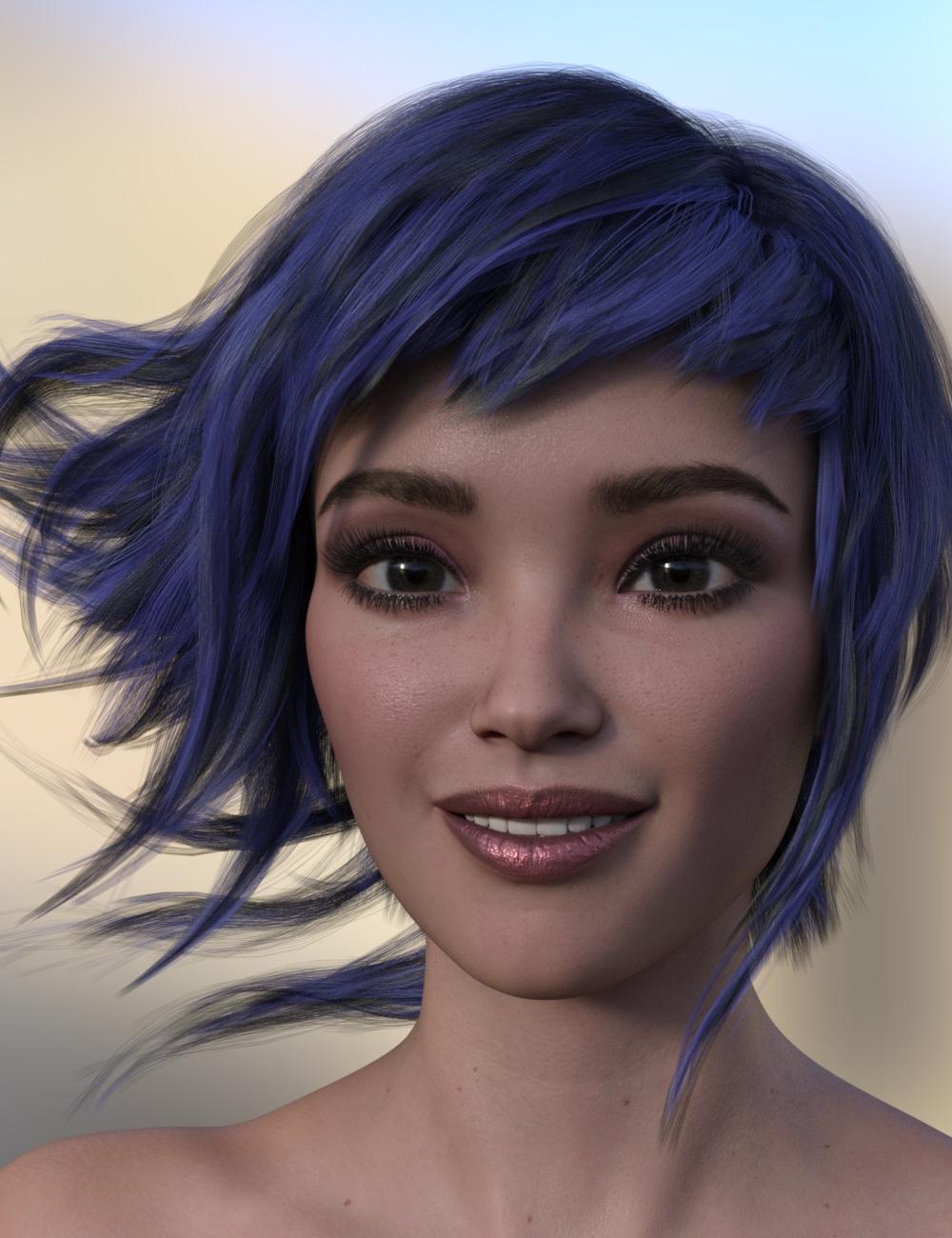
Skin Detail Resource 1 What does this do?This one is Victoria 8.1 with a bit of Carra and Keyanna mixed in with the new skin shader. I used the default HDR lighting as I still don't have any light sets installed but I can definitely see the difference in the new skin shader now that I've had some time to inspect and render with it. I also lowered the transluceny as I thought she was too reddish
Daz 3D is part of

Connect
DAZ Productions, Inc.
7533 S Center View Ct #4664
West Jordan, UT 84084Licensing Agreement | Terms of Service | Privacy Policy | EULA
© 2026 Daz Productions Inc. All Rights Reserved.