-
Creech Evolutiuon Characters & Kit for Genesis 3 Male & Female [Commercial]
So, I did a little kitbashing with Creech G3F.
Combined the Face texture with Bethany7, Her face morph is 50% Creech 100% Bethany and played with some morphs to make her nose a little more human.

 Which DAZ Genesis 3 M and F characters are the most realistic?
" If people lack the ability its because we haven't provided them with tools that made it easy then... It should be so easy that ANYBODY CAN DO IT.
I have used "Professional "Character animation programs Such as Lightwave3D, Maxon Cinema4D
and ,of course Poser Daz studio and Reallusion Iclone Pro.I can tell you with absolute certainty that NO Company has created easier tools for Quickly creating posable customizable characters than DAZ.
That used to be the Case for poser but the Autofit & transfer utility Puts Daz in the Lead.
If one takes the time to Look at what others are doing,
you will see they are all copying the DAZ poser paradigm of Character creation/customization by the end userAdobe Fuse.
Autodesk has an online Character creator for Max/Maya.
and Reallusion has separate Character creator appThey all have morph sliders/dials and changable clothing options.
The very tools/options that used to be subject of ridicule and derision by the "Pros" a decade ago.And today the companies who ignore these types character tools are being left in the dust in the area of human/humanoid character based works
(Like Maxon).I dont know how much easier people need this to be.
This notion that one must become some sort of master technician or highly skilled professional to move morph dials in Daz studio, Boggles My mind.
Mirroring morphsHiyall, let's say I created a D-former, or a morph on one side of a figure. Is there a way to mirror it to apply it on both sides of the figure?
How Do I Load A G2f Morph That's Supplied As A DSF Under The Data FolderI'm not sure where the idea that it's better to say "see title\" or "as it says in the title" comes from, but it can please stay there - depending on how the thread opens the title may not be visible, and it certainly isn't as readily apparent as the text of the post. The title is for the index, so people know whether the thread is one they are isnterested in ro can help with, the body of the post is for reading the thread (and is all that will be visible in any quotes).
To answer the question, the Data folder is npt for user-facing files and does not contain things that you load directly - as JUJU says, for morphs they will load with the base figure and (assuming they are meant to be triggered directly) they will appear in the Parameters pane, with the figure selected rather than a bone. Some morphs, however, are not meant to be used that way - they may be hidden correction morphs for example, triggered by a bend or by another morph, and those won't be immediately apaprent (you could show them, along with a lot of others, by eenabling Show Hidden proeprties in the pane's option menu - the lined button in the top corner, or right-click the tab.
Genesis V5 (Victoria 5) head morph to GF3 Head"all I see in my About Installed Plugins list under the Help menu is Genesis Generation X2"
That is all you should see. Genesis Generation X2 is the plugin for DAZ Studio. The addons for Genesis 2 and 3 are addons for GenX2, not DAZ Studio, so they don't appear in About Installed plugins. So how do you know if they are installed? The answer is, do Genesis 2 and 3 appear as options in the GenX2 pane under Source? In your case the answer is yes.
OK, before you fire off a response, yes I see that they are greyed out and unavailable to you. I am just saying that everything would indicate that GenX2 and the addons are all installed as they should be. The problem is that GenX2 cannot find the source figures in your content library for some reason and that is why they are greyed out. So, you need to provide a little more info, as follows:
1. how do you install your content? Connect? DIM? Manual? A combination of the above?
2. Do you have a single content folder, or multiple? (disregard the special case of Connect for now). What is the path to your content library? (i.e. C:Users\Public\Public Documents\My DAZ 3D Library) We need to try and determine why the plugin isn't finding the necessary content - the Starter Essentials for Genesis 2 and Genesis 3.
BTW, in your last screenshot you posted, you indicate that you want to transfer the morphs and the textures. GenX2 should transfer the morphs once it is functioning correctly, but it isn't for transferring textures - that is a whole different process. Lets get GenX2 working first, if we can.
As for saving your new G3F character once transferred, GenX2 will prompt you for a location and filename for it prior to closing.
Wear Them AllThanks @giselle3000.
I did this last summer! But I still have the file (amazing!).
There is only style morphs for this outfit (https://www.daz3d.com/winter-fun-for-kids-4) and they still work for example the morph "fit over ears" for the hat is still effective. Checked also the jacket and everything seems to work fine. The scarf has no movement or style morph.
How Do I Load A G2f Morph That's Supplied As A DSF Under The Data FolderWhat it says in the discussion title.
Or for those who prefer repetition, "How Do I Load A G2f Morph That's Supplied As A DSF Under The Data Folder"
Stoopid question I know, but I haven't really used DS for a couple of years...
How to reduce Genesis file sizes in Carrara?RE: save as
- not sure it matters if something is saved as a scene versus a scene subset, but I save as a scene subset.
- similarly, when I use the transfer utility to convert a V4 or M4 clothing item for use with Genesis, I save as a wearable preset, but others save as a support asset. Again, not sure it matters.
RE: magnet tool
- oops, it should just read to use the vertex modeler to morph as you please. I happen to like the displacement brush with revised brush settings and the magnet tool. Will go back and edit.
RE: Comparison file size
- Here is a simple G2F with only Hongyu bikini saved from Studio as a DSON as a scene subset, and compared to save from Carrara to the object browser.
- It took less than 2 minutes to load the DSON in Carrara
- It took about 9 minutes to save to the Carrara object browser
- DSON file size = 33.4 KB
- CAR file size = 219 MB
HELP! Clothes Deform horriably after applying morphsWhat morph are you modifying? You used the transfer utility on the base G3F figure to the clothing item, right?
And I tried adding rigidity onto the clothing but it's either good but does not conform properly to the figure, or conforms partially with lots of poke through...
Not sure what to do..
HELP! Clothes Deform horriably after applying morphsWhat morph are you modifying? You used the transfer utility on the base G3F figure to the clothing item, right?
I basically just turned up the V7 body morph and this happened
And yeah I transferred utility from base G3F to the clothing, It looks great one default figure but whenever I change any morph it becomes that
HELP! Clothes Deform horriably after applying morphsWhat morph are you modifying? You used the transfer utility on the base G3F figure to the clothing item, right?
HELP! Clothes Deform horriably after applying morphsI just made and exported a piece of clothing from zbrush to DAZ but whenever I transfer the utility from Gen3 Female to this clothing and change any of the morph on Gen 3 the clothing deforms horribly
See the image below for before and after changing the morph
Does anyone know how to solve this? What did I miss?
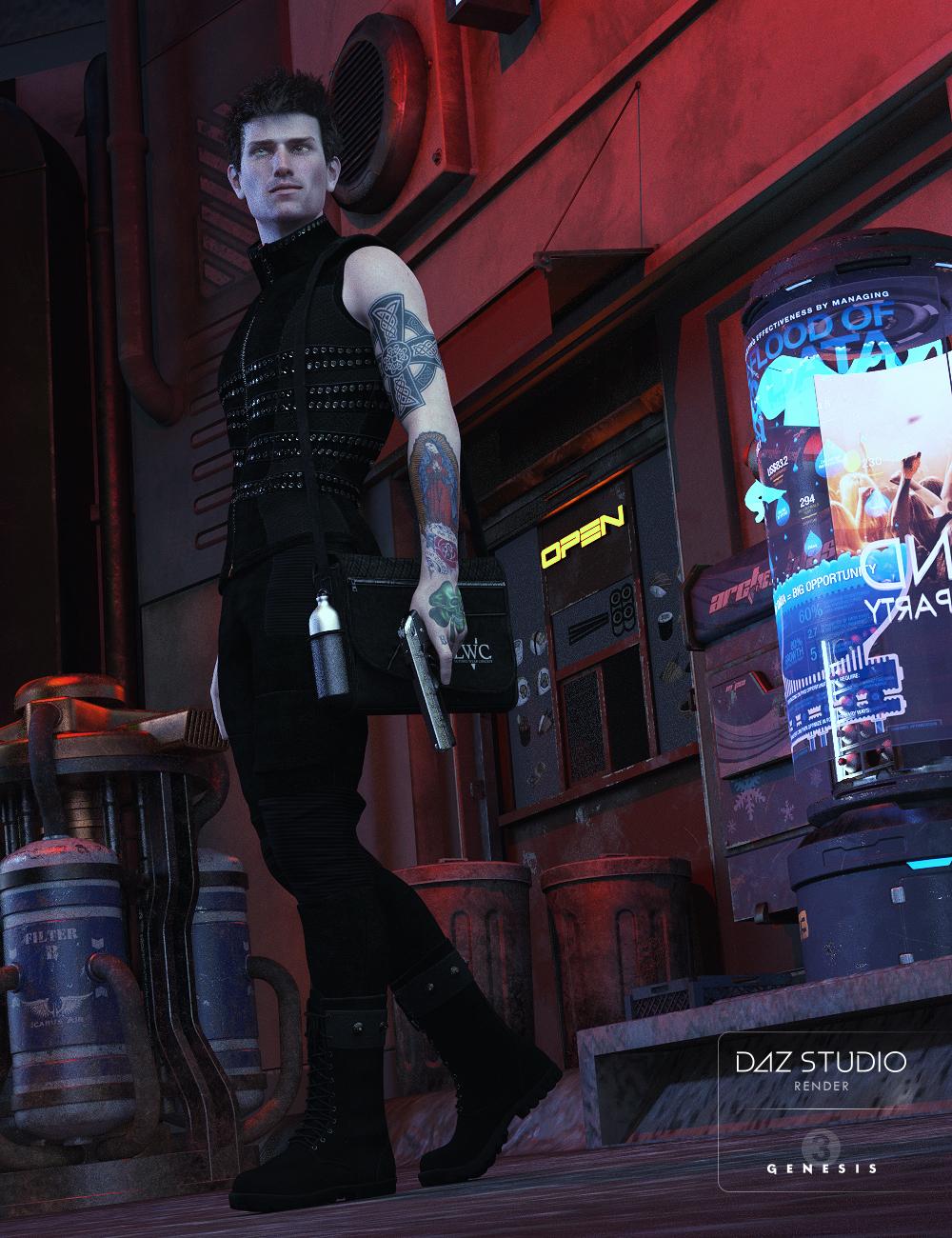
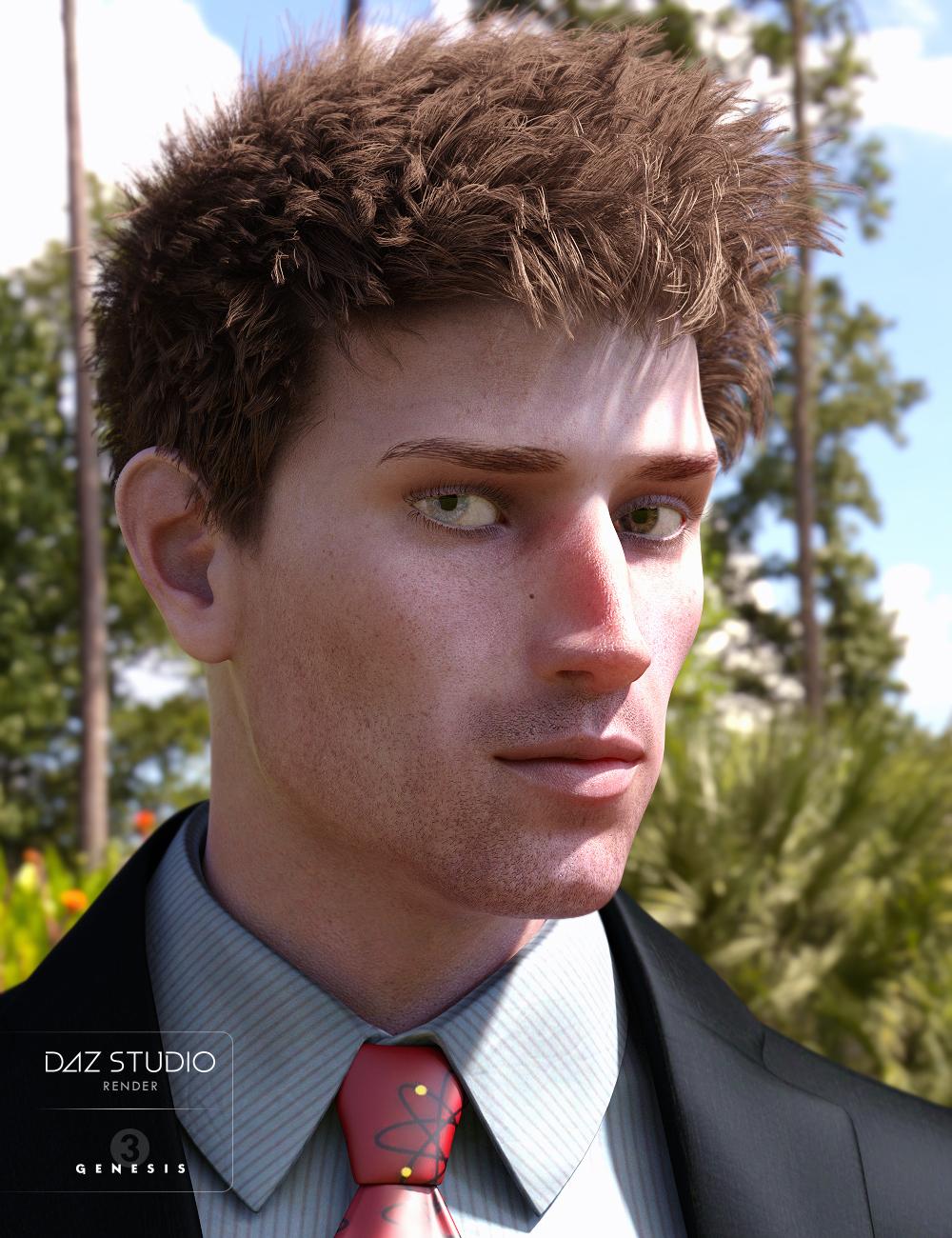
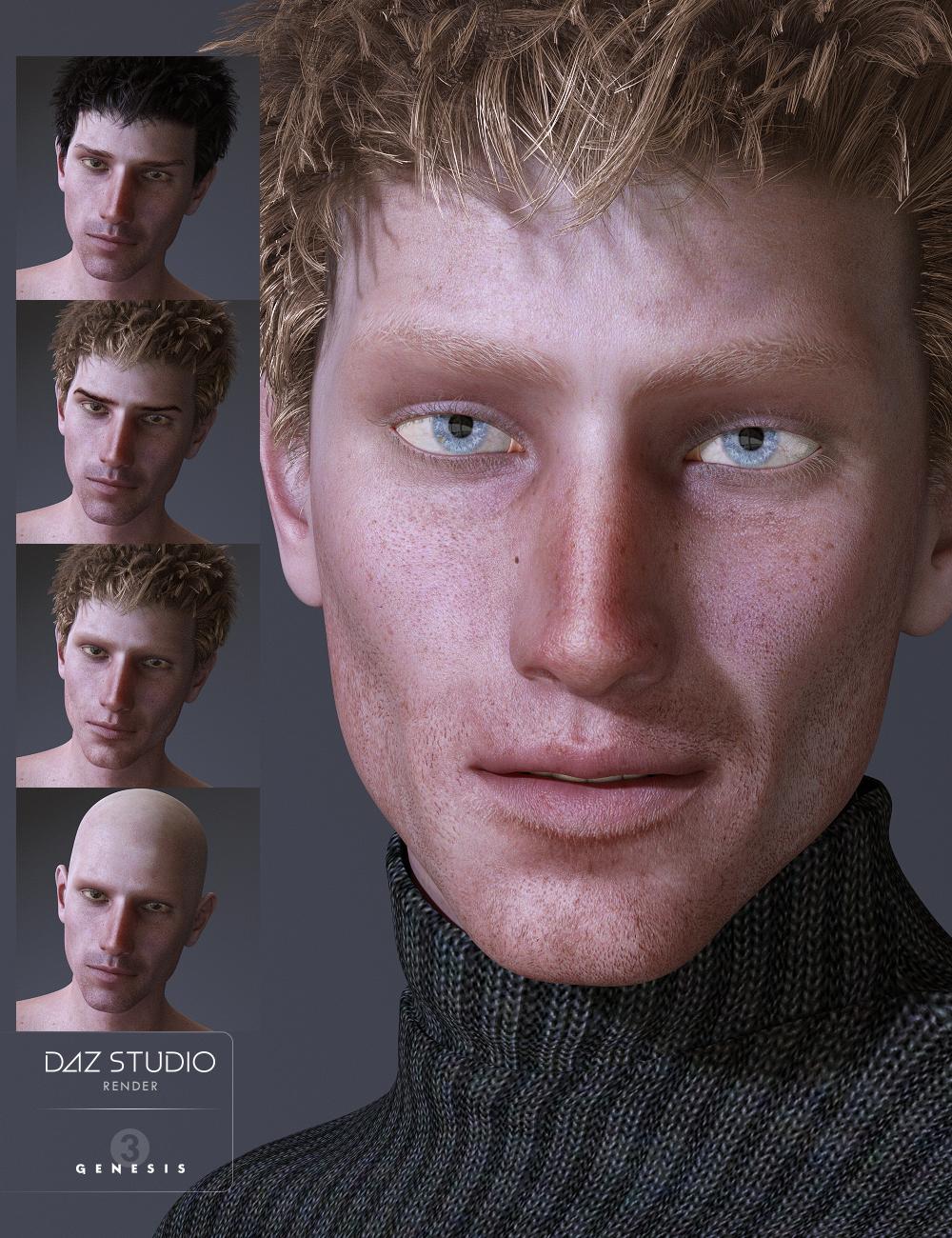
Released-Lennox for Genesis 3 Male (Commercial)Lennox is that tall, skinny guy for just about any render.
His head and body morphs are custom and do not require any morph packs to use.
I've included a reddish brow, a darker brow and a light blond brow along with a no brow option along with 8 different eye colors (two Heterochromia), two sclera, and two types of lashes with a dark and blonde coloring to go with the brows.
The tattoo options are varied between all presets for the arms and torso, and various mixes of both based off of different Irish and even Russian prison tattoos made to look as if they had been inked at different times from different tattoo artists.
Anatomical Elements are included, Materials are for the Iray render engine.
 L'Adair's Kitchen… (How'd She Do That?)

Secret #1: I created this image before the female version of Centaur 7 was released. By using GenX2 with the G3 addon, I was able to apply the G3F morph to the base male, and by using SloshWerks' UV Swap product, I was able to apply the skin I created in SB3 using the Aunrae Dark Elf skin textures as a base.
Secret #2: My female centaur is wearing G3M clothing. Because the base figure is really G3M, clothing for G3F has to be autofit. The armor I had modified to use with this figure looked good until I tried to pose "her"!
Secret #3: I used Skin Builder 3, as already mentioned, to create the dark skin with light/white freckles and spots. While some SB3 options do allow a "normal" blend of colors, the Freckles and Age Spots do not. To solve this problem, I closed SB3 just before adding the spots, used L.I.E. to invert the skin textures, (making them light,) and reopened SB3. (To be safe, the first thing I did was save my inverted skin, in case I needed to start over.) I then applied both Freckles and Age Spots using Black as the color, closed SB3, and again used L.I.E. to invert the textures again, ending up with the dark skin and white freckles/spots. Once again, I opened SB3 and finished the rest of my changes to the skin, and saved that version of the skin as a preset.
Secret #4: The ground my centaur is standing on is a single plane primitive with the scale set to create a very long plane. I created one morph using d-Form, to get the rounded hill behind her. The texture is from DA's stonework shaders, with tiling set to keep the texture from distorting.
Secret #5: The fog is a combination of Marshian's Above the Fog, set at an angle, and Sy's Fast Fog Iray, (one fog cube and and one prop barely breaking the ground plane,) with added fog in post using Ron's Steam and Smoke brushes.
Secret #6: The starry background is an HDRI from TerraLUNA 3, but the "stars" didn't have that sharp pin-point look, so I added to them in Photoshop. By the way, though TerraLUNA 3 was developed for TerraDome, it is a standalone product.
To give you a better idea of the layout, and scope of the scene, I've included a couple of viewport images. The first image shows the plane, the morph, and the centaur... if you look real close. The centaur is at the far left, and plane morph is only a little to the right of her. That angled something that intersects just at the front is the Above the Fog object.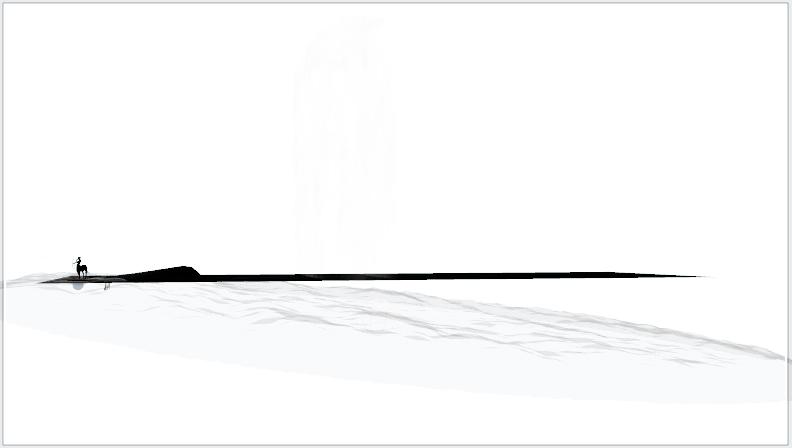
The second image shows the moon in relation to the other objects in the scene. Hard to see in this image, but that moon is waaaay out there! If you look closely at the plane, you can see the Fog cube, though only where it's black behind it. The rest of the cube blends out completely with the white background.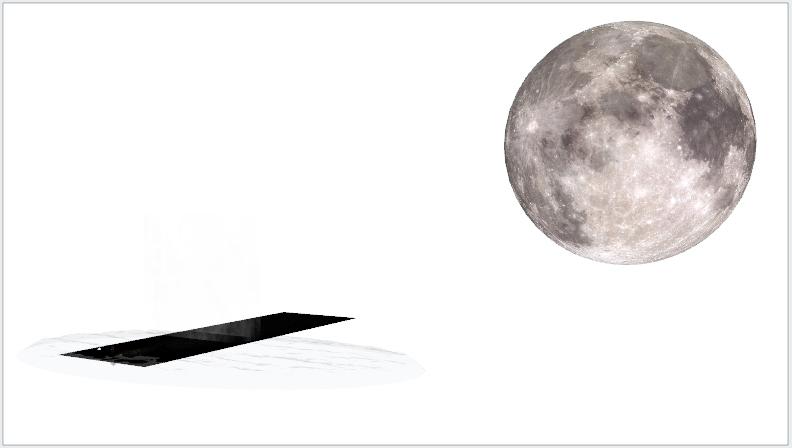 a floating aircraft carrier
Realizing this is an older thread, here is what purports to be the USS Lexington, obtained from the SketchUp 3D Warehouse, author 'leon'. Exported from SketchUp Make 2017 (Free) and then imported into Daz Studio 4.9 by my forthcoming SketchUp-to-Daz direct-transfer solution. A very basic model to be sure, but it I think it demonstrates the possibilities.

Regards,
MikePut that on the marketplace ASAP :D
Darwins' SchtuffSo, the start of the "Family" has begun.
Meet Elosolus. I've finalized the facial morphs, the eye morphs and four of the fantasy eye materials. This is a tester base skin for the human version of him. There will be two versions of skins/eyes as with Ahmad-fantasy and normal. I will be adding a fantasy morph for his teeth as well, and perhaps his ears.
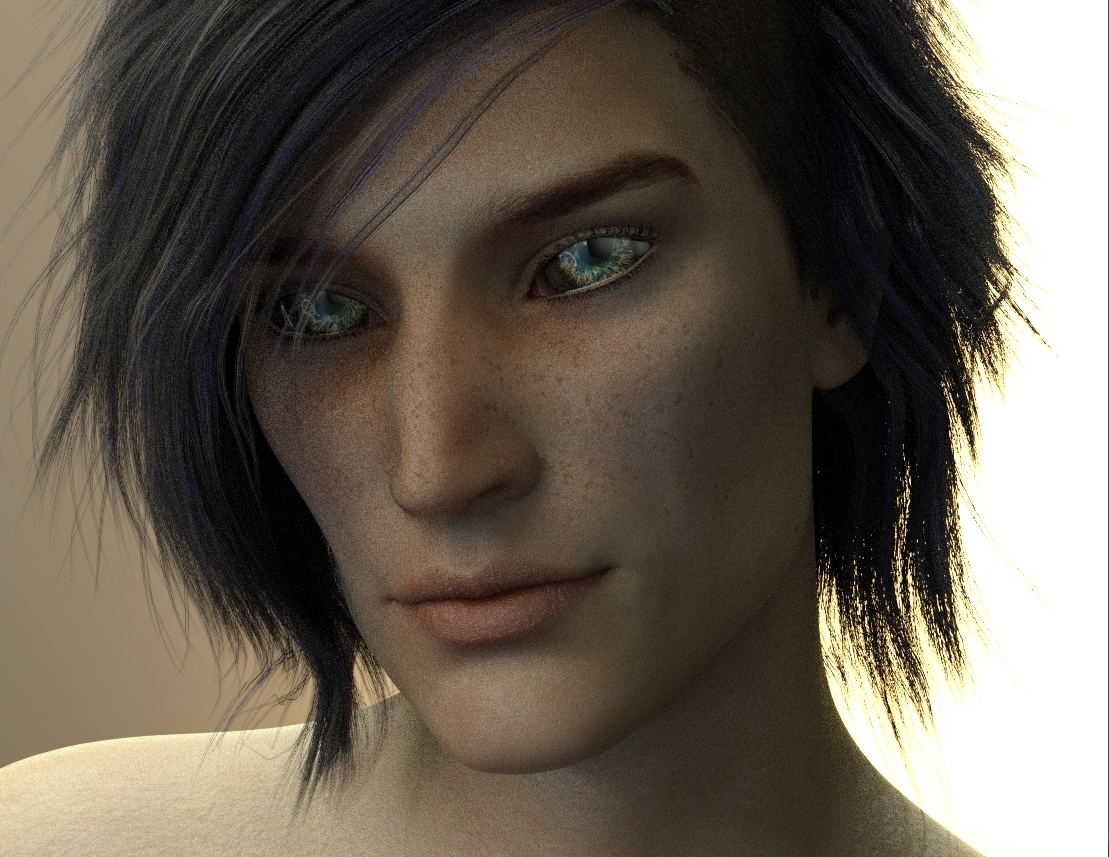
The render is only 20% done, but when I stopped it to post Studio crashed. So, instead of re-doing it, I'll turn him without hair so you can see his profile as well. There's a head seam-skin's a tester! In my head, he's calling it his "skin suit"
Woa Stunning eyes. His gorgeous. Love his features and I will definitely reserve a spot for him in my runtime!
VRAM while designing scenes?Cannot seem to find answer. Does DS use VRAM in the process of desiging a scene or does it use only system RAM ( or both )
Building a new machine just to use for creation not rendering. I have a 2GB Nvidia card I already use and will transfer to the new machine which will have twice as much system RAM (32GB).
Does VRAM have any impact on the process of actually building scenes?
Is a GPU even be necessary or helpful for this purpose?
Thanks
a floating aircraft carrierRealizing this is an older thread, here is what purports to be the USS Lexington, obtained from the SketchUp 3D Warehouse, author 'leon'. Exported from SketchUp Make 2017 (Free) and then imported into Daz Studio 4.9 by my forthcoming SketchUp-to-Daz direct-transfer solution. A very basic model to be sure, but it I think it demonstrates the possibilities.
Regards,
MikeGeneration 3 Aiko and Hiro Appreciation Thread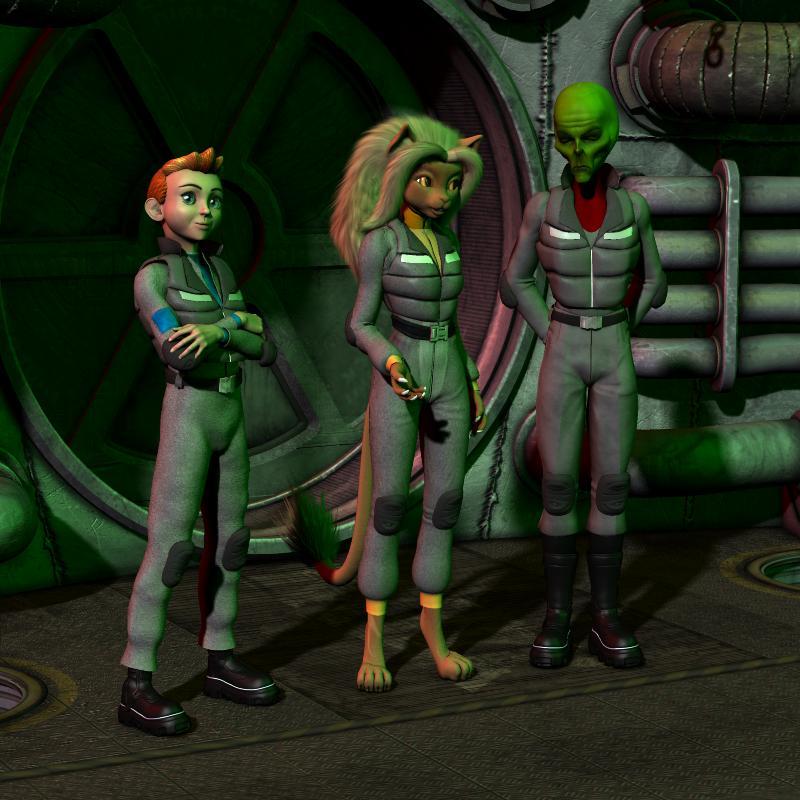
Demonstrating the range of character design that can be achieved with Beth Capsces' morphs.
Believe or not, both the Howdy Doody looking cadet and the dour faced. green skinned alien captain are both Hiro 3! Their distinct appearances were achieved with Capsces Digital Ink's "Hitoro" morph set. The package allowed me to closely capture the look of their original illustrative designs as seen in this old strip.
http://www.mzzkiti.com/log009.htm
Lt. Mzzkiti was envisioned using "Melody" and Beth Capsces' "Furries For..." morphs.
Sincerely,
Bill
Wow, this is fantastic. From the character morphs down to the clothing. Wow!
I miss Melody. I don't know when I'll get to re-constructing my A3-Melody runtime (had a big, big techological meltdown in January that wiped out my runtimes and more).
Bay Boy discounts not workingi dont understand the bad boy connection to new releases.
dino a bad boy?
Well, it is definitely bad but is hard to tell if it is a boy or a girl
if the dino was a morph of g3m lol
Daz 3D is part of

Connect
DAZ Productions, Inc.
7533 S Center View Ct #4664
West Jordan, UT 84084Licensing Agreement | Terms of Service | Privacy Policy | EULA
© 2026 Daz Productions Inc. All Rights Reserved.