-
Vertigo Ponytail for G8F
I suspect the hair has a rigidity map on the tail, to stop morphs deforming it. Unfortuantely that's an all-or-nothing effect so the character morph is not transferring either. The best option would be to create a custom morph for the hair (not terribly difficult if you start from the auto follow morph - just select the tail parts and move them into place - but possibly not a new uer task. Alterntively you could use the Geometry Editor tool to remove the Rigidity Group, though you would then get distortions in the hair. Do you have a modeller you use? Would you consider kinks in the ponytail an acceptable price to avoid using a modeller?
Show Us Your Iray Renders. Part VIFinally set up my main female character SexyRoxy for the G8Female. Next to her is Toby for the G3Male, but that is another story.

Great render Masterstroke, I like the characters and the G8 female looks very realistic. I couldn't find Toby for G3 Male here at Daz or Rendo. Is he your own created character ?

Sorry for confusion. Toby is not and will not be availeble. I made him out of a mix of several characters made by other vendors. He will be a starring character, together with Roxy(G3F) in a graphic novel I am working on now. I wanted to show, that I made it to completley migrate Roxy from G3F to G8F.
...yeah my G3 Leela character is the same way, also used a number of morph vendor resource kits as well as some morphs brought in though GenX3.
I will admit I like what i'm seeing in G8 for more mature characters. Sadly GenX will most likely not see any updates from now on, so that takes one important tool out of my character toolbox. Besides, I am quite pleased by how my younger characters turned out with G3 and don't care to go through another development phase all over again.
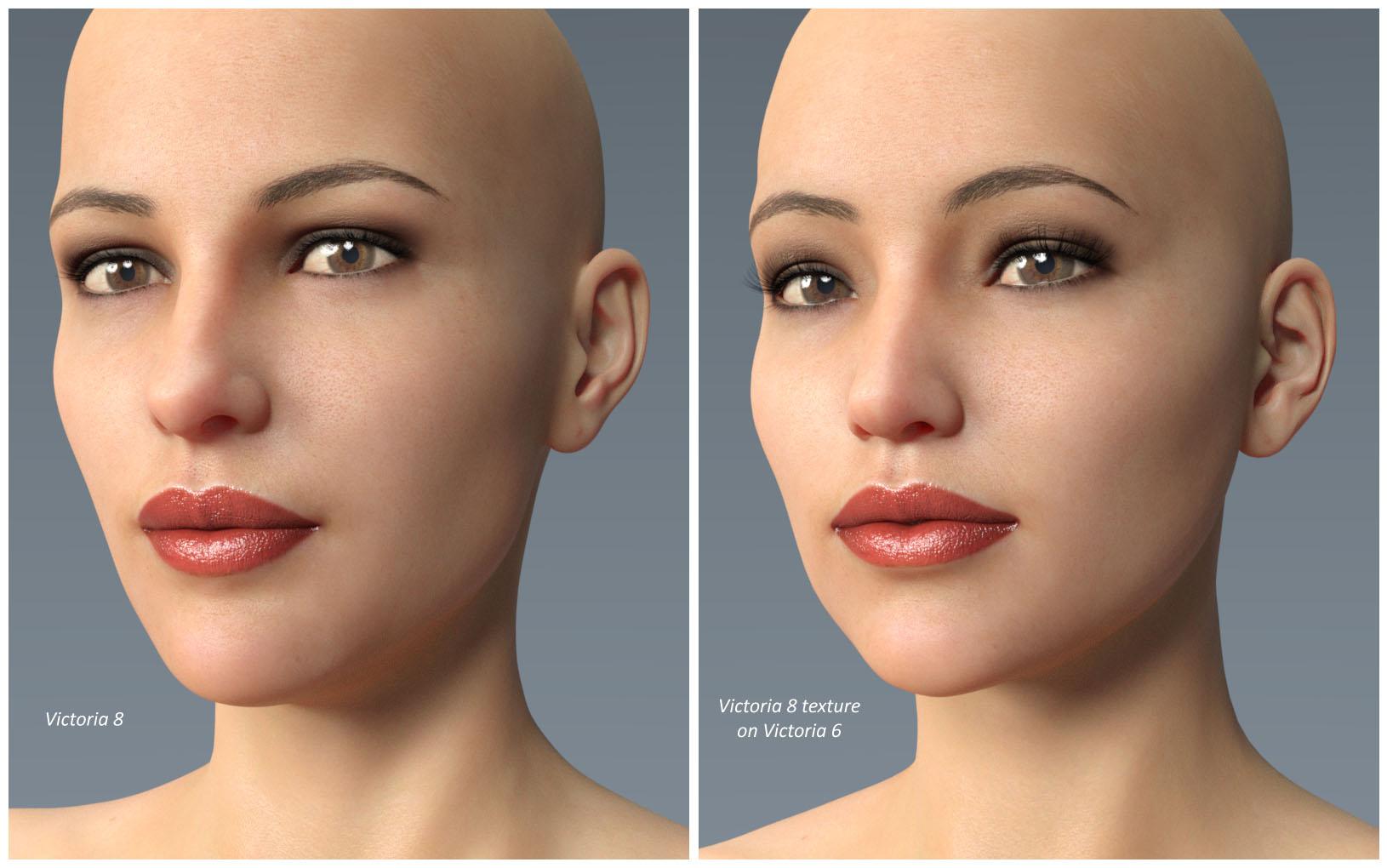
Genesis 3 UVs for Genesis and Genesis 2 [Commercial]It might be worth mentioning at this juncture that Genesis 3 UVs for Genesis 2 Female(s) will also work with Genesis 8 Female textures, because the UVs are practically the same. One difference is that you will have to produce two Material presets (one for the main figure and one for the eyelashes) from the native Hierarchical Material preset, before applying them to Genesis 2.
Another thing to watch out for is that the Cornea on Genesis 8 is now part of the EyeMoisture surface. This means that the Cornea will transfer to the Genesis 2 Cornea, and also to the Genesis 2 EyeReflection, so it will be doubled up. This may or may not be noticeable, depending on the particular material, but a simple solution would be to set the Opacity of the Genesis 2 Cornea to zero.
 GoZ - updating to ZBrush 4R8 - DAZ Studio 4.9.4.117
Update / Edit:
If you are experienced with updating Zbrush you should not run into any issues when upgrading to ZBrush 4R8.
GoZ is still working with ZBrush 4R8 - DAZ Studio 4.9.4.117.
- - -
Edit: 2017-07-08:
Rephrased step 3b) and added step 3c)
to make it more clear that optional steps should be performed if issues still remain.
- - -
Edit: 2017-07-19:
Most frequent cause of error:
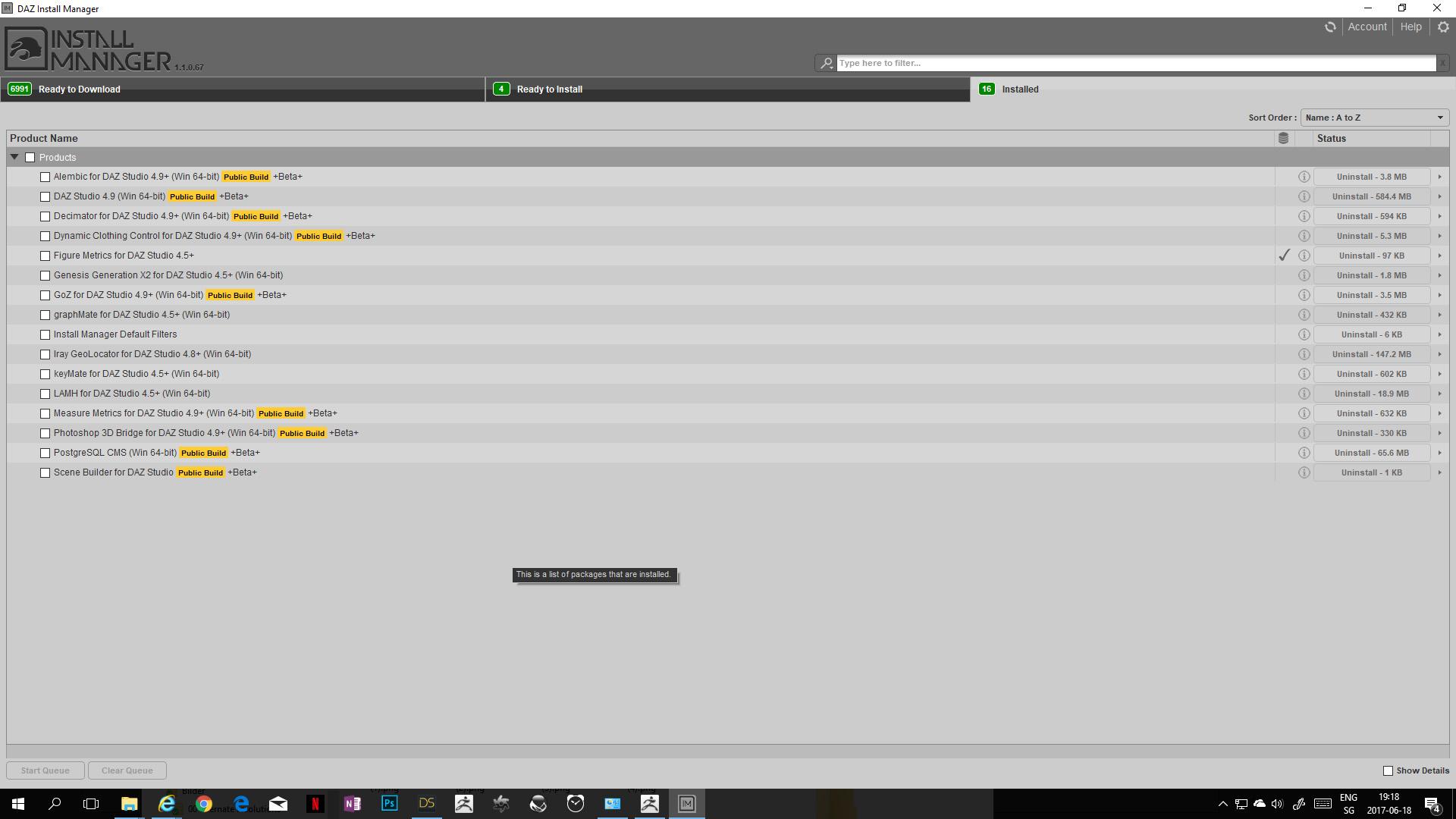
Make sure to set the proper path to your new ZBrush install location in the DIM before you install GoZ.
compare screenshot of step 5)
ZBrush 4.7 used the path
C:\Program Files\Pixologic\ZBrush 4R7
ZBrush 4.8 uses the path
C:\Program Files\Pixologic\ZBrush 4R8
- - -
If you did run into some issues and GoZ is not working anymore for some reason hopefully this thread helps you clean up the installation.
In general:
- Different versions of DAZ Studio (like public build and general releases) have different installers for their own GoZ version.
- Whichever GoZ version was installed last determines which DAZ Studio version will be used.
- - -
-> Afaik there is currently no way to use mulitple versions of DAZ Studio in combination with GoZ
For that reason I deceided to only install the "Public Build" versions of DAZ Studio to stay up to date.
I do not install any additional "General Release" versions to lower the complexity and potential errors when using GoZ and other plugins.
- - -
If GoZ does not work after upgrading Zbrush, DAZ Studio or GoZ:
1) Uninstall all DAZ Studio versions.
2) Uninstall all GoZ versions.
3a) Uninstall the older Zbrush version
If you are asked if you want to delete the GoZ folder confirm this with "yes".
3b) Optional: Double check if all files and folders in C:\Users\Public\Pixologic were deleted.
3c) Optional: Manually delete all files and folders in C:\Users\Public\Pixologic
4) Reinstall and activate the new Zbrush version
5) Update the path to your new ZBrush version in the DAZ Install Manager DIM
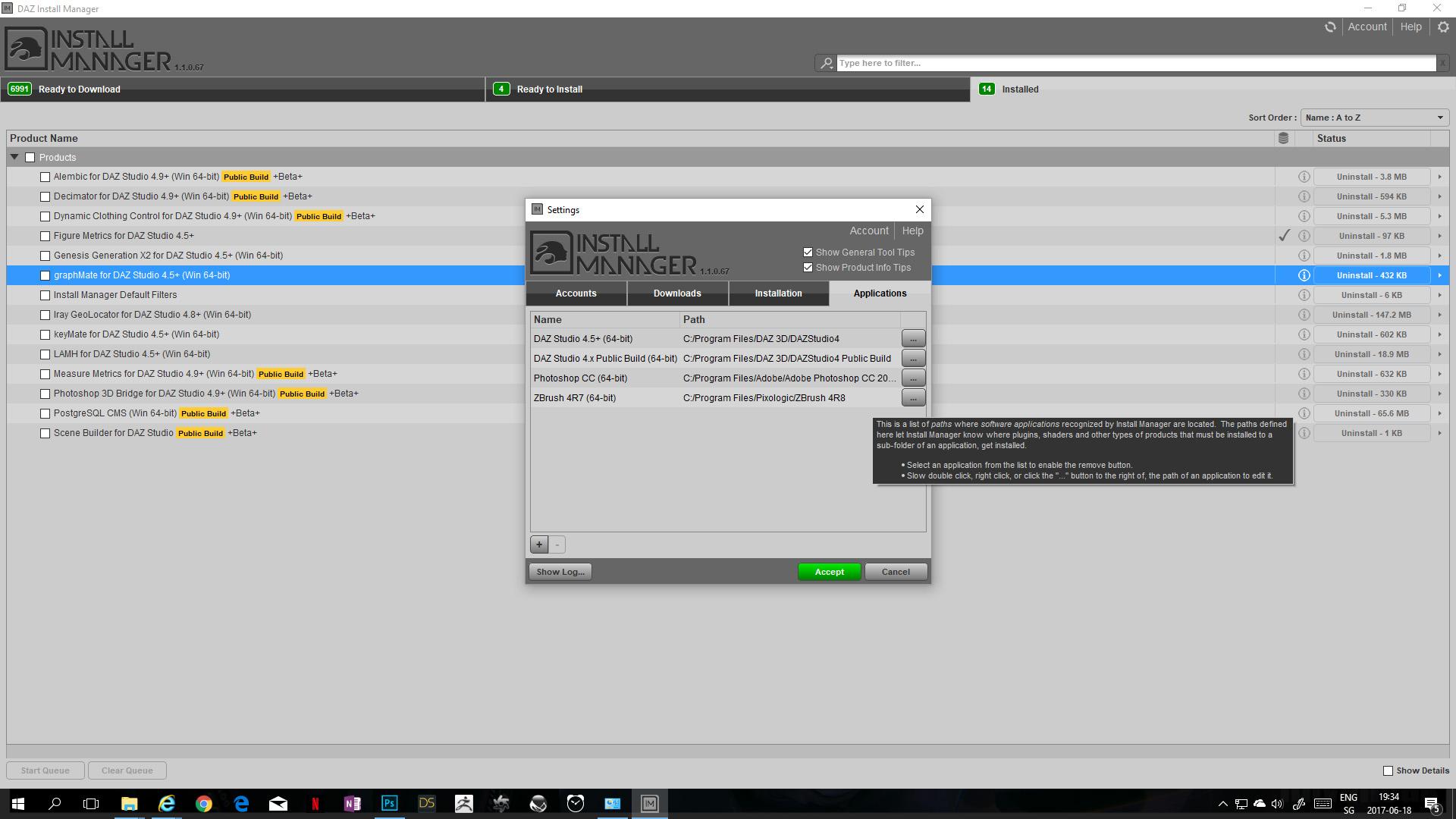
At the time of writing you can not yet select ZBrush 4R8 in the pulldown menu. Just select 4R7 and direct it to your 4R8 path.
6) Reinstall the DAZ Studio application you want to work with in DIM.
7) Reinstall the GoZ version for that DAZ Studio version in DIM.
Optional steps to confirm proper installation:
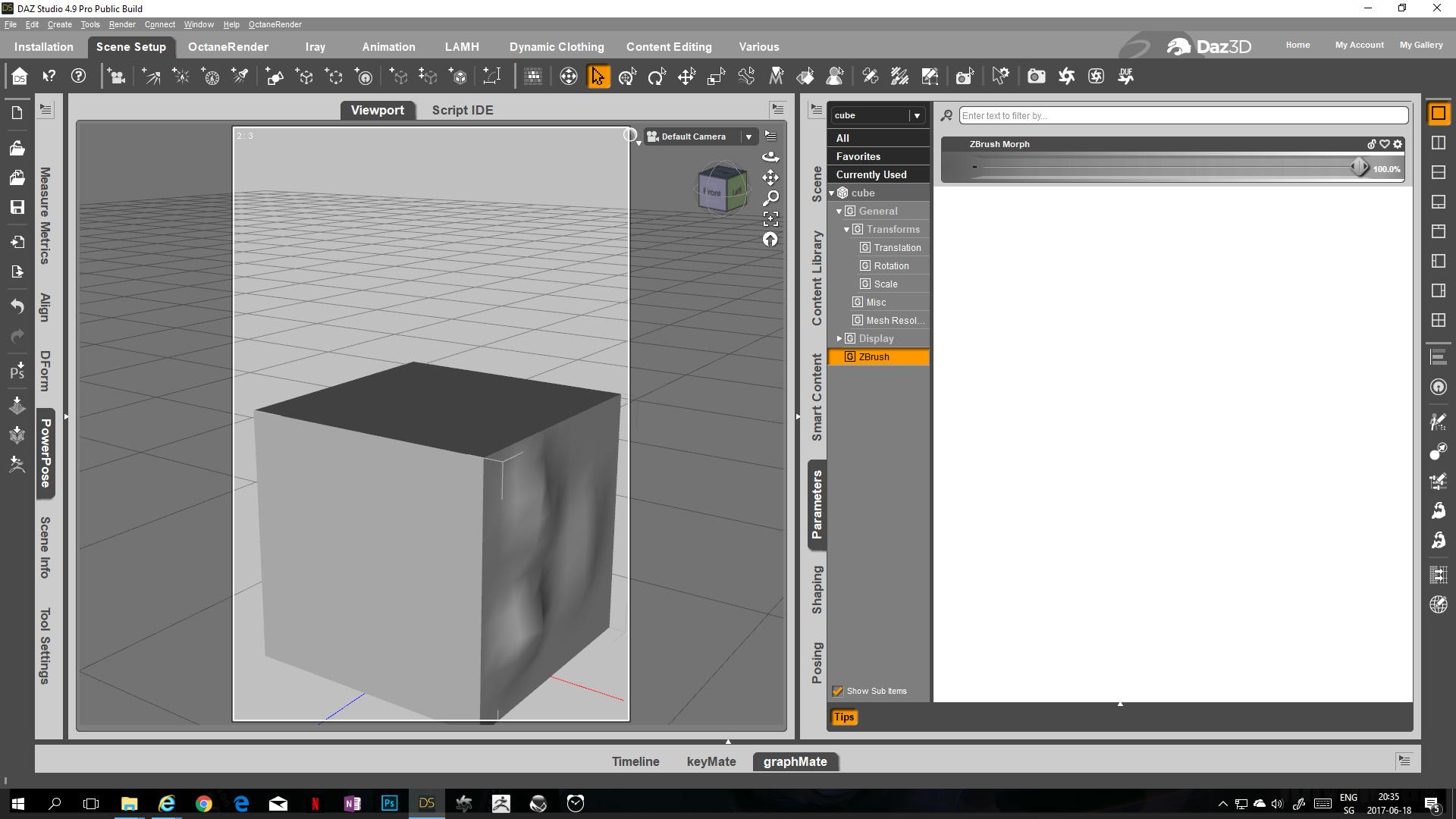
8) Open DAZ Studio. Add a cube. Use GoZ.
9) In ZBrush create morph on the cube. Use GoZ.
10) In the ZBrush pop up window confirm the paths for other software with GoZ support.
-> If done correctly the proper DAZ Studio version will now open with the morph located in the parameters tab.
- - -
Edited 2017 07 08:
If you still run into issues after going trough all the standard steps
-> follow steps 1) to 10) again and this time include the optional steps 3b) and 3c).
compare this post for more details about the optional steps:
https://www.daz3d.com/forums/discussion/comment/2611986/#Comment_2611986
- - -
Vertigo Ponytail for G8FI've been playing with G8F and learned how to apply G3F morphs to her. Yay! My problem is the ponytail in Vertigo Ponytail no longer conforms to her head while the base part of the hair works perfectly. Boo!
Does anyone know how to fix this and will explain it to me? The morph applied is Taffy by 3-D Arena.
new Mega Wardrobe set is superbI don't think I've ever seen such realistically textured clothing, they totally blow me away. Well modled and very well textured. You've set the bar high.
I have OOT's Daily Casuals MEGA Wardrobe for Genesis 3 Male(s) and it is equally well done, and includes the multiple length jeans. I've used those a lot, on both male and female characters. I'm not buying into the generation 8 stuff at this time, (a strictly financial decision,) but I'm still strongly considering this new set. With the various threads on how to create a G8F clone for G3F, and how to transfer G3F character morphs to the base G8F female, I think I may still get a lot of use out of the clothing.
If you're investing in the G8 line, I highly recommend this new Mega Wardrobe. If you use nothing but the jeans, you'll be glad you bought this.
Data Folder ConfusionStudio only wrote data files when a scene had items that needed to be converted to Studio's format or when saving figure, prop or morph assets. Studio still writes files to data for converted Poser and other non Studio format item but it now puts them in an "auto_adapted" sub folder of the data folder of the Studio format library you are saving to. To be able to archive future scene's asset it would be best to create a new project library for the scene.
I really love Genesis 8!
Given that it's using uvs that match up with G3 the biggest headache that usually comes with geografts imo (the hard line where the new geometry starts) should be pretty avoidable, sice there's already a spot in the uvs where that geometry used to be. And since it's just the tips of the fingers the weightmaps are probably just pure red and should transfer perfectly. As far as geografts go it definitely seems like one of the more doable. I actually made something similar once, a little geograft to get rid of the nostrils for toony characters (the interior of the nostrils was weighted to move with the head not the nose or nostrils, so just a morph looked great right until you tried to give it an expression), and as far as geografts went it was positively painlessTricky, but probably the best.
Maybe a glove option; I used that with a g2m option. I needed long pointed fingers with no nails, and was doing an art style rather than photorealism.
The line between arm and glove was mostly not visible, tho a little postwork helped.
Morphs from G3 to G8Hey guys, that vertex stuff sounds a bit too heavy for me. Successfully transferd my first morph. Noticed that whereas it was a morph for a body part the posture changed a bit once I applied it to G8F. So maybe this is that vertex/vertices thing? Would not mind if one of you Guru's might add that to Redz tutorial.
But for the moment thanks to everyone exploring or documenting the necessary steps for transfering morphs enabling even a noob like me to do it.
You don't need to be a guru to do that. In fact, I didn't even know, this "Geometry Editor" exists, before Redz mentioned it. To create a partial morph (head morph for example) without affecting the other parts of G8, try this:
- Follow Redz's manual until you have loaded and dialed in your transferred G3 morph into G8 ("If all went well your morph imported and will be in the parameters tab. Dial it in and check that G8F has morphed correctly." in "Part two").
- Go to your morph in the Parameters tab and click on the heart in the top right of the morph to mark it as a "favorite".
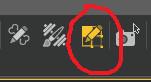
- Activate the Geometry Editor:
- Right click on your Genesis 8 in the Viewport and select Selection Type - Vertex Selection.
- Right click again on G8 and select Selection Mode - Lasso Selection.
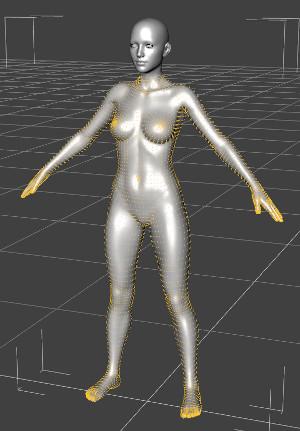
- Drag the lasso around everything of G8, that should NOT be part of your morph. For a head morph, select the entire body, for example. It should look like this:
- Right click a 3rd time on G8 and select Morph Editing - Clear Selected Deltas from Favorits.
- Continue with Redz manual.
Great lashes for Gen 8 female problemIt was about two hours after I had posted that I remembered that I had seen the FWArt lashes morph when I was morphing the figure,s eyes. It makes sense really that DAZ decided lash morphs should appear in the figures morphs as lashes in previous generations where part of the figure model.
G3F Character morph to G8F... SIMPLE TOOL!!!!!!!I have no idea why the tried and true techniques don't work for you, but they are likely the best available for a while, until someone steps up to replace Dimension3D, who died recently.
well 1) it seems as though every time DAZ Studio is updated, the instructions change because the interface changes. It's little things at first... a certain tool may have moved to a different area in the menu or something was just completely taken out and 2) and this is a big one, there are some problems with some of the different models... Mei Lin for example, while you can import the morph, there are serious (and scary) deformations when using the power pose feature.
I don't have Mei Lin, but I suspect there are some joint control morphs used in conjunction with G3F to have her shape move properly when posed. This might be why she doesn't bend right in PowerPose on G4F.
I really love Genesis 8!L O V E Genesis 8! I created this gal using only the morph dials.
3DL render; basic shaders. Skin was made using Skin Builder 3 via G3F.
Wear Them Allwill this work in DS4.9?
I know it may not work on G8. but will it still work on G3
Yes, it still working for me on DS4.9! :D
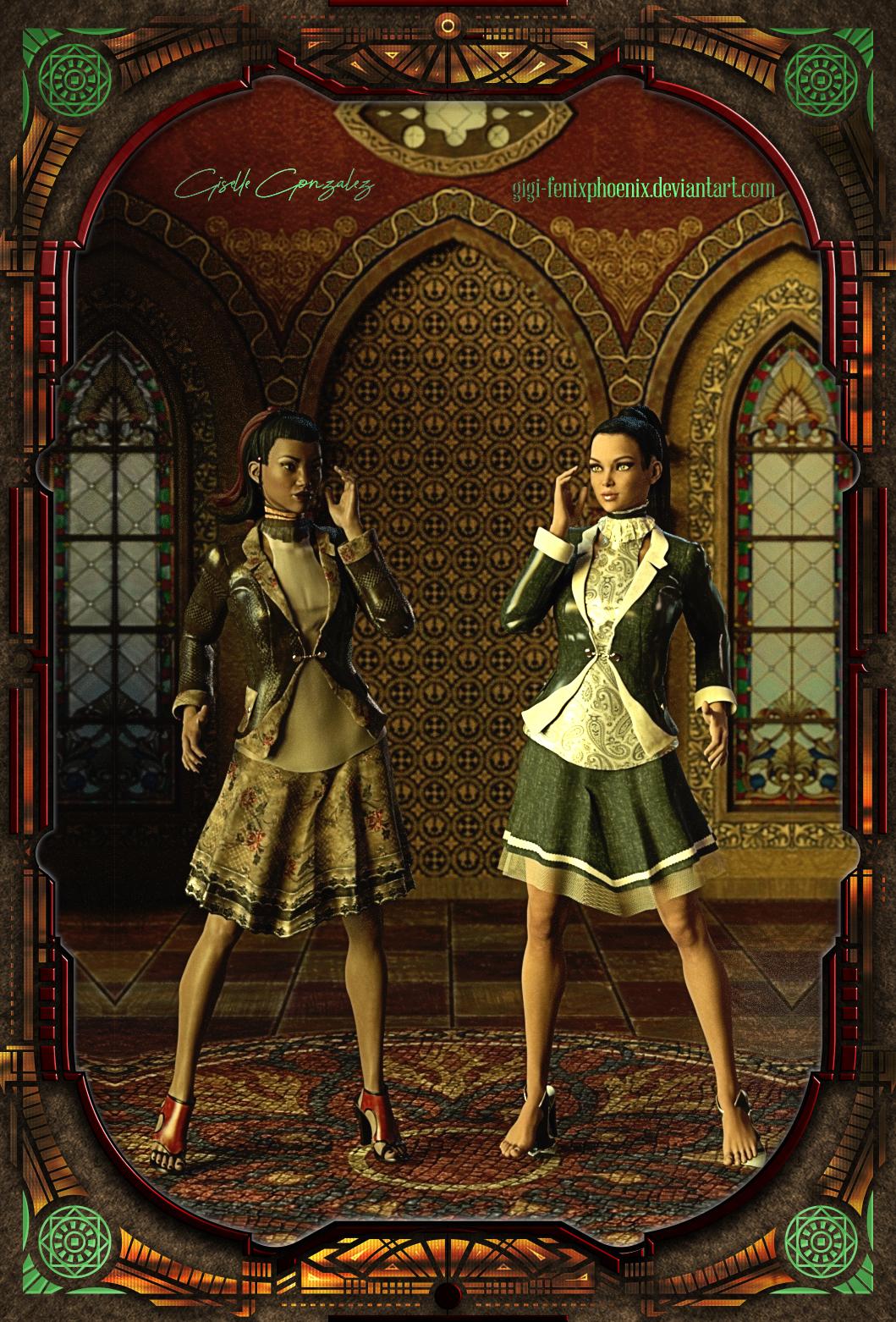
As for the shoes, not my merit, they just transferred beautifully. Somehow Aiko3 outfits just transfers better than the V4 outfit. I wold have assumed the opposite, but nope.
It's weird. Might be a case-by-case, because for this outfit Fashionista had the A3 and the V3 versions. V3 transferred much better than A3 (less pokethrough), but the shoes didn't transfer well no matter which version I used. So one figure shows how they transfer. The other figures show what they look like parented instead.
 Projection issues with attached body mesh
Projection creates the weight maps (as does the transfer utility when rigging from scratch), those weight maps may need editing in areas where different bits of geometry are close together.
(Commercial) Great Lashes for Genesis 8 available now!!!Thanks so much for the detailed answer. I think my big problem was that I didn't see the files for the lash morphs in the folders, but only the color changes. I was then using the sliders without applying a morph. I uninstalled/reinstalled and the shaping icons are where they should be. I either had some kind of DIM install issue or i just didn't scroll. I was in a bit of a hurry, so probably user error. Anyway thanks so much for the response, that really helps.
For additional information, please view the Readme file http://docs.daz3d.com/doku.php/public/read_me/index/43975/start
Hope that the explanation above can help you.
You are very welcome!!!!
(Commercial) Great Lashes for Genesis 8 available now!!!Thanks so much for the detailed answer. I think my big problem was that I didn't see the files for the lash morphs in the folders, but only the color changes. I was then using the sliders without applying a morph. I uninstalled/reinstalled and the shaping icons are where they should be. I either had some kind of DIM install issue or i just didn't scroll. I was in a bit of a hurry, so probably user error. Anyway thanks so much for the response, that really helps.
For additional information, please view the Readme file http://docs.daz3d.com/doku.php/public/read_me/index/43975/start
Hope that the explanation above can help you.
Will body morphs and facial expressions for G8F work on G3F?Even if you transfer them, I don't think all morphs will be 100% perfect. I compared the G8-G3 skeletons, and G8 has slightly shorter bones in the arms and legs. But the heads look identical, so head morphs will probably transfer better.
Released: Yara HD [commercial]Thanks guys! Yeah hair is a problem for realism. As for Yara on G8, I'm not aware of a method to transfer HD morphs even for PAs. All the rest can be transferred, various threads here show how to do it. Skin works mostly out of the box, eyes aren't going to line up perfectly anymore though. Overall I'd probably just keep using her on G3 where she belongs. I am however working on a new G8 character.
Morphs from G3 to G8OK, here's a probably complete silly question but anyhow. In order to transfer a morph, one is asked to dial it in on G3F and then export it. What about morphs which can be dialed in and out meaning morphs that come with 0 but allow being set to either -100 or +100? Is it sufficient just to export them dialed in +100 or should one also export the other behavior?
Yes, it is sufficient.
You don't have to do anything tricky. When you import the morph it will default to -100 to 100 regardless of what the original setting were.OK, thanks. So will it take over exact settings (i.e. I had one original morph with the scale of -50 to +100) or always default to -100 to +100 meaning one does have to set this before saving the new morph manually?
Soooo... M8Maybe someone will make a G8 female male morph in the meantime.. I actually found Nalin kind of useful, although not sure if it would sell well.
Daz 3D is part of

Connect
DAZ Productions, Inc.
7533 S Center View Ct #4664
West Jordan, UT 84084Licensing Agreement | Terms of Service | Privacy Policy | EULA
© 2026 Daz Productions Inc. All Rights Reserved.