-
Morphs from G3 to G8
V8 with a little Raiya's Sapphire, Monique 7 and Ophelia plus a few dial spins ;). The skin is Lydia's that I tanned slightly. LOVE those clothes by OOT. So nice :).
Laurie
That look as if the alignment is not adjusting - were you working on Geensis 8 Female, and what options do you have in Adjust Rigging to Shape?
What options do I have in rinnging to shape ?. I did not know it could be configured .. I'm a newbie
In between importing the morph and ERC Freeze, you need to "Adjust Rigging To Shape" as outlined in the tutorial.
Laurie
It's like I did the Rigging to shape first but it happens in the bones. :-(
Morphs from G3 to G8That look as if the alignment is not adjusting - were you working on Geensis 8 Female, and what options do you have in Adjust Rigging to Shape?
What options do I have in rinnging to shape ?. I did not know it could be configured .. I'm a newbie
The attempt was with the head morph
Morphs from G3 to G8V8 with a little Raiya's Sapphire, Monique 7 and Ophelia plus a few dial spins ;). The skin is Lydia's that I tanned slightly. LOVE those clothes by OOT. So nice :).
Laurie
That look as if the alignment is not adjusting - were you working on Geensis 8 Female, and what options do you have in Adjust Rigging to Shape?
What options do I have in rinnging to shape ?. I did not know it could be configured .. I'm a newbie
In between importing the morph and ERC Freeze, you need to "Adjust Rigging To Shape" as outlined in the tutorial.
Laurie
Is it possible to autofit clothing to make it look as if it is too small for figure's frame?THen even though you do not make projection morphs, if you have many morphs which can shrink or strech Actor mesh parts already,
eg shrink body parts only or change thin or change body size,, etc
you can try ,tweak those morphs to clothing with fit to one by one. Once you generate morphs, untill you delete clothing from the scene, you can use those morph only modify clothing shape.
Auto generate morphs are usually set as hidden, but show hidden parameter, then trun Actor morph to zero (which you need not) , then you can still tweak only about those generate morph for modify clothing shape.
(projection morphs is almost automatic sysltem which can do same process, and it can controll morph strength as Actor parameter)
V8 new skin is a BIG step in the right direction, but...It occurs to me that it'd be nice to have an ear thickness morph... and that I can do that myself without too much trouble.
Is it possible to autofit clothing to make it look as if it is too small for figure's frame?I may try to make, projection morph for Actor mesh. If I really need auto- shirink many clothings. Projection morph can generate morph, which only modify Clothing mesh,
Though usually it is used to smooth and remove poke through without morphing Actor mesh. eg clothing smooth around breast work well.
But to stretch and shlink limited parts may be difficult, and need many try and erroer, then if it is only about some clothings, modify each one and import as morph,
(eg you use D-former, or use blender, shrink wrap modifier with vertices weight should offer good result I think)
Genesis 8To be honest, I'm not sure yet. I see pros and cons. TL;DR: I don't think G8 was necessary at this time.
Backwards compatibility:
That one is the most important for me, because I hate to lose my beloved characters. They never migrate 1:1 and I lost quite some because I just could not figure out how to convert flawlessly.
That said:- Skins with a "Base" UV Map do transfer pretty much perfect - any other UV map, even Victoria, does not.
- Clones do exist for G2/G3 M/F, but they seem to be lacking in terms of options and quality.
- Poses can be edited manualy to work for G8, there is no auto-conversion. Also, while I'm not 100% sure on this, not every converted Pose works out of the box. Shoulders twist and bend may need to be adjusted.
- Expressions don't seem to convert well, if at all.
- Animation: don't know, I expect it to be broken as it has been for G3. Never manage to import a BVH into DAZ and get it to work, whereas they import without problems in any other tool I have (Blender, Unreal Editor, Unity, my own Engine).
- Morphs: I converted some, using various techniques, but there are problems with most of them, especially when you go "extreme" (anything over like 50-60%) or mix them. And be it that clothing does not fit anymore, when I applied a converted FBM morph to bring back one of my G3 characters.
But, all in all, I'm happy that there is way more compatibility for G3->G8 than there has been for G2->G3 (which isn't hard to be honest, because G3 pretty much broke everything) - otherwise I'd be out of this game until G9, for sure.
Muscle flexing:
Looks good most of the time and then it is impressive indeed, but I had some poses where the flexing of the breasts looked pretty awkward. Like one arm behind the head. But then, I don't have boobs, it's hard to verify. :D
Better bending:
I'm not certain yet, but I think there is a problem with the back part of the shoulder->upper arm transition. From the front it looks nice (most of the time), from the back I can often see some very strange bends. which don't look good at all. Not 100% yet if its because of using G3 poses (though I'm sure I saw that at least once on a G8 pose). Time will tell. But I think that is the weak spot of G8 - while the A-Pose seemed to have improved some things, it broke others. That's my personal impression so far. I can provide a screenshot, for those curious, if that helps.
A-Pose:
Causes nothing but troubles for me. Not sure what this was needed for. I actually never saw a tool working with an A-Pose, but what do I know.
Better skin:
That did not require a new generation at all, did it?
Facial expression:
The expression morphs for G8 (non-PA) are all HD now, which is a major step backwards, if you want to export them. Might be that the face rig is now better, but it took me very long to find two good versatile expression packs for G3, very sad that they don't work anymore. The default expressions look very bad on younger characters, like Blaire, but then you can dial in what suits, like in the past. Gotta play around with this in detail.
Render times:
Not sure if it's just me, but render times increased a lot?
Eyes:
Did not have a close look at them yet, but I read the geometry has been simplified. While on hand it is good - setting up the materials and render order for the various eye parts never has been easy (outside DAZ) - I fear it will make the eyes more dead. All geometry that existed for G3 has been there for a reason - it replicated the layers of a real human eye. Combining parts inevitably means that it is not a replica of a real eye anymore, so it is very possible that the eyes look more dead now in detail. But I did not get to create a close-up render yet.
I find it difficult too, that the EyeMoisture is now part of the Eyelashes.
Eyelashes:
Cause me problems for Characters I applied G3 morphs on, which "shrink" the character - the Eyebrows are out of place then and there seems no way to correct their offset in an easy way, like "move 30cm down". But in general they're a good idea.
After all, I don't think G8 was really necessary. The improvements are mostly subtle in my eyes, and, if my observations are correct, sometimes even worse in comparison to G3.
It will cost dozends of hours (it already did and that's just the beginning), probably hundreds of bucks, to convert the old stuff, whereas most of these tools could and should have been integrated into DAZ. Like auto convert a pose from T to A pose - was it really that difficult?
Gotta see some more variation in characters and make some more tests ( was too busy trying to convert stuff ) to make my final judgement.How to reduce Genesis file sizes in Carrara?Baking... will I need my apron???
Tried un-installing/deleting G2F Essentials... then downloading and installing again... no luck still same sizo.
Nope. I believe that, what you'll need to do is to download the Genesis Essentials and install that to a whole new path other than where you normally install all Genesis stuff to.
Here's the thing: The Genesis system allows us to use any and every morph we have installed directly from the base figures (no need for INJecting morph files).
Daz Studio, being in constant development, is optimized for using the database to keep track of morph data, where we've still only had the one(?) release of Carrara 8.5 development. The idea is that, although the Genesis base figure will contain dials for All morphs Installed, none of them are supposed to 'weigh' anything unless/until used. In Daz Studio, I'm sure that this system has been tweeked again and again - and is still getting advancements - where Carrara got its "It works... okay good. Release it!" development cycle.
Okay... to be fair... the development team really did work long and hard to bring us Genesis (and DUF, for that matter) to Carrara. So I don't mean to sound so "Wham Bam, Thank you, Ma'am".. but Carrara certainly does not have the constant development of Daz Studio.
====== Anyway =======
So using what Misty was saying, if we want to see what 'just the base figure' weighs, we need that to be installed all by itself, without any other morphs even being installed to that system. So I'm thinking that if we created a new structure, like "My Base1 Library", as an example, as a new Content library, we should get only the content installed to it (tis library) and not from the standard "My Daz3d Library". I've been wanting to see if this is true, but never have.
Meaning that, if we only installed the Base figure to My Base1 Library, we wouldn't get any of the extra dials for morphs we've purchased and/or made and have installed in our usual Genesis library (like My Daz3d Library). Meaning that, when we load the Base figure from that new library, we wouldn't even be able to use other morphs, but would have smaller file sizes.
===== So =====
To save on file sizes, we could use our usual library to create our character how we'd like, then export that from Carrara as an OBJ and import into Studio using Morph Loader Pro as a new morph onto the Base figure, and then save that morph shape to the new, custom library, we could use that single dial instead of all of the data required originally to create the shape - if used from a custom library.
It would be interesting to find out how that would work along with using content from the usual library, like clothing. We'd need to save our custom morph(s) to that library as well for it to work, but would the clothing bring other installed morph data along with it, or would it ignore any data not installed on the Base figure it's being fit to?
If this worked, then instead of "temporarily removing data" from the data folder, we'd be getting away with just using a custom library instead, but with duplicate files to make it happen - still should be easier to deal with, however.
...and, so if that's the case, and it works... we could then have individual libraries like: "Grendel Library", "Brianna Library", "Bill the Vampire", etc., only containing data 'needed' for those specific characters.
But now, instead of the CAR file being heavier, the entire installation becomes larger and more complicated.
Help Requested With G3F Export to IC6How do you export motion back to Daz? I have a real problem with BVH export. I want to export motion back to G3F and clothe with dynamic cloth in Daz Studio. I've tried converting the G2 motion to G3 but then get all sorts of foot sliding and innacuracies. Any pointers to how to appreciated.
"HD morphs do not export of course."
Which is understandable because the real time viewport performace
in Iclone is designed for realtime animation & motion building .
This is why a Daz genesis models look no better than a RL CC figure once imported via FBXI LOVE Iclone for motion creation But ultimately I export that motion back out to Hi res Daz Figures in DS who are then dressed and sent over to Maxon C4D Via obj/MDD for final animation renders.
"In an ideal world, DAZ would simply replace RL CC. They could start by exporting heads. CC is a good idea, but the implementation of it, IMO, has been unenthusiastic. "
Thanks."
I do understand why Reallusion created the CC app
it is the very same reason the Daz's parent company created "morph 3D"...The $$$Game Dev Content market$$$

Reallusion Offers export licenses to use the RL CC figures in Unity & Unreal etc.Daz Does the same with "morph3D"
it is a very competitive Market.
How do you export motion back to Daz? I have a real problem with BVH export. I want to export motion back to G3F and clothe with dynamic cloth in Daz Studio. I've tried converting the G2 motion to G3 but then get all sorts of foot sliding and innacuracies. Any pointers to how to appreciated.
Morphs from G3 to G8Hi there, will try out those tutorials and hope to be able to start transfering over morphs soon. Some questions as I'm not fully aware what is possible and what not:
[sinp]
- Various helpers (projection morphs?) like those from SickleYield or Zev0?
[...]Okay, so the gross pedant in me requires I give a complete answer to this.
You can, in theory. Practice is a different animal. In order to transfer a projection morph from one figure to another, you need to know how make a projection morph.
So, you could use these methods to transfer projection morphs. They would appear in the target geometry as plain old morphs. At this point, you're getting well into the realm of deminishing returns. It's actually simpler to dress G3 in whatever outfit you want to target with the projection morph, dial that in, export the outfit geomtry and bring it back as a morph on the clothing, then autofit the clothing to G8. (Of course, if you want to use this option often, then you would save the morph to clothing before autofiting. If you try to save after, it will be broken).
That may not sound simpler, but knowing how to make projection morphs, I can say it really, really is. The process of making them is about as complex, but after making, you have testing, and identifying mistakes and fixing them. If you've got enough mojo to make character transfers between G3 and G8, then you're probably going to be able to add a morph to some clothing first time, every time.
Bottom line, it's a "what is your time worth" question. In the near term it's less time to morph the clothing. Long term it's less time to let someone else make projection morphs and buy them. Skip a couple of days at starbucks, bypass a few bags of chips, cut back on smoking, or just spend the money. It's better than spending hours and hours laboriously converting morphs to projection morphs.
And if you diagree with my assessment of time value, you can find a tut on how to make projection morphs on SY's deviantart. Good luck.Help Requested With G3F Export to IC6How do you export motion back to Daz? I have a real problem with BVH export. I want to export motion back to G3F and clothe with dynamic cloth in Daz Studio. I've tried converting the G2 motion to G3 but then get all sorts of foot sliding and innacuracies. Any pointers to how to appreciated.
"HD morphs do not export of course."
Which is understandable because the real time viewport performace
in Iclone is designed for realtime animation & motion building .
This is why a Daz genesis models look no better than a RL CC figure once imported via FBXI LOVE Iclone for motion creation But ultimately I export that motion back out to Hi res Daz Figures in DS who are then dressed and sent over to Maxon C4D Via obj/MDD for final animation renders.
"In an ideal world, DAZ would simply replace RL CC. They could start by exporting heads. CC is a good idea, but the implementation of it, IMO, has been unenthusiastic. "
Thanks."
I do understand why Reallusion created the CC app
it is the very same reason the Daz's parent company created "morph 3D"...The $$$Game Dev Content market$$$
Reallusion Offers export licenses to use the RL CC figures in Unity & Unreal etc.Daz Does the same with "morph3D"
it is a very competitive Market.
Calling ChungdanI would love to see an updated version of Beauty Fingers and Toes HD morph for Gen 8 and V8.
I really love Genesis 8!The more I use this figure and morph her the more I fall in love. I especially love how DAZ removed the useless nail bed geometry, and welded the fingernail and toenail geometry to the figure. They kept a bit of geometry under the nail tip which is absolutely what they should have done. Goodbye to those endless hours of shaping nail beds so the geometry doesn't protude through nail geometry and cause hot pixels in Octane. Now shaping fingernails and toenails are a breeze. She bends even better than Gen 3, and her facial expression detail is fantastic!! I would put a DAZ Gen 8/V8 up against any of the so called $600.00 and above professional figures found on other sites! DAZ has a huge winner here. I can't wait to see the HD morphs...I think we are well on the way to hyper realism.
Thanks again DAZ!!
Whoa - that close up of the feet looks amazing! Feet is often such a dead give away and often ruins photorealism. Is that a custom morph? Or a certain figure? It doesn't look that good on my base G8F figure.
Hey divamakeup, thanks so much! Yes, its a custom morph I made in Zbrush....it took about 15 minutes to do with GoZ. To make the same morph with Gen 3 it would have taken hours as Octane shows any poke through with overlapping geometry such as seperate fingernail and toenail geometry on the older figures. Thanks again DAZ for this fantastic new nail geometry! I totally agree about feet. They may not be the most important body part, but often times when ignored they do break the realism if they are fake looking. Another thing I noticed is sometimes HD morphs go light on foot detail because most people may not care. If you get good HD morphs such as Beauty toe (hope he releases a new version for Gen8) it goes a long way in realism. You can usually stuff feet into shoes, and not have to worry about them, but most people (women especially) wear sandles so you have to make them look real.
They turned out beautifully! You inspired me to try my own feet morph:

They didn't come out nearly as good as yours, but I think they at least look better then the default feet.
Any chance you'd share your feet morph? If not I understand. I'll just keep working on improving mine if you'd rather not share it. :)
Hey divamakeup, that looks fantastic!! Just for laughs mess around with the toenail shapes as well...you can find them on the good ol'intnernet of course. I am messing around with the fingers now, but I find them to be more realistic out of the box than the feet. I have to wait for HD morphs because I can't seem to get Normal Maps to show up with the specular material in Octane. Nice job!
Released-Keri for Victoria 8 [Commercial]No problem! This is just the G8F body morphs and her custom head morph. The render only went to 35% and 12 minutes on my machine, but I need to shut down and get ready for work soon. Didn't wanna wait until after work to upload it. Impatient. lol
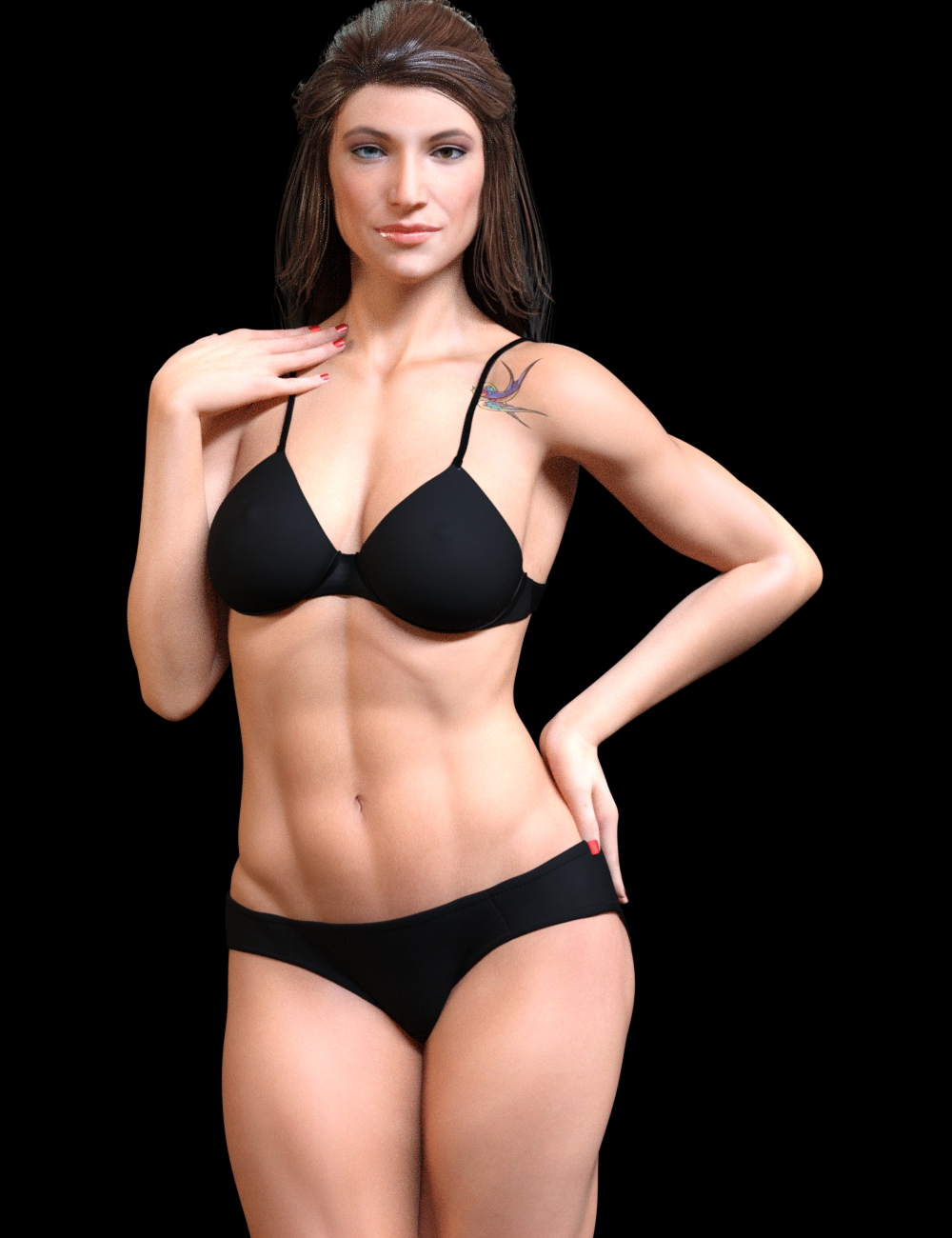 Is it possible to autofit clothing to make it look as if it is too small for figure's frame?
That really needs to be done in another application and loaded as a morph - a sculpting application could let you adjust the mesh to look stretched, or a dynamic engine could drape the too-small model. You could then load the shape as a new clothing item or as a moprh for the non-shrunk item.
Where Do The G2f Evolution Head/Body Morphs Come From ?Okay, that fits - I guess it's the PHM/PBM/CTRL prefixes plus the lack of any mention of 'evolution' on the morph product/bundle pages that threw me.
So /data/DAZ 3D/Genesis 2/Female/Morphs/DAZ 3D/Evolution Head/PHMNoseSize.dsf is Genesis 2 Female Head Morphs > Nose Size, etc
Basic tutorial for transferring Genesis3 female morphs to Genesis8 femaleHi Maria,
Will this work with full-body custom character morphs?
I made several G3/V7-based custom characters, with G3F Head/Body and Breast Control morphs. For each character, I used ERC Freeze to collect all of the character's morphs into a single, full-body morph.
This morning I spent a half-hour playing with G8 PowerPose, and I'm sold!
 It's sooo easy to create complex facial expressions, such as a slight head tilt, one brow arched, other eye slightly narrowed, half-smile, jaw just a hint to the other side ... a look that conveys "Yeah, sure, you expect me to believe that?"
So, I'd like to convert my G3/V7-based custom characters to G8 characters. I haven't yet bought any G8 morph packs and -- even if I had the G8 morphs -- I'd rather not have to rebuild each of my custom characters bit by bit. Will the method you describe work for converting a G3/V7-based custom character to a G8 character?
Thanks,
Crissie
G8 eyelashesHi :)
I have some difficulty with G8 eyelashes. I made an eyelash morph in ZBrush (with GOZ) and imported as usual with Morph Loader and saved as a morph preset. But it only works for me, on my computer. Is the method the same as with any other morph or do I have to save it to multiple folders?
I didn't update to the new DS yet, maybe thats the problem?
Day 4 of Generation 8 and...The morphs from G7 transfer so easily (even extreme ones) that I plan to get thru them all eventually ;)
This is Josh Crockett's Hag morph for Genesis 7 Female. Love ;).
Laurie
How are you using G3 (or G7 as you said) morphs on G8? When I select G8 figure, I can't see any of my older morphs?!
Morphs from G3 to G8How easy would it be to convert the G1 and G2? Bearing in mind I know nothing and wasn't very successful with Sickleyields' method :)
I think you'd pretty much need the GenX products for that. That's what I used. Transfered my fav G2 characters to G3 via GenX, then transfered the G3 characters to G8 via Redz morph transfer tutorial.
Urgh...that's an expense I can't afford :(
Daz 3D is part of

Connect
DAZ Productions, Inc.
7533 S Center View Ct #4664
West Jordan, UT 84084Licensing Agreement | Terms of Service | Privacy Policy | EULA
© 2026 Daz Productions Inc. All Rights Reserved.