-
Morphs from G3 to G8
I think someone should be amused... I did this via tutorial (and also GenX2 to get things over to G3F, plus some Normal generation to capture HD details and Map Transfer to get a G3M skin on G8F)
I love the skin. What did you use?
Weird clothing ideaHI Pjotter :)
Option 1: you can either build your figure with clothing (one simple mesh that looks like a clothed figure) or you can make a figure,. and separate clothing.
In Carrara,. if you create a model,. create some bones and attach them,. then make that into an animation Group,.,. then duplicate that bone rig and attach it to some clothing you've made for that figure,. make it an animation group,.
If you select the "Clothing" animation group,. you should see the option to "Fit to" where you can select your "main figure" animation group.,. and the clothing will follow that main figure.
just the same as working with a Studio / Poser figure.
If you model clothing in Carrara for Genesis / G2,. then you can export that as OBJ,. then import into Daz Studio and use the "transfer utility" to create clothing which will follow the figure,. and can be used in Studio or Carrara.
dynamic cloth is a different beastie,.
Hope it helps :)
Morphs from G3 to G8Ugh, so frustrated today! A couple of days ago I made a character I liked using Sickleyield's method and everything worked perfectly. Then today, the whole dial morph was gone! I opened a scene with the character and tried to re-save it as a dial morph and it would not save. This is a custom character I created for G3 so I took the obj I had created, that didn't work. I tried to save the G3 version as a shape and that didn't work. I also saved it as a character and that seemed to work in Redz method, but then the hands went all wonky. I still have the G8 version of the character saved in a scene, how can I make a dial morph out of it? Digidot's online method did not work, wouldn't let me save it. What happened to the dial I created with Sickleyield's method? It disappeared. Also all the Facegen characters I created for G3 are no longer there, since I updated DS. Where did they go??? Help!
Edited to add that when I open the scene with the character I created before, the slider is there! But if I open a new scene, the slider is gone! How do I get the slider to appear in new scenes? Thanks to anyone who can help with this.
ANIMATING THE GENESIS 8 FEMALE?? ... WHY BOTHER??Thanks for the heads up on Mimic Live, Wolf, but unfortunately (as I understand it) it doesn't work with prerecorded dialog, and all of my dialog i
recorded and edited extensively before I bring it into Mimic 3.Hi Tim my audio is heavily edited as well
as I am using the Morphvox pro suite to radically morph
my own voice for the various characters male& female
indeed if you have the mimic 3 pro app you still have the best
stand alone solution for editing your lipsinc for daz figures
I still use my mimic3 pro as well since it supports the genesis 2 figures
that I use exclusively.
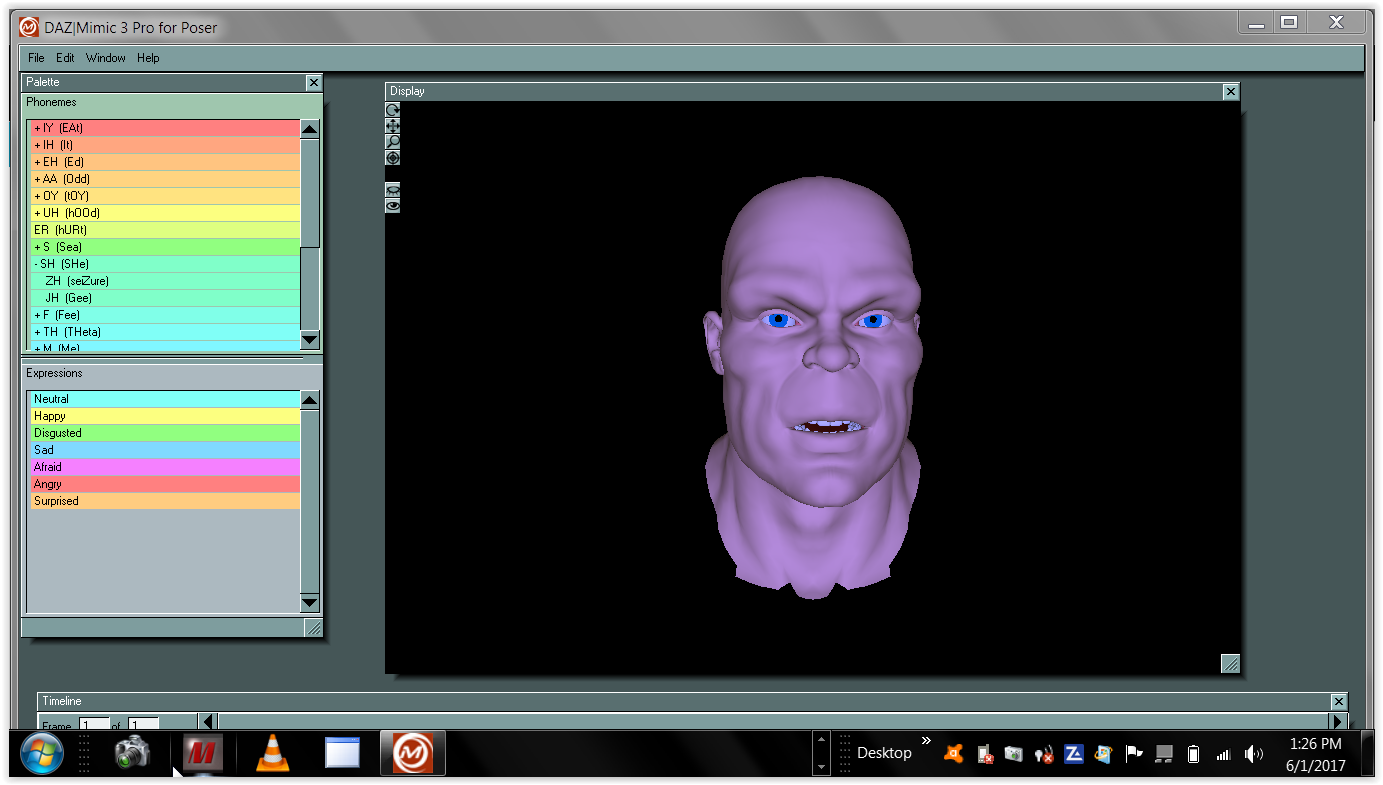
Just FYI it is possible to use pre recorded Audio with mimic live
https://www.daz3d.com/forums/discussion/115371/for-my-fellow-animators-using-mimic-live#latest ;Is it possible to autofit clothing to make it look as if it is too small for figure's frame?I exported the underwear as an object, then imported it back in Daz3d... Followed the steps to make the object a conforming clothing to see if I could fit it on the character to make it seem streched and too small for the frame following these steps:
http://www.versluis.com/2015/03/how-to-turn-a-3d-object-into-conforming-clothing-in-daz-studio/
No success till' now... Maybe I'm doing something wrong in the advanced options of the transfer utility...
Anybody has any ideas? Morphs from G3 to G8
While I'm breaking my arm (to quote noted pilospher James Tiberius Kirk) patting myself on the back for my ingeniuity, I actually have figured out, and tested, a method for bring over morphs with ERC intact, but it is (to borrow a term from the world of Games Workshop) beardy.
As in super beard.
Basically You copy the dsf files from G3, with their folder structure intact (you don't need to go higer than the vendor folder, but you need the rest or it gets that much more dificult).
You then use mass file editing to replace all references to Genesis 3 with Genesis 8 (Genesis3 becomes Genesis8 and Genesis%203 becomes Genesis%208). I use a program called FAR (Find And Replace, iirc) to do this. This requires renaming all the dsf files as txt because FAR won't edit anything it isn't sure is an ASCII file. For compressed dsfs this means uncompressing them first. Of course, they have to re-renamed to dsf once the edits are done.
Now copy those folders into Genesis 8's folder.
At this point, you proceed as above, but when you get to bit about transfering morphs, make sure "overwite existing" is checked. Also (and this important) at no point should you touch the sliders of the copied morph beofre doing the transfer. Bad things may happen. Until you do the transfer, the morph values are pointed at the wrong vetex order and in the wrong direction.
When TU overwites an existing morph, it does not change that morph's ERC links.
Things then proceed as they would above except if you choose the export and then import via morph loader method, you need to name the export file with the internal name of the morph, and then, when you morph load it, make sure Overwrite Existing is changed from Make Unique to Deltas Only.
This will overwrite the bad vertex ordered morph with the correct order.
Told you it was beardy.Wow this sounds scary. Is ths method instead of the "Redz method" or an addition to it? If additional, where does this fit into the "Redz method". Also, does this help fix the crazy hands that happens with some transfers? I have converted about 30 characters and I'm finding some hit and misses with the hands screwing up. BTW thanks for all the work everyone.
The renaming etc in the files is rediculously easy, but I must be missing a step as it keeps failing for me.
I'd love a step-by-step guide.
If you've got a lot of files to change the extension on, use bulk-rename utility; it's years old my copy, so not sure if still available, but something should be.
Well the first step there is to get the files loaded in G8. Is that what's failing?
To be clear, you don't want them working. In fact, you don't want to move any of the sliders at all. You don't want to confuse Studio. After the first step you've got morphs made for G3 loaded in G8, but they won't actually work right because math and stuff.
As for renaming, I do that old school.ren *.dsf *.txt
It's the bit where you replace the text inside the files that get's messy.
Once you've done that correctly, you'll know because the morphs will show on G8 when you load her. Let me know if you get (or have already gotten) that far, because trouble shooting these things is difficult over the internet, and if I just wrote a tutorial it would be as clear as what I already wrote. I need to understand what parts of what I said aren't getting across and it seems like you're volunteering to play victi- er, test subject. Yeah, test subject. That's the ticket. Test subject.Morphs from G3 to G8While I'm breaking my arm (to quote noted pilospher James Tiberius Kirk) patting myself on the back for my ingeniuity, I actually have figured out, and tested, a method for bring over morphs with ERC intact, but it is (to borrow a term from the world of Games Workshop) beardy.
As in super beard.
Basically You copy the dsf files from G3, with their folder structure intact (you don't need to go higer than the vendor folder, but you need the rest or it gets that much more dificult).
You then use mass file editing to replace all references to Genesis 3 with Genesis 8 (Genesis3 becomes Genesis8 and Genesis%203 becomes Genesis%208). I use a program called FAR (Find And Replace, iirc) to do this. This requires renaming all the dsf files as txt because FAR won't edit anything it isn't sure is an ASCII file. For compressed dsfs this means uncompressing them first. Of course, they have to re-renamed to dsf once the edits are done.
Now copy those folders into Genesis 8's folder.
At this point, you proceed as above, but when you get to bit about transfering morphs, make sure "overwite existing" is checked. Also (and this important) at no point should you touch the sliders of the copied morph beofre doing the transfer. Bad things may happen. Until you do the transfer, the morph values are pointed at the wrong vetex order and in the wrong direction.
When TU overwites an existing morph, it does not change that morph's ERC links.
Things then proceed as they would above except if you choose the export and then import via morph loader method, you need to name the export file with the internal name of the morph, and then, when you morph load it, make sure Overwrite Existing is changed from Make Unique to Deltas Only.
This will overwrite the bad vertex ordered morph with the correct order.
Told you it was beardy.Wow this sounds scary. Is ths method instead of the "Redz method" or an addition to it? If additional, where does this fit into the "Redz method". Also, does this help fix the crazy hands that happens with some transfers? I have converted about 30 characters and I'm finding some hit and misses with the hands screwing up. BTW thanks for all the work everyone.
The renaming etc in the files is rediculously easy, but I must be missing a step as it keeps failing for me.
I'd love a step-by-step guide.
If you've got a lot of files to change the extension on, use bulk-rename utility; it's years old my copy, so not sure if still available, but something should be.
Morphs from G3 to G8No, it's not that. I've never used those settings for this. See what I said on page three.
I'm not sure what it is, TBH. I need to experiement, because it's not breaking now.
Which opens up new options, if I can figure out why it was broken to begin with. I think I know, but I'm going to need more testing.
I'm still not sure the method is a good one. The cloning methods they're using wouldn't line up the figure's arms and legs, and testing that has borne out. I did a forearm morph from g2, and with near verts dialed to 1000, the morph didn't do anything at all. Without setting it, it just distorted the hands.
Anyway, I tranfered a custom head from G3 to test the settings and it worked, oddly enough. But I used my transfer clones to do it. Like I said, following the instructions just created what was basically an empty morph for the arms. G8 developer kit
This is to help customers with tasks like custom texturing and morph making, etc.
The export script exports at base resolution which is the necessary way to work with the mesh to ensure it comes back to Daz Studio without compatibility issues.
The DevLoad Actor should load an untextured G8 figure.
The UV pose splays the fingers, toes and opens the mouth and can be exported, with the script, for easier texturing in a 3D program.
I'm not sure on the deformer.
Morphs from G3 to G8So...should I use the clones or the transfer utility? I'm just trying to Move characters that I have bought or gotten for free. I'm not really sure how to use the clones. A tutorial would be nice.
I can write up a tutorial for the clones tomorrow. It does seem to be more reliable, if slower than the transfer utility.
Morphs from G3 to G8So...should I use the clones or the transfer utility? I'm just trying to Move characters that I have bought or gotten for free. I'm not really sure how to use the clones. A tutorial would be nice.
Genesis 8: Some Stats and our ThanksI've had Hexagon for years and re-visit it every time I get a new computer or update the opertating system. I've tried it on several versions of Mac OSX and several versions of Windows. No matter what I try it will crash within 10 minutes of me loading it. The most unstable piece of software ever but I must say that I seem jinxed with some software - I had to return the VWD Dynamic Cloth plugin because it also crashed incessantly. Others seem to have much more luck with it.
Anyhow, I am gradually getting familiar with Blender - little by little. At least it never crashes on my PC (or Mac). So I'd love to see some kind of Blender Bridge.
Same here. A Blender Bridge, please.
I'm curious...why the need for a Blender Bridge? I use both, and to move from D|S to Blender and back seems pretty quick and easy isn't it? In D|S just save as an OBJ with the default Blender export settings (although you need to change "Vertical" to "Y", and maybe just turn off groups to make a single object in Blender), and import the OBJ in Blender. That's it.
And just reverse to import to D|S.
Or am I missing something?
What marble said, for starts. Add to it rhat any clothing items modified and sent back by GoZ will trigger a dialog box similar to Morph Loader to add the morphs to the clothing or give you the option to upsate the base object shape and you have yet another advantage.
Morphs from G3 to G8I should add here, having looked at the thread Redz mentioned, the reason why the user there is having trouble with saved morphs is because Transfer Utility creates a new figure out of the target when you run it.
In the case of existing figures, they become "umoored" from their parent files. Not totally, but enough. Daz still knows to save the morphs in the right figure folder, but it doesn't seem to write the references correctly. I'm using 4.9.4.117
Anyway, in my epxerience, the saved morphs don't load at all. The log file says their parent could not be found. Looking into the file, I find an ID reference, but no file path. Morphs need the relative path to the DSF file of their parent to load. Starting with the data folder. So something like /data/Daz%203D/Genesis%208/Female/Genesis8Female.dsf#Genesis8Female or /data/Daz%203D/Genesis%208/Female/Genesis8Female.dsf#geometry
Files saved driectly after using transfer utility tend to simply say #Genesis8Female or #geometry, and that's where the issue kicks in.I think the trick is to only select morphs for transfer, not the weight maps etc.
having said that, I just tested a few extreme Rawart Genesis characters and the transfer utility method was nowhere near as good as making a clone and manually porting.
I'm willing to write up a tutorial for the clones if there is demand.
Morphs from G3 to G8I should add here, having looked at the thread Redz mentioned, the reason why the user there is having trouble with saved morphs is because Transfer Utility creates a new figure out of the target when you run it.
In the case of existing figures, they become "umoored" from their parent files. Not totally, but enough. Daz still knows to save the morphs in the right figure folder, but it doesn't seem to write the references correctly. I'm using 4.9.4.117
Anyway, in my epxerience, the saved morphs don't load at all. The log file says their parent could not be found. Looking into the file, I find an ID reference, but no file path. Morphs need the relative path to the DSF file of their parent to load. Starting with the data folder. So something like /data/Daz%203D/Genesis%208/Female/Genesis8Female.dsf#Genesis8Female or /data/Daz%203D/Genesis%208/Female/Genesis8Female.dsf#geometry
Files saved driectly after using transfer utility tend to simply say #Genesis8Female or #geometry, and that's where the issue kicks in.Genesis 3 Female Head Morphs - Eyelids Top / Bottom HeightI would recommend buying the 200 plus morphs pack by Dogz. It has morphs for adjusting the inner and outer parts of the eye lids as well as a lot morphs for adjusting the ears.
https://www.daz3d.com/forums/discussion/69268/morphalynn-127-head-and-face-morphs-for-g3f
Thanks both, I'll give these a try. Just a shame the ones I needed weren't there in the official morph packs like they were for G2F...
Morphs from G3 to G8Redz, is there anyway you could make 'G3F to G8F Morph Transfer' for G2F? I have a lot of excellent content but it's G2F.
Are you looking to port over individual morphs or cusstom characters made with multiple dials?
For individual morphs I suggest you try the transfer utility method as shown in this thread, just substitute Genesis 2 wherever it mentions Genesis 3.
However, once you have transferred your morphs you need to follow the last part of my tutorial about editing the rigging to shape, ERC freeze and saving the morphs.
I've tried a few morphs and they port over well, though some more extreme ones may not.
These are the settings to use on the transfer utility. It's genesis here but also works for Genesis 2 and her clone
Morphs from G3 to G8While I'm breaking my arm (to quote noted pilospher James Tiberius Kirk) patting myself on the back for my ingeniuity, I actually have figured out, and tested, a method for bring over morphs with ERC intact, but it is (to borrow a term from the world of Games Workshop) beardy.
As in super beard.
Basically You copy the dsf files from G3, with their folder structure intact (you don't need to go higer than the vendor folder, but you need the rest or it gets that much more dificult).
You then use mass file editing to replace all references to Genesis 3 with Genesis 8 (Genesis3 becomes Genesis8 and Genesis%203 becomes Genesis%208). I use a program called FAR (Find And Replace, iirc) to do this. This requires renaming all the dsf files as txt because FAR won't edit anything it isn't sure is an ASCII file. For compressed dsfs this means uncompressing them first. Of course, they have to re-renamed to dsf once the edits are done.
Now copy those folders into Genesis 8's folder.
At this point, you proceed as above, but when you get to bit about transfering morphs, make sure "overwite existing" is checked. Also (and this important) at no point should you touch the sliders of the copied morph beofre doing the transfer. Bad things may happen. Until you do the transfer, the morph values are pointed at the wrong vetex order and in the wrong direction.
When TU overwites an existing morph, it does not change that morph's ERC links.
Things then proceed as they would above except if you choose the export and then import via morph loader method, you need to name the export file with the internal name of the morph, and then, when you morph load it, make sure Overwrite Existing is changed from Make Unique to Deltas Only.
This will overwrite the bad vertex ordered morph with the correct order.
Told you it was beardy.Wow this sounds scary. Is ths method instead of the "Redz method" or an addition to it? If additional, where does this fit into the "Redz method". Also, does this help fix the crazy hands that happens with some transfers? I have converted about 30 characters and I'm finding some hit and misses with the hands screwing up. BTW thanks for all the work everyone.
This would be something different from Redz's method. As for fitting it in, with Redz method, rather than dialing up a character, you would use tranfer utility. First you'd copy the DSFs to G8. Then you'd edit them so that they referenced G8 instead of G3 (as noted above) You'd mark the morph controller as favorite in G3, then use TU with Morphs checked and "favorites and subcomponent's selected. Then you'd dial each individual morph into the target mesh, one at a time and export them. They need to have the same names as the original morphs. And so and so forth. But it's still really complex, so not for the faint of heart. I mean, I've done the proof of concept but still haven't actually done more than that. It'll be a big effort, and probably still need a bit of tweaking. You also have to be careful to be sure none of the copied morphs have the same names as morphs already on G8 It would not fix any issue with hands, however. For that, you need to go back to my first post (bottom of page 3) and create a clone.
This bit of madness is something else entirely. It's a method for retaining ERC links. Beyond that, it's not going to effect the quality of a transfer at all.Redz, is there anyway you could make 'G3F to G8F Morph Transfer' for G2F? I have a lot of excellent content but it's G2F.
I'm not sure this is possible. You would definitely need a clone to make this work. Redz current method exploits the fact that G8 and G3 have the same geometry, largely. But minor differences between the two lead to little problems like the wonky hands and such. This iss would get worse with G2 because G2 and G8 don't have the same mesh. They don't even have the topology. The only way to get a good transfer would be through clones.
Way back, when Kattey first proved out this method, that was how it was done and still there were issues because Autofit clones don't need to be exact, Just kinda close. (I made a G3 Clone of Cookie. I know where of I speak.) But G8's clones don't work like G2's. They're useless for this kind of thing, as far as I know.
The short for of this long answer is "Because Clones, no one can make a sharable file. (At least as far as I know.) So there's no good way to make a high fidelity transfer between G2 and G8. For low fi, maybe, but expect distortion if it works at all."I used your fit-to method to make a near perfect G8F clone for Genesis. The transfer utility method works better once you check near vertices and set that to 1000. The previos arm distortion is gone.
Morphs from G3 to G8While I'm breaking my arm (to quote noted pilospher James Tiberius Kirk) patting myself on the back for my ingeniuity, I actually have figured out, and tested, a method for bring over morphs with ERC intact, but it is (to borrow a term from the world of Games Workshop) beardy.
As in super beard.
Basically You copy the dsf files from G3, with their folder structure intact (you don't need to go higer than the vendor folder, but you need the rest or it gets that much more dificult).
You then use mass file editing to replace all references to Genesis 3 with Genesis 8 (Genesis3 becomes Genesis8 and Genesis%203 becomes Genesis%208). I use a program called FAR (Find And Replace, iirc) to do this. This requires renaming all the dsf files as txt because FAR won't edit anything it isn't sure is an ASCII file. For compressed dsfs this means uncompressing them first. Of course, they have to re-renamed to dsf once the edits are done.
Now copy those folders into Genesis 8's folder.
At this point, you proceed as above, but when you get to bit about transfering morphs, make sure "overwite existing" is checked. Also (and this important) at no point should you touch the sliders of the copied morph beofre doing the transfer. Bad things may happen. Until you do the transfer, the morph values are pointed at the wrong vetex order and in the wrong direction.
When TU overwites an existing morph, it does not change that morph's ERC links.
Things then proceed as they would above except if you choose the export and then import via morph loader method, you need to name the export file with the internal name of the morph, and then, when you morph load it, make sure Overwrite Existing is changed from Make Unique to Deltas Only.
This will overwrite the bad vertex ordered morph with the correct order.
Told you it was beardy.Wow this sounds scary. Is ths method instead of the "Redz method" or an addition to it? If additional, where does this fit into the "Redz method". Also, does this help fix the crazy hands that happens with some transfers? I have converted about 30 characters and I'm finding some hit and misses with the hands screwing up. BTW thanks for all the work everyone.
This would be something different from Redz's method. As for fitting it in, with Redz method, rather than dialing up a character, you would use tranfer utility. First you'd copy the DSFs to G8. Then you'd edit them so that they referenced G8 instead of G3 (as noted above) You'd mark the morph controller as favorite in G3, then use TU with Morphs checked and "favorites and subcomponent's selected. Then you'd dial each individual morph into the target mesh, one at a time and export them. They need to have the same names as the original morphs. And so and so forth. But it's still really complex, so not for the faint of heart. I mean, I've done the proof of concept but still haven't actually done more than that. It'll be a big effort, and probably still need a bit of tweaking. You also have to be careful to be sure none of the copied morphs have the same names as morphs already on G8 It would not fix any issue with hands, however. For that, you need to go back to my first post (bottom of page 3) and create a clone.
This bit of madness is something else entirely. It's a method for retaining ERC links. Beyond that, it's not going to effect the quality of a transfer at all.Redz, is there anyway you could make 'G3F to G8F Morph Transfer' for G2F? I have a lot of excellent content but it's G2F.
I'm not sure this is possible. You would definitely need a clone to make this work. Redz current method exploits the fact that G8 and G3 have the same geometry, largely. But minor differences between the two lead to little problems like the wonky hands and such. This iss would get worse with G2 because G2 and G8 don't have the same mesh. They don't even have the topology. The only way to get a good transfer would be through clones.
Way back, when Kattey first proved out this method, that was how it was done and still there were issues because Autofit clones don't need to be exact, Just kinda close. (I made a G3 Clone of Cookie. I know where of I speak.) But G8's clones don't work like G2's. They're useless for this kind of thing, as far as I know.
The short for of this long answer is "Because Clones, no one can make a sharable file. (At least as far as I know.) So there's no good way to make a high fidelity transfer between G2 and G8. For low fi, maybe, but expect distortion if it works at all."Morphs from G3 to G8Redz, is there anyway you could make 'G3F to G8F Morph Transfer' for G2F? I have a lot of excellent content but it's G2F.
Are you looking to port over individual morphs or cusstom characters made with multiple dials?
For individual morphs I suggest you try the transfer utility method as shown in this thread, just substitute Genesis 2 wherever it mentions Genesis 3.
However, once you have transferred your morphs you need to follow the last part of my tutorial about editing the rigging to shape, ERC freeze and saving the morphs.
I've tried a few morphs and they port over well, though some more extreme ones may not.
Josh Crockett Suggestion Page for Monster Characters!Hey I like the new creature preview. One thing I would like to suggest is ,make individual morphs . Like the head morph, hands ,and body. Some of the creatures are so deformed they don't look that good adding stuff to them , so if I want to add a suit I can bring the body a bit back to normal but yet keep the head and hands awesome.. Oh yea and on the aliens maybe a 4 finger morph. Besides that love the models hope to see many many more.
Daz 3D is part of

Connect
DAZ Productions, Inc.
7533 S Center View Ct #4664
West Jordan, UT 84084Licensing Agreement | Terms of Service | Privacy Policy | EULA
© 2026 Daz Productions Inc. All Rights Reserved.