-
Morph para Genesis 2 no Poser
Hello people
I need to modify the foot of the model Genesis 2 male, but whenever I do the .OBJ with the change and apply it is with the texture inverted and I can only see selecting to show the hidden faces. How do I invert the feet without this happening?
Genesis 8 Characters I'd Like to SeeI'd love to see separatley sold textures for characters, since I seldomly use the morphs of the characters I buy... I tend to buy characters for their texture even if the morph isn't my thing for that same reason...
More color would be a great plus... there are so many shades of skincolor in our world... yet daz characters mostly come in "white" and all the possibilites for fantasyraces that are untapped...So what I want to see for characters would be the amazing morphs by zev-o and handspan studios for this new generation, real-world morphs as well als fantasy morphs (and fitting add-ons for that)... some great textures and addons for make-up (please, please, PLEASE some 'natural' make-up options too), freckles, scars (if those came with morphs, that'd be awesome!), wounds, dirt, masks, warrior 'make-up' and what have you not...
edit: completly forgot... realistic looking tattoos. often characters come with interesting tattoos, but some just look like there was a sticker put on the skin or latexcolor was used to paint it on... or something like that. Kind of a bummer...
What genre of content do you want to see a lot more of?Superhero outfits or at least accessories for more kitbashing that are a little better modeled and morphed than the ones over at rendo. And I usually bypass alot of female outfits that don't have a male counterpart. So at lot of fantasy and scifi outfits are usually end up being passed or at least wait for a steep discount to justify collecting it. I like bundles of male and female clothes and accessories so that I can have them both at the same time.
Need more style of capes and draping outfits, DEFINITELY more styles of belts that can morph hieght from waist to hips and does not look like its floating. Masks and hoods. Lots of
Yup, Definitely more Superhero stuff.
Genesis 8 morphs compatibilityHello everyone, I saw that the new genesis 8 figure is backwards compatible, does that also mean i can apply genesis 8 morphs on older models like genesis 3? Also can i apply genesis 3 series characters on Genesis 8? Thank you for your time.Not directly (there are several threads discussing morph conversion by various routes). It means that textures for the Genesis 3 females base UV set will work, and that there are clones for auto-fitting clothing from any other currently available Genesis figure.
Morphs from G3 to G8Okay as promised the tutorial for making clones and using them to transfer morphs from Genesis/Genesis 2/Genesis 3
Yes it's pretty long, yes you may say what's the point and yes extreme eye and teeth morphs may get borked, but it's the most reliable way I've found so far.
It will also let you autofit G8F wardrobe to older generations and has poses to put the older Genesis figures into G8's approximate A pose.
You need to copy the people folder to your Daz3D Library
For those obsessional or crazy enough to try
DOWNLOAD CLONES AND MORPHS TUTORIAL HERE
Render shows three of RawArt's Genesis characters on G8F posed and dressed. Have fun ;)
boots not fitting- can't adjustAre you using the boots on the figure they were made for? Have you looked to see if they coem with a morph to fit the feet to the boots, or a preset to simply hide the feet?
yes, Im using Onyx boots with Victoria 5.
No there are no posing morphs unfortunately
They line up perfectly if the foot is straight, but as soon as you bend the foot, they stay behind.
boots not fitting- can't adjustAre you using the boots on the figure they were made for? Have you looked to see if they coem with a morph to fit the feet to the boots, or a preset to simply hide the feet?
Morphs from G3 to G8Ugh, so frustrated today! A couple of days ago I made a character I liked using Sickleyield's method and everything worked perfectly. Then today, the whole dial morph was gone! I opened a scene with the character and tried to re-save it as a dial morph and it would not save. This is a custom character I created for G3 so I took the obj I had created, that didn't work. I tried to save the G3 version as a shape and that didn't work. I also saved it as a character and that seemed to work in Redz method, but then the hands went all wonky. I still have the G8 version of the character saved in a scene, how can I make a dial morph out of it? Digidot's online method did not work, wouldn't let me save it. What happened to the dial I created with Sickleyield's method? It disappeared. Also all the Facegen characters I created for G3 are no longer there, since I updated DS. Where did they go??? Help!
Edited to add that when I open the scene with the character I created before, the slider is there! But if I open a new scene, the slider is gone! How do I get the slider to appear in new scenes? Thanks to anyone who can help with this.
Save the morph(s) with File - Save As - Support Asset - Morph Asset(s)... When Morph Asset(s) Save Options window opens, type in vendor mane, product name, find morphs you wish to save under G8F, "check" them (click in the box in front of morph name) and click Accept. After saving is done load another (new) G8F into the scene and check if that new one haves the morphs you just saved.
GenX2 Update / Genesis 3 Add-On [Commercial]There is an update which came out today, which had been hanging in limbo "While things were sorted out" It was filed shortly before Ralf passed away.
Dimension3D had submited the update shortly before passing away, and it hung in limbo for a bit while 'things were sorted out' before going out today.
Then the update notes were put on the wrong readme....2017-06-20 - v2.1.1 Bugfixes:
formulas were not included for transfers between G2F and G2M
morphs were not loaded if vertex_count was set to -1
morphs were not loaded if URL references had different upper/lower case spelling
possible crash when mixing actor names with and without colon for Poser morph injections
crash when transferring morph after canceling transfer with properties dialogIs it possible to autofit clothing to make it look as if it is too small for figure's frame?If you try many times, and still could not, please show SS for each setting, (daz export option, blender import option, blender export otpion, and morph loader setting) , Oth others can check and point out, what may cause problem.
Btw I think smay product shrink character mesh too . If you make morph with blender, or use push modifier with weight node in daz, then save it as morph for character, wearable preset can keep those morph value, when fit to. and may auto adjust character mesh as if shrink, around fit area. (though I believe HD morph work better for such purpose,,)
Exporting COLADA modelsNever tried but if you enabled the "Animation" option and check the "Morph" option and it still does not work ?
Is it possible to autofit clothing to make it look as if it is too small for figure's frame?1, if you click eye icon of root Figure (eg genesis2F ) ,it hide Figure from 3d view and render, but when you export, it just keep all mesh of child nodes.

then select root figure, and select child nodes, (now select all bones), then in parameter, set un-visible. work . (not export hidden mesh as obj)
2. same Prolbem may happen when you "export obj from daz studio," when you "import obj from blender." and "morph loader setting". you need to set all option correctly.
to test easy, you can check vertex count, in daz and blender. (use Scene info tab in daz studio,,) and in edit mode in blender, show you current selected vertices counts.
You may better, just export and import without modify, then test if morph loader can import morph, (though it should be zero morph, then not produce controller)
check each setting one by one compare with sickle yield process (It is same way we passed already,, then once you find setting, it is not difficult,,)
and did you export bese resolution mesh? you need to export base resolution,,,just confrim,, I often forget it,,
Is it possible to autofit clothing to make it look as if it is too small for figure's frame?I exported from Daz the pants with no figure atached, I shrinkwrapped in Blender and exported as object, then tried to add to the pants in daz with morph loader pro, using the pants object file exported from Blender. as preset.. And it says the same thing.... "Warning: Geometry did not match, failed to create morph." Have no idea what I'm going wrong...
Is it possible to autofit clothing to make it look as if it is too small for figure's frame?5 is famous problem, when we often see, if you export sub-D mesh or, export with figure attached etc,,
that means, your export pants (in daz studio), policounts and vertex order changed when you import again, without you intention.
maybe setting propblem (import and export obj process) or you cut or connect vaetex without you intention.
I feel,, offer lik of sickle yield you tube tutoriall, seems better and clear guide you. have you seen it already?
you can make morph, (ther tutoriall show) with posing Figure (template for modify clothing) and clothing too, but import it with reverse defomation option. (in morph loader)
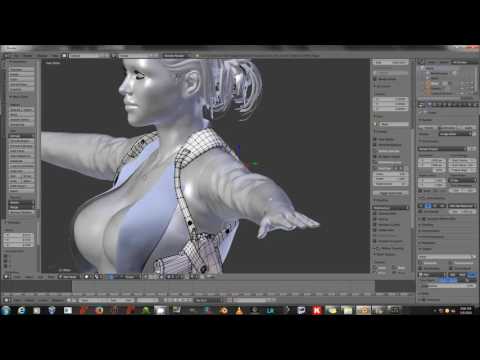 Is it possible to autofit clothing to make it look as if it is too small for figure's frame?
Well I tried it
1. I shrinkwrapped and deformed the pants in blender to fit the figure nice and tight, and saved as an object file.2. I go to Daz and load the G2 and conform normal pants to the figure
3. Then I select the conformed pants in the scenes pane, and in assets select morph loader pro
4. In morph loader pro I select as preset the shrinkwrapped and deformed pants
5. But when I click accept it fails to create the morph dials and says this message
"Warning: Geometry did not match, failed to create morph."I don't know what I am doing wrong...
Morphs from G3 to G8Ugh, so frustrated today! A couple of days ago I made a character I liked using Sickleyield's method and everything worked perfectly. Then today, the whole dial morph was gone! I opened a scene with the character and tried to re-save it as a dial morph and it would not save. This is a custom character I created for G3 so I took the obj I had created, that didn't work. I tried to save the G3 version as a shape and that didn't work. I also saved it as a character and that seemed to work in Redz method, but then the hands went all wonky. I still have the G8 version of the character saved in a scene, how can I make a dial morph out of it? Digidot's online method did not work, wouldn't let me save it. What happened to the dial I created with Sickleyield's method? It disappeared. Also all the Facegen characters I created for G3 are no longer there, since I updated DS. Where did they go??? Help!
Edited to add that when I open the scene with the character I created before, the slider is there! But if I open a new scene, the slider is gone! How do I get the slider to appear in new scenes? Thanks to anyone who can help with this.
I have experienced this as well...but with other Morph Loader morphs. I haven't discovered the reason. I load and save a bunch of morphs assets, only to find them gone in a new scene.
My failsafe is to save a scene after the morphs are loaded. Then if the sliders are missing. When I start a new scene, I can still pull up the morph and try to save it as an asset again
Genesis 8 Female Headsplit Dformer- What is it for?It offered D-former as influence weight map. then you can restrict influence when Import morph for figure, for Head only or Full body morphs. then we can get
head morphs, and Full body morphs (Under head part only)
I actually had used it often. to import mis shape character, and geneate head morph, Full body morphs, with my custom weight map,,
but DAZ offer D-former map, help me, to clear see, daz official divide weight map for head section. (though each vendor not keep same rule I feel,,to divide them)
Is it possible to autofit clothing to make it look as if it is too small for figure's frame?To deform clothing , we need to use morph which offered from vendor, or we need to make by ourselfs. If you do not like make morph in blender, you need to deform with D-former, or push modifer (offered as DAZ tool), then you may save those new shape as morph of clothings.
I feel push modifer + smooth modifer, (in daz studio) may help. but I do not think it show better result than Blneder modifiers and manuall adjustment. (eg you can use Latice modifier,, in blender ,or propotional editing, or sculpt with move brush etc,,)
If I could make good shape which I need for clothign, I simply import it and use it as morph .
Is it possible to autofit clothing to make it look as if it is too small for figure's frame?I think you need not use Transfer Utility for your purpose. if you could deform well in blender,, you may only need to know clear knowledge about Morph Loader (Pro) .
By morph loader, you can import current clothing shape (in blender shrink wraped and defromed with modifier) as morph target,
of your confromed clothing, DS generate morph dial which can change clothing shape to the morph traget shape.
I recommend, serch "morph loader" with google then, learn Morph loader usage.
Josh Crockett Suggestion Page for Monster Characters!Hey I like the new creature preview. One thing I would like to suggest is ,make individual morphs . Like the head morph, hands ,and body. Some of the creatures are so deformed they don't look that good adding stuff to them , so if I want to add a suit I can bring the body a bit back to normal but yet keep the head and hands awesome.. Oh yea and on the aliens maybe a 4 finger morph. Besides that love the models hope to see many many more.
Thanks Cradzinski. Got some cool stuff regarding induvidual morphs planned. Great minds think alike :)
Daz 3D is part of

Connect
DAZ Productions, Inc.
7533 S Center View Ct #4664
West Jordan, UT 84084Licensing Agreement | Terms of Service | Privacy Policy | EULA
© 2026 Daz Productions Inc. All Rights Reserved.