-
Genesis 8.1 / Victoria 8.1
scheusal242 said:
AllenArt said:
Petra said:
AllenArt said:
Petra said:
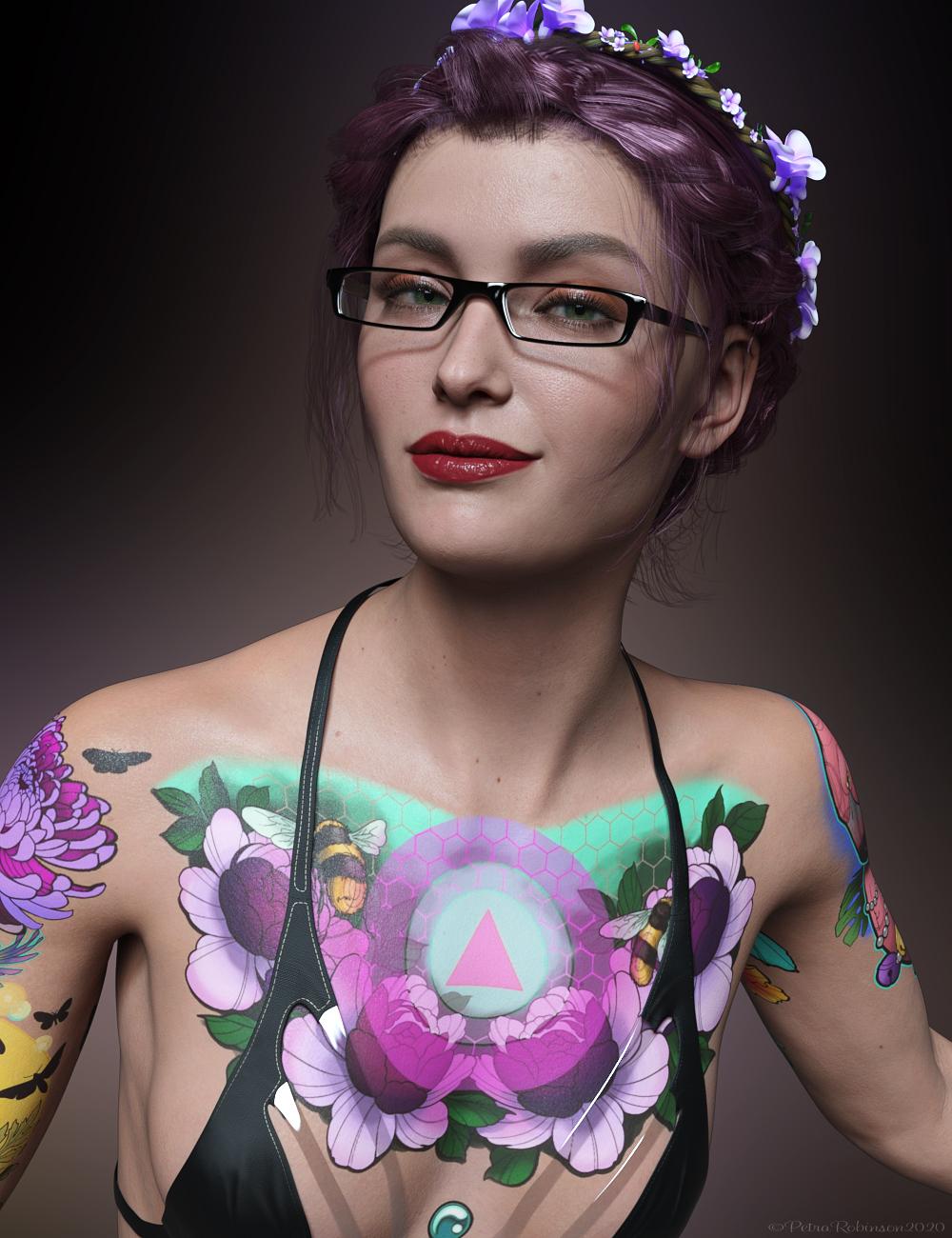 My first render with Victoria 8.1.
I think she is very cute.
She is cute, but gahhhh....those tattoos. Urgh.
Not too much of a fan either. The Skin is amazing though and I wish they had made a realistic-looking tattoo to match it.
Agreed. Love your image tho ;)
screwy, it doesn't look like a tattoo but more like an airbrush painting
The problem is that tattoos aren't decals. Tattoos sit underthe skin, not on top of it. LIE sits on top of your character's skin. Tattoos tend to fade into the skin, too, and these look very crisp. Like she went in and got all these tattoos the same day, and that was a week ago.
Pretty sure that's why it looks so unnatural to people. The images themselves look very nice, and it's really cool how they (Daz) got them though!
Skin Detail Resource 1 What does this do?NylonGirl said:
This product, like so many others, would probably get more sales if it was more clearly explained.
I noticed the Victoria 8.1 character has lots of appeaing skin detail that I can actually see, even in the IRAY preview. I don't know if I've seen anything like that before. Maybe I just don't have the right subdivision setting or something. But anyway, I'd like to know if this Skin Detail Resource product has something that I can use to make older characters have the same detail. If I apply the material settings from a Genesis 8 character, or even Genesis 3 character, to the 8.1 character and then click on some preset from this Skin Detail Resource, would the character magically have a more impressive amount of detail than the G8 version ever did? Or would I have to be some kind of DAZ Studio wizard to know what to do with these files?
And does this product enhance the original skin with more details (normal or bump or whatever they call it) or does it replace the original skin completely (limiting me to just the skins included, which don't seem to include any dark skin)?
The skin details are part of the new Skin PBR Shader, not Genesis 8.1 itself. So if you just apply a G3/8 preset to G8.1, you are just overwriting the shader and then you won't have the detail slot needed for this product. You can still use this to improve your old characters if you manually apply the maps and settings from the Uber Shader to the new skin shader. Then this product can be used to add that nice skin detail texture which is especially useful for closeups.
The included maps in the product are basically pore details, they won't replace your character's skin. Yes, they enhance the textures, not replace or alter them. I am using Victoria 8.1 here, but what it does is basically what you can notice if you click for the full size image.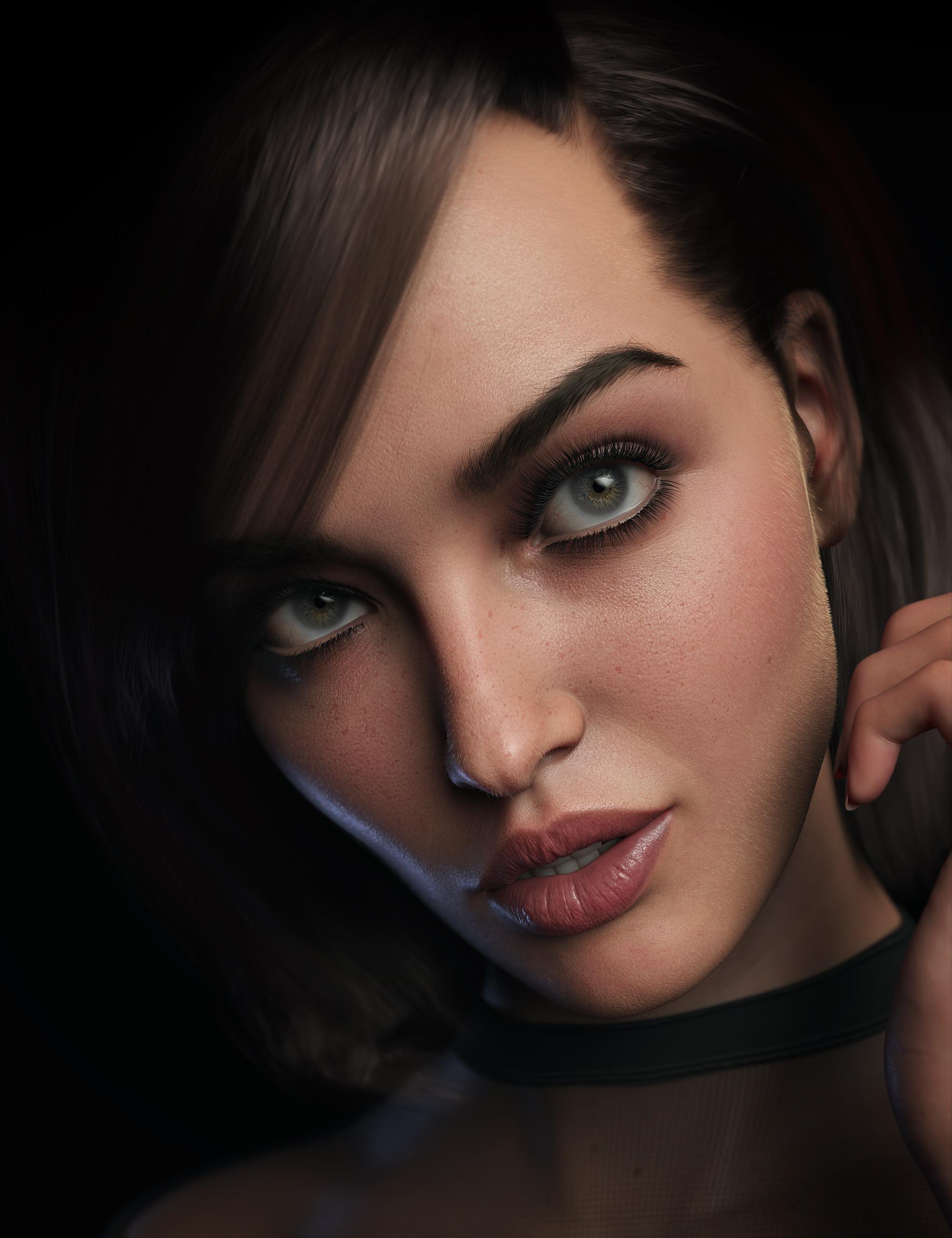
Pakmule said:
Is it possible to add more than one detail normal map to a character? I can't see a way to do it.
No. There is just the normal and detail normal slots.
In normal circumstances, you don't need more than one for detail. You can individually set the tiling number of the detail maps to adjust them to the camera distance ans/or UV scale difference. But it would be nice to have more than one for scars or other things.
Genesis 8.1 / Victoria 8.1AllenArt said:
Petra said:
AllenArt said:
Petra said:
My first render with Victoria 8.1.I think she is very cute.
She is cute, but gahhhh....those tattoos. Urgh.
Not too much of a fan either. The Skin is amazing though and I wish they had made a realistic-looking tattoo to match it.
Agreed. Love your image tho ;)
screwy, it doesn't look like a tattoo but more like an airbrush painting
Victoria 8.1 FBM not symmetricMasterstroke said
So if you are creating morphs, clothes, hair, geo grafts or any other add ons, use the Genesis 8 Female base, not Victoria 8.
If you create geografts, vicky morph will be transfered to the geograft. And if the result isn't good, you have to edit the morph to correct it. With such an asymmetric geometry you can say goobye to mirroring your sculting tool.
Am I remembering wrong?Are you thinking of the one generated by GenX? It's under General --> Generation X --> *** People *** as Victoria 4.
Genesis 8.1 / Victoria 8.1Drip said:
I guess I'll bite for Victoria 8.1 and Michael 8.1, but if Daz is going to *sell* an 8.1 update for all other G8 characters, then they can forget about it.
Would still be interested in Lilith 8.1 and Cat 8.1 though. Lilith 7 was great, so I wanted a Lilith 8 since the beginning of Genesis 8. And a Cat for generation 8 is also loooooong overdue.
Same - I would like a Lilith 8.1 and an Arabella 8.1; as well as a Scott 8.1.
For some reason I don't think we're likely to get them, but that could just be because I'm a natural pessimist. That said, it also seems true that DAZ is going in different thematic directions lately than they were when they were coming out with figures like these. So my confidence we'll get them is low.How does the FG Cabin look from the outside?It probably looks as good from the outside as Victoria X looks from the inside.
Genesis 8.1 / Victoria 8.1dlm4001 said:
Thank you both for the replies, I will update now then. Two more questions... Sorry I am coming to the party late with basic questions.
People said when they loaded 8.1, all of the morphs were there. Does this include Morphs from packages like Zev0?
Also, In previous posts, people said the mesh was the same and the changes were mostly facial rig, shaders and some eye features. Then why did they say that clothes made for 8.1 would not work with 8.0? (marketing?) I would be reluctant to buy anything made for 8.1 only. Seems restrictive. Maybe clothes modelers will make them compatible (8.0 and 8.1 versions included). That seems like a real burden on them.
I will buy Victoria 8.1 most likely... seems like a fair investment.
Never mind the marketing people... Even if they at some point start releasing G8.1 only clothes/hair, you can still use the Scene Identification trick to make it a G8.0 item.
With nothing selected in the scene, load the item and select it, go to "Edit->Figure->Scene Identification" and change the "Preferred Base" from "/Genesis 8.1/Female" to "/Genesis 8/Female" the opposite is not necessary in 4.15 as G8.1 accepts G8.0 clothing and hair like it was loaded on G8.0 (4.12.0.86 did complain about unsupported item)
Once you have done the trick, you can fit the clothing like it was meant for it (works fine also between G3/G8, if A vs T-pose not making problems)
Genesis 8.1 / Victoria 8.1dawnblade said:
kimh said:
My first render of Victoria 8.1. I am pleased with her. Other then fixing a few poke-throughs and adjusting the lighting a little in Paintshop Pro this is her out of the box
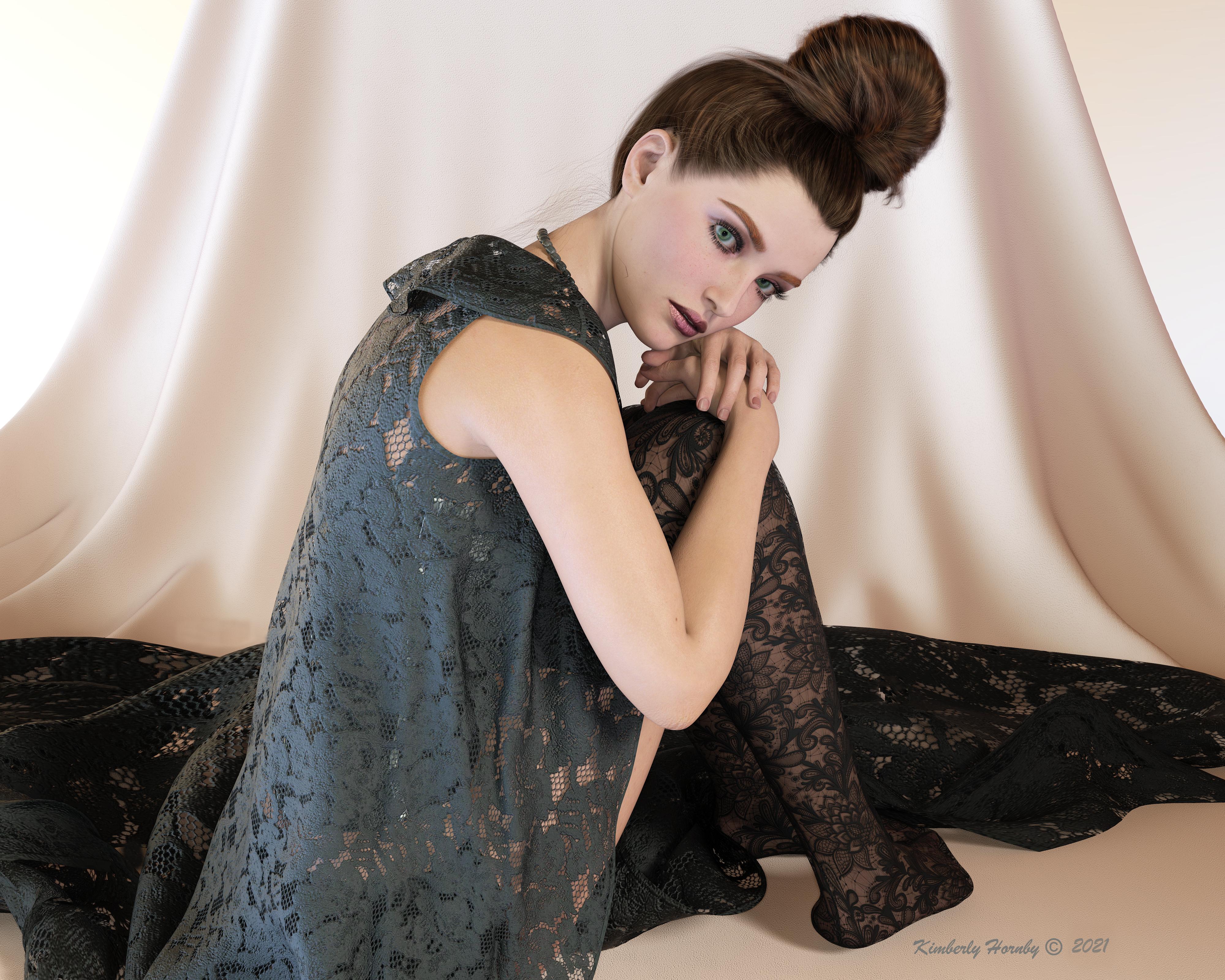
Great work! Love the lighting, her expression, and the intricate hand poses which I know takes a lot of work moving hand and finger joints, and you nailed it! The seated pose is very difficult to pull off, especially with dealing with so much poke through, but you did a great job here!
Thank you, I appreciate the compliment. Although I started with a pose set, getting the fingers correct so they weren't through the other hand was a bit of a challenge. And using the robe from the dforce 1920's Boudoir set in that pose was not fun. Especially when placing her on top on the cloth background which was a nightmare in itself. All in all I was really happy with the result and especially the lighting which I think shows off her skin beautifully
G 8.1 vellus hair included or not in base character ?NylonGirl said:
Anim said:
NylonGirl said:
I just want you all to know that, in my DAZ Install Manager, the Female Vellus Hair appears just above "Festive Balls".
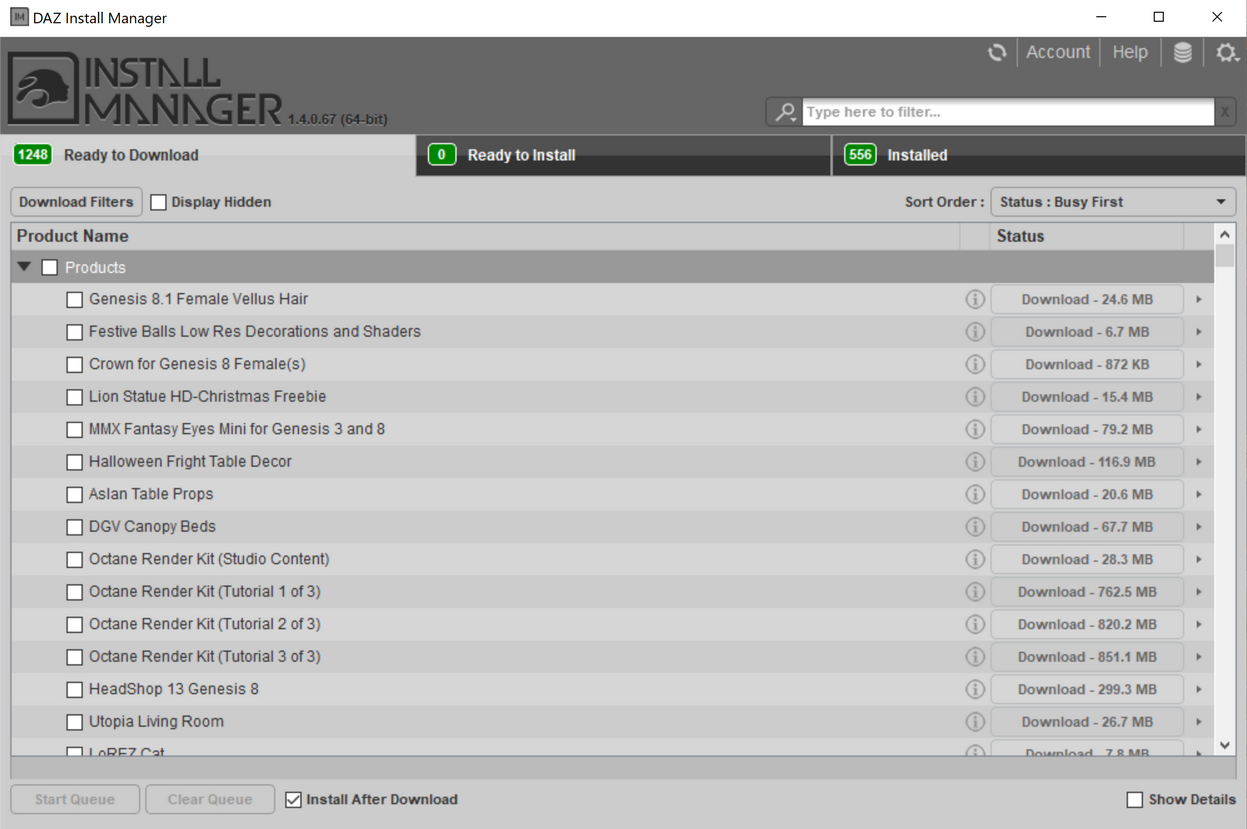
Did you also buy Vic 8.1 or did it appear without her?
I did buy Victoria 8.1. The vellus hair didn't appear that day, but showed up later. Now I can put hair anywhere that needs it.
thats when vellus hair showed up for me...with my V8.1 purchase, not just all of a sudden being there, but I did not buy V8.1 right away..it was the 3rd day after release.
G 8.1 vellus hair included or not in base character ?Anim said:
NylonGirl said:
I just want you all to know that, in my DAZ Install Manager, the Female Vellus Hair appears just above "Festive Balls".
Did you also buy Vic 8.1 or did it appear without her?
I did buy Victoria 8.1. The vellus hair didn't appear that day, but showed up later. Now I can put hair anywhere that needs it.
Skin Detail Resource 1 What does this do?thd777 said:
Yes, there is a new switch called "Detail Enable" (in addition to makeup etc). once activayed you can add the micro detail maps there. Very good to enhance G8.0 characters that are transferred to G8.1
This micro detail collection is great in my opinion and very easy to use. Here is an example closeup of one of my characters (based on Emmeline from sangriart) in her 8.1 version after a little tweaking and adding one of the Skin Detail maps {click for full 2K*2K view).
By the way, there are skindetail maps included with Victoria 8.1 that one can use to try this out.
Ciao
TD
Oh, and I love, love , love the eyes in this update. Just wonderful in my opinion.
Unfortunately, the forum compression smudges much of the detail... Boo
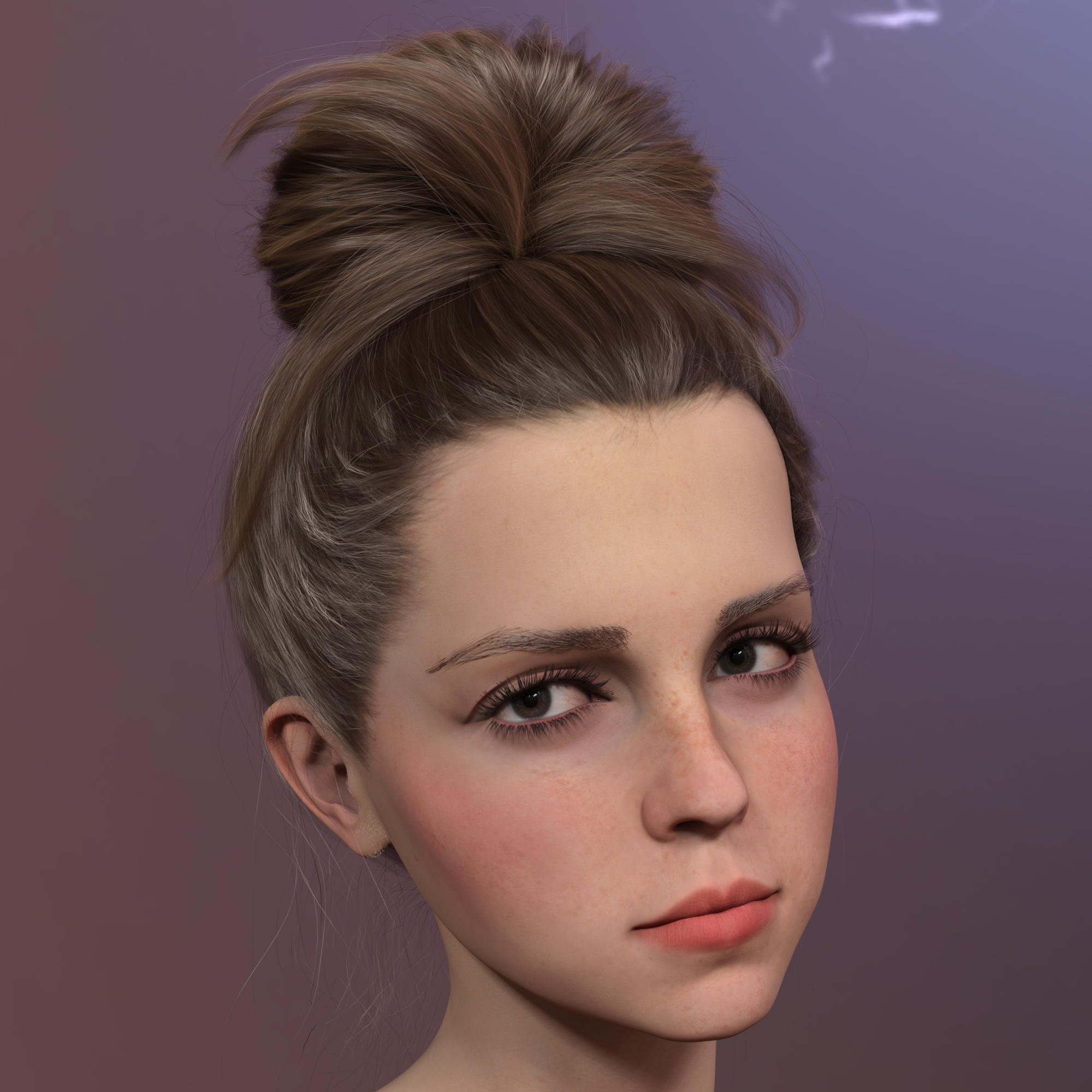
I am staring at your image for a while now and can not see any details.
Genesis 8.1 / Victoria 8.1Thank you both for the replies, I will update now then. Two more questions... Sorry I am coming to the party late with basic questions.
People said when they loaded 8.1, all of the morphs were there. Does this include Morphs from packages like Zev0?
Also, In previous posts, people said the mesh was the same and the changes were mostly facial rig, shaders and some eye features. Then why did they say that clothes made for 8.1 would not work with 8.0? (marketing?) I would be reluctant to buy anything made for 8.1 only. Seems restrictive. Maybe clothes modelers will make them compatible (8.0 and 8.1 versions included). That seems like a real burden on them.
I will buy Victoria 8.1 most likely... seems like a fair investment.
Genesis 8.1 / Victoria 8.1Petra said:
AllenArt said:
Petra said:
My first render with Victoria 8.1.I think she is very cute.
She is cute, but gahhhh....those tattoos. Urgh.
Not too much of a fan either. The Skin is amazing though and I wish they had made a realistic-looking tattoo to match it.
Agreed. Love your image tho ;)
Am I remembering wrong?There is "Victoria 4 for Genesis 2 Female"
https://www.daz3d.com/victoria-4-for-genesis-2-femaleWhat happened to Genesis 8 Starter Essentials with new 8.1?Since installing V4.15 and Victoria 8.1 came out , I cannot find Genesis 8 Starter Essentials in Smart Content. I found the product in my DAZ Product Library and cannot tell if it's still installed in my DAZ, it does not show in Content Library under Products. It appears that Genesis Male PowerPose Templates has all these files???? What the hell does this product have to do with Genesis 8.1 Females???
The other issue is both the Genesis 8.1 Female Vellus and Graphic Brows Look for Genesis 8 Females products do no load correctly. I uninstalled both products along with the Victoria 8.1 and G8 Male PowerPose products, shut down DAZ on then reinstalled all 4 products starting with G8 Male, then V8.1... This did not help.
Any ideas would be appreciated.
Re-installing V4.2 - morphs?Hi, following a recent PC crash I needed to re-install V4. No problem re-installing V4.2 Base using DIM, but no sign of V4 Head Morphs, Body Morphs or Morphs++ (neither in DIM nor in the Product Library of my online account) - just something called Victoria 4.2 Shapes++. DIM doesn't install V4.2 Shapes so I'm confused as to how I can re-install the morphs that I need. Help appreciated.
Victoria 4.2 eyes wont close or open in Poser???I just reinstalled Victoria 4 using the Daz Installer on a newish Windows 10 PC. Cobra Blade is correct, the values need to be swapped from the image provide by boz.
When using boz's info, I found the right eye didn't close and there were other anomalies.
Here's what works correctly in Poser 12: ( edited in Poser File Editor, but I expect notepad or Notepad++ would do it with more tedium..
Victoria 8.1 FBM not symmetricmeipe said:
Hey there,
Maybe you already noticed GF 8_1 nose tip isn't symmetric...
With Victoria it gets much worse, on the breasts, back, calves, etc.
See the attached screenshots for reference, with the original and mirrored meshes.
Please DAZ, fix the bugs, it's a nightmare to morph non-symmetrical meshes! ;)
Victoria does not need to be symetrical, she is a character based on Genesis 8 Female.
Genesis 8 Female is the base figure, which has to be symetrical. So if you are creating morphs, clothes, hair, geo grafts or any other add ons, use the Genesis 8 Female base, not Victoria 8.Victoria 8.1 FBM not symmetricTwo first images from Victoria. Third one is the default GF8_1 nose tip
Daz 3D is part of

Connect
DAZ Productions, Inc.
7533 S Center View Ct #4664
West Jordan, UT 84084Licensing Agreement | Terms of Service | Privacy Policy | EULA
© 2026 Daz Productions Inc. All Rights Reserved.