-
is autofit and autofollow the same thing?
Autofit is the system by which Daz rebilds a clothing or other wearble figure to be worn by a new figure.
Autofollow is the system by which Daz projects a morph into another figure.
You would not autofit the G8 Brows and lashes to G8 as they are already fit to her. Morphs with autofollow turned on that affect the lashes and brows should project to them while the lashes and brows are fit to G8. The most likely reason a newly created morph would not have the lashes and brows follow it is because the ERC was not correctly frozen. This means the figure bones are getting out of line with figure. While the lashes will take the projected shap from the eyes, they will take their position from the bones.
If this is happensing, you'll be seening the head rise above or sink below the lashes and brows.Morphs from G3 to G8Had you saved the morph before you changed it?
Looking back there could have been one problem. I kept going into and out of Studio but since I was re-doing the same morph it kept telling me there was already a morph with that name, so I deleted and re-loaded it. This time I did a re-run, first making sure there wasn't a morph already in Studio when I started. Here is the sequence.
First load and zero G8F, load the head morph. Try it out. the shoulder movement is there.
Add morph to favourites, in geometry editor select all vertices except the head and select morph editing->clear selected deltas from favourites. Exit from geometry editor. Try the morph, only the head morphs, the shoulder movement is gone.
With the morph set to 100% do the adjust rigging to shape and erc freeze. Try turning the morph down to 0 and up to 100%, the shoulders still don't move, it's still just the head that morphs.
Zero the figure, save as a morph asset, in the tick boxes only select the head.
Exit from Daz Studio, restart Daz Studio and load G8F.
Set the morph to 100%, the shoulder movement is back again.
In the tick boxes, you're selecting the entire head group? Actor > Head?
Are you changing the morph's Property group to Actor > Head? Using morph loader to add it, it defaults to Morphs > Morph Loader, unless you specify otherwise.
Also, if you checked Actor > then every morph in the Head group was saved out again and you now have two copies of each. Which Daz handles okay, but weird stuff can happen. I made that mistake on one trial run of my method and end up with a morphthat had no deltas but sill had ERC links and was basically stripping the bones ot of the body.
I though I'd fix it by getting rid of the doubled file, and then rerunning things. And it seemed to work. Morph plus ERC working. Saved it. Reloaded, retested, No morph, moving bones. In the end I had to remove all the files and rebuild the morph from first principles.
Sounds like a similar issue. Maybe not the same, but you probably have another file with same morph id in there someplace. Anyway, the property group thin is important, and I don't know if we're just talking past each other here. When you save a morph you should drill down in the check boxes until you get to that morph, unless you know for a fact that every morph in the group you check is new, or is in the same folder as you are going to save to.
The folder you saved to would default to Morphs\[YourVendorName]\Product, in curent Studio. In 4.8 you could get away with not entering a product name. Obviously, if you changed the vendor and product names (For ex, I change the Vendor name to FromG3F for all my transfers, Makes it easy to know which folder they are in) it would cange the above address accordingly. You may need to delete that folder, entirely, if you've be just check boxing the whole head group.Ahh, some light begins to dawn a bit. I thought those check boxes were supposed to say which body parts the morph would apply to, but looking at it again I now think they for me to say which morphs to save. But if that's right then I don't think I actually saved the morph at all, so why was it still there when I re-started Studio? And I did wonder why I couldn't find the product name I'd entered when I tried searching for the morph after the restart.
I dunno, I'll have to go away and think about this for a while. If I have been re-saving the wrong things I could have messed things up completly. Maybe I should de-install G8F and re-install her, or would that actually fix things?
Morphs from G3 to G8Had you saved the morph before you changed it?
Looking back there could have been one problem. I kept going into and out of Studio but since I was re-doing the same morph it kept telling me there was already a morph with that name, so I deleted and re-loaded it. This time I did a re-run, first making sure there wasn't a morph already in Studio when I started. Here is the sequence.
First load and zero G8F, load the head morph. Try it out. the shoulder movement is there.
Add morph to favourites, in geometry editor select all vertices except the head and select morph editing->clear selected deltas from favourites. Exit from geometry editor. Try the morph, only the head morphs, the shoulder movement is gone.
With the morph set to 100% do the adjust rigging to shape and erc freeze. Try turning the morph down to 0 and up to 100%, the shoulders still don't move, it's still just the head that morphs.
Zero the figure, save as a morph asset, in the tick boxes only select the head.
Exit from Daz Studio, restart Daz Studio and load G8F.
Set the morph to 100%, the shoulder movement is back again.
In the tick boxes, you're selecting the entire head group? Actor > Head?
Are you changing the morph's Property group to Actor > Head? Using morph loader to add it, it defaults to Morphs > Morph Loader, unless you specify otherwise.
Also, if you checked Actor > then every morph in the Head group was saved out again and you now have two copies of each. Which Daz handles okay, but weird stuff can happen. I made that mistake on one trial run of my method and end up with a morphthat had no deltas but sill had ERC links and was basically stripping the bones ot of the body.
I though I'd fix it by getting rid of the doubled file, and then rerunning things. And it seemed to work. Morph plus ERC working. Saved it. Reloaded, retested, No morph, moving bones. In the end I had to remove all the files and rebuild the morph from first principles.
Sounds like a similar issue. Maybe not the same, but you probably have another file with same morph id in there someplace. Anyway, the property group thin is important, and I don't know if we're just talking past each other here. When you save a morph you should drill down in the check boxes until you get to that morph, unless you know for a fact that every morph in the group you check is new, or is in the same folder as you are going to save to.
The folder you saved to would default to Morphs\[YourVendorName]\Product, in curent Studio. In 4.8 you could get away with not entering a product name. Obviously, if you changed the vendor and product names (For ex, I change the Vendor name to FromG3F for all my transfers, Makes it easy to know which folder they are in) it would cange the above address accordingly. You may need to delete that folder, entirely, if you've be just check boxing the whole head group.Dare we Specul8has anyone ever come across a morph that works in DS but not Carrara?
it's the same exact morph, the same exact geometry. it doesn't make sense!!!
... the subdivision level? there's a bunch hd morphs in V8 that wouldn't translate to rara. could it be a corrective morph that's HD?
"were fighting an army of robots, i have a bow and arrow, ... no sense."
yes lots of AM's DAZ studio versions of his animals.
ZDG random Daz Studio discoveries and questions.hear that. I'm about to find out is the current dog food is a good beta or a nonfunctional WIP. lol. First thing's first, finding the beta zip in DIM's folder and making a copy of it incase things go south.
I also noticed that it did not look like the belly button morph was on by default, so that should reduce the unintentional gut-punch effects, lol.
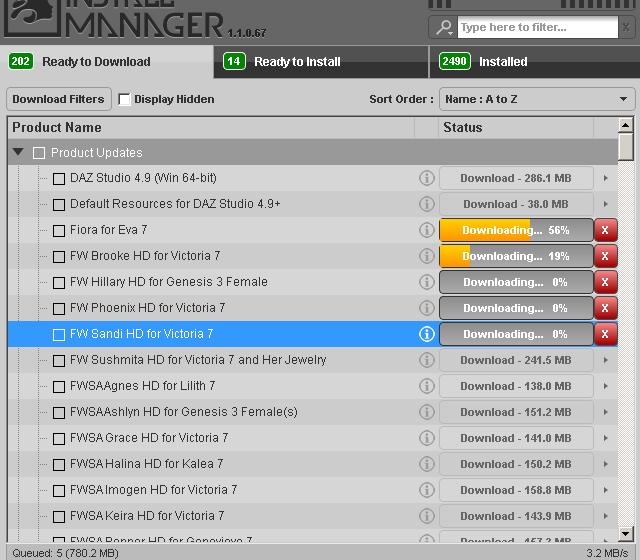
The joy of updates. I think most of them are "undocumented updates" as well, lol.
Dare we Specul8has anyone ever come across a morph that works in DS but not Carrara?
it's the same exact morph, the same exact geometry. it doesn't make sense!!!
... the subdivision level? there's a bunch hd morphs in V8 that wouldn't translate to rara. could it be a corrective morph that's HD?
"were fighting an army of robots, i have a bow and arrow, ... no sense."
Morphs from G3 to G8Had you saved the morph before you changed it?
Looking back there could have been one problem. I kept going into and out of Studio but since I was re-doing the same morph it kept telling me there was already a morph with that name, so I deleted and re-loaded it. This time I did a re-run, first making sure there wasn't a morph already in Studio when I started. Here is the sequence.
First load and zero G8F, load the head morph. Try it out. the shoulder movement is there.
Add morph to favourites, in geometry editor select all vertices except the head and select morph editing->clear selected deltas from favourites. Exit from geometry editor. Try the morph, only the head morphs, the shoulder movement is gone.
With the morph set to 100% do the adjust rigging to shape and erc freeze. Try turning the morph down to 0 and up to 100%, the shoulders still don't move, it's still just the head that morphs.
Zero the figure, save as a morph asset, in the tick boxes only select the head.
Exit from Daz Studio, restart Daz Studio and load G8F.
Set the morph to 100%, the shoulder movement is back again.
I Am So Tired But There's So Much To Do Complaint Threadcomplaint - Victoria 8 morph fails in carrara
 can I share assets with a family member on their own account?
Over the years I've amassed a large collection of free and pay for daz3d assets, now a family member has expressed interest in this software (along with other 3D packages I plan to get them started with)
can I get them signed up with their own account that link back to my account to get them started with some of this content? Technically the computer they are using is mine, I still own it.
If all you're doing is letting them use your computer to create and render a scene there is no problem. What you can't legally do is transfer ownership of the assets to that family member.
I'm not a lawer but the wording "The Content is for User’s exclusive use and no other individual or entity. Each individual must obtain his or her own license to use the Content." makes me think that each user must have their own licence to use the content and you can't let anyone else use the content on your computer to create and render scenes.
Well, I'm not a lawyer either, but I thought the key phrase was "computers owned or controlled by User."
can I share assets with a family member on their own account?Over the years I've amassed a large collection of free and pay for daz3d assets, now a family member has expressed interest in this software (along with other 3D packages I plan to get them started with)
can I get them signed up with their own account that link back to my account to get them started with some of this content? Technically the computer they are using is mine, I still own it.
If all you're doing is letting them use your computer to create and render a scene there is no problem. What you can't legally do is transfer ownership of the assets to that family member.
I'm not a lawer but the wording "The Content is for User’s exclusive use and no other individual or entity. Each individual must obtain his or her own license to use the Content." makes me think that each user must have their own licence to use the content and you can't let anyone else use the content on your computer to create and render scenes.
Yes, individual and entity used that way are legal terms. One would have to look up whether a family or household as defined by a government jurisdiction were the purchase was made was considered a 'legal entity' in that legal jurisdiction. Maybe they need to clarify that more with individual or entity registered that made the purchase. I know there are credit card and bank accounts that are familial accounts and the parents pay the bill.
can I share assets with a family member on their own account?Over the years I've amassed a large collection of free and pay for daz3d assets, now a family member has expressed interest in this software (along with other 3D packages I plan to get them started with)
can I get them signed up with their own account that link back to my account to get them started with some of this content? Technically the computer they are using is mine, I still own it.
If all you're doing is letting them use your computer to create and render a scene there is no problem. What you can't legally do is transfer ownership of the assets to that family member.
I'm not a lawer but the wording "The Content is for User’s exclusive use and no other individual or entity. Each individual must obtain his or her own license to use the Content." makes me think that each user must have their own licence to use the content and you can't let anyone else use the content on your computer to create and render scenes.
can I share assets with a family member on their own account?Over the years I've amassed a large collection of free and pay for daz3d assets, now a family member has expressed interest in this software (along with other 3D packages I plan to get them started with)
can I get them signed up with their own account that link back to my account to get them started with some of this content? Technically the computer they are using is mine, I still own it.
If all you're doing is letting them use your computer to create and render a scene there is no problem. What you can't legally do is transfer ownership of the assets to that family member.
Dare we Specul8welp, the G8 basic wear doesn't have the V8 morph included with it.
the G3 basic wear included the V7 morph in the basic wear.
>.< i just assumed it would be the same for G8. doh
just tried a Genesis2 dress (Love Potion dress) on G8 and G3, saw the conforming dialog box come up, but dress doesn't bend with the figures.
the Victoria 8 eyebrows doesn't include any morphs at all.
I think it's safe to state autofollow and autofit don't work in carrara. the morphs need to be created in DS and saved before it can work in Carrara.
there is one bright side, conformed clothes do follow scaling inside carrara.
"Brace yourself, my dear wallet! There's always another Sale - and Glitches!"Shooting themselves in the foot with that ridiculous category restriction.
Agreed, I'm not going to waste my time looking at 13 different categories...
But would you be shopping in all 13 categories anyway?
Was a bit of a shock to the system to realize that, that you have to have 3 items from the one category to get the discount and not mix them....uh, not really impressed wiht that.
It makes decisions easier for me. No three items from a category? Skip to the next one. :)
Exactly. Followed by "I can only afford one category - out goes everything else until the next sale"
I'm with Nath and Ati. I found it much easier to skim through the 5-6 categories that interested me, pick out 3-5 things each, then trim the fat from my cart category by category. Much better than "100 items of content in the cart, 100 items of content! Take one out, watch the cart change, 99 items of content in the cart!" (To the tune of "One hundred bottles of beer on the wall").
Also, having passed on the V8 sale, I'm not *quite* as short on Daz funds as I usually am this time of month.
Agreed, this is a sweet sale for me. I have over 29 wishlisted items in the various categories. This is like mega A-list item fastgrab since most everything comes out to 70% off or more if you have three items.
I am going to be broke after today with this sale and the 50% off sale at rendo also on the VWD dynamic plugin
Anyone know if FaceGen Artist Pro will be supporting Genesis 8 in the near future? I want to get it on sale, but need to use it with G8 also.
I don't know what their plans are, but I have had good luck with using the transfer utility tool and Sickleyield's "favorite a morph dial and then use the transfer favorites option" trick to bring facegen-created dials over to G8. They *look* very different on G8 because the base face shape is different, but they're there.
I experienced the same thing with the demo. Had to use GenX to bring over the G2F face to G3F to get the morph to look right. Thanks for the info, been wanting this for awhile and a fair deal at 50% off.
Dare we Specul8it's these 2 rings of edges. the V8 morph is scaling her down through the floor.
should she be scaling up from the floor?
i can't do anything to tweak her dsf files.
"Brace yourself, my dear wallet! There's always another Sale - and Glitches!"Shooting themselves in the foot with that ridiculous category restriction.
Agreed, I'm not going to waste my time looking at 13 different categories...
But would you be shopping in all 13 categories anyway?
Was a bit of a shock to the system to realize that, that you have to have 3 items from the one category to get the discount and not mix them....uh, not really impressed wiht that.
It makes decisions easier for me. No three items from a category? Skip to the next one. :)
Exactly. Followed by "I can only afford one category - out goes everything else until the next sale"
I'm with Nath and Ati. I found it much easier to skim through the 5-6 categories that interested me, pick out 3-5 things each, then trim the fat from my cart category by category. Much better than "100 items of content in the cart, 100 items of content! Take one out, watch the cart change, 99 items of content in the cart!" (To the tune of "One hundred bottles of beer on the wall").
Also, having passed on the V8 sale, I'm not *quite* as short on Daz funds as I usually am this time of month.
Agreed, this is a sweet sale for me. I have over 29 wishlisted items in the various categories. This is like mega A-list item fastgrab since most everything comes out to 70% off or more if you have three items.
I am going to be broke after today with this sale and the 50% off sale at rendo also on the VWD dynamic plugin
Anyone know if FaceGen Artist Pro will be supporting Genesis 8 in the near future? I want to get it on sale, but need to use it with G8 also.
I don't know what their plans are, but I have had good luck with using the transfer utility tool and Sickleyield's "favorite a morph dial and then use the transfer favorites option" trick to bring facegen-created dials over to G8. They *look* very different on G8 because the base face shape is different, but they're there.
Morphs from G3 to G8Had you saved the morph before you changed it?
Morphs from G3 to G8"AutoFollow" is under the parameters menu for each individual morph dial. So, if you have a whole body morph for a G3 character, or a head morph...etc., you click on the gear shaped "settings" icon within the dial slider. You should see a menu with "parameter settings" as on of your options. Click on that and you'll get a new pane with morph properties showing. There will be a check box for AutoFollow. If it is not checked, G8 will not shape itself to G3's morph. Once you've checked the AutoFollow, go back to G8 and set "Fit To" to "none." Then, redo the "Fit To" to G3. Your slider should now affect G8.
Thank you for that information. I found the Autofollow setting and switched it on and the morphs transfer now.
There is one slight oddity, when I apply the transferred head morph in G8F it also stretches the shoulders and chest upwards which the original G3F morph did not do, but the head morphs the same as G3F.
This was addressed... give me a minute to find the post...
2. There's been some discussion about head morphs and how you have to use the vertex editor in order to save them. Does that apply to head-only morphs? Like SickleYield's Faces of Asia, etc.?
Not sure I can clearly answer the rest of your questions, but this one, I can.
In a word, yes. Yes it does.
Basically, G3 and G8 need helper morphs to deal with the way a person should be shaped when they lower their arms vs when they raise them. The T pose requires a lot more help than the A pose, so you end up with slightly different placement of the shoulder areas, even if you line up the bones exactly. This different placement carries through to the morph, even if all you do is a head morph. To get rid of it, on a head morph, you need to exclude the body with facet or vertex selection.I've had a go at this but I'm getting confused again.
I found I was using an old version of the Helper file. With the new one the stretching of the chest is not as bad, the shouders go down instead of up and don't seem to distort.
I tried the method described by Ki-Jen on page 6 of this thread to limit the morph to the head. This worked at first, but when I went on to save it as a morph asset and tried to use that, the stretching and shoulder movement was back again. I did the adjust rigging to shape and erc freeze before saving the morph asset.
There is also a mention in Redz's tutorial that you can edit your morph dial to put it in a different category but I can't figure out how to do that.
For now I'll stick with loading the .obj files through Morph Loader Pro as I need them and using Ki-Jen's technique to limit them each time (I found if I tried to re-save the morph after doing this it wouldn't load as morph again).
Thank you to Redz, Ki-Jen, nicstt, Singular Blues, L'Adair and everyone else who has aadded their help in this thread.
Did you close studio or did you reload the figure.
If you use most method to edit a moprh, then delete and reload the figure, either the morph will be broken to the point of uselessness, or it will load as it was before the edit. This because Daz is loading the morph from its cache. If a morph is correctly saved, (Edit morph, finalize all changes, then save) it will load correctly either after completely clearing the scene by loading new, or restarting Studio. And, frankly, restarting takes less time.
Just deleting the figure and loading a new one will cause unexpected results.
Of course, if you did restart Studio, then this is not helpful.Yes, I did exit Daz Studio and restart it before trying to use the morph asset. I assumed that was the most reliable way if you've been messing with the morphs added to a figure, and I also wanted to check that it had been saved in a way that would reload it each time I started Studio.
Dare we Specul8the flexions are .dsf morphs, i can see them working.
because the distortion is only the 1 foot,
mebbe something happened when they applied symmetry to the morph?
i've tried the V8 morph on both the rigged and unrigged version. (it doesn't happen in DS.)i tried removing all the formulaes, it happens with the raw morph.
Morphs from G3 to G8"AutoFollow" is under the parameters menu for each individual morph dial. So, if you have a whole body morph for a G3 character, or a head morph...etc., you click on the gear shaped "settings" icon within the dial slider. You should see a menu with "parameter settings" as on of your options. Click on that and you'll get a new pane with morph properties showing. There will be a check box for AutoFollow. If it is not checked, G8 will not shape itself to G3's morph. Once you've checked the AutoFollow, go back to G8 and set "Fit To" to "none." Then, redo the "Fit To" to G3. Your slider should now affect G8.
Thank you for that information. I found the Autofollow setting and switched it on and the morphs transfer now.
There is one slight oddity, when I apply the transferred head morph in G8F it also stretches the shoulders and chest upwards which the original G3F morph did not do, but the head morphs the same as G3F.
This was addressed... give me a minute to find the post...
2. There's been some discussion about head morphs and how you have to use the vertex editor in order to save them. Does that apply to head-only morphs? Like SickleYield's Faces of Asia, etc.?
Not sure I can clearly answer the rest of your questions, but this one, I can.
In a word, yes. Yes it does.
Basically, G3 and G8 need helper morphs to deal with the way a person should be shaped when they lower their arms vs when they raise them. The T pose requires a lot more help than the A pose, so you end up with slightly different placement of the shoulder areas, even if you line up the bones exactly. This different placement carries through to the morph, even if all you do is a head morph. To get rid of it, on a head morph, you need to exclude the body with facet or vertex selection.I've had a go at this but I'm getting confused again.
I found I was using an old version of the Helper file. With the new one the stretching of the chest is not as bad, the shouders go down instead of up and don't seem to distort.
I tried the method described by Ki-Jen on page 6 of this thread to limit the morph to the head. This worked at first, but when I went on to save it as a morph asset and tried to use that, the stretching and shoulder movement was back again. I did the adjust rigging to shape and erc freeze before saving the morph asset.
There is also a mention in Redz's tutorial that you can edit your morph dial to put it in a different category but I can't figure out how to do that.
For now I'll stick with loading the .obj files through Morph Loader Pro as I need them and using Ki-Jen's technique to limit them each time (I found if I tried to re-save the morph after doing this it wouldn't load as morph again).
Thank you to Redz, Ki-Jen, nicstt, Singular Blues, L'Adair and everyone else who has aadded their help in this thread.
Did you close studio or did you reload the figure.
If you use most method to edit a moprh, then delete and reload the figure, either the morph will be broken to the point of uselessness, or it will load as it was before the edit. This because Daz is loading the morph from its cache. If a morph is correctly saved, (Edit morph, finalize all changes, then save) it will load correctly either after completely clearing the scene by loading new, or restarting Studio. And, frankly, restarting takes less time.
Just deleting the figure and loading a new one will cause unexpected results.
Of course, if you did restart Studio, then this is not helpful.Daz 3D is part of

Connect
DAZ Productions, Inc.
7533 S Center View Ct #4664
West Jordan, UT 84084Licensing Agreement | Terms of Service | Privacy Policy | EULA
© 2026 Daz Productions Inc. All Rights Reserved.