-
How to save new character morphs?
Hi! I am realizing that I have an issue on my character morphs. In fact, I created a morph for the full body without the head. To do that, I first tried to dial the head morph to 0 and create a body morph by exporting it as an obj and re-importing it by Morph loader Pro, but when I applied this body morph, plus the head morph, the neck was too shrink. So, instead of doing that, I exported my shaped charater to Wrap with the head morph to 100%, and I creted a subset for the body, that I applied to the base G8M. Then, I imported back to DS by Morph Loader Pro. The neck was better, but I didn't noticed that I has an issue around the chest:
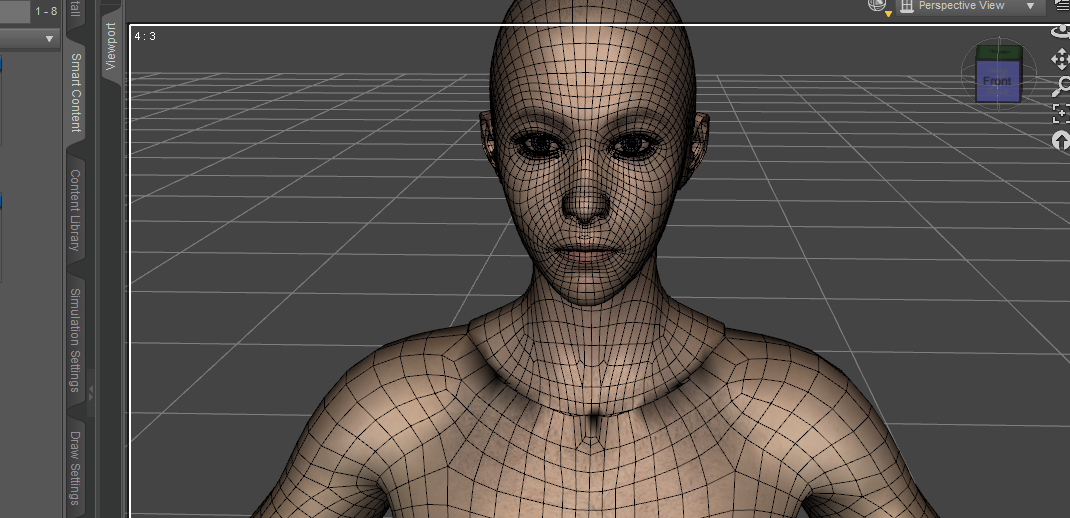
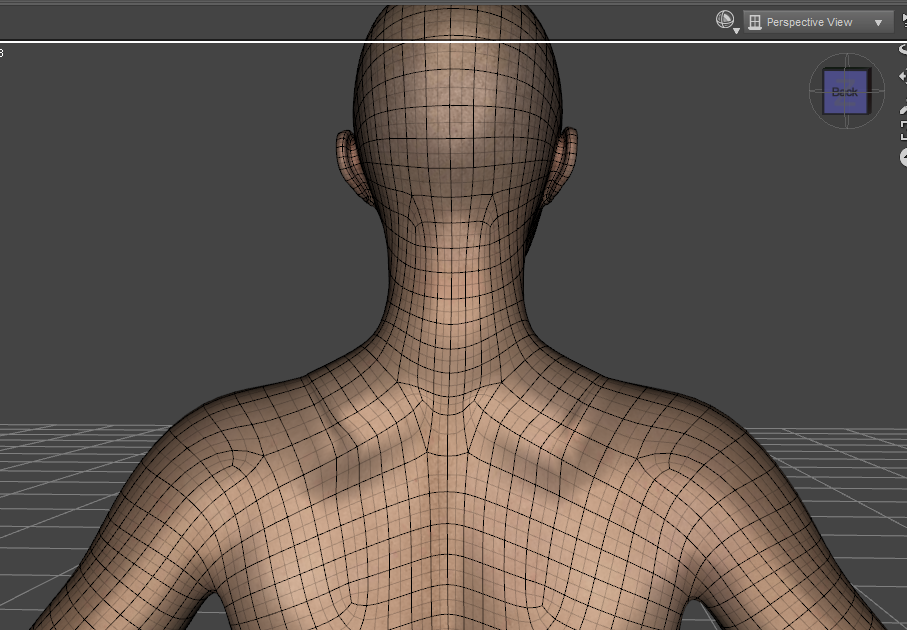
Before doing that, the zone between the neck and the chest was much smoother (on this scree shot, I created one unic morph for the head and the body, with the shape what I want):
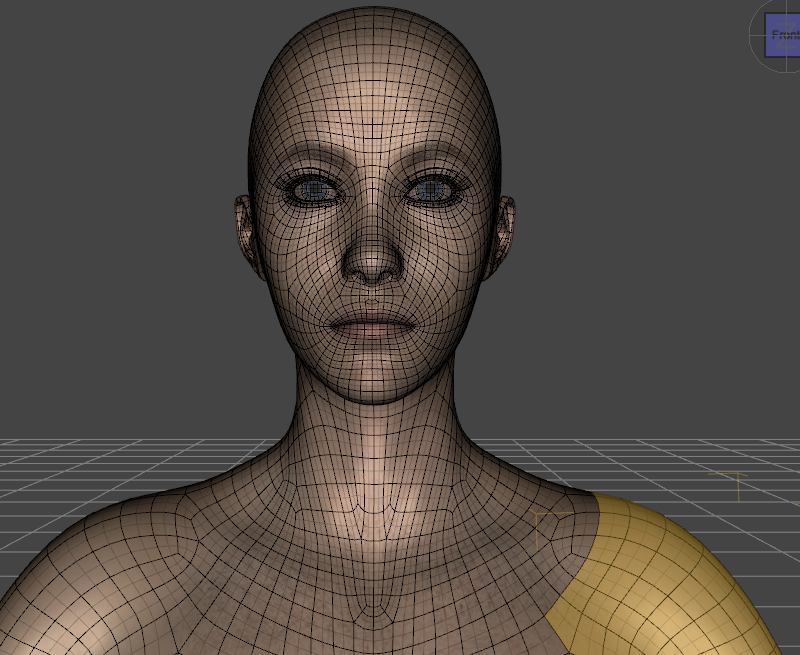
So, I gess that the issue comes from the Wrap AppySubset that I used to create the body morph. I tried to fix it by using a replace node on this part, but when I doing, I get back my first issue on the neck: it is too shink when I apply both the head and the character morphs:
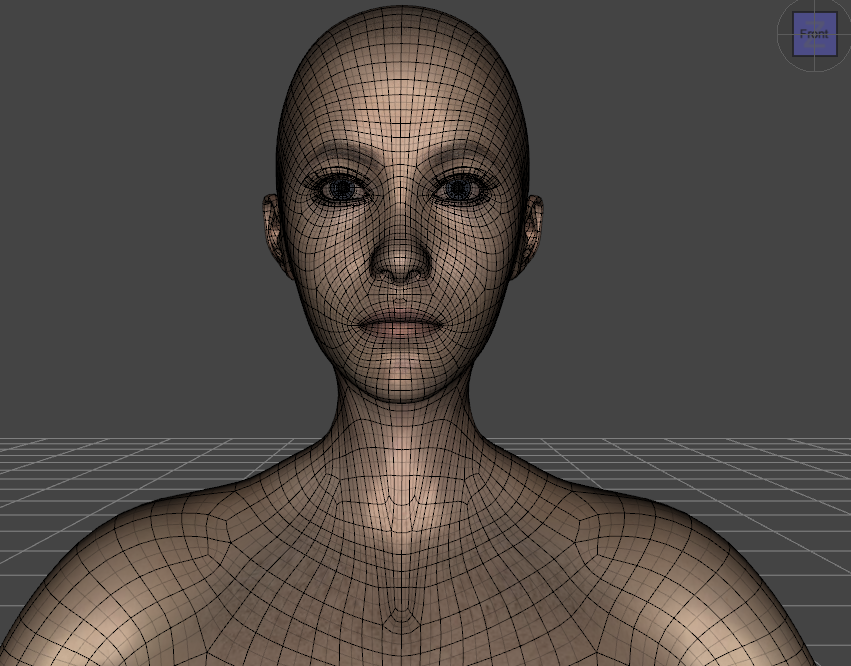
So, I wonder how to create a head and a body morths separated, that recreate together exactly what I obtain when I use only one morph with the head and body shapes...
Could you help me, please?
Thank you in advance!
dForce Meiying Chinese Outfit: Character Morph/Poses Used in Promo Images?Hi,
Can someone please point me to the character morph and pose used in the promo images (the ones featuring the different textures) for https://www.daz3d.com/dforce-meiying-chinese-outfit-for-genesis-9-8-and-81?srsltid=AfmBOorgsRWYTArvsmQ-wLh7RAwQlWS4tvafF-qBnxS8YVYKCqnk6BQf?
Debating whether to get these products but would like to be able to recreate the promo images/get close if possible first.
Thank you,
TM
Genesis 9 dForce clothing on Genesis 8.1FHello,
Can anyone tell me if Genesis 9 dForce clothing will work with G8.1F? I know there are clothing converters that will convert from G9 to G8.1F, but does all the dForce settings transfer over as well?
Thanks in advance for any replies.
nabob21
Need purses or handbags that open.memcneil70 said:
miladyderyni_173d399f47 said:
tsroemi said:
lorraineopua said:
https://www.daz3d.com/night-out-purse-and-accessories-for-genesis-8-female is a morphing handbag with a 'purse slouched open' morph
Very nice find! I love it that the girl is taking a pen and notebook on her night out instead of make-up and such. Also, lots of morphs on the bag, cool! And it's really cheap right now, with the coupon.
Now I want this set. As well as the table decorations. Anyone know where they are from? Some of the Additional Products listed are wrong; Down on the Corner is a street scene and definitely not the set used in the promos.
I have it, https://www.daz3d.com/nights-of-romance. It is at 50% off today and when you see what is in it, it is totally worth the price.
Mary
Thanks, it is beautiful.
Smooth Out BumpI managed a workaround for the weird suit morph. What is going on with the leg straps?
Part 3: https://mega.nz/file/2E9yGabK#Az6C47S8F4eznVsvL1-3eiFTZ13kFCCxANZIiNuBuQg
Not sure if this is correct though?
Need purses or handbags that open.miladyderyni_173d399f47 said:
tsroemi said:
lorraineopua said:
https://www.daz3d.com/night-out-purse-and-accessories-for-genesis-8-female is a morphing handbag with a 'purse slouched open' morph
Very nice find! I love it that the girl is taking a pen and notebook on her night out instead of make-up and such. Also, lots of morphs on the bag, cool! And it's really cheap right now, with the coupon.
Now I want this set. As well as the table decorations. Anyone know where they are from? Some of the Additional Products listed are wrong; Down on the Corner is a street scene and definitely not the set used in the promos.
I have it, https://www.daz3d.com/nights-of-romance. It is at 50% off today and when you see what is in it, it is totally worth the price.
Mary
I'm having problem with Importing obj from Marvelous Desginer as MorphJames said:
@crosswind
If you had time, could you see wether the exported obj from MD is back to quad or stay in tris.
I think the reason why the facet number is almost/twice the original, is due to the triangulation.
Could be in your MD version, somehow on export, the obj is back to quad.
Cos if it stays in tris, daz shouldn't/won't accept it, due to the difference of polygon number.
On my side, the exported obj from MD is in tris.
The exported OBJ from MD is always with triangulated mesh if you don't quadrangulate / retop it. In fact, the moment when you import garment OBJ into MD, it'll be trianglated because it's the prerequisite of using MD's simulation. So that's why the quadrangulation should be always done after simulation...if you make garments in MD.
For such a case of importing simulated OBJ back to DS as a morph, what matters is vertex count rather than polycounts.
Besides, we forgot to ask... what was DS version that you used...
Need purses or handbags that open.tsroemi said:
lorraineopua said:
https://www.daz3d.com/night-out-purse-and-accessories-for-genesis-8-female is a morphing handbag with a 'purse slouched open' morph
Very nice find! I love it that the girl is taking a pen and notebook on her night out instead of make-up and such. Also, lots of morphs on the bag, cool! And it's really cheap right now, with the coupon.
Now I want this set. As well as the table decorations. Anyone know where they are from? Some of the Additional Products listed are wrong; Down on the Corner is a street scene and definitely not the set used in the promos.
question about creating clothesThat last pose exceeds the limits of what rigging can possibly do. Rigging tells an object how to follow certain bones, but it can't make it actually react to physics or behave like cloth; you'd need a dForce simulation for that. As for the previous screenshot, you might want to load up some dresses/skirts from the store and see how they're rigged, because you'll see that the weights are a lot more blended than default Transfer Utility rigging. TU can give you a good starting position, but it will never be the final result, and you'll need to do some weight editing.
Need purses or handbags that open.SilverGirl said:
tsroemi said:
lorraineopua said:
https://www.daz3d.com/night-out-purse-and-accessories-for-genesis-8-female is a morphing handbag with a 'purse slouched open' morph
Very nice find! I love it that the girl is taking a pen and notebook on her night out instead of make-up and such.
You mentioning that is *entirely* why I actually looked at this one. Because I've had a LOT of things in my night out bag over the years, but makeup has never once been among them. Pen and paper and a book, though? 100%, no matter what else was in there.
Talk about owning too many items. I have that product! It looks like a great 'work to night out' purse. For those times your work is an hour away from where you live, and where the night out is planned. You can't exactly run home and drive back. And if going to college after work, room to carry what you need, along with a snack to keep you going on a 14-hour day before you head home.
Eyelid discrepancyHey guys, random oddball question. I think I've seen this on a couple characters before, but I have a Genesis 8 character which I've posed with a shocked looking expression, but I've noticed a minor difference in the eyelid position in the Texture Shaded view vs the Iray rendered view. I attached an example, where you can see the character's sclera all around the eye, but then in the Iray preview, her eyelid looks slightly more closed, despite it being as open as the face morphs allow, even with limits off. Is there a way I can tweak this without having to create my own custom morph?
[SOLVED] Help! How can I get back to Face Transfer 1?Leana said:
From what I've read, it should automatically use Face Tranfer 1 when you use G8 and 2 when you use G9.
Thanks. I'm still not sure what the problem is but I've got a few possibilities which I'm investigating. I started with no figure selected and it went to Face Transfer 2. It did not give the option of using genesis 8 so I'm looking at whether the installation of Genesis 8 is broken somehow.
[SOLVED] Help! How can I get back to Face Transfer 1?Yes, the figure used determines which you get (Face Transfer 2 is more than just a Genesis 9 update, but nevertheless that is a ket difference ebtween them https://www.daz3d.com/forums/discussion/662091/face-transfer-2 )
[SOLVED] Help! How can I get back to Face Transfer 1?I've got a registered copy of Face Transfer 1 but when I try to use it recently I keep getting the trial version of Face Transfer 2 instead. I don't know how to make the trial version go away and bring back my registered version of Face Transfer 1. Does anyone have the solution?
question about creating clothesThank you very much! Here is what it looks like in A pose:
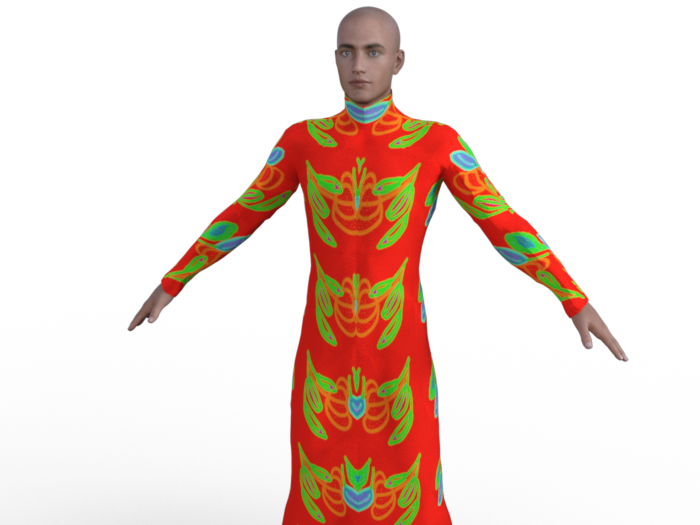
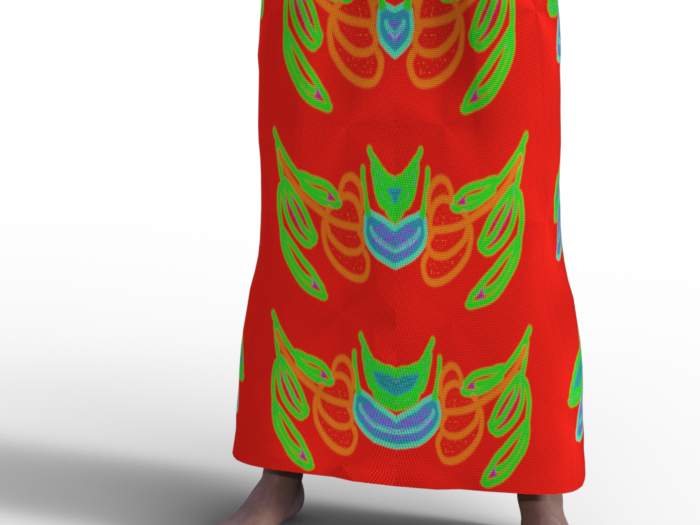
I is needed to zoom to see the normal map effect. Even here, it may be difficult to see...
Here is screensjots og thje geometry and tghe UV (I din't know why, but I can't see the UV in DS, only in Blender):
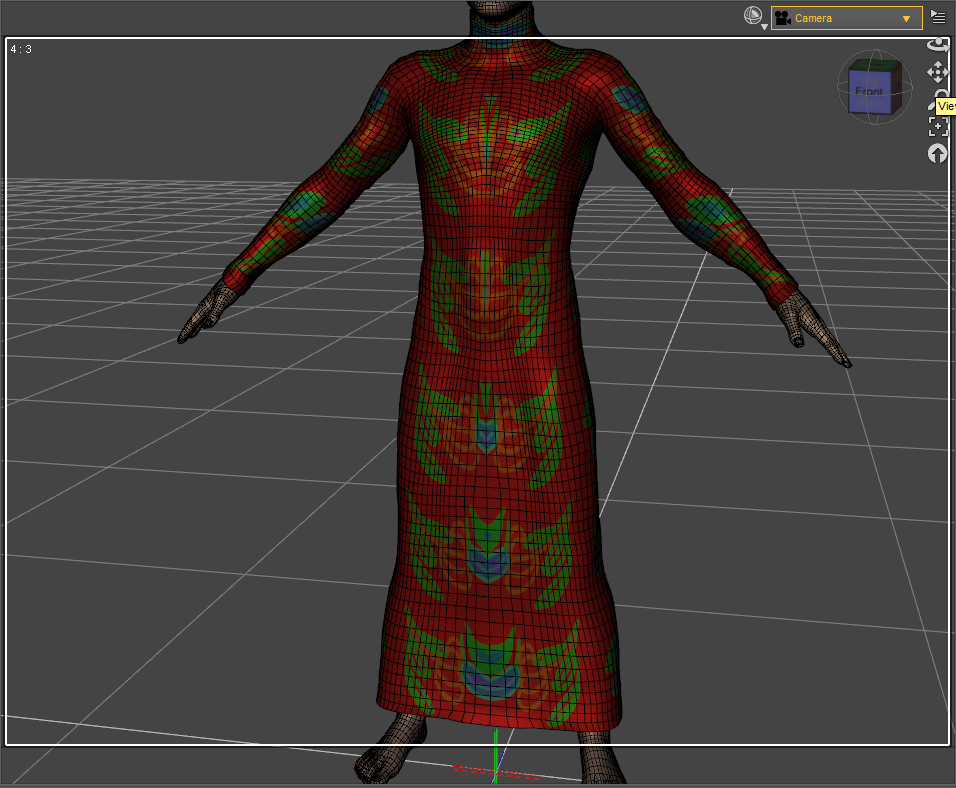
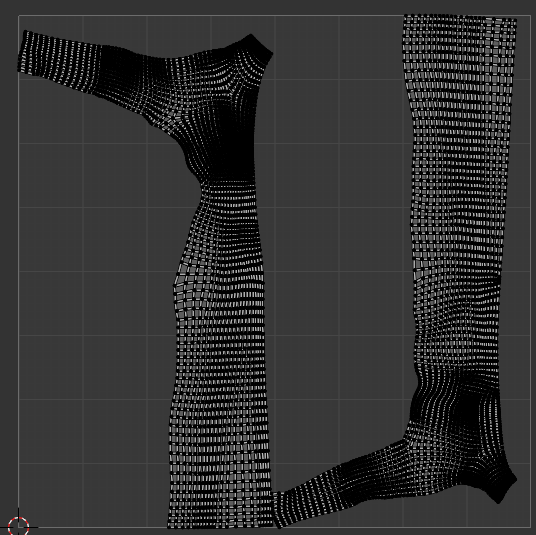

The "broken" part looks like a rigging issue, that might be as simple as hitting it with the smooth brush to correct.
You mean I should import back the cloth to Blender with the pose and correct the default directly on this pose? After that, would I have to import back to DS on this pose as a morph with Morph loader Pro?
1. With poses, you need to necessarily fix corrective morphs on the dress, like the "broken issue / mesh deformation" issue in your 1st screenshot... when Collar / Shoulder bend up, and/or add dForce capability as needed.
Could you tell me how to create a corrective morph, please? I never did that, so I don't know haw it wrks... For the Dforce, I tried to add Dynamic Surface, but it didn't fix the issue. What should I have to do?
3. As for the texture issue, where did you do UV Unwrap... Blender ? Better show its UV map, as well as how the texture looks in A-Pose...
For now, i didn't unwrap by myself, I let the default UV in Blender. More precisely, I don't know if it can help, but I originally create this cloth for MakeHuman, from the MakeCloth helper by combining the t-shirt and the skirt, and making some changes. But in fact, I had never been able to make it work in MH because the mesh was broken (much more than that!) already in the T-pose, and I had no knoledge enough to fix it. To use it in DS, I used the Wrap lattice node to adapt the shape to G8M (that is why I first used a T-pose on G8M). And to obtain the A-pose, I re-used again a lattince node to convert T-pose into A-pose. After that, I used a brush node in Wrap and I sculpted a bit in Blender to fix some issues from the conversion...
I don't know if it could explain the issues that I have now in DS...
Besides, I recommend a tutorial series from Mada: https://www.youtube.com/watch?v=Ii16tUmLzD8&list=PL2SdKrOTXeXA1qMgNE84AsM8_Wq63gOBF You better first of all understand the typical workflow of make clothing in DS...
Edit:
I am testing different pose, and I can see that there are iisues for many of them; for example:
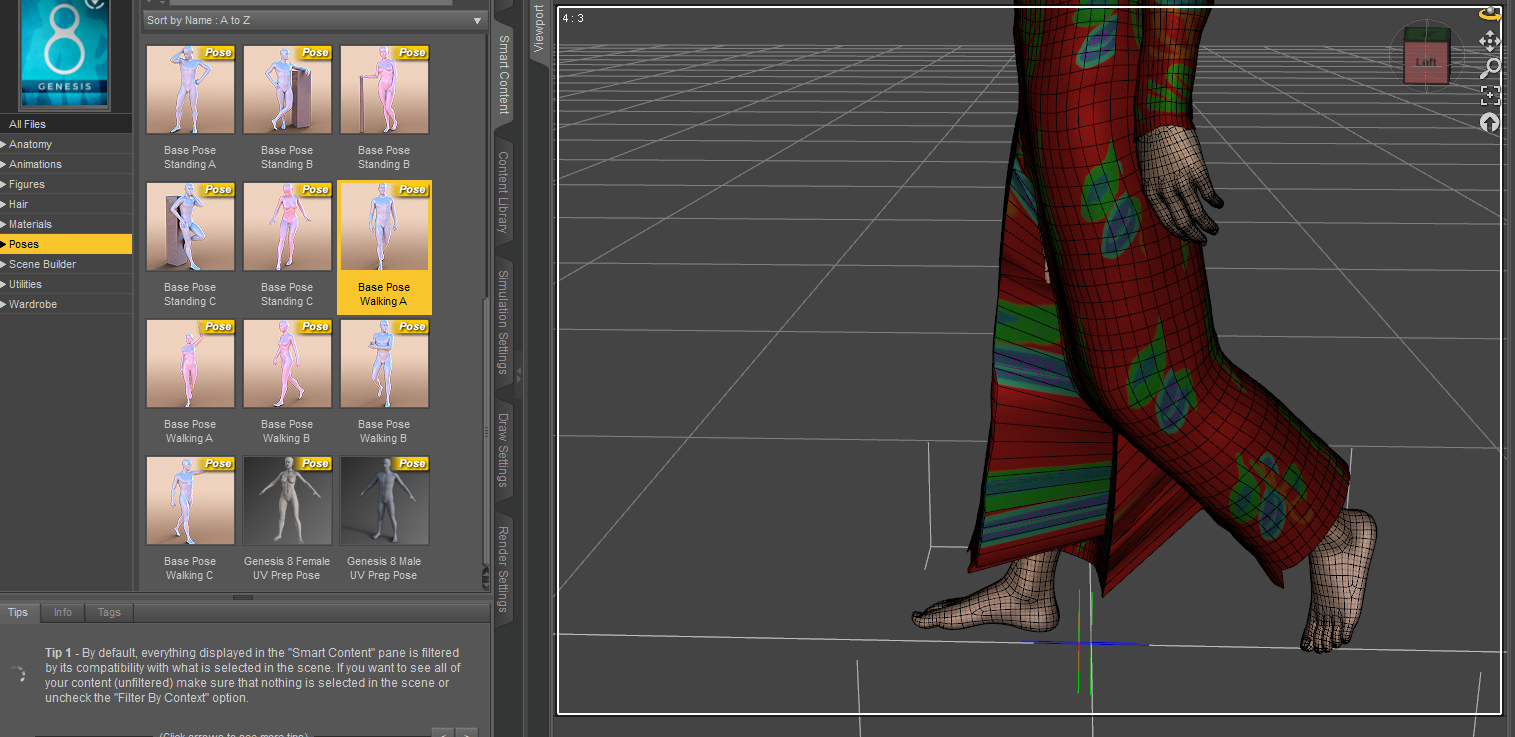
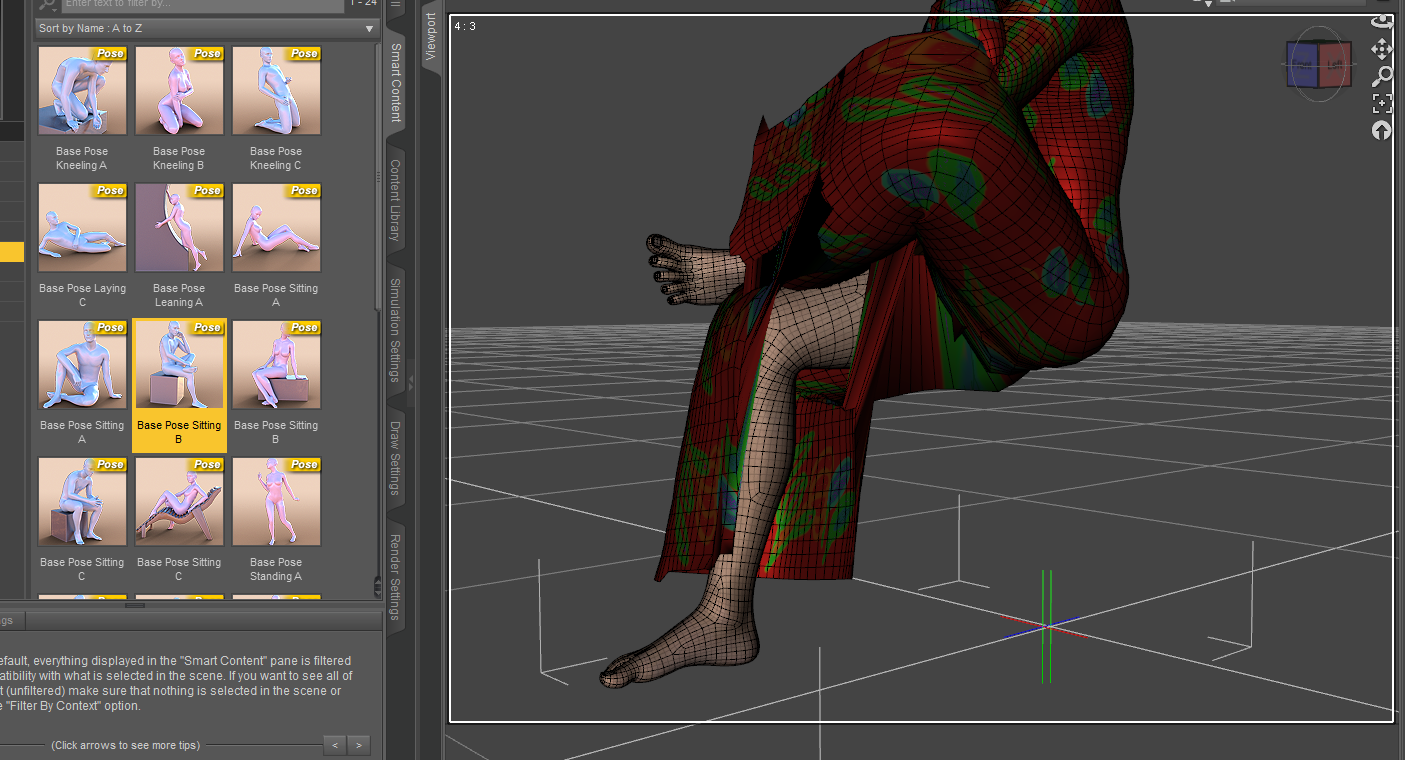
Do you think that i should create one corrective morph by pose, or would it be possible to fix all the issues in the same time?
Thank you very much! I will look at here!
I'm having problem with Importing obj from Marvelous Desginer as MorphDoing export from daz and import back (morph loader) immediately results no problem.
-----
The number of vertices of obj imported from MD to DAZ, is the same to the original.
The only difference is the number of total faces, which is double as the error suggested.
Need purses or handbags that open.tsroemi said:
lorraineopua said:
https://www.daz3d.com/night-out-purse-and-accessories-for-genesis-8-female is a morphing handbag with a 'purse slouched open' morph
Very nice find! I love it that the girl is taking a pen and notebook on her night out instead of make-up and such.
You mentioning that is *entirely* why I actually looked at this one. Because I've had a LOT of things in my night out bag over the years, but makeup has never once been among them. Pen and paper and a book, though? 100%, no matter what else was in there.
I'm having problem with Importing obj from Marvelous Desginer as MorphI realise the morph loader error mentions facet count, but does facet count even matter? I thought all that matters was vert count. (Edit: I tested by exporting primitive to blender and triangulating it and morphing it and it still loaded into morph loader pro, so triangulation is not inherently an issue)
Export obj from Daz
Import the exported obj into Daz
Check vert count in Node info - Are they the same? If not, you did something wrong.
If same, proceed to import into MD.
Immediately export from MD
Import the obj into Daz
Check vert counts in Node info - Are they the same?
question about creating clothes1. With poses, you need to necessarily fix corrective morphs on the dress, like the "broken issue / mesh deformation" issue in your 1st screenshot... when Collar / Shoulder bend up, and/or add dForce capability as needed.
2. As for the deformed mesh in the crotch area... if you don't find this issue with A-Pose, you also need to fix corrective morph for thighs Bend and/or Side-Side.
3. As for the texture issue, where did you do UV Unwrap... Blender ? Better show its UV map, as well as how the texture looks in A-Pose...Besides, I recommend a tutorial series from Mada: https://www.youtube.com/watch?v=Ii16tUmLzD8&list=PL2SdKrOTXeXA1qMgNE84AsM8_Wq63gOBF You better first of all understand the typical workflow of make clothing in DS...
What the hell is Gordig doing now?Gordig said:
I'm just looking forward to the day when I can move past transferring the same scene and characters into different programs.
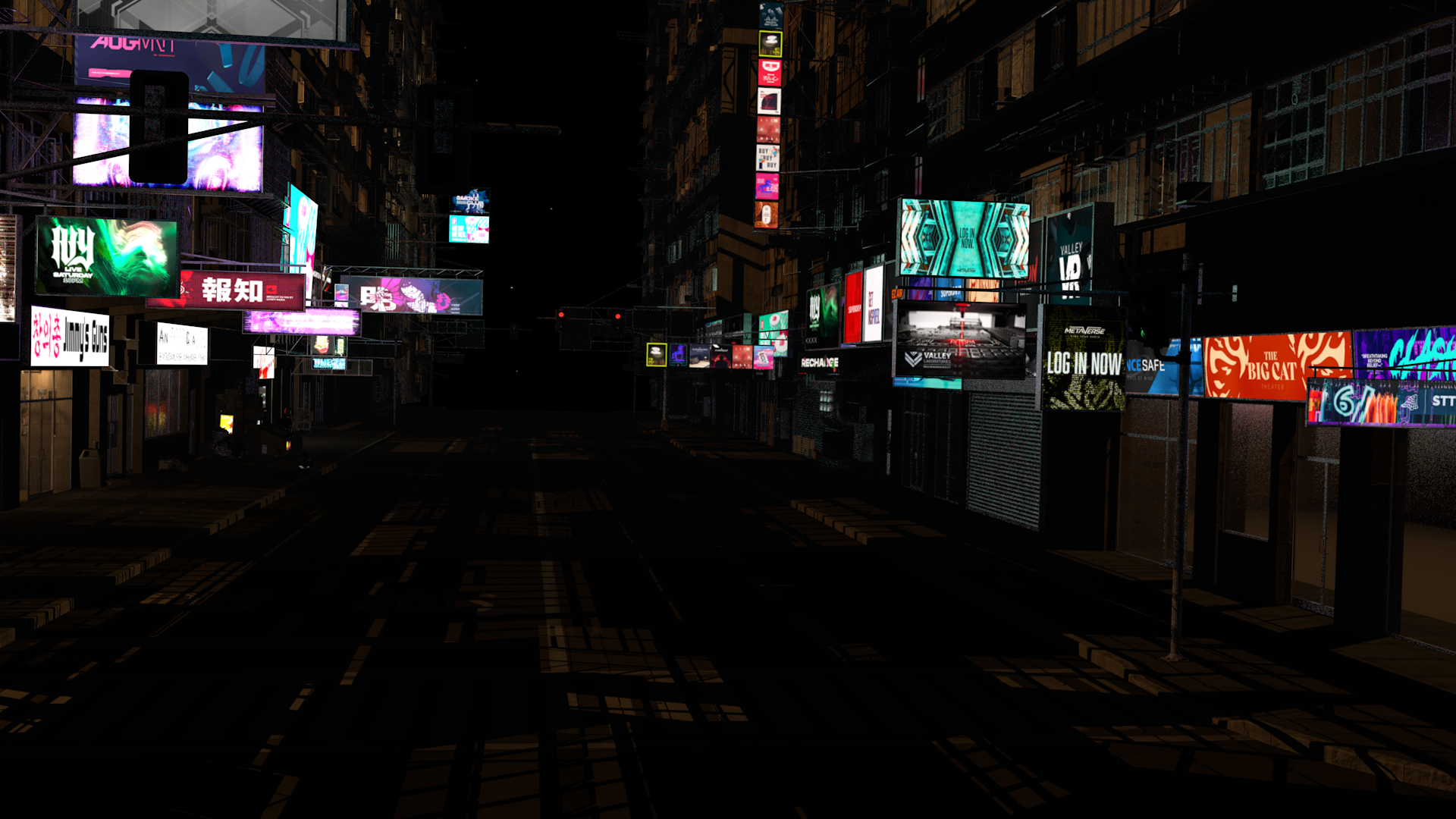
Funny thing about that: I've decided that I hate Unreal too much to spend a single second more inside the program. I took a brief spin with Unity and found it much more comprehensible, much easier to figure out how to do simple things, but I was long past the point where I could remember why I started playing in game engines, since I'm not trying to make a game. So I refocused my energies on building out more of the set I'd been working on. I had already converted the entire scene to C4D's standard renderer because Arnold materials don't transfer into any other program, but since I've only ever used third-party renderers since I started seriously using C4D, there are a lot of things I don't fully understand about how to make standard materials and lights look particularly good. This is an alright shot for now, I guess.
Daz 3D is part of

Connect
DAZ Productions, Inc.
7533 S Center View Ct #4664
West Jordan, UT 84084Licensing Agreement | Terms of Service | Privacy Policy | EULA
© 2026 Daz Productions Inc. All Rights Reserved.