-
Genesis 8.1 / Victoria 8.1
Victoria 8.1 is loaded very heavily. When you apply the characters prepared for Genesis 8 to V 8.1, much more realistic renderings emerge.
Realism is ultimately about anatomy. Anatomy also depends on the number of polygons. As the number of polygons increases, the screams of our graphics cards increase.
Ryzen 5 3600X with 6 core processor, 8 GB video card and 64 GB ram
still not everything happens at the speed I want. I went through Poser program to DazStudio program. I still miss Poser. I used Poser for a very long time. Why is DazStudio taking a long time to install V8.1?Genesis 8.1 Face ControlsAllenArt said:
MxD said:
Just picked up the Victoria 8.1 upgrade and started exploring. So far i am extremly unimpressed, the face controls seem to be a disaster in the making. As soon as you inadvertently touch the wong part of any control DAZ crashes instantly every time. It's just completly useless and utterly frustrating. For any one contemplating this UPGRADE??? i would suggest to wait a while and see if DAZ gets the controls working unless of course you enjoy constantly recreating what has allready been done or have the discipline to save after each and every adjustment you make.
THIS IS VERY DISAPPOINTING
So many people say it's been crashing on them and I haven't had one crash using it. What version of DS are you using? Public or beta?
This is a known issue if the bone is dragged directly, rather than through its gizmo, with IK enabled - it's because the controller figure is not set up in an IK-friendly way. The issue is understood and will be resolved in a future build of DS; for now try to avoid dragging on a bone, use sliders or the Viewport gizmo.
Genesis 8.1 / Victoria 8.1kimh said:
My first render of Victoria 8.1. I am pleased with her. Other then fixing a few poke-throughs and adjusting the lighting a little in Paintshop Pro this is her out of the box
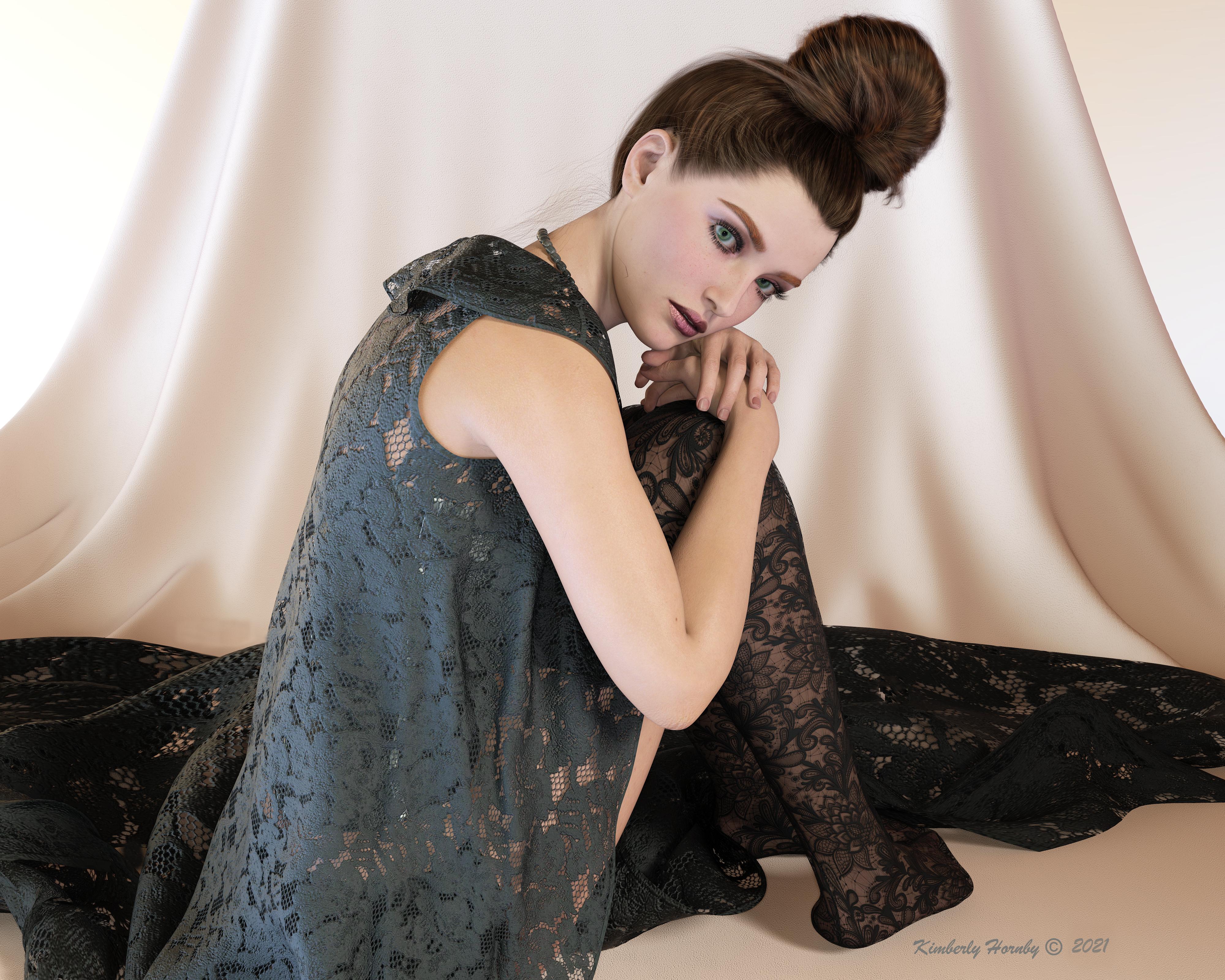
if i cover up her robotic face and awkward hand pose with my hand, then this looks photoreal. Her skin looks really good here in this light set up.
G 8.1 vellus hair included or not in base character ?Sven Dullah said:
scorpio said:
Anim said:
Sorry to create a new thread - I did not find a final answer in the G 8.1 thread.
Is the vellus hair included in the Genesis G 8.1 base female?
A: Yes, but not yet available in the starter essentials (you have to wait for an update of the package)
B. No, you have to buy Victoria 8.1 base package.
C. No, you have to buy the Victoria 8.1 University Bundle
Yea - just ignore the advertising.
Forgive them, for they know not what they are doing! (Sven 1:1)
Oh I think they know what they are doing very well.
Dammit... I wasn't going to buy into Genesis 8.1 but Victoria 8.1 is...martin36 said:
I am wonder how Victoria 8.2 will look next month :)
LOL. I'm personally holding out for 8.5 myself. Thinking maybe 6-7 months out, LOL
Victoria 8.1 Log WARNINGipaifencer_fe07e138e4 said:
I purchased 8.1 and have the same or similar problem. I can load all other versions of Genesis/Victoria by clicking image with no problem.
With 8.1 I get the message:
The following files could not be found:
data/daz 3d/genesis 8/female 8_1/genesis8_1female.dsf
data/daz 3d/genesis 8/female 8_1/morphs/daz 3d/mouth realism/phmmouthrealism8_1_hd_div4.dsf
data/daz 3d/genesis 8/female 8_1/uv sets/daz 3d/base/base 8.1 female.dsf
runtime/textures/daz/characters/genesis8_1/femalebase/g8_1eyeirisdepthnormal_1007.tif
runtime/textures/daz/characters/genesis8_1/femalebase/g8_1mouth_nm_1006.tif
I deleted 8.1 files, downloaded again and re-installed, still get same issue.
You have installed the updated Genesis 8 Starter Essentials and the updated Default Resouces?
G 8.1 vellus hair included or not in base character ?IceCrMn said:
I bought the Victoria 8.1 base and her HD package and I don't have the vellus hair.It shows up in the product library on my account page,but when I click it I just get a swirly.
No updates or anything in DIM either.
I'm having the same issue. Apparently, it has shown up in other people's DIM, so it seem to be hit and miss
Dammit... I wasn't going to buy into Genesis 8.1 but Victoria 8.1 is...I am wonder how Victoria 8.2 will look next month :)
Dots(firefly) and Squares (transparency) -4.15 and Victoria 8.1 saved png filesThis is my first render with the new DS 4.15 Public and Victoria 8.1. For some reason if I save as png or tiff its saves partially transparent and with white dots on the image. The render in the rendering viewport had no such dots and when I save as jpg does not have the white dots. I save all my images as png and have never had this happen before (unintentionally of course).
Large images sorry but when I resized it made the dots harder to see.
Genesis 8.1 / Victoria 8.1I only bought Victoria 8.1 and I got it yesterday I think, or this morning, don't quite remember (been a bit stressed today lol). If it isn't in your product library (or can't find it in DIM or Smart Content depending which one you use) than you should probably contact support.
Novica & Forum Members Tips & Product Reviews Pt 13Novica said:
Hey folks!
I had just assumed there was a lull in posting- I wasn't getting any notifications at all suddenly on this thread. First time that's ever happened. So if you have some threads marked as favorites, be sure and check to see if they are still marked. This happened about the same time folks were booted off the forums. They just booted me off my favorite thread LOL (a bit biased.)
Anyway, just wanted to post a thank you to @northof45 and @richardhaseltine for trying to assist with my stupid Postgre SQL problem. I had used different external drives and one was pretty full, so I moved the studio to a different one (took hours) and voila, I am back! So pretty sure it was a storage issue. (And that would affect DIM installs too.)
So....your opinions on G8.1 ? I'm not jumping in to Victoria 8.1. It's not that I don't think she's an improvement, I just don't intend to spend any money on a new gal at the moment.
I'm also fully behind those of you who are annoyed at the gallery being down for so long. Totally agree it helps sell products. Guess they are relying on the forum members to do that (with the plug in showing gallery and forum links. Now just the forums have content.)
Glad you figured it out. I didn't want to suggest any drive problems as I just had to replace one of my mirrored backups. I was having the occasional file copy error, but I attributed it to a bad download. Hah! After the third or fourth time in one week, I ran chkdsk and sure enough, cross-linked files and other errors. Tried to repair, but five days (!) later chkdsk said it ran out of space to recover any more files. Time to replace both disks (the second was just as old as the first, so not taking any chances it will happen again any time soon). Copied everything from the good disk over to a new one, tested the archives, found a few dozen with errors, re-downloaded them. Copied to the second new disk, and finally got back to normal. Took almost two weeks of my time, but now, when I refresh DIM, it only takes about 5-6 minutes where it used to take about 20+ minutes before. Moral of the story, check your disk for errors. I would have thought SMART status would notify me somehow without having to ask.
G 8.1 vellus hair included or not in base character ?I bought the Victoria 8.1 base and her HD package and I don't have the vellus hair.It shows up in the product library on my account page,but when I click it I just get a swirly.
No updates or anything in DIM either.
Mini Gallery - While the Gallery is Down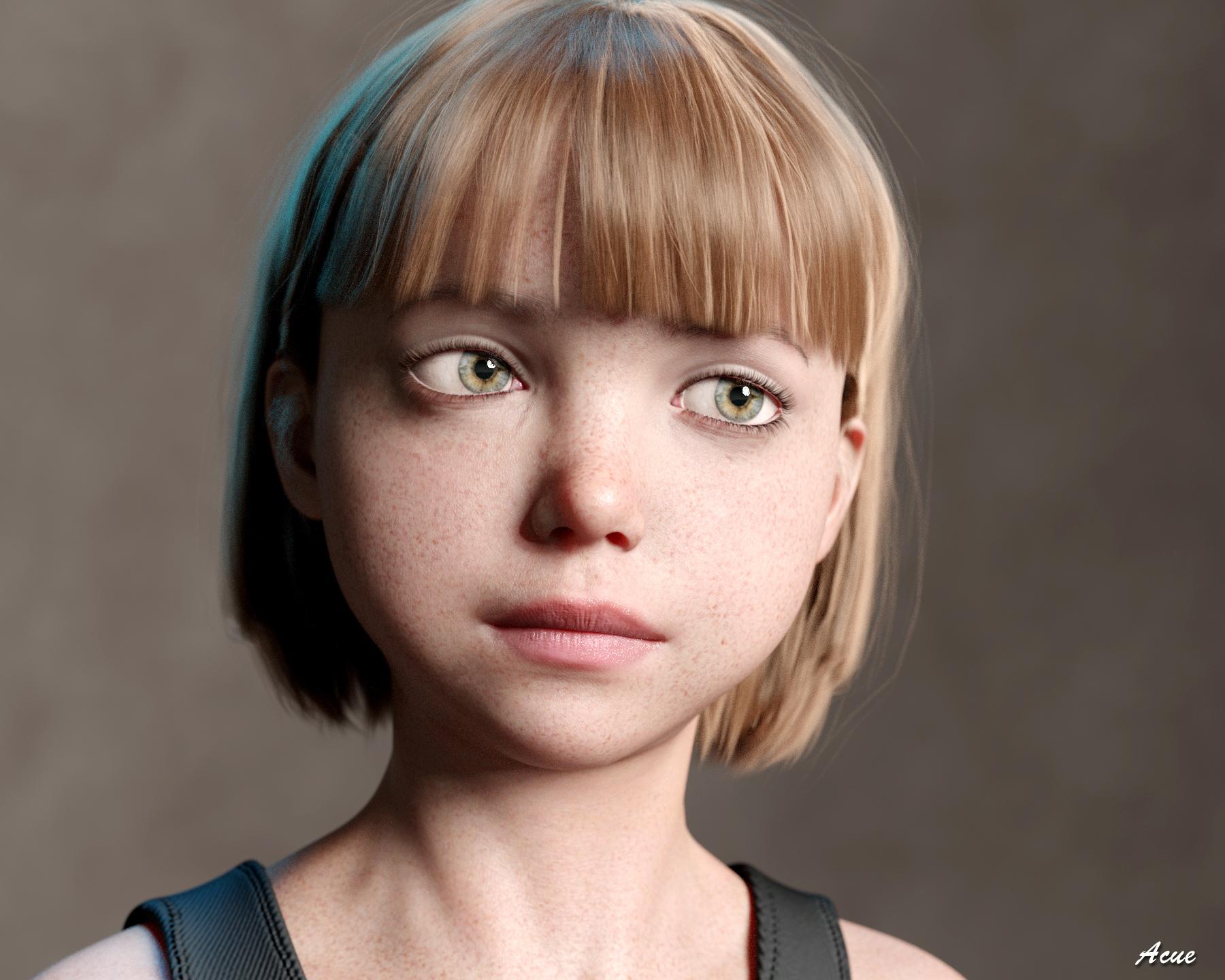
"Faye"
One of my ongoing efforts is achieving a high degree of realism, especially with landscapes and scenes, including portraits. Here's my latest attempt, with Bluejaunte's Faye G8F young lady figure, but with the more recent HD Ensley shaders and close DOF. I also used the eyes from Raiya's excellent HD eye geometry for G8 figures, giving more realistic moisture and iris reflectivity. The figure was rendered at subdivision level 4. This is a large file (1800x14400, and best to view at full zoom. The render is not photo-realistically perfect, but it's getting there. I am still just using standard Iray rendering - Octane and Blender and other engines will have to wait for me to invest in a most recent NVIDIA rig and set up. Victoria 8.1 and the latest Studio iterations may help achieve even higher levels of realism on this platform. Hope you like it.
Resources:
- Faye for G8F, by Bluejaunte
- Ensley skin and normals / bump, by Bluejaunte
- Matilda Hair for G8F, by WindField
- HD eye geometry from the Lainey for Victoria 8 figure, by Raiya
- Top from Fredel's Retro Heroine 8 for G8FG 8.1 vellus hair included or not in base character ?scorpio said:
Anim said:
Sorry to create a new thread - I did not find a final answer in the G 8.1 thread.
Is the vellus hair included in the Genesis G 8.1 base female?
A: Yes, but not yet available in the starter essentials (you have to wait for an update of the package)
B. No, you have to buy Victoria 8.1 base package.
C. No, you have to buy the Victoria 8.1 University Bundle
Yea - just ignore the advertising.
Forgive them, for they know not what they are doing! (Sven 1:1)
Genesis 8.1 / Victoria 8.1I have read two people in this thread that have gotten the Victoria 8.1 Vellum Hair product in DIM after buying Victoria 8.1 as part of a bundle. It's not in either of my Product Library or DIM. Is this a phased rollout & I should wait or to I need to file a ticket & tell them they didn't get all the Victoria 8.1 purchasers their copy of the Vellum Hair?
Genesis 8.1 / Victoria 8.1My first render of Victoria 8.1. I am pleased with her. Other then fixing a few poke-throughs and adjusting the lighting a little in Paintshop Pro this is her out of the box
Novica & Forum Members Tips & Product Reviews Pt 13Hey folks!
I had just assumed there was a lull in posting- I wasn't getting any notifications at all suddenly on this thread. First time that's ever happened. So if you have some threads marked as favorites, be sure and check to see if they are still marked. This happened about the same time folks were booted off the forums. They just booted me off my favorite thread LOL (a bit biased.)
Anyway, just wanted to post a thank you to @northof45 and @richardhaseltine for trying to assist with my stupid Postgre SQL problem. I had used different external drives and one was pretty full, so I moved the studio to a different one (took hours) and voila, I am back! So pretty sure it was a storage issue. (And that would affect DIM installs too.)
So....your opinions on G8.1 ? I'm not jumping in to Victoria 8.1. It's not that I don't think she's an improvement, I just don't intend to spend any money on a new gal at the moment.
I'm also fully behind those of you who are annoyed at the gallery being down for so long. Totally agree it helps sell products. Guess they are relying on the forum members to do that (with the plug in showing gallery and forum links. Now just the forums have content.)
Dammit... I wasn't going to buy into Genesis 8.1 but Victoria 8.1 is...[Dammit... I wasn't going to buy into Genesis 8.1 but Victoria 8.1 is...]...so cute.
Steve.
(I wish Daz would sort all the problems out though)
HowTo: Create missing Genesis 8.1 Head skin maps from Genesis 8/3 skin mapsthd777 said:
Mine was Emmeline from Sangiart (Rendo). It's not big problem. Map transfer did produce maps for the other channels, but they were simply the correct layoput filled with black rather than the source texture. However, any of those textures plugged into the diffuse channel get converted correctly, go figure...
Anyway, I got the diffuse and SSS maps transferred in two rounds and that's all I need as I find using the Victoria maps for the rest gives nicer results.
Thanks again for the nice writeup!
Ciao
TD
I checked it with Emmeline Adult from Sangriart and had the same problems you described. During the exporting process I saw a progress bar with Rendering in 3Delight. I never saw this with Millawa.
The Base Mixing settings for all surfaces from Millawa 8 are PBR Metallicity/Roughness. I don't see the 3Delight rendering stuff there.
The Base Mixing settings for the Body and Head surfaces from Emmeline are PBR Specular/Glossiness. I think this is the problem here. But your solution as a work around is fine if you don't have to convert a lot of characters.
HowTo: Create missing Genesis 8.1 Head skin maps from Genesis 8/3 skin mapsMine was Emmeline from Sangiart (Rendo). It's not big problem. Map transfer did produce maps for the other channels, but they were simply the correct layoput filled with black rather than the source texture. However, any of those textures plugged into the diffuse channel get converted correctly, go figure...
Anyway, I got the diffuse and SSS maps transferred in two rounds and that's all I need as I find using the Victoria maps for the rest gives nicer results.
Thanks again for the nice writeup!
Ciao
TD
Daz 3D is part of

Connect
DAZ Productions, Inc.
7533 S Center View Ct #4664
West Jordan, UT 84084Licensing Agreement | Terms of Service | Privacy Policy | EULA
© 2026 Daz Productions Inc. All Rights Reserved.