-
Daz Install Manager (DIM) 1.4.0.94, Now Available! (*UPDATED*)
Well, this has stuffed up my system! It's trying to install the DAZ programs to my runtime (E: RUNTIMES) instead of where my programs are (F: Programs). I have an SSD drive as my C drive, and no matter what I do, DAZ does weird things and insists on putting files on the C Drive. This new DIM version is screwing it all up even more! I now seem to have program and library files all over my C, E and F drives. And it won't install a bunch of stuff it told me I have to have - I get the same messages someone earlier on this board did. I am struggling enough with space, I really didn't need a rogue installation. SIGH! I have to go finish a job now, will spend time later going through all the replies here. Very disheartening. :(
Install Manager or Central? If it's Install manager check the path settings
Future of Daz Studio on MACsHave I missed something, or has Daz just quietly stopped developing for MACs? The current built of 4.12 doesn’t seem to have a MAC version, only Windows (my product library only has a windows version of Studio, the Beta version is also only for Windows, and Daz Central only has a Windows download button, not one for the MAC). If so, this would appear to be the case because nVidia is no longer producing MAC drivers for nVidia gpus, but I’d like a formal statement from DAZ anyway, just for clarity’s sake. For example, will the MAC never be developed for in the future, or only for now? Has all developing of Studio for MACs been completely abandoned, or are limited-feature versions (that can run on previous nvidia gpus) in the works? This also effects future scripts and add-ons sold for Studio that are not developed to be backward compatible with versions of Studio that still run on MACs. MAC folks presumably won’t be able to use them. Big changes like this are normally addressed by software developers so that their fan base can draw conclusions and make plans accordingly.
Fantasy Skins For Genesis 8 [Commercial]There are four ways to install content for Studio (DAZ is the company, not the software). 1. Manually, 2. Daz Install Manager (DIM, my preference), 3. Connect (which can be used from inside Studio, but has issues w/ some products), and 4. DAZ Central (new but buggy). If you installed while the Studio application, then that is Connect. @V3Digitimes is asking you to uninstall from Connect and use DIM.
OK I have an idea. Can you check that you have no daz connect install, and if it is the case, uninstall the "cloud" (daz connect) version?
Unsure what you mean? I installed this via Daz software itself, as it pops up in there since purchase?
Thanks a lot, this is more clear! Well manual or DIM, depending on what's easiest... The most important being to uninstall the connect version first, this is what can "corrupt" the CMS.
Fantasy Skins For Genesis 8 [Commercial]There are four ways to install content for Studio (DAZ is the company, not the software). 1. Manually, 2. Daz Install Manager (DIM, my preference), 3. Connect (which can be used from inside Studio, but has issues w/ some products), and 4. DAZ Central (new but buggy). If you installed while the Studio application, then that is Connect. @V3Digitimes is asking you to uninstall from Connect and use DIM.
OK I have an idea. Can you check that you have no daz connect install, and if it is the case, uninstall the "cloud" (daz connect) version?
Unsure what you mean? I installed this via Daz software itself, as it pops up in there since purchase?
Can't Install DAZ ???Just a hint, i do not recommend to go on the newest Daz version, its still full of problems. Version 4.12.1.0 something the version 4.12.0.8 is much more stable.
the series number is something like 0.8 and the new 1.0 is unstable, even if it got released as stable version.
Welp, that sucks. I clicked install in DAZ Central and my desktop shortcut got deleted. Guess I have to wait for the next stable version to be able to use DAZ again.
The public build seems to be alright so far.
Thank you for the advice though. I'll be sure to remember that for future reference.
Can't Install DAZ ???I've been a long time DAZ user and now for some reason when I decided to update through DAZ Central it won't actually install DAZ.
I click "install" it asks if I want to allow DAZ Install Manager Helper to make changes, I click "yes" nothing happens.
Open DAZ Install Manager, I go to "Ready to Install" tab, DAZ 4.12 shows up, I click "Install", it goes from 0-100% and moves into the "Installed" tab, nothing happens. No DAZ.exe anywhere to be found, no desktop shortcut. What am I missing????
what the heck is up with DAZ and onedriveOkay, sounds like you have your hands full.
First, let's take care of OneDrive. It might have included your Documents folder, which probably also contains your default DAZ Studio installation folder. You could (dare I say should) change the installation folder to somewhere OneDrive wouldn't look, like a second drive (your content will grow to fill all available space, so consider your storage options), or any other folder outside of Documents. Uninstalling OneDrive probably gets overridden by the cloud-end configuration which is trying to reconnect to the PC to sync the data, because it hasn't been told not to. (Unlinking and not connecting automatically should avoid all that, but who knows for sure how this stuff works?) Since the account has been created, you will probably have to set it up to remove the folders you don't want to include anymore so that it doesn't try to sync again. Get to the OneDrive Control panel and choose the folders to include, or not, in the Account settings. You can then move or delete the content on your PC and it shouldn't bother you with that any more. Not sure if that will clean up the cloud-end copy of the content, so you should check it from the View Online browser access and delete it from there. Then you can try uninstalling OneDrive again, or just leave it, since it won't be trying to sync the content anymore.
Now you should be able to install the content where you want. There are many discussions about how to do that (DIM, Central, Connect, Manual) and how to organize it to your liking, but that is a real basket of snakes. I use DIM (DAZ Central is apparently the same functionality in a different UI) which makes it a snap to update and uninstall content, but you must live with contorted folder structures (I categorize everything without touching the original locations). Connect is made to work with Smart Content, but it, too, has shortcomings. Manual is for the ultimate control freak, but be prepared to fuss over it.
what the heck is up with DAZ and onedriveOneDrive is a Microsoft thing ... can sign into your Microsoft account and delete everything from said cloud storage service.
When downloading anything from anywhere, have to watch where it's being downloaded to ... setting the browser's download locations, etc. too.
I have not installed Daz Central or DIM ... but there are likely 2 locations to pick, one to download to and another to install to. Comb through all the options to be sure there still isn't a link to OneDrive.
what the heck is up with DAZ and onedriveSo, I'm not a PC user. Been an apple lover all life. Except I have been using DAZ on my MAC for over a year and it has been a bit of a nightmare, the GPU not able to handle it. So I splurged and built myself a PC spending thousands just to use this freaking program.
Everything was great. Then after about ten minutes of using it, I get notified that my OneDrive is full, and I look and see all of DAZ's programs have been saved there even though when I installed DAZ Central I pointed it to install everything on my C drive. I unlinked the onedrive, but every five minutes it would link itself again so DAZ could access it. I got fed up and moved all the folders to my local drive and went into DAZ's content directory and routed it to all the local folders instead of the onedrive ones. No luck. DAZ couldn't find the folders even though it was pointing right at them. Then it started sending installs to my onedrive again! Even though I had uninstalled the damn onedrive and unlinked it.
So I tried uninstalling DAZ. But it only gave me the option of uninstalling DAZ central. I did this. But there were still all these random DAZ folders spread out all over my computer. I tried deleting them all but don't think I tracked them all down. I reinstalled DAZ central, reinstalled DAZ Studio and what did it do. Install DAZ studio on my goddamned onedrive again after specifically telling it not to! Now when I open DAZ studio it has exclamations marks in all program files and can't install them. If I save a file it will, but when I try to open it, it says it can't find all bunch files in order to do it. It's completely wacked. I have read a few forums that have been complaining about this but haven't found any answers that make sense to me. I don't understand PC lingo and am sorry for all the exclamation marks but I shelled out a bunch of money for what seems now to be a completely useless venture.
Can anybody tell me, in layman's terms, like you are speaking to a three-year-old, how to uninstall every tiny bit of this program from every nook and cranny of my PC and onedrive and then how to reinstall it so that it stays on my l local folder and doesn't keep creating onedrive folders for its content? I will cry from happiness if you can.
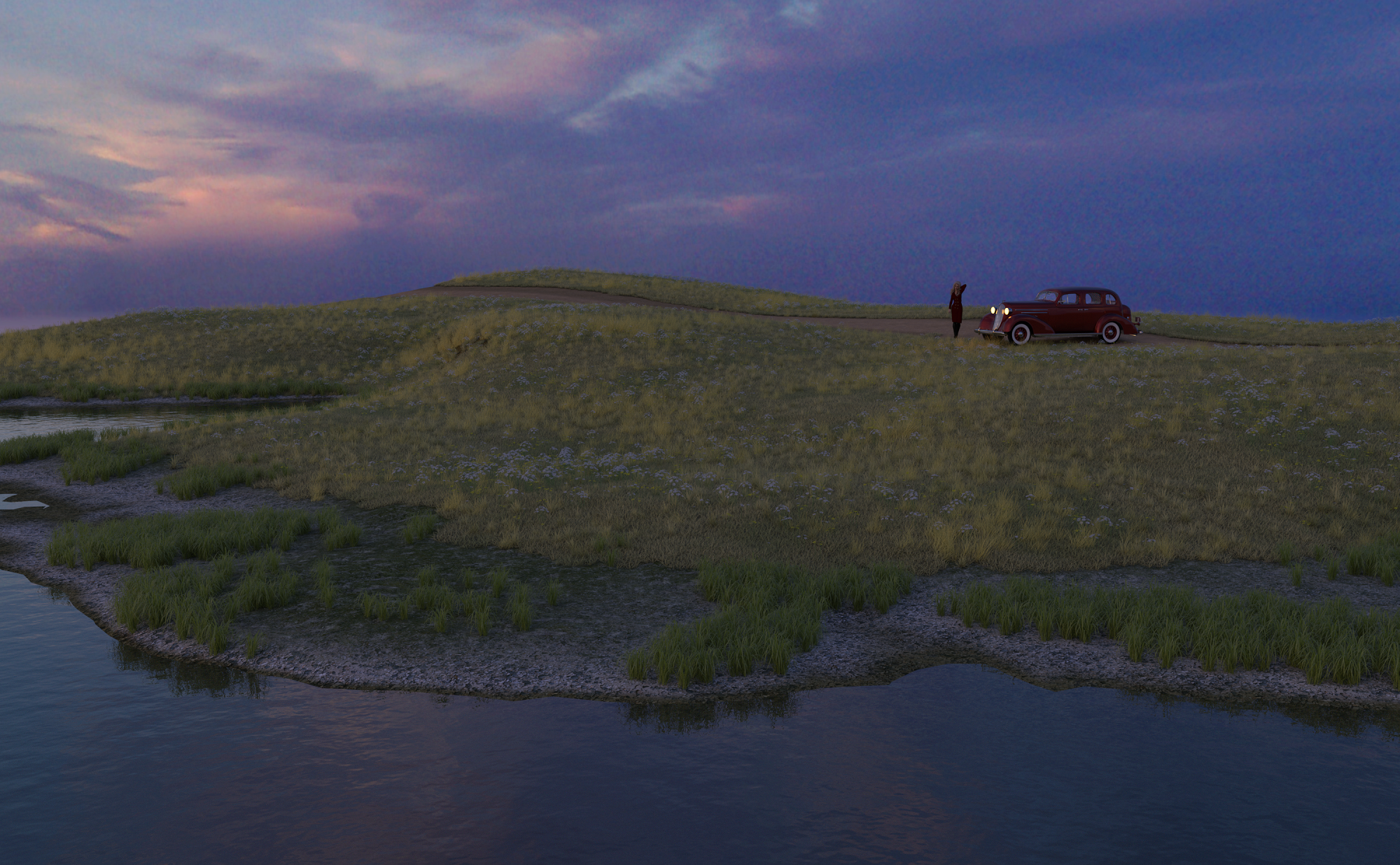
UltraScenery [Commercial]Thanks Daventaki, I tried saving and then merging, but talk about a mess! But here is the first render, Sunset Pause. I got the 36 AM Sedan in the BYOB sales and was wowed to find Iray materials. But trying to position it, well that was fun. It kept floating off on me.
I like the simplicity of the coastal options. Where I lived on the Central Coast of California, it is more sheer drop-offs, and mountains growing down to the Pacific, until you turn north at Gaviota. Then you deal with riptides and rocks.
Well I checked a few things out. I had the Game version of the Nvidia update, so I downloaded the Studio one. Then I found there was a switch for GPU in some admin setting in Windows that was turned off! Turned that on. Lots of reboots today, including for the new Daz Studio installation. Hopefully everything will work together happily now. (Until Microsoft, Nvidia, or Daz decide to change something.)
 What happened to my Install Manager links? Daz Central only....when opening Daz Central it states I don't have Daz Studio which is really crazy.
I had that too!

However in my case I tried using DIM to get (eg. upgrade) DAZ Studio. I don't know what happened but my old copy of Studio really did get deleted.
I sort of knew there were going to be problems, but I had planned to erase my hard disk anyway so this is my way and my time to look at what is going on.
I seemed to have difficulty finding the place to download DS 4.12, so I opted for the Daz Central route.
Other first reactions: I was not able log in to DAZ Studio 4.12, and at first G8M no longer had a heading for "characters". (under "G8F" the list of characters was present). After I closed DC and DS 4.12, I *was* able to run DIM to download the G8M characters that I wanted.
Way to organize (and get rid of) Unwanted expression dialsI'd love it if there was a way to organize and get rid of unwanted expression dials. I have thousands, and quite frankly some of them just don't work for me. I'd love an easy way to remove them, without rooting around in the data folder for the exact morph.
Unfortunately there is no easy way to do this.
If you've installed via DIM, Daz connect, or Daz central, you can just select the particular product and remove it.
If you want to keep certain dials but remove others, you'll need to find the particular DSF file in the Data folder and remove them manually.
If you've installed manually, you'll need to delete it manually.
To find the particular DSF, you'll need to check it's Name, not its Label, in the slider. Click on the gear icon for the Parameters Settings dialogue box, and note the name above the label. image 1
Once you know it's name, and the PA didn't bork something, you'll then just need to run a search through Explorer in the data folder.
Dome Size/Background with HDRIsI'm uncertain if I can put my problem in proper words, but I'll give it a shot!
I'm using https://www.daz3d.com/sci-fi-hdri for a space station set up (using the 6th image on the last photo, the central planet surrounded by rings), but I'm only getting a small portion of the planet in my render. It's like the background is super zoomed in.
Things I have tried:
Changing Dome to Finite Sphere
Adjusting Dome Scale Multiplier (doesn't seem to do anything but make it a different color??? If I go to like -50,000. Still no noticeable change in size. Very strange)
Adjusting Dome Radius (same effect as above)
Zooming really far out (it shows more of the planet and it's on the right track, but after a certain distance it doesn't seem to change)All of the other threads I have found through the Google Machine have been saying to adjust Dome Scale Multiplier, and that seems to do the trick for everyone else. My current settings are as follows (I can provide more on request)
Environment Mode: Dome and Scene
Dome Mode: Finite Sphere
Environment Intensity: 1
Environment Map: 2
Dome Origin, Orientation, and Rotation are all at 0.Reference Photos:
1: Zoomed out of scene. DSM and DR at 100% and 100%
2: Actual shot I want to take. DSM and DR at 100% and 100%
3: Actual shot I want to take. DSM and DR at 5% and 5%
4: Actual shot I want to take. DSM and DR at -50,000% and -50,000% (the same effect happens at +50k/+50k)
5: Actual shot I want to take. DSM and DR at +50,000% and -50,000%, respectivelyI got tired of waiting on the renders, so they got progressively worse, but the point should be made. Send halp.
What happened to my Install Manager links? Daz Central only.Does this mean we can no longer do manual downloads and installs, cause I just tried to get Daz 4.12, since I am currently on 4.10 and the option I got to download was to install Daz Central, there was no other option.
I am getting really tired of installing things on my computer just so I can install things on my computer, which is what Daz Central and DIM are.
You can download the standalone installer for Daz Studio from your Product Library here: https://www.daz3d.com/downloader/customer/files#prod_13176
(it's an installer, too, BTW -- there's never been a completely manual install option for software)
What happened to my Install Manager links? Daz Central only.Does this mean we can no longer do manual downloads and installs, cause I just tried to get Daz 4.12, since I am currently on 4.10 and the option I got to download was to install Daz Central, there was no other option.
I am getting really tired of installing things on my computer just so I can install things on my computer, which is what Daz Central and DIM are.
What happened to my Install Manager links? Daz Central only.Boy, I hope thay are not starting that up again. I bought a product FW Honey that was DAZ Connect only at one time. What a hassle. Open DIM and set it to recent first and see if you can download it through DIM.It's not really a Central-only item, it's another files-failed-to-upload-to-the-DAZ-servers item. It can't be downloaded at all because there's nothing there. Apparently the "Install Types" display has a bit of a bug where it assumes there will always be a Central download available, even if there isn't. This has happened a few times in the last month or so; the only fix is to report it on one of the monitored threads so someone at DAZ can give the store database a good hard kick. Again.
Daz Install Manager (DIM) 1.4.0.94, Now Available! (*UPDATED*)I'm trying to stay calm about all of this, but it looks like there have been new paths created.
My Daz Application has been on my C drive under Program Files, My default content library has been D:/DAZ/My Library for a long time.
Now it looks like Install manager wants me to use new created folders starting with and under Applications for both the application and content. - D:/DAZ/Applications/Data/DAZ 3D/My DAZ 3D Library and D:\DAZ\Applications\Data\DAZ 3D\Content Database.
Is this required, or can i continue to use the old paths? Install directory currently show only 24 installed and over 2,000 ready to install - which i have to tell you is genuinely obnoxious. I have absolutely zero interest in using Daz Central, since my experience with it was quite horrible.
You can use the old paths, but why do you think it wants to use the Applications folder for both application and content?
These were the defaults when i looked into advance settings - and the Application folder is not one that i ever created
Daz Install Manager (DIM) 1.4.0.94, Now Available! (*UPDATED*)I just manually downloaded this onto my second computer and I am glad I did - it is changing all the paths I have set and I am having to manually go in and set them back to the correct one. I'm still fighting the the Manifest Archive path, and DIM is currently saying that I have nothing installed on this computer, which is wrong. At least I know now to go in and take screenshots of all my paths on my main computer before upgrading.
This is NOT how you update a bit of software and not respect the settings already there. This hasn't happened with any update before, I avoided Daz Central after hearing the horror stories I heard about that, and now DIM is changing settings. Not good enough.
[Update - sorted Manifest Archive and now it sees what I have installed - but I shouldn't have to do this!]
How to fix Resource Error?HEY CAN SOME ONE HELP ME WHY MY DAZ SAID REZOURCE ERROR WHILE I IMPRORT MY FROM DAZ CENTRAL TO DAZ STUDIO
We’re updating Daz Security Settings!I can login to Daz3d Website but not Daz Central with exactly same email and password.
My password is over 7 characters.
Daz 3D is part of

Connect
DAZ Productions, Inc.
7533 S Center View Ct #4664
West Jordan, UT 84084Licensing Agreement | Terms of Service | Privacy Policy | EULA
© 2026 Daz Productions Inc. All Rights Reserved.