-
How to register Measure Metrics.
Help! The above method does not seem to work with Daz Central, and as far as I know Install Manager is history today. I'll try a manual install...
Thanks in advance!
Daz Central Ending - New Enhanced Install ManagerMasterstroke said:
For me it is manual Installation per zip file only, or *.exe for DS software.
No DIM, DAZ Central, Smart Content or what ever, never!
I have never understood why all those installer apps suppose to be important.The ONLY reason I still use DIM is because without it I don't know what's been updated.
Daz Studio 4.22[.0.x] Pro, General Release!metalisthename said:
Richard Haseltine said:
metalisthename said:
OOT hairs and Victoria 8 gentalia doesn't work for some reason.
I have victoria 8 yet her genetallia is not applied, and some characters demand it.
OOT hairs are a known issue, many have been updated and it is simple to fix those that haven't - though if you are using Daz central, Install manager, or a manual installation try reisntalling a recent hair as the issue is a shared file, so the update should overwrite the older file. The fix, if needed, is to remove any map from the Transmitted Colour proerpty in the Editor tab of the Surfaces pane.
You do have the Anatomical Elements, and you are loading them before aplying the materials preset or character preset?
no, I load them with the character or preset.
Ah, I never do that as it has, at least in the past, been vastly slower on my system than loading the base character anda pplying the shaping and materials presets. Still, I was not aware that many character presets were set up to load the Anatomical Elements - do you have some examples of ones that are failing, and worked before?
Daz Studio 4.22[.0.x] Pro, General Release!Richard Haseltine said:
metalisthename said:
OOT hairs and Victoria 8 gentalia doesn't work for some reason.
I have victoria 8 yet her genetallia is not applied, and some characters demand it.
OOT hairs are a known issue, many have been updated and it is simple to fix those that haven't - though if you are using Daz central, Install manager, or a manual installation try reisntalling a recent hair as the issue is a shared file, so the update should overwrite the older file. The fix, if needed, is to remove any map from the Transmitted Colour proerpty in the Editor tab of the Surfaces pane.
You do have the Anatomical Elements, and you are loading them before aplying the materials preset or character preset?
no, I load them with the character or preset.
AIUTO...CHI CONOSCE L’ITALIANO? PARTE QUATTORDICIImago said:
Kainjy said:
guarda anche il video della pagina web.Devi mettere il bollino rosso al video.


Vedo già decine di video "col canale blu e verde settati a zero" basati su quel "Central Blade" che gli hai montato su.


Non ti facevo così malizioso
.E comunque ha bisogno di una figura che l'aiuti visto che ha le mani bloccate.. dunque molti video sulla falegnameria fai-da-te non sono possibili. Al massimo lui ci mette la lama.
 AIUTO...CHI CONOSCE L’ITALIANO? PARTE QUATTORDICI
Kainjy said:
guarda anche il video della pagina web.Devi mettere il bollino rosso al video.
Vedo già decine di video "col canale blu e verde settati a zero" basati su quel "Central Blade" che gli hai montato su.
Update 4.22 Leony Ponytail Genesis 8Expozures said:
Richard Haseltine said:
This is a known issue with some Out of Touch hairs - though whether you encounter it it depends on the instalaltion order, and method.
The immediate fix is to seelct the hair and any cap or other parts in the scene, then go to the Editor tab of the Surfaces pane and select the hair and any cap or other parts there. Find the transmitted colour property (just type transm in the filter box at the top), click the nano-thumbnail to the elft of the colour picker, and from the menu that opens select None. Edit: according to the read me this hair has been updated, so if you install with Daz Central or Install Manager try redownloading from your account and reinstalling.
That fix was from January 2023, when OOT did a huge update because of a similar issue.
Yes, but some hairs have not been updated - so there can be older files, depending on installation order and method, still causing the problem.
4.22 crashes when renderingIf you install with DIM/Daz central/manually it is possible that an older, unupdated hair may have been installed since the Leony fix - that would overwrite the updated file. If you have more than one content directory it is possible that one has an older copy of the file, which may be being found firsdt. ifd you install through Daz Studio then there will be a copy of the file for each product that uses it, it will be a matter of which one is actually read.
Daz Studio 4.22[.0.x] Pro, General Release!metalisthename said:
OOT hairs and Victoria 8 gentalia doesn't work for some reason.
I have victoria 8 yet her genetallia is not applied, and some characters demand it.
OOT hairs are a known issue, many have been updated and it is simple to fix those that haven't - though if you are using Daz central, Install manager, or a manual installation try reisntalling a recent hair as the issue is a shared file, so the update should overwrite the older file. The fix, if needed, is to remove any map from the Transmitted Colour proerpty in the Editor tab of the Surfaces pane.
You do have the Anatomical Elements, and you are loading them before aplying the materials preset or character preset?
What the hell is Gordig doing now?Figured it was time to introduce the team:
4Syt - Elf decker. She's the de facto protagonist of this story, as probably evidenced by the fact that she's almost the only one I've named, despite dealing with these characters for quite a while. Due to trauma and survivors' guilt from losing her entire previous team on a run (as seen in Geeked), she insists that she's only a temporary member of the current team as she tries to remain distant. Despite this, her top-shelf decking skills make her an indispensable part of the team. She travels light (but don't worry, she's got subdermal armor to keep her safe) and doesn't like using a gun, so she relies on her incredible agility and cyberarm to incapacitate enemies.
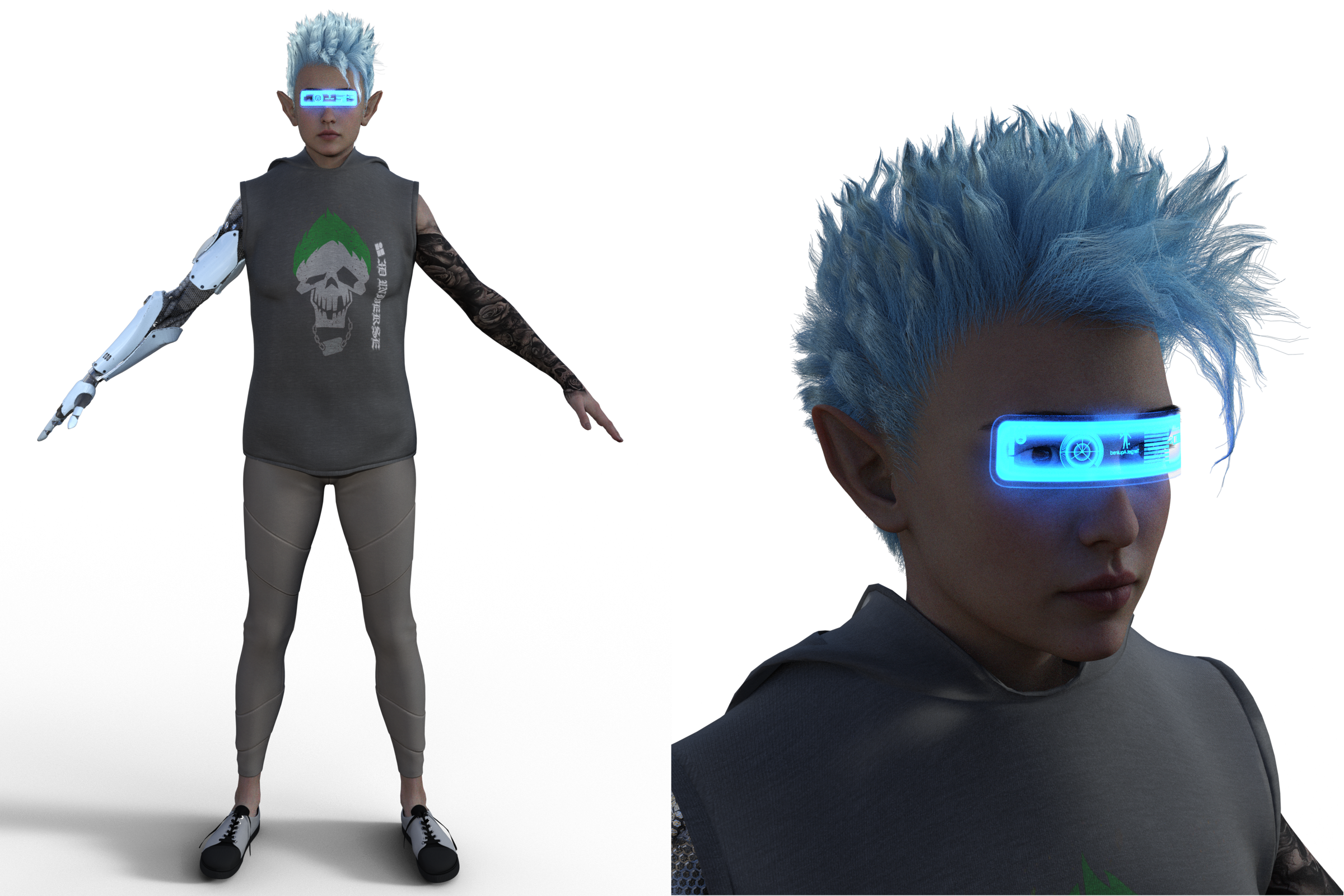
Orc Adept. Haven't worked out too much about him yet
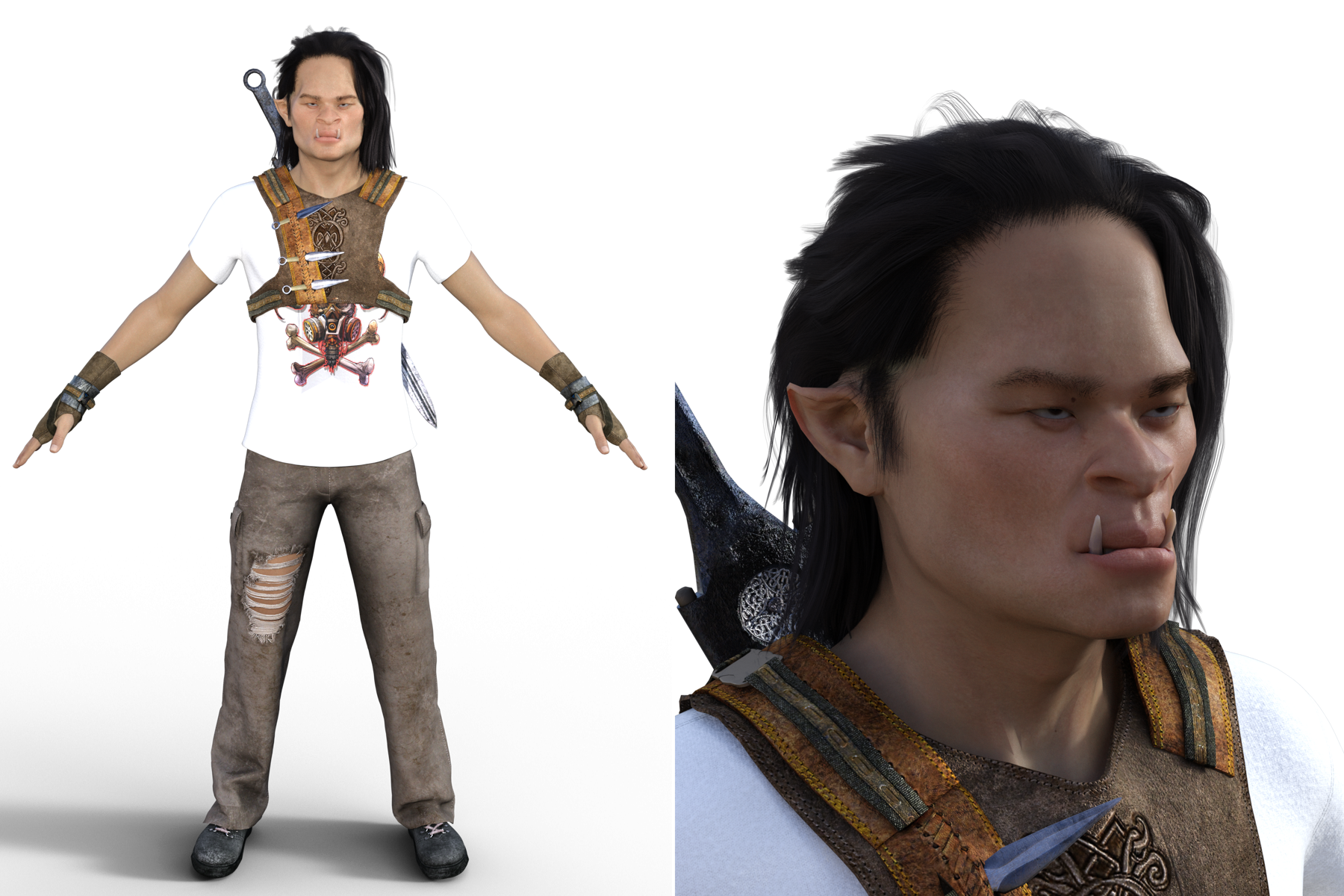
Human Shaman. An Amerindian, speaks with a heavy Central American accent, very serious, gruff and cynical. She's a wolf totem shaman, so if she gets injured, she'll go berserk on whoever's closest, even a teammate.
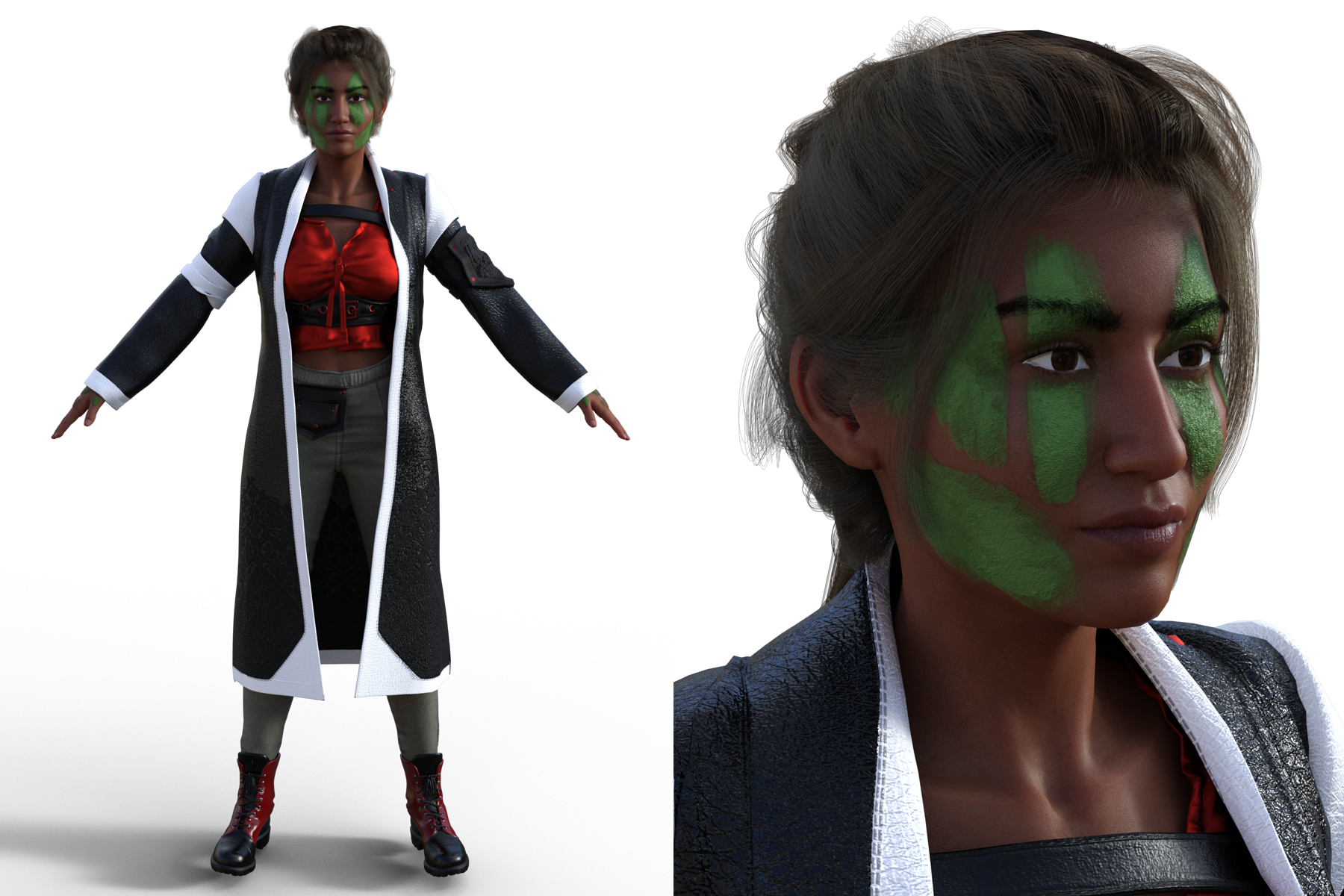
Human Rigger. Hispanic American, jokes around with the shaman a lot but also finds her a bit tiresome. Very jocular and easygoing but dedicated to his craft.
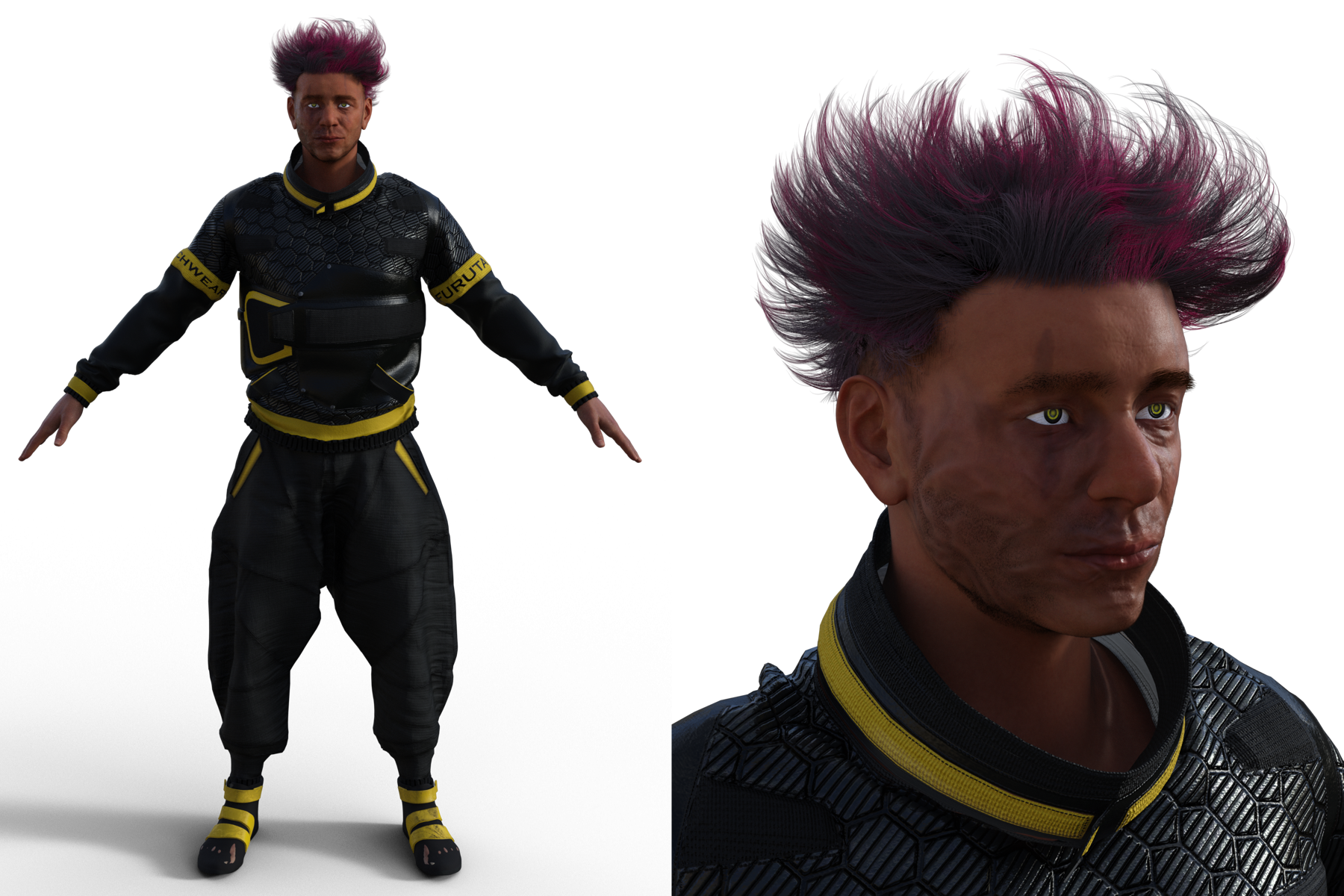
Orc Samurai. The heavy guns. Takes his immense size for granted to his own detriment, and it's a running joke that he will get wounded any time he goes on a run.
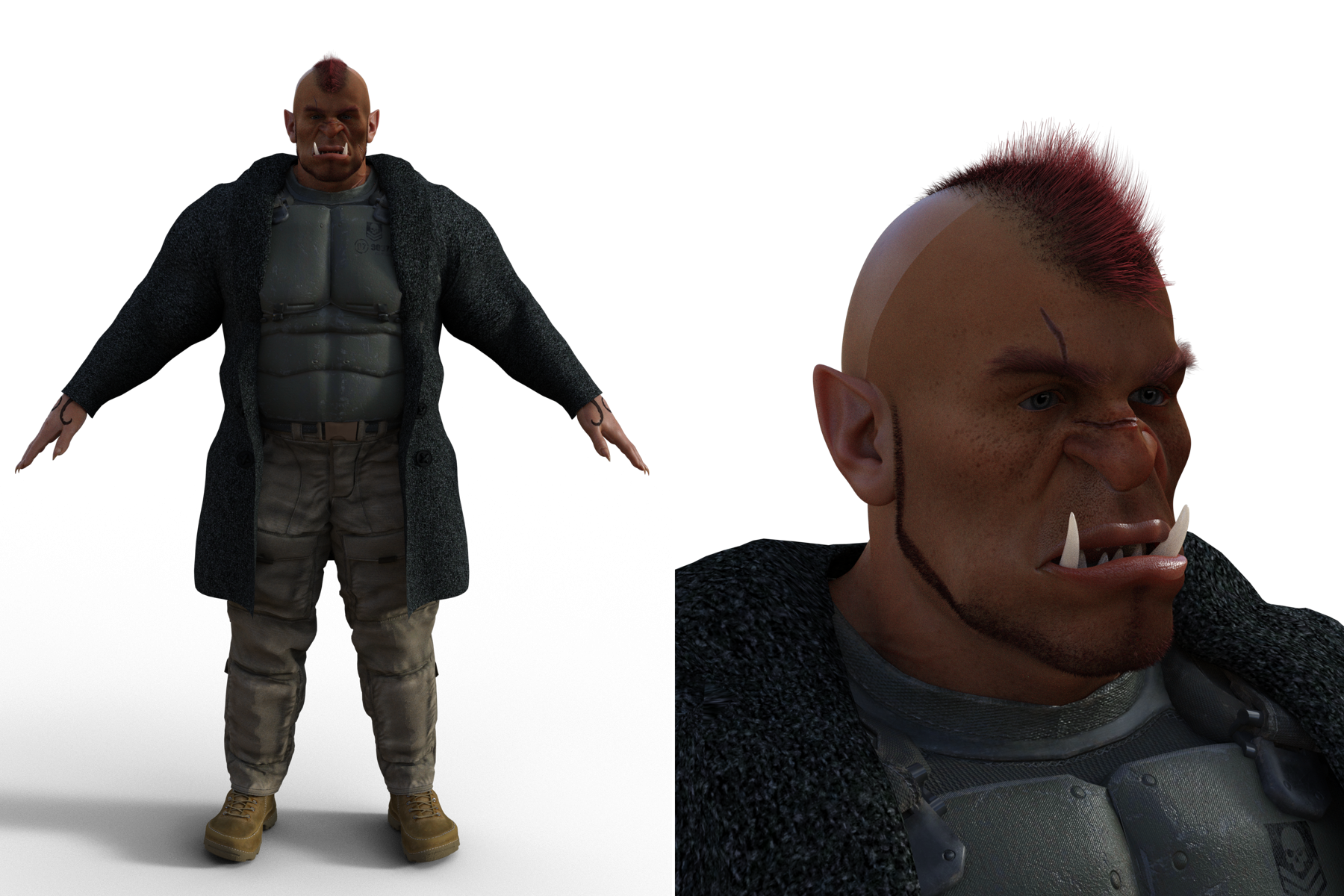
White Death - Dwarf sniper. I don't have plans for her beyond the initial mission, so she might just be a free agent. So named both for the irony and as an homage to Simo Häyhä.
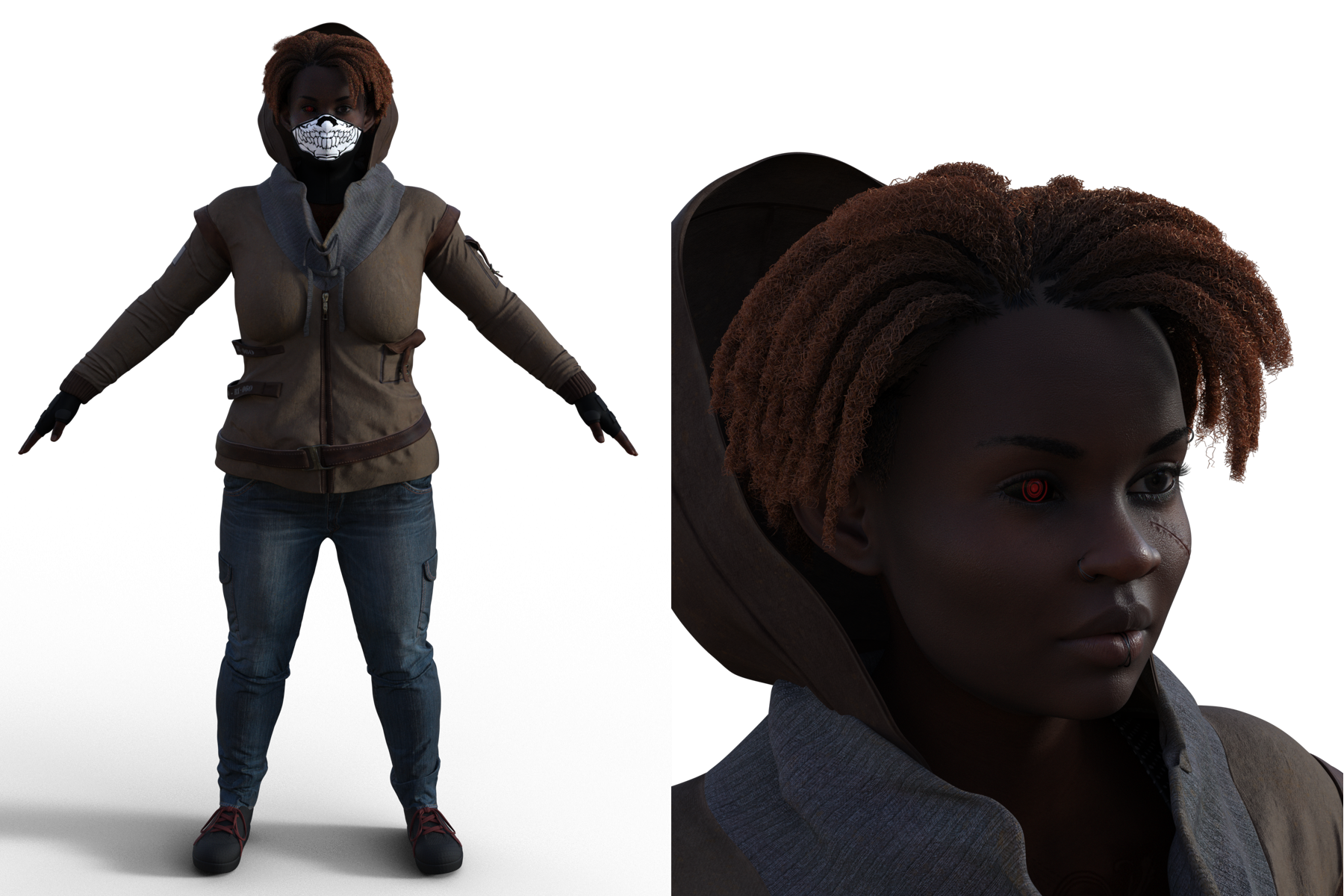
I'm not worrying too much about textures here, since these all have been converted to different render engines at least once. Some clothing is subject to change.
Update 4.22 Leony Ponytail Genesis 8Richard Haseltine said:
This is a known issue with some Out of Touch hairs - though whether you encounter it it depends on the instalaltion order, and method.
The immediate fix is to seelct the hair and any cap or other parts in the scene, then go to the Editor tab of the Surfaces pane and select the hair and any cap or other parts there. Find the transmitted colour property (just type transm in the filter box at the top), click the nano-thumbnail to the elft of the colour picker, and from the menu that opens select None. Edit: according to the read me this hair has been updated, so if you install with Daz Central or Install Manager try redownloading from your account and reinstalling.
That fix was from January 2023, when OOT did a huge update because of a similar issue.
Daz Central Ending - New Enhanced Install ManagerNerevarine said:
MelanieL said:
Thanks for the pics.
I'm still not sure what this does that Smart Content Product View in DS can't do, but I guess it's a matter of what you are used to.
The images are nowhere near as large, and Smart Content in DS is a pain for me as things are rarely where I expect them to be, whereas in the non-smart view I can usually find G8F clothes in the G8F clothes folder, props in the props folder etc. Plus uninstalled products are greyed out, making them even harder to see sometimes. This is just for me, but I think others may feel similarly! :D As a random side note, I also don't own the Content Wizard thing, and I have a bunch of products I've made myself or bought from other stores, which don't go into Smart Content. So, for me, Smart Content has plenty of drawbacks.
For me, I usually filter by Products instead of individual items because it's easier for me to find something when I know the product and see the product thumbnail. If I'm looking for a specific item, I just use a regular expression (ie. name::somethingsomething).
Having said that Smart Content with Connect functionality were *miles* ahead of everything else that Daz had with DIM and Central, but it's utterly broken right now because the store upgrade years ago broke the date tags -- and it hasn't been fixed.
Daz Central Ending - New Enhanced Install ManagerNerevarine said:
butterflyfish said:
Nerevarine said:
MelanieL said:
Thanks for the pics.
I'm still not sure what this does that Smart Content Product View in DS can't do, but I guess it's a matter of what you are used to.
The images are nowhere near as large, and Smart Content in DS is a pain for me as things are rarely where I expect them to be, whereas in the non-smart view I can usually find G8F clothes in the G8F clothes folder, props in the props folder etc. Plus uninstalled products are greyed out, making them even harder to see sometimes. This is just for me, but I think others may feel similarly! :D As a random side note, I also don't own the Content Wizard thing, and I have a bunch of products I've made myself or bought from other stores, which don't go into Smart Content. So, for me, Smart Content has plenty of drawbacks.
Surely your content from other stores doesn't show up in DAZ Central, either, though, does it?
No, but I was just explaining why I don't use Smart Content much (and the differences!) :D Sorry for any confusion, there
Ah, OK. I understand you now.
 Problem with VO Lisa
Wonderland said:
Does anyone have https://www.daz3d.com/vo-lisa-for-genesis-9 and can test if they have the same problems?
First of all, when I tried her one click expression, it brought up two Mousso expression dials that I don't believe are meant as merchant resources.
Second, when I clicked on an eye color, it removed all makeup and completely set the skin I had tweaked to default. The eye color should just change the eye color!
Anyone else have these problems? Probably returning it.

There is no sign of those in the Filelist, which is aprt of the readme page (and you have access to the list of isntalled files through DIM/Daz Central, or can browse to the product folder by right-click on the product in DS to check) - there may be incorrect links, however, so it may be worth reporting this to support (I don't have the character to test).
Daz Central Ending - New Enhanced Install Managerbutterflyfish said:
Nerevarine said:
MelanieL said:
Thanks for the pics.
I'm still not sure what this does that Smart Content Product View in DS can't do, but I guess it's a matter of what you are used to.
The images are nowhere near as large, and Smart Content in DS is a pain for me as things are rarely where I expect them to be, whereas in the non-smart view I can usually find G8F clothes in the G8F clothes folder, props in the props folder etc. Plus uninstalled products are greyed out, making them even harder to see sometimes. This is just for me, but I think others may feel similarly! :D As a random side note, I also don't own the Content Wizard thing, and I have a bunch of products I've made myself or bought from other stores, which don't go into Smart Content. So, for me, Smart Content has plenty of drawbacks.
Surely your content from other stores doesn't show up in DAZ Central, either, though, does it?
No, but I was just explaining why I don't use Smart Content much (and the differences!) :D Sorry for any confusion, there
Daz Central Ending - New Enhanced Install ManagerNerevarine said:
MelanieL said:
Thanks for the pics.
I'm still not sure what this does that Smart Content Product View in DS can't do, but I guess it's a matter of what you are used to.
The images are nowhere near as large, and Smart Content in DS is a pain for me as things are rarely where I expect them to be, whereas in the non-smart view I can usually find G8F clothes in the G8F clothes folder, props in the props folder etc. Plus uninstalled products are greyed out, making them even harder to see sometimes. This is just for me, but I think others may feel similarly! :D As a random side note, I also don't own the Content Wizard thing, and I have a bunch of products I've made myself or bought from other stores, which don't go into Smart Content. So, for me, Smart Content has plenty of drawbacks.
Surely your content from other stores doesn't show up in DAZ Central, either, though, does it?
Daz Central Ending - New Enhanced Install ManagerMaybe they'll replace it with a bigger one once Central is actually retired?
 Daz Central Ending - New Enhanced Install Manager
Leana said:
butterflyfish said:
You can do a search for whatever word in DIM, too. You just get your results in list form.
And yeah, there are probably a ton of Central users who are going to be blindsided by this. We're always told most users never come to the forums. Is it being announced anywhere else?
From what I’ve read there’s actually an announcement message inside DazCentral.
Oh, good. Hopefully people will read it.
Daz Central Ending - New Enhanced Install Managerbutterflyfish said:
You can do a search for whatever word in DIM, too. You just get your results in list form.
And yeah, there are probably a ton of Central users who are going to be blindsided by this. We're always told most users never come to the forums. Is it being announced anywhere else?
From what I’ve read there’s actually an announcement message inside DazCentral.
Daz Central Ending - New Enhanced Install ManagerYou can do a search for whatever word in DIM, too. You just get your results in list form.
And yeah, there are probably a ton of Central users who are going to be blindsided by this. We're always told most users never come to the forums. Is it being announced anywhere else?
Daz 3D is part of

Connect
DAZ Productions, Inc.
7533 S Center View Ct #4664
West Jordan, UT 84084Licensing Agreement | Terms of Service | Privacy Policy | EULA
© 2026 Daz Productions Inc. All Rights Reserved.