-
SOLVED - Smart Content / Content Library folder merge?
Well, if you are still keen on this then I imagine the steps would be something like this. Note, I don't want to do this in my own install so please proceed at your own risk (although you can probably re-install the products if it goes wrong):
- Locate the product that you want to move all the items into and copy the product name, e.g. "X-Fashion Stylish Outfit for Genesis 8 and 8.1 Females Bundle"
- Navigate to the other products under Content Library - either by right-clicking an asset in Smart Content and selecting "Show Asset in" -> "Content Library -> Products" or by going to the Content Library tab manually and navigating to "Products" -> X
- Select one of the "partials" products, highlight all the assets inside, right click on one and select "Create Product From".
- In the box that pops up paste the Product Name from step 1
- I believe this should open up a confirmation dialog window about the product already existing and would you like to add the products to it. Click yes here.
- Repeat steps 3 to 5 for the other partial products
- Now go back to Smart Content and double-check that everything is part of the same one product. Note: you may have to right-click the background and hit refresh here to update the screen.
- In theory, you can now go back to Content Library, select the partial products and select Delete. I am pretty sure this just removes that product from Smart Content (CMS) it doesn't actually uninstall or remove the physical files.
- Hopefully now, you have eveything in one product as you wanted.
Again, this is a theoretical process and not one I have gone through myself as I am going to leave them as 5 products in my library. So please proceed with caution.
You may want to check this page (Adding Metadata to Products) from the Daz Wiki for more info.
SOLVED - Smart Content / Content Library folder merge?I have this product and I believe I can see what Ch79Fly means. This is one of those outfits where Daz experimented with offering each part as a separate product. See: X-Fashion Stylish Outfit for Genesis 8 and 8.1 Females Bundle. Therefore, this effectively shows up as 5 products within Daz Studio which is pretty messy.

I would be inclined to just leave them as they are since any future product updates would mess with the manual changes. Also, I would point out that moving/copying the files will not have any effect on Smart Content - changes there need to be done by amending the metadata and specifically adding/removing them from Products.
Can I use Mesh Grabber for custom morphs on clothes?If you export the clothing after mesh grabber modification at base resolution, you can import it as a morph and save that.
daz transfer utility I have some questionsAfter creating a character, switch to base, export obj, and then pour it into DAZ. If I use the transfer utility to import obj models, they will change. Even if I do not create new vertices, the model will still be disordered
Trouble with fur on OBJ filekirstinetheartist said:
crosswind said:
kirstinetheartist said:
crosswind said:
found no problem with this product.. there're 30 Fun Fur shader presets, which one did you use ? You selected surface of your object and apply it?
That's why I'm confused. But no fur shows up on my import.
And the Draw Style you use? Iray preview or not?
Iray preview, yes.
Pls take a look... I just showed you the result as - : https://mega.nz/file/2OZ3wDoa#JX-eEyVd16p-qyBPsfKJFCC79grcf-6kT50f06_eQNo
Do you have to use Kitbash3D to Kitbash?I use Kitbash3D items in Daz with no issues, though I have to use Poser Pro 11 to import FBX, save, then import into Daz. ["Import" is just like "load;" you just click a different word]. After that, I merely scale to Genesis, do a quick Uber Iray conversion of surfaces, and they're ready. I save the lot, then geometry edit out each building and save. It's neither difficult nor challenging, and I'm not that technically proficient.
If you catch them on 50% sale, the kits are competitively priced for what you get. The background buildings in this render are all KB3D.
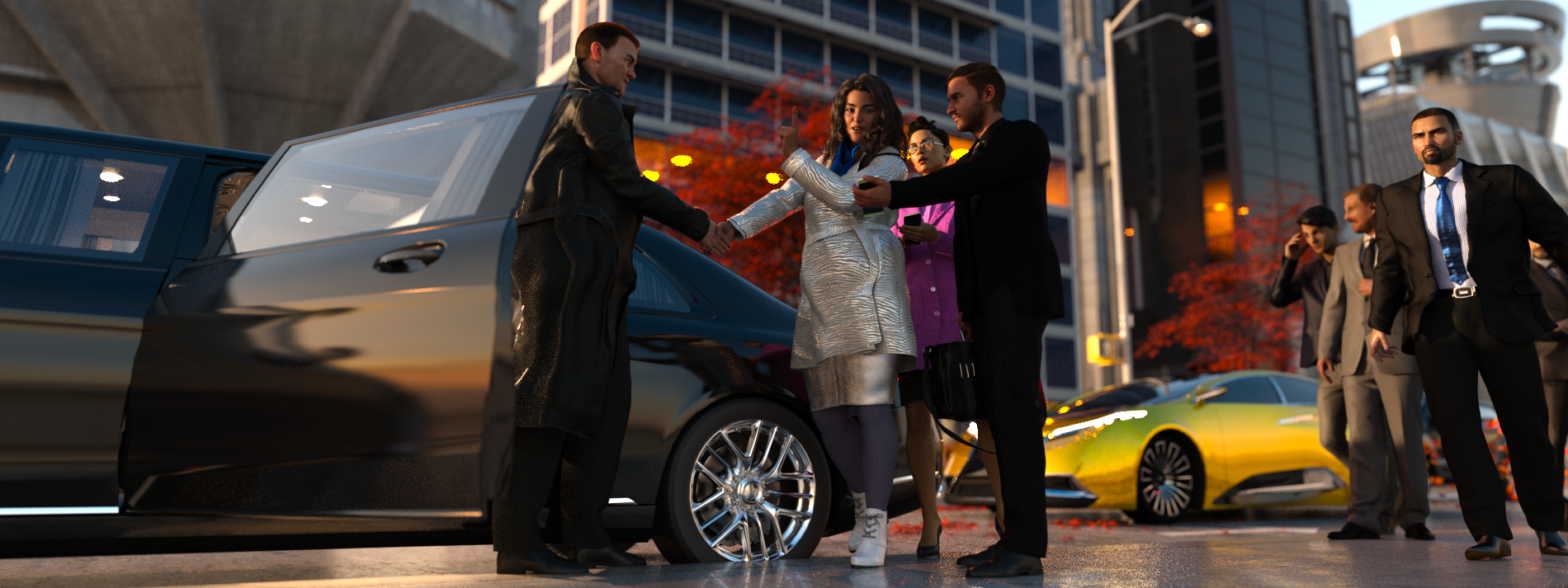 Do you have to use Kitbash3D to Kitbash?
Kitbash offers several format types so you only download what version you want for the program you use. Their textures are a seperate download as they have several sizes, from 2k to 8k, so you can choose the size of the textures you want. Both can be imported to Daz, just keep in mind a full scene is a large file, they do have the objects seperated so you only import the one's you want from each set.
As for importing to Daz and not having textures, it's easy to apply by going thru the surface tab and applying them manually. They don't offer one click solutions for their products.
Once you have an item in Daz and textures applied, you can save it in a number of ways so you won't have to do it again.
Trouble with fur on OBJ filecrosswind said:
kirstinetheartist said:
crosswind said:
found no problem with this product.. there're 30 Fun Fur shader presets, which one did you use ? You selected surface of your object and apply it?
That's why I'm confused. But no fur shows up on my import.
And the Draw Style you use? Iray preview or not?
Iray preview, yes.
Do you have to use Kitbash3D to Kitbash?WendyLuvsCatz said:
Nath said:
WendyLuvsCatz said:
it's like any term, somewhere exists another thing or product using that name
DAZ is a laundry powder and a rap artist for example
the Game model vendor Kitbash3D actually has very little to do with the term kitbashing which is simply using stuff you have handy to make other things
their stuff is not even DAZ friendly needing other software like Blender to even use it
They do offer OBJ downloads, so models can be imported into DAZ.
I have no idea how their models import in DAZ, since I use their stuff in Blender.
not well
I use Blender to export it as individual props with textures myself
D|S obj import it's one obj and no textures last time I tried with Mission to Minerva
Good to know, saves me trying! Better to go the other way if necessary and use Diffeomorphic.
Do you have to use Kitbash3D to Kitbash?Nath said:
WendyLuvsCatz said:
it's like any term, somewhere exists another thing or product using that name
DAZ is a laundry powder and a rap artist for example
the Game model vendor Kitbash3D actually has very little to do with the term kitbashing which is simply using stuff you have handy to make other things
their stuff is not even DAZ friendly needing other software like Blender to even use it
They do offer OBJ downloads, so models can be imported into DAZ.
I have no idea how their models import in DAZ, since I use their stuff in Blender.
not well
I use Blender to export it as individual props with textures myself
D|S obj import it's one obj and no textures last time I tried with Mission to Minerva
Trouble with fur on OBJ filekirstinetheartist said:
crosswind said:
found no problem with this product.. there're 30 Fun Fur shader presets, which one did you use ? You selected surface of your object and apply it?
That's why I'm confused. But no fur shows up on my import.
And the Draw Style you use? Iray preview or not?
Do you have to use Kitbash3D to Kitbash?WendyLuvsCatz said:
it's like any term, somewhere exists another thing or product using that name
DAZ is a laundry powder and a rap artist for example
the Game model vendor Kitbash3D actually has very little to do with the term kitbashing which is simply using stuff you have handy to make other things
their stuff is not even DAZ friendly needing other software like Blender to even use it
They do offer OBJ downloads, so models can be imported into DAZ.
I have no idea how their models import in DAZ, since I use their stuff in Blender.
Trouble with fur on OBJ filecrosswind said:
found no problem with this product.. there're 30 Fun Fur shader presets, which one did you use ? You selected surface of your object and apply it?
That's why I'm confused. But no fur shows up on my import.
Trouble getting an animation of a character with hair and anatom. elements exported (collada / fbx)Hi,
I try to export a simple animation I have created in Daz Studio to Marvelous Designer. The character has some hair and beard from https://www.daz3d.com/mrl-buzz-cut-hair-stubble-and-scars-for-genesis-8-and-genesis-3-male as well as genital (dicktator). But whatever I try the hair and the genital is floating around when I import the fbx or the collada file to Marvelous Designer and start the animation there. I tried to import the files to Blender - where the FBX seems completely useless and the the collada has the sam problem: the hair and the genital is misplaced and floats weirdly around during the animation.
Can somebody give me a hint what may cause this problem? I first thought that maybe it's some trouble with not correctly logged keyframes at the beginning of the animation so I added keyframes for every possible bone to frame 0. I played around with the settings during export but nothing helped.
How to import a scene over a scene without Environment and tonemapper.I think save render preset is the best option because i have tried the subset option and still do for other reasons but if you import a subset scene on a already load scene then Environment and tonmapper nodes goes away and you have set them again. Same thing happens if you import a scene with no/deleted Environment and tonmapper nodes. I made this thread after trying subset and deleting method.
daz transfer utility I have some questions理查德·哈塞尔廷 说:
您好,我正在使用翻译聊天,希望不会出现词序错误和不恰当的表达。 提前道歉。
我将购买的模型导出到 obj 文件,重新导入后 在编辑器中使用“传输实用程序”后,导入的obj模型开始变形和无序 我原本想用“变形器”,但我修改了obj的顶点信息,所以无法使用 但是我发现即使顶点数没有变化, 发生错误我不知道我的导入设置或导出设置是错误的,希望能够提供帮助,谢谢
你想做什么?转移实用程序用于创建需要遵循基本图形的新图形,例如衣服和头发。
为了使变形正常工作,顶点计数和顺序必须保持不变 - Daz Studio 在导入的 OBJ fiel 中查看顶点 0,并获取顶点 0 在基底中的新位置,然后导入对象中的顶点 1 是顶点 1 在基底的新位置, 等等。您用什么来编辑导出的对象?Blender在导入和导出时具有保留顶点顺序的选项。
我有blender上进行保留了顶点顺序的选项,但是导入失败了。
之后我把daz的模型,导出obj,不进行操作,把模型原封不动的导入回daz,跟之前的图片一样进行了操作,还是失败了,模型变形了
I have the option to preserve vertex order on Blender, but the import failed.
Afterwards, I exported the Daz model to OBJ and imported it back to Daz without any operation. The operation was the same as the previous image, but it still failed. The model was deformed
daz transfer utility I have some questionsHello, I am using a translator to chat, I hope there will be no word order errors and inappropriate expressions. Apologies in advance.
I exported the purchased model to obj file, after re-importing After using the "Transfer Utility" in the editor, the imported obj model begins to deform and disorder I originally wanted to use the "deformer", but I modified the vertex information of obj so it can't be used But I found that even if the number of vertices has not changed, an error has occurred I don't know if my import settings or export settings are wrong, Hope to be able to help, thank you
What are you trying to do? Transfer utility is for creating new figures that need to follow the base figure, things like clothes and hair.
In order for a morph to work the vertex count and order must remain the same - Daz Studio looks at vertex 0 in the imported OBJ fiel and takes thata s the new position for vertex 0 in the base, then vertex 1 in the imported object is the new position for vertex 1 in the base, and so on. Whata re you using to edit the exported object? Blender has options, on import and export, to preserve vertex order.
LECS Genesis 8 Female purchase not importing into Unity properly.Hi all im wondering if i could get some help guidance on an issue i am having when importing a recently purchased chararcter into Unity.
I purchased this character (https://www.daz3d.com/lecs-for-genesis-8-females) for a project I am working on, the main reason being it is compatible with the Daz to Unity Bridge. I setup the character how I want it and I have followed all the instructions on how to import. I have had two issues, originally it was compleletly smooth and I have no idea why it did this but on playing with some of the brifge settings I was able to get it to import better but its still not right. It's like its losing the amount of polygons it initially had for the detail (around the helmet ears) and it's not lining up properly, its also lost the facial features too. Ive tried playing around with the settings and subdivisions but nothing seems to make it better.
DAZ3d Version: 4.21
Unity Bridge:2023 v1.0
Unity Version: 2022.3.4f1
I hope its OK to add the img host links as I could not upload the screenshots.
DAZ3d Export
Unity Import
I have a dealine i'm working to and hoping I can get some guidance as to why this may be happening.
Importing UDIM textures in DazStudioI have a female armor who consists of like 30 pieces, I wanted to import everything seperatly, all my textures are on that one UDIM set.
Now how can I make import for example my 10 Diffuse color maps in one material ? And use that material for all assets of the armor. Or it doesn't work that way ? I saw Genesis has some sort of templates, any approach on that ?DD PBR Concrete Shaders for Iray Vol 3paulawp (marahzen) said:
OK, thanks. Just to clarify - as I don't have any prior experience with this sort of thing - this is supposed to be done to all references of that path in the Manifest.dsx file in the main directory of the downloaded zip file? Is there any recourse if I still want to use it with Smart Content? For my personal taste, I hardly ever use Content Library and almost anything I install manually that ends up being accessible only there ends up getting underused and eventually totally forgotten.
Oddly, I notice that although the product itself has an April 2023 release date, with a fix shown in the Read Me for this very problem in May, almost all of the files in the downloaded zip are dated from last year.
The metadata is valid for the actual folder structure in the package, so once the installation path is corrected in the manifest and the product is installed, it will show in Smart Content as expected.
Daz 3D is part of

Connect
DAZ Productions, Inc.
7533 S Center View Ct #4664
West Jordan, UT 84084Licensing Agreement | Terms of Service | Privacy Policy | EULA
© 2026 Daz Productions Inc. All Rights Reserved.














