-
White Priestess 8.1 discussion
benniewoodell said:
@JeniMorris I saw at the beginning of this thread you worked on the textures and think the character looks fantastic, but I'm hoping you can help me here, and I'm sorry if this has been beaten to death elsewhere. I'm just so confused at the shaders for 8 and 8.1 and what to do because I think I recall in one thread you had to do that for the 8.1 base model, but not Victoria 8.1, that she was already set up for it. And so if that's the case, is it that way for all 8.1 characters like the White Priestess? Please note I could be way off about that, there was so much information in those first 8.1 threads being thrown around. So when I load the White Priestess into my scene, do I need to first go and apply the PBR shader to her, or is that already done and I just need to apply whatever eyelashes/eye colors/etcetera to her? Thank you for any and all help!
If a character uses the PBR shader it will be applied with the character's materials, there's no need to apply it separately.
White Priestess 8.1 discussion@JeniMorris I saw at the beginning of this thread you worked on the textures and think the character looks fantastic, but I'm hoping you can help me here, and I'm sorry if this has been beaten to death elsewhere. I'm just so confused at the shaders for 8 and 8.1 and what to do because I think I recall in one thread you had to do that for the 8.1 base model, but not Victoria 8.1, that she was already set up for it. And so if that's the case, is it that way for all 8.1 characters like the White Priestess? Please note I could be way off about that, there was so much information in those first 8.1 threads being thrown around. So when I load the White Priestess into my scene, do I need to first go and apply the PBR shader to her, or is that already done and I just need to apply whatever eyelashes/eye colors/etcetera to her? Thank you for any and all help!
how is this product used?You may need to make some small adjustments. Not every figure has the same proportions as Victoria 8.
how is this product used?dannagiusy64 said:
Hi, I just bought this product, but I didn't understand how to fit the veil to the matched figure.
https://www.daz3d.com/dance-of-the-veils-2-for-victoria-8
Thank you
It is nicely explained in the readme file for the product. Just under "Additional Details", you will find:
-
Using “Dance Of The Veils 2” is pretty easy - you will find them in your Content Library under People/Genesis 8 Female/Clothing/Jepe/Dance Of The Veils.
-
I suggest to save and to look at the store drape reference images to get a first impression of the pose and matching drape of the veils. Load Victoria 8 figure first, apply the pose, load the according veil, select it and dial in any of the according veil drape morphs you'll find in the Veil / Actor / Morphs section in Parameters Tab - remember to turn the used dial to zero again BEFORE trying another slider!
-
To change the appearance of the veil, load one of the 10 different Veil Material Presets or select the Material Zones of the veil in Surfaces Tab and apply a shader to it from the Shader folder. Be aware of that the final outcome is only visible in Iray Preview mode or when rendered in Iray. Set the Cutout Opacity of the shaders to 0.8 or 0.7 to get a more “lighter” look of the veils.
-
If you want to move your figure I suggest to parent the veil to Victoria 8 first, simply drag and drop the sheet onto your Victoria figure hierarchy in the Scene Tab, that it will move with the figure to another place in the scene.
for the complete readme: http://docs.daz3d.com/doku.php/public/read_me/index/47377/start
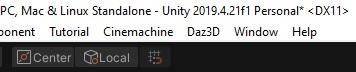
Unity: Introducing the all-new Daz to Unity Bridge & native Unity File FormatsThanks and yes, it works with Daz Studio 4.15 Beta and Unity 2019.4.21f1
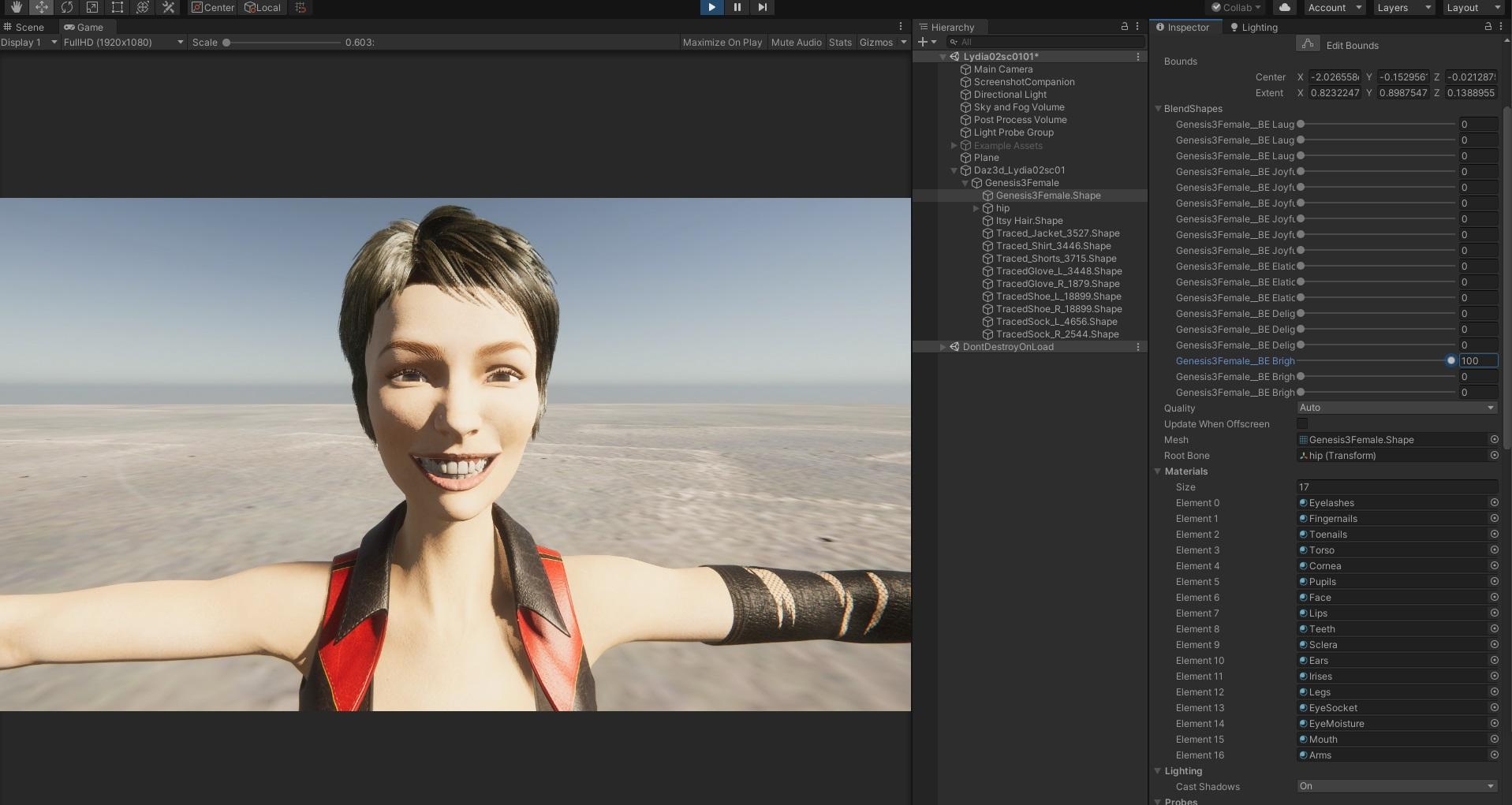
Below is an example on Lydia - https://www.daz3d.com/lydia-hd-for-victoria-7
 how is this product used?
Hi, I just bought this product, but I didn't understand how to fit the veil to the matched figure.
https://www.daz3d.com/dance-of-the-veils-2-for-victoria-8
Thank you
NEW 2021 Sales thread: Report Issues Here "There's Always Another Sale™"Richard Haseltine said:
Richard Haseltine said:
Diomede said:
The Outdoor Pool and Poses are not getting the triggered extra discounts for buying 2+ Mad items. I tried a couple of sample carts. Still only showing 30% off in cart. Here is an example.
https://www.daz3d.com/outdoor-pool-and-poses-for-victoria-8-and-michael-8
Reporting
I'm afriad the link was going to the wrong category, that set isn't in today's real list of Related Mad.
Thanks for reporting and following up.
NEW 2021 Sales thread: Report Issues Here "There's Always Another Sale™"Richard Haseltine said:
Diomede said:
The Outdoor Pool and Poses are not getting the triggered extra discounts for buying 2+ Mad items. I tried a couple of sample carts. Still only showing 30% off in cart. Here is an example.
https://www.daz3d.com/outdoor-pool-and-poses-for-victoria-8-and-michael-8
Reporting
I'm afriad the link was going to the wrong category, that set isn't in today's real list of Related Mad.
NEW 2021 Sales thread: Report Issues Here "There's Always Another Sale™"Diomede said:
The Outdoor Pool and Poses are not getting the triggered extra discounts for buying 2+ Mad items. I tried a couple of sample carts. Still only showing 30% off in cart. Here is an example.
https://www.daz3d.com/outdoor-pool-and-poses-for-victoria-8-and-michael-8
Reporting
Dforce Fur/Classic Capedragoneyes002 said:
Richard Haseltine said:
Which version of Daz Studio is this? I suspect it's too old to support dForce hair.
That Cubit look happens all the time when textures are missing. the same thing happened with Victoria 8.1 on launch day when DAZ had not rolled out the new starter essential update (unless you happen to use central)
the cape is in the scene the fur colar doesn't have the Material its always possible the version is old but do old versions not load materials and textures even if they can't run D-Force?
to the OP when you loaded the Cape onto the character did you get a pop up window warning you of missing files? or did it just load to the way you screen shot?
Missing textures won't do that, missing geometry will - if the DS version is too old for dForce hair it won't know what to do with the instructions to draw the strands, which will have the same net result as not being able to find the geometry.
Dforce Fur/Classic CapeRichard Haseltine said:
Which version of Daz Studio is this? I suspect it's too old to support dForce hair.
That Cubit look happens all the time when textures are missing. the same thing happened with Victoria 8.1 on launch day when DAZ had not rolled out the new starter essential update (unless you happen to use central)
the cape is in the scene the fur colar doesn't have the Material its always possible the version is old but do old versions not load materials and textures even if they can't run D-Force?
to the OP when you loaded the Cape onto the character did you get a pop up window warning you of missing files? or did it just load to the way you screen shot?
NEW 2021 Sales thread: Report Issues Here "There's Always Another Sale™"The Outdoor Pool and Poses are not getting the triggered extra discounts for buying 2+ Mad items. I tried a couple of sample carts. Still only showing 30% off in cart. Here is an example.
https://www.daz3d.com/outdoor-pool-and-poses-for-victoria-8-and-michael-8
Babydoll 5576 errorOkay, back up a step. If you are using DIM to download and install, don't worry about Connect. You won't need to log in to your account in Studio to get everything you need from DIM. Logging in through Studio will enable Connect-based functions, but you don't need them.
In DIM, you can find products in your account using SKU::nnnnn in the filter box. If your Product Library on the DAZ site shows that you have Babydoll (SKU::5576), it should show in one of the tabs in DIM. If it does not show, then there is a problem. If it is installed, you can find the product with a right-click on the entry in the Installed tab and select Show Installed Files...
This particluar product will be found in Content Library:
Poser Formats -> [yourLibraryName] -> Figures -> DAZ's Victoria 4 Clothing -> Babydoll
Poser Formats -> [yourLibraryName] -> Pose -> MAT BabyDollDynamic Classics - OptiTex???? Does this work as advertised?https://www.daz3d.com/dynamic-classics-for-victoria-7-genesis-3-female-s
"Dynamic Clothing flows with your character's shape in a more natural way. With conforming clothes, even when the creator has included several morphs created using other software's dynamic engines there will be a pose these pre-packaged morphs can't hit in a natural way. Particularly difficult fits are extreme poses or shapes, where animated draping is recommended. Nothing fits more natural than Dynamic Clothing where they flow around your Figure creating exciting visual details with wrinkles and folds that dynamically change depending on your pose - enhancing realism in your renders."
Anyone know about this? It sounds familiar, but I don't remember this being around.
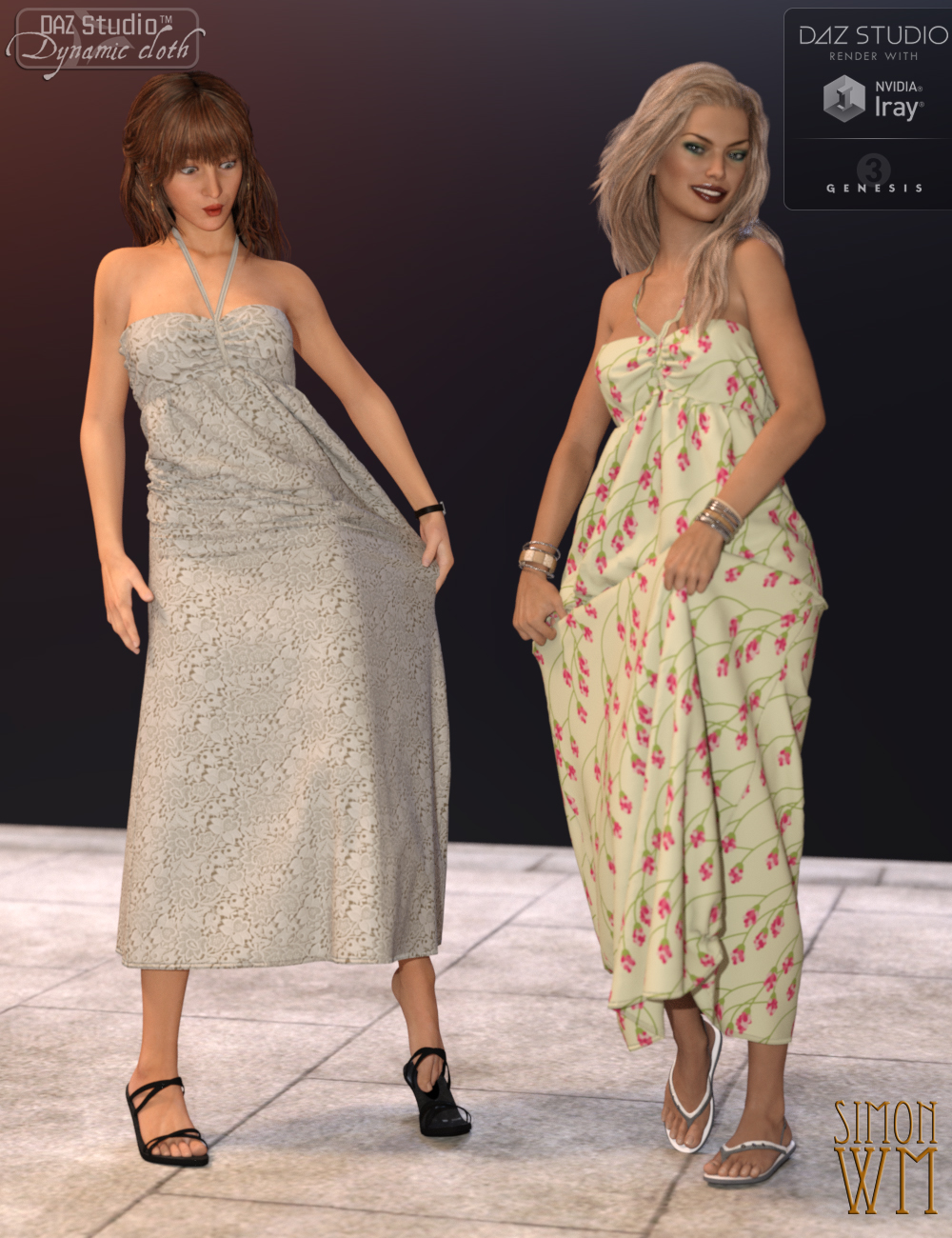
This looks too good to be true...or maybe too simple to use ....
Ultimate Iray Skin Manager [Commercial]V3Digitimes said:
---> The update allowing to use "Ultimate Iray Skin Manager" on Genesis 8.1 figures using Iray Uber as their shader (such as when you apply a Genesis 8 Iray Uber material on it for instance) is now live for a few days.
---> For the ones who wanted an equivalent tool for PBR Skins, this was developped, submitted, and tested by Daz. So far, so good. It is called "Ultimate PBRSkin Manager", is also compatible with any generation of figure from Genesis (and victoria 4) to Genesis 8.1 and there will be within the next few days a specific thread concerning Ultimate PBRSkin Manager, in order not to mix everything.
Will be an instabuy!
Ultimate Iray Skin Manager [Commercial]---> The update allowing to use "Ultimate Iray Skin Manager" on Genesis 8.1 figures using Iray Uber as their shader (such as when you apply a Genesis 8 Iray Uber material on it for instance) is now live for a few days.
---> For the ones who wanted an equivalent tool for PBR Skins, this was developped, submitted, and tested by Daz. So far, so good. It is called "Ultimate PBRSkin Manager", is also compatible with any generation of figure from Genesis (and victoria 4) to Genesis 8.1 and there will be within the next few days a specific thread concerning Ultimate PBRSkin Manager, in order not to mix everything.
Eyes Open Close Michael 8.1Weird thing is, at some point, they updated the expressions for Michael/Genesis Base Male 8.1 to create versions of the 8.0 expression sliders. That hasn't happened for Victoria, which is truly odd; the guys never get major improvements before she does.
It did not, however, restore Eyes Closed or the other Pose Controls for the head, just the Expressions sliders.
E.V.E Enhanced Virtual Entity Hd For Genesis 8 Female Glitch? --- FIXEDHas anyone noticed anything weird happening with all other G8F characters? I installed E.V.E Enhanced Virtual Entity Hd For Genesis 8 Female yesterday and today all my G8F characters are coming in sort of distorted. Their faces, especially around the mouth and eyes, and a sort of bulgy head is happening on all of them since E.V.E. was installed. I've had this happen in the past. I remember installing a male character a couple of years ago who caused all of my male characters to come in all bulked up like the Incredible Hulk. They somehow fixed this. But I'm wondering if anyone else who installed E.V.E. is seeing this happen. Am I just seeing them strangely, or should I put in a ticket?
I've attached images of Victoria 8, Leisa 8, and Bridget 8. They just look weird to me. There's a square bulge under the mouth that wasn't there before. The eyes seem sort of skewed, and the heads seem too large and bulgy. Did the new E.V.E. character cause this? They didn't look like this before I installed her.
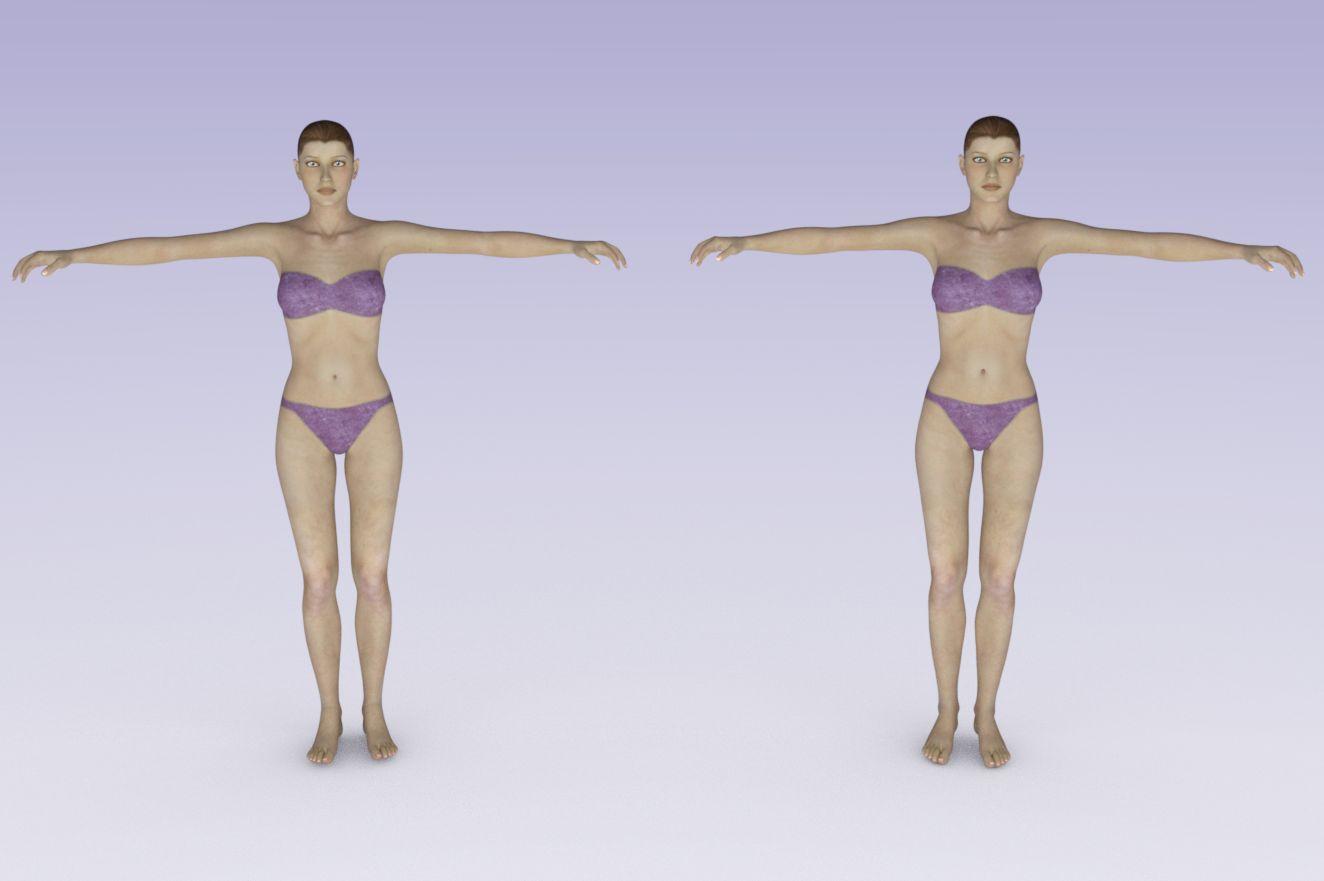
V4 for Genesis 8 Female?There is no product that I am aware of that gives you V4 shape onto G8F, however you can transfer it yourself using some of the tools available here.
To move the morph to G3F you need Generation X Version 2 and the Genesis 2 and 3 add ons. There are a couple of products available to transfer the G3F morph to G8F, I used XTransfer (https://www.daz3d.com/xtransfer--genesis-3-to-genesis-8-converter);
To use V4 skins on G8F you need this product: https://www.daz3d.com/legacy-uvs-for-genesis-8-victoria-4
Below is the result. I posed G8F into the default V4 pose. G8F on the left, V4 on the right. Very similar, but not identical.
 What Model From Thorns and Petals?
Yes, they are both Victoria 8.1 with Sefora textures. :)
Daz 3D is part of

Connect
DAZ Productions, Inc.
7533 S Center View Ct #4664
West Jordan, UT 84084Licensing Agreement | Terms of Service | Privacy Policy | EULA
© 2026 Daz Productions Inc. All Rights Reserved.