-
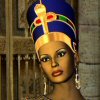
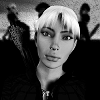
who is this character please?
https://www.daz3d.com/ry-elysa-for-victoria-8
Look this character. Is you see the freckles in the photo, it's her.
Bye
New! Novica & Forum Members Tips & Product Reviews Pt 14Novica said:
I've been so offline and not following the latest "advancements" I don't even know what pbr skin IS. So I looked it up and it's Physically Based Rendering which is more realistic with how light interacts with skin. Okay, so now I'm wondering how to tell if the figure I am rendering is PBR or not? And maybe someone can help gitika1 ? (Sorry, I'm clueless but we'll get you an answer with the other forum surfers. The most knowledgeable folks on the planet IMO.) @barbult @ladair to mention a few.
Daz introduced the new PBR skin shader with Genesis 8.1. Victoria 8.1 has it, but the Base Genesis 8.1 still uses the Iray Uber shader. It is just another shader for Iray in Daz Studio, as far as I know.
Daz Dynamic clothing will not loadI can not seem to get any of my old Daz Dynamic clothing or items to load.. can someone please help me with this.
below is a copy of the log file:
2021-03-13 19:34:00.794 Opening file Egyptian Dress.daz...
2021-03-13 19:34:00.937 WARNING: ..\..\..\..\..\src\sdksource\general\dzpropertygroup.cpp(385): NULL DzProperty pointer read from file in DzPropertyGroup::setPointer()
2021-03-13 19:34:00.950 File read time: 0 min 0.1 sec.
2021-03-13 19:34:00.958 Building Scene...
2021-03-13 19:34:00.963 File loaded in 0 min 0.1 sec.
2021-03-13 19:34:00.974 Loaded file Egyptian Dress.daz.
2021-03-13 19:34:35.674 Loading script: I:/My DAZ 3D Library/People/Victoria 4/Dynamic Clothing/Egyptian/Egyptian Dress/Blue Linen.dsa
2021-03-13 19:34:35.683 Script executed successfully: I:/My DAZ 3D Library/People/Victoria 4/Dynamic Clothing/Egyptian/Egyptian Dress/Blue Linen.dsa
2021-03-13 19:34:47.002 Merging file Empire Babydoll Top.daz...
2021-03-13 19:34:47.050 Unable to find file for storable: data/Empire Babydoll Top_7765_Object/modifiers/autorig/AutoRiggerData.dsa
2021-03-13 19:34:47.055 WARNING: ..\..\..\..\..\src\sdksource\general\dzpropertygroup.cpp(385): NULL DzProperty pointer read from file in DzPropertyGroup::setPointer()
2021-03-13 19:34:47.668 WARNING: ..\..\..\..\..\src\sdksource\general\dzscript.cpp(1178): Unhandled error while executing script.
2021-03-13 19:34:47.668 WARNING: QScriptEngine::popContext() doesn't match with pushContext()
2021-03-13 19:34:47.678 File read time: 0 min 0.6 sec.
2021-03-13 19:34:47.683 Building Scene...
2021-03-13 19:38:10.341 Merging file Egyptian Dress.daz...
2021-03-13 19:38:10.468 WARNING: ..\..\..\..\..\src\sdksource\general\dzpropertygroup.cpp(385): NULL DzProperty pointer read from file in DzPropertyGroup::setPointer()
2021-03-13 19:38:10.480 File read time: 0 min 0.1 sec.
2021-03-13 19:38:10.486 Building Scene...
2021-03-13 19:38:10.492 File loaded in 0 min 0.1 sec.
2021-03-13 19:38:10.499 Loaded file Egyptian Dress.daz.
2021-03-13 19:48:00.967 Received file to open: I:\My DAZ 3D Library\data\3_0\Egyptian Dress_15456_Object\Egyptian Dress_15456_Shape\geometry.dsoThank you
Debi
How long does it take you to load G8F?Zev0 said:
Robert Freise said:
Zev0 said:
Loading default genesis 8 base is relatively quick but for some reason it takes way longer loading in a character preset. Like nearly twice as long for me...
How are you loading just the default base?
When I load it it also loads every morph and character preset I own into the figure, they load at 0% but are all there and function
I'd love to be able to load just the base so that I could then load just morphs and or presets that I want.
When I mentioned that in another thread I was screamed at with the comment of Oh God No!!! if you want that go use Poser
By base I mean clicking on the Genesis 8 icon. By character I mean clicking on something like victoriaMy experience is worse than that - 2-3 minutes to load the base, 20-30 minutes to load a character preset (which is why I use shaping and materials presets instead).
How long does it take you to load G8F?Zev0 said:
Robert Freise said:
Zev0 said:
Loading default genesis 8 base is relatively quick but for some reason it takes way longer loading in a character preset. Like nearly twice as long for me...
How are you loading just the default base?
When I load it it also loads every morph and character preset I own into the figure, they load at 0% but are all there and function
I'd love to be able to load just the base so that I could then load just morphs and or presets that I want.
When I mentioned that in another thread I was screamed at with the comment of Oh God No!!! if you want that go use Poser
By base I mean clicking on the Genesis 8 icon. By character I mean clicking on something like victoria 8.Those load with every morph and preset that I own
Nothing loads without all of them
How long does it take you to load G8F?
By base I mean clicking on the Genesis 8 icon. By character I mean clicking on something like victoria 8.Robert Freise said:Zev0 said:
Loading default genesis 8 base is relatively quick but for some reason it takes way longer loading in a character preset. Like nearly twice as long for me...
How are you loading just the default base?
When I load it it also loads every morph and character preset I own into the figure, they load at 0% but are all there and function
I'd love to be able to load just the base so that I could then load just morphs and or presets that I want.
When I mentioned that in another thread I was screamed at with the comment of Oh God No!!! if you want that go use Poser
Progress with Running Track Freebie (Hurdles + G8F Hurdles Poses)richardandtracy said:
That's nice to hear. Well, nice to hear there's a chance that the effort is not entirely wasted!
All your effort will certainly not be wasted!
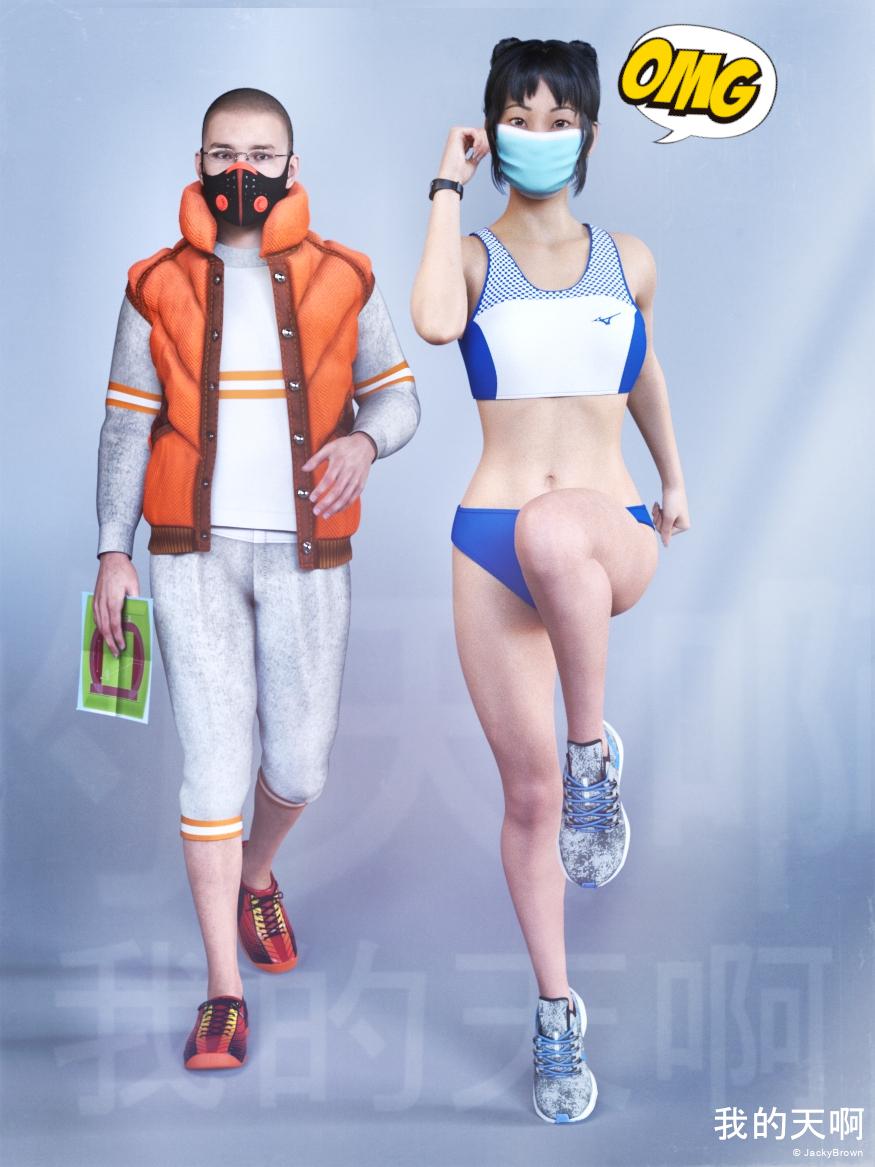
OMG! As soon as Xue heard from her trainer and coach that the construction of the new running track was really making progress she immediately started warming-up!
Credits:
Amy AiMei for Genesis 8 Female (morphs only) by Amy Aimei
https://www.deviantart.com/amyaimei/art/Amy-AiMei-for-Genesis-8-Female-morphs-only-687709757Athletics Uniform G8F by Yomiuri
https://sharecg.com/v/97273/browse/21/DAZ-Studio/Athletics-Uniform-G8FDforce Walther 2.0 vest for G8M by Ruslanomar
https://sharecg.com/v/97281/browse/21/DAZ-Studio/Dforce-Walther-2.0-vest-for-G8MEyes Dilate for Genesis 8 Female by felldude
https://www.renderosity.com/mod/freestuff/eyes-dilate-for-genesis-8-female/82869Facial Hair and Short Hair for Genesis 8 Male(s) by Matari3D
https://www.daz3d.com/facial-hair-and-short-hair-for-genesis-8-malesG8F Face Mask by anjeli93
https://www.renderosity.com/rr/mod/freestuff/g8f-face-mask/84930G8M Walther 2.0 by Ruslanomar
https://sharecg.com/v/97276/browse/21/DAZ-Studio/G8M-Walther-2.0Gear Fit 2 Smartwatch by CGAXIS
https://free.cgaxis.com/product/gear-fit-2-smartwatch/Hitomi Tanaka Head Morph for G8F by TritiumCG
https://www.deviantart.com/tritiumcg/art/Hitomi-Tanaka-Head-Morph-for-G8F-819861473Kiara Interior by HDRIHaven
https://hdrihaven.com/hdri/?h=kiara_interiorMegumi - Head and Body Morphs for G8F by TritiumCG
https://www.deviantart.com/tritiumcg/art/Megumi-Head-and-Body-Morphs-for-G8F-842318536Morphing Poster by SquarePeg3D
https://www.renderosity.com/rr/mod/freestuff/morphing-poster/87552Nike Air Zoom for G1 by Tranquil
https://sharecg.com/v/97066/browse/21/DAZ-Studio/Nike-Air-Zoom-for-G1Phantom For G8F by CheckerToo
https://www.deviantart.com/checkertoo/art/Phantom-For-G8F-Dl-858507130RGB HDRi Soft Lights for Daz Studio - Iray by VAlzheimer
https://gumroad.com/valzheimer (4th item)Simple Glasses for Genesis 8 Male/Female by GEOmetalics
https://www.renderosity.com/rr/mod/freestuff/simple-glasses-for-genesis-8-male-female/85459Soul Calibur 6 Seong Mina's Head Morph for G8F by TritiumCG
https://www.deviantart.com/tritiumcg/art/Soul-Calibur-6-Seong-Mina-s-Head-Morph-for-G8F-813924805Summer Casual for Genesis 8 Male by Elleque
https://sharecg.com/v/97301/browse/21/DAZ-Studio/Summer-Casual-for-Genesis-8-MaleSY 200 Morphs for Genesis 8 Head and Body by SickleYield
https://sharecg.com/v/91888/view/21/DAZ-Studio/SY-200-Morphs-for-Genesis-8-Head-and-BodyVictoria 8 by DAZ Originals
https://www.daz3d.com/victoria-8G8F Warm-up 1-5 by richardandtracy
https://www.renderosity.com/rr/mod/freestuff/g8f-warm-up-1-5/87721WorkOut Mask G8M by SdeB
https://www.sdebstore.com/collections/free-stuff/products/workout-mask-g8m-freeMissing Morphs in Mandie Satin Slippers for Genesis 8 FemalesSupported Shapes:
Aiko 8
Body Size
Charlotte 8
Girl 8
Mei Lin 8
Monique 8
Olympia 8
Pear Figure
Stephanie 8
Teen Josie 8
Victoria 8AW-Diane Tween Body Comes in at 20% Not A supported shape
The shoes have lots of distotion
hair that can hang when upside down?Maybe this:
Laguna-Naoko Hair For Genesis 3 Female(S), Genesis 2 Female(S) And Victoria 4 - https://www.daz3d.com/catalog/product/view/id/023069
or this:
Esidor Hair - https://www.daz3d.com/catalog/product/view/id/014108
White Priestess 8.1 discussionLeana said:
benniewoodell said:
@JeniMorris I saw at the beginning of this thread you worked on the textures and think the character looks fantastic, but I'm hoping you can help me here, and I'm sorry if this has been beaten to death elsewhere. I'm just so confused at the shaders for 8 and 8.1 and what to do because I think I recall in one thread you had to do that for the 8.1 base model, but not Victoria 8.1, that she was already set up for it. And so if that's the case, is it that way for all 8.1 characters like the White Priestess? Please note I could be way off about that, there was so much information in those first 8.1 threads being thrown around. So when I load the White Priestess into my scene, do I need to first go and apply the PBR shader to her, or is that already done and I just need to apply whatever eyelashes/eye colors/etcetera to her? Thank you for any and all help!
If a character uses the PBR shader it will be applied with the character's materials, there's no need to apply it separately.
Awesome, thank you so very much @Leana. I just had to laugh when 8.1 came out because I had literally just started to understand how materials worked. I can sit down and figure out 8.1 stuff but I wasn't sure what the starting point is for bringing in characters. Glad to know I can import the characters in and it's set up with the proper shading.
White Priestess 8.1 discussionbenniewoodell said:
@JeniMorris I saw at the beginning of this thread you worked on the textures and think the character looks fantastic, but I'm hoping you can help me here, and I'm sorry if this has been beaten to death elsewhere. I'm just so confused at the shaders for 8 and 8.1 and what to do because I think I recall in one thread you had to do that for the 8.1 base model, but not Victoria 8.1, that she was already set up for it. And so if that's the case, is it that way for all 8.1 characters like the White Priestess? Please note I could be way off about that, there was so much information in those first 8.1 threads being thrown around. So when I load the White Priestess into my scene, do I need to first go and apply the PBR shader to her, or is that already done and I just need to apply whatever eyelashes/eye colors/etcetera to her? Thank you for any and all help!
If a character uses the PBR shader it will be applied with the character's materials, there's no need to apply it separately.
White Priestess 8.1 discussion@JeniMorris I saw at the beginning of this thread you worked on the textures and think the character looks fantastic, but I'm hoping you can help me here, and I'm sorry if this has been beaten to death elsewhere. I'm just so confused at the shaders for 8 and 8.1 and what to do because I think I recall in one thread you had to do that for the 8.1 base model, but not Victoria 8.1, that she was already set up for it. And so if that's the case, is it that way for all 8.1 characters like the White Priestess? Please note I could be way off about that, there was so much information in those first 8.1 threads being thrown around. So when I load the White Priestess into my scene, do I need to first go and apply the PBR shader to her, or is that already done and I just need to apply whatever eyelashes/eye colors/etcetera to her? Thank you for any and all help!
how is this product used?You may need to make some small adjustments. Not every figure has the same proportions as Victoria 8.
how is this product used?dannagiusy64 said:
Hi, I just bought this product, but I didn't understand how to fit the veil to the matched figure.
https://www.daz3d.com/dance-of-the-veils-2-for-victoria-8
Thank you
It is nicely explained in the readme file for the product. Just under "Additional Details", you will find:
-
Using “Dance Of The Veils 2” is pretty easy - you will find them in your Content Library under People/Genesis 8 Female/Clothing/Jepe/Dance Of The Veils.
-
I suggest to save and to look at the store drape reference images to get a first impression of the pose and matching drape of the veils. Load Victoria 8 figure first, apply the pose, load the according veil, select it and dial in any of the according veil drape morphs you'll find in the Veil / Actor / Morphs section in Parameters Tab - remember to turn the used dial to zero again BEFORE trying another slider!
-
To change the appearance of the veil, load one of the 10 different Veil Material Presets or select the Material Zones of the veil in Surfaces Tab and apply a shader to it from the Shader folder. Be aware of that the final outcome is only visible in Iray Preview mode or when rendered in Iray. Set the Cutout Opacity of the shaders to 0.8 or 0.7 to get a more “lighter” look of the veils.
-
If you want to move your figure I suggest to parent the veil to Victoria 8 first, simply drag and drop the sheet onto your Victoria figure hierarchy in the Scene Tab, that it will move with the figure to another place in the scene.
for the complete readme: http://docs.daz3d.com/doku.php/public/read_me/index/47377/start
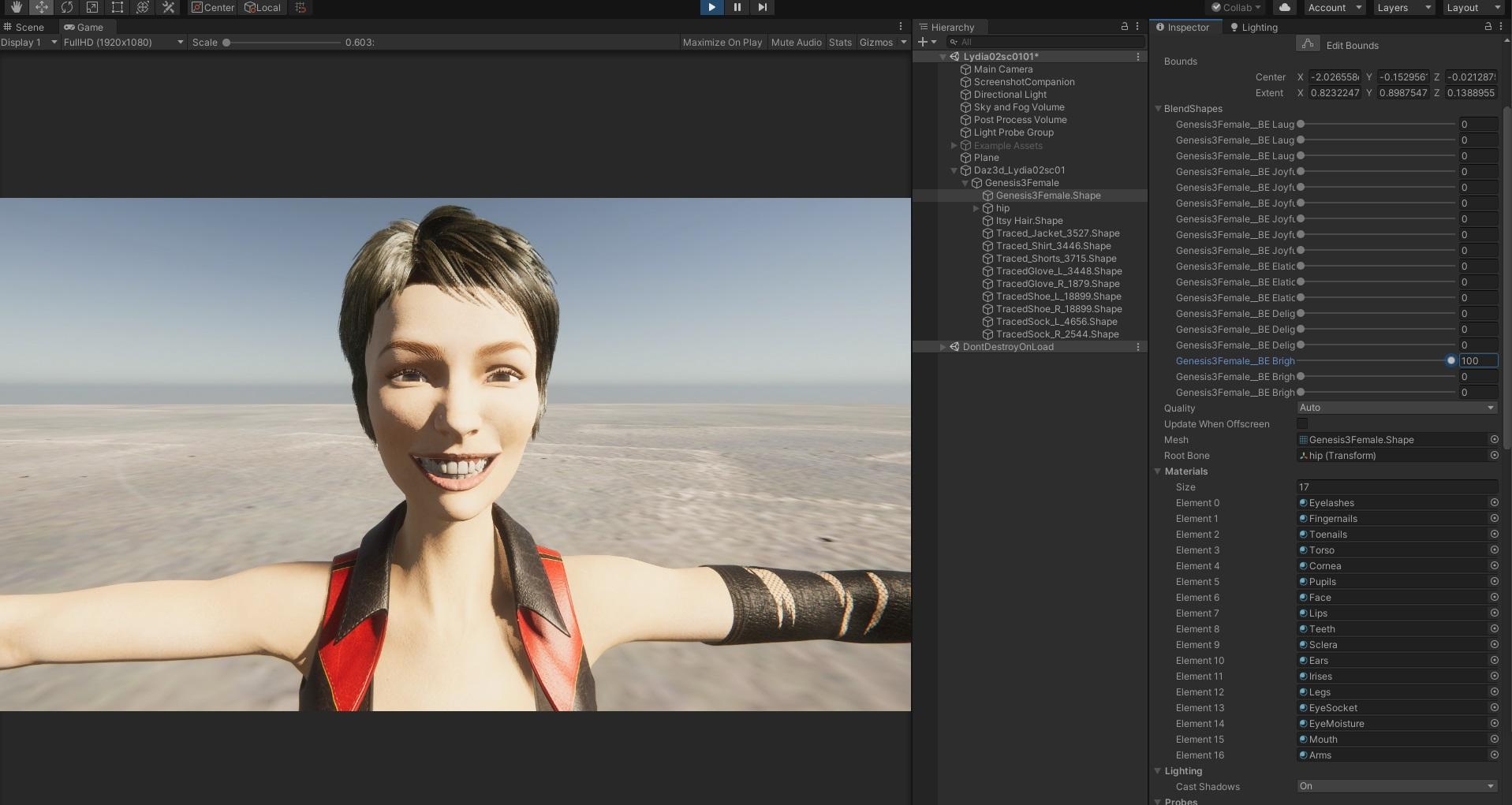
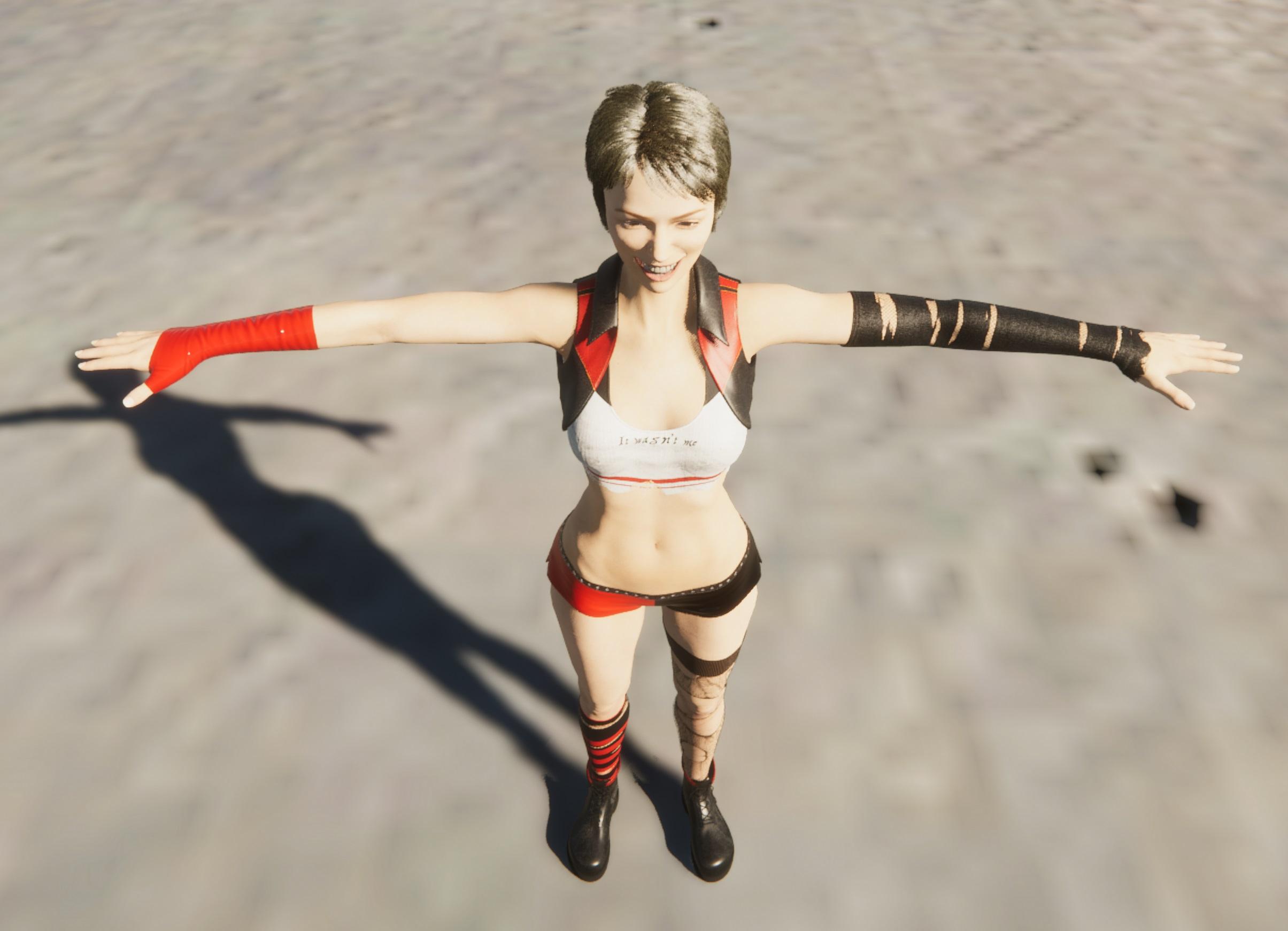
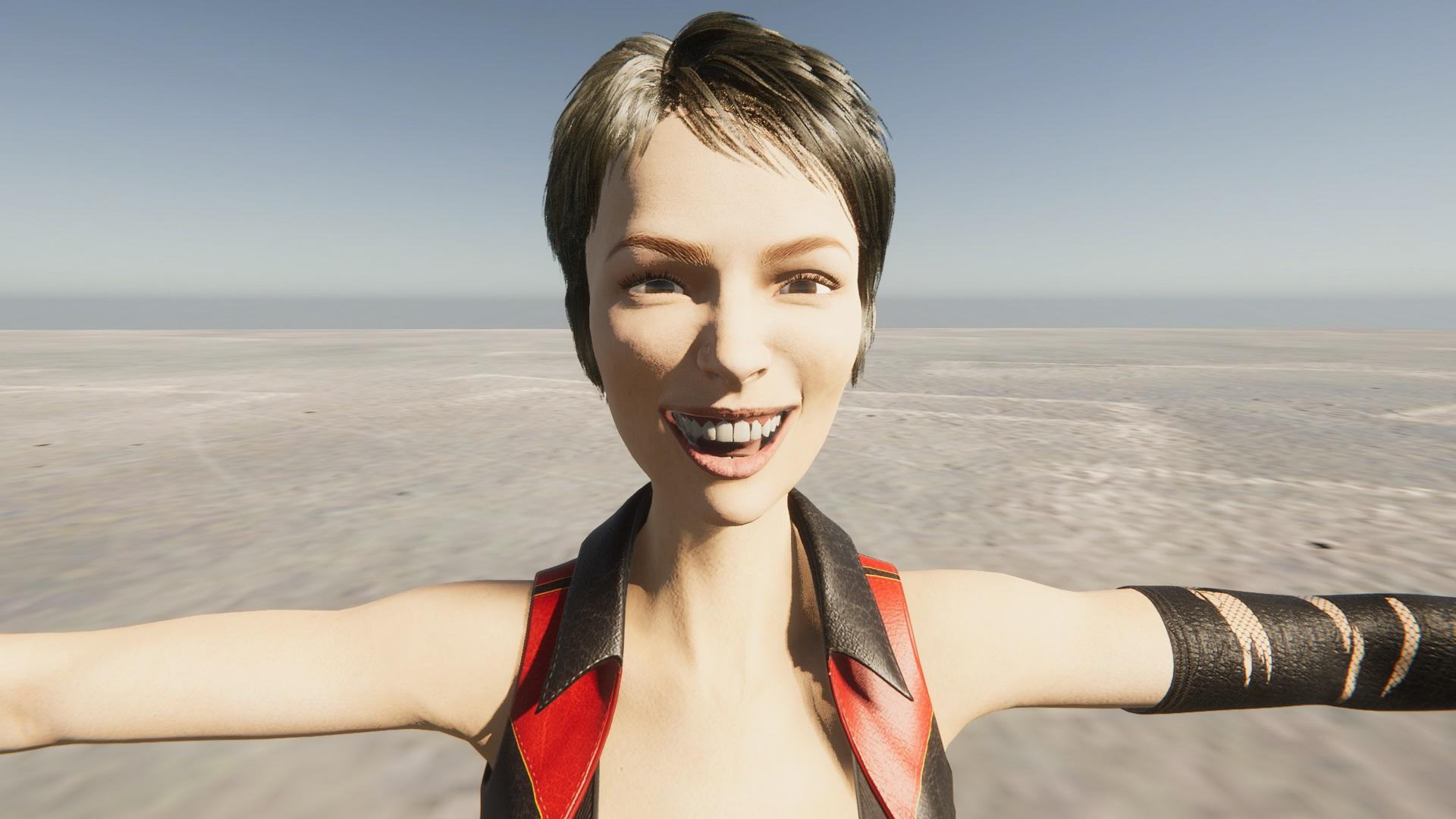
Unity: Introducing the all-new Daz to Unity Bridge & native Unity File FormatsThanks and yes, it works with Daz Studio 4.15 Beta and Unity 2019.4.21f1
Below is an example on Lydia - https://www.daz3d.com/lydia-hd-for-victoria-7
 how is this product used?
Hi, I just bought this product, but I didn't understand how to fit the veil to the matched figure.
https://www.daz3d.com/dance-of-the-veils-2-for-victoria-8
Thank you
NEW 2021 Sales thread: Report Issues Here "There's Always Another Sale™"Richard Haseltine said:
Richard Haseltine said:
Diomede said:
The Outdoor Pool and Poses are not getting the triggered extra discounts for buying 2+ Mad items. I tried a couple of sample carts. Still only showing 30% off in cart. Here is an example.
https://www.daz3d.com/outdoor-pool-and-poses-for-victoria-8-and-michael-8
Reporting
I'm afriad the link was going to the wrong category, that set isn't in today's real list of Related Mad.
Thanks for reporting and following up.
NEW 2021 Sales thread: Report Issues Here "There's Always Another Sale™"Richard Haseltine said:
Diomede said:
The Outdoor Pool and Poses are not getting the triggered extra discounts for buying 2+ Mad items. I tried a couple of sample carts. Still only showing 30% off in cart. Here is an example.
https://www.daz3d.com/outdoor-pool-and-poses-for-victoria-8-and-michael-8
Reporting
I'm afriad the link was going to the wrong category, that set isn't in today's real list of Related Mad.
NEW 2021 Sales thread: Report Issues Here "There's Always Another Sale™"Diomede said:
The Outdoor Pool and Poses are not getting the triggered extra discounts for buying 2+ Mad items. I tried a couple of sample carts. Still only showing 30% off in cart. Here is an example.
https://www.daz3d.com/outdoor-pool-and-poses-for-victoria-8-and-michael-8
Reporting
Dforce Fur/Classic Capedragoneyes002 said:
Richard Haseltine said:
Which version of Daz Studio is this? I suspect it's too old to support dForce hair.
That Cubit look happens all the time when textures are missing. the same thing happened with Victoria 8.1 on launch day when DAZ had not rolled out the new starter essential update (unless you happen to use central)
the cape is in the scene the fur colar doesn't have the Material its always possible the version is old but do old versions not load materials and textures even if they can't run D-Force?
to the OP when you loaded the Cape onto the character did you get a pop up window warning you of missing files? or did it just load to the way you screen shot?
Missing textures won't do that, missing geometry will - if the DS version is too old for dForce hair it won't know what to do with the instructions to draw the strands, which will have the same net result as not being able to find the geometry.
Daz 3D is part of

Connect
DAZ Productions, Inc.
7533 S Center View Ct #4664
West Jordan, UT 84084Licensing Agreement | Terms of Service | Privacy Policy | EULA
© 2026 Daz Productions Inc. All Rights Reserved.