-
Daz 3D Introduces dForce Physics Engine
So a no for V4, huh? Okay, problem is I never have much success using the transfer utility. It can mangle clothes worse than the autofit. Domino is definitely the one I'm interested in using DForce.
New clothing still looks like stiff tubeswith Dforce I actually expect PA’s to be able to add HD wrinkles if needed using the technology now provided since we cannot (well we can on a subdivided mesh but not to save as a morph)
I think a mixture of undraped unsimulated dforce ready and optional HD morphs for those not using dforce would be a reasonable compromise as can be dialed in or out if needed.
Not To Worry, Friend, "There's Always Another Sale™"Is the Female gen8 massive morph supposed to be in Spotlight twice, or should it be one female and one male set?
Genesis 1 male characters are now all female with 4.9 upgradeThat sounds as if a female shape has been saved with a non-zero default value. Load the base Genesis figure, look in the Parameters pane under Currently Used and see if there are any obvious suspects. it's most likely to be a freebie but it could have been done after the fact to a standard morph if the Save Modified Assets command was used.
Getting Victoria 4 Shape/Morph onto Genesis 8Lol, this was literally 4 threads below yours.
HFS Ultimate Shapes for G8Fhttp://docs.daz3d.com/doku.php/public/read_me/index/48355/file_list
Thanks, but that doesn't really help. I mean, I don't see the specific morph. So, maybe it's not included. However, some dials are ambiguous and could include that shape under another name. I was just hoping that Dariofish would let us know for sure.
Are the HFS ultimate G8 morphs merchant resources?Wow...cool. I think that's what gets cloudy on the whole MR issue. I look for MR designation because I want to incorporate a shape into a new obj character mesh. I don't have any intention of repackaging a morph as is. But, it isn't always stated in product readmes or descriptions as to whether or not this is allowable. Personally, I think any morph package is a set of tools for creating new meshes. I understand how a PA wouldn't want a specific character to be copied and resold verbatim. Because that character is a finished piece. But, individual parts morphs are always used to combine into a new work.
Generally, I avoid using or buying any morphs that don't allow that usage.
Anyway, glad to hear that the HFS morphs can be incorporated into new meshes. That makes them much more valuable as a tool set. :) They're in my cart right now.
Released: Easy Teeth for Genesis 8 Female(s) and MR - Teeth Morphs and Mats [commercial]oh hehe... I just saw I actually DID NOT restrict the usage of the Genesis 3 Male Easy Teeth Morph Pack to Genesis 3 Male
http://docs.daz3d.com/doku.php/public/read_me/index/44477/start
Think I did not want to be that restrictive :)
So in this case and for that MR it would be indeed allowed to even convert the morphs and use them for a product for G8M since I allowed that you can basically do what you want with the morphs.
Only restrictions are: freebies, another MR and a similar product like a teeth morph pack
Have fun :)Is Carrara a good alternative to Blender?Natively, each of the following are possible for Genesis and Genesis 2 in Carrara.
- Make a full body morph for a figure to make skinnier, fatter, etc. Could be used on Genesis to make more muscular, like a superhero like Spiderman. Then add the FBM to genesis using Studio.
- Paint directly on model across uv seams as long as uvmaps are clean. Use the 3DPaint tool. Could be used to hand paint the spiderweb costume directly on Genesis after morphing the figure. Then export the painte map with different name. Load your saved maps for the Genesis shader.
- Model your own boots and cowl. Load in Studio and use transfer utility to make a conforming figure.
I used these techniques to make a Spaceghost figure. I modeled and UVMapped my own head cowl in Carrara. I used Studio's transfer utiity to make it conforming. I used Carrara's 3DPaint to texture the cowl. I did the same for Spaceghost's armbands, boots, and utility belt. I did NOT make a full body suit because can just retexture the figure directly for form-fitting clothig like a superhero.
See https://www.daz3d.com/forums/discussion/comment/747388/#Comment_747388
.Spaceghost and the twins
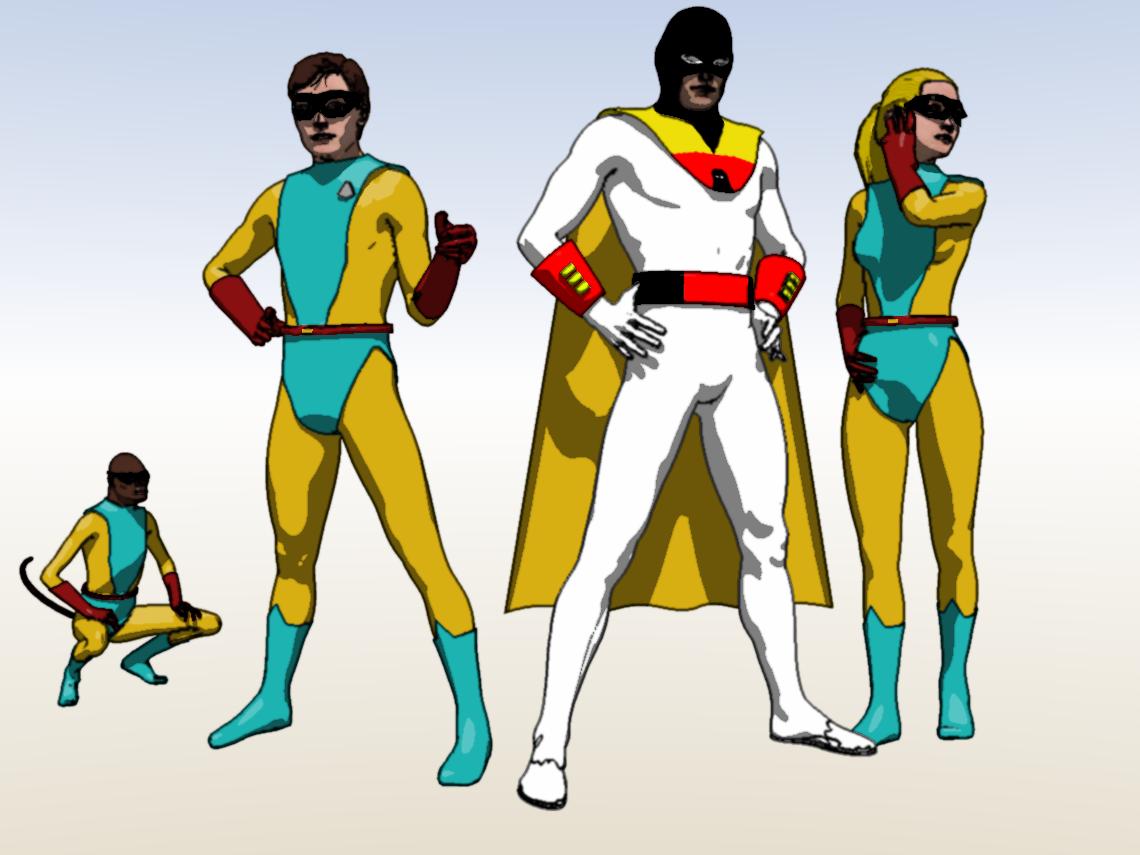
and Judy Jetson and the maid.
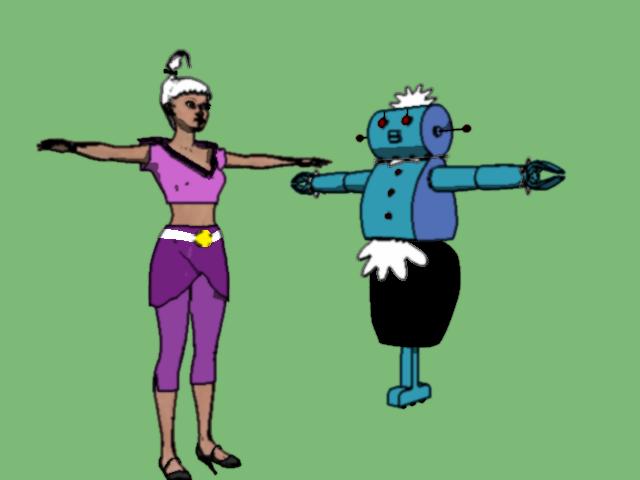
.
Morphs from G3 to G8This is not a mistake.
Basically, there are bits of G3 that don't exist in G8. But the script doesn't know what they are. Some, like the lack of heel bone could be accounted for, but it's messy trying to actually remove things from the files (as opposed to just changing them. Others, are not predictable. I'd have to own every product ever made for G3 to account for them.
These warnings are logging that the specified properties don't exist, but are otherwise harmless. If you buy a product "for V8 but works with Base female" and you don't actually own V8, you'll get the same warnings because some elements of that product are looking for things you don't have. Another example is if you have a wearable figure that has controls on its parent figure. If you load that figure without the parent, the controls will not be loaded, and your log will contain warnings.
The only downside is that this can cause a performance penalty on figure load, because it takes insignficant time to write these warnings to the log, but the more things you convert the more warnings will be logged.
A lot of insignficant things add up to signficance, eventually.
If you want to remove these, you need to be very, very, very willing to work at it. You need to know where each morph is saved. You can see this in your log file for Sunny 7. (C:/Users/Public/Documents/My DAZ 3D Library/data/DAZ 3D/Genesis 3/Female/Morphs/DAZ 3D/Sunny 7/) This is normally not the going to be the folder called out in the warning, so the best time to look for this info is right after a transfer.
Navigate to that folder (whichever folder for whichever product, of course). Make a list of every morph in the folder.
Load Genesis 8. Find each of these morphs on the figure, and make note of the property group it is in. (Some will be hidden, so you need show hidden properties enabled.)
With G8 selected, and only g8 selected, go File >Save as>Morph Assets. In the dialog, use the final two folder names in the location you looked up to start as the vendor and product names. In the case of Sunny 7, that is DAZ 3D and Sunny 7 (DAZ 3D/Sunny 7/, don't use the %20 stuff you see in the warnings. That is literally "space" and thus Daz%203D is Daz 3D). Drill down in the properties tree to find every morph in its property group, and checkbox it. Click Accept.
This will overwrite the files. When Daz has a "could not find target property" warning, it then does not load the link (no point in a link that points to nothing). In my example of the child figure with controls on the parent, since the controls were never loaded, if you parent the child, the links will not be created. To make it work properly, the child has to be loaded onto the parent figure, so the target properties are identified at load time. By resaving the files in this way, you will elminate the links from the files, because Daz saves what is currently loaded.
Upside, no more warnings for that product. Down side, if the links were pointing at a product you have and had not transfered, and you later transfer that product, the links are gone, so the products will not work together.Thank you for taking the time to explain it so thoroughly, very much appriciated. I was completly lost trying to figure it out and spent hours yesterday thinking it had something to do with the recent uppdate to Genesis 8 starter essentials.
How can I save an assymetrical face made with PowerPose?Perhaps export it as an OBJ and then reimport it and save it as a morph?
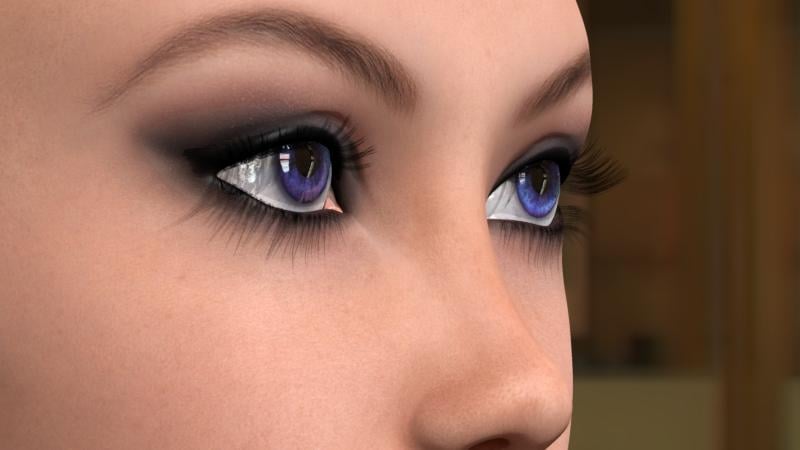
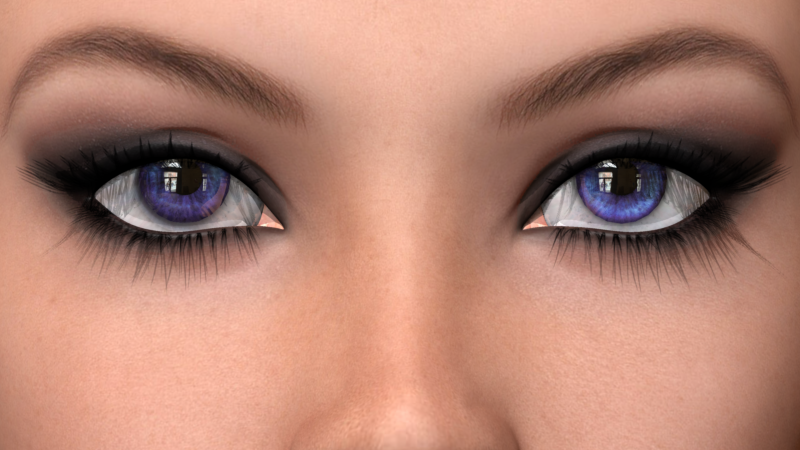
Eye Caramba for V4 and M4Thank you so much for this Stringtheory, it just looks fantastic. I just went with the same percentage reflection you had on the sclera (14.13%) and it looks pretty great to me.
And thanks too to Dart for turning me onto the Eyedeas eyes. I picked that product up since I'm mostly moved to using Genesis1 (though I still love and use M4/V4 too), and Genesis1 only has one slight morph to control cornea bulge, nothing else, which is really very limiting. So I hand-jiggled to put the Eyedeas eyes in approximately the right place parented to the Gen1 eyes, and made the original Genesis1 eyes invisible, then added Stringtheory's textures, looks pretty fantastic to me, very happy with this.
 Now what to do about those dang lacrimal textures, and onwards towards decoding how to make decent looking teeth...

 Morphs from G3 to G8
I still need to finish the revision of G3FtoG8F script to support fingernails.Ooh! You're doing fingernails! Wonderful. You rock.
I had tried to convert some earlier, so can I assume that after applying your updated script that it would overwrite the fingernail morphs that don't work?
Basically, yes. The flaw (or feature, I mean it was intentional) in the script is that it doesn't care if a file exists. So if you have a failed morph, and you run the script again for that morph it will be overwritten.
Fair warning, for those who know how to hack DSFs and have tweeked transfered file, those tweeks will also be overwritten. So, it if you want to redo one morph out of 100, delete that morph from the folder on the HD, copy the folder to a new location, run the transfer and then copy the copy back to the original location. That will overwrite the overwritten files with the old versions, but leave morph you wanted changed untouched in its newly transfered form.Morphs from G3 to G8This is not a mistake.
Basically, there are bits of G3 that don't exist in G8. But the script doesn't know what they are. Some, like the lack of heel bone could be accounted for, but it's messy trying to actually remove things from the files (as opposed to just changing them. Others, are not predictable. I'd have to own every product ever made for G3 to account for them.
These warnings are logging that the specified properties don't exist, but are otherwise harmless. If you buy a product "for V8 but works with Base female" and you don't actually own V8, you'll get the same warnings because some elements of that product are looking for things you don't have. Another example is if you have a wearable figure that has controls on its parent figure. If you load that figure without the parent, the controls will not be loaded, and your log will contain warnings.
The only downside is that this can cause a performance penalty on figure load, because it takes insignficant time to write these warnings to the log, but the more things you convert the more warnings will be logged.
A lot of insignficant things add up to signficance, eventually.
If you want to remove these, you need to be very, very, very willing to work at it. You need to know where each morph is saved. You can see this in your log file for Sunny 7. (C:/Users/Public/Documents/My DAZ 3D Library/data/DAZ 3D/Genesis 3/Female/Morphs/DAZ 3D/Sunny 7/) This is normally not the going to be the folder called out in the warning, so the best time to look for this info is right after a transfer.
Navigate to that folder (whichever folder for whichever product, of course). Make a list of every morph in the folder.
Load Genesis 8. Find each of these morphs on the figure, and make note of the property group it is in. (Some will be hidden, so you need show hidden properties enabled.)
With G8 selected, and only g8 selected, go File >Save as>Morph Assets. In the dialog, use the final two folder names in the location you looked up to start as the vendor and product names. In the case of Sunny 7, that is DAZ 3D and Sunny 7 (DAZ 3D/Sunny 7/, don't use the %20 stuff you see in the warnings. That is literally "space" and thus Daz%203D is Daz 3D). Drill down in the properties tree to find every morph in its property group, and checkbox it. Click Accept.
This will overwrite the files. When Daz has a "could not find target property" warning, it then does not load the link (no point in a link that points to nothing). In my example of the child figure with controls on the parent, since the controls were never loaded, if you parent the child, the links will not be created. To make it work properly, the child has to be loaded onto the parent figure, so the target properties are identified at load time. By resaving the files in this way, you will elminate the links from the files, because Daz saves what is currently loaded.
Upside, no more warnings for that product. Down side, if the links were pointing at a product you have and had not transfered, and you later transfer that product, the links are gone, so the products will not work together.Is Carrara a good alternative to Blender?I know this stuff can be a LOT to soak in.
Please be patient and read it all, watch it all, and expect that practice makes for better results. Here's the thing: you're coming in with a specific need/want, and the software has a LOT more to it than that narrow vision. So this specific task is fairly specialized. Is it something basic that Carrara can handle in conjunction with Daz Studio? Yes. Absolutely. Carrara and Daz Studio's CCTs (Content Creation Tools) can work together to amazing affect. But getting used to the new interface and features of a new software can temporarily mess with your head while immediately jumping into such a specific, specialized task... but it will become immensely easy for you as time goes on and you get experience doing it!
So if the modeling tools bring up questions... ask. This forum community (Carrara Discussion Forum) has several modelers who are almost always ready to help. It's all very standard, but then also has a lot of extra features. For what we're doing here, we just want to keep it simple with the basic vertex mesh manipulators. Soft selection with very specific selections along with symmetry should help to make this fairly straight-forward... but you'll see that practice will alway reveal better results in the end - but even some good basic tweaks in the beginning (before getting in much practice) can at least get the experience going to a point where the process itself becomes second-nature to you. Then you'll be jamming!
The boots will be a simple tweak. Symmetry may or may not work. But even if each boot is a separate figure, Carrara allows us to use that wrench icon and do our modeling directly in the workspace, so we can always have our other figures in the scene for reference - which just ROCKS!
Take your time, go through the whole process, expect the first time as a trial run - just to make it through the whole process. Don't worry yourself about turning out a masterpiece the first time - just do something small and simple to get your first morph made and installed onto the figure for future use - so it's there when the figure is loadd in from the library!!! You'll see... it's cool! It's Fun!
Also know that Daz3d has some nice tutorials available:
...and they also host this sweet video reel for Carrara
 Is Carrara a good alternative to Blender?
Another idea would be to use the ideas I was mentioning at the beginning of this thread - making clothing for Genesis.
- Open the standard (is it Genesis 2 Male?) figure into Carrara
- Bring in the suit, but don't fit it to the figure - leave it in the scene on its own
- Edit > Remove Unused Masters > Consolidate Duplicate Shaders
- Check the shaders for the suit to ensure there is NO DISPLACEMENT going on
- Does the suit match the shape of the figure? Does it fit without fitting it?
- If not, select Actor of the suit and click the little wrench icon in the upper left of the workspace (Edit mode)
- A pop-up will warn that Topology Protection is On, and will tell you how to disable it - just close the pop-up. We don't need to disable it ;)
- Now use the standard modeling tools - enable soft-selection and such, use symmetry, etc., and shape the suit to fit the standard figure
- Where the wrench icon was is now a hand. when you're satisfied with the shape of the suit, click that hand to exit Edit Mode
- Select the suit and export as an OBJ > use the Daz Studio preset - but you won't need to export the texture maps (unless you really want to)
- Save the OBJ to somewhere easily accessible to Daz Studio
- Open Daz Studio and load in the actual suit figure
- Using Morph Loader Pro, add the OBJ to the suit as a new morph: Fit G2M, being a good example name for the morph
- Save the suit back to the library but give it a unique name ***
*** Might not need to do that. Watch the video. Just adding the morph to the suit might be enough(?)
Then do the same with the boots and anything else you want. You'll get used to this quickly and marvel at the ease that owning Carrara has just given you regarding these sorts of Genesis tweaks!
Now, in the beginning minute of the video, he teaches us how to export the figure for use in the modeler. We can skip that since Carrara opens them directly from the library :)
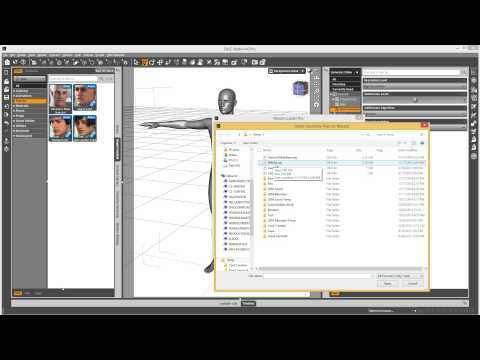
Do note that he is demonstrating a morph for Genesis, but this is the same process for morphs for clothing too. Josh's YouTube channel has many videos that can help you tweak the results and get really good with making morphs for yourself or even to sell or share
 What character model is this used in the promo?
Thank you very much CypherFOX. That's good to know. I was hoping to find out what character texture and morph was used to achieve this (in hopes of purchasing that), or if it's a figure sculpted that's not for sale. :)
Released: Easy Teeth for Genesis 8 Female(s) and MR - Teeth Morphs and Mats [commercial]As an addition to this thread, I want say that it exists somewhere a free tutorial to make transferring morphs from G3F to G8F, the url is here:
https://www.dropbox.com/s/x2vcwnfu7w2wtj9/G8 Morph TransfersR1.zip?dl=0
An How to use (and its author) here: https://www.daz3d.com/forums/discussion/comment/2707576/#Comment_2707576
However, it no exists any tutorials to transfer back morphs from G8F to G3F, sadly..
The fact is if you have many many many morphs purchased for G3F, you'll be glad to know how using them on your favourite G8F :)
And it's do-able by reading, applying and load the script from the ZIP I provided (which you can also find in the page I gave !) :)NOTE: it will work also for G3M to G8M ! :)
Have fun artists !EDIT: thanks to you PA to constructed a such teeth package, I'm tired to using normal teeth on teen characters (I'm not speeking about childish teeth (which will be useful to some and is a great addition!)), but just... perfect teeth is just "meh".
Genesis 1 male characters are now all female with 4.9 upgradeIs it just that the base female morph got saved as the regular Genesis figure? Load one of your guys and scroll down the Shaping Tab and see if you can find the shape morph that is dialled in that is affecting your male characters.
Wanted: Morphs for G8M so that underwear doesn't cling to the rear and the base of the spineI am wondering if something exists for previous generations but when undwerwear is applied to a fit dude from behind- the waistband goes right up the crack and paints itself onto the spine at the base of the buttocks rather then being pulled away from the skin and stretching across the buttocks. This looks odd. Does a morph like this exist?
Daz 3D is part of

Connect
DAZ Productions, Inc.
7533 S Center View Ct #4664
West Jordan, UT 84084Licensing Agreement | Terms of Service | Privacy Policy | EULA
© 2026 Daz Productions Inc. All Rights Reserved.