-
Any hooved options for G3F beyond Fawna?
https://www.daz3d.com/hfs-fantasy-shapes-for-genesis-3-female-s - DarioFish's Fantasy Shapes for G3F have a hooved leg morph that's pretty great. He also has the Faunus for Genesis over at Rendo, which you could transfer with GenX2 (and it transfers fairly well, too).
What about textures ?
Poser content to Daz3d conversionIt may also be that the item uses external morph files - .pmds - which DS supports only for figures.
Reduction on Izabella 7 not applied in my cart -- and not Only Izabella 7, it's a bit everywhereHello !
Well, I ran into a problem with DAZ cart rules :D
EDIT: (it's a bug in DAZ Office :o). -- please can you fix it so I can continue to purchase my beloved content during PC+ sale anniversary :)
*** Genesis Evolution: Morph Bundle
*** state 70% off
*** but it left at 40% in my cart aswell :/
So, it state that:50% OFF¥* Featured Daz Originals 2015-2016
click here to view all featured items
So, I add a debut new release.Hum.... I click on this right link " https://www.daz3d.com/2015-to-2016-daz-originals " to find Izabella 7 as listed in the products page list.
I add her in my cart !
And.. I see (look at the attached file) this wrong reduction of 40% instead of the 50% announced when purchasing in same cart a debut new release :/
PS: (it either not worked also with a debut new release PC+ as I'm PC+ member !)
NOT working if I deactivate my DAZ Deals add-ons from my Firefox extensions!
EDIT: removed the link formatting..Thanks for any help DAZ Team :)
Beta - G8F Carrara presetone of these is a IDL render

kerissa hair - blended
Ana Lucia character
lingerie robe was bit of extra work. besides converting to blended, had to transfer the Ana body morph to the clothes, used the ds transfer utility, then save it as a new product to save the morph transfer
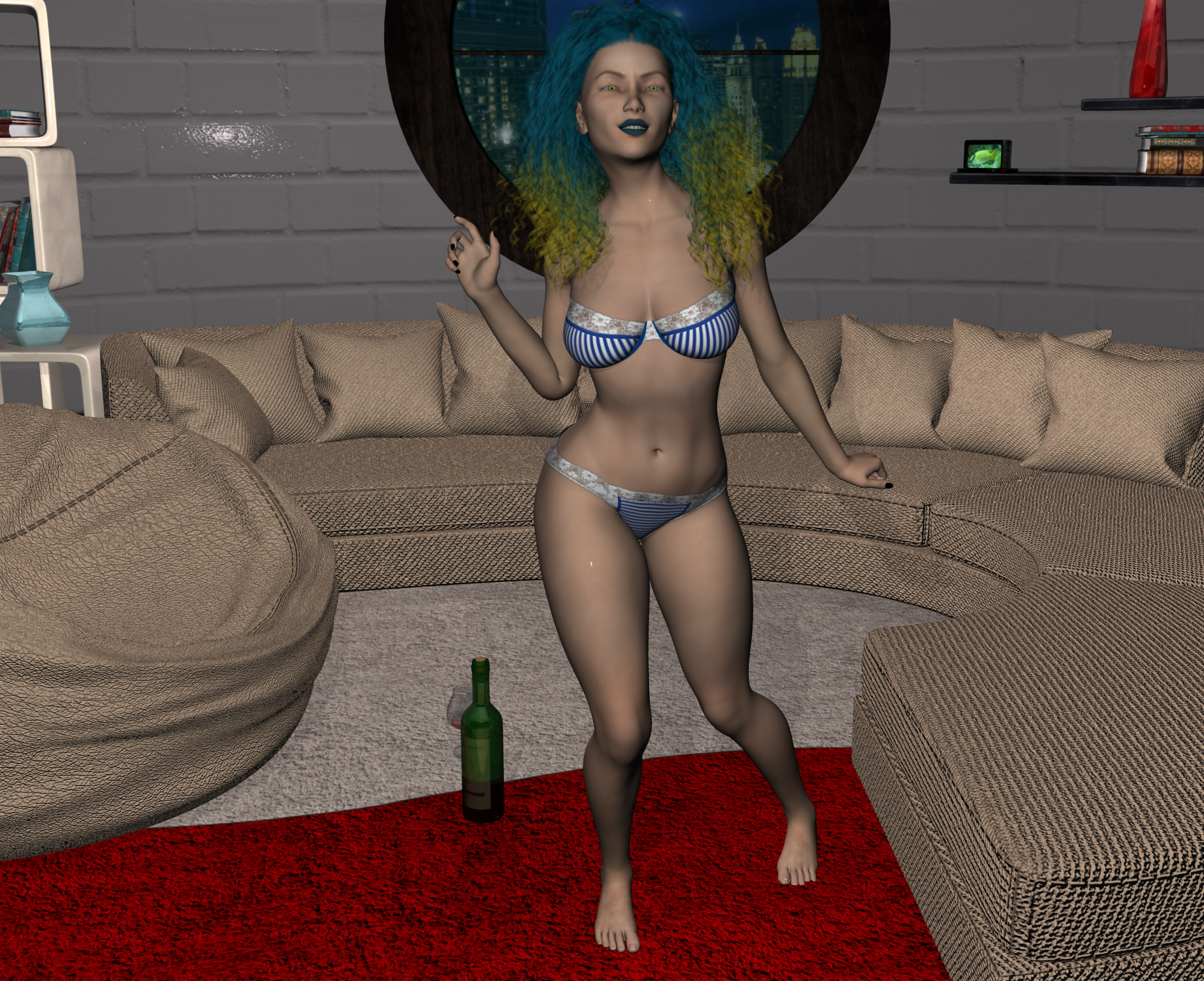
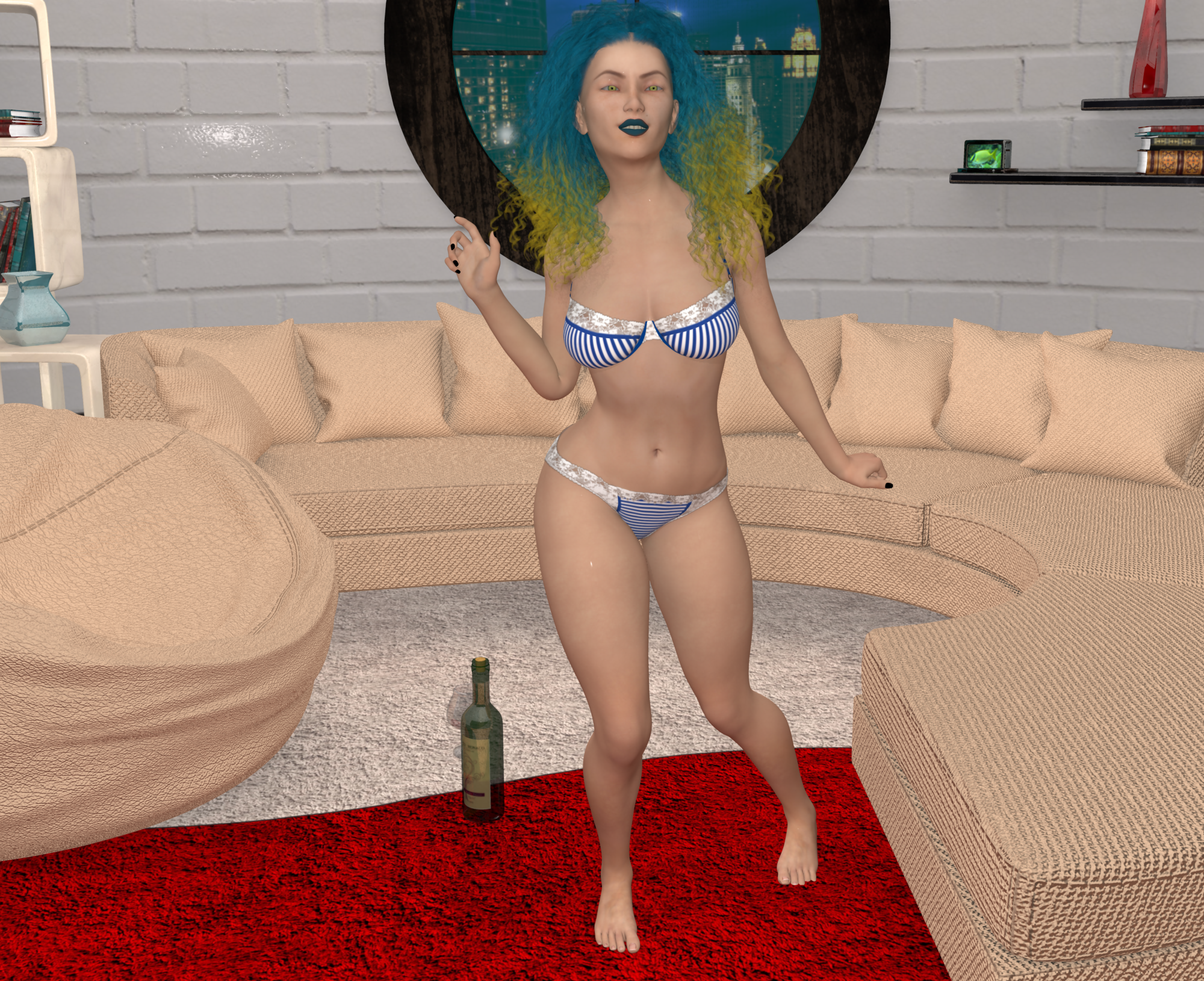
Misty, what is the room in your renders?
Poser content to Daz3d conversionAssuming that everything is placed correctly in your content library, the most obvious culprit for losing morph or movement dials/sliders would be the fact that the content is rigged using Poser weight mapping, which differs from DAZ Studio weight mapping and is incompatible. Assuming that that is the case, the only solution would be to manually re-rig the items in DAZ Studio.
How do I share a morph asset?Okay, I've created some style morphs for the Karissa Hair and saved them as morph assets.
I would like to share them as freebies to owners of the Karissa Hair. How do I go about finding the correct file locations and packaging them for sharing on the Freebie forum? I've never shared a morph asset before, so I have no clue.
Transferring expressions from G2F to G3FYeah, I was hoping somebody had braved the waters before me and had some suggestions, but, onwards to adventure! Thanks, notheless.
All you can do is try and see if they work, just know that for some reason some expression transfers work better than others, main issue I have come across it the lower jaw and teeth protruding out of the chin, which can be annoying..
Yeah, I have seen that, but it also happened with the original G2 if the morph (either the expression of the character) was extreme enough. I guess that's a definitive advantage of bone-driven expressions.
Yeah, I was hoping somebody had braved the waters before me and had some suggestions, but, onwards to adventure! Thanks, notheless.
Edit: After a bit of tinkering, here are my registered findings, compiled for the sake of future generations. Transferring a morph with the same name doesn't break anything, as Studio is able to diferentiate between them. The problem is that the pose preset doesn't recognize it, I guess it may be able to if I start moving things around, but then I risk causing the kind of errors I wanted to avoid. There's a much safer, though laborious, alternative: load the expression preset you want, right click on GenX and tell it to load current figure values, right-click and select "transfer: on for non-zero values" and transfer as a single morph. You'll need to do it for every single expression, which is a pain, but it's possible. Maybe someone with a bit of scripting knowledge can automate the task, but lesser mortals will have to contend with the tedium of rinse and repeat.
Cool - that's an interesting way to transfer the expressions. I'm glad to see you found a way (even if it's a bit tedius to do it that way). Maybe you can just do a handful of your favorites. :)
Thanks, I definitely won't be doing that for most of my expressions, though there's also the nice bonus of manually adding the pic preview to the expression slider when transferring. Now, if only I could figure out why some dials from G2F expression tab are refusing to appear on GenX...
G8F loading with a funky faceThanks, i too got this problem and now found that the "Demona" head morph is always at 100%, I tried to deinstall and re-install the Genesis 8 female starter kit but it is still active (2017-11-11).
Would be nice that DAZ gives us an update (or a tip which .duf-file should be edited).
You have to deinstall/delete (or edit...) the Demona head morph, the file which causes the problem is (*Your content library*)\Data\DAZ 3D\Genesis 8\Female\Morphs\TMLI\Demona\FHM Demona.dsf . Send me a message if you need further assistance.
G8F loading with a funky face@Richard Haseltine - the fact that these wrong default activated morphs are not shown under "Currently used" is definately a bug that should be fixed - of course (if I already know the general problem) I can look in the character parameter menu whether there is any morph activated which should not be. But if you have a very huge library, as I do, with many transferred morphs from former generations - then you can search for several minutes or longer... I cannot understand what's the difference between a morph I dialed in intentionally and a morph which is dialed in unintentionally by a buggy character *.duf file - both should be visible under "Currently used".Non-zero* values should appear under Currently Used, assuming you are using a non-ancient version of DS, regardless of their default values.
* or, for scales, values other than 100%.
"Non-zero values should appear under Currently Used" - that's absolutely right, but they don't! And that's exactly the bug - I am using always the newest beta version of DS (I kept an older regular version 4.8 because I was not sure whether GenX would work...), so theoretically it could be a problem which only appears in the beta - but I doubt. It would be nice if you could check it by yourself - in this case it was the Demona character, the last time it was the Nurwen character for G3, and if I look at the forums there seem to be some other cases even with male characters.
Daz studio 4.9 problems and soultions pertaining to goz and zbrushHi, if its about some issues with the GoZ Plugin bridge break apart - I always have to leave a comment.

It seems to me that this Plugin never stops making problems - I mean since 5 year now as I started to try to work serious with both DazStudio and ZBrush the problems never end with versions counting up.
Here I picked up a few from my post history in descending order
And finaly my first post - where I almost wrote a novel about that
You may have a look at an good old thread (If just noticed that some of my writings are mentioned there
 ):
):- TUTORIAL - Creating a Genesis/G2F/G2M/G3M/G3M Full Body Morph for DAZ Studio Pro 4.6 by RKane_1
- My Post for understanding ERC-Freeze: Comment_2283471
May this info be helpfull to you
A List of Helpful vidoes on YOUTUBE I have found
Loading Your New Morph On Genesis 2 Female in DAZ Studio - Sickleyield -
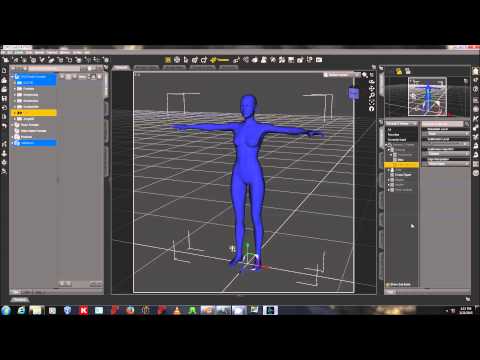
Cleaning Up Morphing Mistakes by Xenic101 -
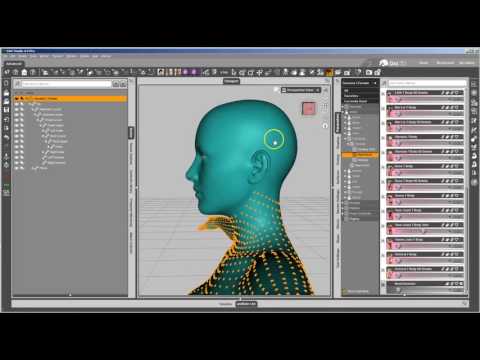
Character Creation Full - Xenic101 -
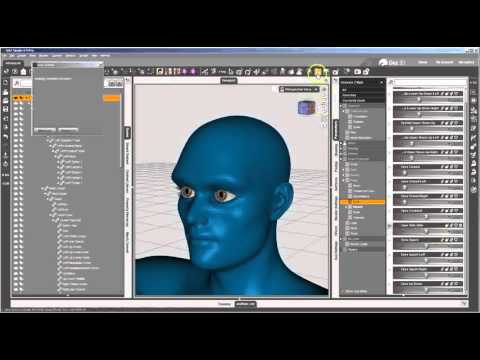
Using a Mask when Importing Morphs - Xenic101 -
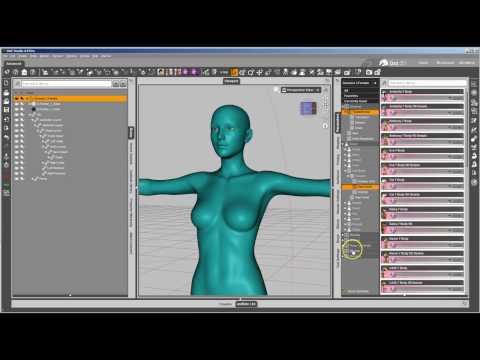
New Morph Tools Intro - Josh Darling -

Morph Loader Pro Presets - Josh Darling -
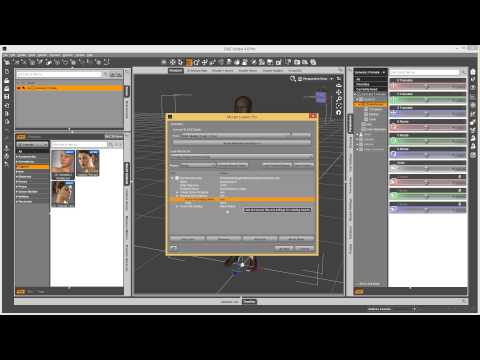
Introduction To Loading and Saving Morphs - Josh Darling -
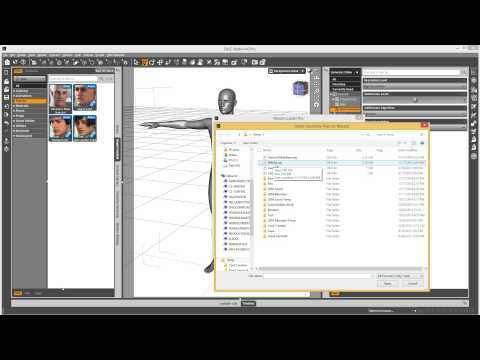
As with my other tutorial,
I was just wondering if anyone had used this tutorial and if you were happy with it?
Was everything clear and step-by-step for you or should I clarify anything?
As always, I appreciate your input.
Added a few helpful links to the third post with helpful links and updated the main Tutorial with info regarding G3M and G3F and important notes when exporting the figure.
New clothing still looks like stiff tubesSure. That would be great Can you show me what it looks like on Michael 8 or gen 8 base male?
All righty. It fits M8 ok, there is some pretty obvious poke through in the armpits with the shirt, but otherwise the shirt retains all it's various movement/opening morphs. There is no rippling of the collar, or the waist. The tie, not so much. None of the movement morphs on the tie work once fit to M8. All it keeps are the "loosen tie" morphs and it sticks out away from his body. A way around this may be to just parent it to his neck or some magic with the Transfer Utility.
The pants fit fine with no trouble only a teeny tiny bit of poke through on the calves. The open pocket/hide belt morphs on the pants still work on M8. The jacket fits just fine, there's similar armpit pokethrough like on the shirt, but all the movement morphs still work. There are transparency material settings to hide the shirt under the jacket, so they can be used together.
The shoes don't fit properly at all, with G8 at the default pose, his feet poke through the top, since the shoes have a pretty high heel. The fit shoes foot pose works on G8, interestingly enough, but still doesn't solve the fitting issue. However hiding his feet does solve this.
The glasses do demand to be autofit, but warp terribly on G8 when done so. Obviously you can just parent them to his head, as an easy fix. Just scootch them up on the Y axis by 6.7 and parent to M8's head. They have morphs to fold in the temples and tilt them up, down, and side to side; as well as flatten the nose pads.
There are 5 textures for the shirt, 2 for the pants, 4 for the tie, but just the one for the jacket, the glasses, and the shoes. But everything seems to have logically laid out material zones, so should take shaders with no trouble. The set also comes with three poses; aside from the Fit Shoes foot pose; that work with a bit of succes on G8. The arms need adjustment.
I hope this helps some, and here's a link to the Gumroad page
Candy Texture on Other Character MorphsOh good. I was just a little concerned that the morphs were all-or-nothing presets. Which is fine if you want the extreme morph. But if you want an intermediate blend, you end up midstream of a smelly creek. (And yeah, very cute character.)
D. Master's morphs look a reminicent of Star2 to me, but don't have the same eye issues, and are more suited for *funny* renders.
His first character, AnnA, is a much less extreme morph in the same general style. I've tucked her into my wishlist for some indeterminate time in the future.
I may grab Hanna before she loses her 30% discount.
tool for calculating the bodyweight of a characterDo something like this:
Once you establish the height & other measurements in Measure Metrics/Figure Metrics you can create a rough estimate by estimation using BMI charts & then Dexascan type measurements to refine your guestimate:
example:
6'0" & other measurements are known. Now you need just the weight.
Then take as an example, your average very active taller than average teenage male that is very active but not especially muscular..
Now look at a BMI chart for men & woman (bing or google search has plenty of BMI charts as images & PDFs to download) and choose various BMI on the chart & the ideal weight for your character height & age: (older usually equates with higher body fat)
For 6' from will be from about 137 lbs and a BMI of about 18 to about 184 lbs and a BMI of about 25
So if you choose an middle weight of the 137 - 184 scale for a 6' male of 165lbs you should choose an average fat mass percentage too of 15%.
a) 15% body fat of 165% = 24.75 lbs fat
b) 7 lbs as a higher bone mineral content for that size (high bone density) (you can look up average values for people via google BMC - bone mineral content / Dexascan)
c) 165 lbs - 24.75 lbs - 7 lbs = 133.25 lbs lean body mass (includes everything but bones & fat - brain is modified fat but I don't think it is counted as fat in the Dexascan)
Fat is less dense than muscle so fatter bodies will weigh less than thinner bodies per for a given same volume. The DAZ Original Morph packs - Body Morphs have Thin, Lithe, Fat, Muscular, and similar varients.
My problem with Measure Metrics / Figure Metrics is that it, or probably the DAZ G8M/G8F models because of limits that are too strick, would not allow me to actually change the measurements on a DAZ model to match the real life measurements of a real person. When a measurement in a certain part of the body got to skinny it would adjust the height down, change the head circumference, and similar behavior. The two measurements on the DAZ models that caused the most trouble (ie would change the models other measurements to be changed even if they shouldn't be) are the waist & the bicep.
For fat people or muscular people that exceed the BMI charts go to Bodybuilding.com and other such sites where people commonly post their measurements, weight, fat mass, lean mass, and sometimes rarely bone mineral content.
Of course it's not going to be exact but it can be close. I guess since you know the character's measurements you could write a goofy DAZ Studio script to simulate water displacement method of estimating body fat mass / lean mass and avoid looking all that up on BodyBuilder.com and work backwards to a 'believable weight' for that sort of body volume that would have a believable fat mass for that amount of water displacement. Write the script to take multiple slices of the body volume and sum them up from head to toe to get the total body volume. I think DAZ Studio needs more physics added to it before you can do that but I'm not sure.
G8F Morph Creation Issues (ZBrush and GoZ). Please Help!Base should be fine... also to salvage your morph, you can try to use zbrush's projection feature to project the features of the morph you made that erroneously had the eyelashes to a correctly exported version. make sure you mask out sections like teeth, eyes and the nails because the projection usually ruins those areas...
It already lacked eyelashes, it was that I had the resolution level set to high resolution. In any case, thanks for all the help, everyone!
G8F Morph Creation Issues (ZBrush and GoZ). Please Help!Base should be fine... also to salvage your morph, you can try to use zbrush's projection feature to project the features of the morph you made that erroneously had the eyelashes to a correctly exported version. make sure you mask out sections like teeth, eyes and the nails because the projection usually ruins those areas...
Candy Texture on Other Character Morphsi haven't got one ready to post, but i was playing the other day with Candy morph dialed in a little - the head and body separately - and it was ultra cute :) I'll play some more and see what I can post.
And now the artist has supplied a male character, stylisticly compatible with his female characters. That's a relief.
I'm assuming that you can put any G3 or G8 skins on these. But it's good to know you don't have to jump through hoops for the morphs.
Has anyone posted any images of the vendor's characters with the morphs dialed in at varying percentages? Or are they old-style presets and not dialable?
G8F Morph Creation Issues (ZBrush and GoZ). Please Help!Ah, there's my problem. It looks like I had it at high resolution, since that's what G8F initially loads as for me, and I didn't change it. For that matter, it has a default subdivision level of 1, is that right, or might that be causing additional problems? Is there any way to correct this for the already-sculpted morph, or am I just going to have to recreate it best I can?
G8F Morph Creation Issues (ZBrush and GoZ). Please Help!Anything you send over from DAZ Studio needs to be at base resolution, since that is what the morph will be created against. You can increase the subdivision in zBrush to work, but make sure you reduce it and delete the higher subdivision data from the morph (it may or may not cause problems) before sending it back.
G8F Morph Creation Issues (ZBrush and GoZ). Please Help!I'm new at content creation and I've run into a few issues trying to make a morph for G8F in ZBrush. I didn't encounter any issues during the sculpting, but when I tried to use GoZ to put the morph back into daz studio, it doesn't allow the option of 'update an existing object,' which best I can figure, is the way the bridge between the two programs makes the morph, seeing as 'create a new object', the only option it is allowing, doesn't do anything but exactly what it says and create an object. Since that failed, I tried exporting the changes directly from ZBrush as an object and making the morph via morph loader pro. When I did that, I got an error message saying 'Warning: Geometry did not match, failed to create morph.' So, I'm guessing that the problem was either with what I did when I initially sent G8F to ZBrush, or, one or more of the brushes I used created or deleted vertices. When I sent G8F to ZBrush, I first deleted the seperate eyelash model that loads with G8F in Daz, but didn't do anything else before sending it. Did I do something wrong there? When doing the actual sculpting, the brushes I used were, in no particular order, FormSoft, Inflate, Move, Magnify and Smooth. I may have also used Elastic, I can't quite recall. Do any of these change vertice order? If not, does anyone have any ideas for where else I might have gone wrong? Thanks in advance!
G8F loading with a funky faceThanks, i too got this problem and now found that the "Demona" head morph is always at 100%, I tried to deinstall and re-install the Genesis 8 female starter kit but it is still active (2017-11-11).
Would be nice that DAZ gives us an update (or a tip which .duf-file should be edited).
Daz 3D is part of

Connect
DAZ Productions, Inc.
7533 S Center View Ct #4664
West Jordan, UT 84084Licensing Agreement | Terms of Service | Privacy Policy | EULA
© 2026 Daz Productions Inc. All Rights Reserved.