-
V4 M4 Clothing designed for V4 or M4 always poke though on morphed models
I am having a teribble time getting either M4 or V4 clothes to fit as soon as I use a morph. I have tried injecting the morphs into the clothes, and nothing. Yes, I am using fit to. I have tried in both poser and Daz3d with the exact same results, even with the morph setting turned on in poser conformity. I spent most of the day on google looking for a solution and have come up empty. I am sure this is just some step or something I am missing, I just don't know what.
1. I am using clothes designed for the model I am using. V4 or M4 (I am not trying to make it work on G3/G8)
2. Everything works fine as long as I am not using a morph
3. injecting morphs, even if you set the setting the same on the model and the clothes, does not work.
4. I loaded fresh, put a model on the page, with morphs. I loaded clothes, made all the chages including injecting morphs (fitting, conforming etc) and then last, attempted to morph the model. I did try this in many combinations as well.
Thanks.
Reversing "doll eye" morphs from G3FThose also tend to be Thorne style eyes, so if you get some of the Thorne morph packs you could dial the eye morphs into the negative.Converting DSF morphs to OBJAre you using Daz Studio as well...or just Poser?
If you are simply wanting to create an obj for import into Poser, you can do it from Daz. Why not, since Daz is free? Just open your hair in Daz, apply the morph and export as an obj for import into Poser.
Obviously this could take some time depending on how many morphs and meshes you need to export.
Is that what you're asking?
Where are the creature creator Add-ons for Genesis 3?Yes. It's the add-on that has the Tails.
They never made one for G3 figures.
I grabbed the Genesis 2 set and made it work by Parenting Pelvis to Pelvis.
The genesis 2 morph set works with G3 figures that way.
Why aren't my morph assets saving? [SOLVED}I have successfully saved morph assets. But, I just got on today and successfully imported the .obj files and named them to the correct group (BTW, creating a new group doesn't seem to work, either.). Then, after making sure all the morphs were working correctly, I did "save as morph assets" and checked all the appropriate boxes for my characters. Then I closed and reloaded studio and a G3F. None of my morphs that I just saved are showing up.
Any ideas as to what I might be doing wrong?
I figured it out...When saving as a Morph Asset, my save directory was defaulting to Connect. But, I use my G3F out of my DIM install. I can't seem to figure out how to remove the Connect installed G3F. Anyway, after I changed the directory to MyDaz3D Library, the morphs showed up.
DOH! Hope this keeps someone else from pulling all their hair out. :)
Reversing "doll eye" morphs from G3FThe 200 Face Morphs for G3F by Dogz I believe "might" do it, but I'm not entirely sure.
Edit: Yes, just as I thought - there are quite a few Eye Inner ... and Eye Outer ... morphs, including width. So it will morph the width of each half of the eye (horizontally) separately.
Laurie
Reversing "doll eye" morphs from G3FDoes anyone know of any morphs that I can apply that will reverse the effect of the large"doll eyes" morphs from a genesis 3 female head morph? Examples of the "doll eyes" would be Sunny 7 or Ktarya for Genesis 3. There is an "Eye Size" morph but this scales the eye size both horizontially and vertically. To reverse the doll eyes, I need to scale the size vertically and horizontally separately. Are there any morphs out there that can do this?
Genesis 8 Female Body Morph Resource Kit 3 does not appearGenesis 8 Female Body Morph Resource Kit 3
I installed it,
The morph parameters that should be added do not appear in the parameters of Actor at all.They usually have their own group, under Morph Kits or the like, rather than appearing in the groups for the area affected.
Face morphs transferAt Step 3, you are adding the morph to the character but not setting it - to do that you find the slider (under the path set in the GoZ dialogue, ZBrush Morphs is I think the default group in the parameters pane) and set its value as you would for any other morph.
That is exactly what I expected I should be able to do. Just don't know how to do it.
Carrara CharactersAs far as I know, most 3D programs work in more or less the same way with regard to animation. That is you model a figure, apply a skeleton / bones to articulate the major movements, fine tune the influence of the bones with weight maps. So that sorts the broad movements. In order to fine tune the look, you can then apply Joint Controlled Morphs, so basically a morph which responds to the angle that a joint is set at. You could for example have a morph which flexes the biceps when the albow is bent, or a morph which makes the elbow joint look better when bent. You could of course just have a set of morphs and rely on the user to set the correct morphs each time, but if you automate the process, it makes it easier for the animator to focus on the actual performance. That automation is something that Carrara cannot do natively, but it does have the ERC plugin which allows you to set up such relationships.
Facial movement used to done solely with morphs, so for each expression or facial movement, you would define a specific morph for that, and then combine those for the final result. A more recent trend has been to use bones to control areas of the face, something which Daz introduced with Genesis 3 I think it was. So I think that Daz are aware of and seek to incoporate the latest thinking in the 3D world into their figures.
Rather than using dials to control everything, it is quite common to have some sort of rig either on the figure itself or as a separate panel, which let's you move control points in order to animate the figure or the face.
Welcome to Daz, Mousso!I just downloaded the update. The G8F version of Kallisto now loads with the head morph. The eyelashes though now load in an odd place. I tried doing "Fit To" with the lashes, but they don't move:

It's not really a big deal as I can just delete the lashes and reload another G8F lash. But I thought I'd give you the heads up on the glitch.
I asked and they said its a DS quirk sometimes. Just have to nudge one of the sliders and it snaps into place :)
That fixed it. Thank you! :) Again, lovely character! Well done!
Great! Have fun! Your renders are beautiful btw. Sometimes I lurk on the forum so I saw many :D
Mousso, please check your PMs. I messaged you. :)Got it :)
Thank you! :) That's nice of you to say.
I took a short break from doing promo renders for a character I'm going to be submitting to Daz to do a quick render of your lovely Kallisto. I'm sorry I couldn't do anything special or something with a background -I'll have more time to render this beautiful woman once I submit my character to Daz. :)
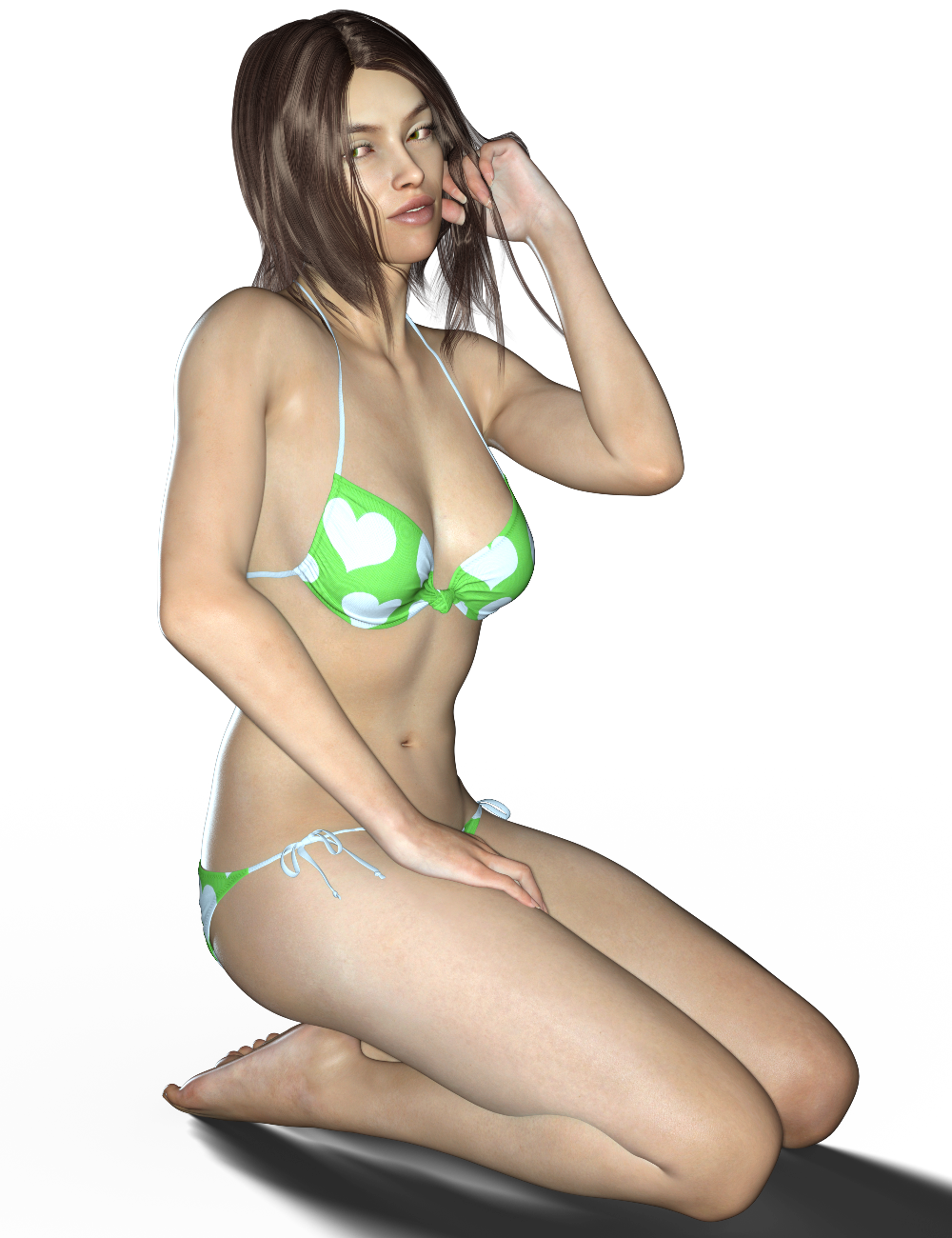
Kallisto is great! Keep up the great work. I look forward to seeing more of your characters.

Looks Great!
Thank you and looking forward to your character :)
Novica & Forum Members Tips & Product Reviews Pt 9If you keep the first (or any render of the current scene) open when you do the next, it will also start rendering faster (= shorter total rendering time) because a lot of stuff is already in memory.
Oh snap. I didn't know that.
Me neither. Wow, what a good idea, I must try that - thanks Taoz
I think the Glitter Sweet Girls skin texture works well on young males. Here I used some morph dials to make a teen G8M (we need Growing Up to do a good job with that) and used the UV Swap to apply Glitter Sweet Girls skin to him. To me, the eyebrows look more at home on a male...
He looks great, Barbult - nice renders too.
Genesis 8 Female Body Morph Resource Kit 3 does not appearGenesis 8 Female Body Morph Resource Kit 3
I installed it,
The morph parameters that should be added do not appear in the parameters of Actor at all.Glute and Breast Control Genesis 8 (Commercial)Did you open the Puppeteer pane first?
No, but I just did this morning. Received the following error (see attached image). Then I loaded G8 into the view pane selected her and tried to load Puppeter support again and still no puppeteer window.
The log file is too long to post here. I attached it as a .txt file.
I think I know what it is. Try this. Make sure Genesis 8 is loaded in scene first before opening the pane and applying the preset.
I was doing that and it did not work. I just updated to 4.9.4.122 Pro edition and it still does not work. I open DS. I load Genesis 8 female. I double click on the breast control puppeteer support icon and get an error because G8 is not selected. I click on Genesis 8 to select her and double click on the puppeteer support icon again and the load box flashes for less than a second and no puppeteer window come up. Same thing with G8 Glute Control and G3 Breast control. I'm stumped. It has to be something with my system settings as it seems that no one else is having this issue.
Here are the last few lines if the log file after I cleared the scene and loaded Victoria 8 then clicked on the Puppeteer support Control Icon again.
2017-08-15 19:11:57.629 *** Scene Cleared ***
2017-08-15 19:12:12.667 WARNING: libpng warning: iCCP: known incorrect sRGB profile
2017-08-15 19:12:12.670 WARNING: libpng warning: iCCP: known incorrect sRGB profile
2017-08-15 19:12:12.670 WARNING: libpng warning: iCCP: cHRM chunk does not match sRGB
2017-08-15 19:12:12.672 WARNING: libpng warning: iCCP: known incorrect sRGB profile
2017-08-15 19:12:12.674 WARNING: libpng warning: iCCP: known incorrect sRGB profile
2017-08-15 19:12:12.675 WARNING: libpng warning: iCCP: known incorrect sRGB profile
2017-08-15 19:12:12.678 WARNING: libpng warning: iCCP: cHRM chunk does not match sRGB
2017-08-15 19:12:12.684 WARNING: libpng warning: iCCP: known incorrect sRGB profile
2017-08-15 19:12:12.719 WARNING: libpng warning: iCCP: known incorrect sRGB profile
2017-08-15 19:12:12.719 WARNING: libpng warning: iCCP: cHRM chunk does not match sRGB
2017-08-15 19:12:12.720 WARNING: libpng warning: iCCP: known incorrect sRGB profile
2017-08-15 19:12:12.720 WARNING: libpng warning: iCCP: cHRM chunk does not match sRGB
2017-08-15 19:12:12.721 WARNING: libpng warning: iCCP: known incorrect sRGB profile
2017-08-15 19:12:12.724 WARNING: libpng warning: iCCP: cHRM chunk does not match sRGB
2017-08-15 19:12:22.177 *** Scene Cleared ***
2017-08-15 19:12:24.201 Begin Loading Character Addons...
2017-08-15 19:12:24.293 File loaded in 0 min 0.0 sec.
2017-08-15 19:12:24.294 Loaded file: Genesis 8 Female Eyelashes.duf
2017-08-15 19:12:24.326 Loaded Morph Deltas in 0 min 0.0 sec.
2017-08-15 19:12:24.361 Loaded Morph Deltas in 0 min 0.0 sec.
2017-08-15 19:12:24.361 Loaded file: FBMVictoria8.dsf
2017-08-15 19:12:24.363 Loaded file: FHMVictoria8.dsf
2017-08-15 19:12:24.367 Loaded Morph Deltas in 0 min 0.0 sec.
2017-08-15 19:12:24.368 Loaded file: PHMMouthRealism_HD_div2.dsf
2017-08-15 19:12:24.393 Loaded Morph Deltas in 0 min 0.0 sec.
2017-08-15 19:12:24.393 Loaded file: PBMNavel.dsf
2017-08-15 19:12:24.404 Loaded Morph Deltas in 0 min 0.0 sec.
2017-08-15 19:12:24.404 Loaded file: PHMEyelashesExpand.dsf
2017-08-15 19:12:24.534 File loaded in 0 min 0.0 sec.
2017-08-15 19:12:24.535 Loaded file: Victoria 8 Eyelashes.duf
2017-08-15 19:12:24.537 Finished Loading Character Addons
2017-08-15 19:12:24.545 File loaded in 0 min 2.3 sec.
2017-08-15 19:12:24.568 Loaded file: Victoria 8.duf
2017-08-15 19:12:25.111 Loaded image Victoria8LegsD_1003.jpg
2017-08-15 19:12:25.183 Loaded image Victoria8EyesD_1006.jpg
2017-08-15 19:12:25.376 Loaded image Victoria8ArmsD_1004.jpg
2017-08-15 19:12:25.445 Loaded image Victoria8MouthD_1005.jpg
2017-08-15 19:12:25.658 Loaded image Victoria8FaceD_1001.jpg
2017-08-15 19:12:25.852 Loaded image Victoria8TorsoD_1002.jpg
2017-08-15 19:12:25.915 Loaded image Victoria8Eyelashes_1001.jpg
2017-08-15 19:12:29.692 WARNING: libpng warning: iCCP: known incorrect sRGB profile
2017-08-15 19:12:29.694 WARNING: libpng warning: iCCP: known incorrect sRGB profile
2017-08-15 19:12:35.397 WARNING: libpng warning: iCCP: known incorrect sRGB profile
2017-08-15 19:12:35.397 WARNING: libpng warning: iCCP: cHRM chunk does not match sRGB
2017-08-15 19:12:35.398 WARNING: libpng warning: iCCP: known incorrect sRGB profile
2017-08-15 19:12:35.398 WARNING: libpng warning: iCCP: cHRM chunk does not match sRGB
2017-08-15 19:12:38.980 WARNING: libpng warning: iCCP: known incorrect sRGB profile
2017-08-15 19:12:38.983 WARNING: libpng warning: iCCP: cHRM chunk does not match sRGB
2017-08-15 19:12:38.984 WARNING: libpng warning: iCCP: known incorrect sRGB profile
2017-08-15 19:12:38.984 WARNING: libpng warning: iCCP: cHRM chunk does not match sRGB
2017-08-15 19:12:41.732 File loaded in 0 min 0.1 sec.
2017-08-15 19:12:41.732 Loaded file: Breast Control Puppeteer Genesis 8 Female.duf
I have that same error, I just bought the product and I'm new to daz studio but I can't reshape the breasts or glutes but i can control the bend. How did you resolve this ?
Genesis 8 Eyes - ProblemOk now I've found out: If I'm a using a material from genesis 3 on my genesis 8 it works fine. The issue seems to be the materials from genesis8. Maybe I have to turn something off in the surfaces tab, but I don't know what....
Have you maybe a face morph that you used the transfer tool / morph loader pro to copy a Gen 3 face morph to be Gen 8 face morph? I have a similar problem at some camera angles, it has nothing to do with the camera being close to (0,0,0) and I think it's because the eyeball models changed shape to to the morph that was transferred from Genesis 3 to Genesis 8; not sure though.
Transfer utility/Projection templates not working for G8FHi,
No matter how many times I uninstall, I can't get the PostgreSQL to run (i.e. it won't show up under "Services" in the task manager and I'm having problems running the transfer utility because the "projection template" is greyed out). I just downloaded DAZ Studio 4.10 today and I'm not really sure whether I had this problem before or not. I think I possibly didn't. When I first downloaded the update, I didn't realize what the PostGreSQL stuff was so I didn't download it until I noticed the problems with the transfer utility. So I think that might have been the cause, but I still can't figure out what the cure would be.
I run Windows 10 Pro, 64 bit. I have the 64 bit of DAZ as well.
Edit: previously titled "can't get CMS to work in 4.10", changed it because it seems my problem doesn't have anything to do with the CMS but the projection templates for G8F not working. (below is the unedited original post)
I've uninstalled DAZ and all products from the DAZ install manager... and also the DAZ install manager itself, using the uninsstaller. But nothing happens.
I do have the CMS files installed, apparently:
in
C:\Users\super\AppData\Roaming\DAZ 3D\cms
there's a a file, "cmscfg.config", plus a folder called "ContentCluster" with a bunch of content, including a file called "postgresql.conf", but again, there's nothing in the "services" tabs, and I can't find any other evidence that it's actually installed, except for the DAZ install manager claiming it is.
Any suggestions!?
Welcome to Daz, Mousso!I just downloaded the update. The G8F version of Kallisto now loads with the head morph. The eyelashes though now load in an odd place. I tried doing "Fit To" with the lashes, but they don't move:
It's not really a big deal as I can just delete the lashes and reload another G8F lash. But I thought I'd give you the heads up on the glitch.
I asked and they said its a DS quirk sometimes. Just have to nudge one of the sliders and it snaps into place :)
That fixed it. Thank you! :) Again, lovely character! Well done!
Great! Have fun! Your renders are beautiful btw. Sometimes I lurk on the forum so I saw many :D
Mousso, please check your PMs. I messaged you. :)Got it :)
Thank you! :) That's nice of you to say.
I took a short break from doing promo renders for a character I'm going to be submitting to Daz to do a quick render of your lovely Kallisto. I'm sorry I couldn't do anything special or something with a background -I'll have more time to render this beautiful woman once I submit my character to Daz. :)
Kallisto is great! Keep up the great work. I look forward to seeing more of your characters.
The No Complaint too Trivial Complaint Thread...well the new HDD and W7 Pro OEM arrived today. So this weekend it's time to "get under the bonnet" and soup up the old work system to make it as much of a a high performance machine as I can. 24 GB of memory should keep most render jobs from dumping to virtual memory and with 4 GB of VRAM I can do GPU rendering for smaller works like character proofs as well as scenes which involve easy to composite layered rendering, which will save time. I'll even be able to use HDRIs as I'll be able to use Iray View mode to position the dome and scene elements a little easier. Time to get those Iray HDRI skies off the wishlist.
Already consolidated my desktop so it will be easy to transfer files over to a temp backup drive Have all the installers for my programmes in a separate folder ready for a clean install of my programmes once the new drive and OS is installed. Fortunately all my content runtimes and libraries are on a different drive so I won't have to deal with reinstalling and rebuilding them.
Considering a 6 core 3.06 GHz (3.46 GHz turbo) Xeon X5675 as the last upgrade (uses the same socket as my i7 930) to get 4 more threads for Carrara, and a little more boost in the CPU speed. for under 50$. That will be as much as I can do for the old girl but should give me the overhead I need for a while longer.
Pretty old school engineering flexible of them to sell and support older versions of an OS is kinda bucking disposability in a good way :)
...yeah it may not be the newest latest and greatest "shiny" hardware but it still gets the job done.
If I could support a rack system (my place is too small and don't think I have breakers that would handle the load), I would build a multi blade render farm, each blade having dual 6 core Xeon X5600s with 48 GB of DDR3 memory running on Linux. 5 blades would give me 120 CPU threads and 240 GB of memory. Of course I could only use it for Carrara and Reality/Lux as both support network rendering which can be run on a Linux system. For Daz I'd need the standalone version of Iray (300$) as well as a coding ace to whip up a custom plugin and batch interface as the software does not natevely support Linux and all consumer versions of Windows only support a maximum of 2 CPUs (I would need Windows Server edition which is not only very expensive, but not really suited for running commercial desktop software on).
Evne so it would still not be as fast as even a 1060 though there wouldn't be the VRAM cap to worry about.
The No Complaint too Trivial Complaint Thread...well the new HDD and W7 Pro OEM arrived today. So this weekend it's time to "get under the bonnet" and soup up the old work system to make it as much of a a high performance machine as I can. 24 GB of memory should keep most render jobs from dumping to virtual memory and with 4 GB of VRAM I can do GPU rendering for smaller works like character proofs as well as scenes which involve easy to composite layered rendering, which will save time. I'll even be able to use HDRIs as I'll be able to use Iray View mode to position the dome and scene elements a little easier. Time to get those Iray HDRI skies off the wishlist.
Already consolidated my desktop so it will be easy to transfer files over to a temp backup drive Have all the installers for my programmes in a separate folder ready for a clean install of my programmes once the new drive and OS is installed. Fortunately all my content runtimes and libraries are on a different drive so I won't have to deal with reinstalling and rebuilding them.
Considering a 6 core 3.06 GHz (3.46 GHz turbo) Xeon X5675 as the last upgrade (uses the same socket as my i7 930) to get 4 more threads for Carrara, and a little more boost in the CPU speed. for under 50$. That will be as much as I can do for the old girl but should give me the overhead I need for a while longer.
Don't miss these free skydomes by AgentUnawares here on the forums: https://agentunawares.deviantart.com/gallery/64098035/Freebies
They're beautiful.Novica & Forum Members Tips & Product Reviews Pt 9I think the Glitter Sweet Girls skin texture works well on young males. Here I used some morph dials to make a teen G8M (we need Growing Up to do a good job with that) and used the UV Swap to apply Glitter Sweet Girls skin to him. To me, the eyebrows look more at home on a male. In the kissing image, the girl is Monique 8 with Growing Up for G8F. The pose is from Tender Moments for Genesis 3, which I converted for Genesis 8.


Daz 3D is part of

Connect
DAZ Productions, Inc.
7533 S Center View Ct #4664
West Jordan, UT 84084Licensing Agreement | Terms of Service | Privacy Policy | EULA
© 2026 Daz Productions Inc. All Rights Reserved.