-
Not a fan of the new product library layout
I'm also downloading all of my purchases here for later use with backed up DIM in case Daz decides to force Central on us once and for all. It's a slow and tedious process doing it manually even with a modest (58 page) library, and Daz is sending everything incredibly slowly.
I hear ya. My external hard drive broke (my fault, knocked it off the table) and I have been downloading all my products from the very beginning, doing it since the beginning of last month. I have the same concerns about the future of DIM (And obviously, going to do Cloud storage too.) It's apparent they are shoving DazCentral down our throats.
So I'm sending my ticket to Tech Support. For the "Tech Ticket Tracker" I chose "Locate Product." Edit- According to Richard's post, below. If you have to do the Captcha thing, you aren't signed in. (Go to top right and Sign In.)
And here's an easy copy/paste or to-get-you-started that you can use or modify. Please, everyone send a ticket!!
I filed a ticket under Technical Support and, FWIW, I specified "Website Issue" for the Tech Ticket Tracker.
I download all my purchases—regardless of where I purchase from—to this computer on an external drive. I also store those files on an internal drive of my render machine. The idea of depending on a company's website to store items I've paid for has never seemed like a good idea to me. (Yeah, that includes cloud storage.)
Not a fan of the new product library layoutI'm also downloading all of my purchases here for later use with backed up DIM in case Daz decides to force Central on us once and for all. It's a slow and tedious process doing it manually even with a modest (58 page) library, and Daz is sending everything incredibly slowly.
I hear ya. My external hard drive broke (my fault, knocked it off the table) and I have been downloading all my products from the very beginning, doing it since the beginning of last month. I have the same concerns about the future of DIM (And obviously, going to do Cloud storage too.) It's apparent they are shoving DazCentral down our throats.
So I'm sending my ticket to Tech Support.
I'll likewise send a discrete ticket to Tech Support, though I'm considering one to Customer Service as well. They'll be the ones getting to deal with floods of surprise DazCentral-only returns. The whole "it was totally an accident that all this new stuff was listed for DazCentral only" line seems sus in the wake of this library redesign, complete with a download link for it that's suspiciously easy to accidentally click (basically where the product page link used to be). And of course, the new bridges they're advertising heavily are DazCentral only...
Cloud storage is a good idea, I might back up some of my most important purchases and project files there. I wish I'd started the backup a month ago when I first got a bad feeling, because the slow downloads are killing me. I'm just finishing up page two and I'd guess my average file size has been 400-500MB. Sometimes I'll get a nice utility or script at a couple megs, but then I'll get a 2.5GB set of HDRIs or a 3.5GB set of terrain, or just some 800MB hair. With Daz serving things at less than ten MB/s on average through the site, it hurts. Plus I'm half expecting to hear from my ISP, wondering what on earth I'm doing.
Novica & Forum Members Tips & Product Reviews Pt 13If you haven't seen the fiasco of the new Product Library, get ready to see one big advertisement for DazCentral, and ALL useful information stripped away. Everyone PLEASE SEND A TICKET TO COMPLAIN. I'm sending to Technical Support (not sales) Here's a few key points, feel free to copy/paste or reword. Here's a link to submit a request, (to Technical Support) hopefully we'll do this en masse. For the Tech Ticket Tracker, I chose "Locate Product." (L'Adair also suggested Website Issue. Either will get the message across.)
BTW, if you are required to do the Captcha thing, you are not signed in. Click the sign in button on the top right. Here's the blurb:
The changes to the Product Library are unacceptable. This information needs to be restored:
The order number and date of the order.I have numerous products that have been pulled from the store. Put back the details. When the product library no longer displays the details of those products,having only a single image is worthless.
And remove the Daz Central advertising. It is NOT THE FOCUS of the Product Library.Please consider adding the SKU, so I don't have to open the product page to find it. It would be nice to have the artist's name on the page, too, or at least a link to a working Read Me that will give the artist's name.
The Product Library has now stopped being useful. Please restore it to what it was meant to be- finding information on PRODUCTS, not Daz Central.
Not a fan of the new product library layoutI'm also downloading all of my purchases here for later use with backed up DIM in case Daz decides to force Central on us once and for all. It's a slow and tedious process doing it manually even with a modest (58 page) library, and Daz is sending everything incredibly slowly.
I hear ya. My external hard drive broke (my fault, knocked it off the table) and I have been downloading all my products from the very beginning, doing it since the beginning of last month. I have the same concerns about the future of DIM (And obviously, going to do Cloud storage too.) It's apparent they are shoving DazCentral down our throats.
So I'm sending my ticket to Tech Support. For the "Tech Ticket Tracker" I chose "Locate Product." Edit- According to Richard's post, below. If you have to do the Captcha thing, you aren't signed in. (Go to top right and Sign In.)
And here's an easy copy/paste or to-get-you-started that you can use or modify. Please, everyone send a ticket!!
Not a fan of the new product library layoutI have to submit a tech support ticket and because it feels like we need to put a bug in EVERYONE'S ear about this, I noted how bloody difficult the new lack of info makes submitting even tickets about issues with products that need fixing. I'd have been completely boned for finding what I needed if I hadn't just purchased the set only a few days ago.
It's still a big problem that deserves its own ticket. I know tickets were a pain in the butt to submit before and this change makes them that much worse, but I hope that everyone will take a few minutes and do it.
I'm also downloading all of my purchases here for later use in case Central gets forced on us. It's a slow and tedious process doing it manually even with a modest (58 page) library; I have lots of big items with multiple parts reaching up to 1GB each, and Daz is sending everything incredibly slowly. If there's a way to use DIM to download the archives of products I've already installed using it, basically say "download all of it" and then walk away, please let me know. Currently I can only download "new" stuff and don't want to have to try to sort out the rest.
Not a fan of the new product library layoutI really dislike that layout.
In essence it is not a product library - it is a try to promote Daz Central (that not will get anywhere near my computer).
Not a fan of the new product library layoutI don't ever intend to use DAZ Central and I sorta dislike DIM... and the product library changes are terrible.
Besides, my main computer is mostly offline now and I have no interest in changing that.
Please don't remove useful information... you add useful information to help customers.
Not a fan of the new product library layoutSo they removed useful info like SKU, order number and product description (very useful for inactive products which don't have a product page anymore) to put another advert for DazCentral?
Seriously, how could they think it's a good idea?
Especially since the library is sometimes the only way to track down an item you know you have that's no longer in the store
Actually, it's not the only way... You can also go through your orders one by one to see what you have bought with them

Not very practical when you have 3700 orders.
Same with me. I will never, ever, use DAZ Central. And I insist on getting useful information in my download library. If I can't get this any longer, I'll buy the must-haves of my wishlist and leave DAZ.
Edit: Not being a fan of the new layout is THE understatement of the century. I hate it. Useless DAZ Central advertising, no useful information. Crap!!!Same. If DAZ permanently takes away the information that was in the product library descriptions then I won't be buying much here anymore.
Not a fan of the new product library layoutSame with me. I will never, ever, use DAZ Central. And I insist on getting useful information in my download library. If I can't get this any longer, I'll buy the must-haves of my wishlist and leave DAZ.
Edit: Not being a fan of the new layout is THE understatement of the century. I hate it. Useless DAZ Central advertising, no useful information. Crap!!!"There's Always Another Sale™" (Report sales issue here.)https://www.daz3d.com/tara-8 Download fails for 2nd day in DAZ install mannager
Same with DAZ Central...
Fails to work or actually gives an error?
Download failed according to DAZ install manager. I start Queue and get back the message in the product line that "Download Failed!" I downloaded other products without problems yesterday and today too.
I am supposed to sort this out with Daz too as somehow no product can be downloaded through the Daz Install Manager!
Same thing today too 3rd day this happens and can't download her. All other downloads are working for me.... So only this one is bugged
https://www.daz3d.com/tara-8 Download failed for 4th day in DAZ install manager and central, other files are getting downloaded and installed without a problem.
So I went inside DS and installed it from there, still testing if the files are installed right but I was able to make a render with her. So if someone else has a problem installing her, she/he should try the same thing.
Not a fan of the new product library layout+1 to many of the comments above.
I don't mind Daz pushing Daz Central (after all it is "the latest thing" - not that I use it) but not at the expense of the useful info that has been removed. Especially the product info for no-longer-in-store items.
Ordered Items Not In DIM or DAZ CentralSame problem, and i cant manually download the bridge I need, it takes me to a site to download daz central which I allready have.
I have 30 items, and DAZ central isnt picking up the manual downloaded items either. So this has become a logistical nightmare.
Nothing iv purchased is showing up in the DIM, or Daz central. But everything is in my account page.
"There's Always Another Sale™" (Report sales issue here.)https://www.daz3d.com/tara-8 Download fails for 2nd day in DAZ install mannager
Same with DAZ Central...
Fails to work or actually gives an error?
Download failed according to DAZ install manager. I start Queue and get back the message in the product line that "Download Failed!" I downloaded other products without problems yesterday and today too.
I am supposed to sort this out with Daz too as somehow no product can be downloaded through the Daz Install Manager!
What security sfotware do you use? What operating system? Wheer are the downloads being stored?
I finally got around to downloading the Tara Mega bundle stuff, and Tara is the only one that will not download. Log file shows "Download Error: IM00072143-01_TaraforGenesis8Female.zip : Error - 404 : Not Found". Manual download from the Product Library returns a message about how the webpage "might be having issues, or it may have moved permanently to a new web address", ERR_INVALID_RESPONSE
Ordered Items Not In DIM or DAZ CentralFor DIM, do you have the proper Download filters checked? Often the only tags set for some products is "Connect Available", so even with the DAZ Studio versions checked, they won't appear in the list. I don't know if those same options are available in DAZ Central, I don't use it.
I hadn't made any changes since I downloaded and installed a couple of items yesterday.
But it appears the problem is fixed. All items now showing in DIM ready for download (minus the ones I did manually).
Anilip 2 not installing.Hi all, I've purchased Anilip 2 from the Daz Store. It doens't come up in the DIM. It doesn't show up in Daz Central. And when I download the manual install .exe file and try install it like that, no .dll files are added to any of my Program Files/Daz folders. How can I actually install this plugin?
Edit: I had to log in and out of Download Manager about 10 times for it to show up. Maybe I had to wait 10 minutes or so for it to come through.
Ordered Items Not In DIM or DAZ CentralFor DIM, do you have the proper Download filters checked? Often the only tags set for some products is "Connect Available", so even with the DAZ Studio versions checked, they won't appear in the list. I don't know if those same options are available in DAZ Central, I don't use it.
Not show my last purchaseHello
DIM and Central does not show my last purchase, what can i do ?
Thank's
Not a fan of the new product library layoutI tried Daz Central for a few days, then quickly went back to DIM. The theory is nice, one program to see all product information and manage their installations.
In practice, a lot of extremely obvious and useful features from DIM can not be found in Daz Central, most of the product information went missing, installation management is broken, and while the UI may look nice, it's extremely inconvenient to work with.Effectively: ditch the Daz Central project, it's a waste of time and resources, especially since it's obviously not even finished yet. And until such a tool works perfectly (which I doubt DC ever will) and has all planned features available (which I also doubt it ever will, it feels more like planned features were scrapped), do not remove features from the website which the tool was meant to replace (but doesn't).
Not a fan of the new product library layoutIf it were up to me, not only would I put it back to how it used to be, I would add more info. Info such as "Updated on 2/2/2020" and what was fixed. That's just me though, a manual installer, and DIY fixer whenever possible lol.
Update info will more likely be in the readme. But adding a link to the readme in product library would definitely be useful.
I suspect they don't add links to the readme's anywhere because a lot of products don't have any.
BTW, there seem to be a bug in the readme section - often when I click on a readme link I first get a "placeholder" page, I have to click one or more times again to get the actual page.
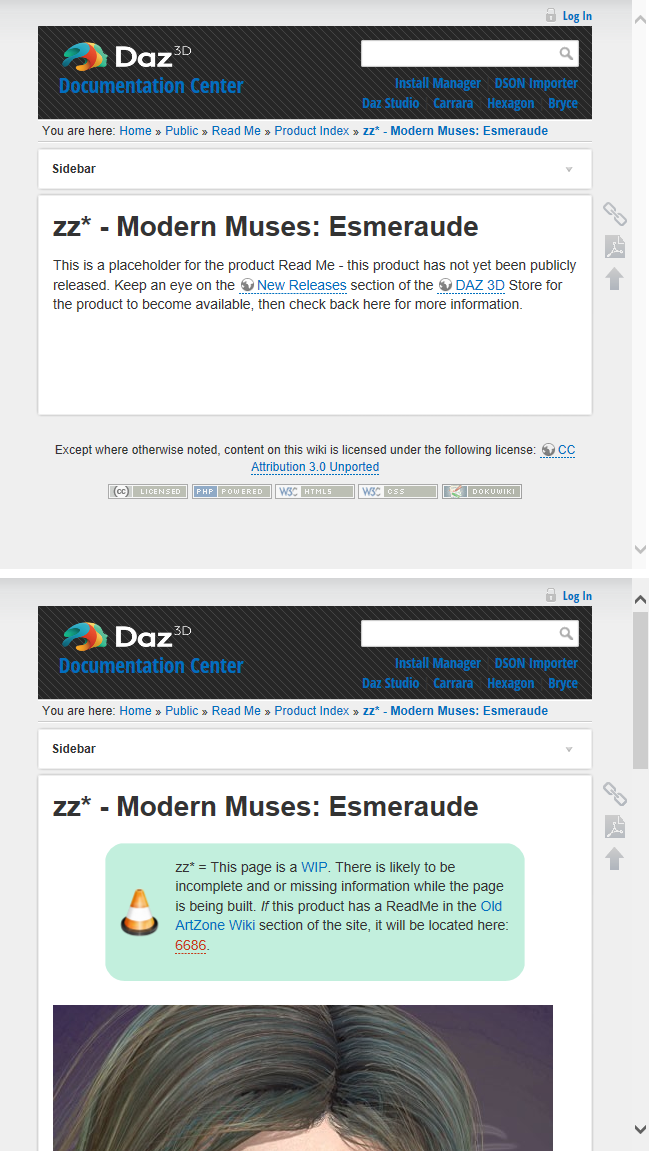
I screenshoot every product detail page I own and my product library is 232 pages. I encounter the notice above that you show, last night. Yesterday, I downloaded 16 items (3 of which were large bundles) and questioned it's poor functionality. The product page reminded me of a minimilistic cell phone test app. If DAZ is hot on this new look, at least retain the details by having a Details Button that expands to reveal the invoice number sku and date purchased etc. That way we can screen shoot with or without such depending on the purpose. God knows support will go insane during peak sales if we send a product screen shot like the ones I took last night - useless.
I noticed the Central option only appears to be on cherry picked products. Not all new releases have Daz Install eliminated as a choice but some much older ones do. For anyone wanting a quick look at the difference here a shot. The details are ususally redundent of what is on the catelogue/sales page and why have the server populate them twice? But at least populate the fields as columns for ipad/notebook/labtopdesktop users via some css media calls.
Does anyone using Daz Central have export to CVS capabilities? OOPs lol. Maybe that's a bad question to ask because when I did a gateway error hit me.
EDIT: Warning- on some products the sales page showed DIM as install type but Install Ready was not populated. I will add a fifth pic to show sample in a second or three. I always download manually, yet also use DIM to download and install. A few days ago the 20th, not sure, DIM opened with nothing in it and that was blamed on the server and quickly fixed. Was that a snaeak peak at the future of DIM? I often use DIM to transfer purchases to my offline machine (2080ti system) and I know others do the same. I highly recommend everyone create a restore point prior to opening DIM.
Not a fan of the new product library layoutI begin to believe that DAZ sadly didn't learn from the Connect only debacle earlier. A continuing case where two working install methods (manual and DIM) and a Product page that doesn't generate issues are apparently being replaced by worse/damaging methods (DAZ Central).
I note that today opening DIM from the desktop after pruchasing products doesn't show the new purchases, requiring one to go to the new, not improved product to download via DIM, individually. Poor poor choice for a company that relies on customer loyalty.
In the past if you clicked the Install with DIM button after, it would open DIM and you'd have the items you just purchased filtered. When I tried that yesterday, it opened DIM and didn't select anything. I mean, I usually sort by recent orders first, so it's not the end of the world, but DIM is definitely getting the short end here.
For anyone who likes to install manually: why not download with DIM and then use the zip file you get from DIM to proceed with installation? You can use DIM simply as a download manager and move the zip to a super secret machine or whatever.
Daz 3D is part of

Connect
DAZ Productions, Inc.
7533 S Center View Ct #4664
West Jordan, UT 84084Licensing Agreement | Terms of Service | Privacy Policy | EULA
© 2026 Daz Productions Inc. All Rights Reserved.