-
Morphs from G3 to G8
Thanks for this script it is fantastic. I have successfully transferred Bethany 7 character morphs to Genesis 8 Female as a test.
Rookie question. How do I now save this so the morphs are preserved on the next load of Genesis 8?You don't. In fact, if you are using the morphs right after running the script, they aren't loaded correctly.
The morphs are already saved to the figure when script completes. Saving them afterward will either do nothing but waste disk space if you're lucky or break them entirely if you aren't.Interesting.
A few failed attempts later. Following the process as I see it worked above.
1) Load Genesis 3 Female
2) Favourite Arabella 7 morph (under actor-people)
3) Load Genesis 8 Female
4) Ctrl click to highlight Genesis 8 Female (Genesis 3 Female already highlighted)
5) Run Prototype script (dated 9th February)
6) A tab opens showing the transfer (screenshot attached)
7) Delete both figures and reload Genesis 8 Female. No new morphs are present.
I have attached the log file. Any help in trackng down why this is not working would be appreciated.
It works for me and the only thing I'm doing differently from you is:
1 - I selected as favorite a body or a head, not the actor.
2- After selecting the morph as a favorite, I deselected Gen3. Then I loaded Basic G8. I selected Gen3 first, then Gen8.
@Singular Blues did mentioned before to make sure to "deselect Gen3" before selecting both G3 and G8 (in that order if you're transferring from G3 to 8).
Might be a shot in the dark, but you can always try if it fixes it. Also, remember to download the package (that contain the data folder with the clones) in Singular Blue's signature, not just the latest script.
Morphs from G3 to G8Thanks for this script it is fantastic. I have successfully transferred Bethany 7 character morphs to Genesis 8 Female as a test.
Rookie question. How do I now save this so the morphs are preserved on the next load of Genesis 8?You don't. In fact, if you are using the morphs right after running the script, they aren't loaded correctly.
The morphs are already saved to the figure when script completes. Saving them afterward will either do nothing but waste disk space if you're lucky or break them entirely if you aren't.Interesting.
A few failed attempts later. Following the process as I see it worked above.
1) Load Genesis 3 Female
2) Favourite Arabella 7 morph (under actor-people)
3) Load Genesis 8 Female
4) Ctrl click to highlight Genesis 8 Female (Genesis 3 Female already highlighted)
5) Run Prototype script (dated 9th February)
6) A tab opens showing the transfer (screenshot attached)
7) Delete both figures and reload Genesis 8 Female. No new morphs are present.
I have attached the log file. Any help in trackng down why this is not working would be appreciated.
I think you are supposed to extra DAZ Studio and then start it again for the transfers to show. At least that is the case when I install new products via DIM.
Thanks, but during my attempts I have shut down and restarted Studio several times with no effect on the status of the available morphs.
You should add then then as step 8 and check the morph availability as step 9
Yes, tried that with no result.
Do what Barbult said - others have had similar problems.
Morphs from G3 to G8Thanks for this script it is fantastic. I have successfully transferred Bethany 7 character morphs to Genesis 8 Female as a test.
Rookie question. How do I now save this so the morphs are preserved on the next load of Genesis 8?You don't. In fact, if you are using the morphs right after running the script, they aren't loaded correctly.
The morphs are already saved to the figure when script completes. Saving them afterward will either do nothing but waste disk space if you're lucky or break them entirely if you aren't.Interesting.
A few failed attempts later. Following the process as I see it worked above.
1) Load Genesis 3 Female
2) Favourite Arabella 7 morph (under actor-people)
3) Load Genesis 8 Female
4) Ctrl click to highlight Genesis 8 Female (Genesis 3 Female already highlighted)
5) Run Prototype script (dated 9th February)
6) A tab opens showing the transfer (screenshot attached)
7) Delete both figures and reload Genesis 8 Female. No new morphs are present.
I have attached the log file. Any help in trackng down why this is not working would be appreciated.
I think you are supposed to extra DAZ Studio and then start it again for the transfers to show. At least that is the case when I install new products via DIM.
Thanks, but during my attempts I have shut down and restarted Studio several times with no effect on the status of the available morphs.
You should add then then as step 8 and check the morph availability as step 9
Yes, tried that with no result.
Morphs from G3 to G8Just guessing - Try favoriting the Arabella 7 Head or Arabella 7 Body morph instead of the Actor/People Arabella 7. The Actor/People "morph" is just a controller to dial head and body morphs, not a "real" morph.
Morphs from G3 to G8Thanks for this script it is fantastic. I have successfully transferred Bethany 7 character morphs to Genesis 8 Female as a test.
Rookie question. How do I now save this so the morphs are preserved on the next load of Genesis 8?You don't. In fact, if you are using the morphs right after running the script, they aren't loaded correctly.
The morphs are already saved to the figure when script completes. Saving them afterward will either do nothing but waste disk space if you're lucky or break them entirely if you aren't.Interesting.
A few failed attempts later. Following the process as I see it worked above.
1) Load Genesis 3 Female
2) Favourite Arabella 7 morph (under actor-people)
3) Load Genesis 8 Female
4) Ctrl click to highlight Genesis 8 Female (Genesis 3 Female already highlighted)
5) Run Prototype script (dated 9th February)
6) A tab opens showing the transfer (screenshot attached)
7) Delete both figures and reload Genesis 8 Female. No new morphs are present.
I have attached the log file. Any help in trackng down why this is not working would be appreciated.
I think you are supposed to extra DAZ Studio and then start it again for the transfers to show. At least that is the case when I install new products via DIM.
Thanks, but during my attempts I have shut down and restarted Studio several times with no effect on the status of the available morphs.
You should add then then as step 8 and check the morph availability as step 9
Morphs from G3 to G8Thanks for this script it is fantastic. I have successfully transferred Bethany 7 character morphs to Genesis 8 Female as a test.
Rookie question. How do I now save this so the morphs are preserved on the next load of Genesis 8?You don't. In fact, if you are using the morphs right after running the script, they aren't loaded correctly.
The morphs are already saved to the figure when script completes. Saving them afterward will either do nothing but waste disk space if you're lucky or break them entirely if you aren't.Interesting.
A few failed attempts later. Following the process as I see it worked above.
1) Load Genesis 3 Female
2) Favourite Arabella 7 morph (under actor-people)
3) Load Genesis 8 Female
4) Ctrl click to highlight Genesis 8 Female (Genesis 3 Female already highlighted)
5) Run Prototype script (dated 9th February)
6) A tab opens showing the transfer (screenshot attached)
7) Delete both figures and reload Genesis 8 Female. No new morphs are present.
I have attached the log file. Any help in trackng down why this is not working would be appreciated.
I think you are supposed to extra DAZ Studio and then start it again for the transfers to show. At least that is the case when I install new products via DIM.
Thanks, but during my attempts I have shut down and restarted Studio several times with no effect on the status of the available morphs. My log file above is from a fresh start of Studio having attempted to transfer three different character morphs on three seperate occasions.
Morphs from G3 to G8Thanks for this script it is fantastic. I have successfully transferred Bethany 7 character morphs to Genesis 8 Female as a test.
Rookie question. How do I now save this so the morphs are preserved on the next load of Genesis 8?You don't. In fact, if you are using the morphs right after running the script, they aren't loaded correctly.
The morphs are already saved to the figure when script completes. Saving them afterward will either do nothing but waste disk space if you're lucky or break them entirely if you aren't.Interesting.
A few failed attempts later. Following the process as I see it worked above.
1) Load Genesis 3 Female
2) Favourite Arabella 7 morph (under actor-people)
3) Load Genesis 8 Female
4) Ctrl click to highlight Genesis 8 Female (Genesis 3 Female already highlighted)
5) Run Prototype script (dated 9th February)
6) A tab opens showing the transfer (screenshot attached)
7) Delete both figures and reload Genesis 8 Female. No new morphs are present.
I have attached the log file. Any help in trackng down why this is not working would be appreciated.
I think you are supposed to extra DAZ Studio and then start it again for the transfers to show. At least that is the case when I install new products via DIM.
Morphs from G3 to G8Thanks for this script it is fantastic. I have successfully transferred Bethany 7 character morphs to Genesis 8 Female as a test.
Rookie question. How do I now save this so the morphs are preserved on the next load of Genesis 8?You don't. In fact, if you are using the morphs right after running the script, they aren't loaded correctly.
The morphs are already saved to the figure when script completes. Saving them afterward will either do nothing but waste disk space if you're lucky or break them entirely if you aren't.Interesting.
A few failed attempts later. Following the process as I see it worked above.
1) Load Genesis 3 Female
2) Favourite Arabella 7 morph (under actor-people)
3) Load Genesis 8 Female
4) Ctrl click to highlight Genesis 8 Female (Genesis 3 Female already highlighted)
5) Run Prototype script (dated 9th February)
6) A tab opens showing the transfer (screenshot attached)
7) Delete both figures and reload Genesis 8 Female. No new morphs are present.
I have attached the log file. Any help in trackng down why this is not working would be appreciated.
Headlee Shrunken Head [commercial]Headlee
https://www.daz3d.com/headlee-for-genesis-8-male-s
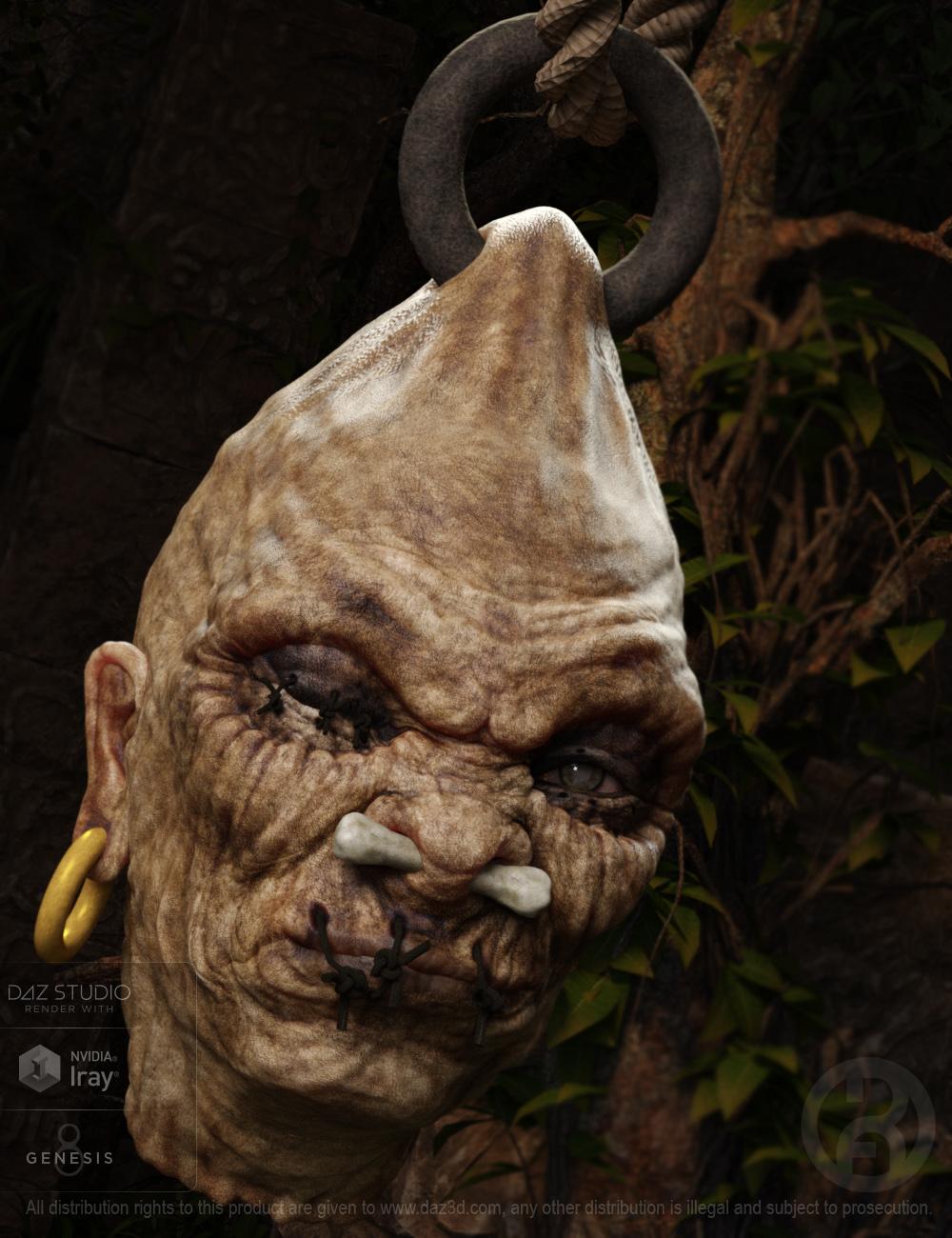
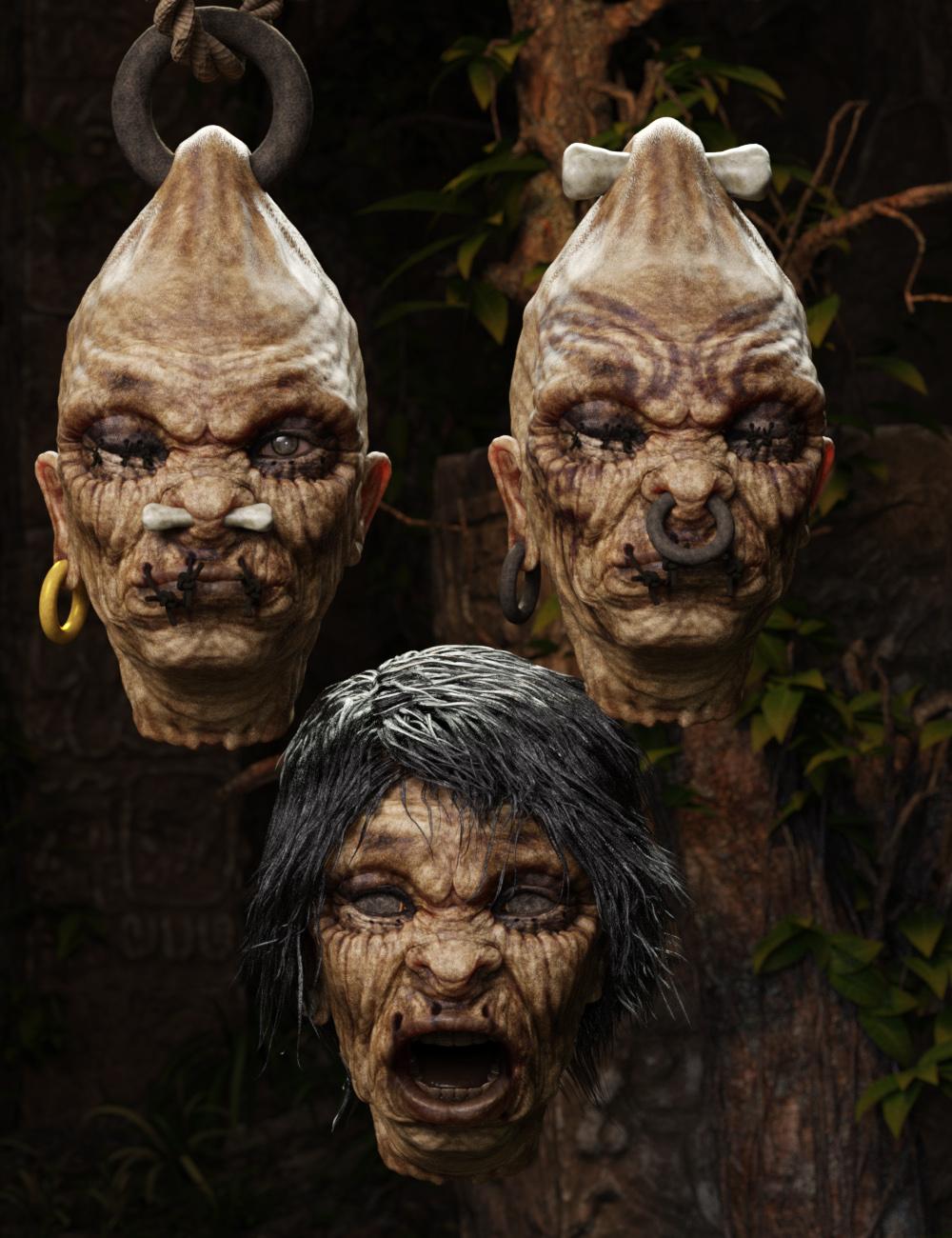
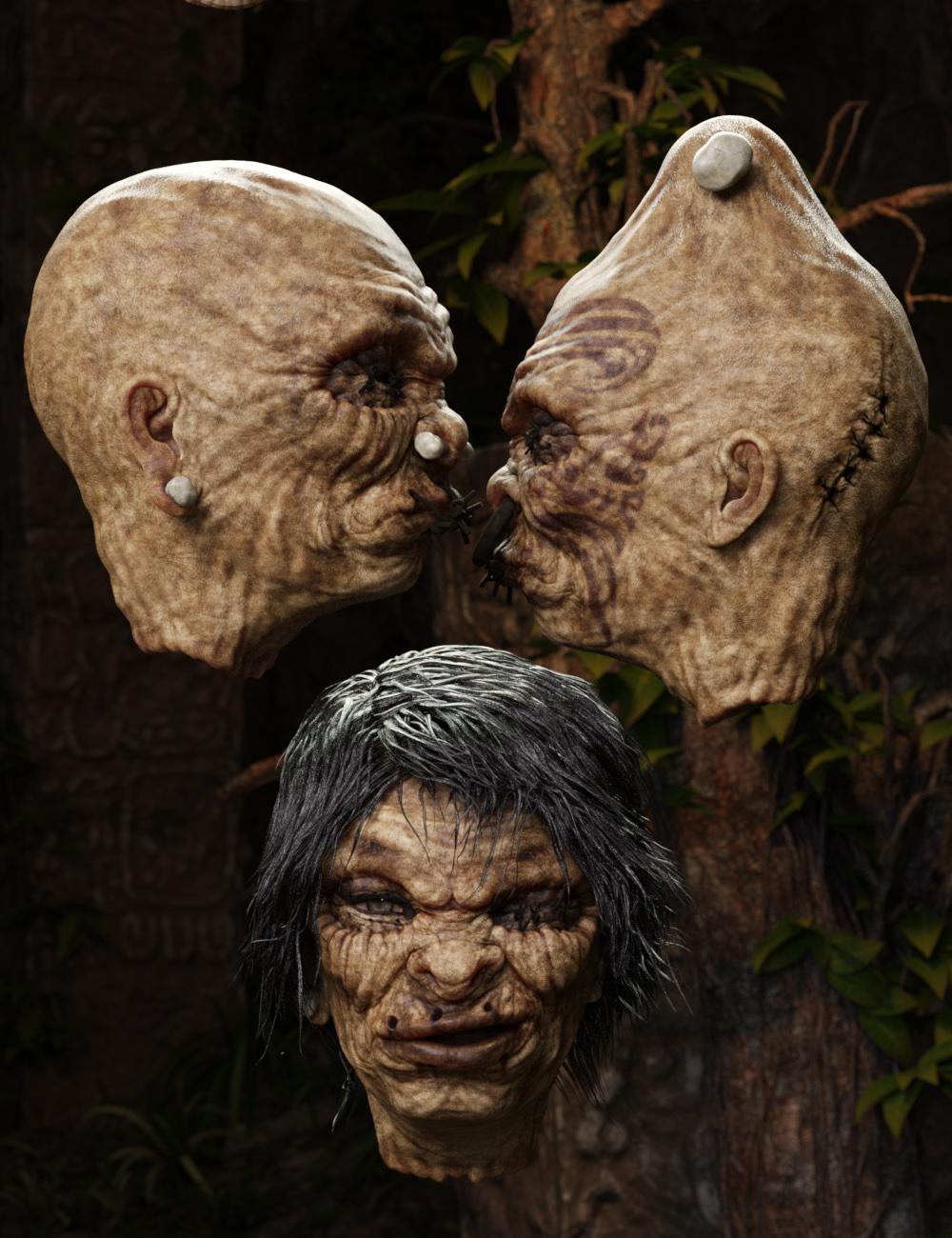
Sometimes you may find it hard to get a-head in this world, but the corporate headhunter may have just the thing for you. Headlee is a richly detailed shrunken head character for Genesis 3 males is designed to be both creepy and fun. Able to use all Geneis 8 male shaping morphs and emotions (to varying degrees), you can create a variety of looks for him.
The set comes complete with custom crafted High Definition Morphs, and Highly detailed Textures for the utmost realism.
- Product Includes
- One Headlee Neck Graft
- One Headlee High Definition Morph
- One Headlee Shaping Preset
- One Headlee Character Preset
- Two Face Material Presets
- Three Eye Material Presets
- One Earbone (with Iray and 3delight Mat Presets)
- Ear Ring (with Iray and 3delight Mat Presets)
- One Left Eye Stitch (with Iray and 3delight Mat Presets)
- One Right Eye Stitch (with Iray and 3delight Mat Presets)
- One Lip Eye Stitch (with Iray and 3delight Mat Presets)
- One Nose Bone (with Iray and 3delight Mat Presets)
- One Nose Ring (with Iray and 3delight Mat Presets)
- One Top Bone (with Iray and 3delight Mat Presets)
- One Top Ring (with Iray and 3delight Mat Presets)
- Includes both Iray and 3Delight Material Presets
 Celebrity Look-a-Likes for 3D figures Part 2
So, I finished up this morph and put it up on ShareCG, if you are interested. No textures, just the morph.
Thanks! Love it.
Celebrity Look-a-Likes for 3D figures Part 2Does anyone know of a good Gal Gadot morph for V4? (NOT the
forenderone!)I'm guessing you didn't like that version of her either. I looked around to see if there was a good Gal's morph out there but couldn't find one. So I gave a shot on creating her morph myself.
zbrush puzzleDoes happen on and off. Instead of full reboot just signoff from windows and log back in and then launch Daz and Zbrush. It will work.
There are times when Daz says there is no ZBrush installed and the only way I have managed to get it work under that circumstance is to launch ZBrush, load a project or any of the auto saved projects, select a subtool and click GoZ to send the content to Daz Studio. Once it shows up on Daz Studio (Daz shows the morph / update dialog), the problem goes away and you then again start to use GoZ button from Daz Studio without any problem.Morphs from G3 to G8hi, singular...
i've lost track of the number of times i've drafted thank yous to you on this thread, and deleted them unposted because they sounded so incredibly inadequate.
***
i've just reinstalled the clone files from the script base, and installed the new Prototype/PrototypeVerbose scripts, and run that version of the Verbose script twice.
earlier log entries are from the previous version of the script.
the parse error on line 793 seems to turn up consistently for me when either version of the script runs. but sometimes i am getting an immediate error popup instead.
hope the log helps some. let me know if i can be of any help.
and..thank you!
j
Yeah. there was typo in that one too. And another. And more. And I figured out why the pngs wouldn't copy and then would. So I fixed that too.
Okay, I'm just going to say it. This has fantastic potential. A lot of us don't want to commit to G8 stuff because there's some much we've invested in G1, G2, and G3...but we wouldn't mind using some G8 morphs. Why not polish this thing so it's more efficient and sell it? Obviously you have people who are willing to buy this, me included.
That's what this is. This is the alpha test of the product. Finding things out like the fingernails inexplicably go in the wrong direction, and figuring out if it can be fixed. Finding out that it still gimps out on connect, and why (because the Regular Expression was still case sensitive, btw. I was using the wrong format). I still expect the connect to fail because I expect there are more things I don't know about connect. Obviously, the easiest thing to do would be to buy some connect stuff, but I can't afford to buy anything so I'm relying on this kind of testing to work the bugs out. And frankly, if I can't solve the fingernail issue, there's no product to sell. And right now, I'm not sure that issue can be solved. The only idea I have is literally a shot in the dark.
As with old one, this is not product ready. The old one is fundamentally flawed. It cannot be made ready. This one can.I hope.
Anyway, the current problem should be, what is the next issue from Daz Connect. Here are the updated scripts.Edit: replace the Prototype.dse and PrototypeVerbose.dse with the contents of this attachment. this does not contain the whole package. I'll update the package after getting feedback on this.
I can confirm whatever you changed made the transfer of FW Aran HD for Genesis 3 Male successful to G8! I'm attaching the log file for that! I've tested the morph and it works perfectly!
Whole host of problemsAbout V4/M4: Try selecting the cloth (first fit to your figure), then right click in the viewport and select transfer active morphs. That should transfer the morphs used for your figure to the clothing.
works for some clothing but not all, either way I have one fix so thank you lol
I know you need some luck as well:) After running out of that you can always use smoothing, deformers or borrow some morphs from some other clothing
 Whole host of problems
About V4/M4: Try selecting the cloth (first fit to your figure), then right click in the viewport and select transfer active morphs. That should transfer the morphs used for your figure to the clothing.
works for some clothing but not all, either way I have one fix so thank you lol
Daz to Maya questionhow's the victoria 8 morph looking in the other softwares?
ty

i'm having trouble with some of the nailbed verts not responding to the
fbm morphs from vicki 8 to sakura 8.
effects 3 of her toes.g8m works fine, but he may have not received the new nailbed topology
Hair style & choker requestIt has decent wind and movement dials. What appears to be missing is a morph for extreme hanging hair, like if the actor is hanging upsidedown, or lying on the bed with the head hanging over the edge to allow the hair to hang straight down. And in particular, I don't see a dial for adjusting for the shoulders. So if you have hair reaching past the shoulder, it will go straight into the shoulder instead of parting. Unless that option is hidden among a combination of morphs somewhere...
Compared to all the other substitutes I've bought and gone through over the year just to find the right match for my character however, this hair covers most of what I was looking for. I love the texture. The only thing I'm not getting is the defined curve/rounding of the bangs from the forehead to the temples/ears. The morph option is there, but it doesn't translate into what I wanted.
Oh, and one other thing. It wasn't set up for if I want to turn off the bangs to show her forehead; it looks unnatural. Alternatively, sweep her bangs backward to expose her forehead. I'll still have to toggle with a substitute for such a scene (which I have).
See screenshots below.
 Morphs from G3 to G8
OK, following all the instructions, I got the Nyarai morphs to transfer.
The PNG files were created, but they do not show up on the morphs, because of a naming conflict.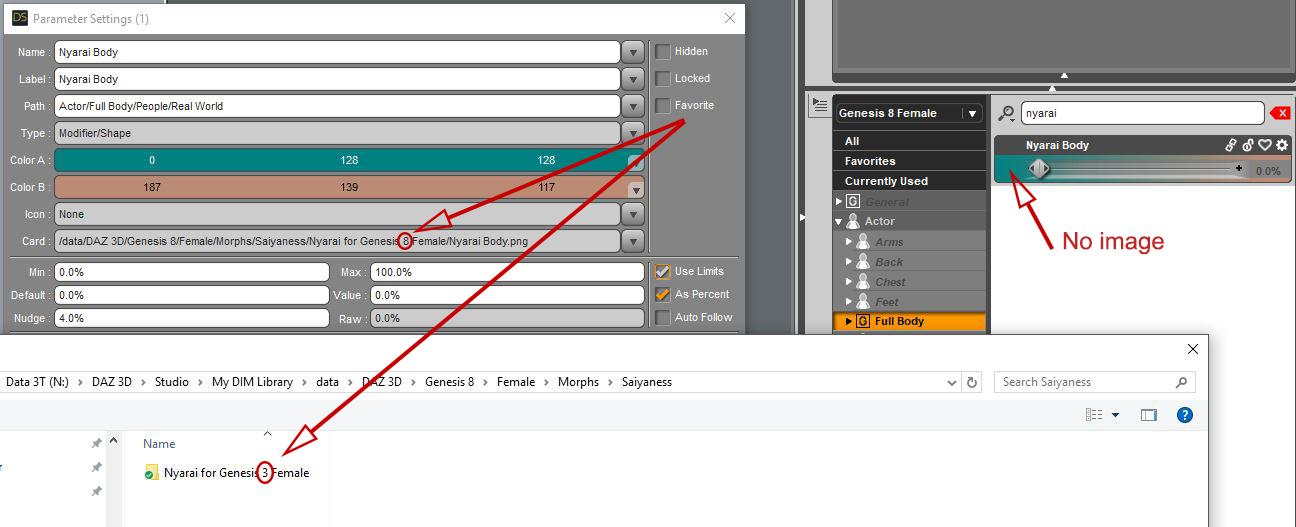 ERC Freeze for Rotations, or for morphs only?
I am trying to create a single dial that will control the rotations on a few upper face rig bones.
I dial them in how I want, and then I thought I ERC Freeze them into a dial and save as a morph asset...but they don't show up?
I pick Property Hierachry, right click G8F, Set node to G8f, and do basically this process, but the dialed in stuff does not show.
Is ERC Freeze only for morphs? Is there a similar to control multiple bone rotations?
Morphs from G3 to G8Question: Am I not even supposed to dial in the source character morph? Do I just favorite it at value 0?
For now yes. Technical reason is a property has two states. Modified and unmodified. When modified, properties sometimes shift their link from assetUri to assetSource. This can cause the script to fail, though I've taken steps to prevent that. I'm just not sure I've taken all the steps, so fr now, don't dial in the morph.
The script gets the morph data from the source, so it's never necessary to dial it. In the end this pesk don't change things issue will, hopefully, also be eliminated, but I need to do a more careful survey of all the points where that can come up in the script and make sure those bases are covered, As of now, I only have two of them.
Edit: To be clear, this is don't change anything about the figure, no always have the figure at 0. If you changed something an changed it back, the state is still modified. Load at base. Select, mark favorite. THat's it. if you did anything else it may fail. and the only way to be sure you are starting fresh is to close Studio and reopen. The way studio caches data leads to weird things happening if you don't restart. I've had issues with it even after opening new scenes.Daz 3D is part of

Connect
DAZ Productions, Inc.
7533 S Center View Ct #4664
West Jordan, UT 84084Licensing Agreement | Terms of Service | Privacy Policy | EULA
© 2026 Daz Productions Inc. All Rights Reserved.